Steps in this chapter (9)
Record the components and their scope, set component materiality, send instructions, give a component auditor guest access to their own component, review their reporting and clearance, and consolidate the trial balances.
An audit marked as a group audit has a Group audit tab: the components register with scoping and coverage, component performance materiality, instructions and reporting, the component auditors' portal and the consolidation (ISA 600 (Revised)).
Riverbend Foods and Beverages Plc is listed on NGX and has two subsidiaries: Riverbend Dairies Limited in Nigeria (audited by the group team) and Riverbend Foods Ghana Limited, audited by Kumasi Assurance Partners. Its year ends on 31 March; the group audit runs in May 2026. Kwame Asante of Kumasi Assurance Partners gets guest access to the Ghana component only.
Use cases
- Use case — A component audited by another firm. Record the firm and evaluate it (step 16.1); invite its partner as a guest (step 16.5).
- Use case — A component in another currency. Record the closing, average and historical rates; the consolidation translates it (IAS 21).
- Use case — Intra-group balances. Record consolidation adjustments in the worksheet (step 16.4).
16.1 Components and scoping
Why
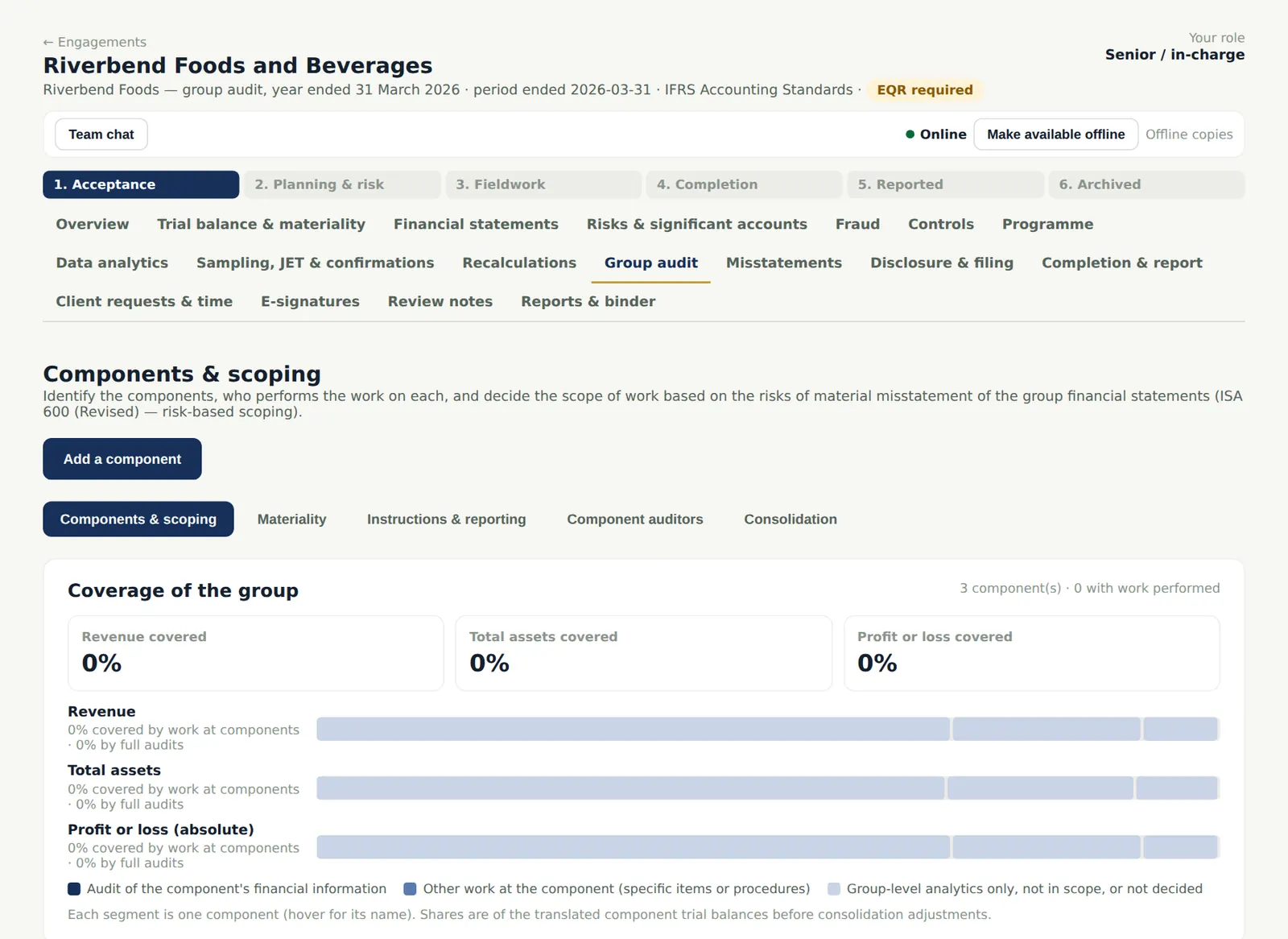
Each component is recorded with its relationship (parent, subsidiary, associate), country, currency, ownership and who audits it; the coverage of the group's revenue, profit and assets shows whether the scope is enough. A component auditor from another firm is evaluated for ethics, competence and the regulatory environment (ISA 600 (Revised).19).
Who
Senior prepares; manager and partner review.
What to do
- Choose Add a component for each one; record the scoping decision and, for another firm, its evaluation.
16.2 Component materiality
Why
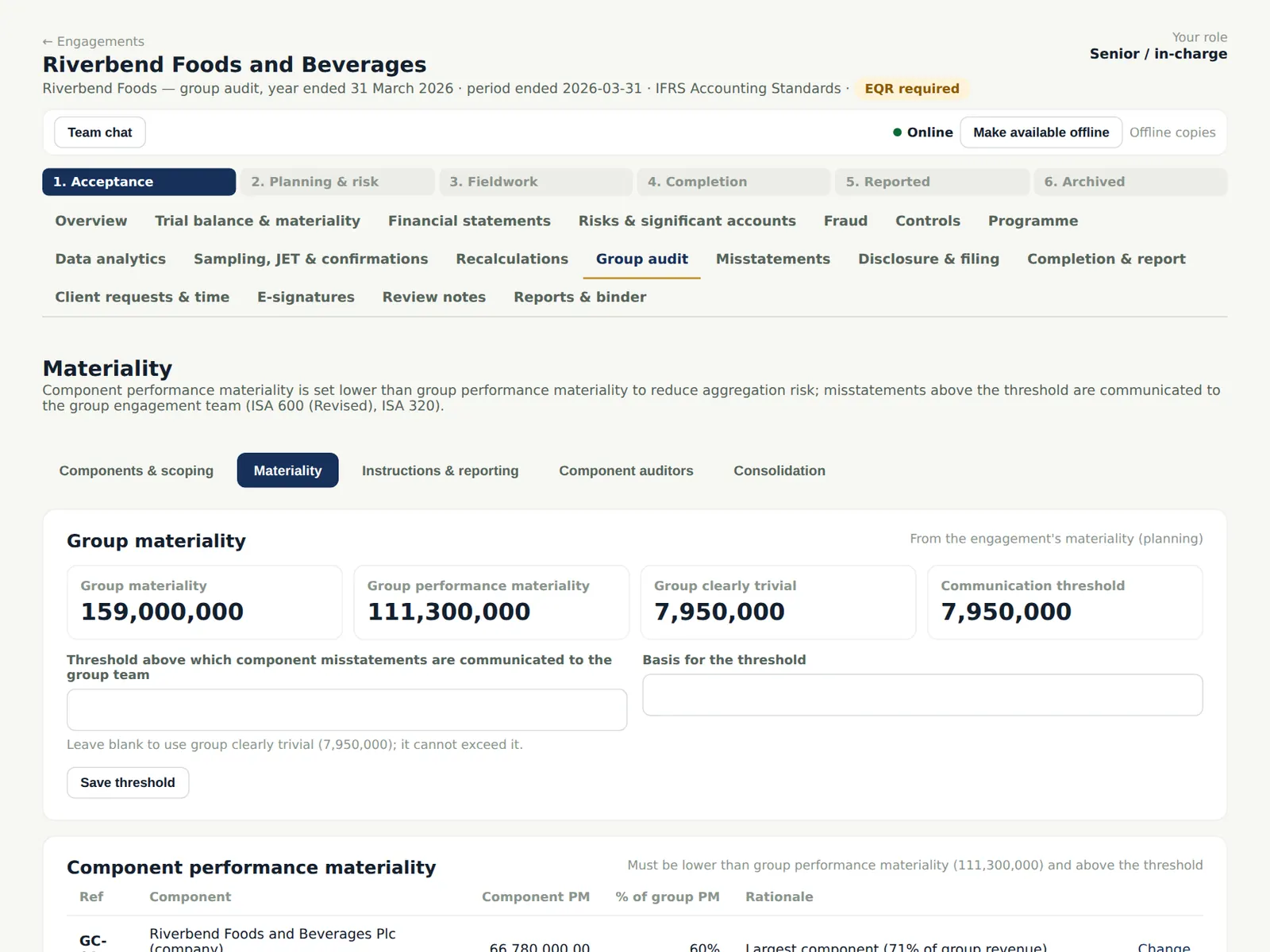
Component performance materiality is set lower than group performance materiality, with the reasons, to limit the risk that uncorrected misstatements across components add up to more than group materiality (ISA 600 (Revised).35).
Who
Senior; engagement partner.
What to do
- Enter each component's performance materiality (or a percentage of group performance materiality) and the reason.
16.3 Instructions and reporting
Why
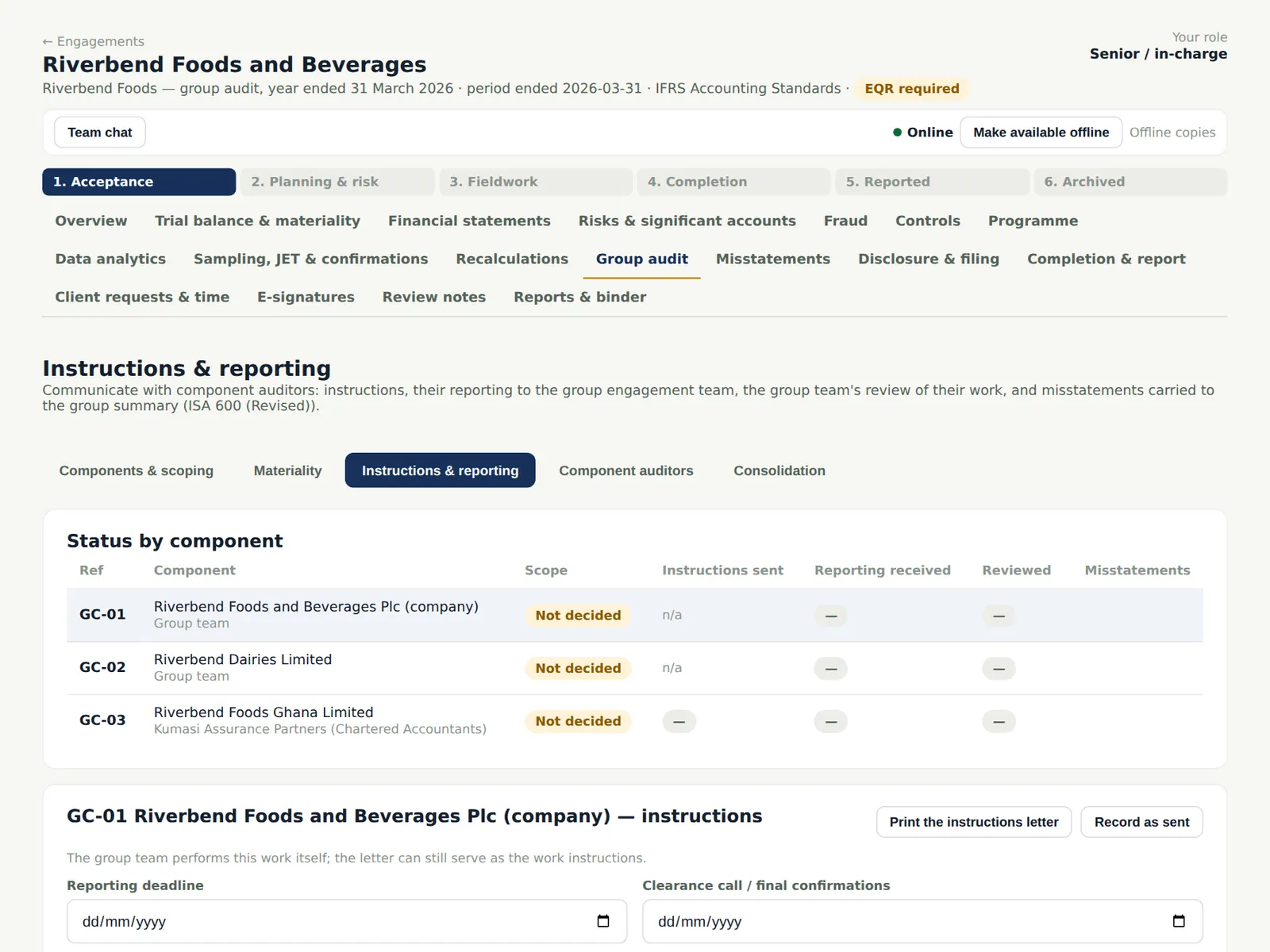
Group instructions set the deliverables, their due dates and the clearance date; the component auditor's reporting covers the matters ISA 600 (Revised).45 requires. The group team reviews each submission.
Who
Manager.
What to do
- Record the instructions and due dates for each component and mark them sent.
16.4 The consolidation
Why
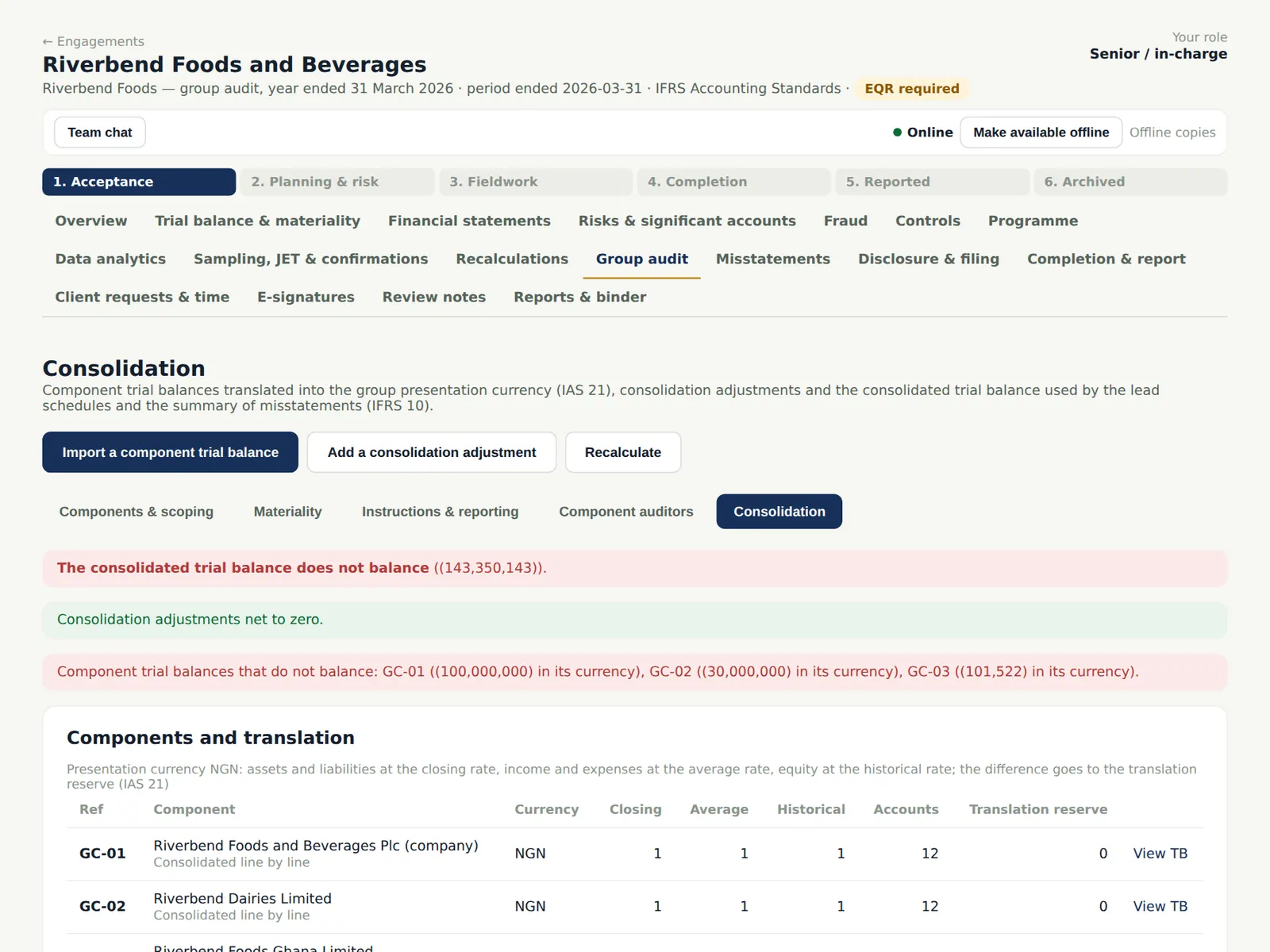
Each component's trial balance is imported against its component and translated into the group currency; consolidation adjustments (intra-group balances, investments, non-controlling interests) are numbered CJ-01 onwards. The group trial balance is built from them.
Who
Senior; manager.
What to do
- Import each component's trial balance; record the consolidation adjustments; check the worksheet.
16.5 Invite the component auditor
Why
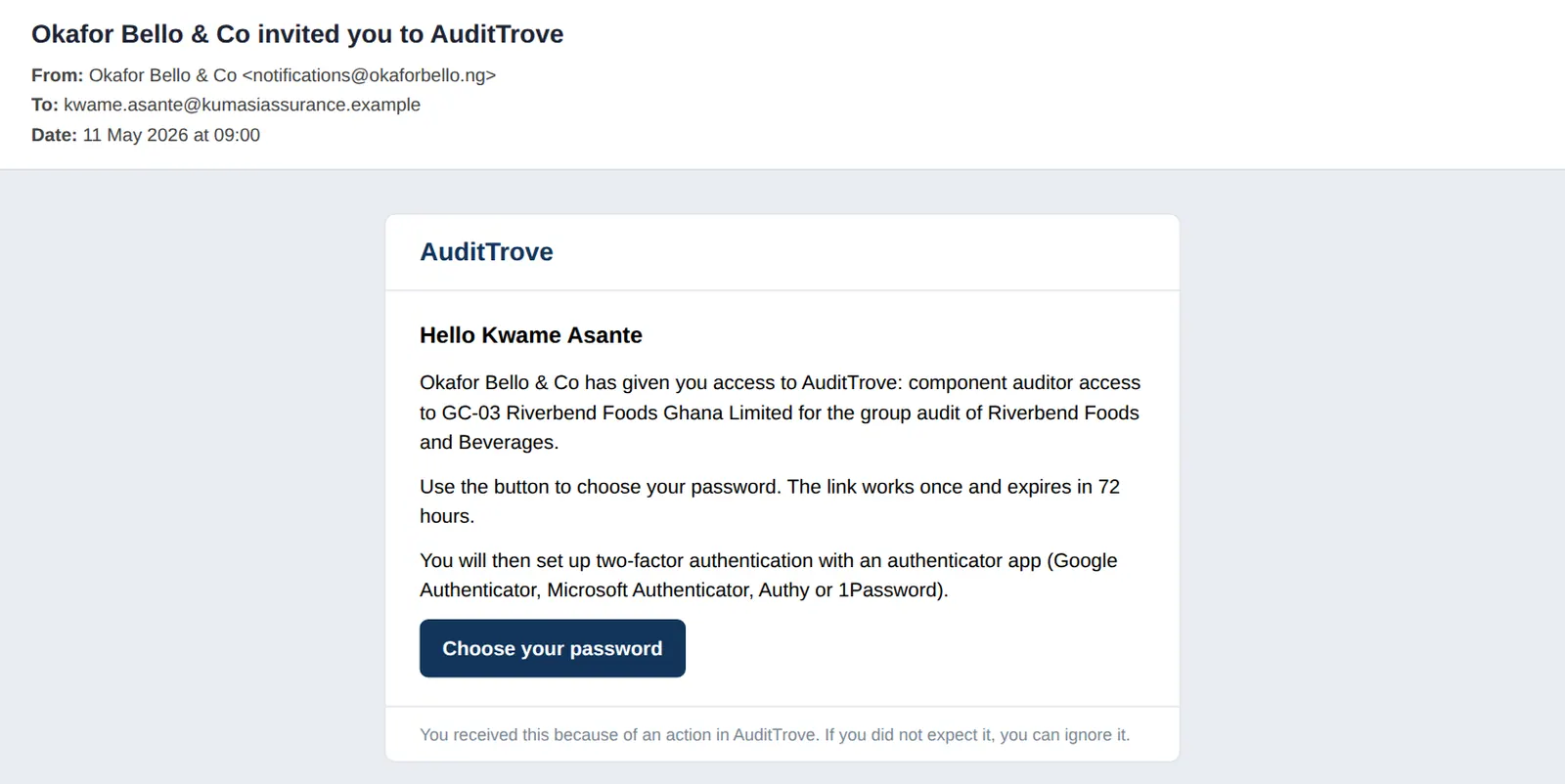
Guest access is for component auditors from other firms only. The guest sees only their own component: the instructions, deliverables with due dates, uploads, the reporting form, comments with the group team and the clearance. Guests do not use the firm's seats and set up two-factor like everyone else.
Who
Engagement partner or manager invites; the component auditor accepts.
What to do
- On Component auditors choose Invite for the component, with the name and email.
- The component auditor chooses a password from the email and sets up two-factor.
16.6 The component auditor's view
Why
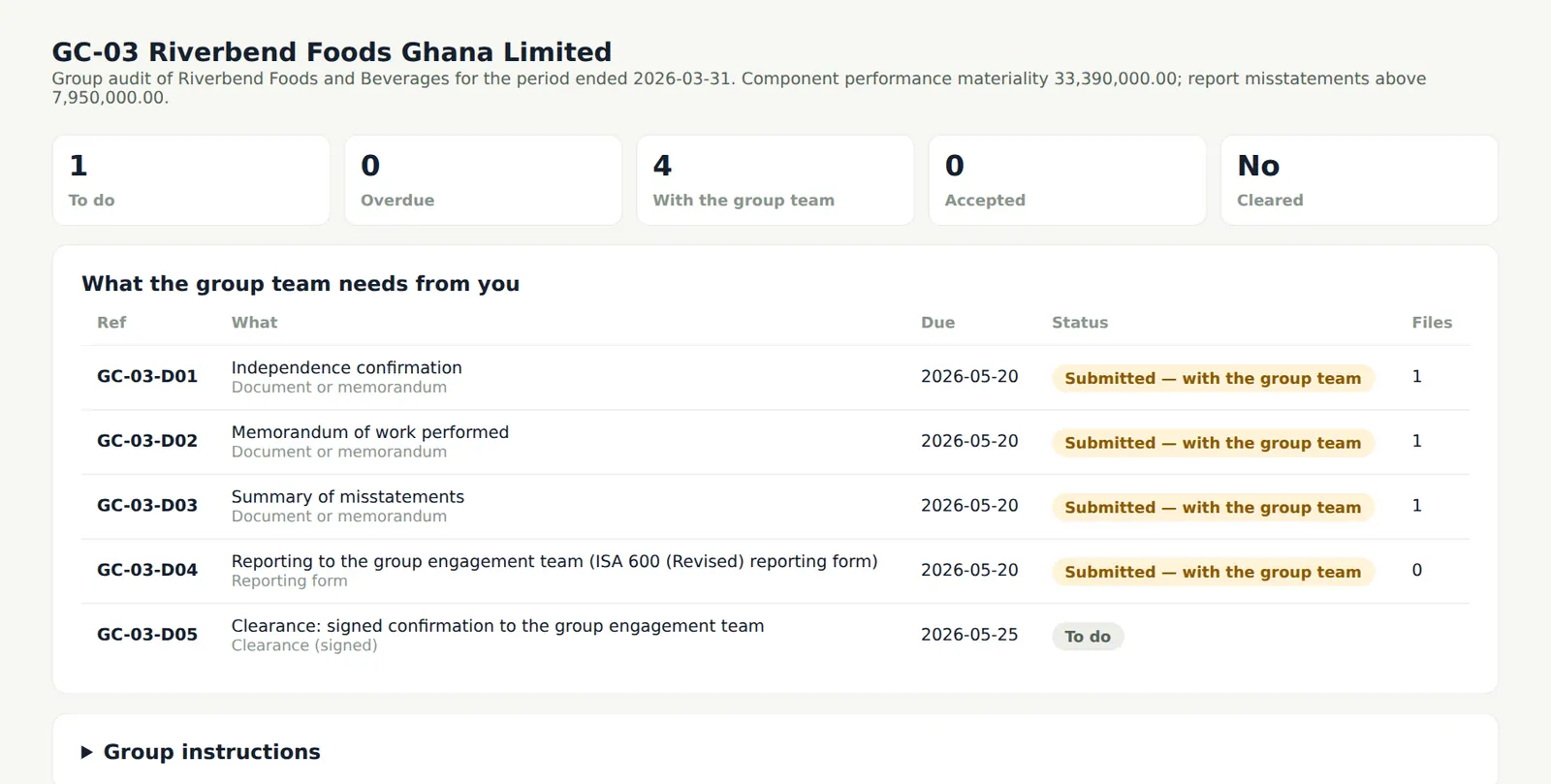
The guest's home lists only the components they have been invited to.
Who
Component auditor.
What to do
- Open the component.
16.7 Deliverables, reporting and clearance
Why
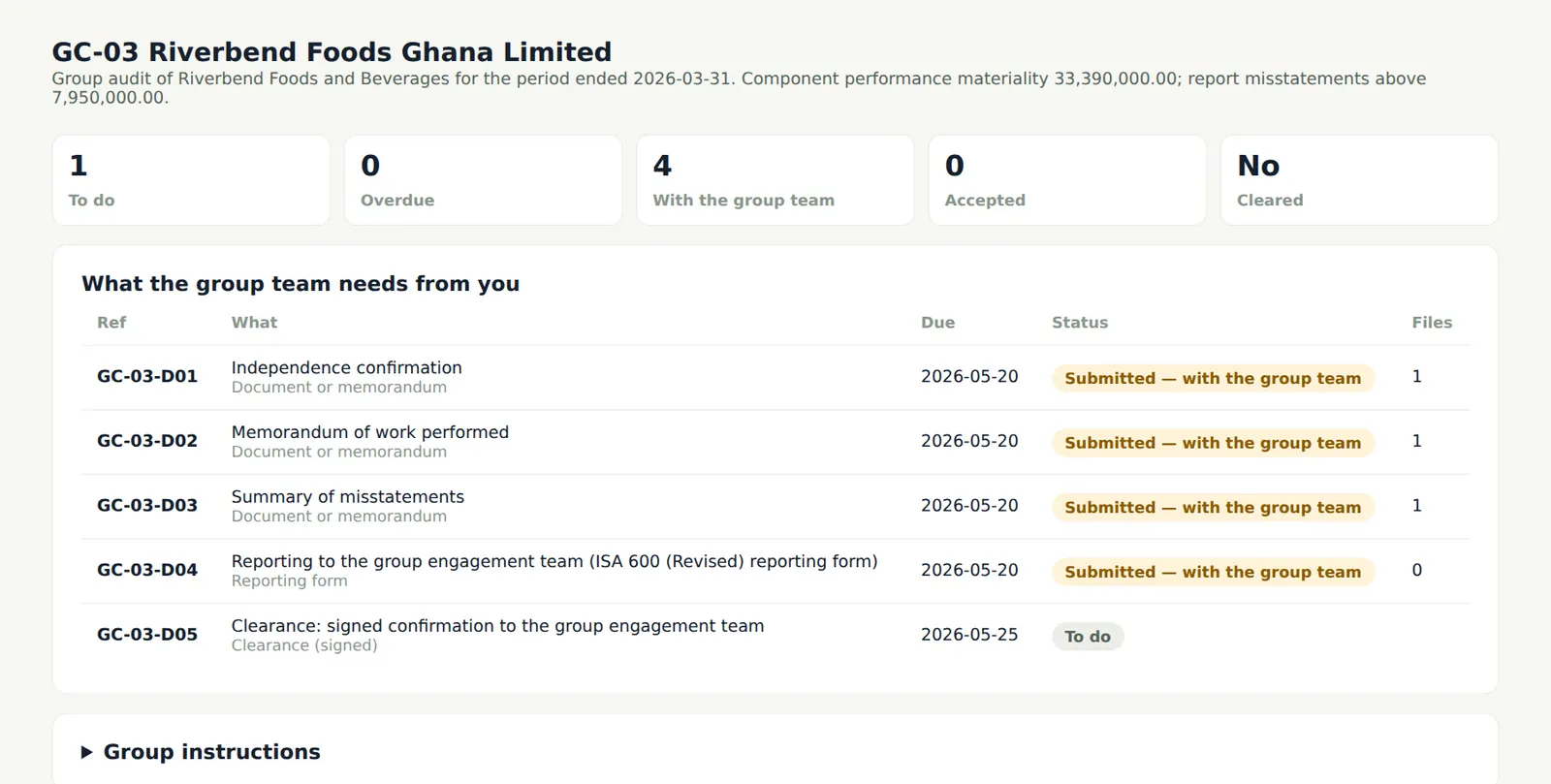
The component auditor uploads each deliverable, completes the reporting form (work done, materiality used, risks, misstatements with those uncorrected and why, deficiencies, fraud, going concern, subsequent events, independence) and signs the clearance electronically. Materiality above the component's or missing matters are refused.
Who
Component auditor (Kwame Asante).
What to do
- Upload each deliverable and choose Submit.
- Complete the reporting form and submit it.
- Sign the clearance when the group team sends it.
16.8 Review the submissions
Why
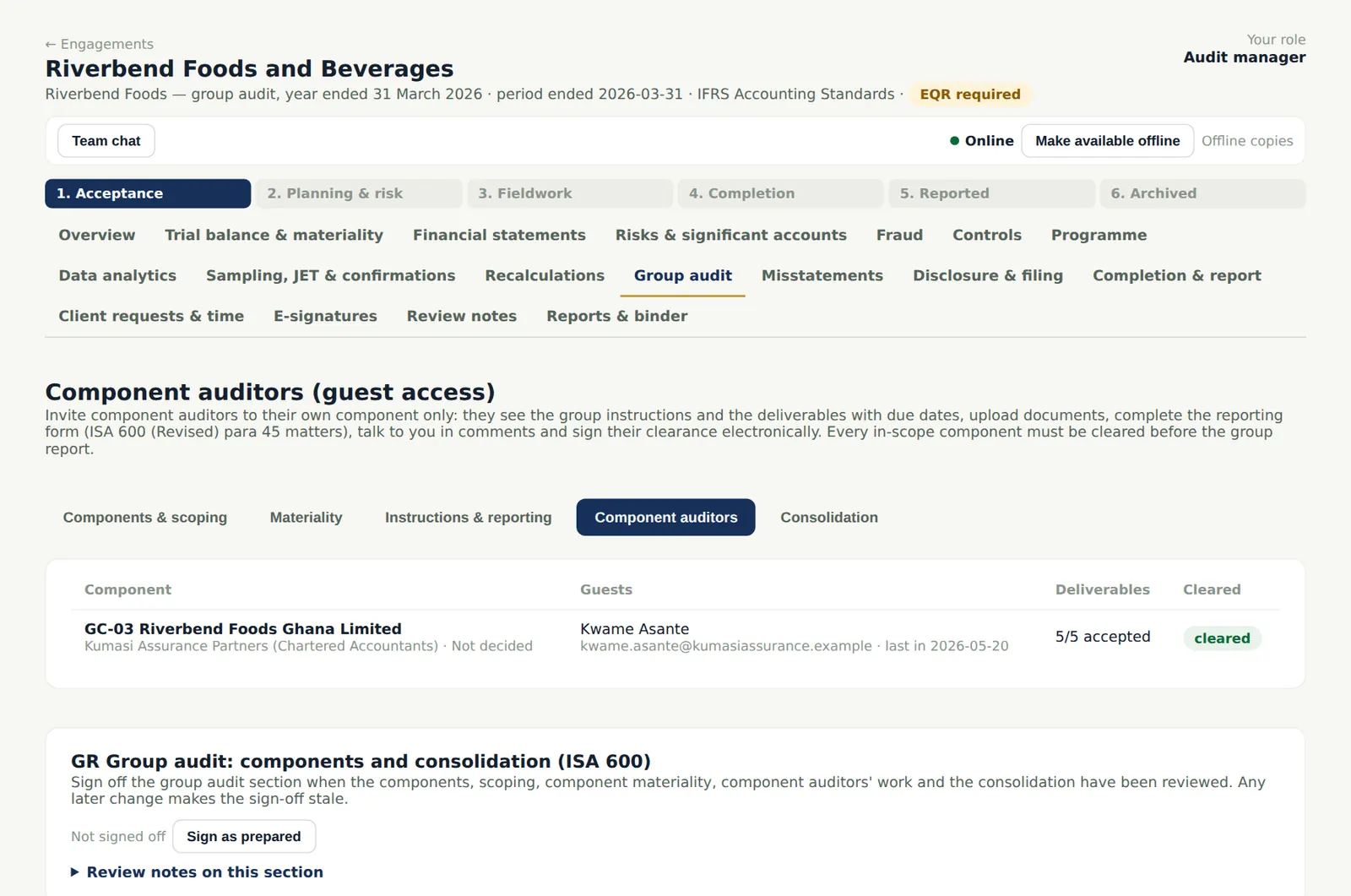
The group team sees every component's deliverables and their status, accepts or returns each with a note, and sends the clearance for signature. A completion gate requires every in-scope component to be cleared.
Who
Senior reviews; manager sends the clearance.
What to do
- Accept or return each submission; choose Send the clearance for signature.
16.9 The group trial balance
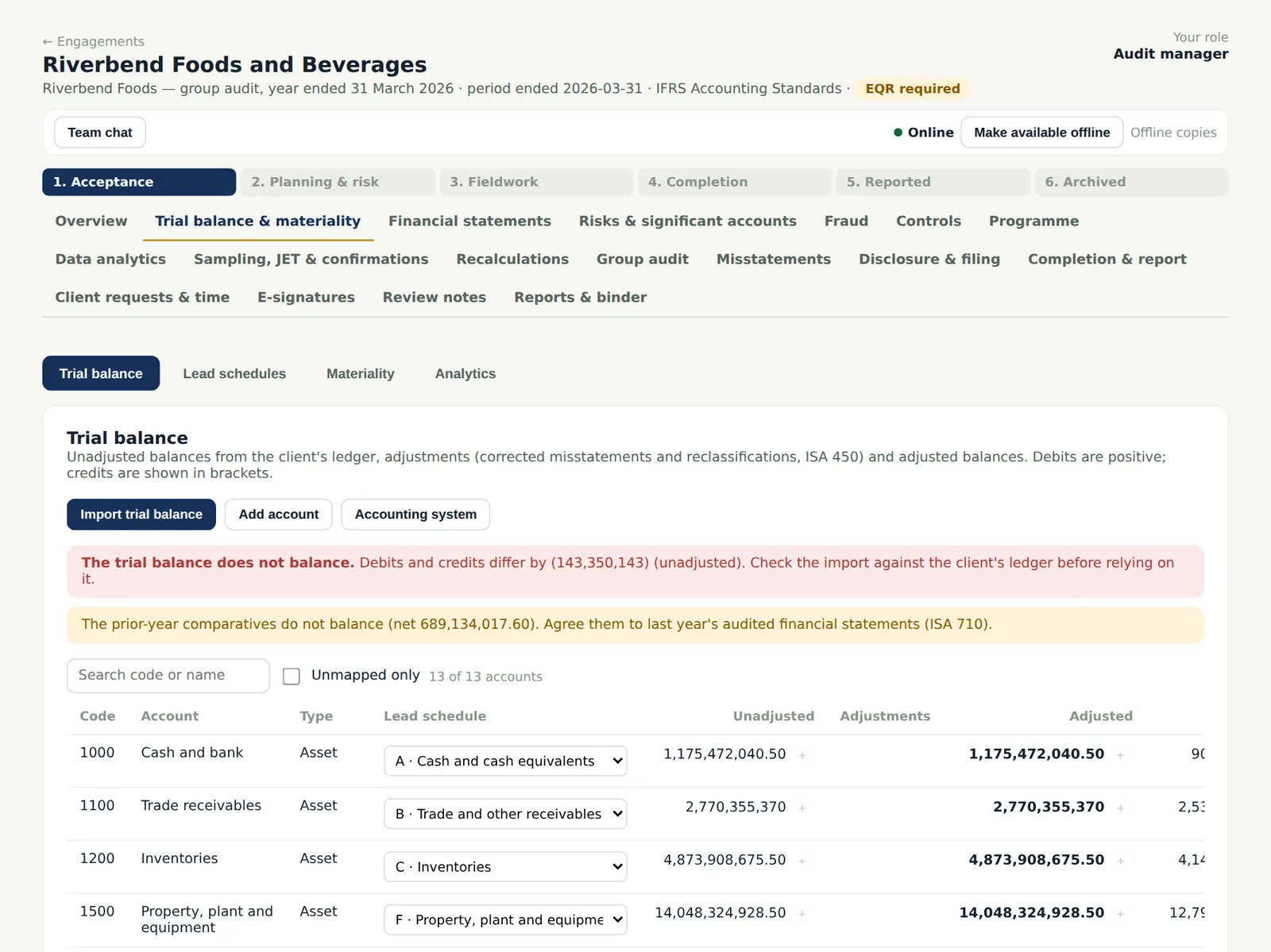
Why
The group engagement's trial balance is the consolidation, so materiality, analytics, the financial statements and the misstatements work on the group figures. It cannot be overwritten by a single ledger import.
Who
Senior.
What to do
- Continue the audit on the group figures.