Steps in this chapter (17)
Choose the ISA for LCE for a less complex entity, conclude on applicability in AC-4L, link the client's BookTrove, pull the trial balance and journals, send adjustments and requests to BookTrove and read the answers back.
The International Standard on Auditing for Audits of Financial Statements of Less Complex Entities (ISA for LCE) is a separate standard for audits of less complex entities, effective for audits of financial statements for periods beginning on or after 15 December 2025. AuditTrove lets an audit be carried out under it: the working papers and programme show the Part of the standard each step serves, the presentation steps are covered once by GEN-12 and the disclosure checklist, and the report and letters use the standard's wording (Part 9: no key audit matters; no separate going concern section unless there is a material uncertainty).
The ISA for LCE cannot be used for listed or other public interest entities, and AuditTrove refuses it for them. For every other audit the applicability paper AC-4L asks about the prohibitions (Authority A.1), the group limits and the qualitative characteristics of a less complex entity (Authority A.2–A.9), and requires the partner to stand back. If the audit turns out to be more complex, the partner moves it to the ISAs before the report — the transition the standard requires. Check the local position before relying on it: the FRC of Nigeria published a notice on the adoption and implementation of the ISA for LCE in July 2025, and firms in Barbados should confirm ICAB's position.
Rumuola Marine Supplies Limited is an owner-managed supplier of ropes, lubricants, safety equipment and provisions to vessels in Port Harcourt. It keeps its books in BookTrove, TroveUniverse's bookkeeping app. With an auditor access token from the client, the team pulls the trial balance and the journal lines, sends proposed adjustments for the client to post, and sends document requests that the client answers inside BookTrove. Tamunoemi Briggs is the engagement partner and Ebiere Tariah the senior, in April 2026.
Use cases
- Use case — A small owner-managed company. Choose the ISA for LCE when you create the audit (step 15.2) and conclude on AC-4L (step 15.4).
- Use case — A client that becomes more complex during the audit. The partner moves the audit to the ISAs with a reason (step 15.17); every audit feature applies unchanged.
- Use case — A client on BookTrove. Ask for an auditor access token with the read, adjust and pbc permissions (step 15.6).
- Use case — The client accepts a proposed adjustment in BookTrove. Check BookTrove decisions (step 15.13): the adjustment becomes corrected, with BookTrove's entry number.
15.1 Not for a listed entity
Why
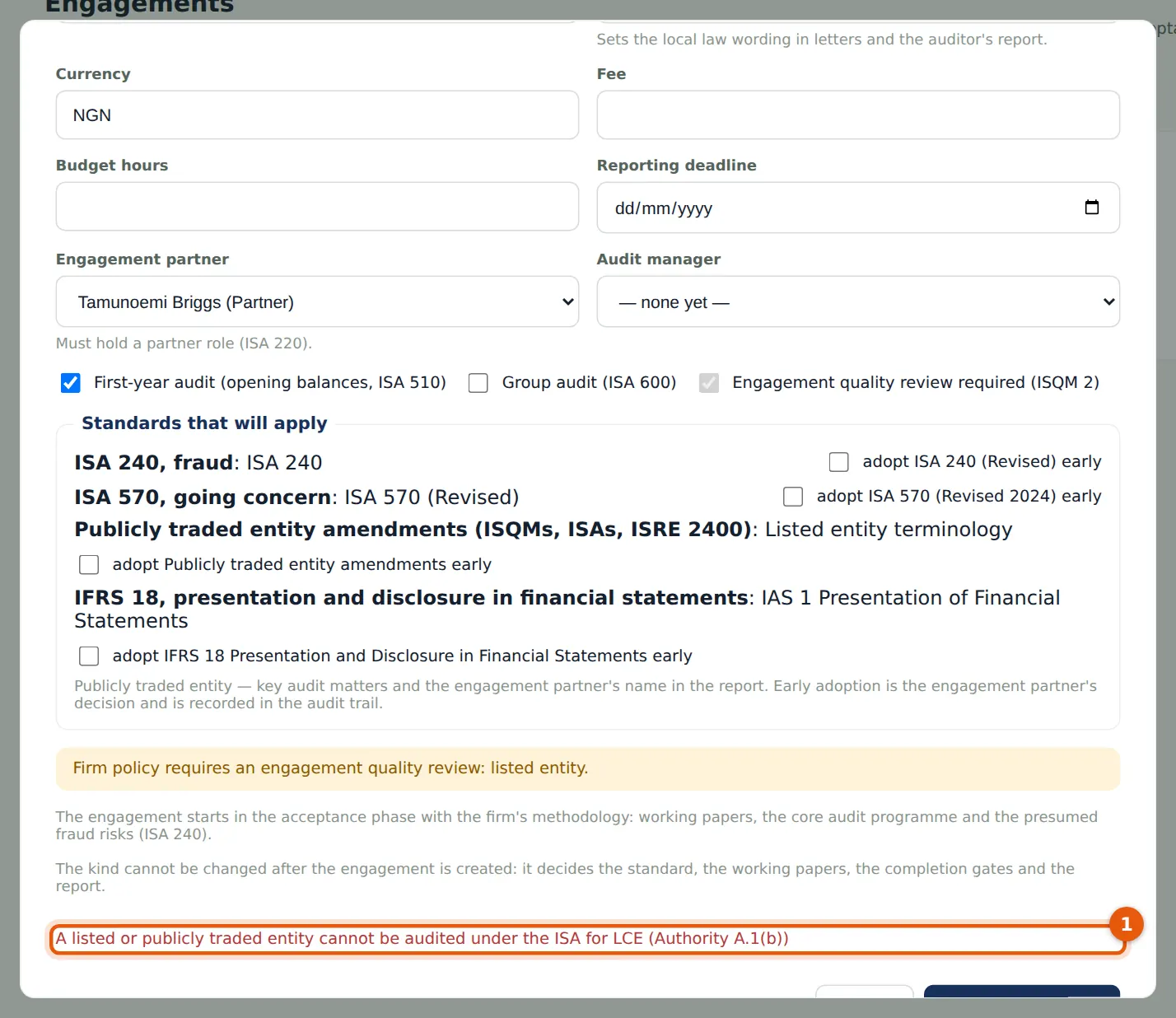
The ISA for LCE's Authority (A.1) prohibits its use for listed entities and other public interest entities, and AuditTrove refuses it for them when the engagement is created — here for Riverbend Foods and Beverages Plc, which is listed.
Who
Engagement partner.
What to do
- Choose the ISAs for a listed or other public interest entity.
15.2 Create the audit under the ISA for LCE
Why
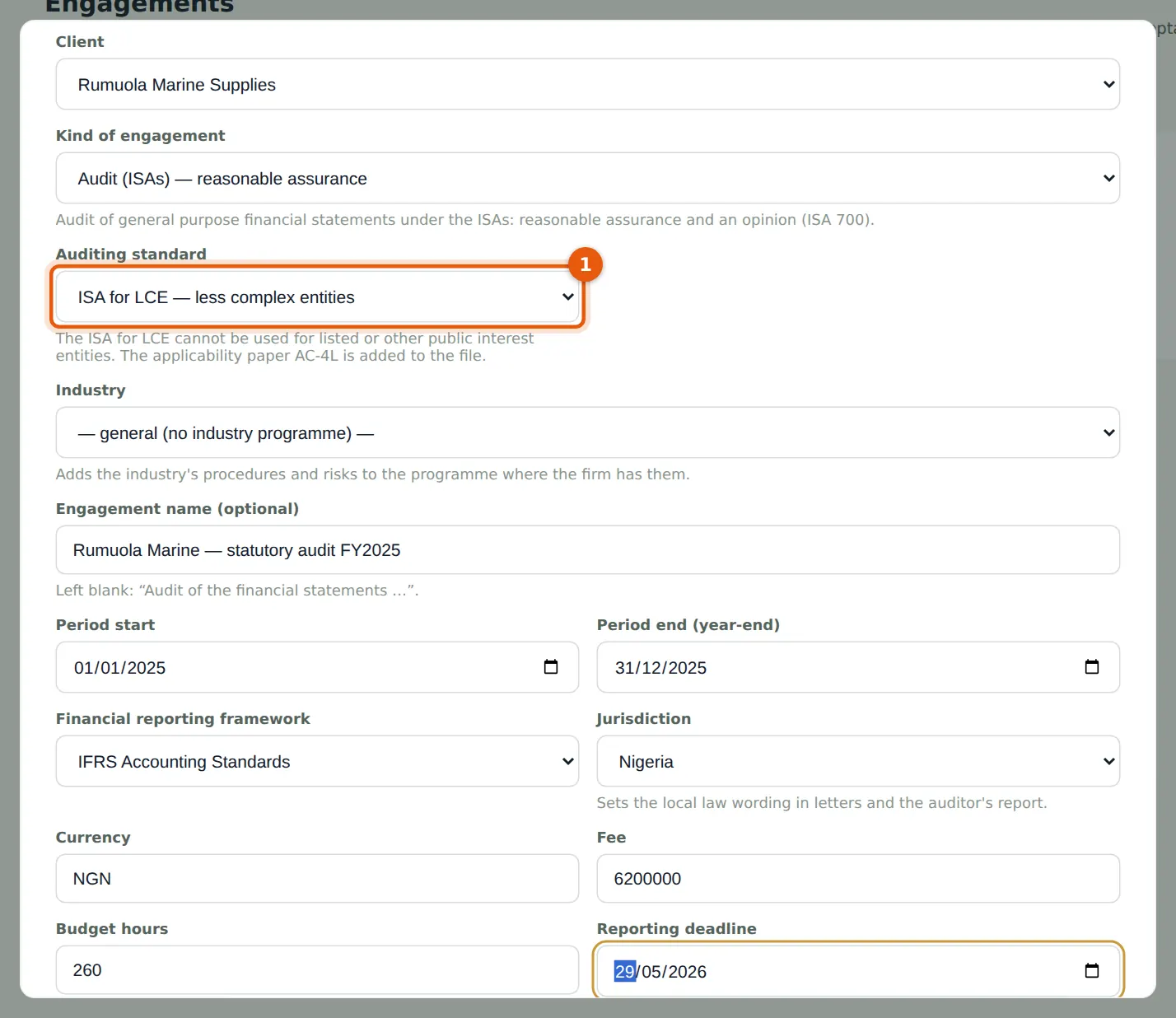
The ISA for LCE is not a separate kind of engagement: it is an audit with a different auditing standard, so every audit feature applies. The applicability paper AC-4L is added to the file.
Who
Engagement partner (Tamunoemi Briggs).
What to do
- Choose New engagement, the client and the kind Audit.
- Choose ISA for LCE in Auditing standard (1), then the period, framework, fee and deadline, and choose Create.
15.3 The auditing standard on the overview
Why
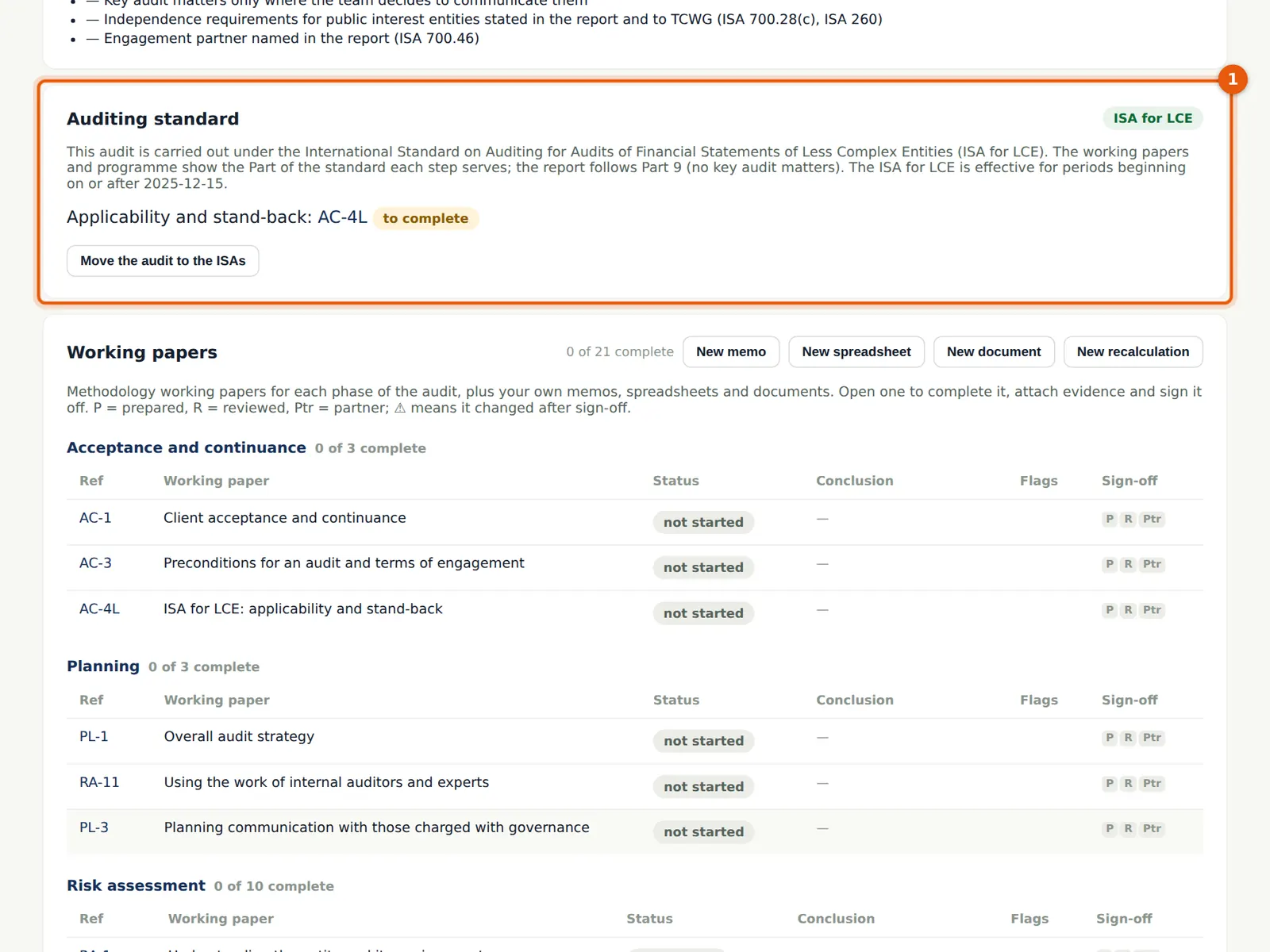
The overview says the audit follows the ISA for LCE, links to AC-4L and shows the switch. Switching is the engagement partner's decision: from the ISAs to the ISA for LCE only at acceptance or planning; from the ISA for LCE to the ISAs at any time before the report.
Who
Engagement partner.
What to do
- Open AC-4L from here (step 15.4).
15.4 AC-4L: is the ISA for LCE applicable?
Why
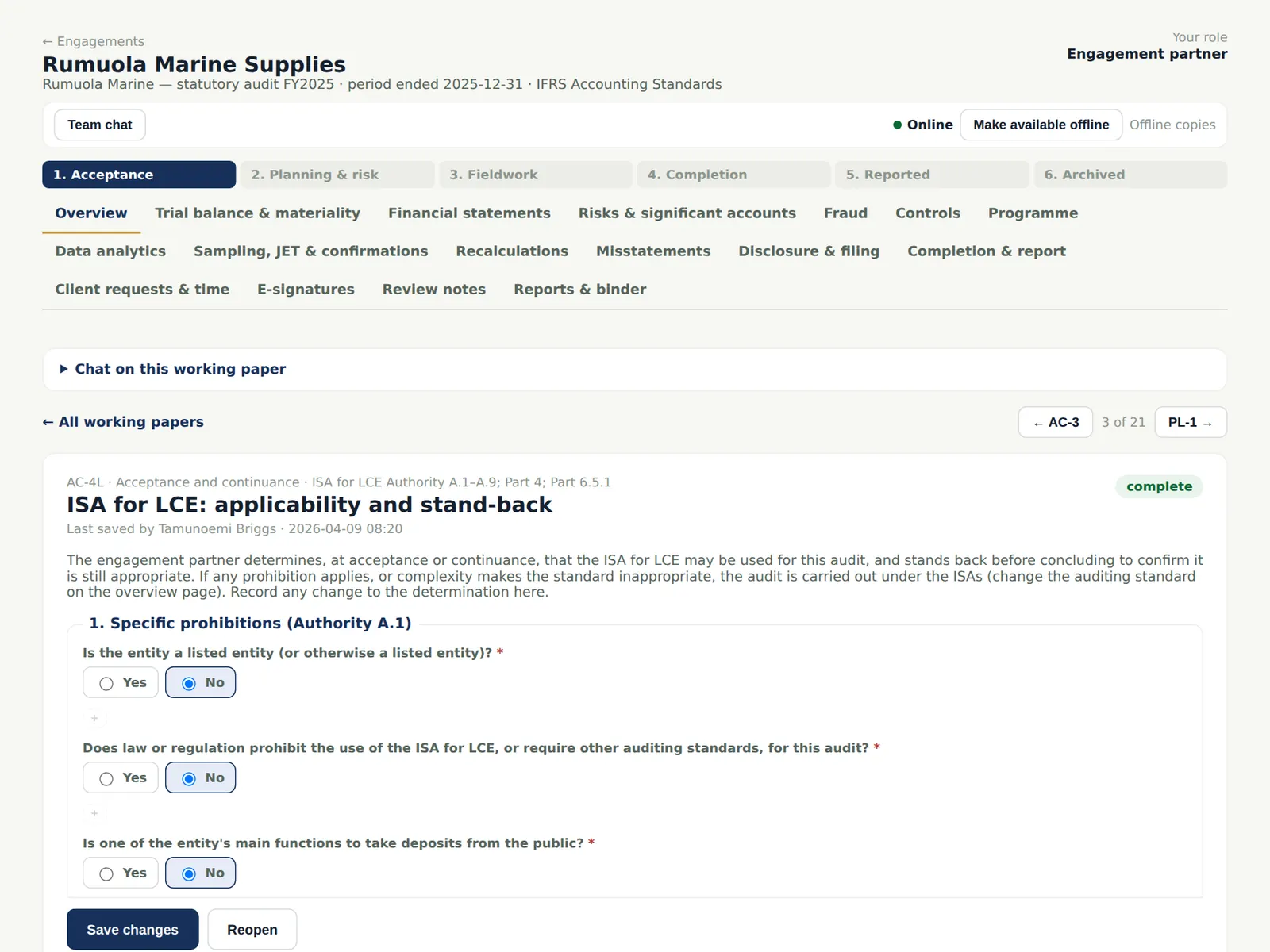
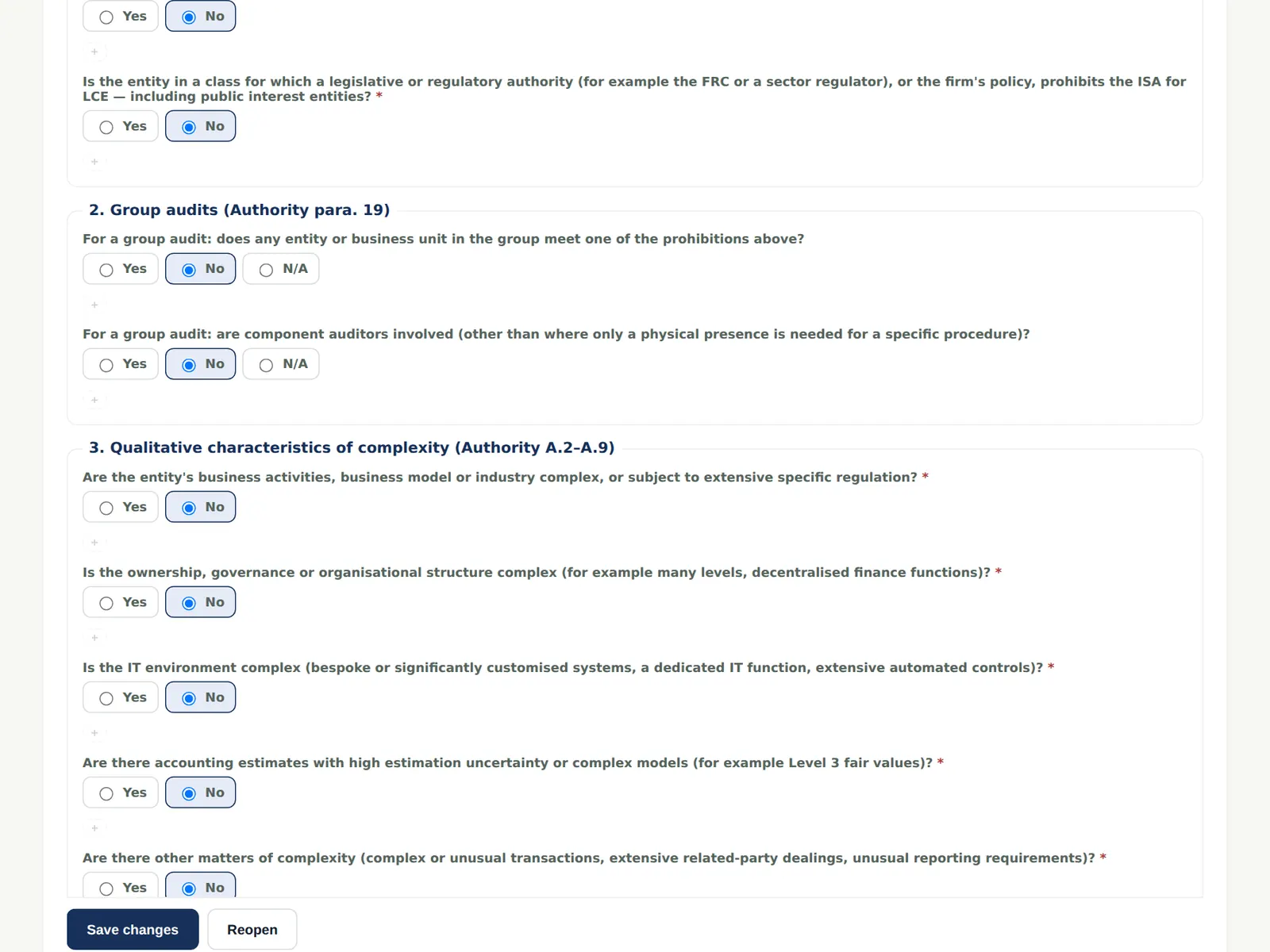
AC-4L records the prohibitions (listed, law or regulation, deposit-taking and other public interest functions), the group limits, and the qualitative characteristics that make an entity less complex — simple ownership, few transaction streams, simple systems, no complex estimates. An 'applicable' conclusion, the stand-back and the review are completion gates, and a change after acceptance needs amended terms.
Who
Engagement partner prepares or reviews; senior prepares.
What to do
- Answer each question and record the conclusion: Applicable, with the reasons.
15.5 The stand-back
Why
Before concluding, the partner stands back: is there anything that suggests complexity the ISA for LCE does not address (Part 6.5.1)? The answer is recorded and signed.
Who
Engagement partner.
What to do
- Record the stand-back, mark the paper complete and sign it.
15.6 Link the client's BookTrove
Why
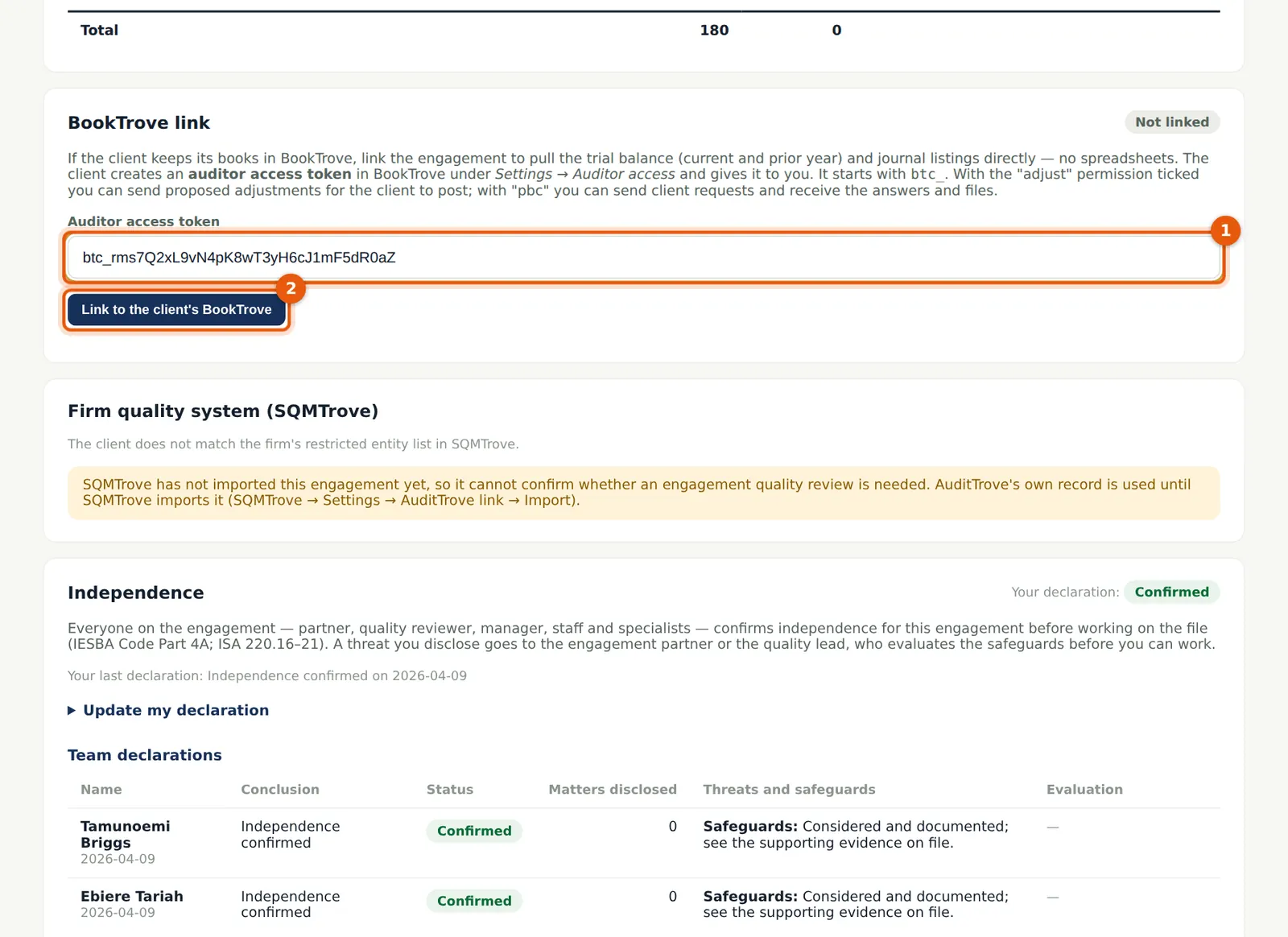
In BookTrove the client creates an auditor access token (Settings → Auditor access) and ticks what it allows: read (trial balance and journals), adjust (proposed adjustments) and pbc (document requests). The token starts with btc_. AuditTrove stores it sealed and calls only BookTrove's auditor endpoints with it.
Who
Engagement partner or manager.
What to do
- Ask the client for a token with read, adjust and pbc ticked.
- On the Overview, paste it in BookTrove link (1) and choose Link to the client's BookTrove (2).
15.7 Linked
Why
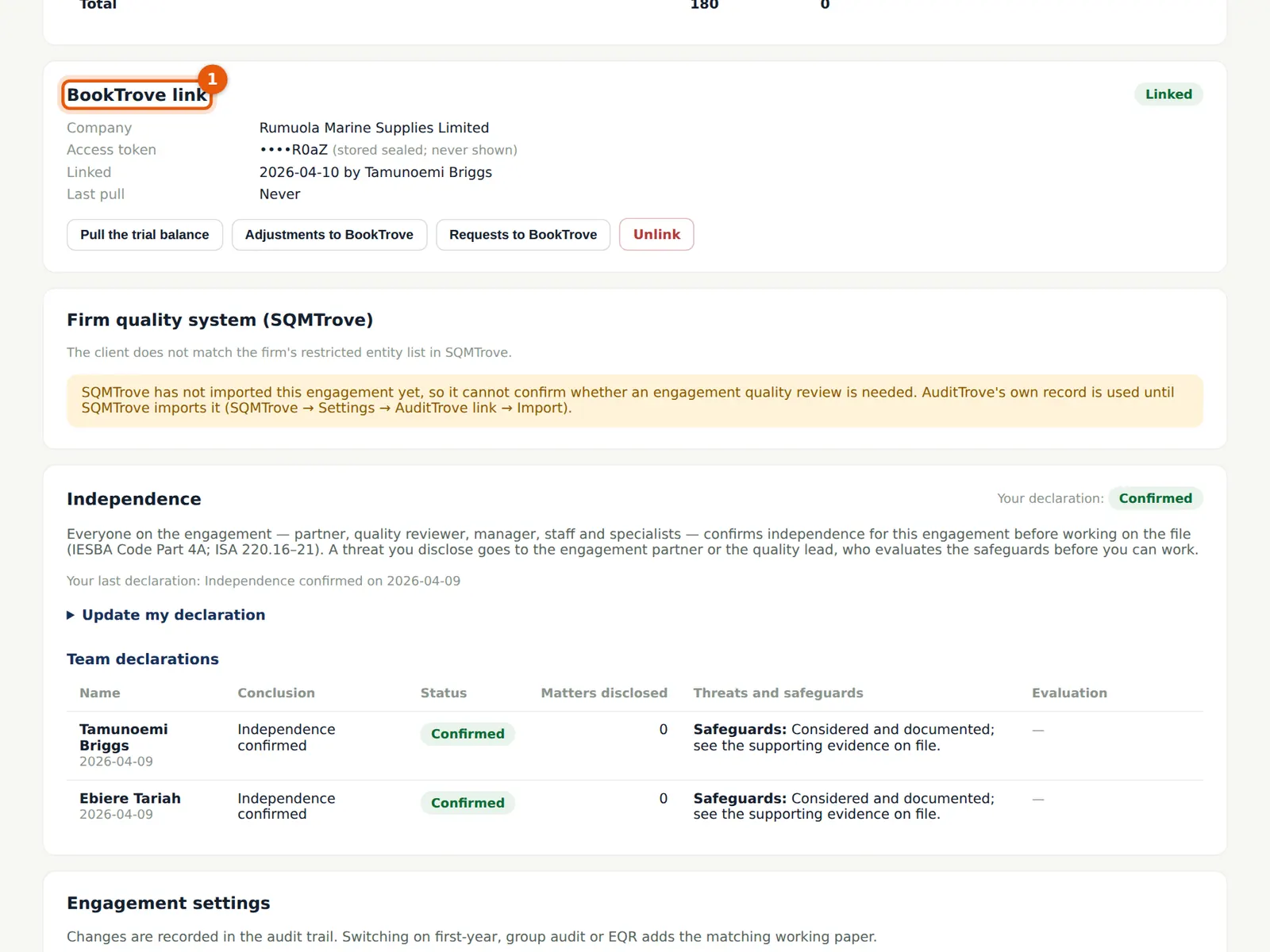
The overview shows the BookTrove company and the end of the token. Unlink deletes the stored token; the client can also revoke it in BookTrove at any time.
Who
Engagement partner or manager.
What to do
- Check it is the right company.
15.8 Pull the trial balance from BookTrove
Why
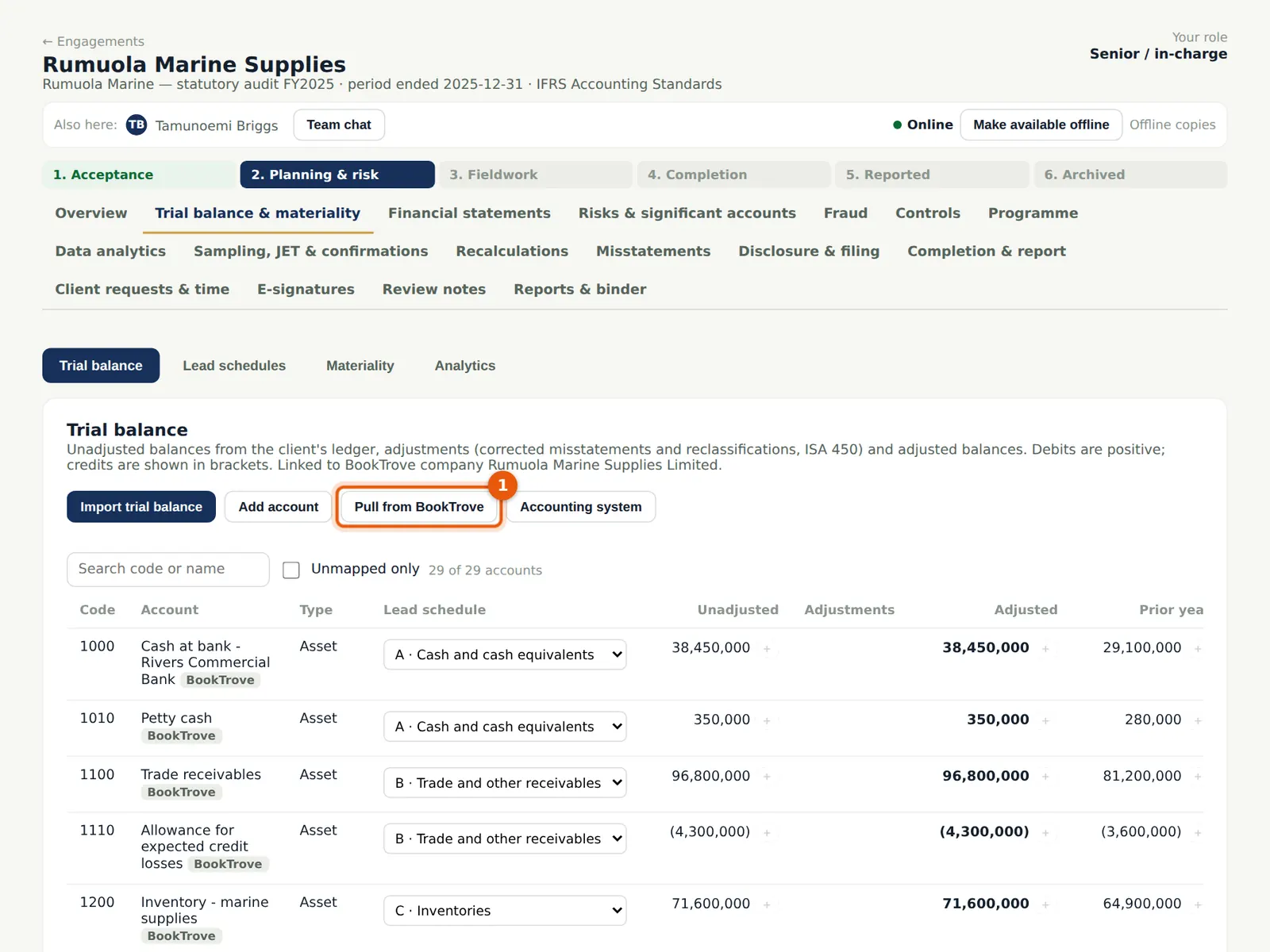
The trial balance is pulled at the period end and at the prior period end, so the prior-year figures come too. Accounts pulled from BookTrove are marked; they are mapped like any other.
Who
Senior.
What to do
- Open Trial balance & materiality and choose Pull from BookTrove (1). Check that it balances and check the mapping.
15.9 Pull the journals into data analytics
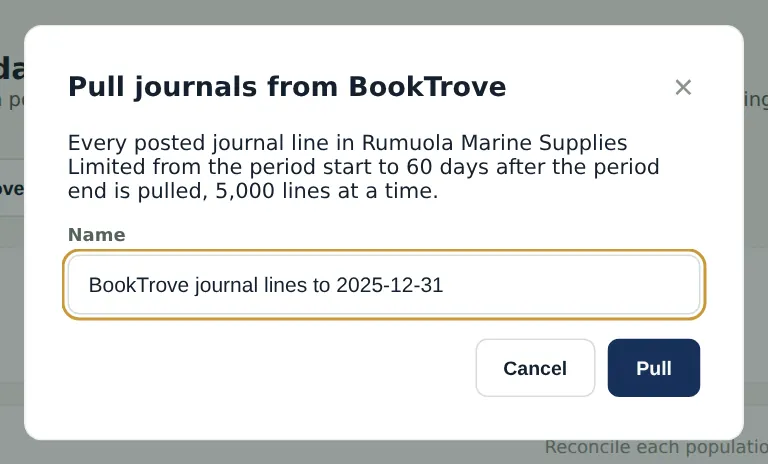
Why
Every posted journal line from the period start to 60 days after the period end is pulled in blocks of 5,000 lines; a pull that is interrupted resumes where it stopped.
Who
Senior.
What to do
- Open Data analytics and choose Pull journals from BookTrove; name the population and choose Pull.
15.10 The journals as a population
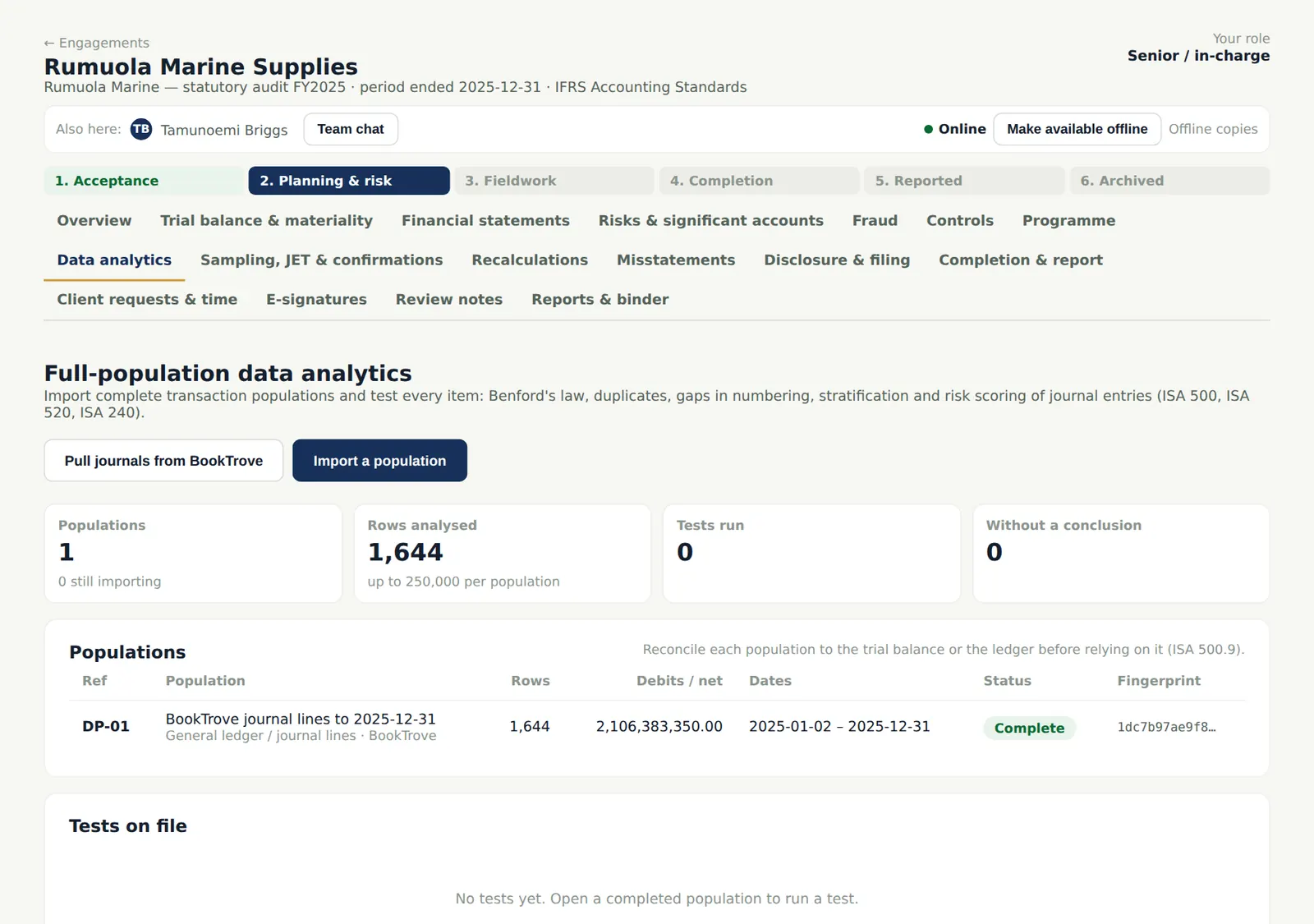
Why
The pulled lines are a population like any other: reconcile it and run the tests, or send selected entries to a journal entry test (chapter 10).
Who
Senior.
What to do
- Run the risk-scoring test and follow up the highest-scoring entries.
15.11 The programme referenced to the Parts
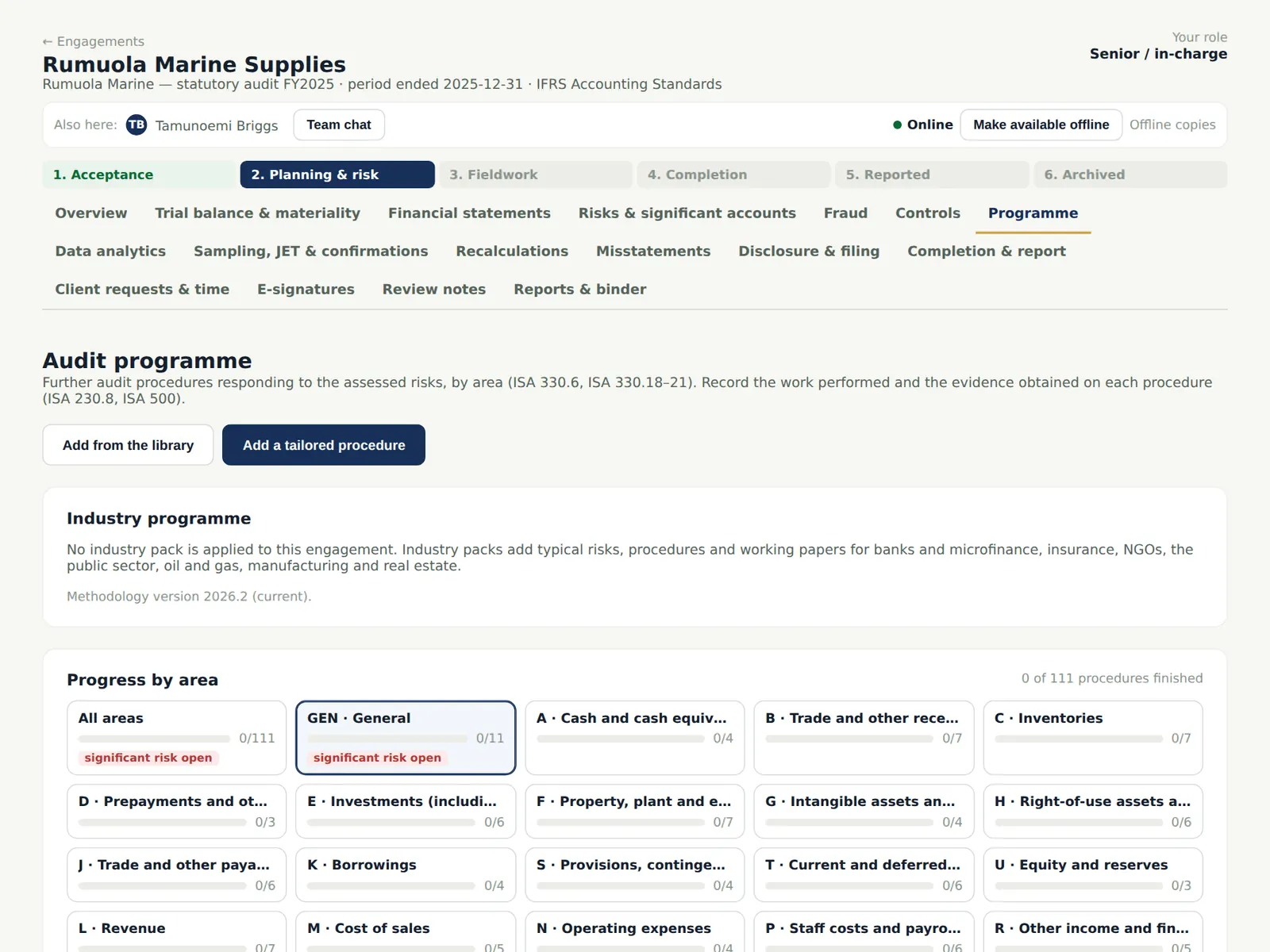
Why
Every step and working paper shows the Part of the ISA for LCE it serves, for example Part 6 (risk identification and assessment) or Part 7 (responding to assessed risks). The per-area presentation steps are covered once by GEN-12 and the disclosure checklist.
Who
Senior; engagement partner.
What to do
- Perform the programme as for any audit.
15.12 Send a proposed adjustment to BookTrove
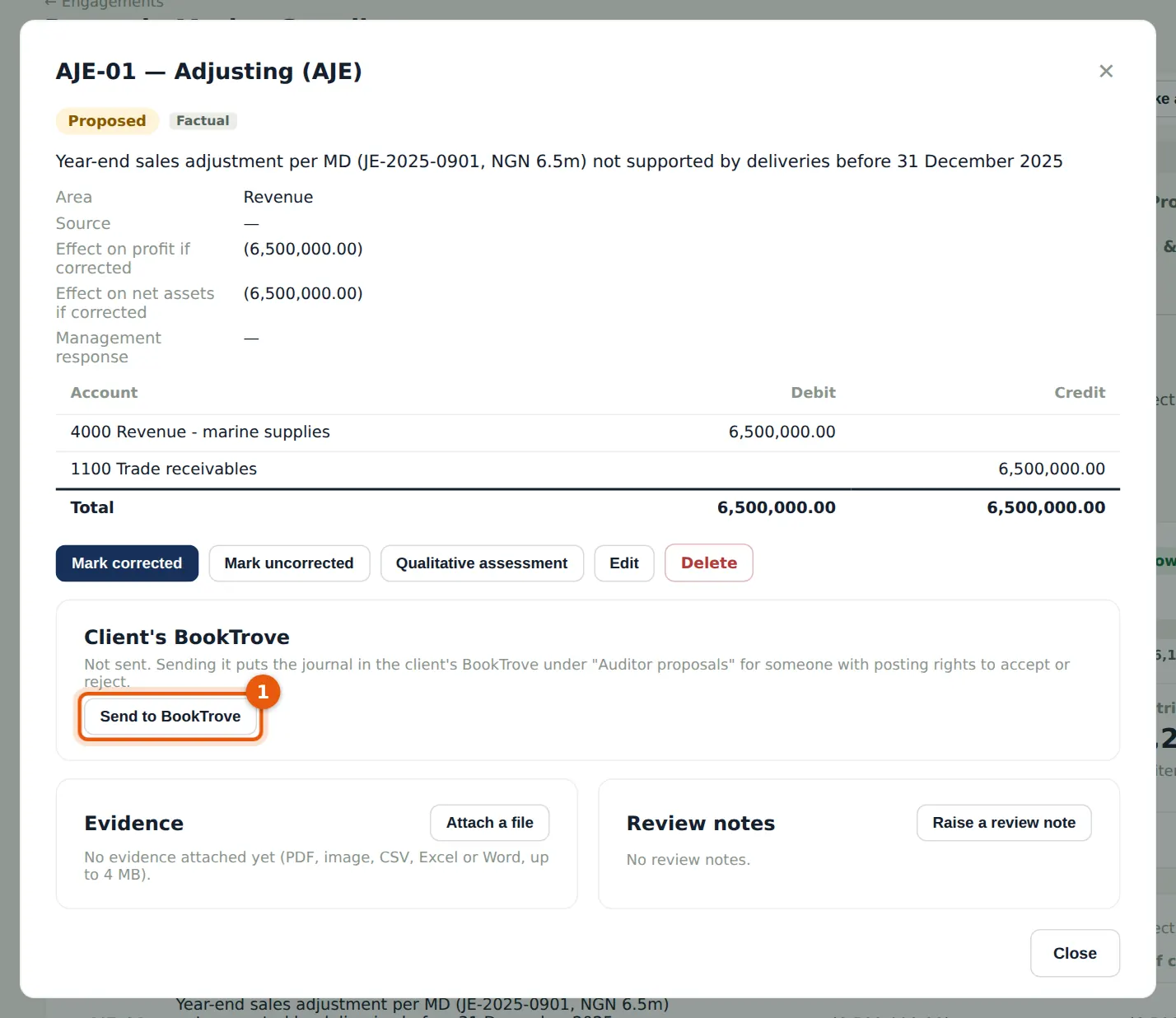
Why
Journal testing found a round year-end sales adjustment posted by the MD after the year end with no deliveries behind it. The proposed adjustment can be sent to the client's BookTrove, where it appears under Auditor proposals with AuditTrove's reference (AT-<engagement>-<number>). Sending again never creates a duplicate.
Who
Engagement partner or manager.
What to do
- Open the adjustment on Misstatements and choose Send to BookTrove.
15.13 Read the client's decision back
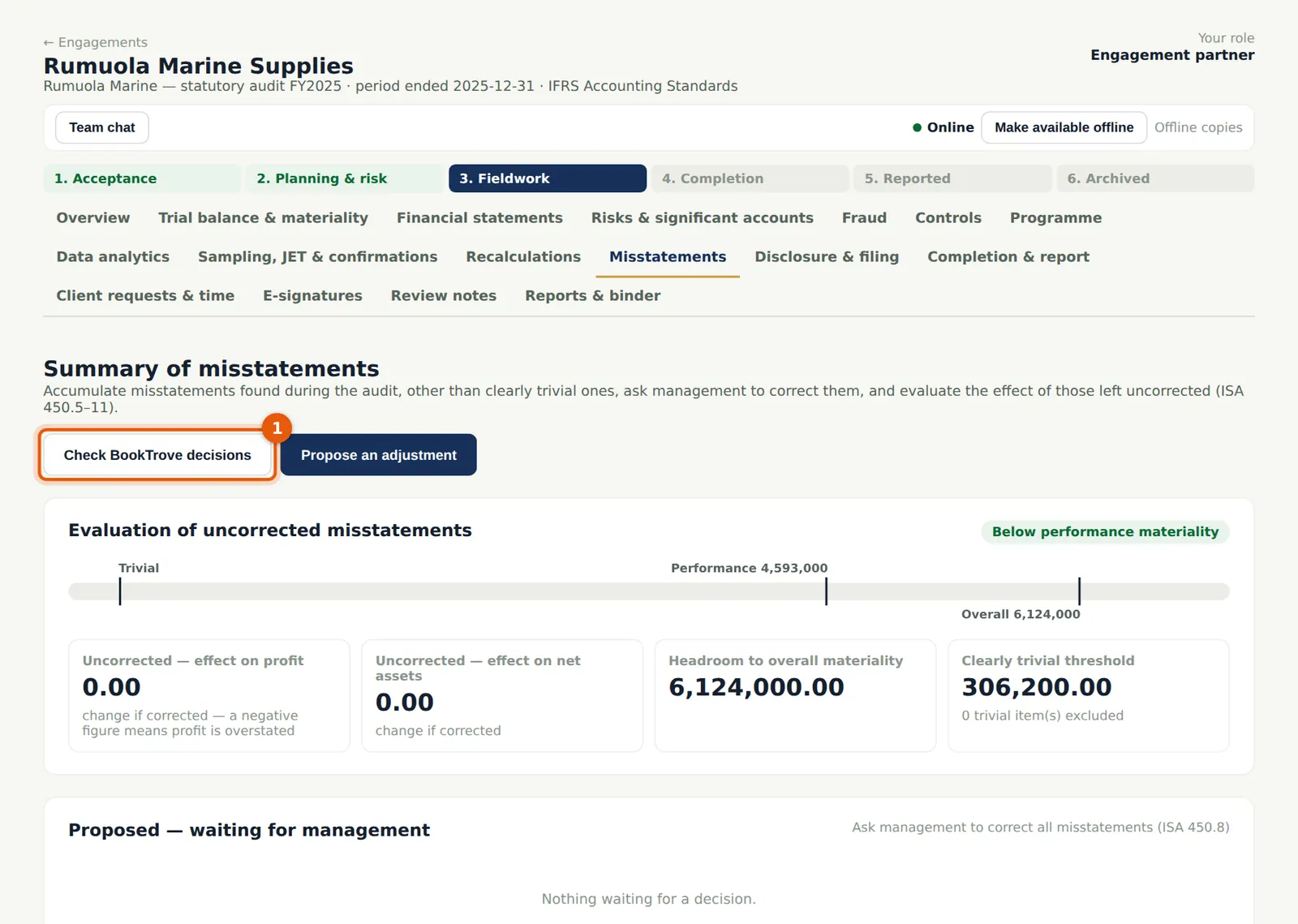
Why
In BookTrove someone with journal-posting permission accepts the proposal (posting a journal marked as an auditor adjustment, subject to the period lock) or rejects it with a note. Check BookTrove decisions reads the decisions: an accepted adjustment becomes Corrected with BookTrove's entry number; a rejected one waits for your decision.
Who
Engagement partner, manager or senior.
What to do
- Choose Check BookTrove decisions (1) and review the changes.
15.14 Send document requests to BookTrove
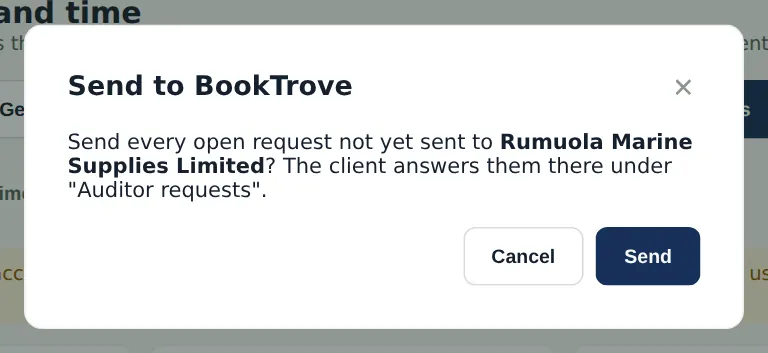
Why
A client on BookTrove can answer document requests there instead of in the portal. Each request keeps AuditTrove's reference.
Who
Engagement partner or manager.
What to do
- On Client requests & time choose Send to BookTrove and confirm.
15.15 Get the answers from BookTrove
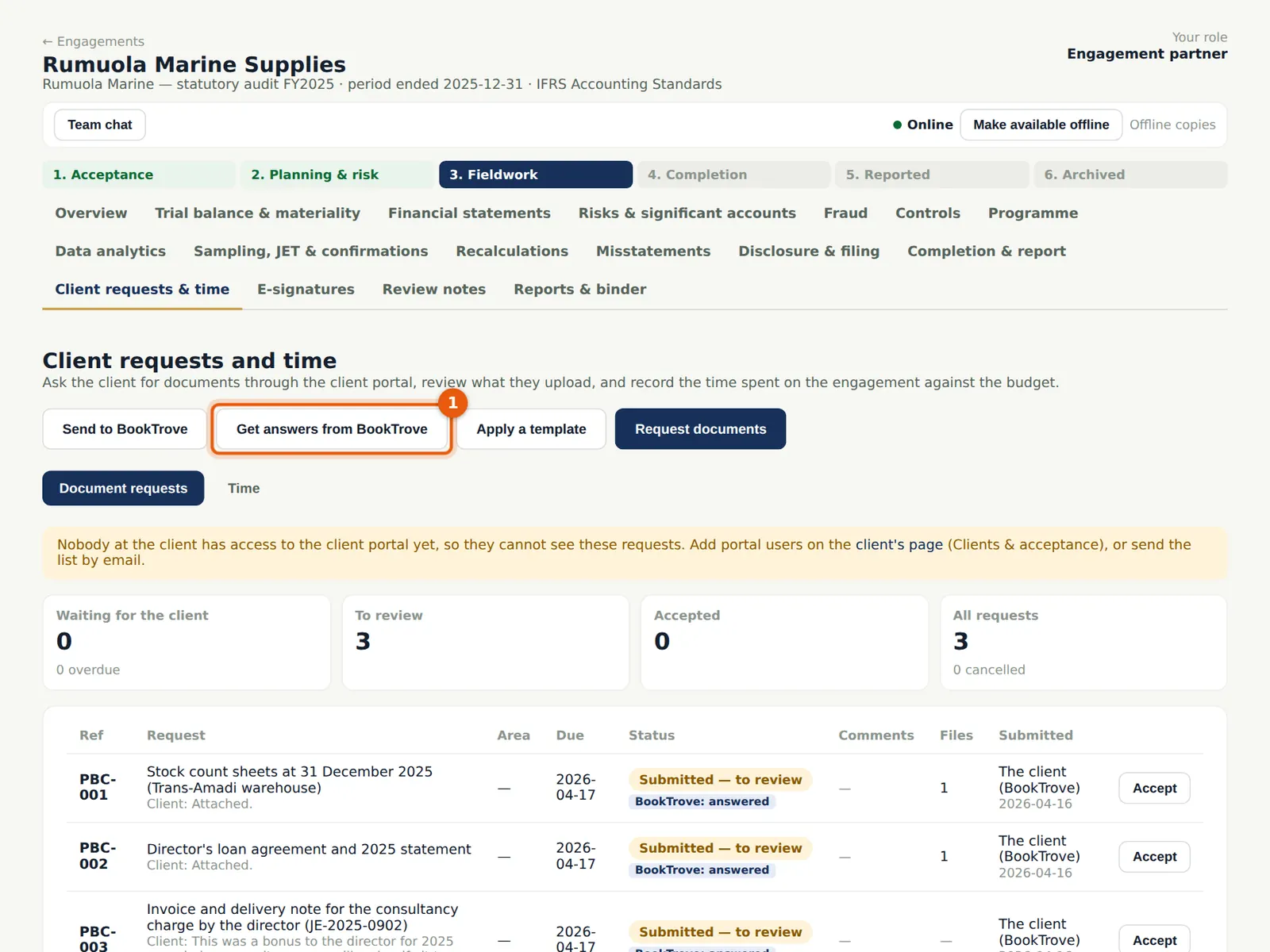
Why
The answers and the files attached in BookTrove come back into the requests; every file passes the malware checks and is stored as evidence on the request, and the audit trail records the pull.
Who
Engagement partner, manager or senior.
What to do
- Choose Get answers from BookTrove (1), then review and accept each request.
15.16 The report in the ISA for LCE wording
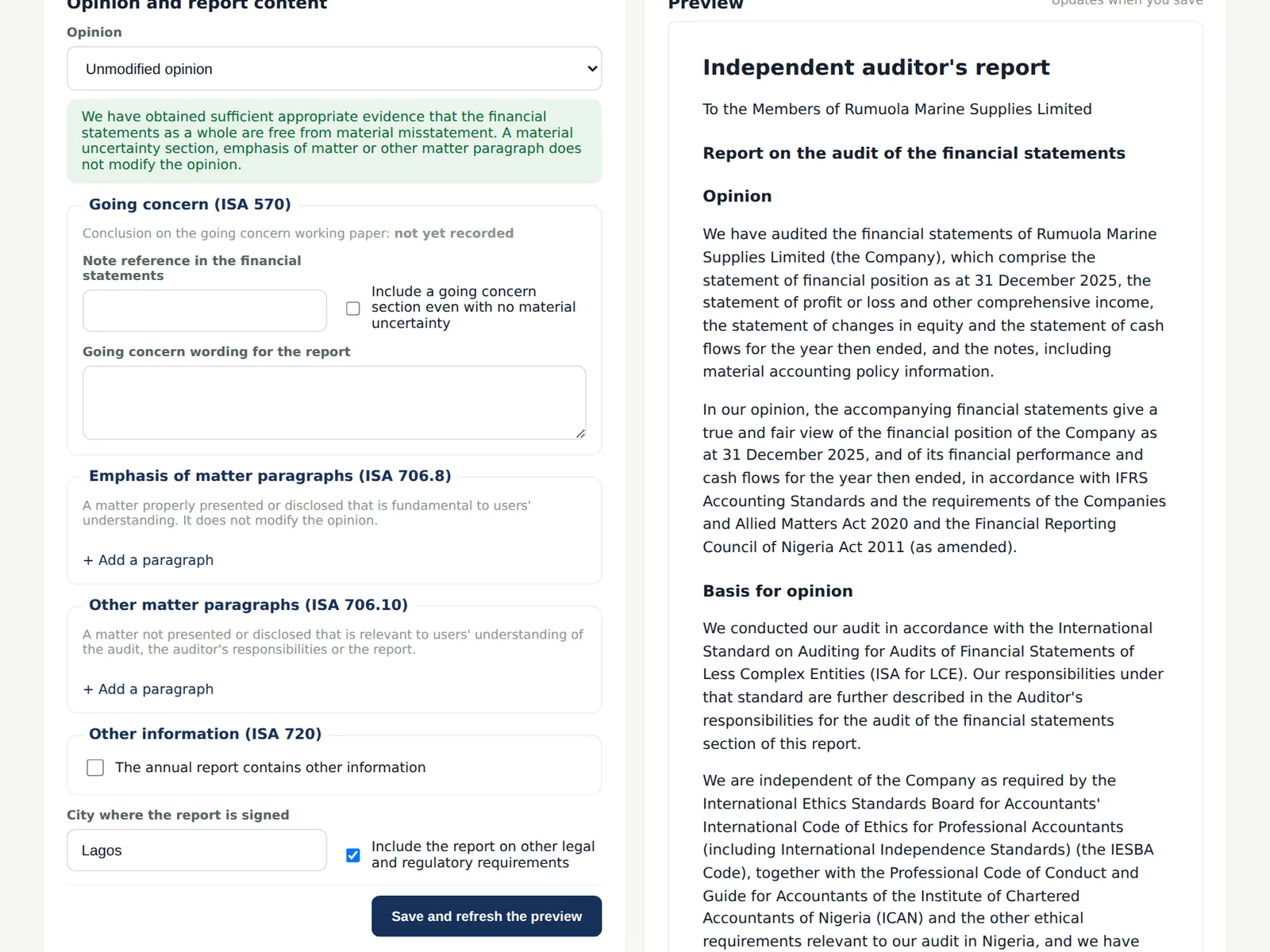
Why
The report refers to the ISA for LCE in the basis for opinion, has no key audit matters, and has a going concern section only if there is a material uncertainty. The wording of ISA 240 (Revised) and ISA 570 (Revised 2024) is not used, because the IAASB's revision of the ISA for LCE is still in progress.
Who
Manager prepares; engagement partner approves.
What to do
- Complete the report as in chapter 12.
15.17 Move the audit to the ISAs
Why
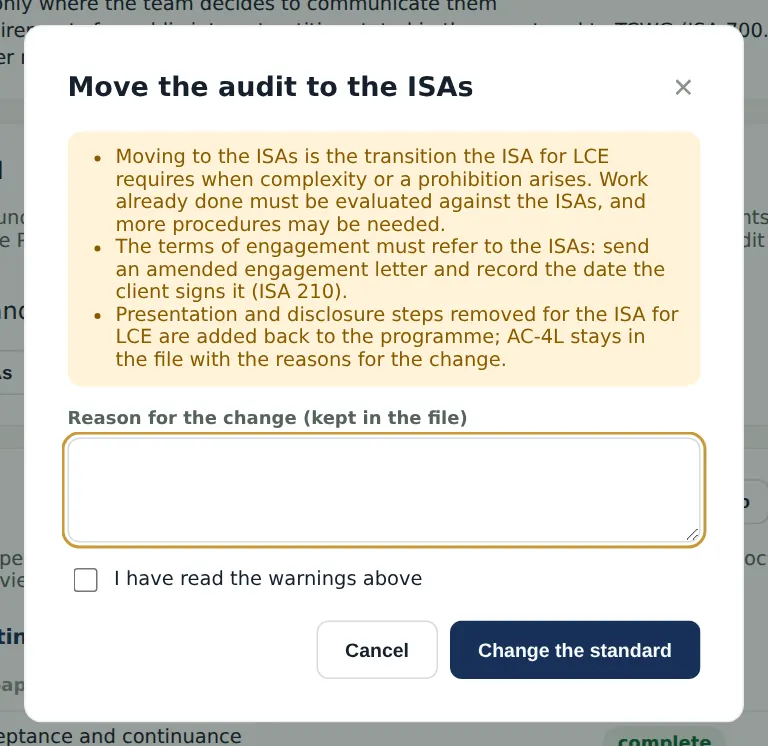
If the entity turns out to be more complex, the partner moves the audit to the ISAs before the report, with a reason, after confirming the warnings (the papers and programme change, and amended terms are needed).
Who
Engagement partner.
What to do
- Choose Move the audit to the ISAs, read the warnings, give the reason and confirm.