Steps in this chapter (12)
Draft the financial statements from the adjusted trial balance, complete the disclosure checklist, conclude on fraud and going concern, form the opinion and prepare the letters.
In the week of 16 March 2026 the team finishes the file. The manager moves it to Completion. Chioma drafts the financial statements and completes the disclosure checklist; Tunde prepares the report and the letters.
Use cases
- Use case — A client that adopts IFRS 18 early. The financial statements follow the IFRS 18 layout from 2027, or earlier when the partner records early adoption (chapter 6).
- Use case — A note that does not comply. Mark the checklist item Not complied; it becomes a disclosure misstatement (DM-nn) on the summary of misstatements (ISA 450).
- Use case — A suspected fraud. Log it on the Fraud tab and record the evaluation, communications and any report to an authority (step 12.7).
- Use case — A modified opinion. Choose the modification and its basis on the Auditor's report tab; the report and the letters change with it.
12.1 Draft the financial statements
Why
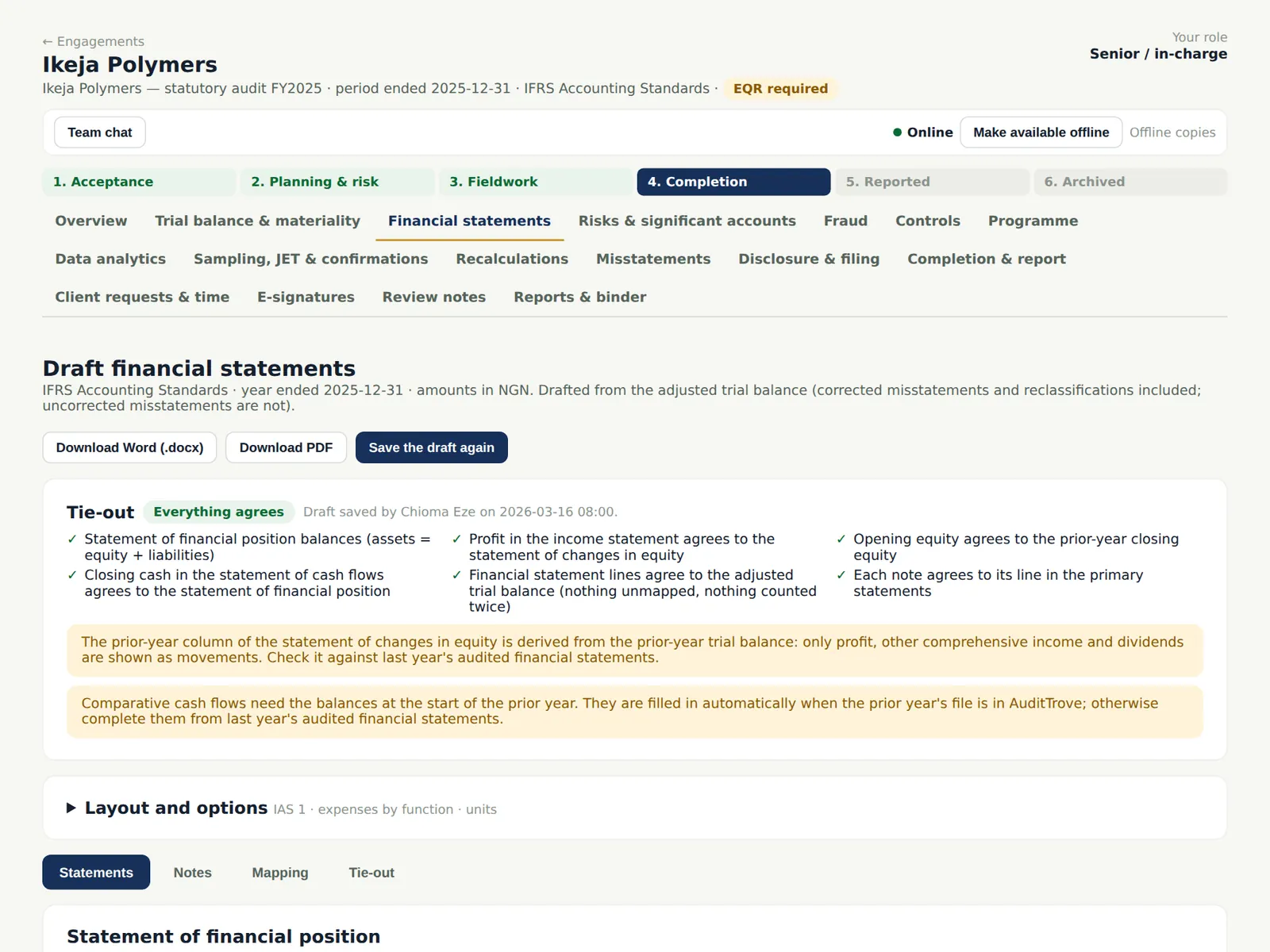
AuditTrove drafts the financial statements from the adjusted trial balance (corrected misstatements included; uncorrected ones not): statement of financial position, profit or loss and OCI, changes in equity, cash flows and notes, for IFRS, IFRS for SMEs or IPSAS. The tie-out checks run every time.
Who
Senior; manager reviews.
What to do
- Open Financial statements. Check the mapping of accounts to lines and accept or change the suggestions.
- Choose Save the draft; download Word (.docx) or PDF.
12.2 The statement of financial position
Why
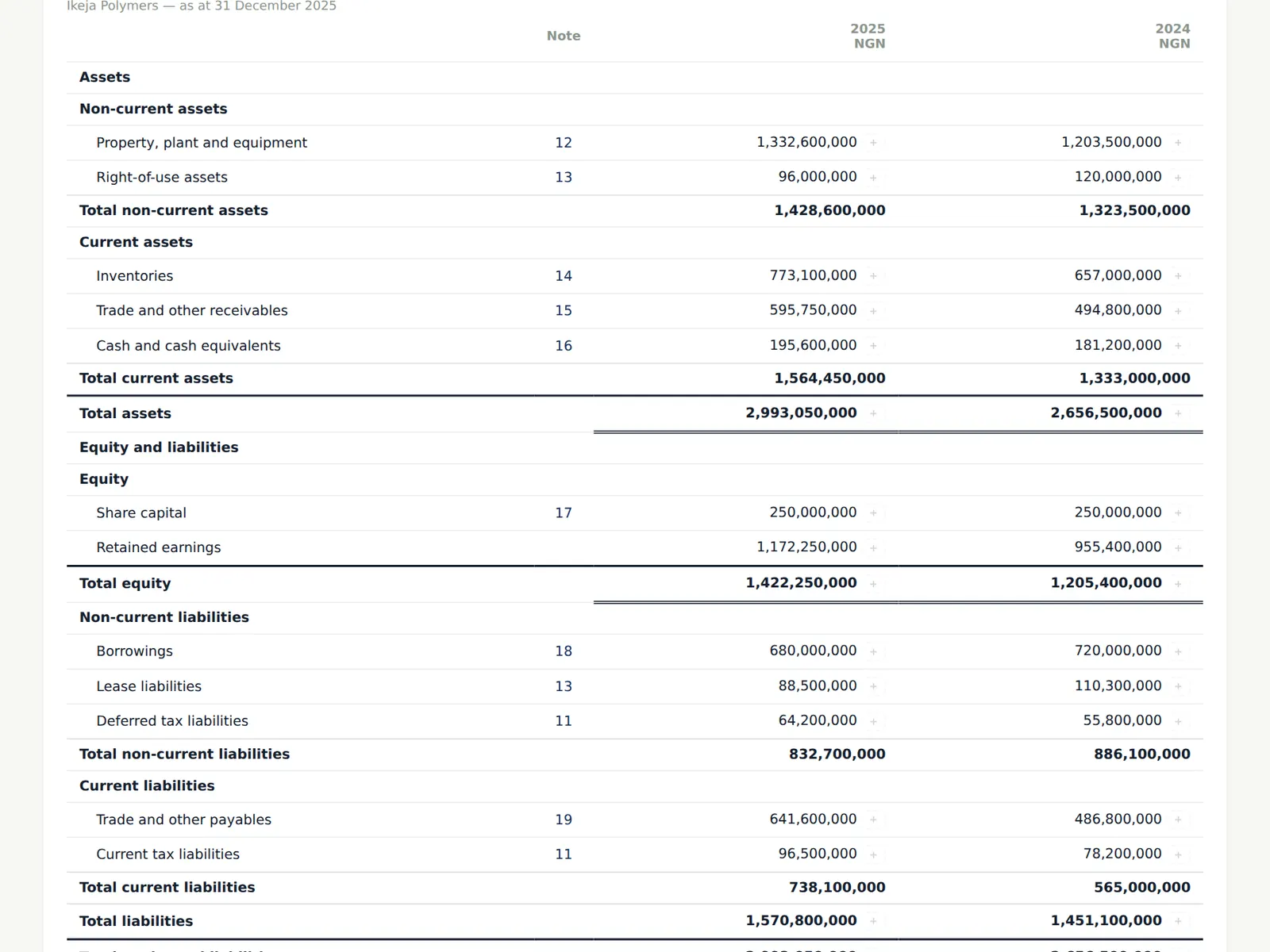
Each line shows its note and the comparative figure.
Who
—
What to do
- Open Notes to edit the accounting policies and notes (for example the going concern note).
12.3 The tie-out
Why
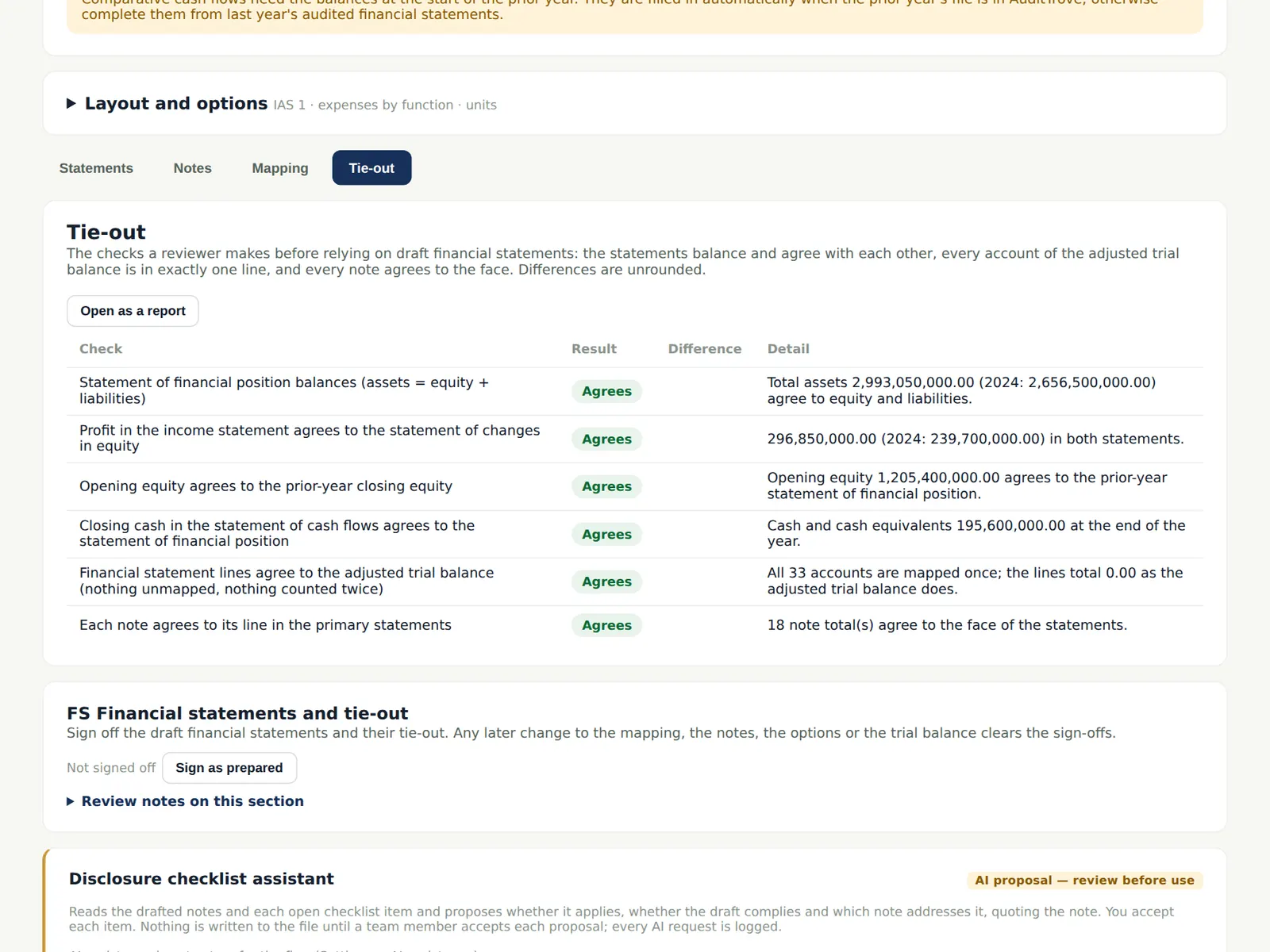
The statements must balance and agree with each other, every account of the adjusted trial balance must be in exactly one line, and every note must agree to the face.
Who
Senior; reviewer.
What to do
- Resolve any difference before relying on the draft.
12.4 The disclosure checklist
Why
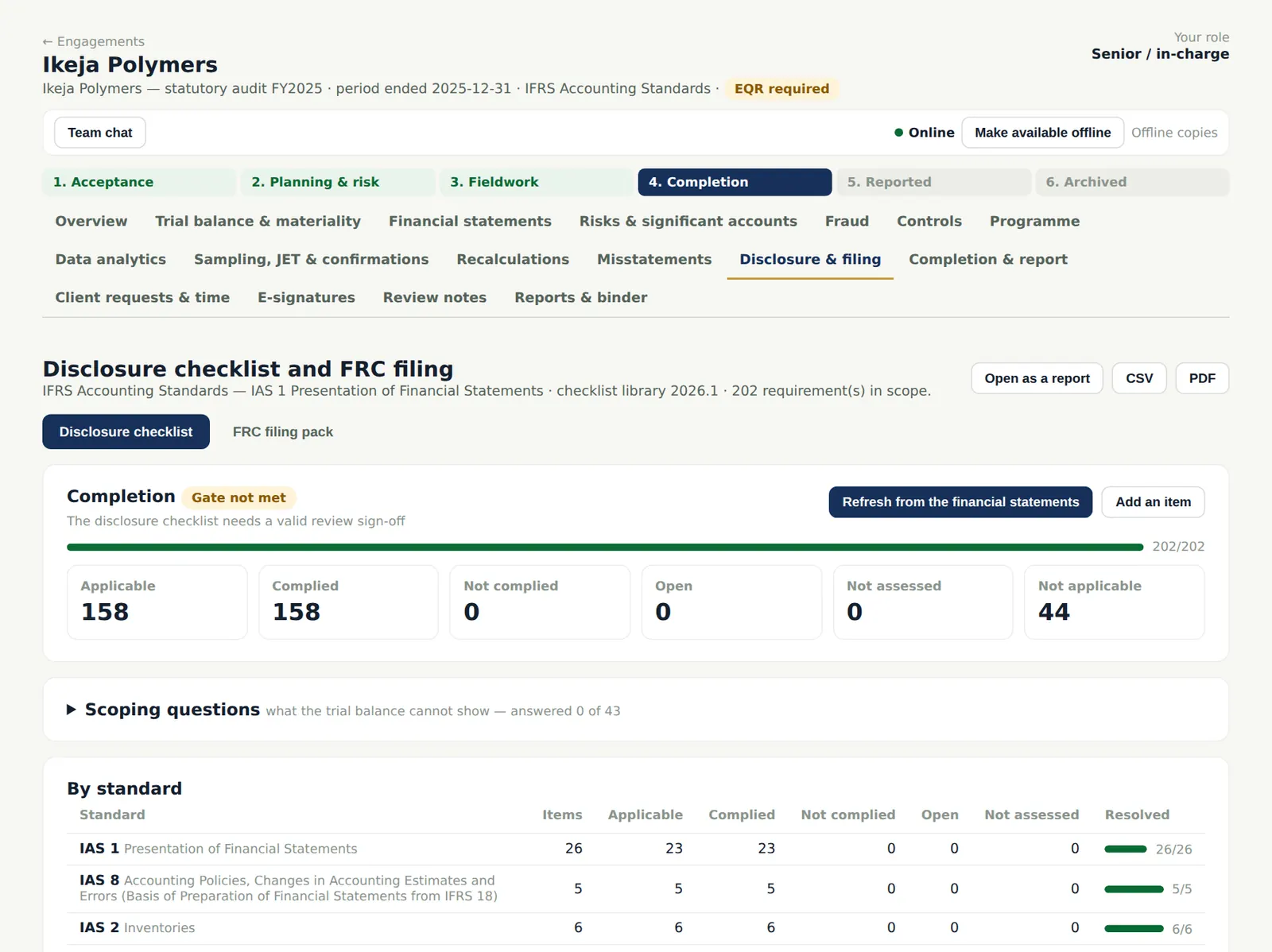
The checklist is built from a library of about 300 requirements — IAS 1 (IFRS 18 from 2027), the other IFRSs, IFRS for SMEs and IPSAS headlines, CAMA 2020, the FRC Rules and the Barbados Companies Act. Whether an item applies is read from the draft financial statements and the trial balance and from scoping questions; the team can override it with a reason. For Ikeja Polymers 158 applicable items were assessed.
Who
Senior prepares; manager reviews.
What to do
- Choose Refresh from the financial statements, answer the scoping questions and work through each open item: applicable or not, complied or not, and the note it is in.
- Sign the checklist (CO-DC) as prepared; the reviewer's sign-off is a completion gate.
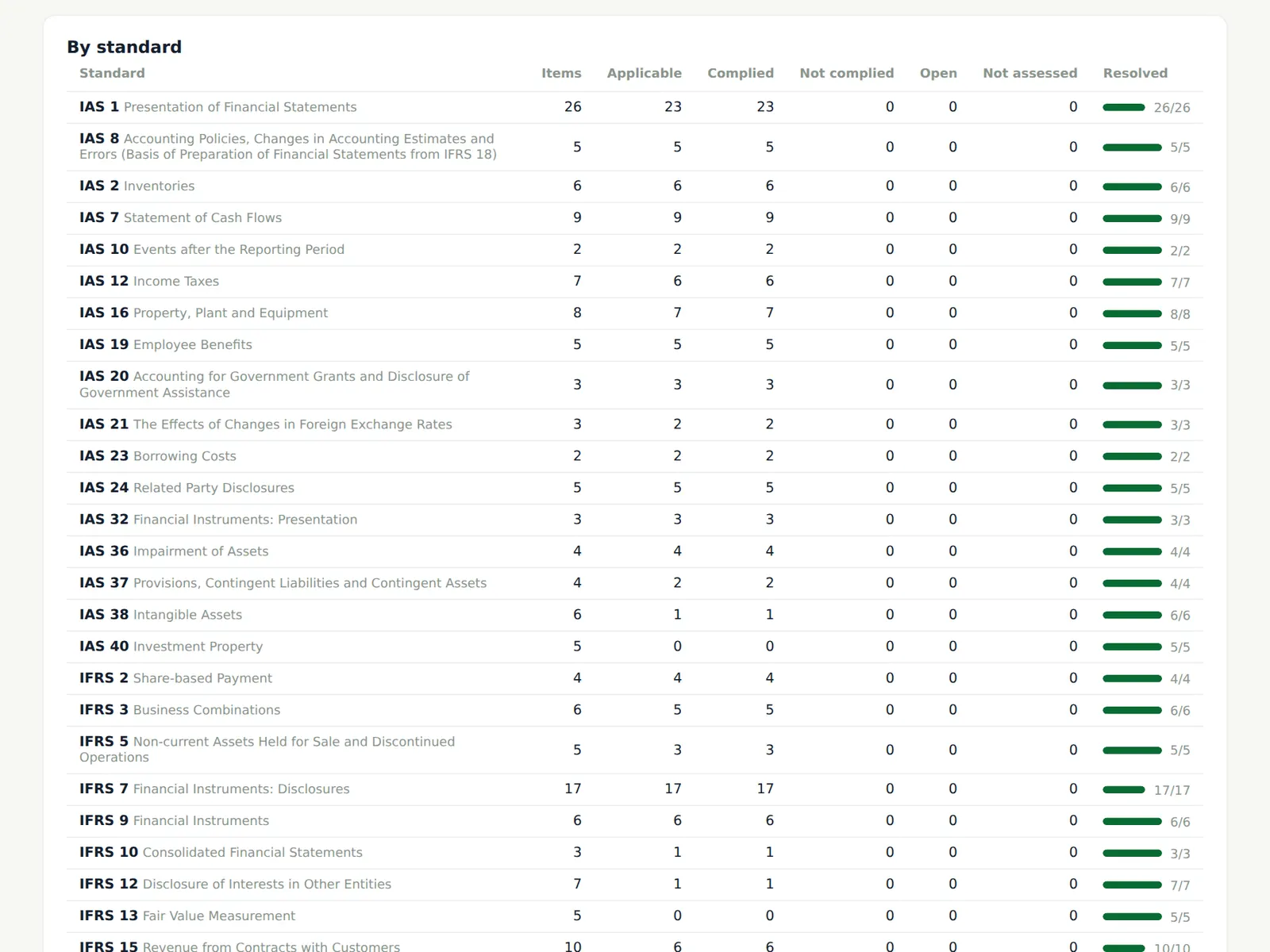
12.5 Progress by standard
Why
The figures by standard show where the work is; a Not complied item becomes a disclosure misstatement on the summary of misstatements. The checklist is also a report, a CSV and a PDF.
Who
Manager.
What to do
- Open a standard to see its items; download the report for the file.
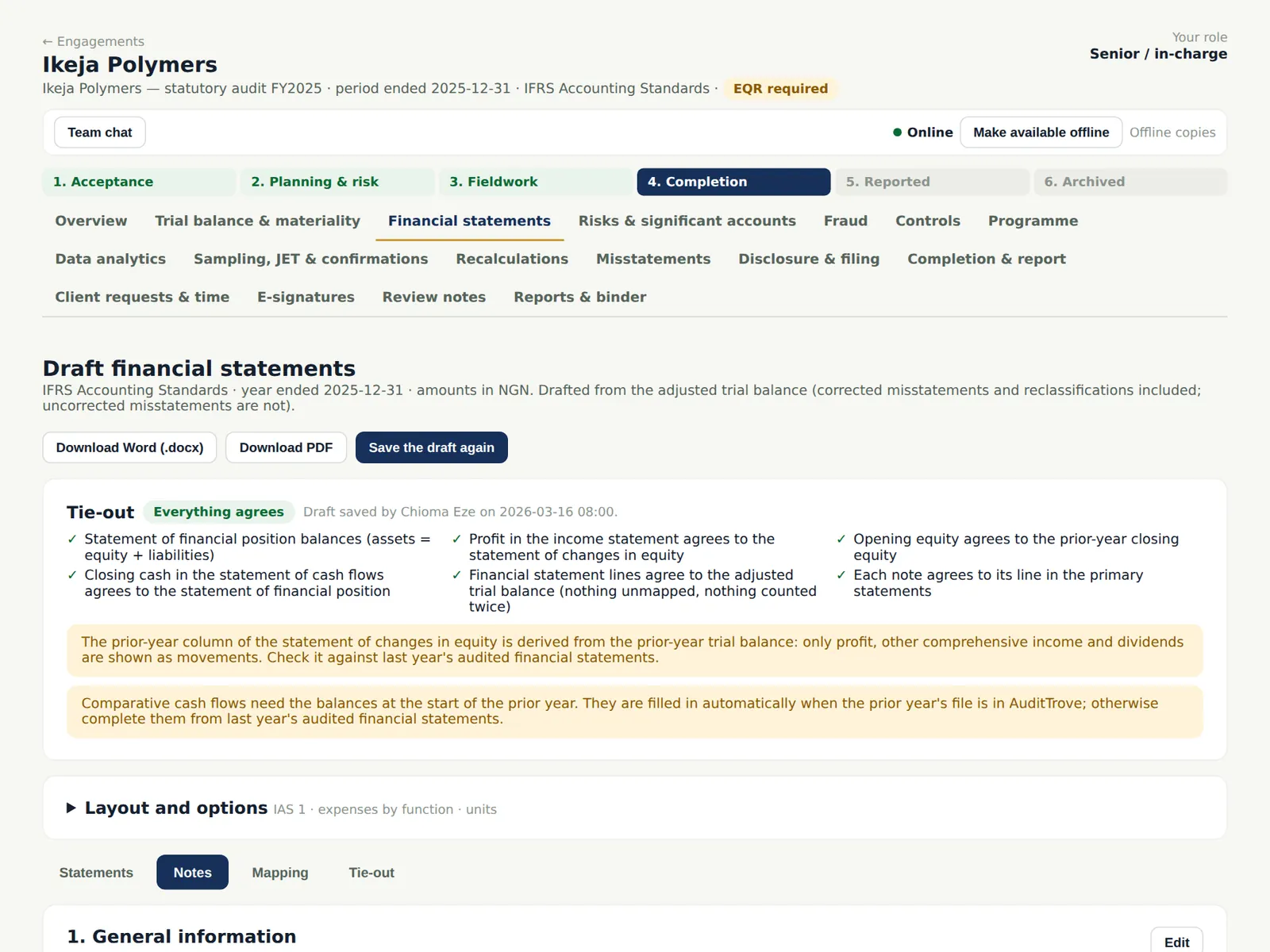
12.6 The checklist on each note
Why
Each note shows its checklist items and how far they are done, so the person writing the note sees what it must contain. With AI assistance on, the disclosure checklist assistant proposes answers from the notes, quoting them (chapter 20).
Who
Senior.
What to do
- Open a note and complete the items shown for it.
12.7 The fraud matters log
Why
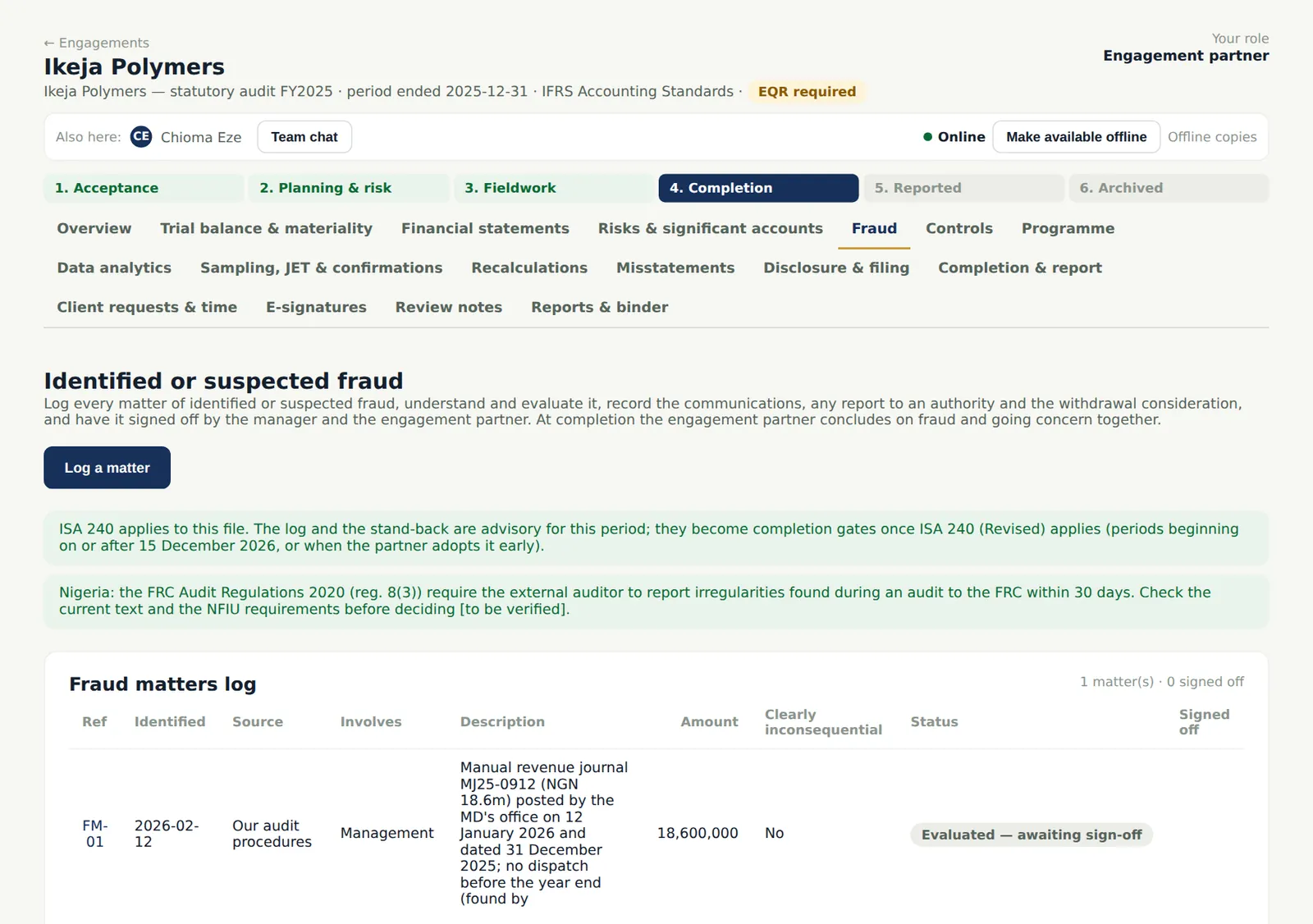
Any identified or suspected fraud is logged with where it came from, who is involved and the amount, then evaluated (is it clearly inconsequential? the effect on the risk assessment and on the representations), communicated and, where law requires, reported to an authority (ISA 240; FRC Audit Regulations 2020 reg. 8(3)). The manual revenue journal posted by the MD's office was logged and evaluated as an error, not fraud. For periods under ISA 240 (Revised) the log and the stand-back are completion gates; before that they are advisory.
Who
Any team member logs; the manager evaluates; the engagement partner decides on reporting and withdrawal.
What to do
- Choose Log a matter and describe it.
- The manager records the evaluation and communications; the partner decides on any report to an authority and whether to continue.
12.8 Stand back: fraud and going concern together
Why
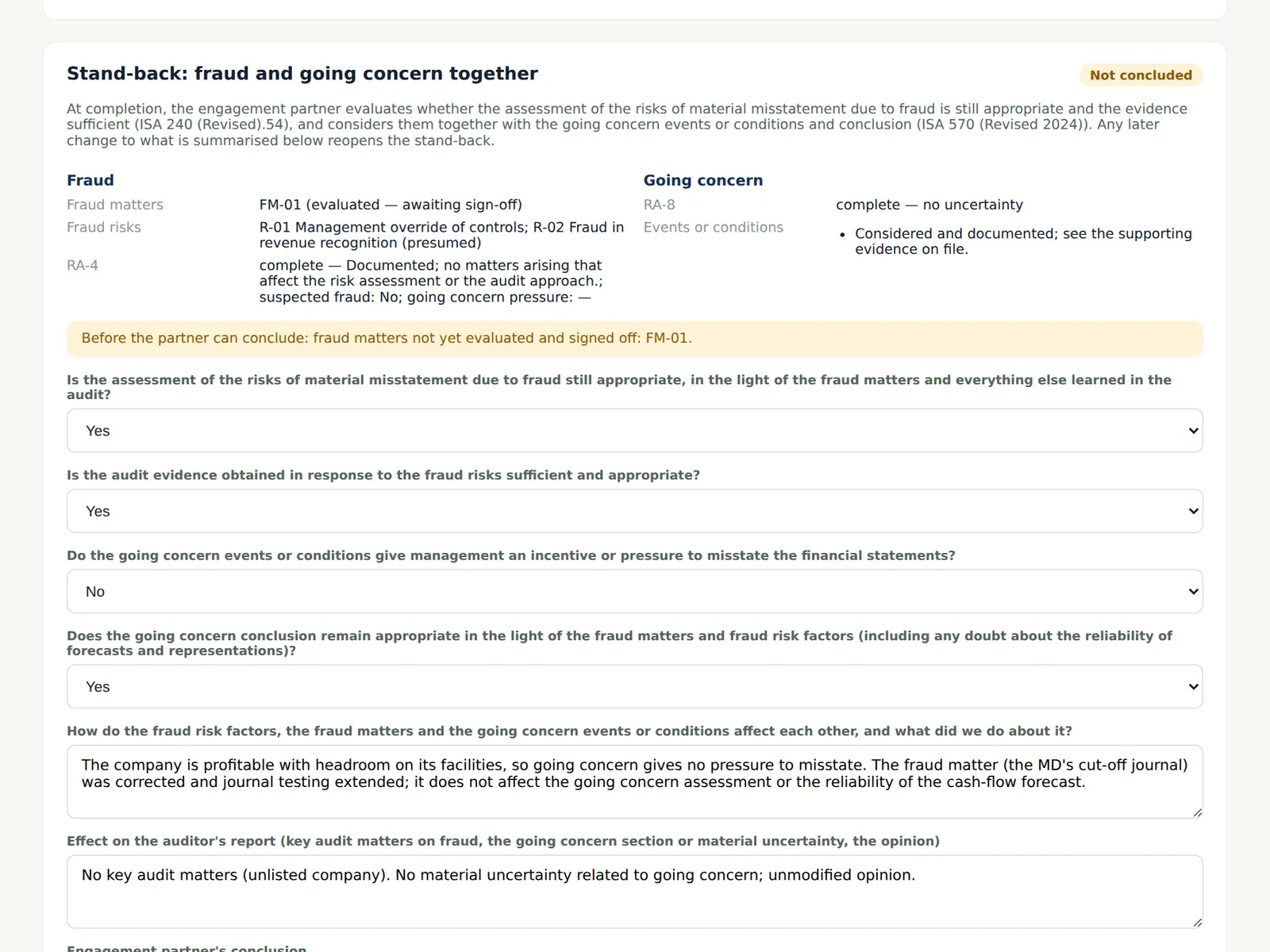
At completion the engagement partner stands back and considers whether the assessment of the risks of material misstatement due to fraud is still appropriate, and concludes on fraud and going concern together (ISA 240 (Revised); ISA 570 (Revised 2024)).
Who
Engagement partner.
What to do
- The manager drafts the answers; the engagement partner reviews them and chooses Conclude as engagement partner once every fraud matter is evaluated and signed off by the manager and the partner.
12.9 Form the opinion
Why
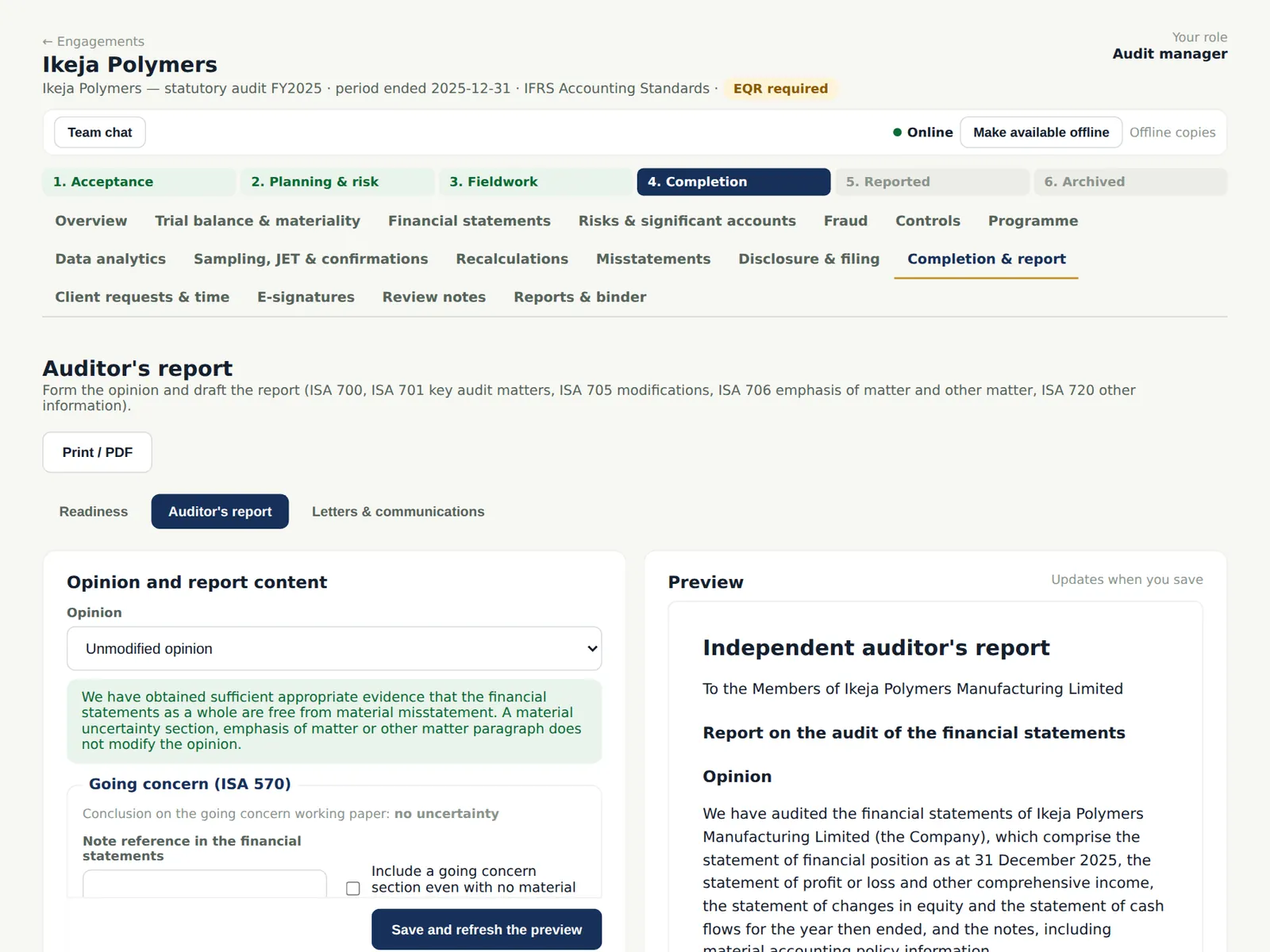
Choose the opinion and build the report: key audit matters (required for publicly traded entities, ISA 701), going concern (ISA 570), emphasis of matter and other matter paragraphs (ISA 706), other information (ISA 720) and modifications (ISA 705).
Who
Manager prepares; partner approves.
What to do
- Choose the opinion: Unmodified.
- Complete the going concern, other information and paragraph sections and choose Save and refresh the preview.
12.10 The report preview
Why
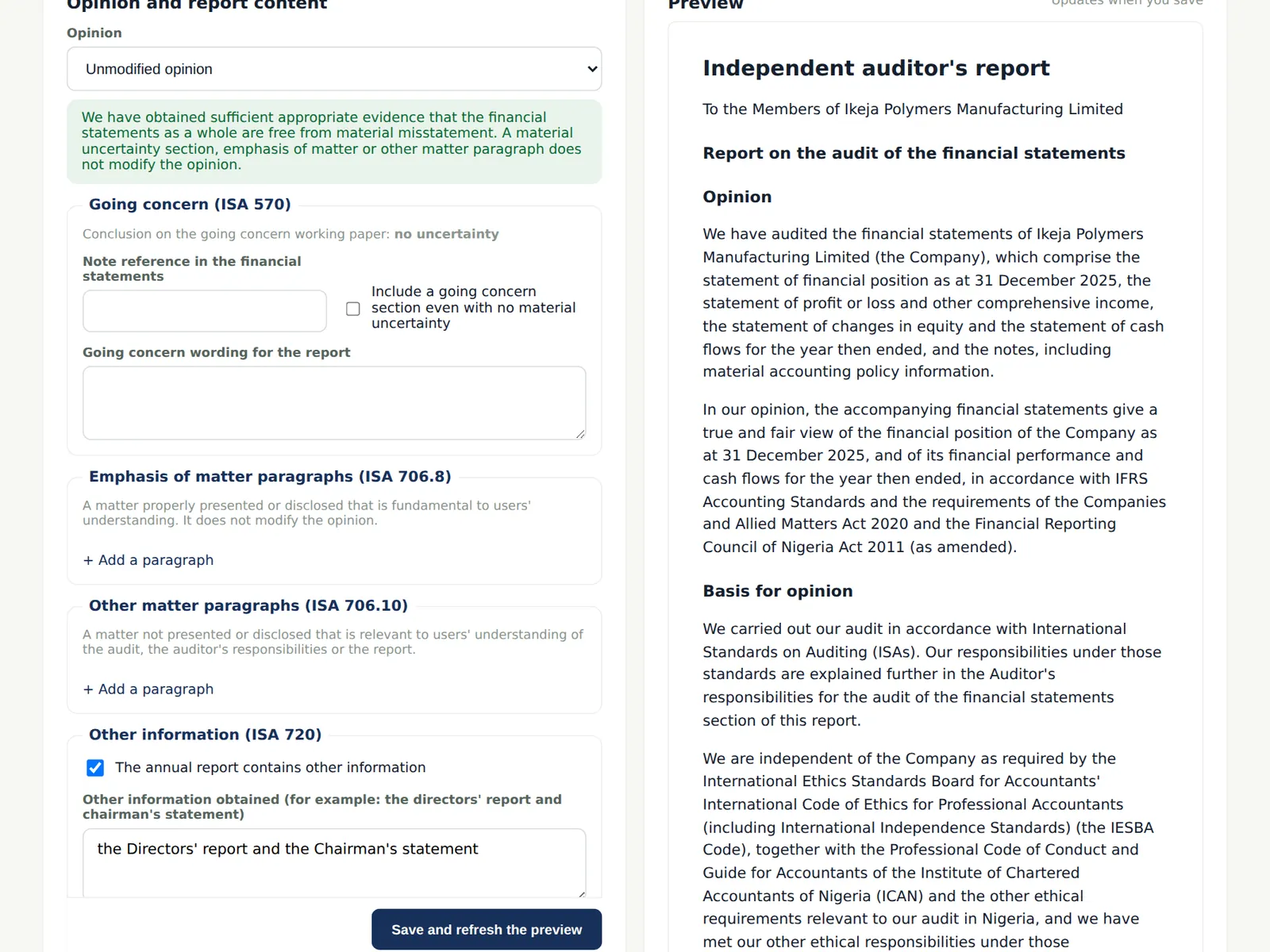
The preview shows the report as it will be printed, including the wording required by the Companies and Allied Matters Act 2020 and the Financial Reporting Council of Nigeria Act.
Who
Manager; partner.
What to do
- Sign the report section as prepared; the engagement partner approves it.
12.11 Letters and communications
Why
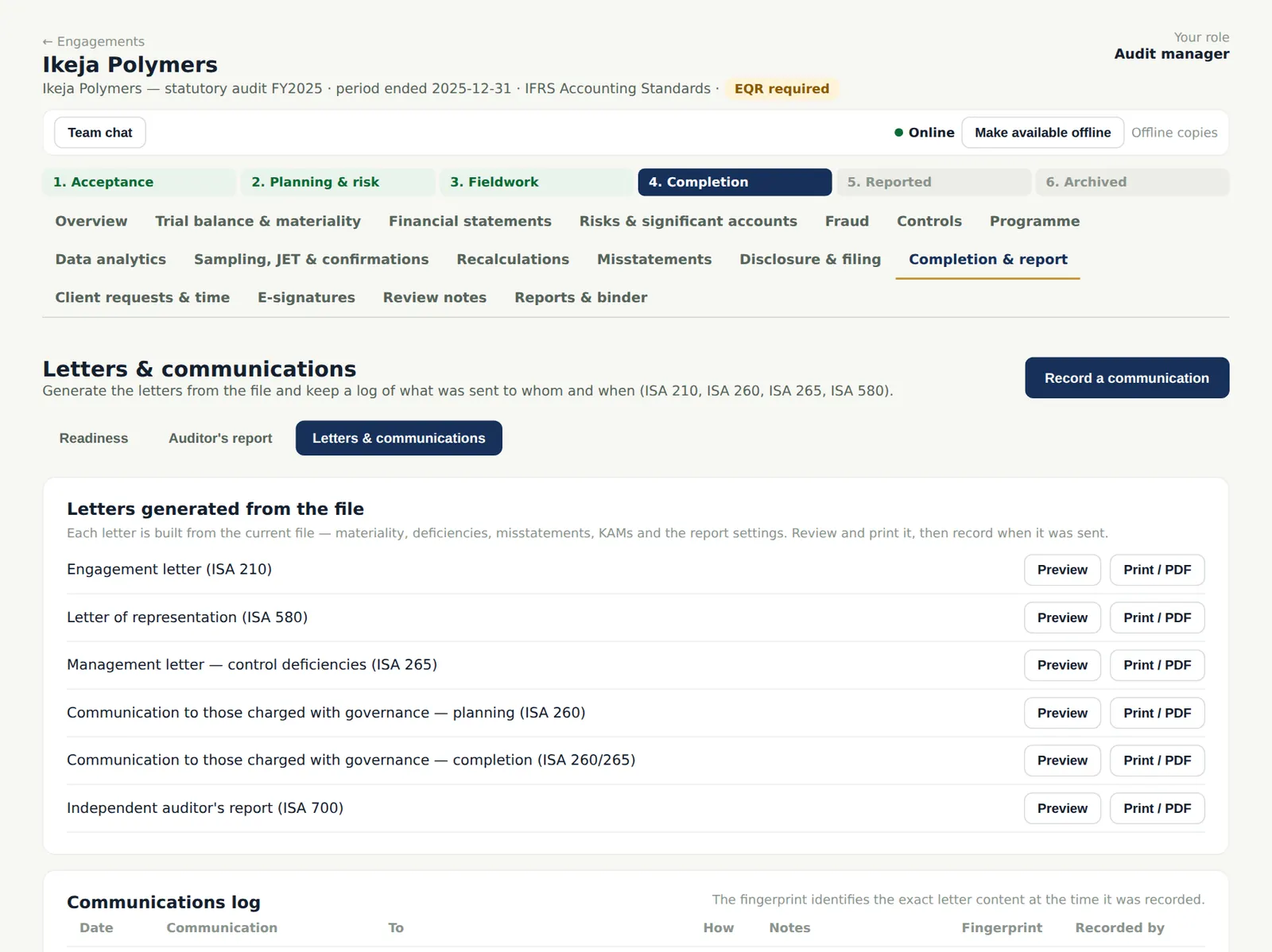
The letter of representation (ISA 580), the management letter (ISA 265) and the communications with those charged with governance (ISA 260) are generated from the file, with the uncorrected misstatements and the deficiencies. Each can be printed or sent for electronic signature.
Who
Manager.
What to do
- Preview each letter and print it, or send it for signature from the E-signatures tab.
12.12 Record when letters were sent and signed
Why
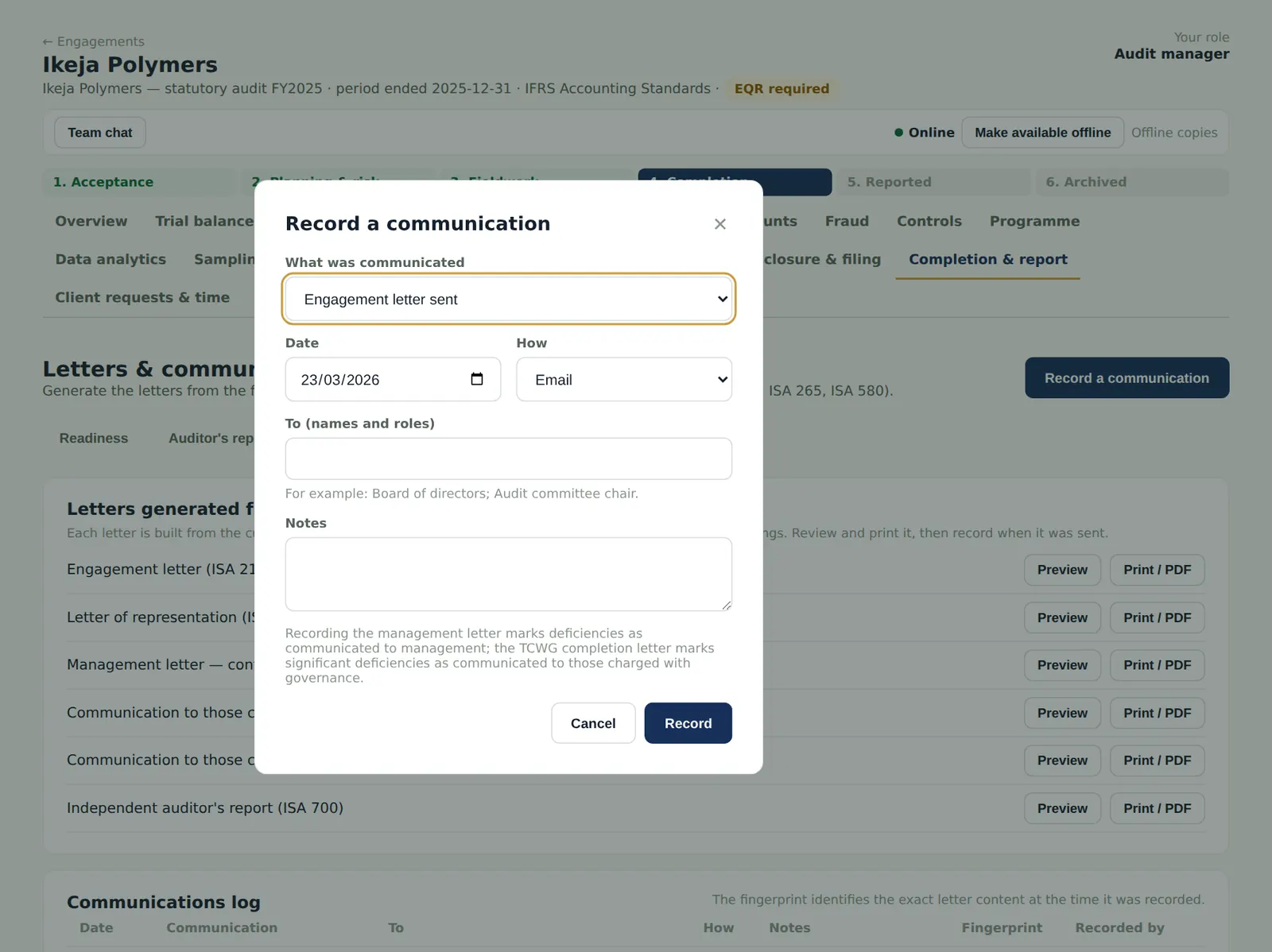
The log records what was sent, when, how and to whom, with a fingerprint of the letter. Recording the signed representation letter sets the representation date, which the report cannot precede (ISA 580.14).
Who
Manager.
What to do
- Choose Record a communication, choose what was communicated, the date, how and to whom, and choose Record.
- In the illustration: the management letter and completion letter to the board on 23 March; the representation letter signed on 26 March.