Steps in this chapter (10)
See whether the engagement partner has reviewed the significant risks, judgements and key stages (ISA 220), complete the engagement quality review with SQMTrove's record, check readiness and sign the report.
ISA 220 (Revised) makes the engagement partner responsible for the quality of the engagement and asks for sufficient and appropriate involvement throughout, including a review of the significant matters and judgements on or before the date of the report. Since release 22 AuditTrove shows that involvement: from the pages the partner has open (the collaboration heartbeat), her sign-offs and review notes, it lists which significant-risk responses, judgements and key stages she has reviewed, flags anything still outstanding and estimates the time spent. The firm chooses whether outstanding items warn or block the report date.
With the SQMTrove link on, the engagement quality review recorded in SQMTrove decides the EQR gate: the report cannot be dated, and the partner cannot sign it electronically, until SQMTrove shows the review complete (ISQM 2.24(b); ISA 220 (Revised).36). If the link is off or SQMTrove cannot be reached, AuditTrove's own EQR gate applies, with a warning.
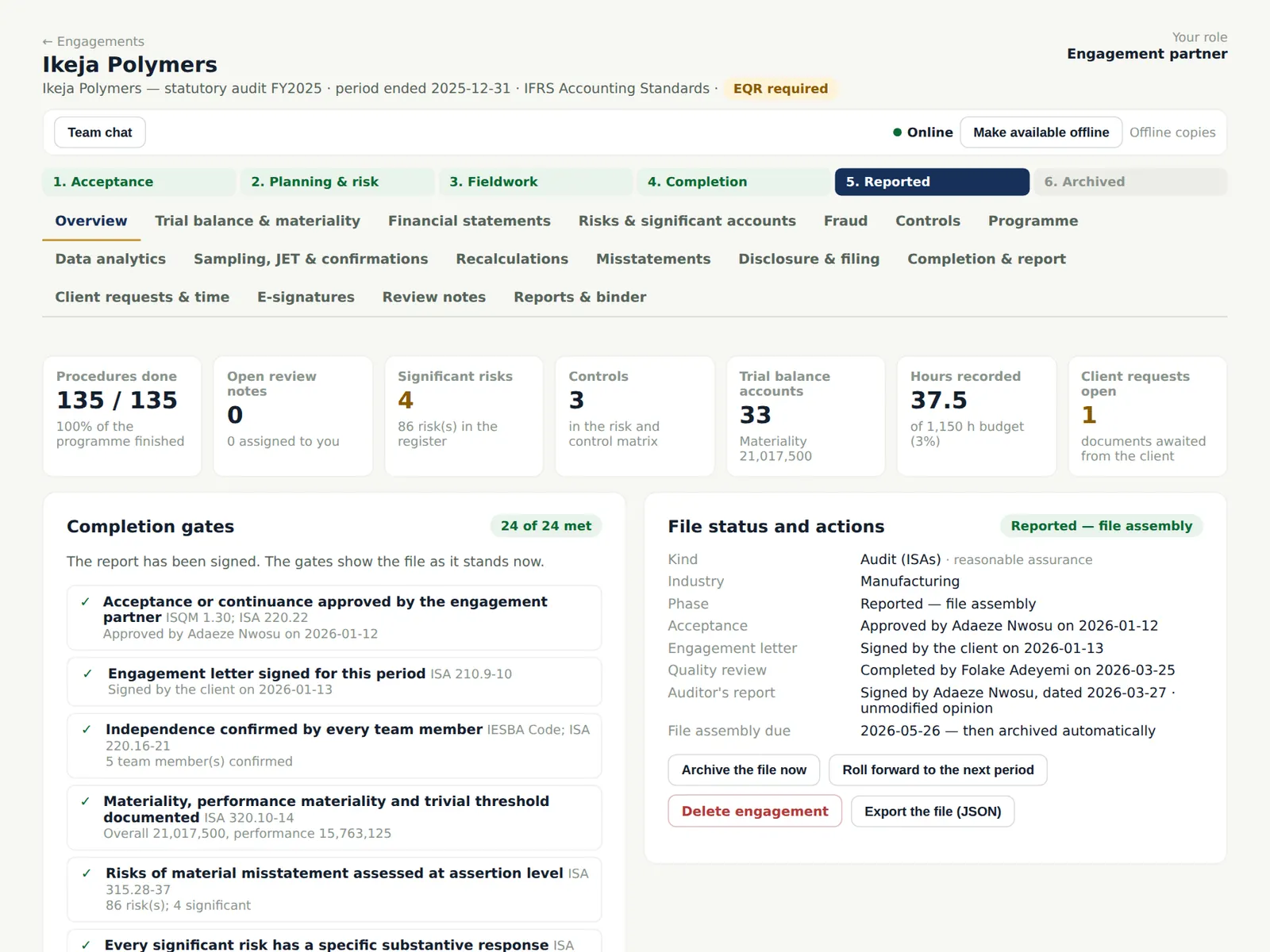
In the illustration Folake Adeyemi completes the review on 25 March 2026 and records it in SQMTrove; Adaeze Nwosu signs the report on 27 March.
Use cases
- Use case — A firm whose monitoring found late partner reviews. Set the firm policy to block (chapter 19): the report cannot be dated until every item is reviewed.
- Use case — The EQR was done but not recorded in SQMTrove. The gate stays open until SQMTrove shows it complete; ask the quality lead to record the completion there.
- Use case — A report dated before a review. The partner review view flags it ('Report dated … before partner review of …') for the firm's monitoring.
13.1 The partner's review so far
Why
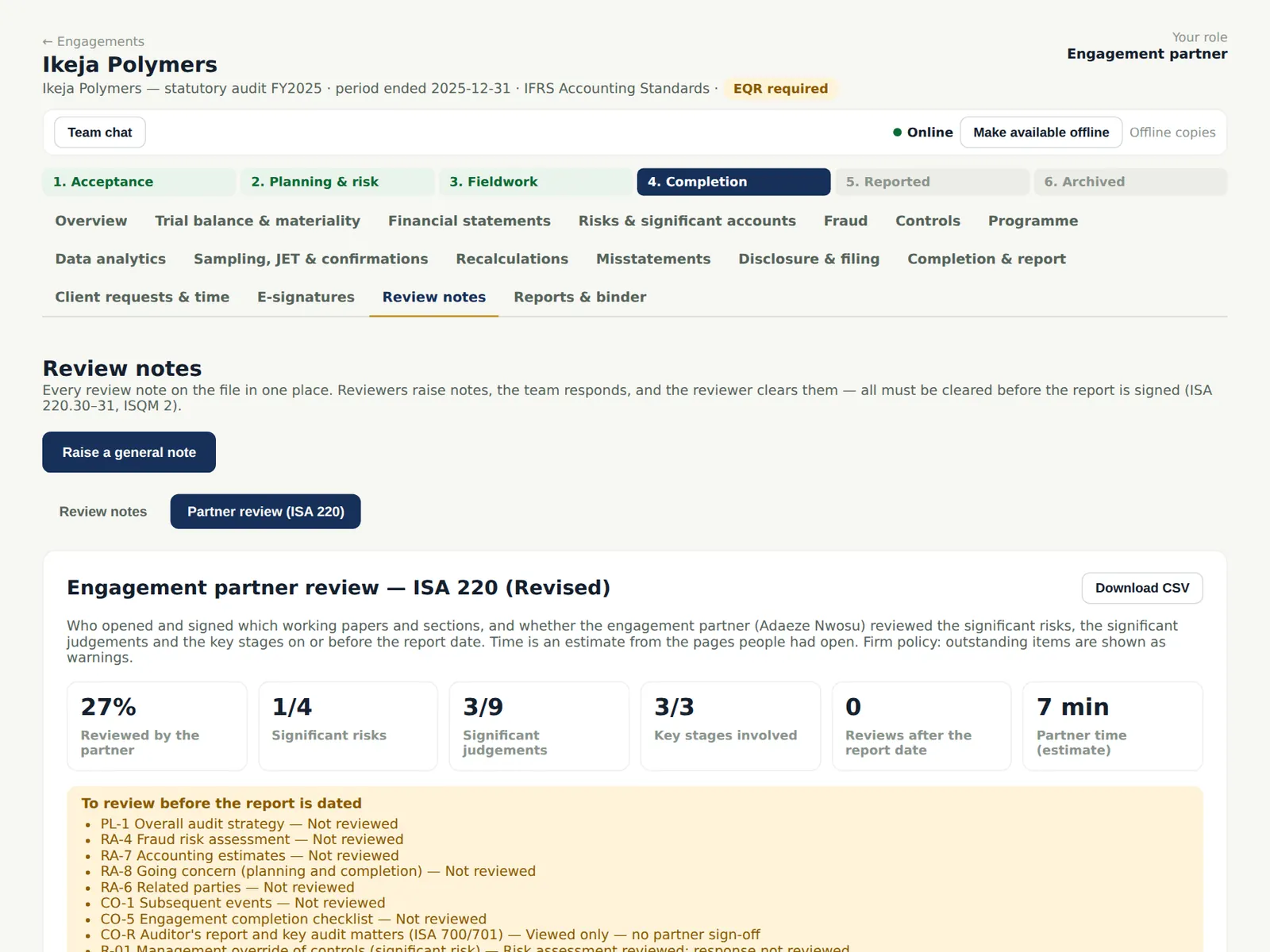
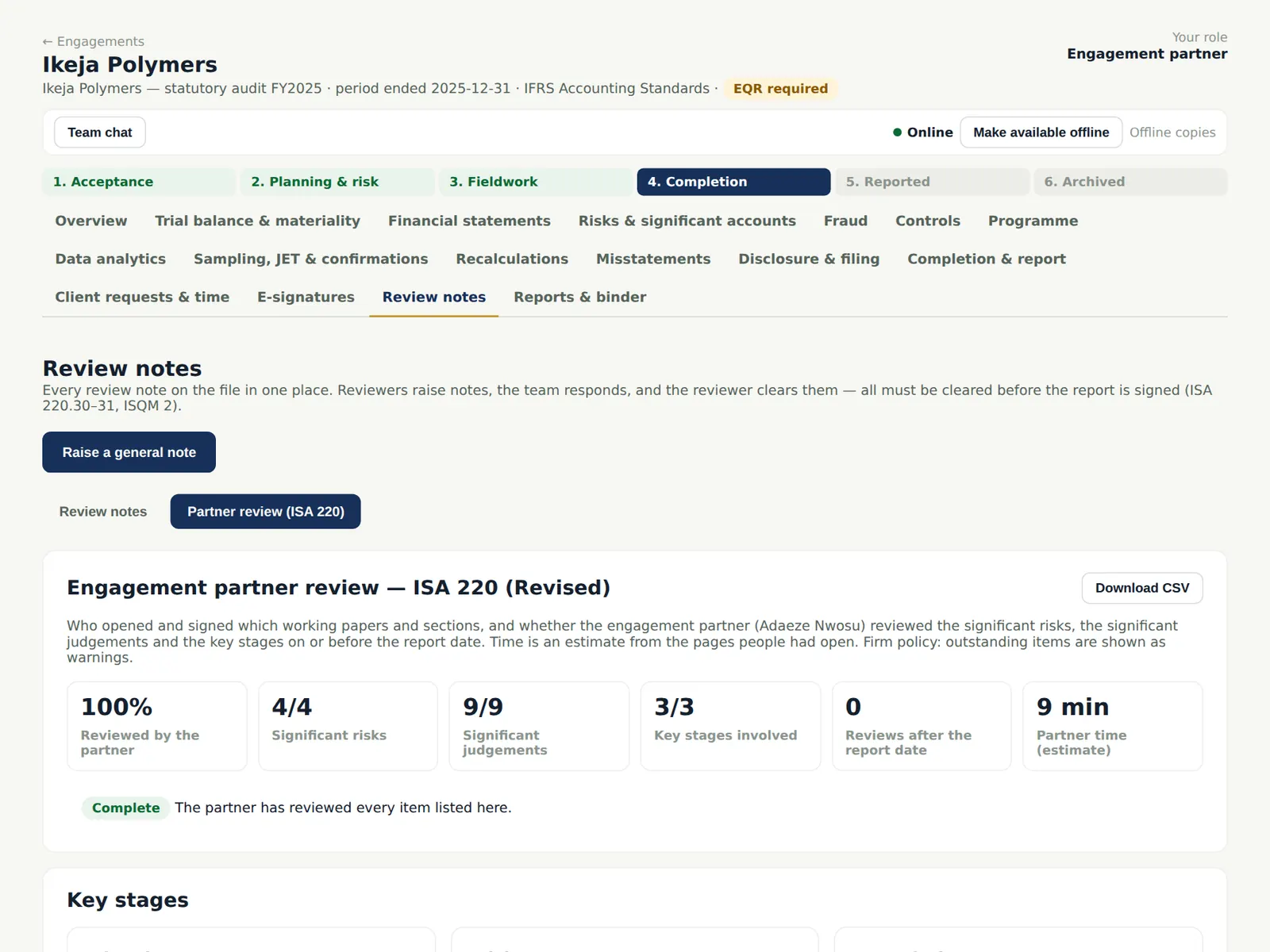
The view shows the share of items reviewed by the partner, the significant risks whose responses she has reviewed, the significant judgements (materiality, risk assessment, fraud, estimates, going concern, related parties, subsequent events, misstatements, the report) and the key stages (planning, risk assessment, completion). Items still to review before the report is dated are listed.
Who
Engagement partner; manager.
What to do
- Open Review notes → Partner review.
- Work through the list To review before the report is dated: open each item, review it and sign it.
13.2 Time and events
Why
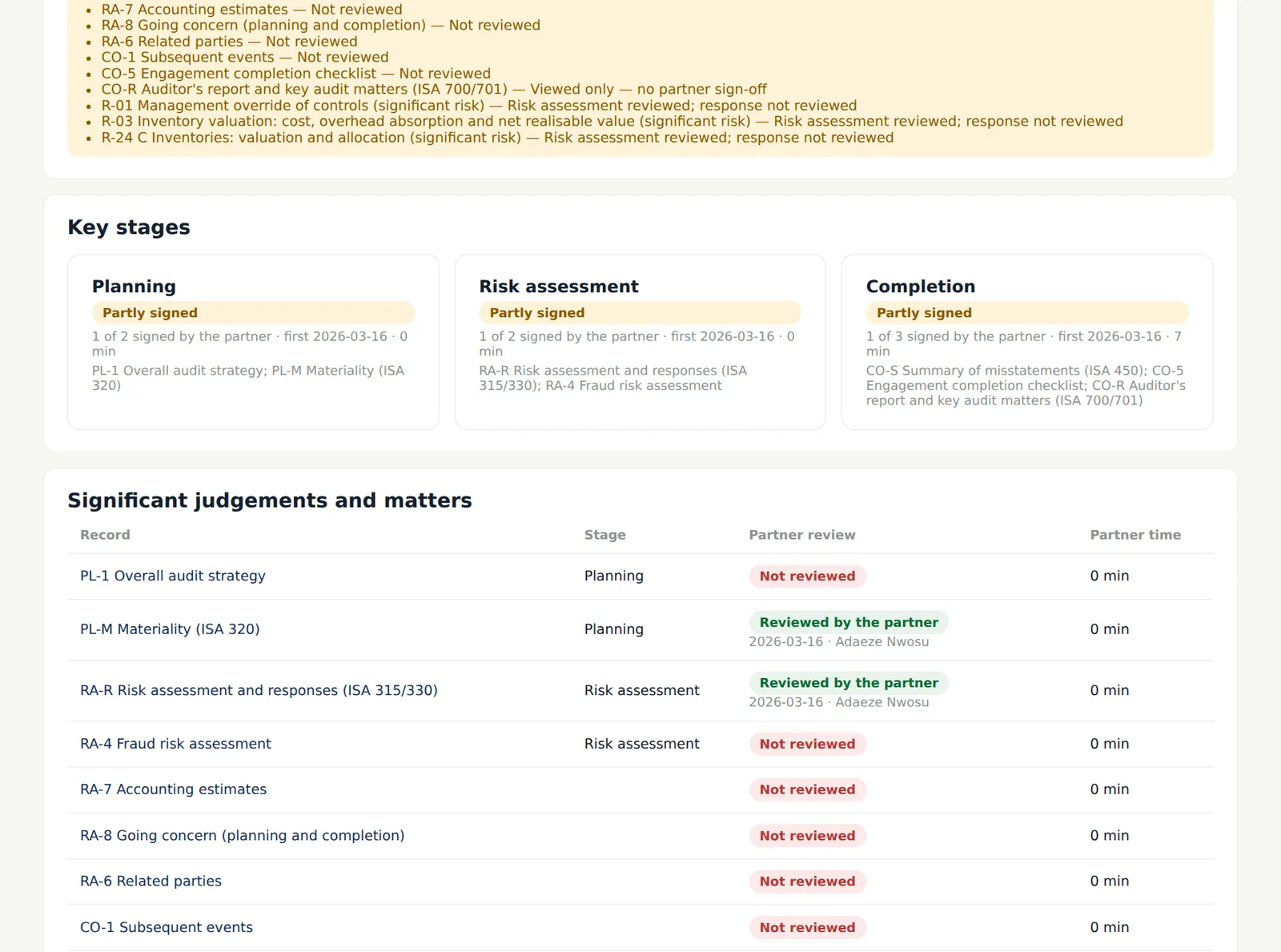
Time is an estimate from the pages people had open: a heartbeat every 20 seconds while a page is visible, with gaps of more than 90 seconds counted as one heartbeat, so a page left open overnight adds nothing. The log lists who opened and signed what, and when. The view downloads as CSV for the firm's monitoring.
Who
Engagement partner; quality lead.
What to do
- Choose Download CSV to keep the record with the file or send it to the quality lead.
13.3 The quality review is tracked in SQMTrove
Why
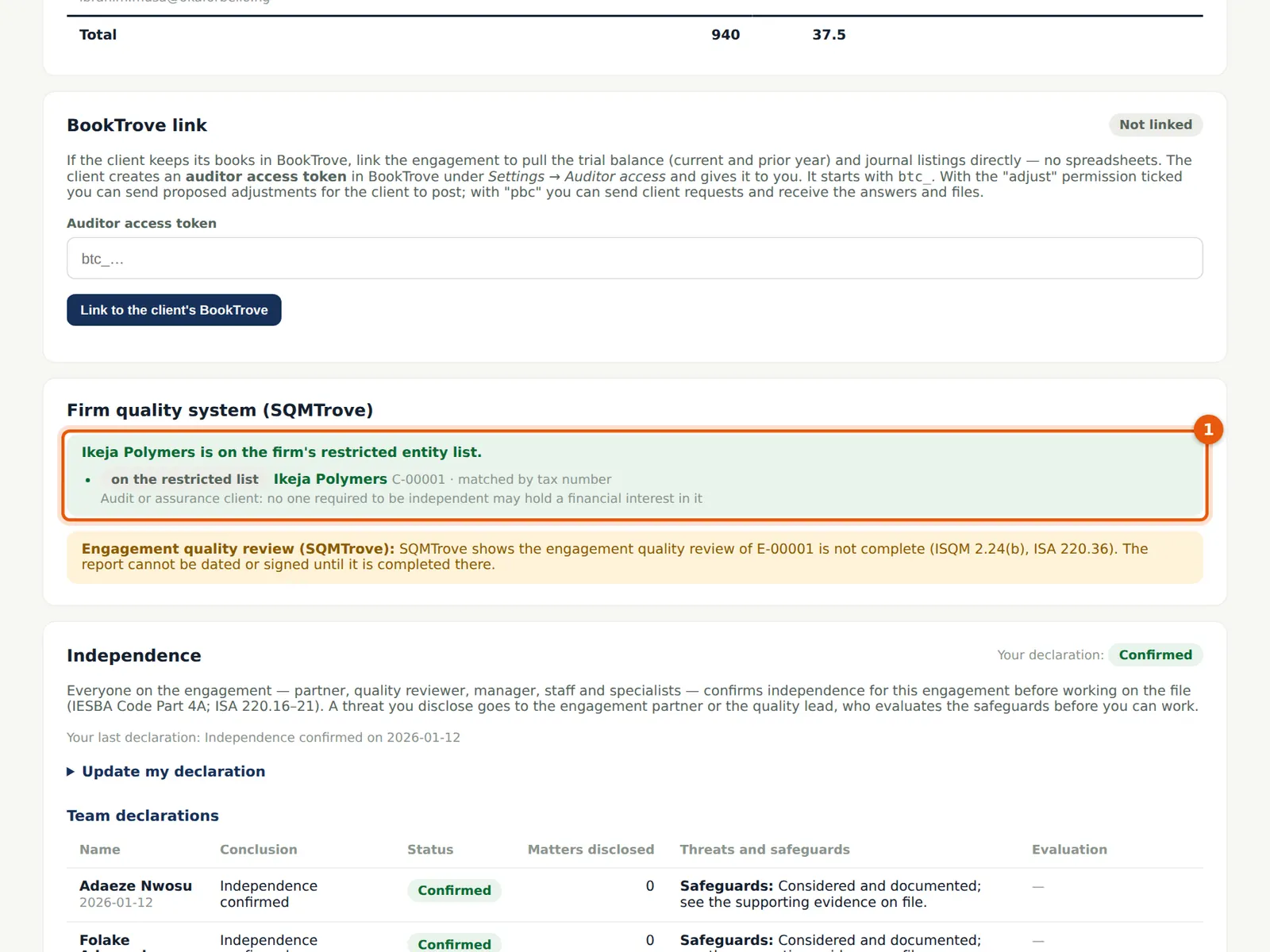
With the link on, the overview shows the firm quality system's view of the engagement: the restricted entity check (an audit client is on the firm's restricted list, so nobody who must be independent may hold a financial interest in it) and the quality review status held in SQMTrove.
Who
Engagement partner; manager.
What to do
- Read the status; if SQMTrove has not received the engagement yet, choose Sync now in Settings → Integrations: SQMTrove.
13.4 The EQR gate
Why
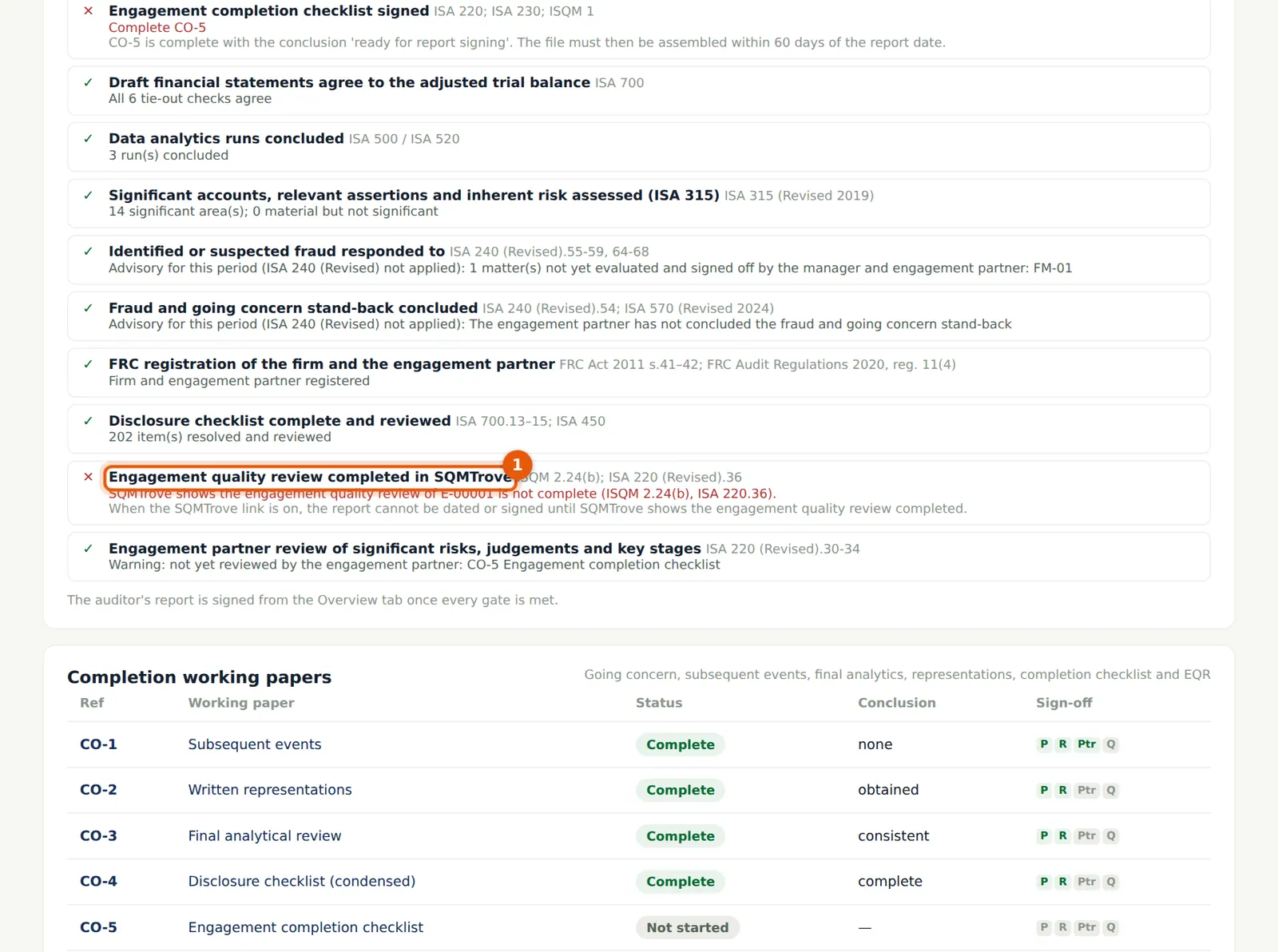
The gate stays open until SQMTrove shows the review complete. The message names SQMTrove's engagement reference and the standards: 'SQMTrove shows the engagement quality review of E-00001 is not complete (ISQM 2.24(b), ISA 220.36)'. Until then the report cannot be dated and the partner's electronic signature of the report is refused.
Who
Engagement partner; manager.
What to do
- Wait for the quality reviewer to complete the review and for it to be recorded in SQMTrove.
13.5 The engagement quality review
Why
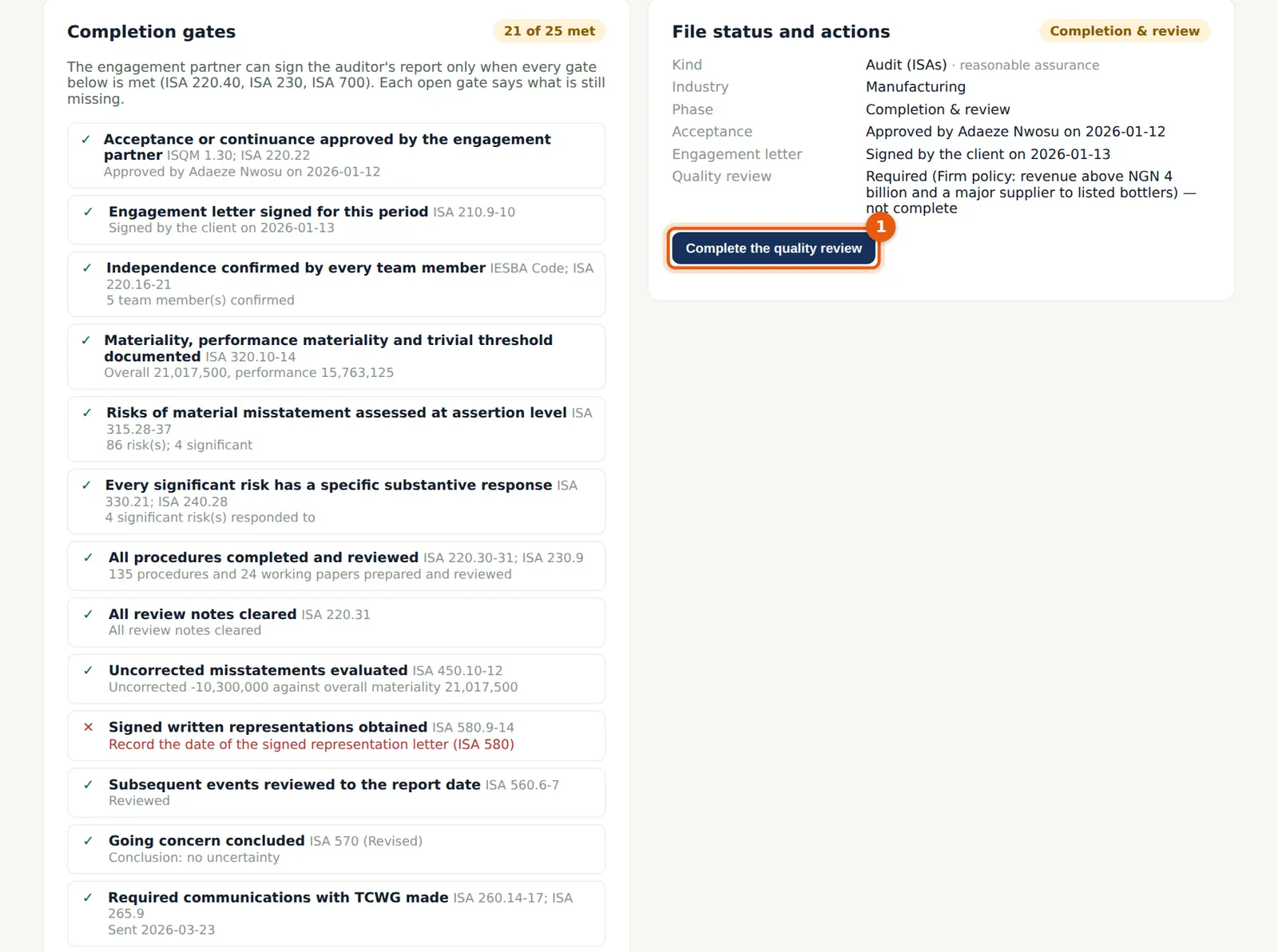
The quality reviewer evaluates the significant judgements and the conclusions reached, independently of the team, and records the review in CO-6 (ISQM 2). She can read everything and raise review notes but cannot change the team's papers.
Who
Engagement quality reviewer (Folake Adeyemi).
What to do
- Review the file and complete CO-6; sign it with the quality-review sign-off.
- Choose Complete the quality review (1).
13.6 Confirm the review
Why
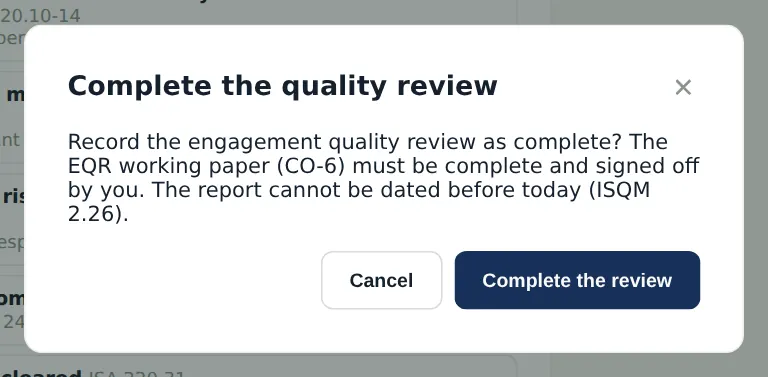
The review is recorded with the reviewer's name and date on the overview and in the firm's EQR register; the completion is also recorded in SQMTrove (by the reviewer or the quality lead), which then allows the report date.
Who
Engagement quality reviewer.
What to do
- Choose Complete the review. Record the completion in SQMTrove as the firm's procedures require.
13.7 Every item reviewed
Why
By 27 March the partner has reviewed every significant-risk response, judgement and key stage before the report date.
Who
Engagement partner.
What to do
- Check that nothing is flagged before dating the report.
13.8 Readiness to sign
Why
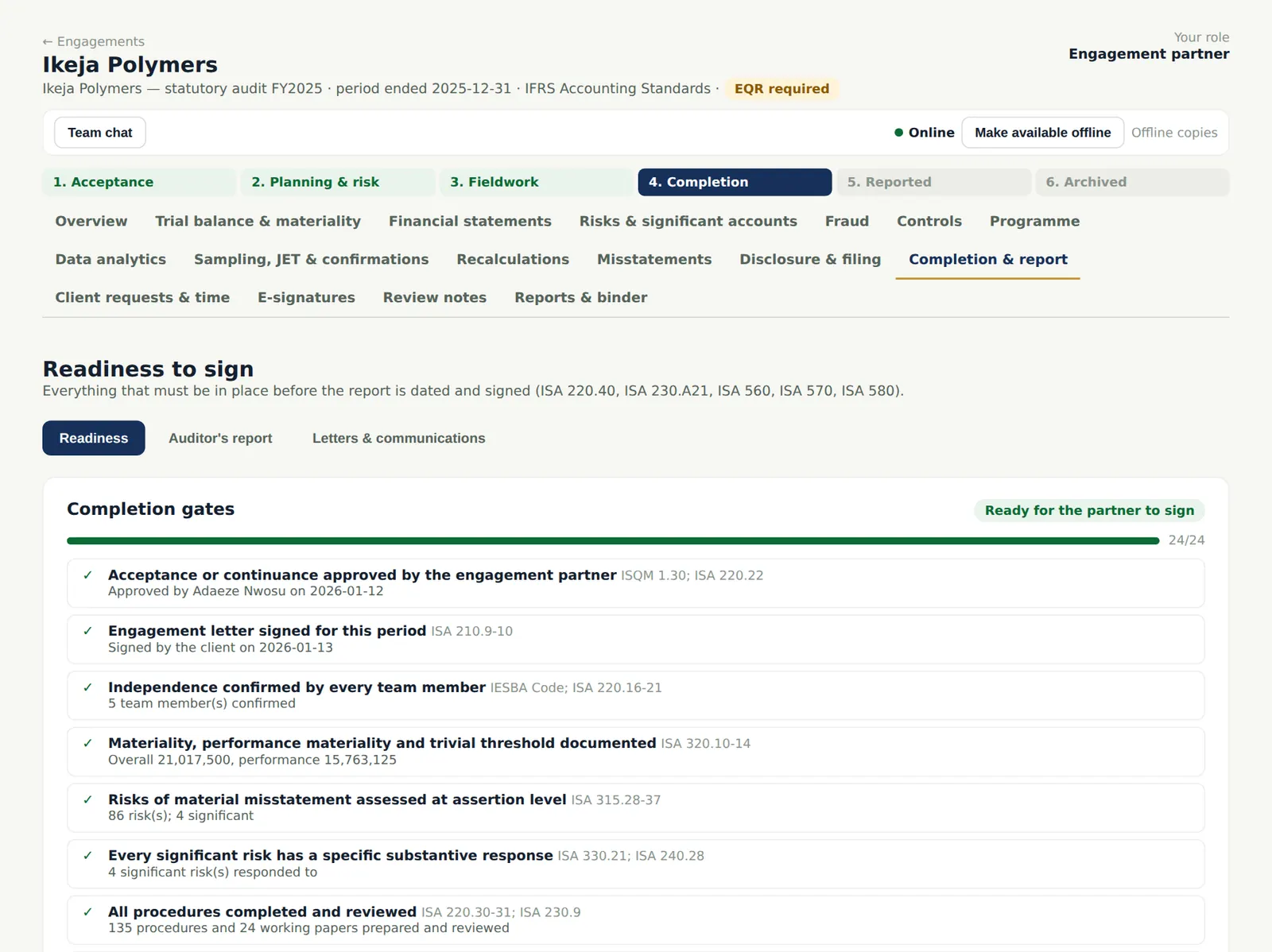
The gates check everything that must be in place before the report is dated: acceptance, the engagement letter, independence, materiality, risks and responses, procedures and papers reviewed, review notes cleared, misstatements evaluated, representations, subsequent events, going concern, communications with those charged with governance, the quality review (in SQMTrove when linked), partner approvals and review, the disclosure checklist, the completion checklist (CO-5), significant accounts and data analytics. The appendix on gates lists them as they stood.
Who
Manager; engagement partner.
What to do
- Open Completion & report → Readiness. Every open gate says what is missing.
- The manager completes CO-5 last; the partner signs it.
13.9 Sign the auditor's report
Why
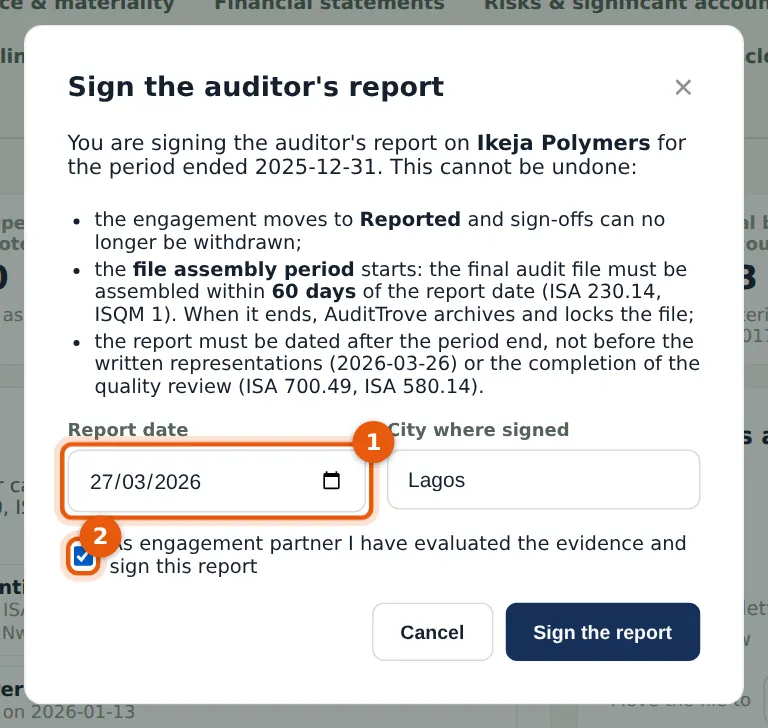
Only the engagement partner signs the report, and only when every gate is met. The report date cannot be before the written representations or the completion of the quality review (ISA 700.49; ISA 580.14). Signing starts the file assembly period.
Who
Engagement partner.
What to do
- On the Overview choose Sign the auditor's report.
- Enter the report date (1) — 27 March 2026 — and the city.
- Tick the confirmation (2) and choose Sign the report.
13.10 Reported
Why
The final file must be assembled within the assembly period (60 days), after which AuditTrove archives and locks it automatically (ISA 230.14). Report and assembly dates are sent to SQMTrove for the firm's monitoring.
Who
—
What to do
- Finish assembling the file — administrative changes only — and archive it (chapter 14).