Steps in this chapter (16)
Annual independence confirmations, the EQR register, monitoring, the firm-wide partner review view, rotation and tenure, the regulator's inspection pack, the inspector's read-only access and the methodology library.
The quality lead monitors the firm's system of quality management from Quality & independence: the annual independence confirmations, the EQR register with cooling-off rules, monitoring of completed files and — since release 22 — the engagement partners' review across all engagements (ISA 220 (Revised)), which feeds SQMTrove's monitoring. Rotation & tenure, the inspection pack and the methodology library complete the firm's tools.
In the illustration Emeka Obi, the quality lead, reviews them in July 2026, and the FRC's inspection team lead is given a read-only login for the visit.
Use cases
- Use case — The annual independence round. Everyone confirms from their dashboard; the register shows who has not (step 19.1).
- Use case — A partner who reviews too late. The firm-wide partner review view shows late reviews; set the policy to block (step 19.4).
- Use case — An FRC or ICAN inspection. Build the inspection pack (step 19.7) and give the inspector a read-only login (step 19.9).
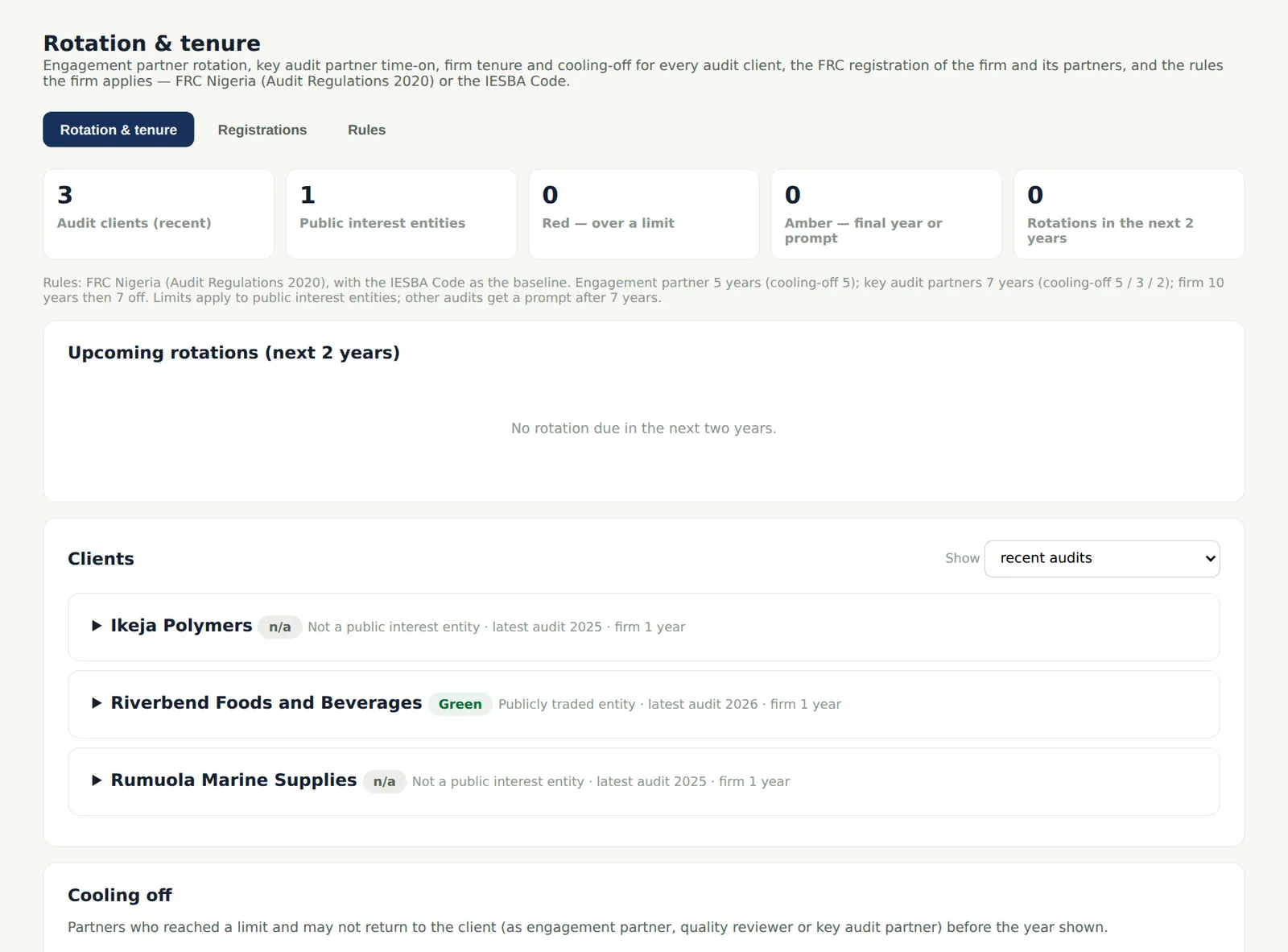
- Use case — A partner near the rotation limit. Rotation & tenure shows upcoming rotations for the next two years (step 19.6).
19.1 Annual independence
Why
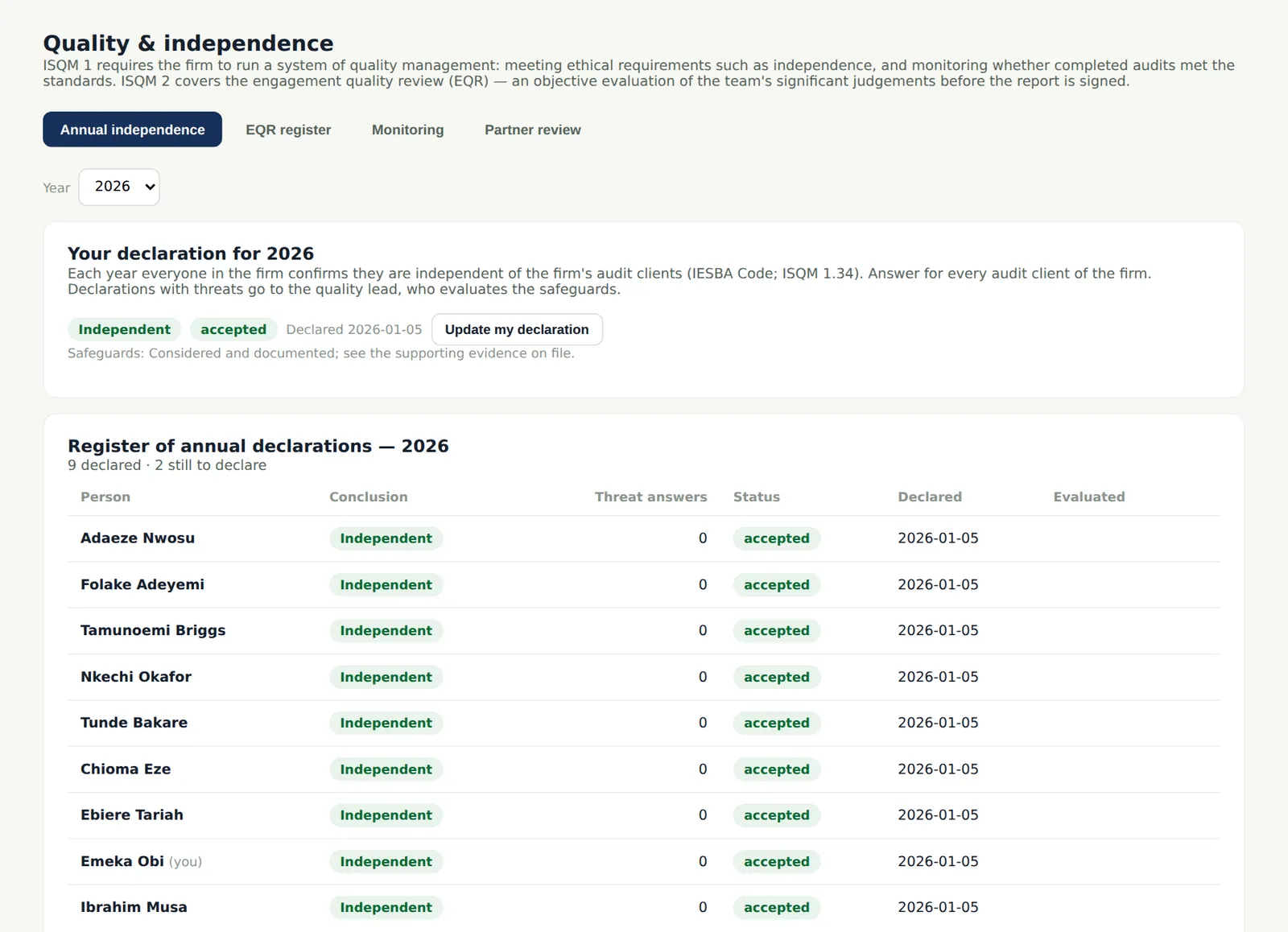
Every professional confirms independence each year (IESBA Code; ISQM 1.34). The register shows who has declared and who has not, and the engagement declarations waiting for evaluation; reminders go out monthly until everyone has declared.
Who
Quality lead; everyone declares.
What to do
- Chase anyone listed under Not yet declared; evaluate declarations with threats.
19.2 The EQR register
Why
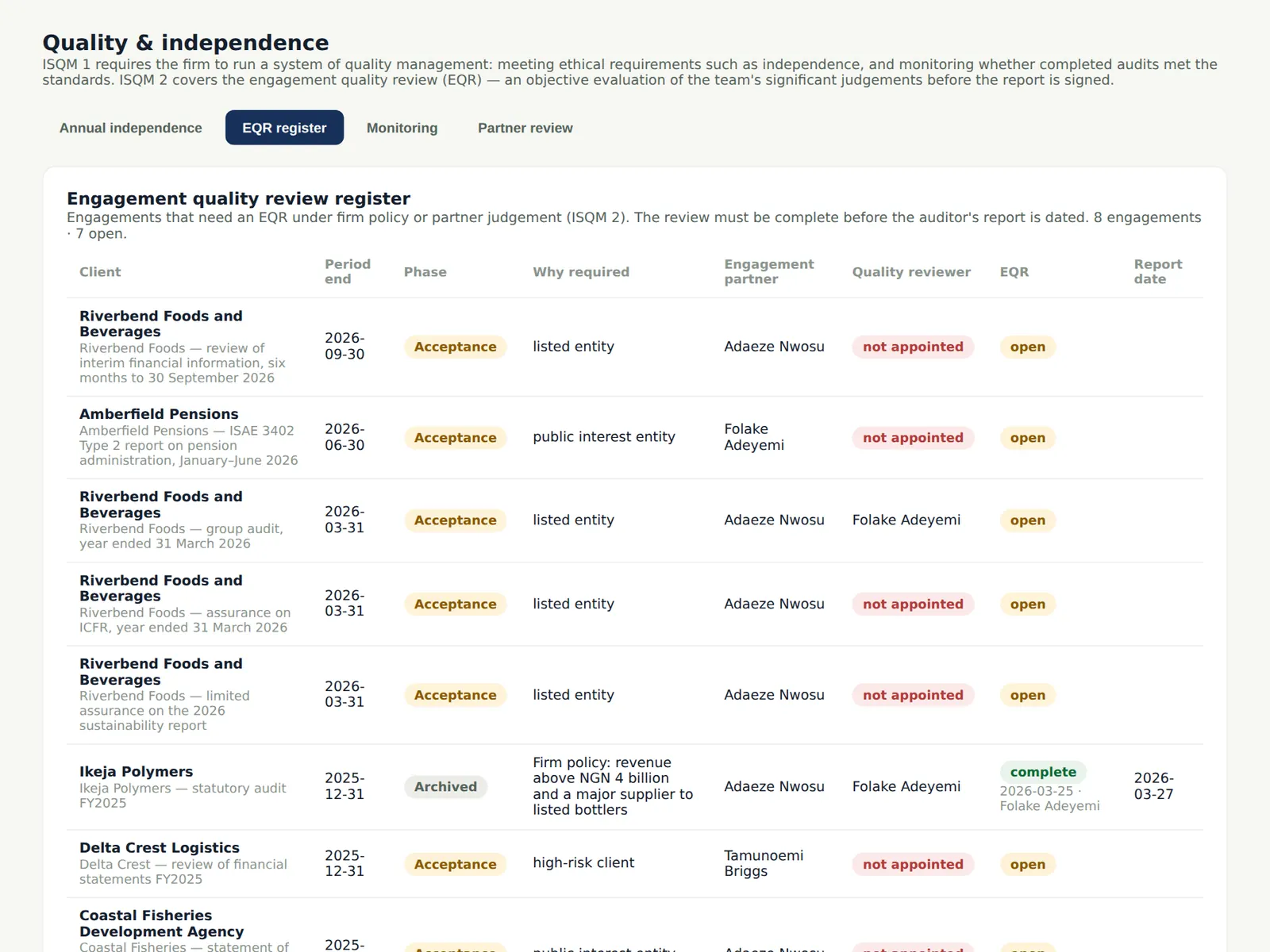
The register lists every engagement quality review, its reviewer, when it was completed and whether the cooling-off rules for reviewers who were engagement partners were met (ISQM 2.18–19).
Who
Quality lead.
What to do
- Check that each review was completed before the report date.
19.3 Monitoring
Why
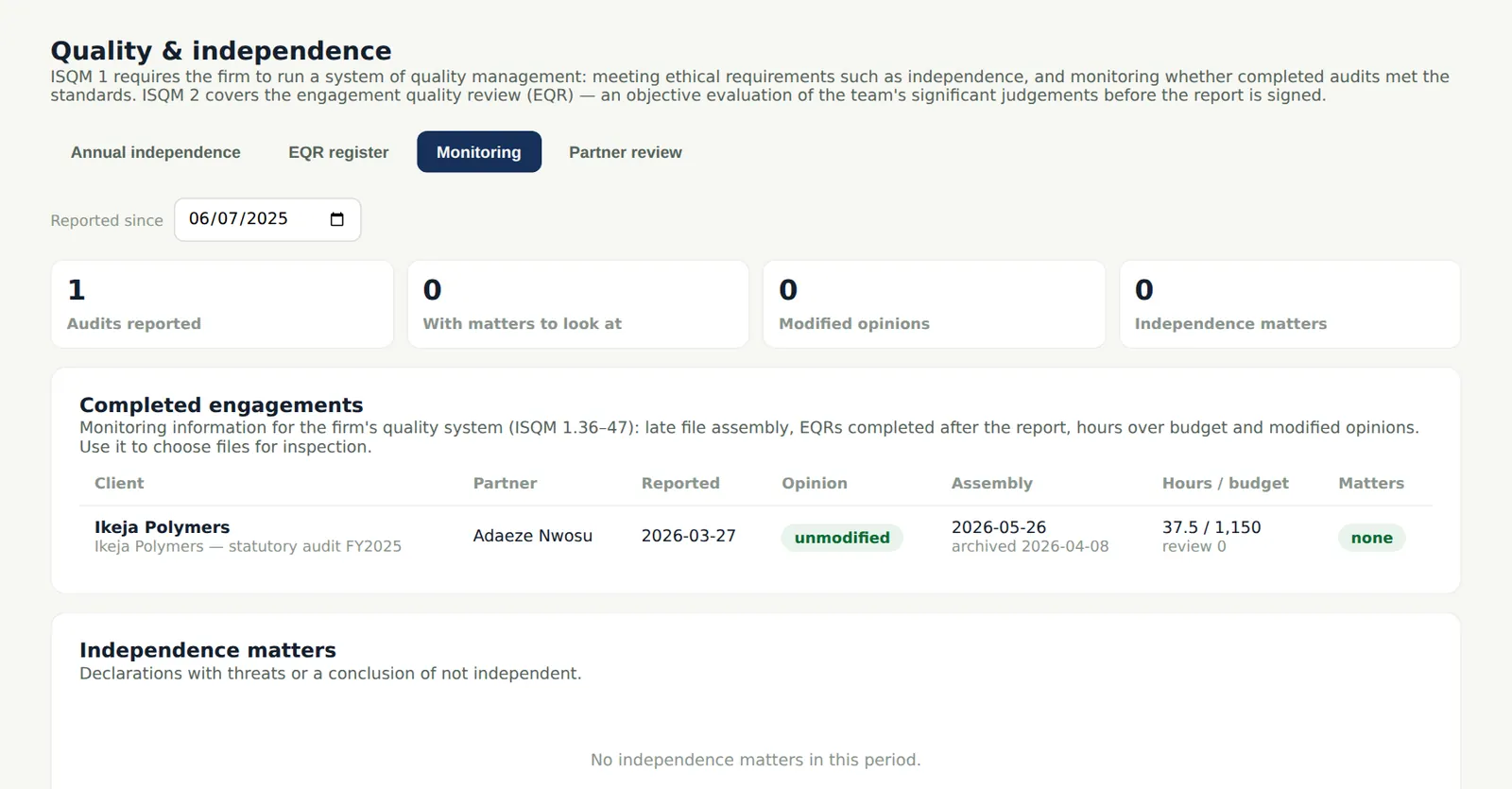
The quality lead selects completed files for monitoring (ISQM 1.37–38) and records the results; findings flow to SQMTrove when the link is on.
Who
Quality lead.
What to do
- Select the files for this year's cycle and record the findings.
19.4 Partner review across the firm
Why
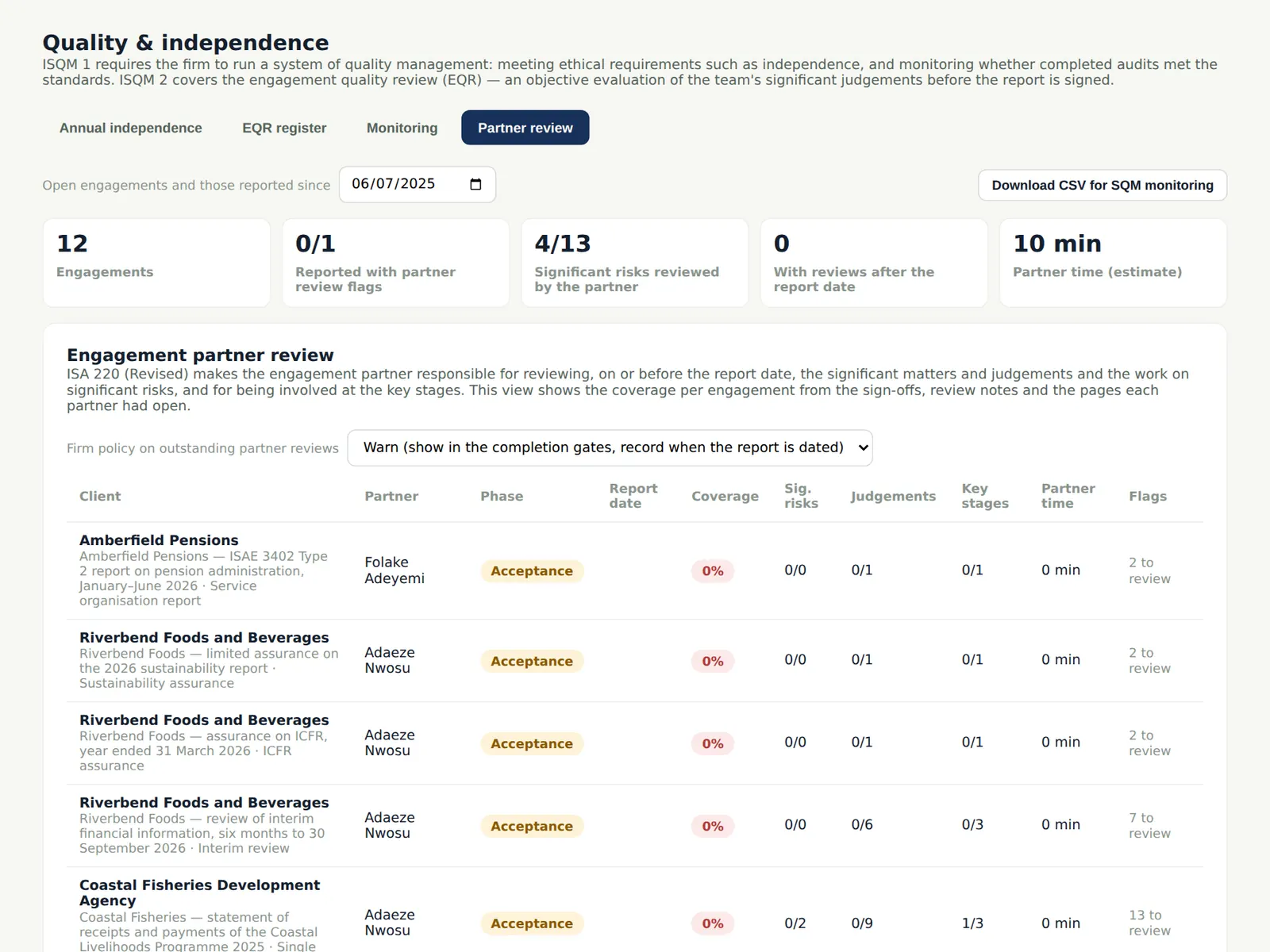
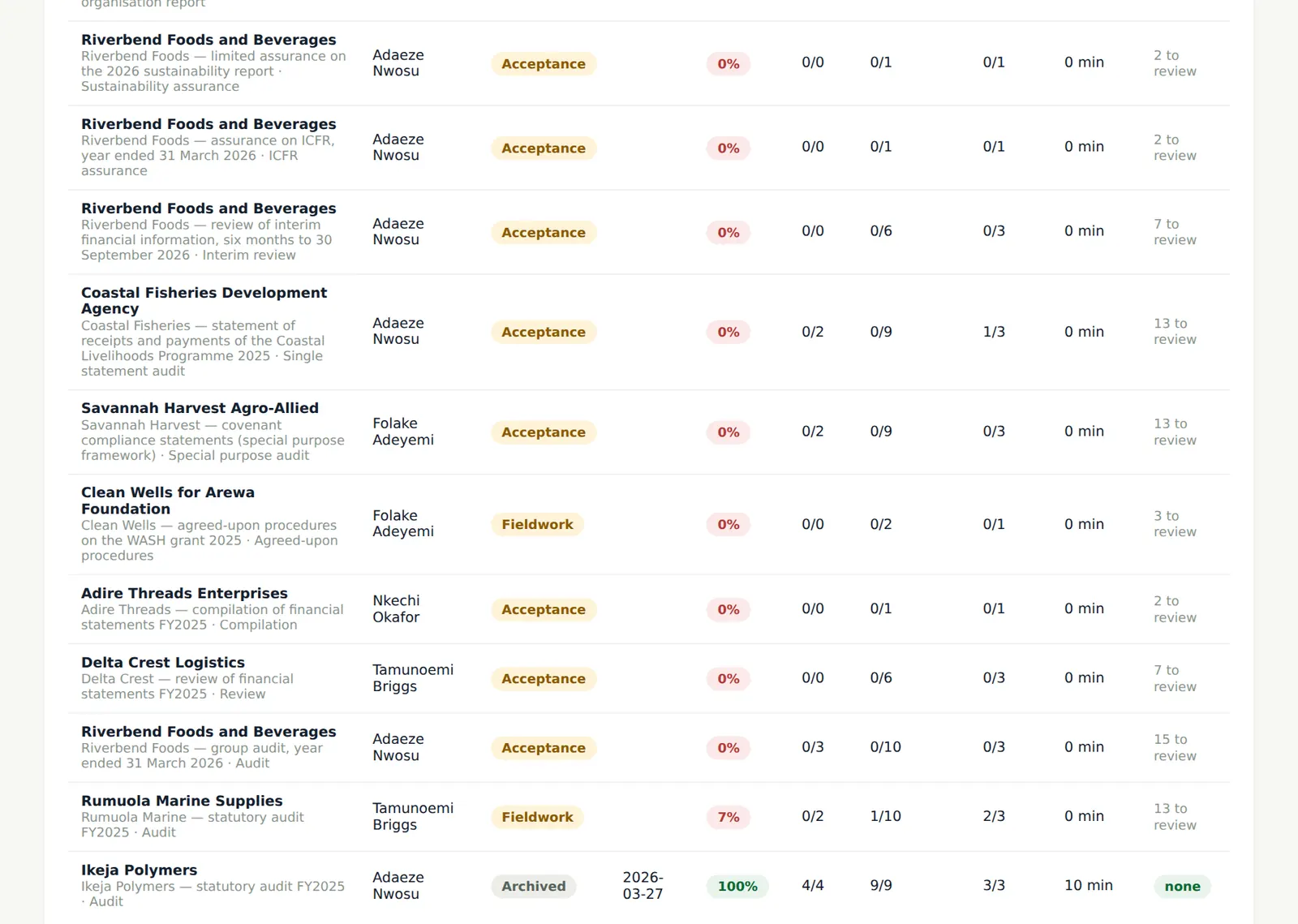
The firm-wide view shows each engagement's partner review coverage, reviews dated after the report and flags such as a report dated before the partner's review of a working paper. The firm policy decides what happens when items are outstanding: warn (a warning in the completion gates and an audit trail entry when the report is dated anyway) or block (the report cannot be dated). The CSV feeds SQMTrove's monitoring.
Who
Quality lead; owner.
What to do
- Choose the policy — warn or block — and save.
- Download the CSV for the monitoring file.
19.5 Flags and late reviews
Why
An engagement whose partner reviewed significant items after the report date, or not at all, is listed with the items.
Who
Quality lead.
What to do
- Follow up each flagged engagement with its partner and record the result in SQMTrove.
19.6 Rotation and tenure
Why
For every audit client the page shows engagement partner time-on, key audit partner time-on (including EQR and designated key audit partners), firm tenure and who is cooling off, with red, amber and green status and the rotations due in the next two years. A breach blocks acceptance and the report unless the quality lead overrides it with reasons.
Who
Quality lead; partners.
What to do
- Plan the rotations shown as due; record an override only with reasons.
19.7 The regulator's inspection pack
Why
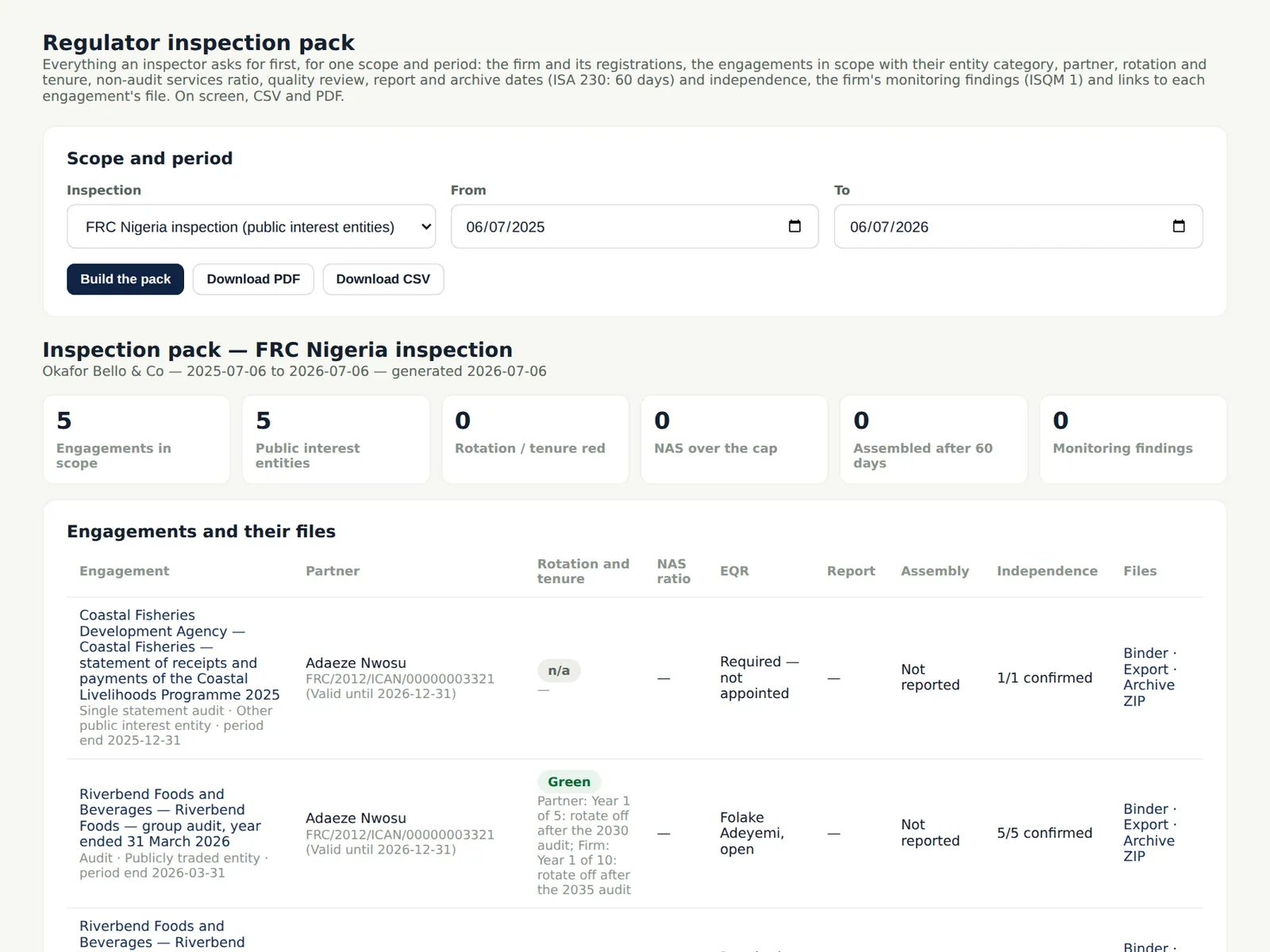
For an FRC, ICAN or ICAB/ICAC inspection the pack gathers the firm's and partners' registrations, the engagements in scope with their entity category, partner, rotation and tenure, NAS ratio, EQR, report and archive dates and independence, the monitoring findings, and links to each file.
Who
Quality lead; owner.
What to do
- Choose the regulator and the period and choose Build the pack.
- Download it as PDF or CSV for the inspection team.
19.8 Registrations, findings and independence
Why
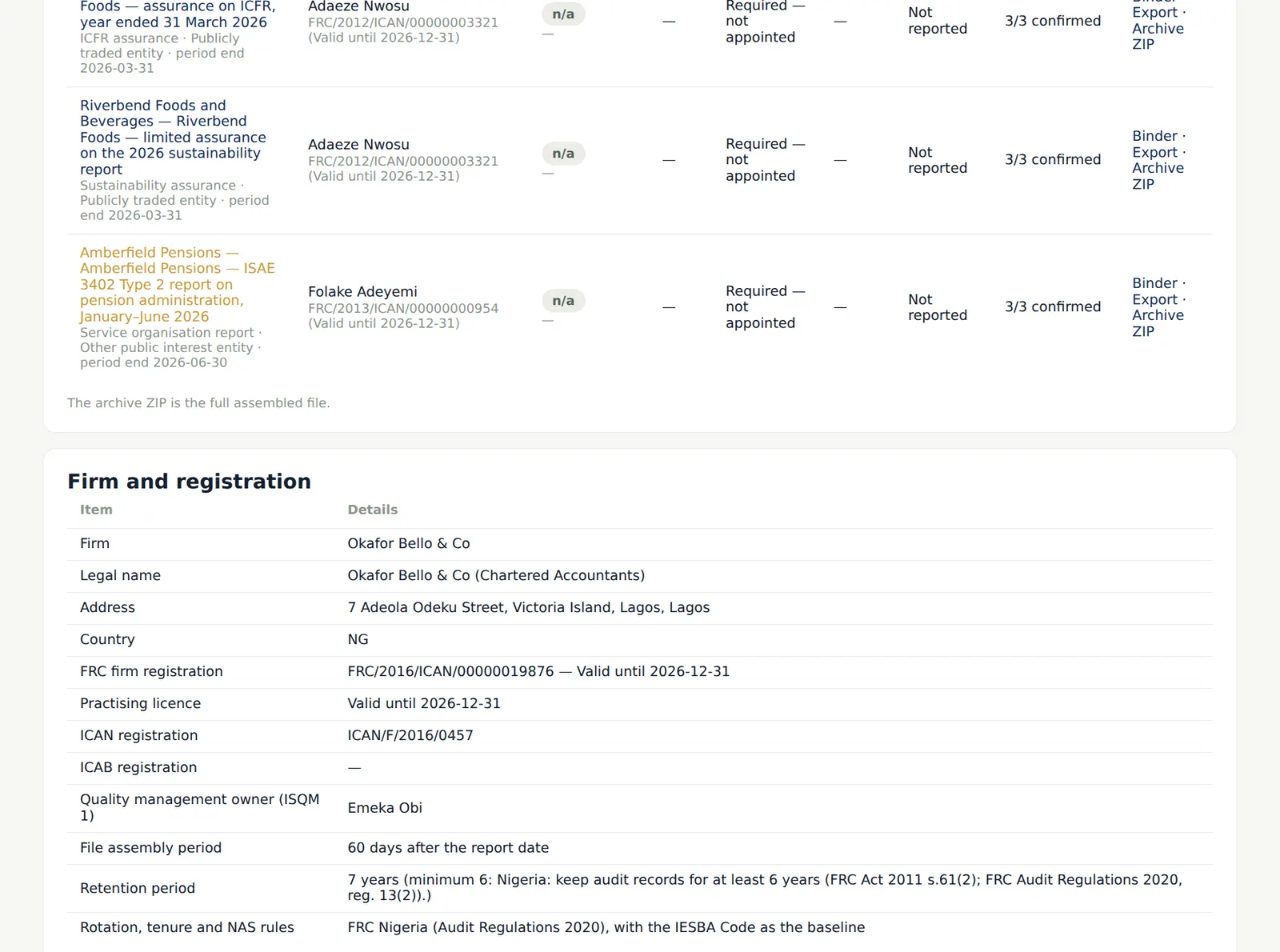
The rest of the pack gives what inspectors ask for first: registrations and their expiry, the monitoring findings (ISQM 1.36–47), independence and complaints.
Who
Quality lead.
What to do
- Check each section before sending the pack.
19.9 The inspector's read-only access
Why
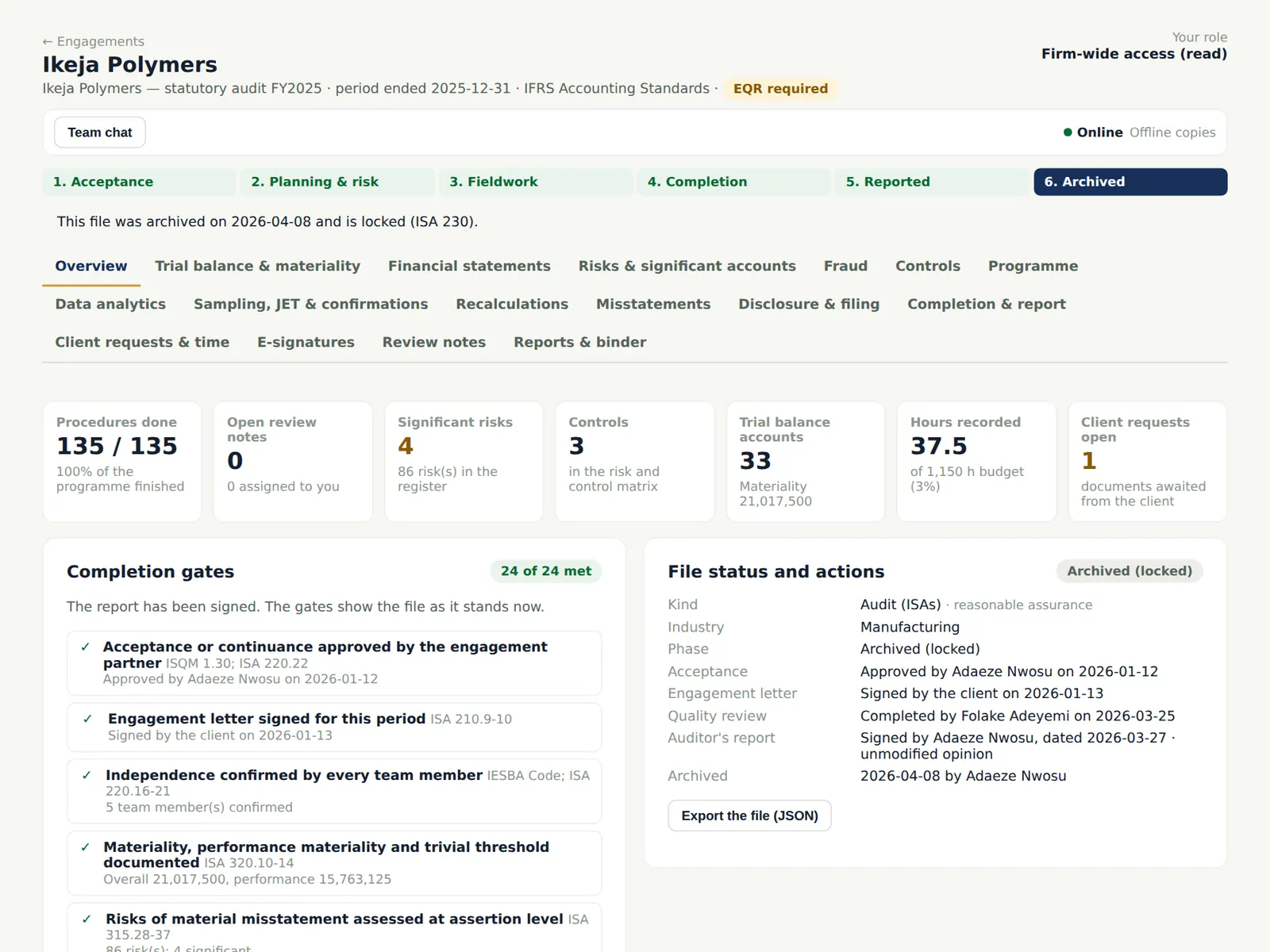
The Inspector role reads every engagement, the independence register and the audit trail, and cannot change anything; everything they open is in the audit trail. Remove the login when the inspection ends.
Who
Owner or firm administrator gives the access.
What to do
- Add the inspector in Users & roles with the Inspector (read-only) role; remove them after the visit.
19.10 The methodology library: audit programme
Why
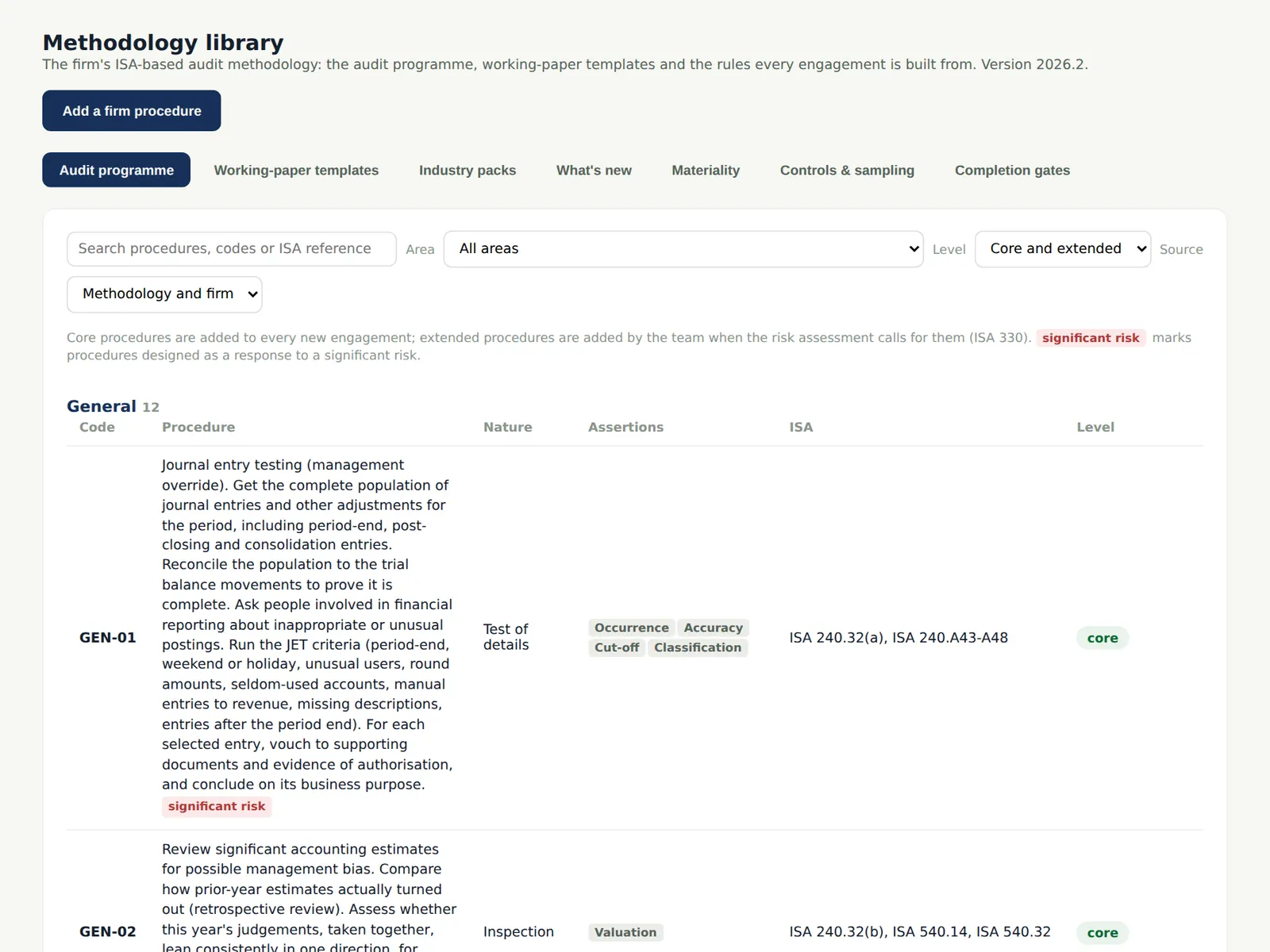
The library holds 21 audit areas with the standard procedures, each tagged with its assertions and ISA reference. Firms can add their own procedures; they are offered on every engagement.
Who
Quality lead or methodology owner.
What to do
- Choose Add a firm procedure to add one to an area.
19.11 Working-paper templates
Why
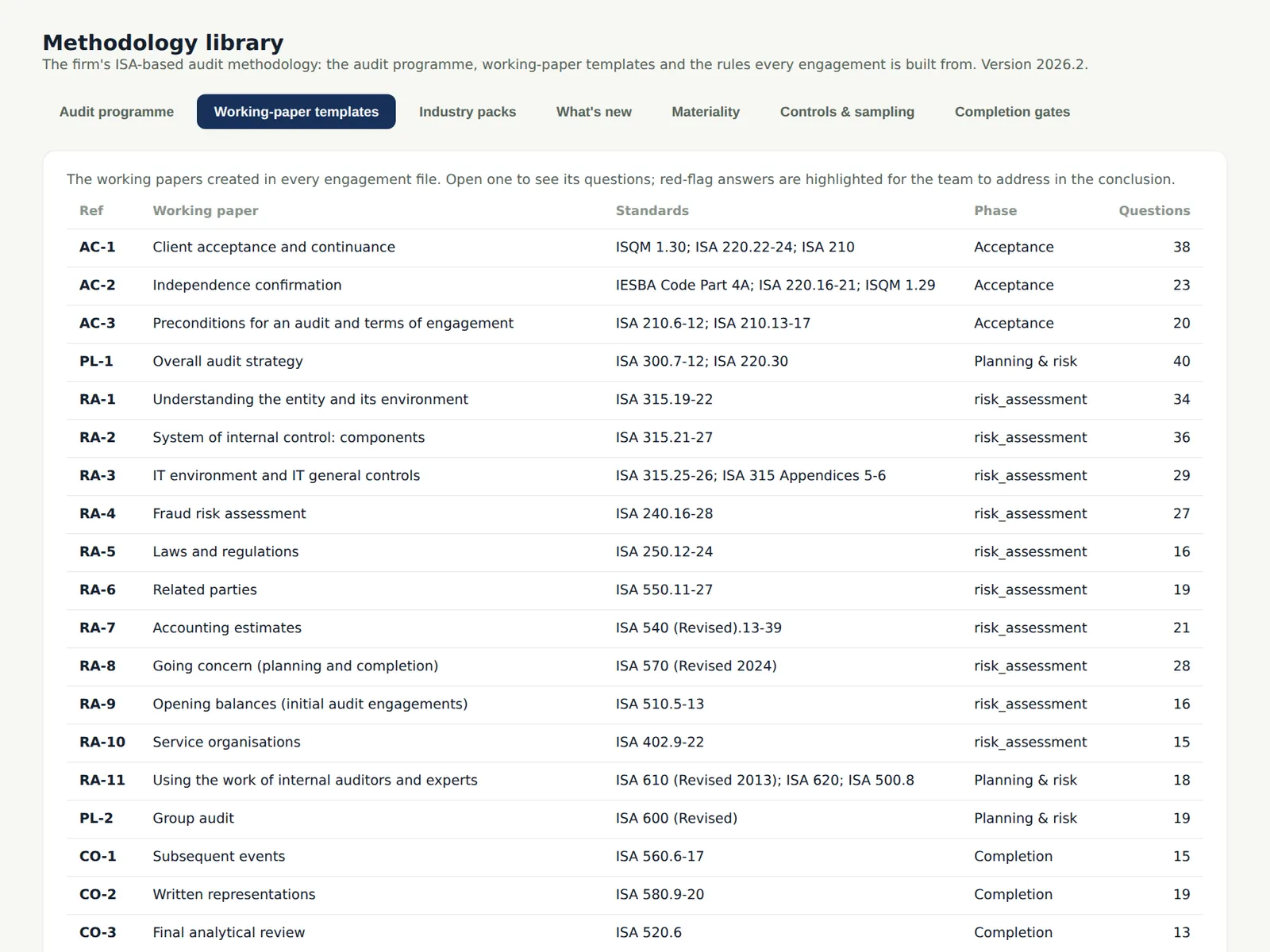
The structured forms (acceptance, independence, understanding, fraud, estimates, going concern, completion, EQR and the kinds' papers) with their questions, flags and conclusions.
Who
Quality lead.
What to do
- Open a template to read its questions and references.
19.12 Industry packs
Why
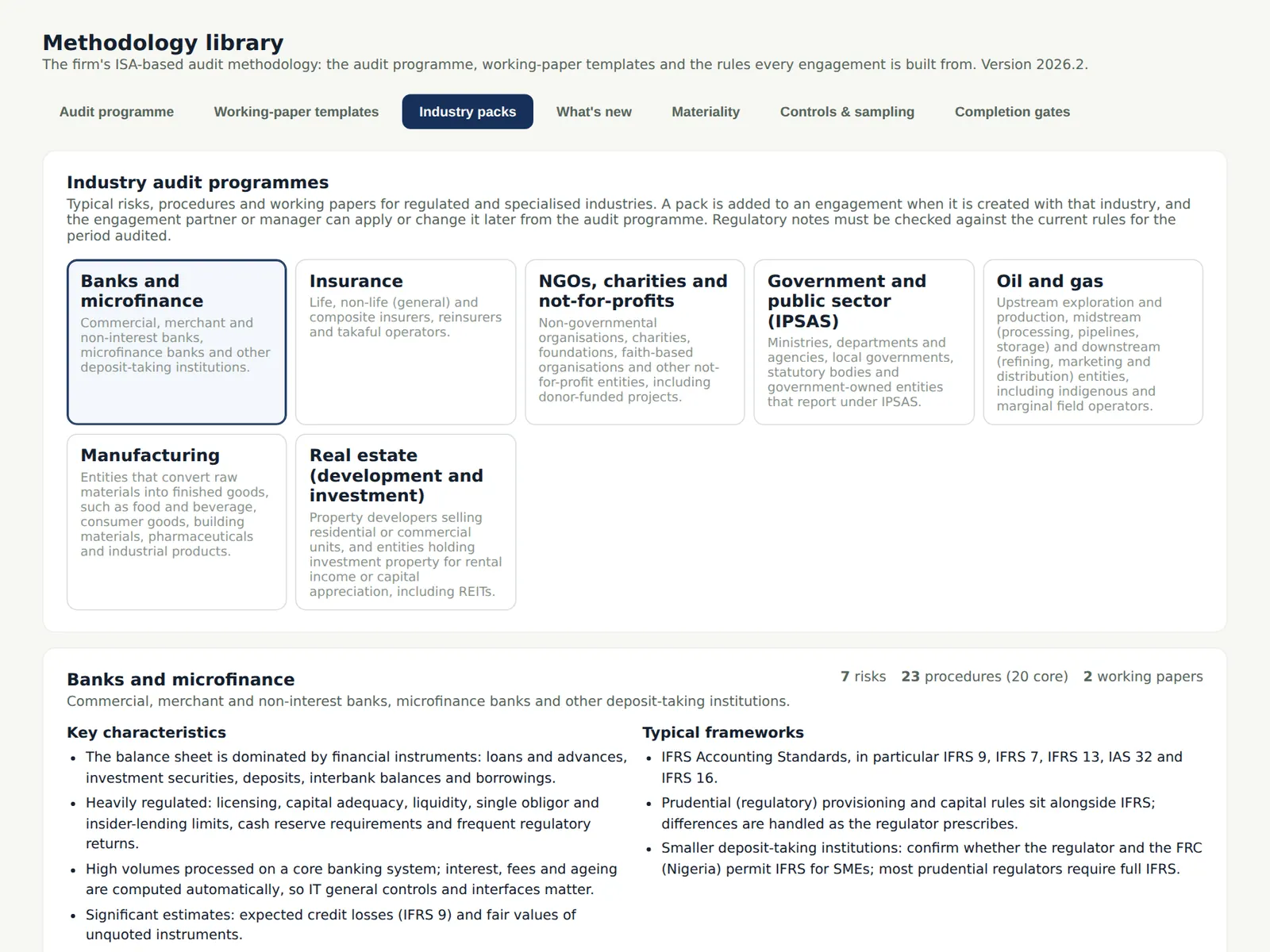
Banks and microfinance, insurance, NGOs, public sector, oil and gas, manufacturing and real estate: each adds risks, procedures and checklists, with notes for Nigeria and Barbados.
Who
Quality lead.
What to do
- Open a pack to see what it adds.
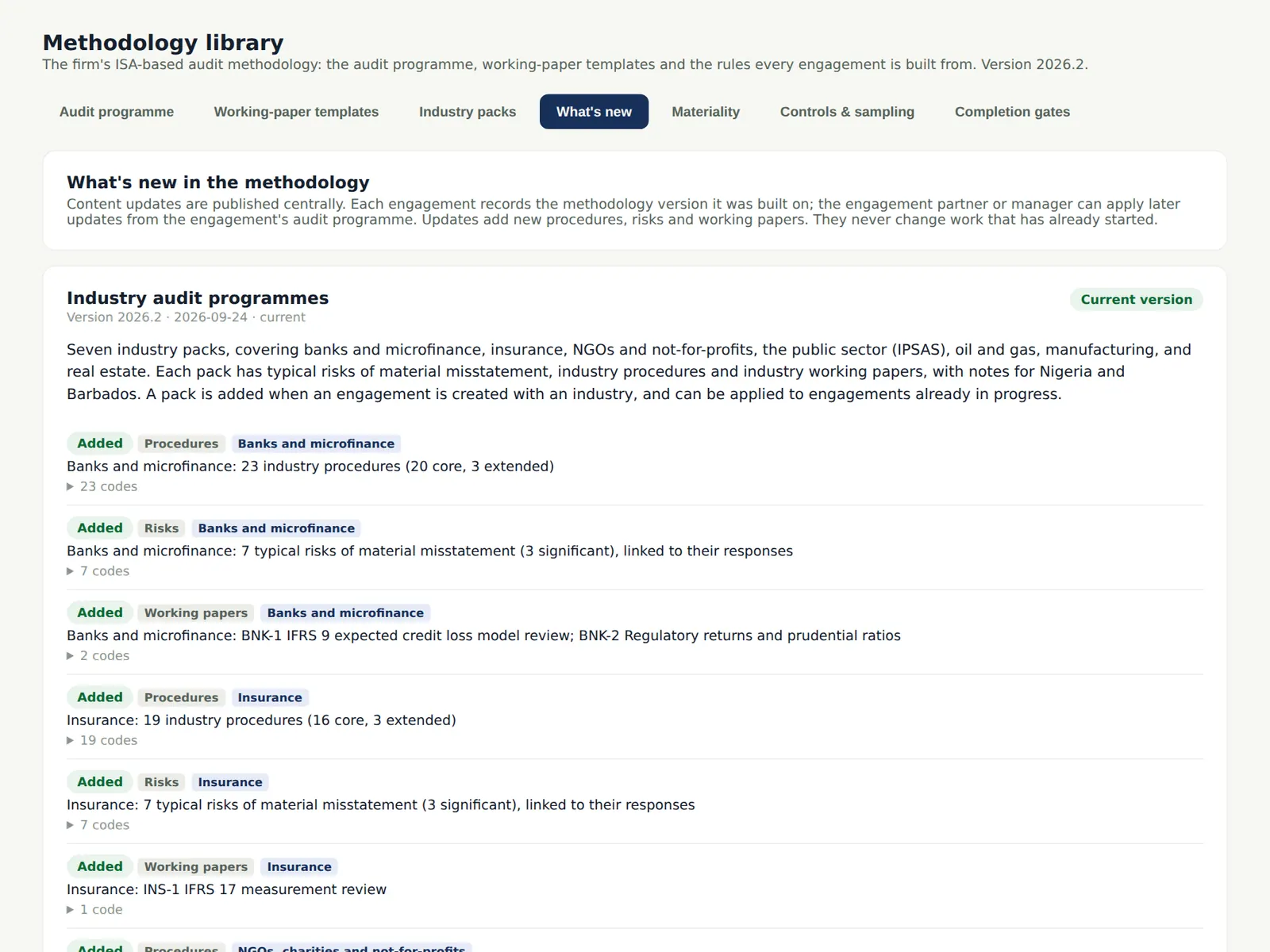
19.13 What's new in the methodology
Why
Methodology updates are listed with their dates; open engagements can apply them from the programme.
Who
Quality lead; managers.
What to do
- Read the updates and apply them to open engagements where appropriate.
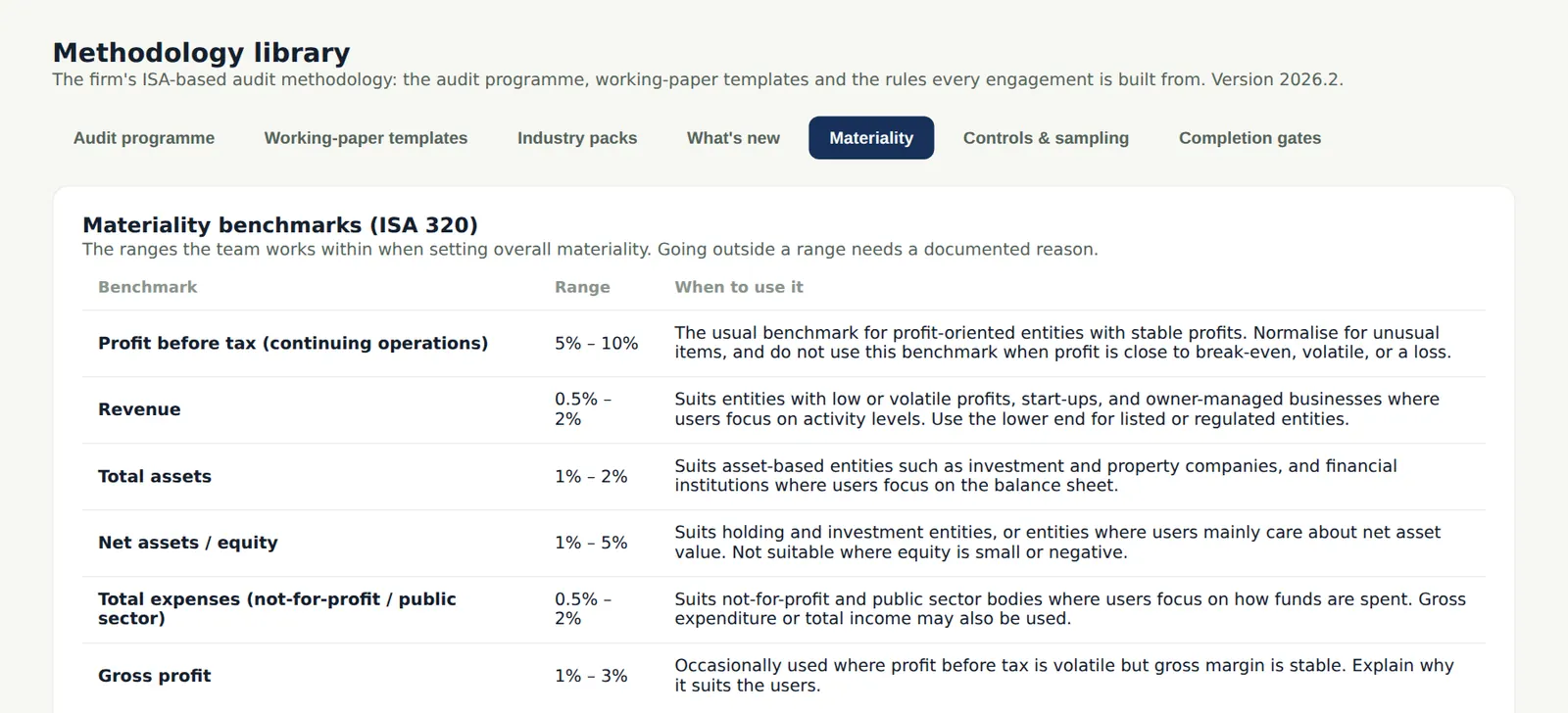
19.14 Materiality guidance
Why
The firm's benchmarks and ranges proposed in the materiality calculator.
Who
Quality lead.
What to do
- Check the ranges match the firm's policy.
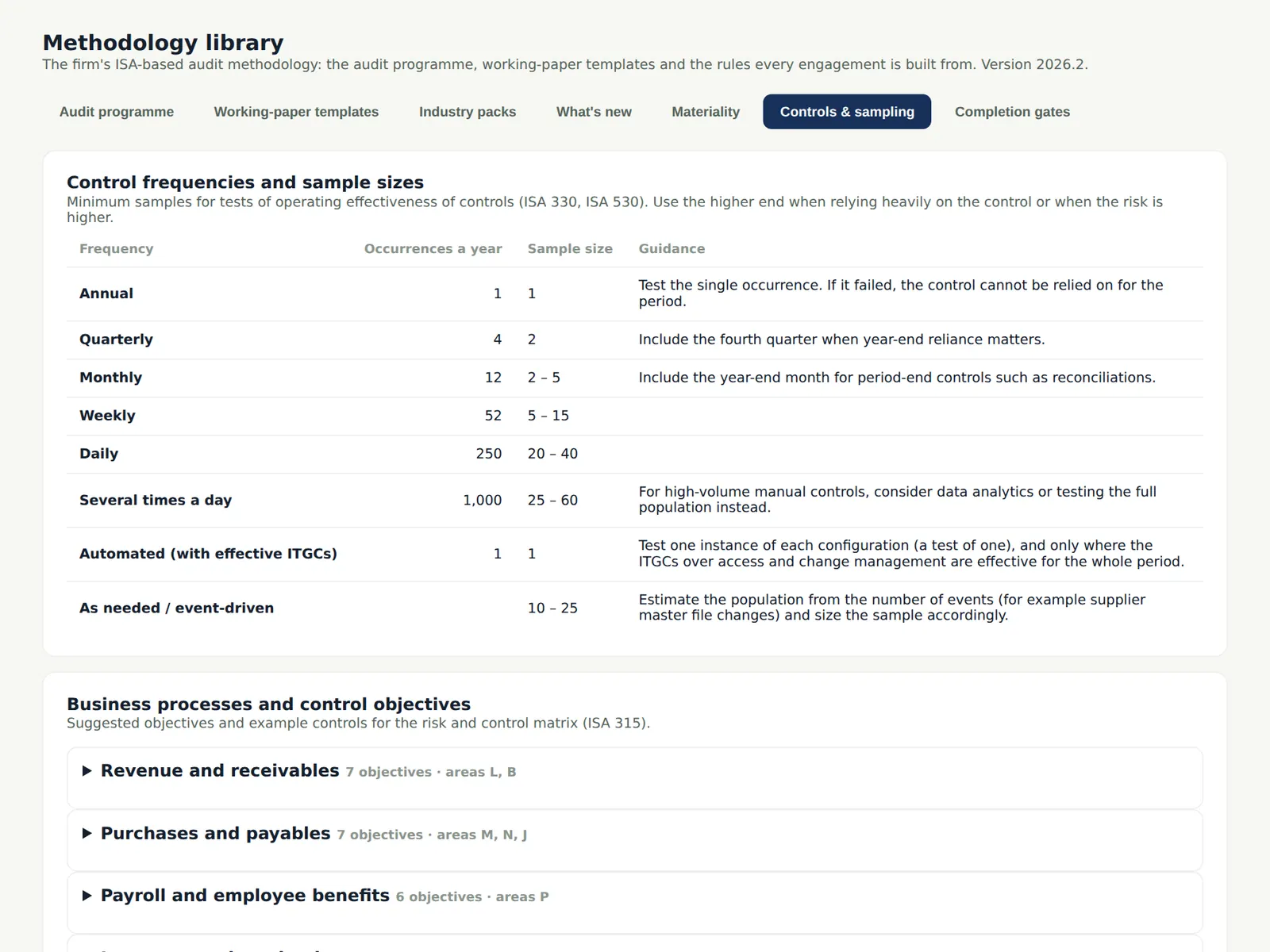
19.15 Controls and sampling parameters
Why
Sample sizes for tests of controls by frequency and risk, and the sampling parameters used by the sampling tool.
Who
Quality lead.
What to do
- Read the parameters used in chapter 10.
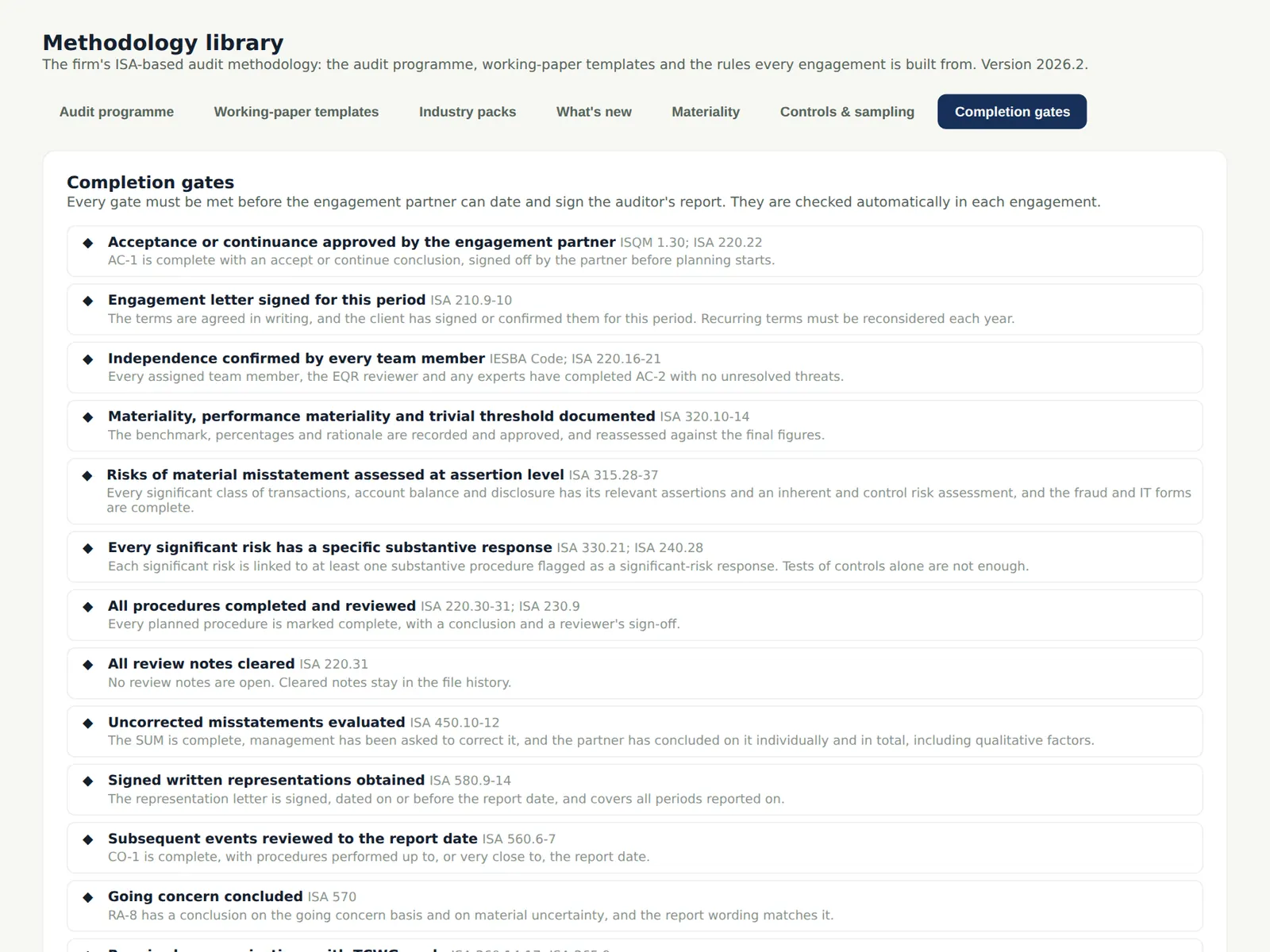
19.16 Completion gates by kind
Why
The gates each kind of engagement must meet before its report is signed.
Who
Quality lead.
What to do
- Use it with the appendix on gates.