Steps in this chapter (22)
Record procedures, link evidence to figures, sample, test journals, analyse whole populations (including more than 250,000 rows and Excel files), recalculate leases, test controls, clear review notes and record misstatements and deficiencies.
Fieldwork runs from 11 February to 2 March 2026. The team performs the programme, gathers evidence, analyses the whole general ledger, and records what it finds. Reviewers raise review notes as they go.
Since release 22, data analytics accepts populations of up to 5,000,000 rows. Up to 250,000 rows are kept in the database; larger populations are stored in chunks in the firm's file storage and each test runs as a series of short steps with the same results. Populations can also be imported straight from Excel workbooks.
Use cases
- Use case — Testing management override in a large ledger. Import the whole general ledger (step 10.9), score every entry, and send the highest-scoring entries to a journal entry test.
- Use case — A lease the client accounts for under IFRS 16. Create a lease recalculation paper and compare the recalculated liability with the client's (steps 10.12–10.14).
- Use case — A reviewer disagrees with a conclusion. Raise a review note on the procedure (step 10.17); the preparer responds and the reviewer clears it.
- Use case — A misstatement the client will not correct. Record it as uncorrected with management's reason; it goes to the representation letter and to those charged with governance (step 10.20).
10.1 The programme in fieldwork
Why
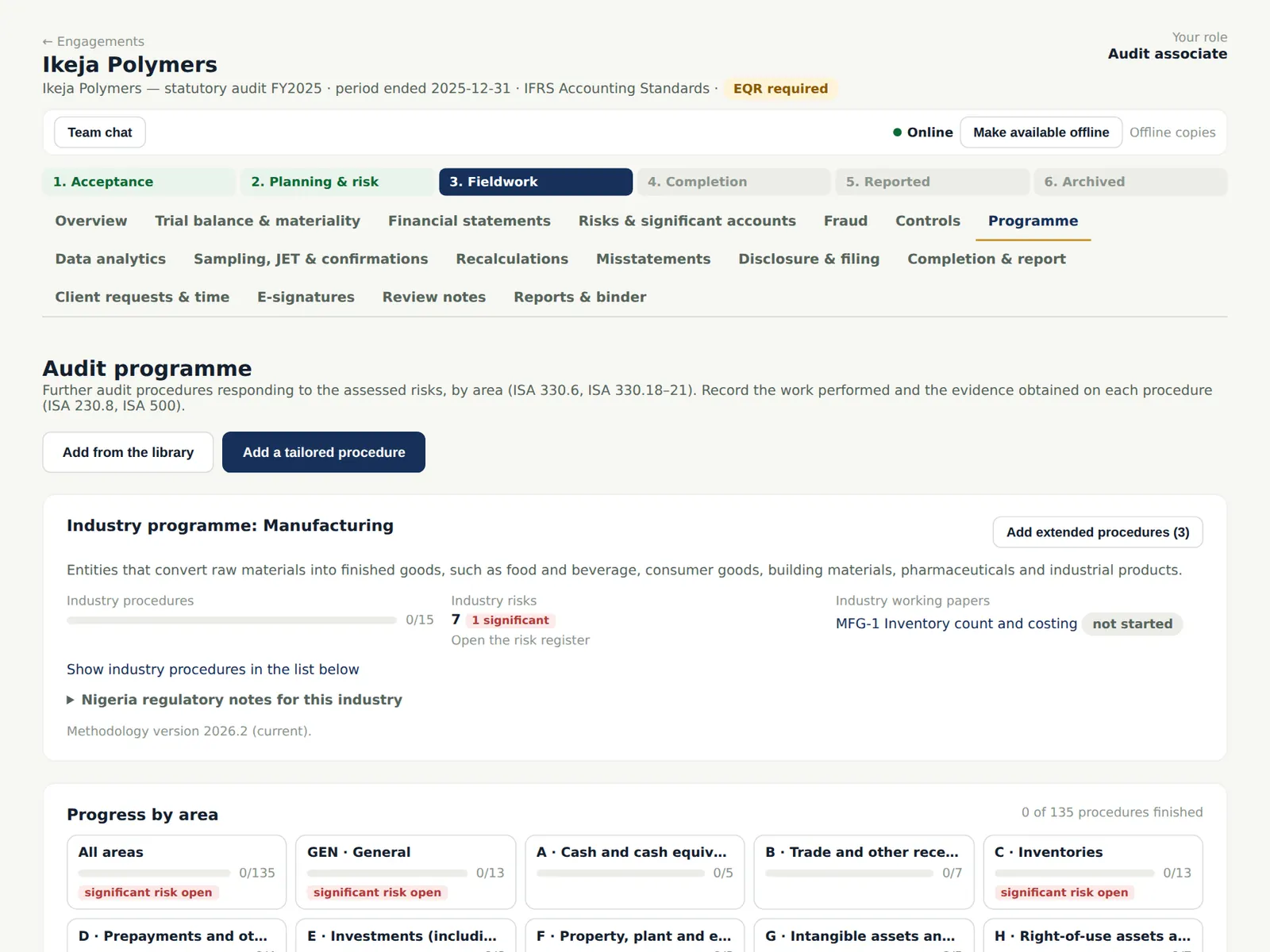
Every procedure shows its assertions, nature, the risks it responds to, its status, who it is assigned to and its sign-offs.
Who
Team members.
What to do
- Open Programme, choose an area and click a procedure to open it.
10.2 Record the work performed
Why
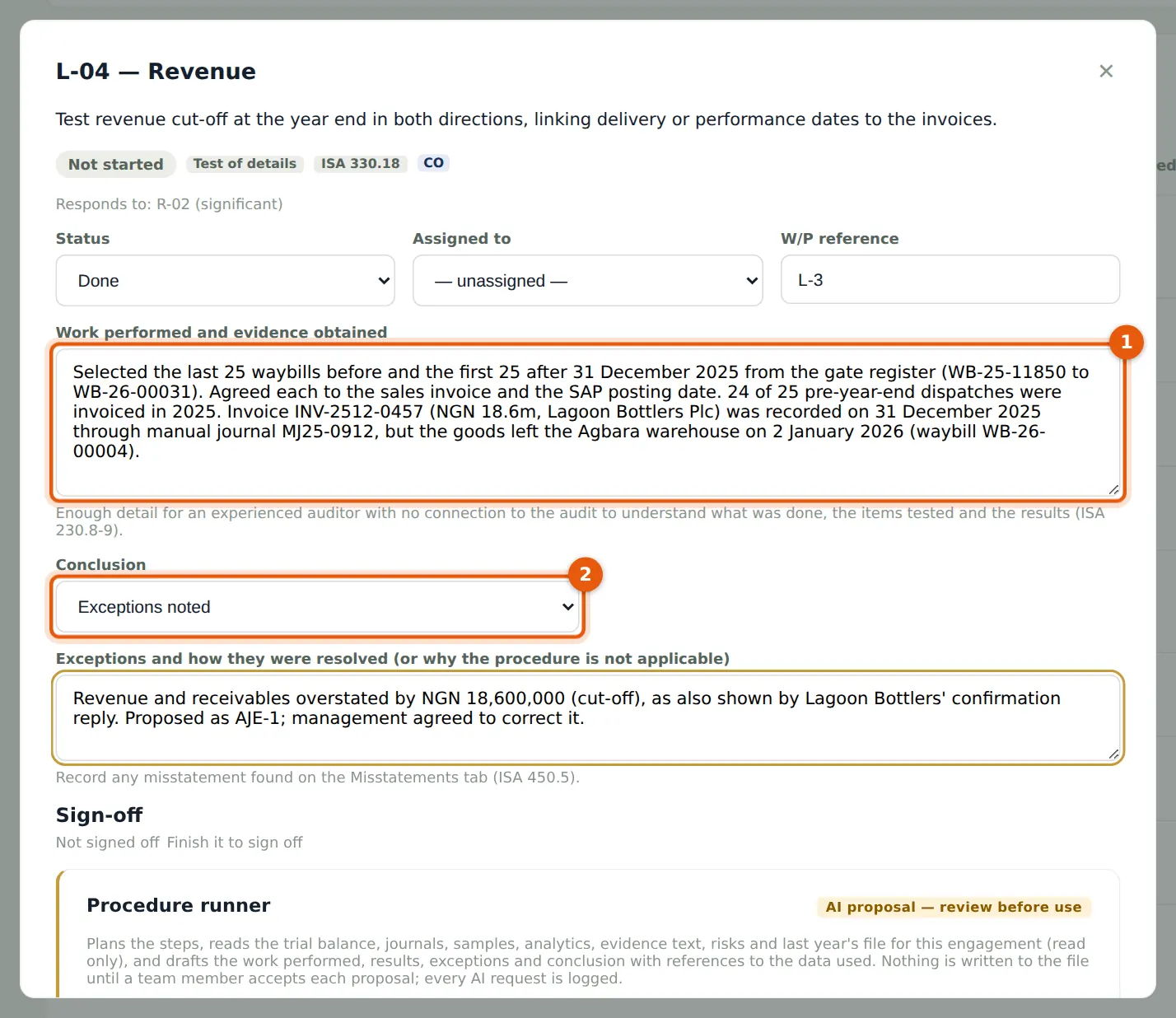
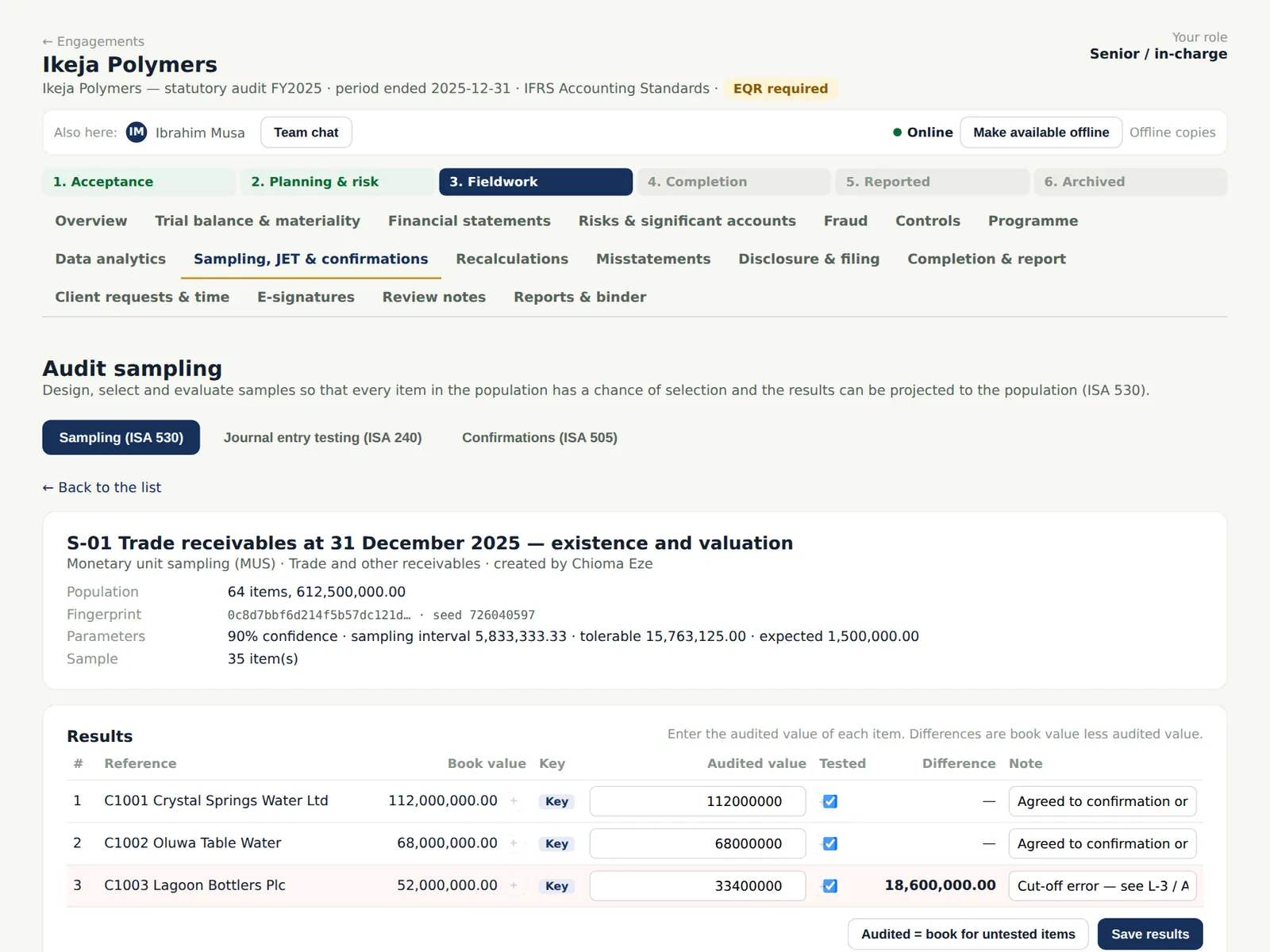
Record enough detail for an experienced auditor with no connection to the audit to understand what was done, the items tested and the results (ISA 230.8–9). Here Ibrahim finds that invoice INV-2512-0457 (NGN 18.6m) was recorded in 2025 but the goods left the warehouse on 2 January 2026 — the same difference Lagoon Bottlers reported.
Who
Associate or senior.
What to do
- Set the status to Done, assign yourself and enter the W/P reference.
- Describe the work performed and the evidence (1).
- Choose the conclusion (2) — Exceptions noted — and explain how the exception was resolved.
- Attach evidence and choose Save, then Sign as prepared.
10.3 Evidence linked to the figure
Why
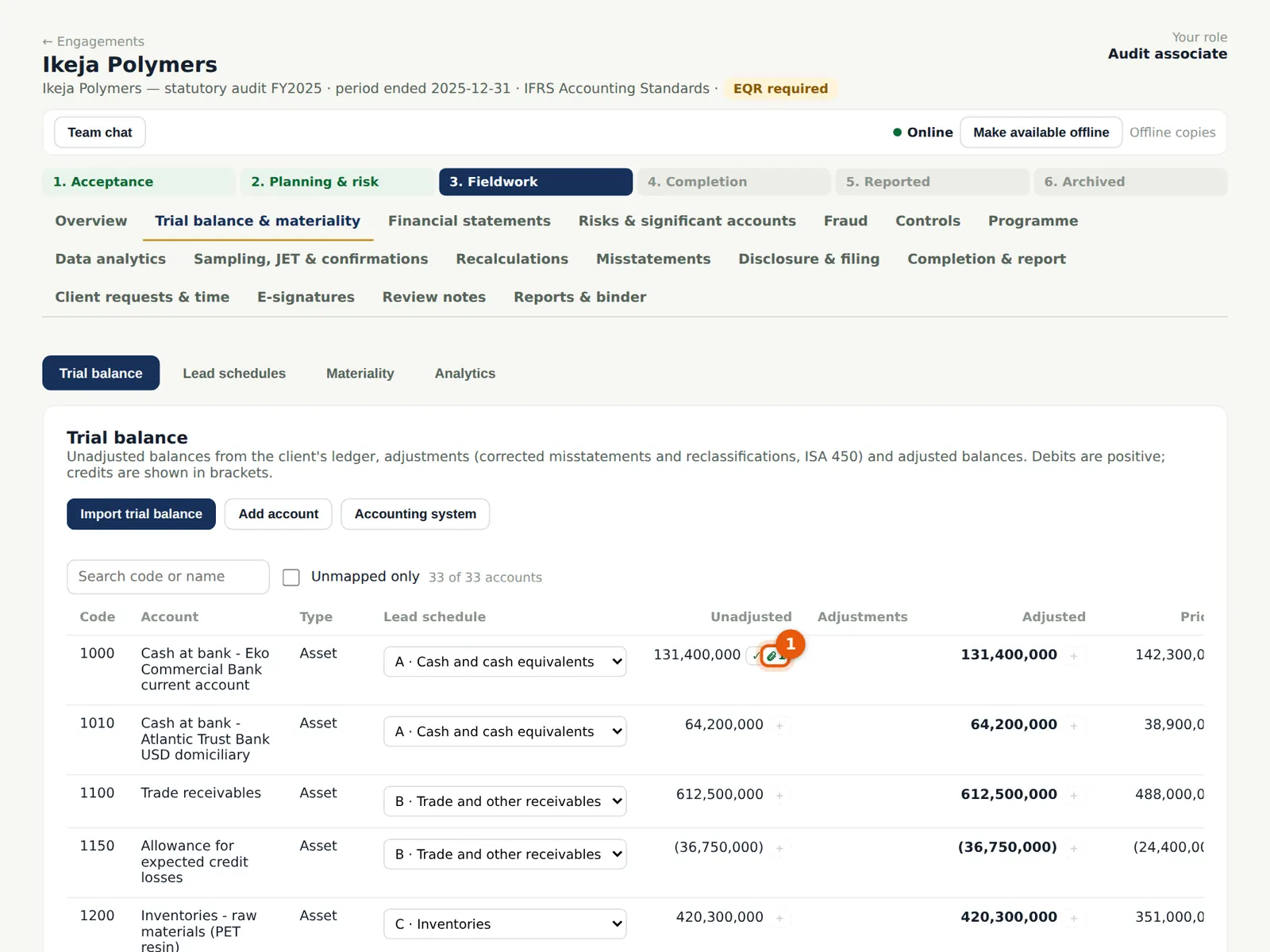
A figure can be linked to the page and area of the document that supports it. The clip beside the cash balance shows it is linked to the bank's signed confirmation and ticked.
Who
Team members.
What to do
- Upload documents on the procedure or working paper (Attach a file); every upload goes through the malware checks.
- Click the clip or the figure to open Evidence, tickmarks and cross-references.
10.4 Tickmarks and cross-references
Why
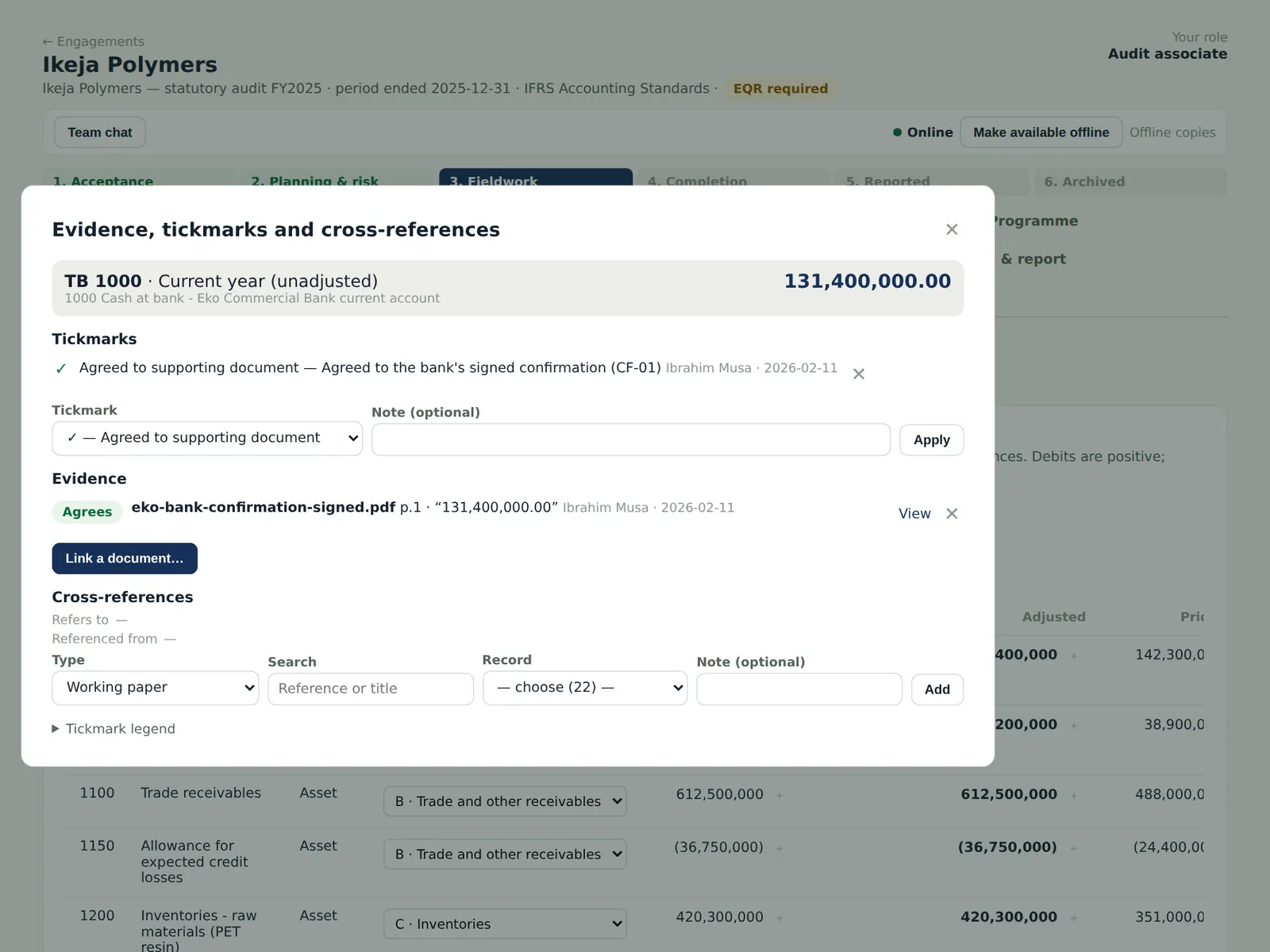
The panel shows the tickmarks (from the firm's legend), the linked evidence with the matching text ('131,400,000.00') and cross-references to other working papers, in both directions.
Who
Team members; reviewers.
What to do
- Choose a tickmark and Apply; choose Link a document to link a page; add a cross-reference. Choose View to open the document beside the figure.
10.5 Plan a sample
Why
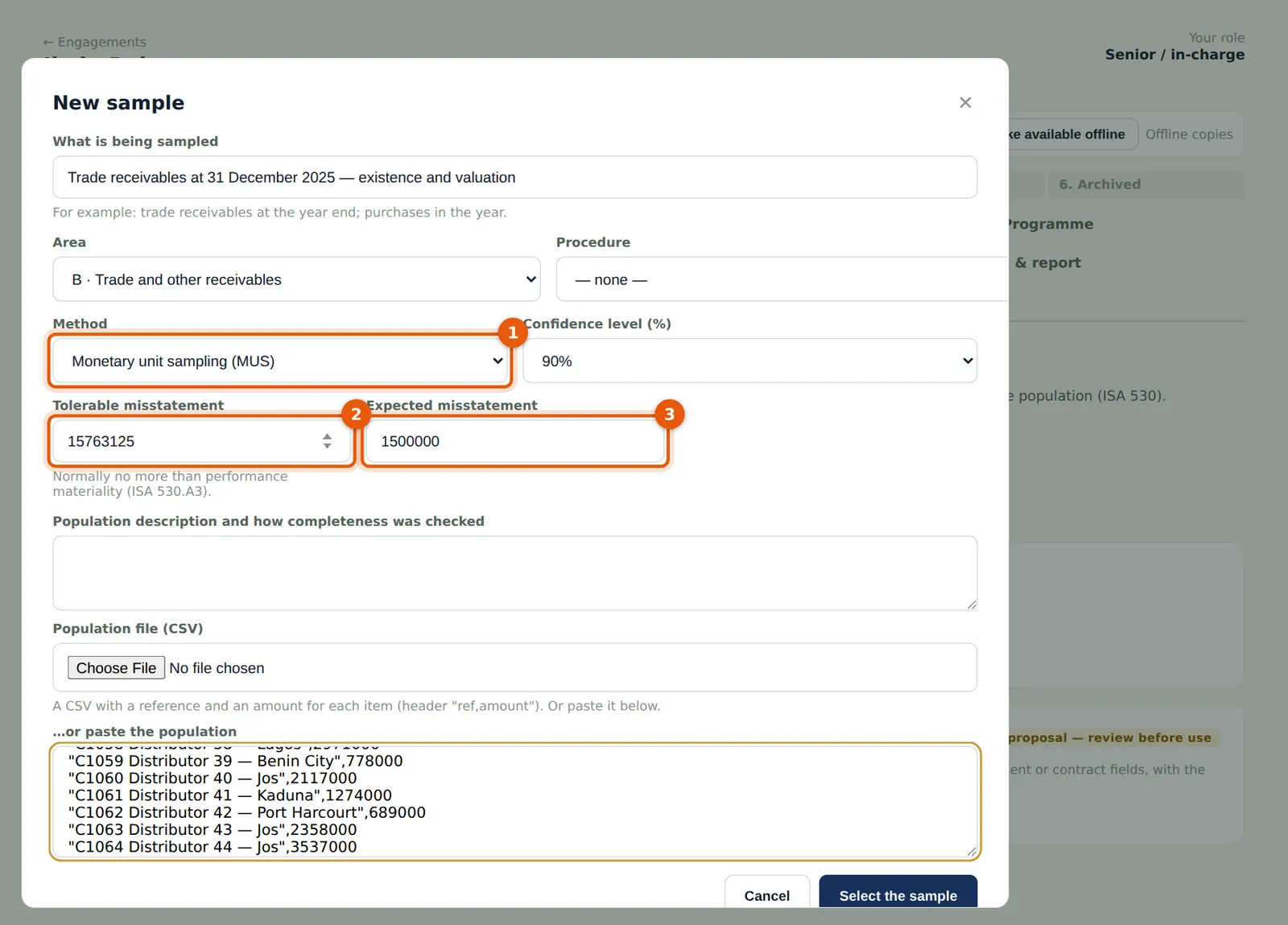
AuditTrove calculates the sample size and selects the items (ISA 530). Monetary unit sampling suits tests for overstatement of balances; random, systematic, haphazard, classical variables and stratified sampling are also available.
Who
Senior.
What to do
- Open Sampling, JET & confirmations → Sampling and choose New sample.
- Choose the area and the method (1) — Monetary unit sampling —, the confidence level, tolerable misstatement (2) and expected misstatement (3).
- Paste or upload the population: Ikeja Polymers has 64 customer balances totalling NGN 612.5m. Choose Select the sample.
10.6 Record the results
Why
Enter the audited value of each sampled item. AuditTrove projects the misstatement and calculates the upper misstatement limit to compare with tolerable misstatement.
Who
Associate; reviewed by the senior.
What to do
- Enter the audited value and a note for each item and tick Tested; choose Save results.
- Record the conclusion; send a projected misstatement to the summary of misstatements if needed.
10.7 Journal entry testing
Why
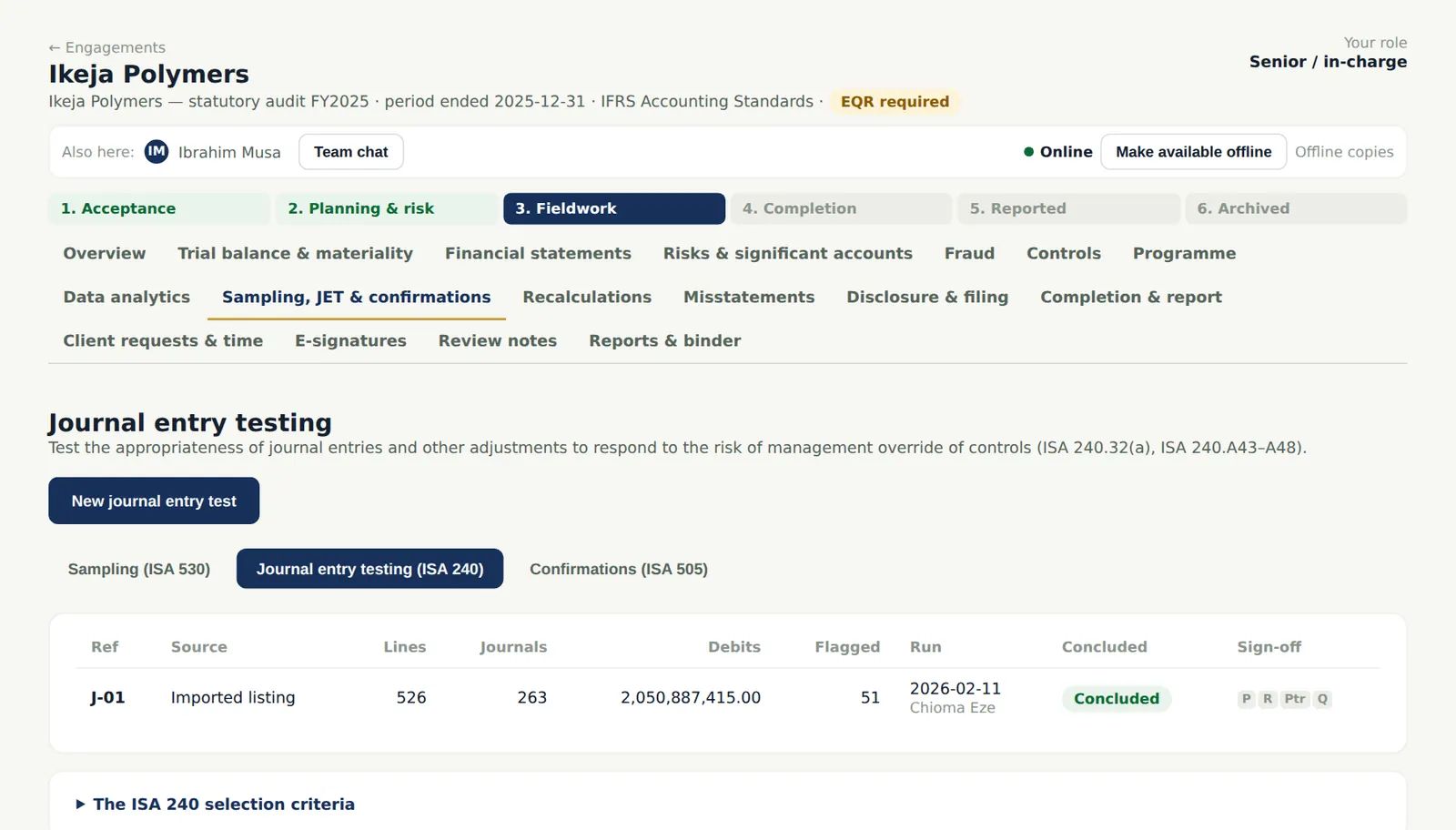
Test journal entries for management override (ISA 240.32(a)). AuditTrove scores every journal against the ISA 240 criteria: weekend and holiday postings, period-end and back-dated entries, round and large amounts, unusual users, suspicious descriptions, seldom-used accounts and manual entries to revenue.
Who
Senior; reviewed by the manager.
What to do
- Choose New journal entry test and import the journal listing (or pull it from BookTrove).
- Open the run, select the entries to test, record the result of each and the conclusion. Manual journal MJ25-0912 — a 'year-end sales top-up per MD' posted on 12 January 2026 — is the cut-off error.
10.8 Import a population from Excel
Why
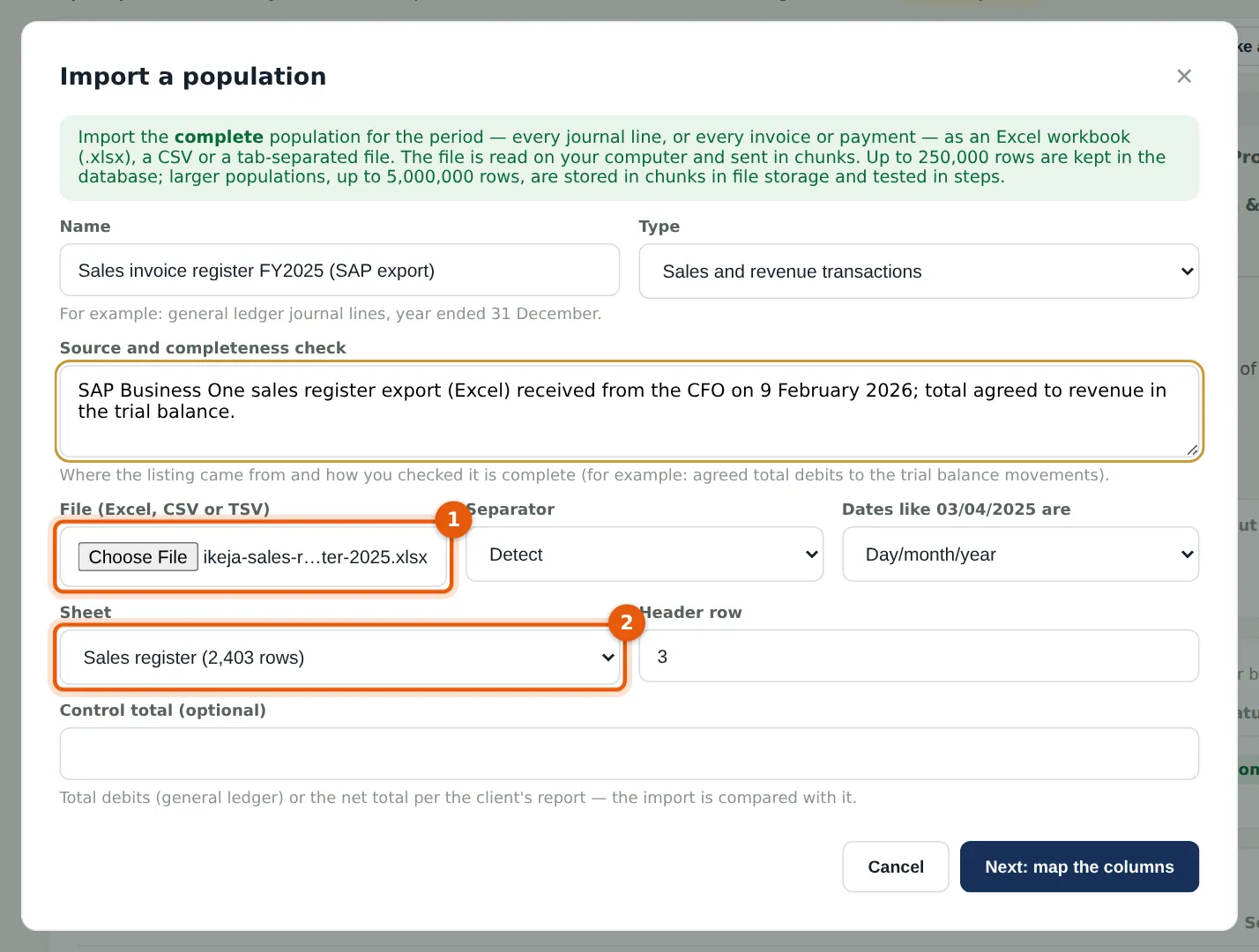
Populations for data analytics — journal lines, sales invoices, payments — can be imported from Excel, CSV or tab-separated files. The file is read on your computer and sent in chunks, so large files work; you choose the sheet and the header row, then map the columns.
Who
Senior.
What to do
- Open Data analytics and choose Import a population.
- Name it, choose the type and describe the source and how you checked it is complete.
- Choose the file (1), pick the sheet (2) and check the header row; enter a control total if you have one; choose Next: map the columns.
10.9 The whole general ledger: 312,480 lines
Why
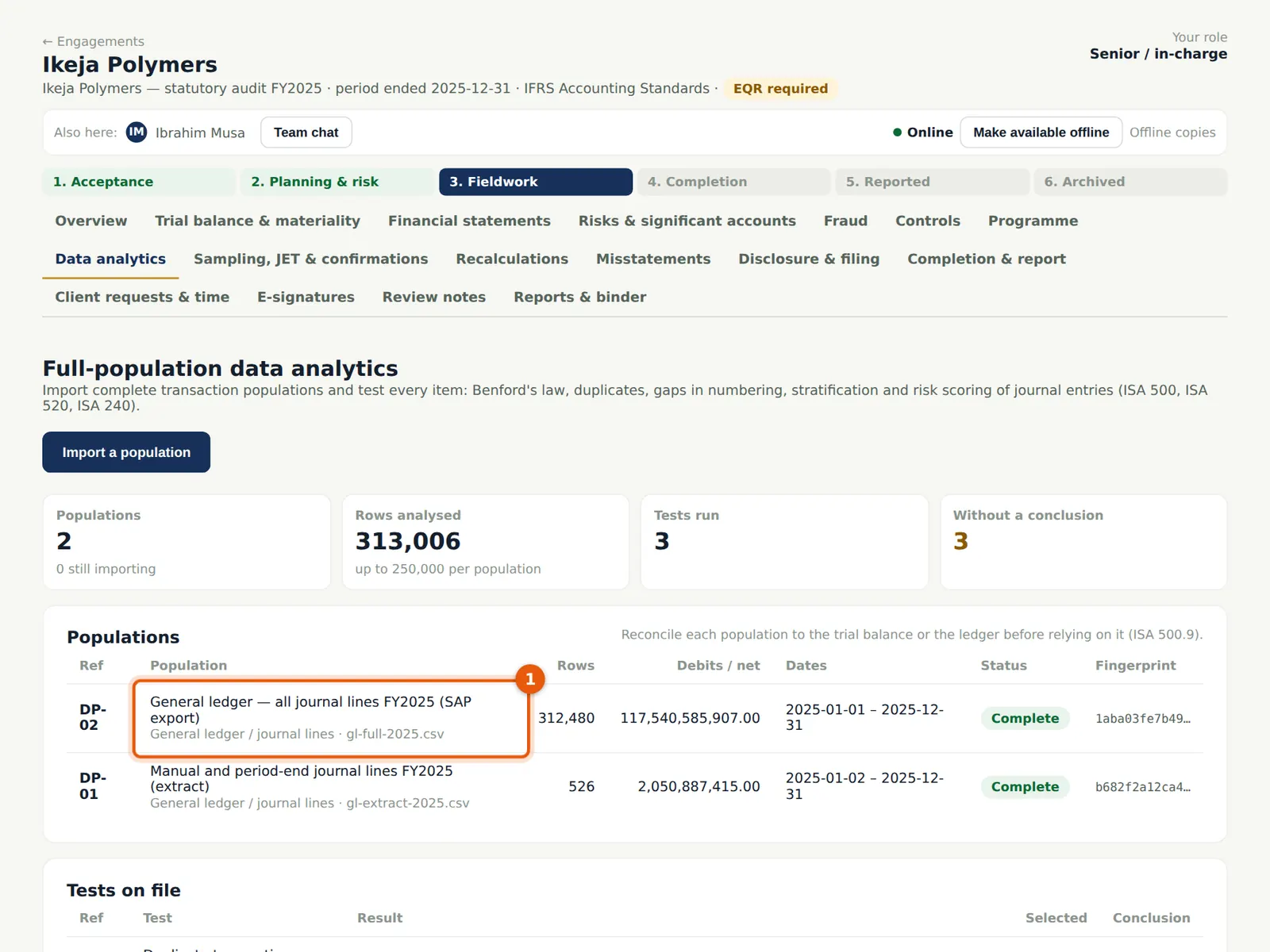
Ikeja Polymers' full general ledger for 2025 has 312,480 lines, more than the 250,000 rows a population can keep in the database. AuditTrove stores it in chunks of 20,000 rows in the firm's file storage and keeps the statistics, the control totals and the fingerprint in the database. Reconcile each population to the trial balance before relying on it (ISA 500.9).
Who
Senior.
What to do
- Import the population as in step 10.8; AuditTrove chooses chunked storage automatically above 250,000 rows (up to 5,000,000).
- Check the rows, debits and credits against the ledger and the trial balance.
10.10 Run the tests on every line
Why
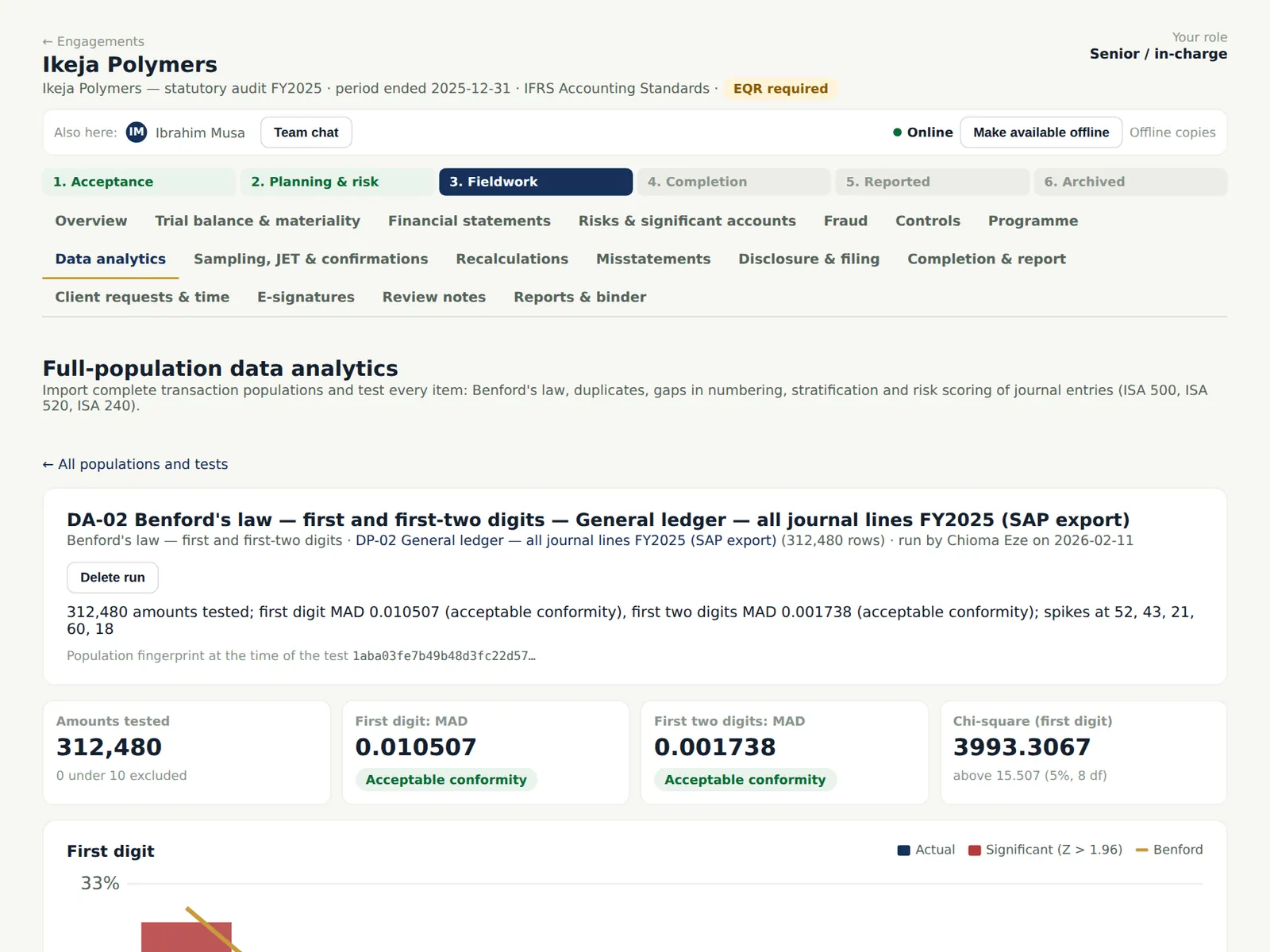
On a chunked population each test runs as a series of short steps while the page stays open, and gives the same results as on a smaller population: Benford's law (first and first-two digits, with Z, chi-square and MAD), duplicates, gaps in numbering, stratification and explainable risk scoring of every journal entry. Items can then be selected into a journal entry test or a sample.
Who
Senior; reviewed by the manager.
What to do
- Open the population and choose a test; keep the page open while it runs.
- Follow up the exceptions and record a conclusion for each run. Choose Create a journal entry test or Create a targeted sample to select items.
10.11 Spreadsheet working papers
Why
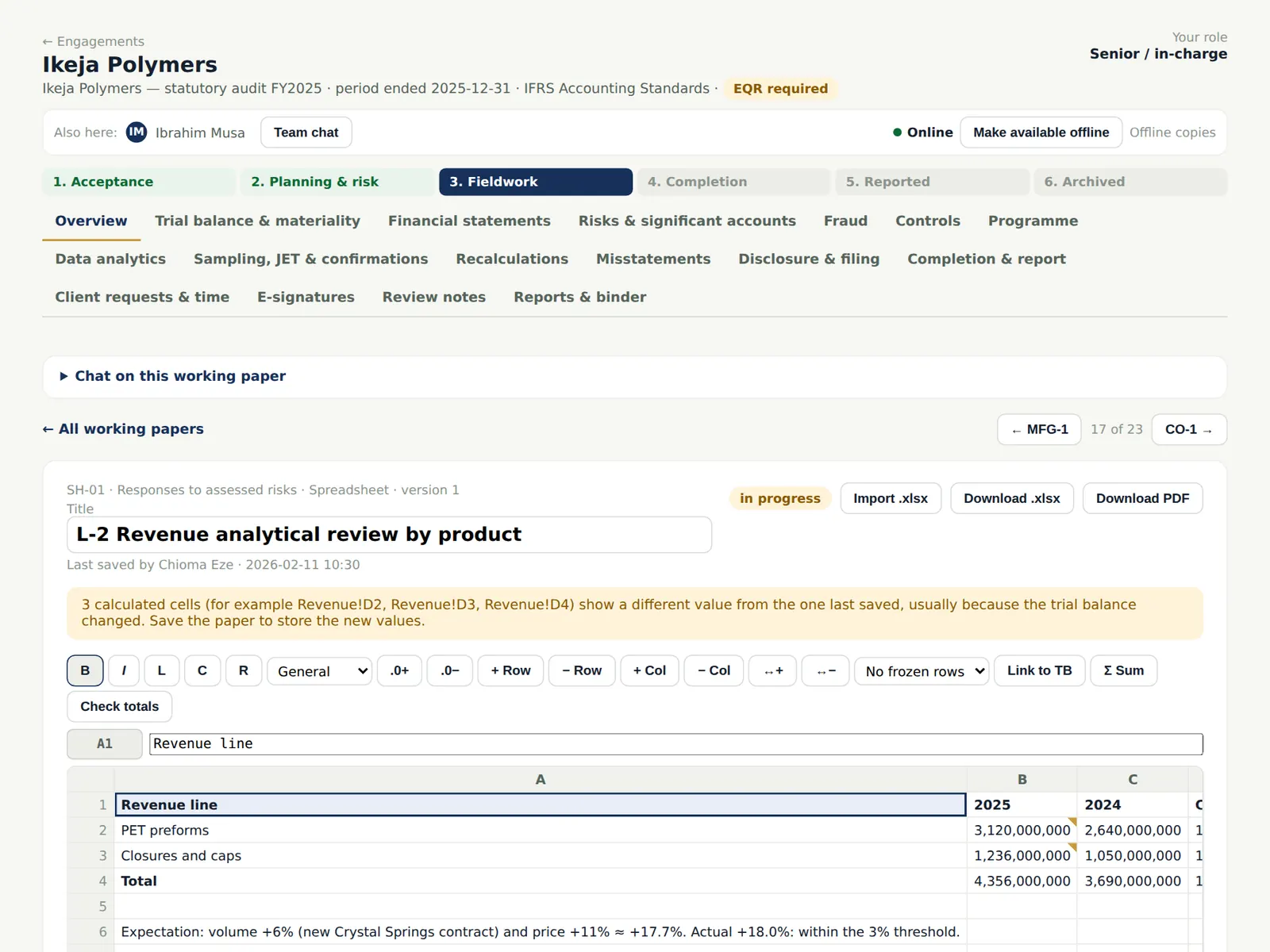
Spreadsheet working papers are edited in AuditTrove, with formulas such as =TB("4000") that pull figures from the trial balance. If the trial balance changes, the paper shows which cells differ from the last save.
Who
Team members.
What to do
- Create a spreadsheet or document working paper, or import an .xlsx or .docx.
- Use Link to TB to insert a trial balance figure; download as .xlsx or PDF; see earlier versions in the version history and restore one if needed.
10.12 Create a recalculation
Why
Recalculation papers recompute the client's figures: leases (IFRS 16), depreciation (IAS 16), expected credit losses (IFRS 9), amortised cost and below-market loans, payroll analytics (PAYE, pension, NHF, NSITF and ITF) and template spreadsheets (accrued interest, FX retranslation, provision discounting, deferred tax, VAT and WHT). Each is an ordinary working paper with versions, sign-offs, review notes and evidence.
Who
Senior.
What to do
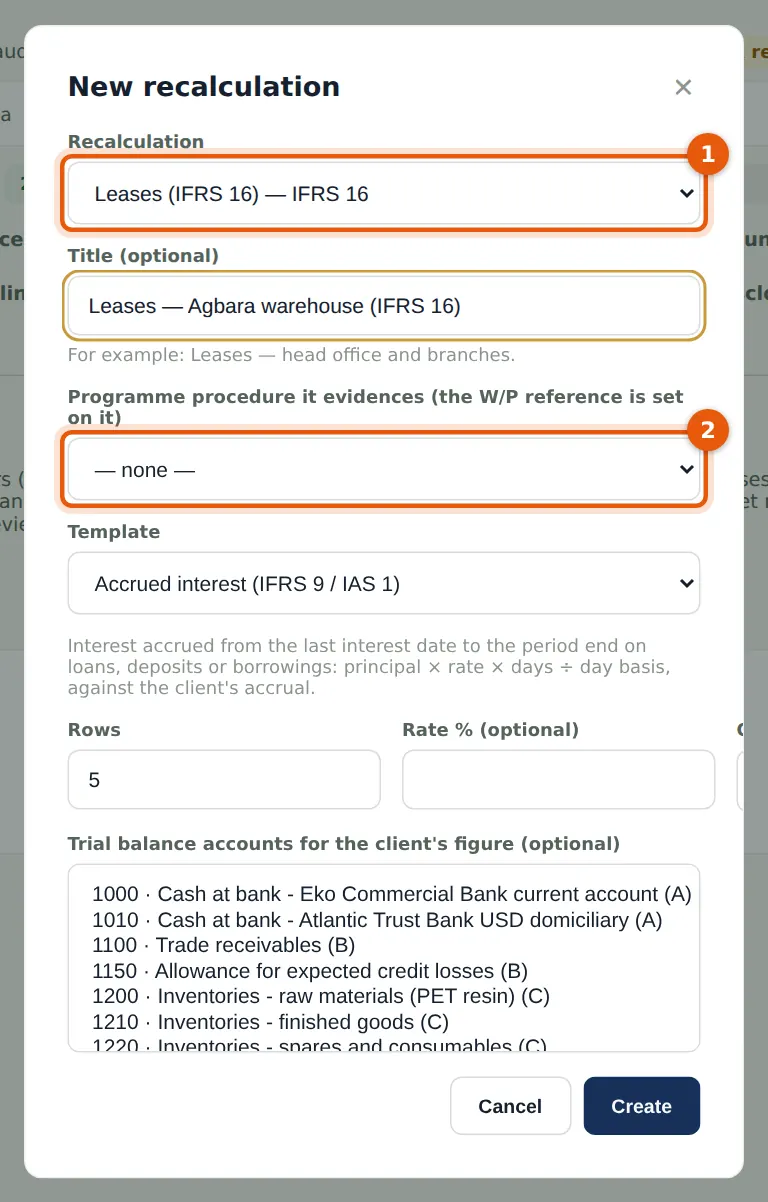
- Open Recalculations and choose New recalculation.
- Choose the type (1) — Leases (IFRS 16) — a title, and the programme procedure it evidences (2), which then carries its reference.
10.13 Enter the lease
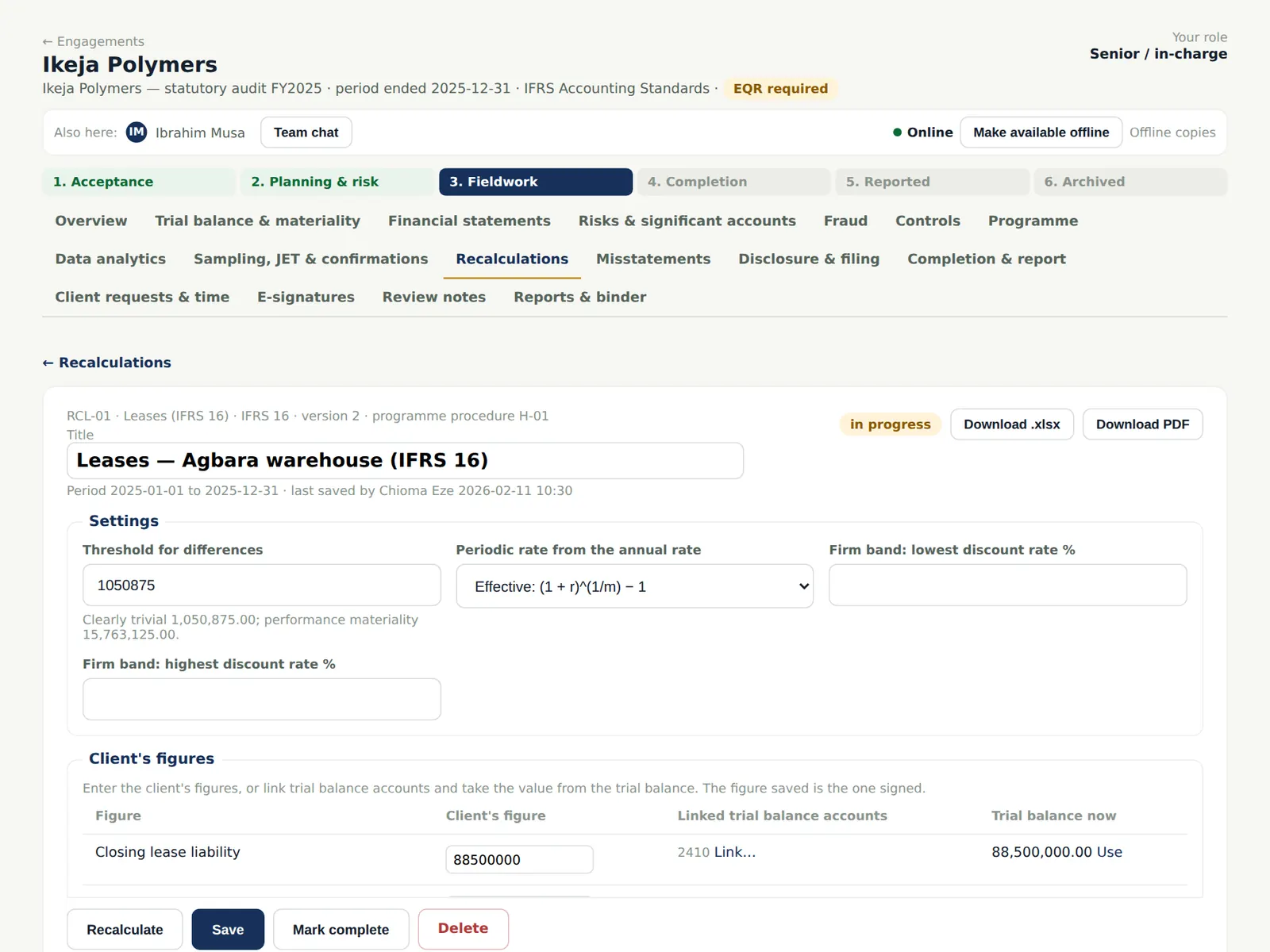
Why
The paper keeps the threshold for differences (the clearly trivial threshold by default) and the client's figures, which can be linked to trial balance accounts so they update with the trial balance.
Who
Senior.
What to do
- Enter the lease: commencement, term, payment, frequency, in advance or arrears, and the rate.
- Enter or link the client's figures and choose Recalculate, then Save.
10.14 The recalculation against the client's figures
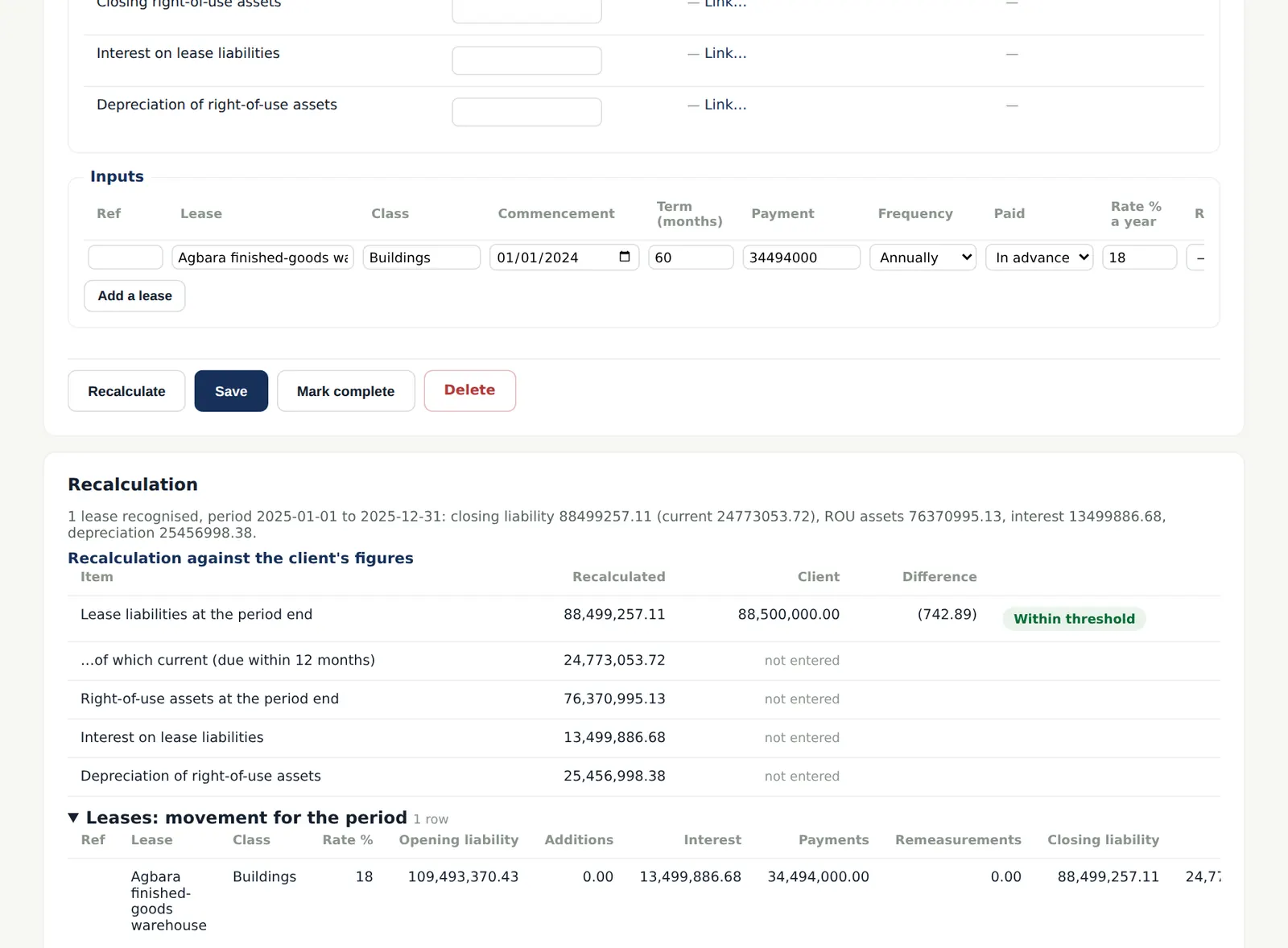
Why
AuditTrove recalculates the liability, the right-of-use asset, interest and depreciation, compares them with the client's figures and flags differences above the threshold. It also gives the movement table, the maturity analysis and the disclosure amounts, and suggests journals for any difference.
Who
Senior; reviewed by the manager.
What to do
- Record the conclusion and mark the paper complete; sign it as prepared.
- Record any difference above the threshold as a misstatement.
10.15 The recalculation papers
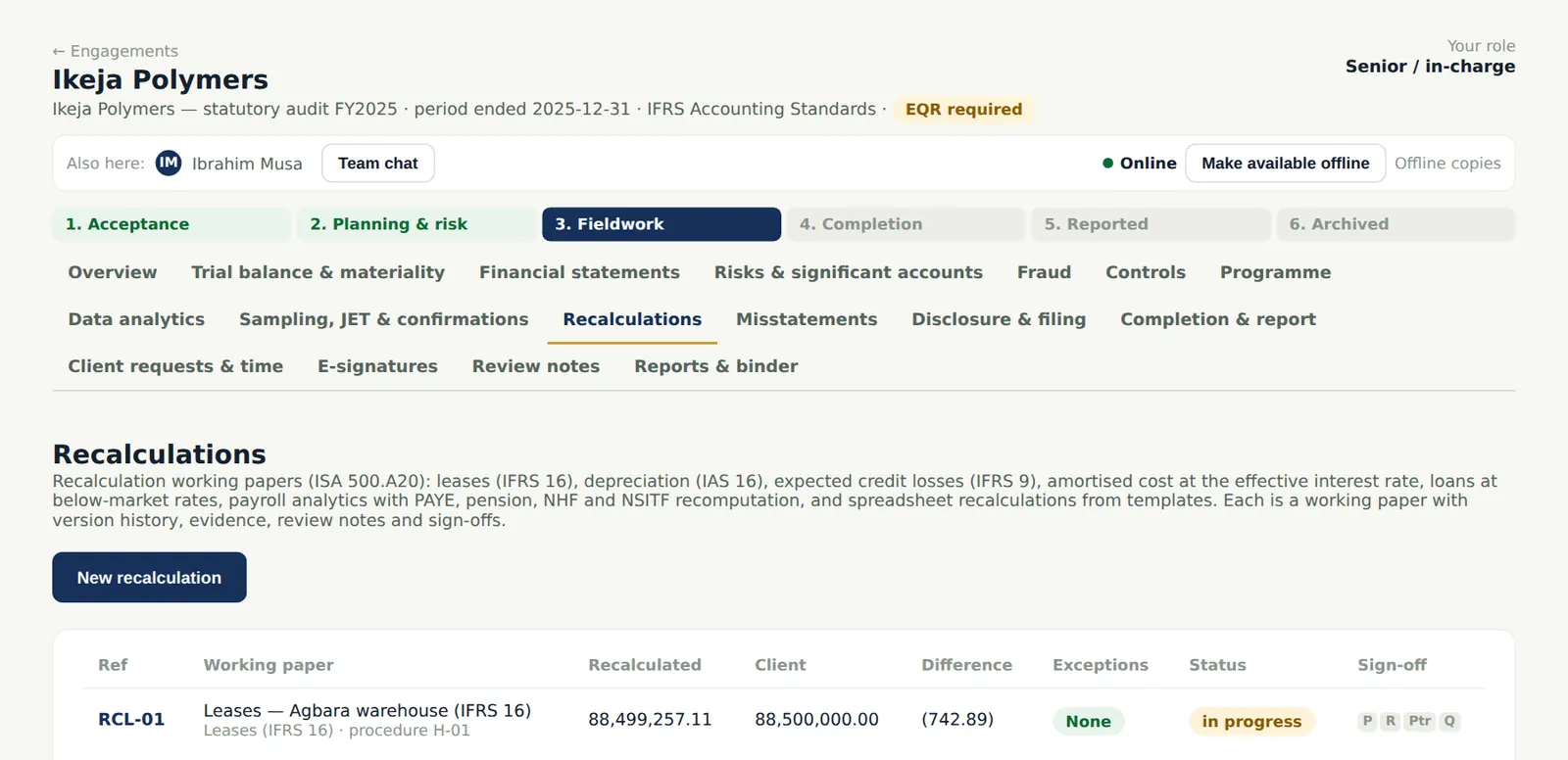
Why
The list shows every recalculation with the recalculated and client figures, the difference and any exceptions. The papers are in the binder and roll forward to next year.
Who
—
What to do
- Open a paper to continue it, or export it to Excel or PDF.
10.16 Test a control
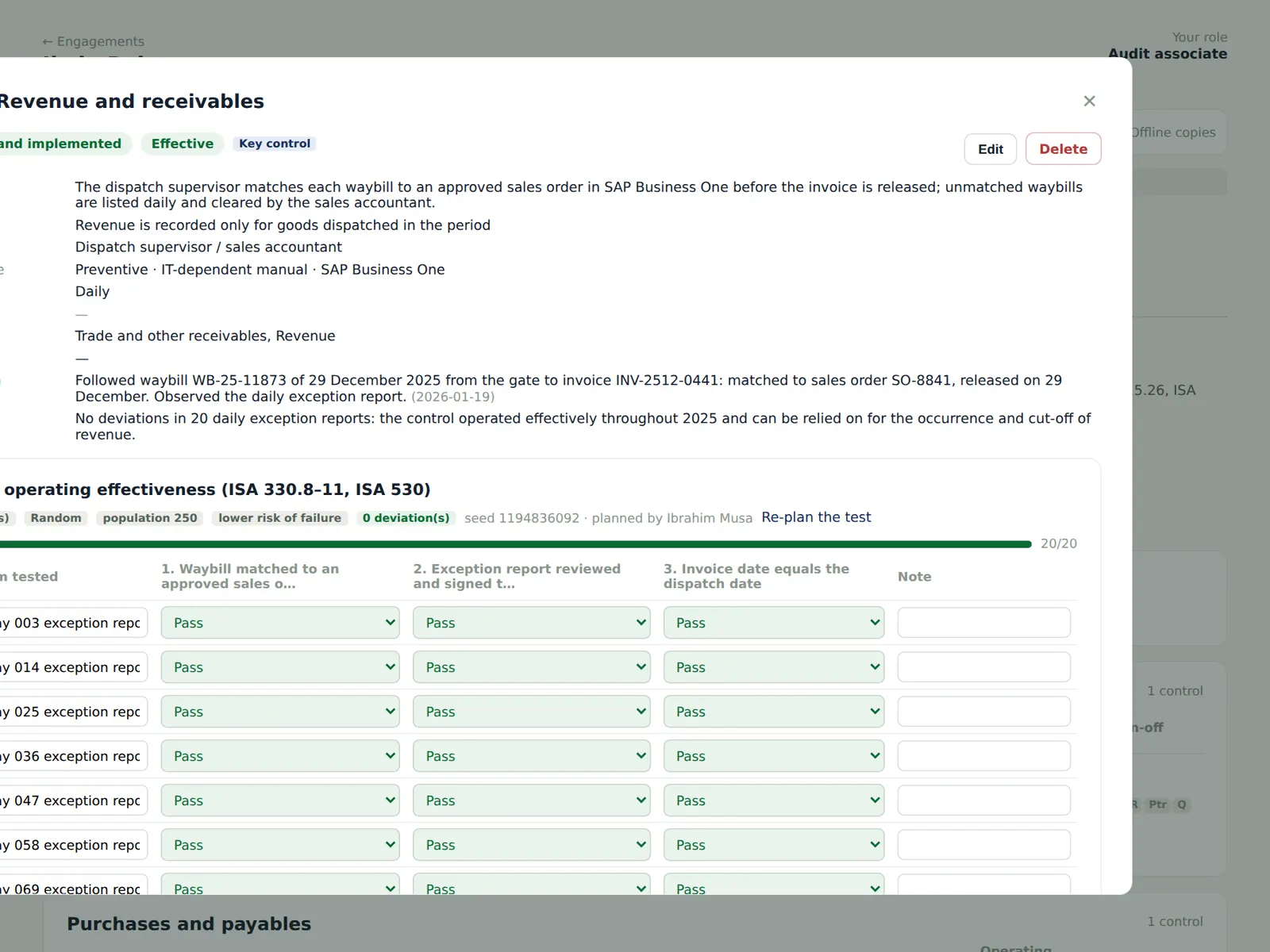
Why
For a control you rely on, plan the test (risk of failure, frequency, sample size) and record each item against each attribute (ISA 330.8–11; ISA 530). Deviations must be evaluated.
Who
Associate; reviewed by the senior.
What to do
- Open the control and plan the test: the attributes and the sample size.
- Record Pass, Fail or N/A for each item and attribute, then the conclusion. A failed test can raise a control deficiency.
10.17 Review notes
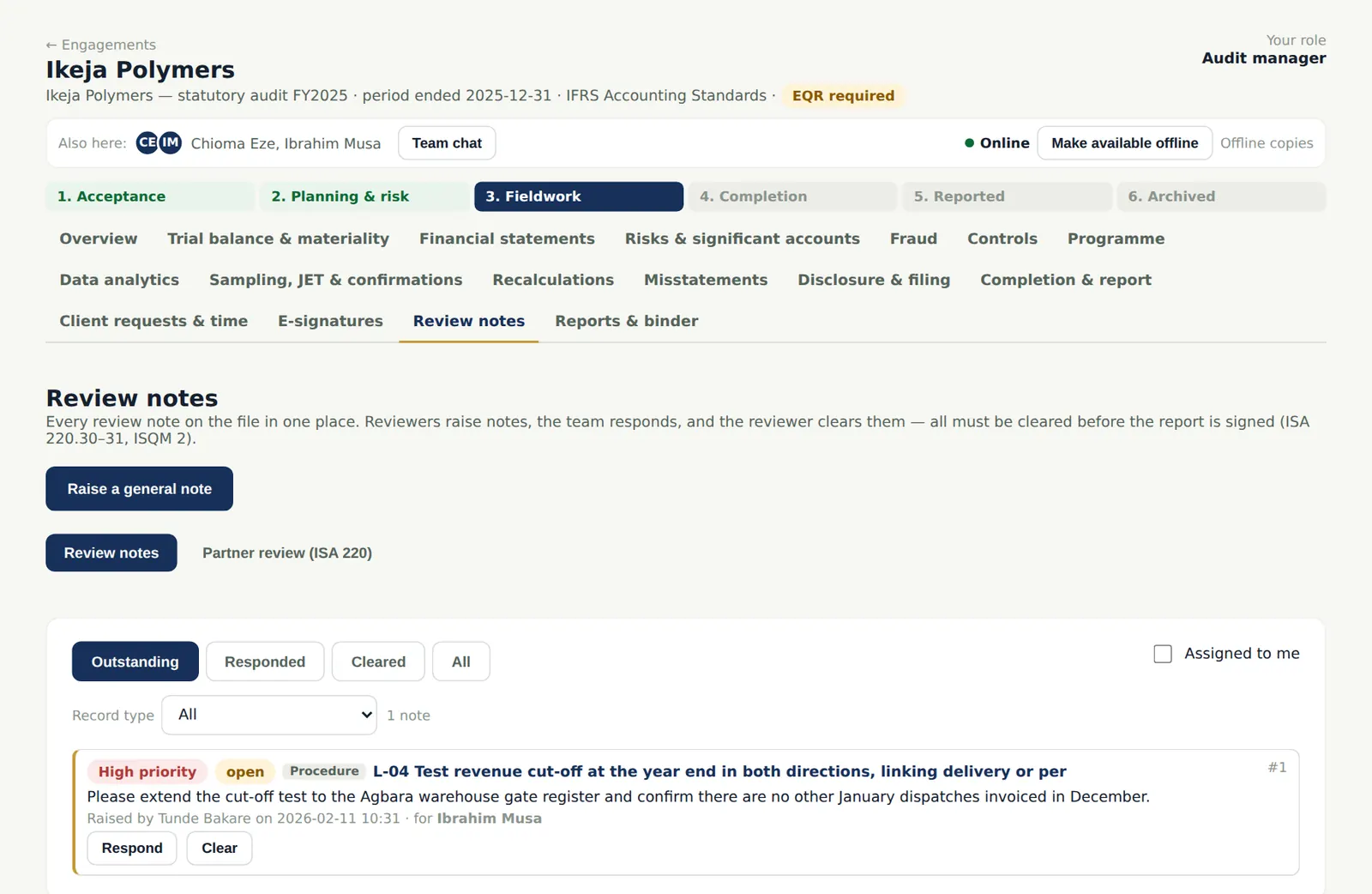
Why
Reviewers raise notes on any record in the file. The team responds and the reviewer clears them. All notes must be cleared before the report is signed (ISA 220 (Revised).30–31; ISQM 2).
Who
Reviewers raise and clear; the team responds.
What to do
- Raise a note from any procedure, working paper or record (or a general note here), with a priority and the person it is for.
10.18 Respond and clear
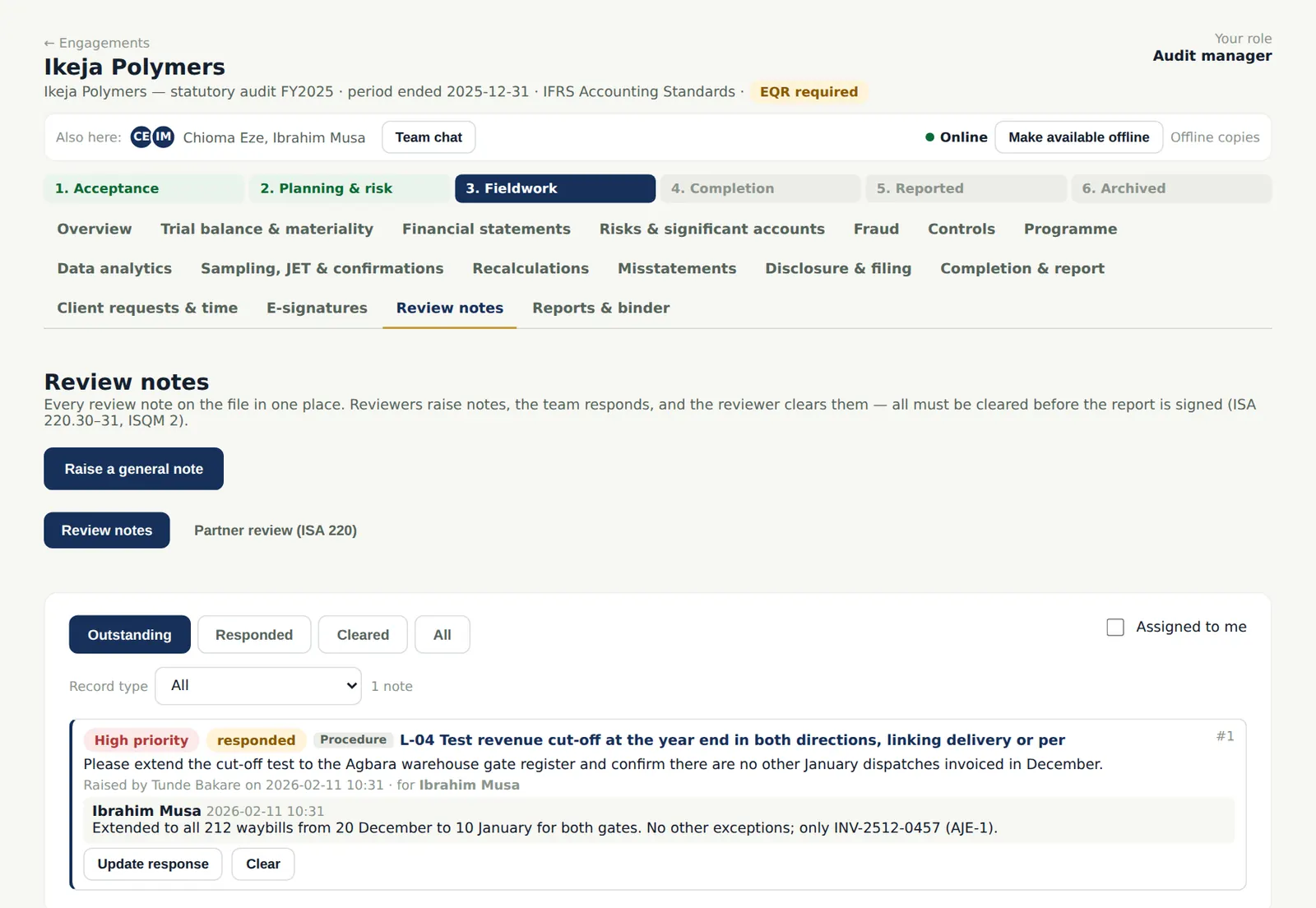
Why
Only the person who raised a note (or a more senior reviewer) can clear it; the quality reviewer's notes are cleared only by the quality reviewer.
Who
Team; reviewer.
What to do
- The person assigned chooses Respond and explains what was done.
- The reviewer reads the response and chooses Clear, or updates the note to continue the discussion.
10.19 Propose an adjustment
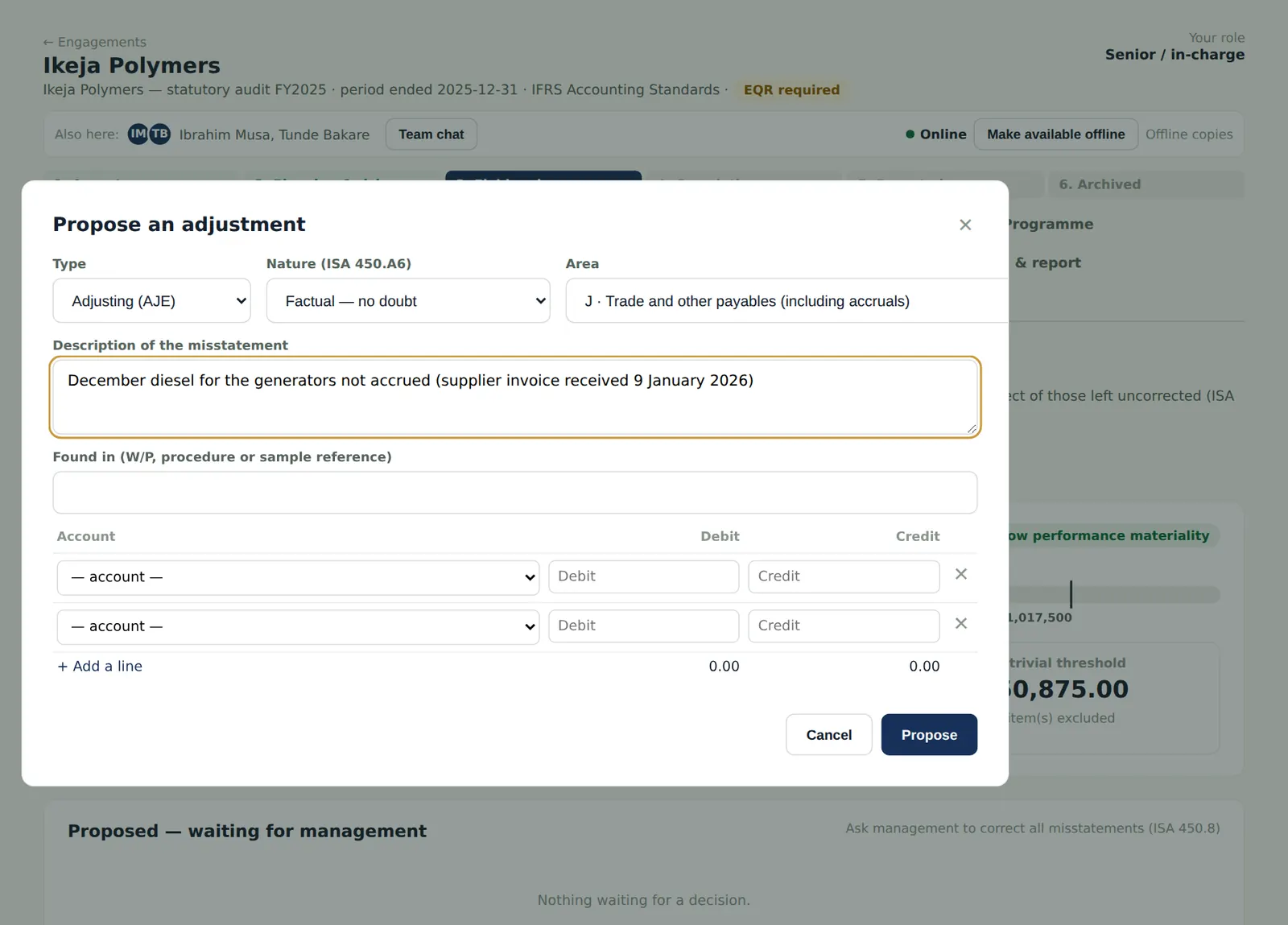
Why
Accumulate misstatements found during the audit, other than clearly trivial ones, and ask management to correct them (ISA 450.5–8).
Who
Senior.
What to do
- Open Misstatements and choose Propose an adjustment.
- Choose the type and nature (factual, judgemental or projected) and the area, and describe the misstatement and where it was found.
- Enter the debit and credit lines (they must balance) and choose Propose.
10.20 The summary of misstatements
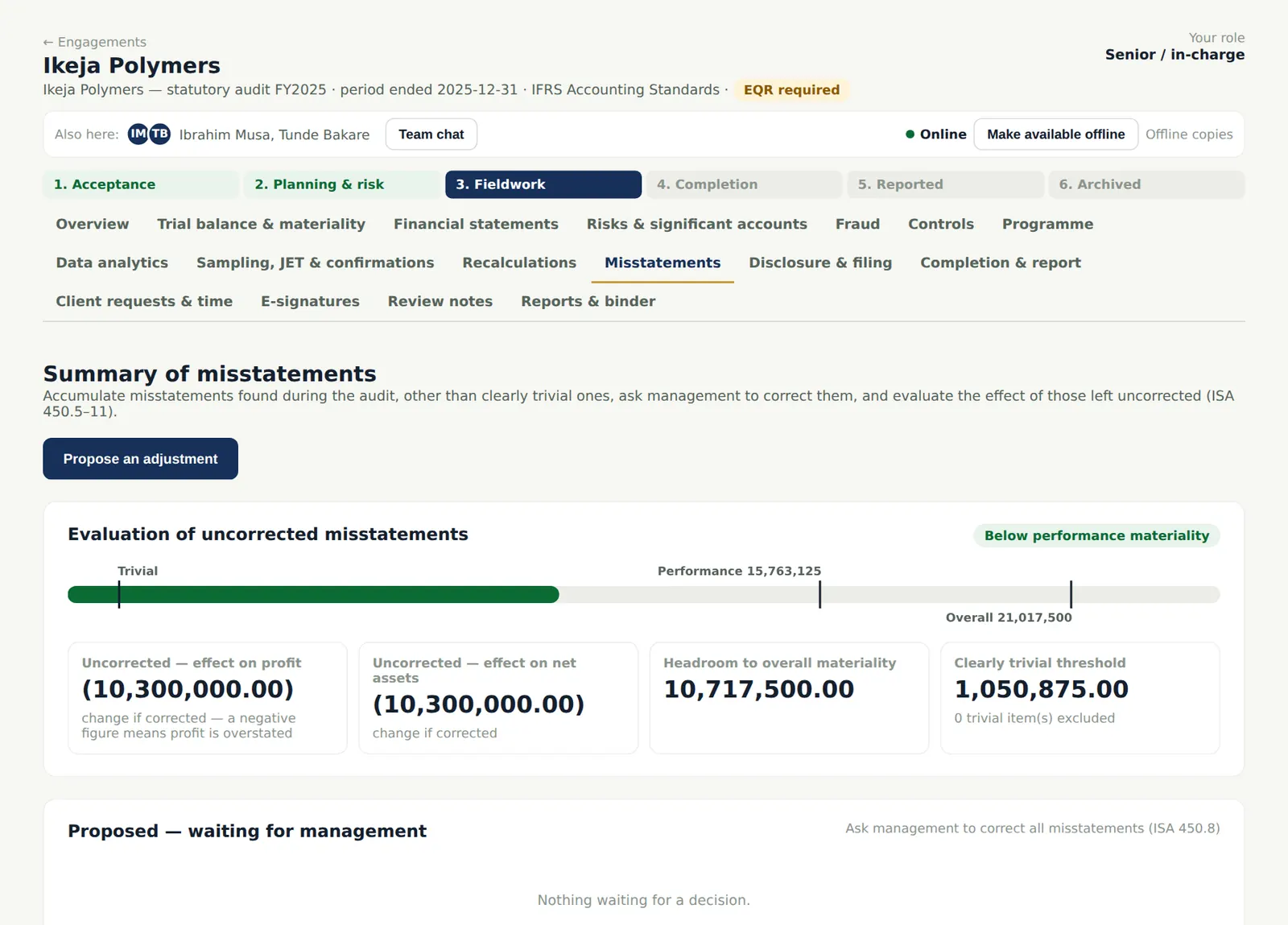
Why
When management decides, mark each adjustment Corrected or Uncorrected (with management's reasons). The evaluation compares uncorrected misstatements, individually and in total, with performance and overall materiality (ISA 450.11). The cut-off error (NGN 18.6m, AJE-01 from Lagoon's confirmation) was corrected; NGN 10,300,000 remains uncorrected, below performance materiality.
Who
Senior; the engagement partner approves.
What to do
- Record management's decision on each proposed adjustment.
- Uncorrected misstatements go into the representation letter and are communicated to those charged with governance (ISA 450.12–14).
10.21 Corrected and uncorrected entries
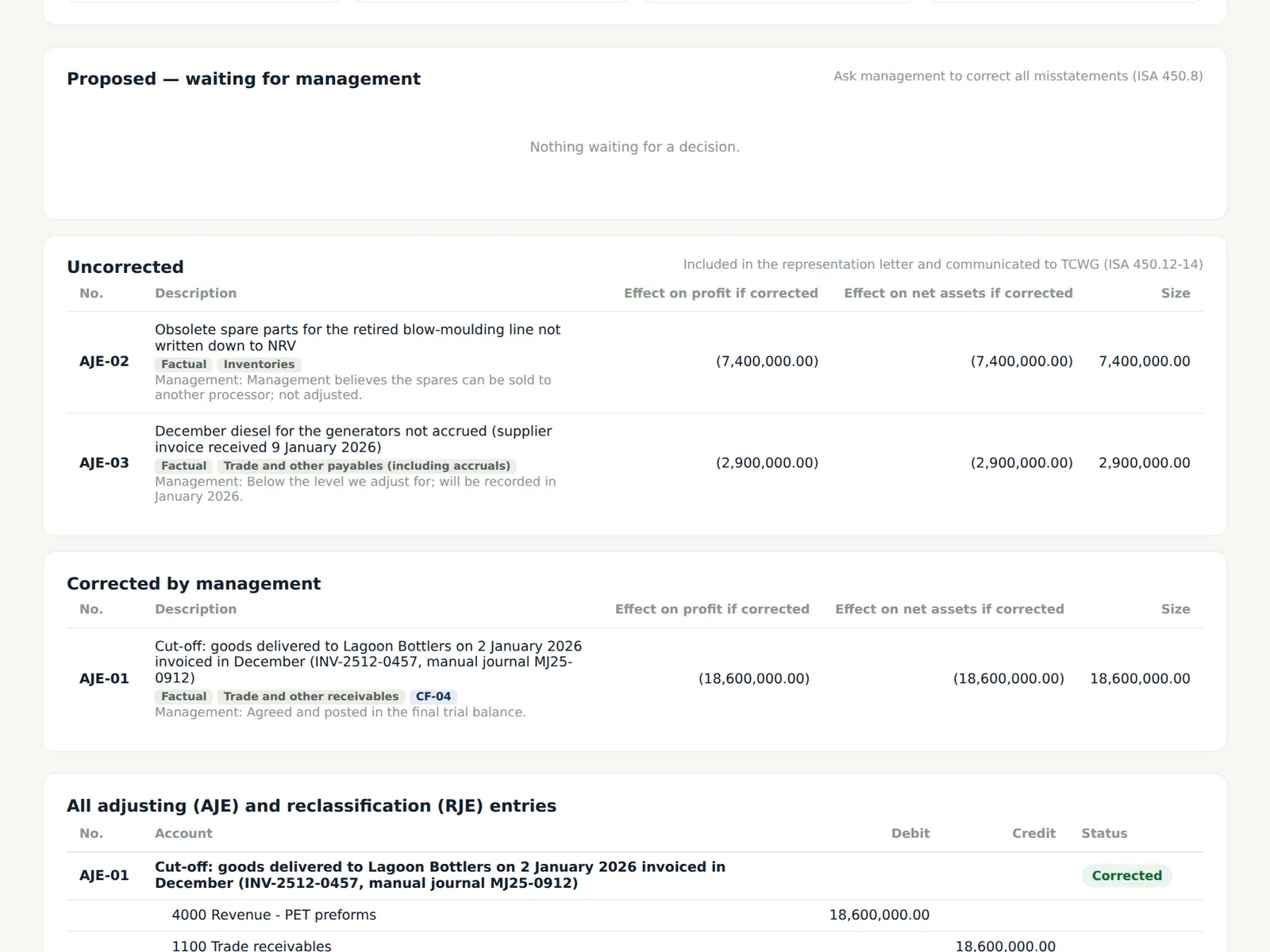
Why
Corrected entries adjust the trial balance and flow into the draft financial statements; uncorrected entries do not.
Who
—
What to do
- The partner approves the summary of misstatements (a completion gate).
10.22 Control deficiencies
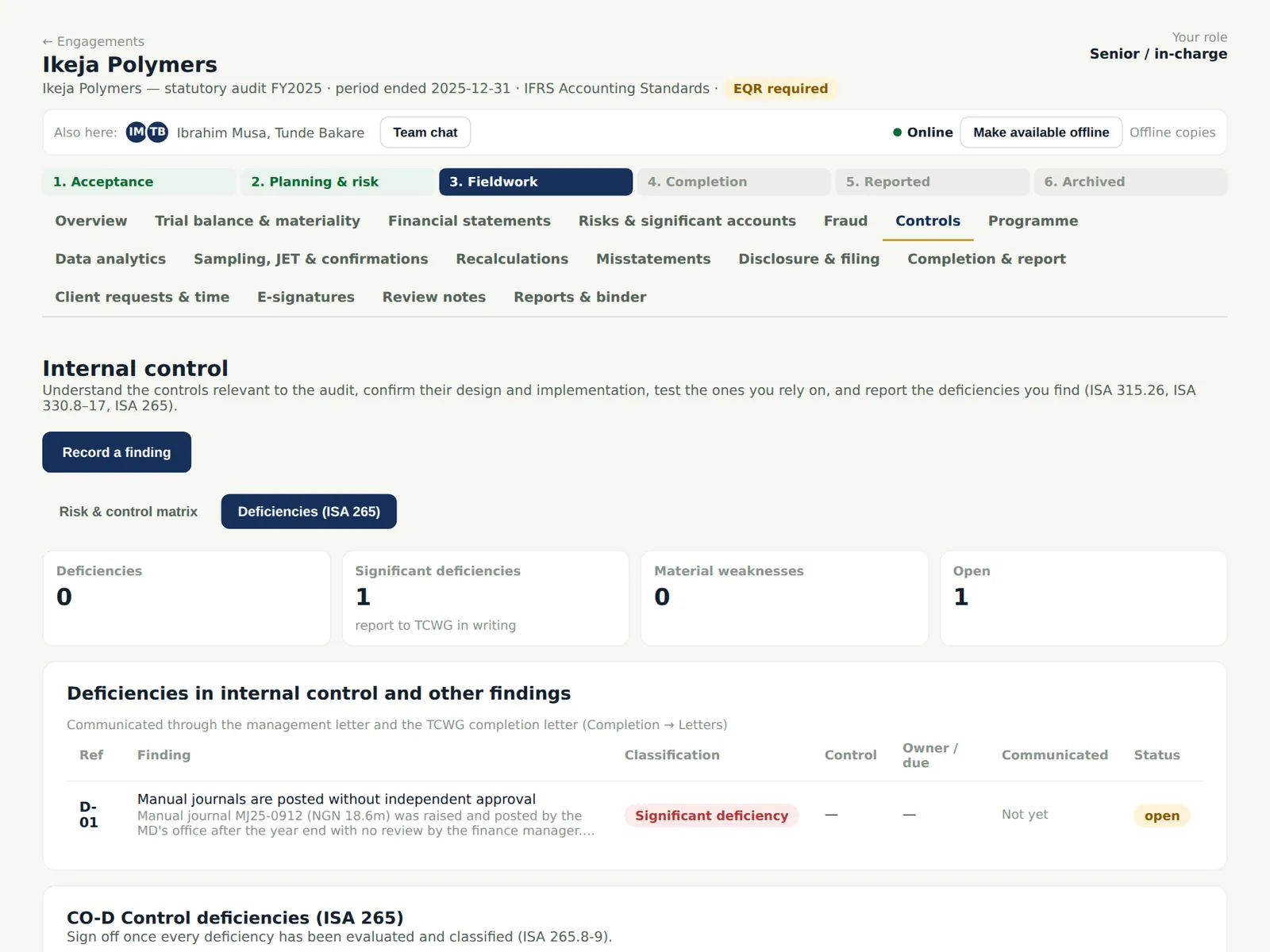
Why
Deficiencies in internal control are classified and communicated: significant deficiencies in writing to those charged with governance, others to management (ISA 265). They flow into the management letter.
Who
Senior; manager.
What to do
- Choose Record a finding: the observation, the implication, the classification and the recommendation. Here: manual journals are posted without independent approval — a significant deficiency.