Steps in this chapter (6)
Set up the firm's own AI provider and key, the usage log, agent runs, the prompt library and asking the methodology.
AI assistance uses the firm's own provider and key — Anthropic, OpenAI, Google Gemini, Azure OpenAI or an OpenAI-compatible service. It drafts conclusions, review points, document summaries, explanations of fluctuations and management letter points, and runs agents: multi-step runs over the engagement's own data (document extraction, vouching of samples, a procedure runner, the disclosure checklist assistant, the trial balance mapping assistant) that end in proposals a person accepts, edits or rejects one by one. Nothing is written into the file until someone accepts it.
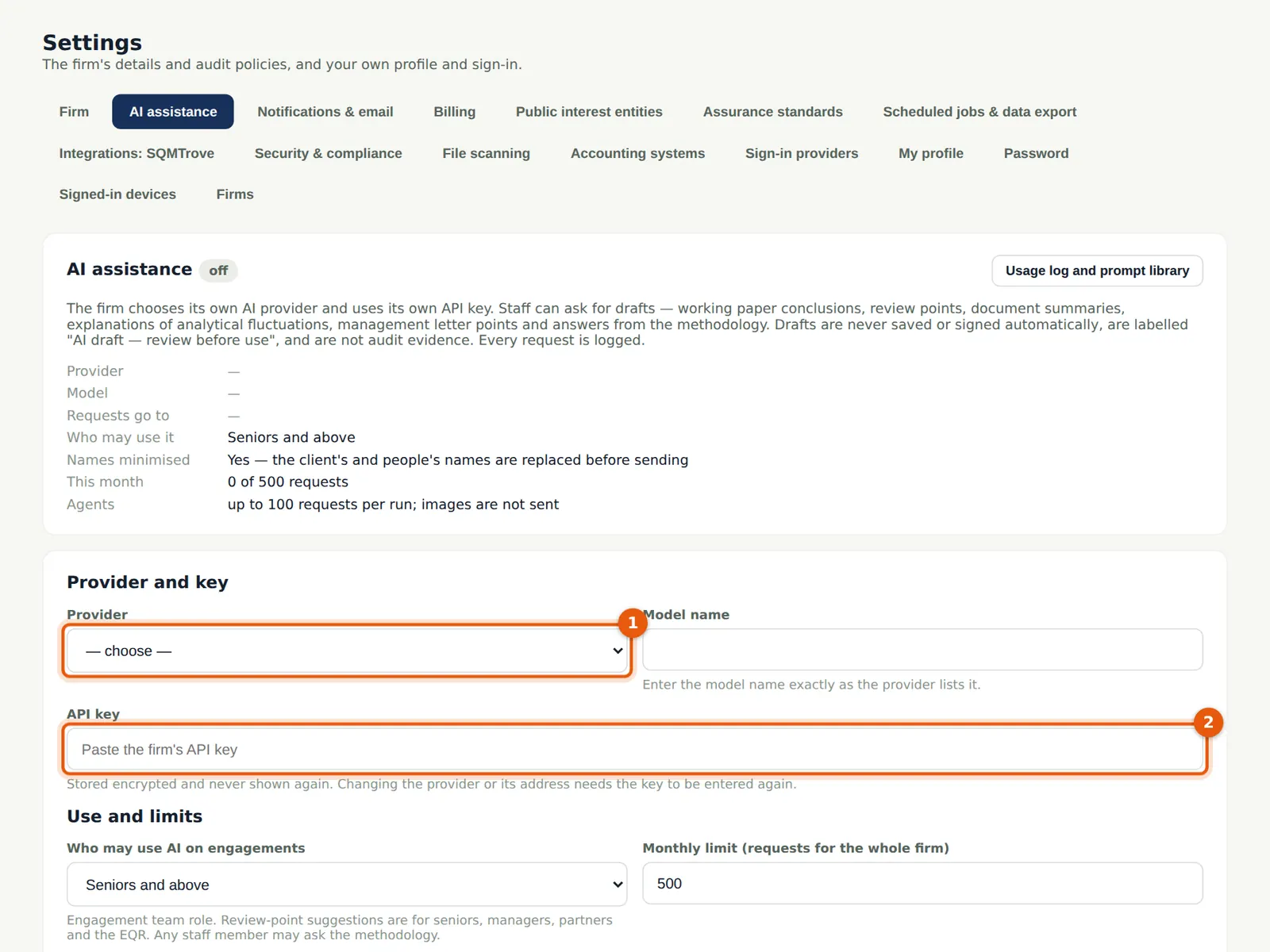
In the illustration the firm has not yet entered a provider key, so this chapter shows the settings and the empty pages; no AI output is shown.
Use cases
- Use case — A firm that wants to try AI assistance. Enter the provider and key, choose who may use it and the limits, confirm the data-processing acknowledgement and switch it on (step 20.1).
- Use case — A client that does not allow AI. The engagement partner or manager switches AI off for that engagement.
- Use case — An inspector asks how AI was used. The usage log and the ISA 230 AI log report show every request and what was done with each proposal (step 20.3).
20.1 The firm's AI provider and key
Why
The key is the firm's own and is stored sealed; it is never shown again. The firm confirms it has its own agreement with the provider (the data-processing acknowledgement) before AI can be switched on.
Who
Owner or firm administrator.
What to do
- Choose the provider (1) and model, and enter the API key (2).
- Tick the acknowledgement and Switch AI assistance on (3); choose Test the connection.
20.2 Who may use it, and the limits
Why
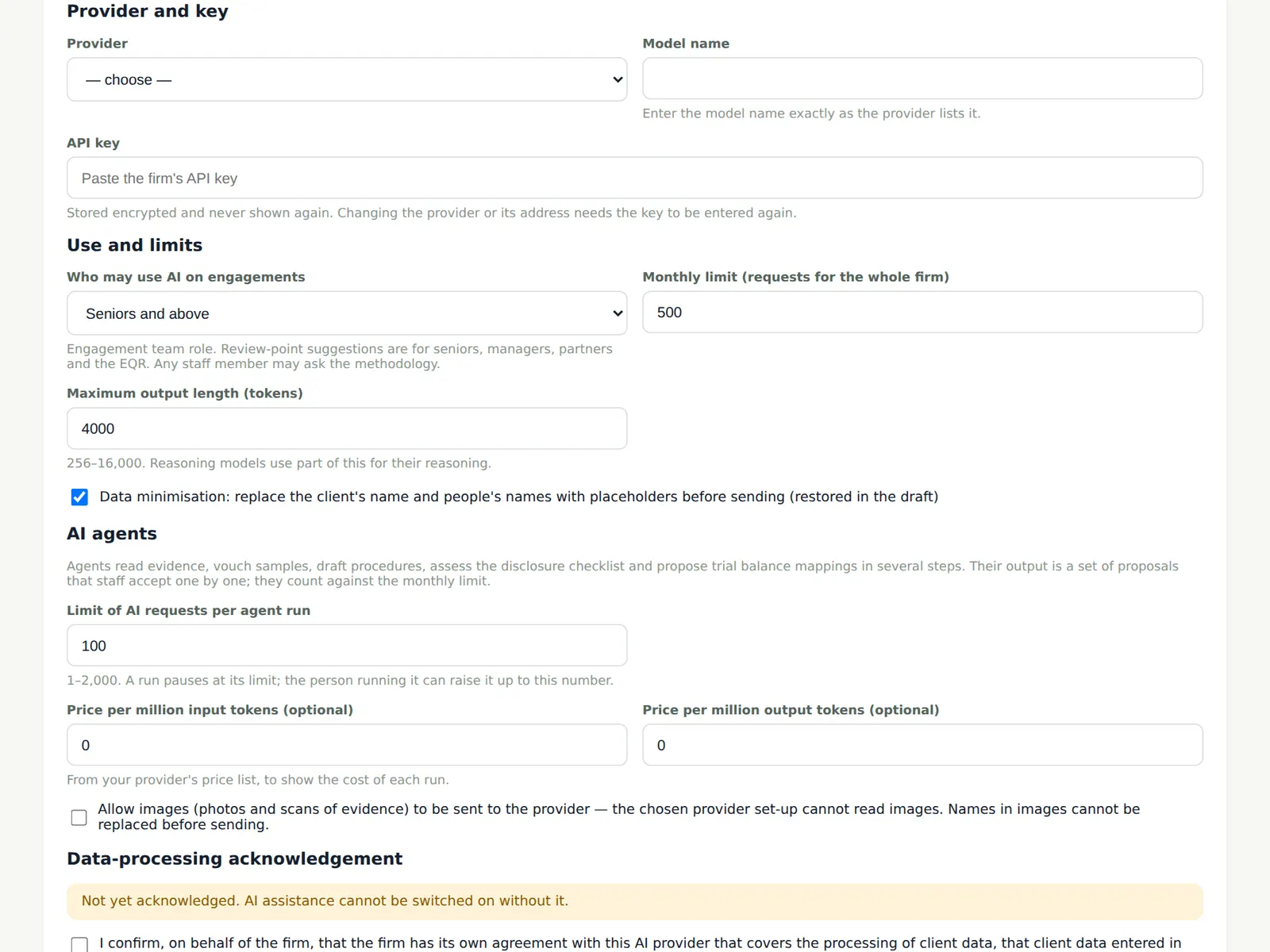
The firm chooses the lowest role that may use AI on engagements, a monthly limit for the firm, the maximum output length, whether client and people's names are replaced with placeholders before anything is sent (data minimisation), the limit per agent run and whether images may be sent.
Who
Owner or firm administrator.
What to do
- Set the limits and choose Save AI settings.
20.3 The usage log
Why
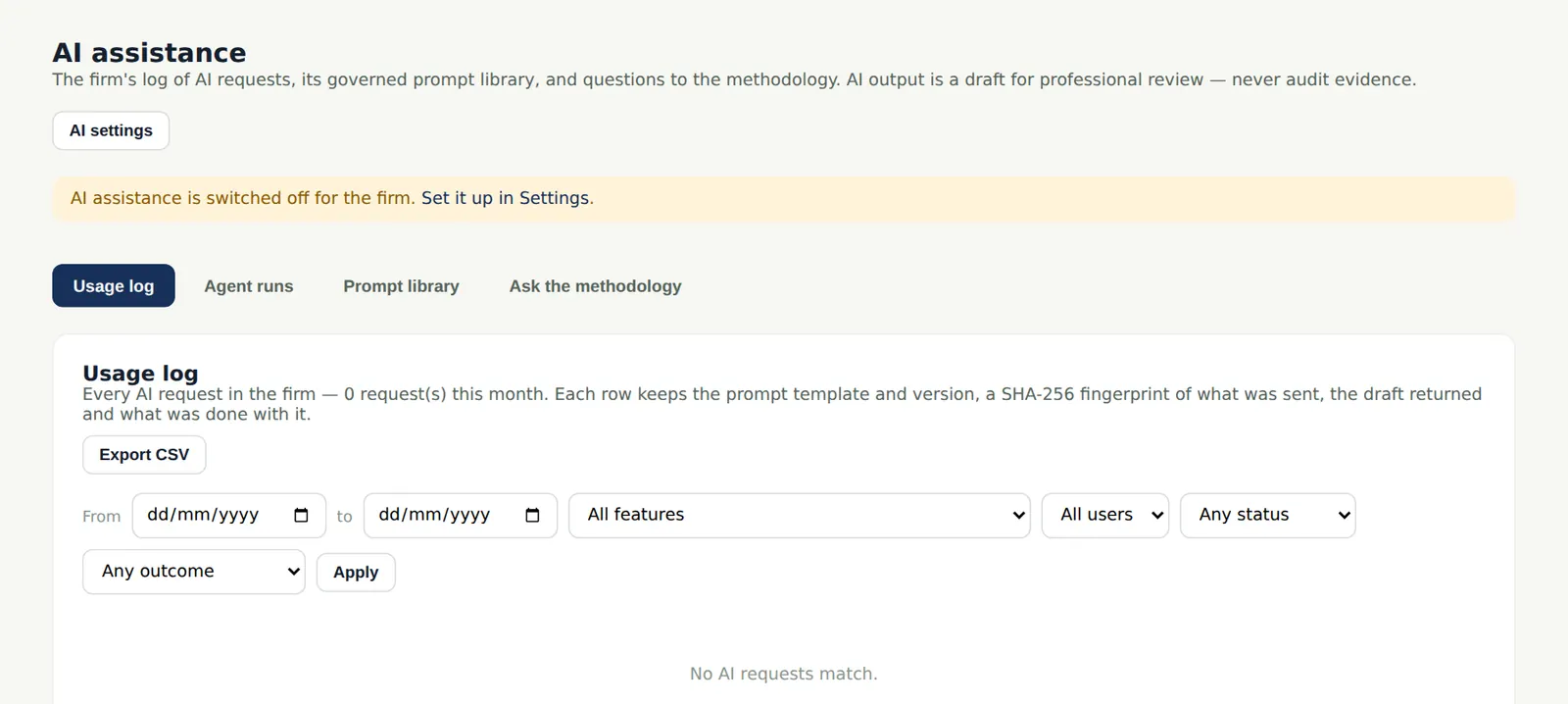
Every AI request is logged: who, when, which engagement, the prompt template and version, and what was done with the result. The log exports as CSV.
Who
Owner, administrator, quality lead.
What to do
- Filter the log and choose Export CSV.
20.4 Agent runs
Why
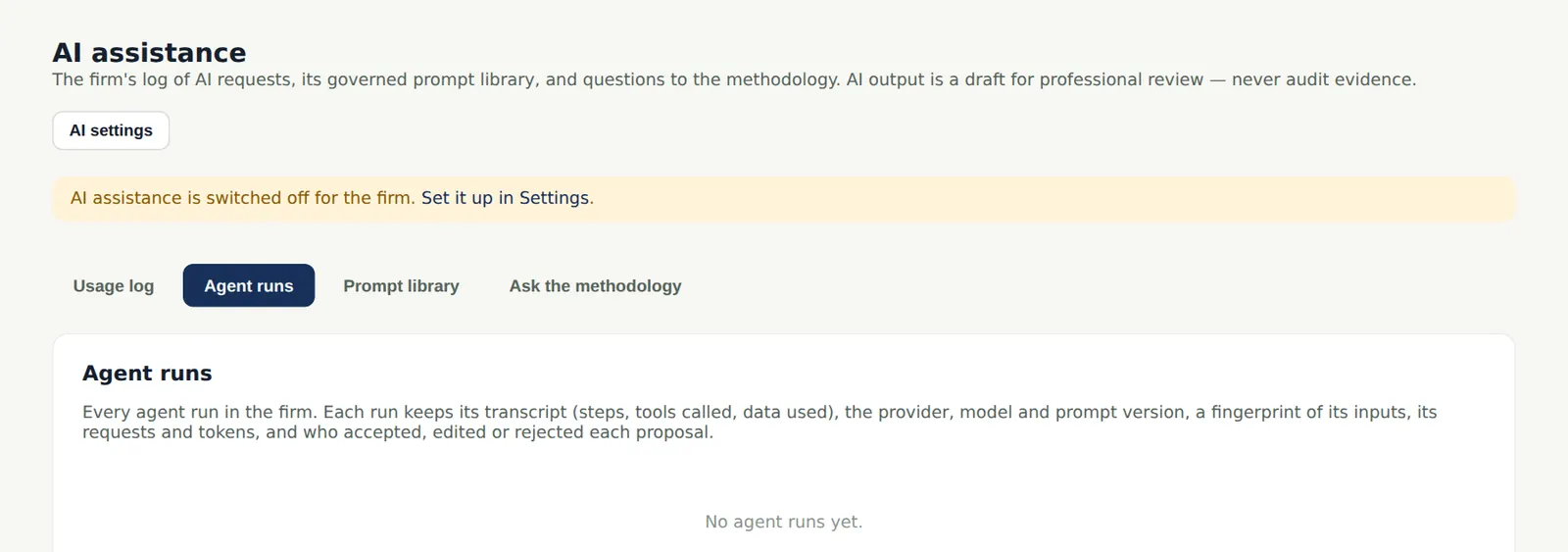
Agent runs advance one step at a time while the page is open (or in the background when marked so), can be paused and resumed, and are listed here with their proposals.
Who
Team members; reviewers.
What to do
- Open a run to review its proposals and transcript.
20.5 The prompt library
Why
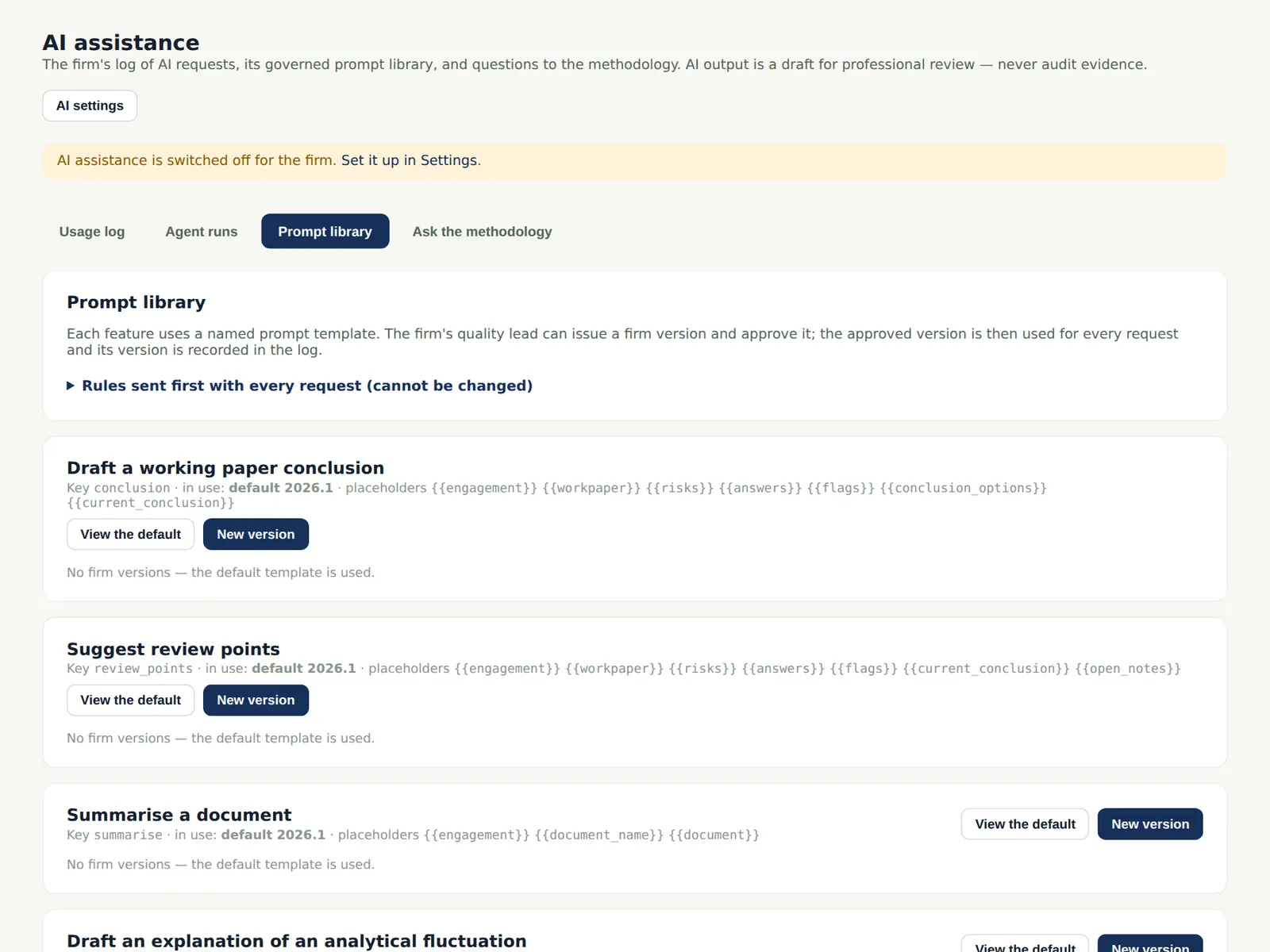
Prompts are governed and versioned: each use records which version produced it.
Who
Owner or quality lead.
What to do
- Review the prompts before switching AI on.
20.6 Ask the methodology
Why
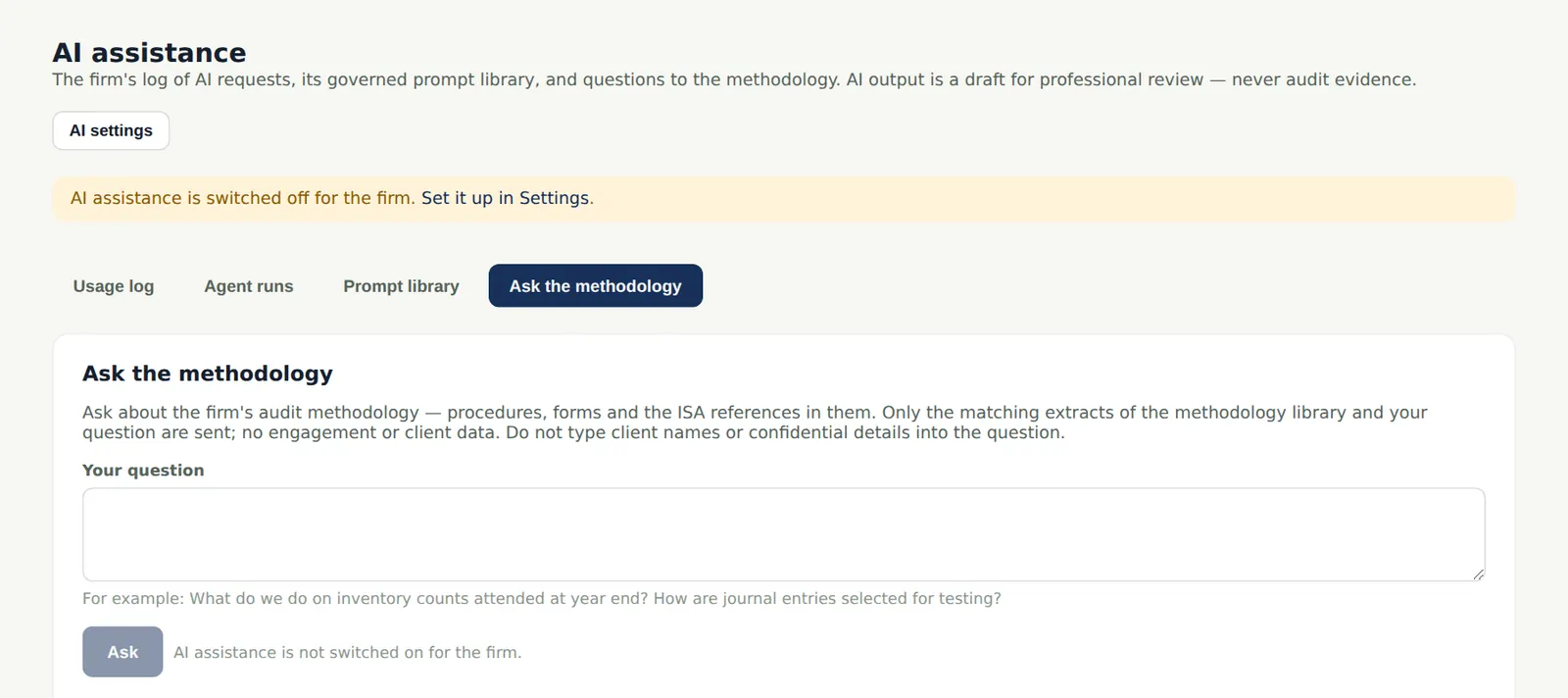
Questions about the firm's methodology are answered from the library with references. Only the matching extracts of the methodology library are sent to the provider — no engagement or client data. In the illustration AI assistance is not switched on (no provider key was entered), so the page says so and Ask is not available.
Who
Everyone allowed to use AI.
What to do
- Type a question and read the answer with its references.