Steps in this chapter (12)
Book people on engagements, record and approve time and expenses, set charge-out rates and budgets, raise fee notes with VAT and WHT, record receipts and read the practice reports.
Scheduling, WIP & billing runs the practice side: who is booked where, weekly timesheets with approval, expenses, charge-out rates with history, budgets, work in progress, fee notes with VAT and Nigerian withholding tax, receipts, write-offs, debtors and the reports that the firm and the regulators need (utilisation, realisation, fee dependency and the non-audit services ratio).
Use cases
- Use case — A staff member's leave clashes with a booking. The planner warns about capacity when the booking is made (step 18.3).
- Use case — A fixed fee with time over budget. Raise the fee note at the agreed fee and record the reason for the adjustment (step 18.9).
- Use case — A client deducts 5% WHT. Record the receipt net and the WHT credit note or certificate (step 18.10).
- Use case — Fee dependency on a PIE client. Practice reports show fees from each client as a share of the firm's total (IESBA Code 410).
18.1 Record time
Why
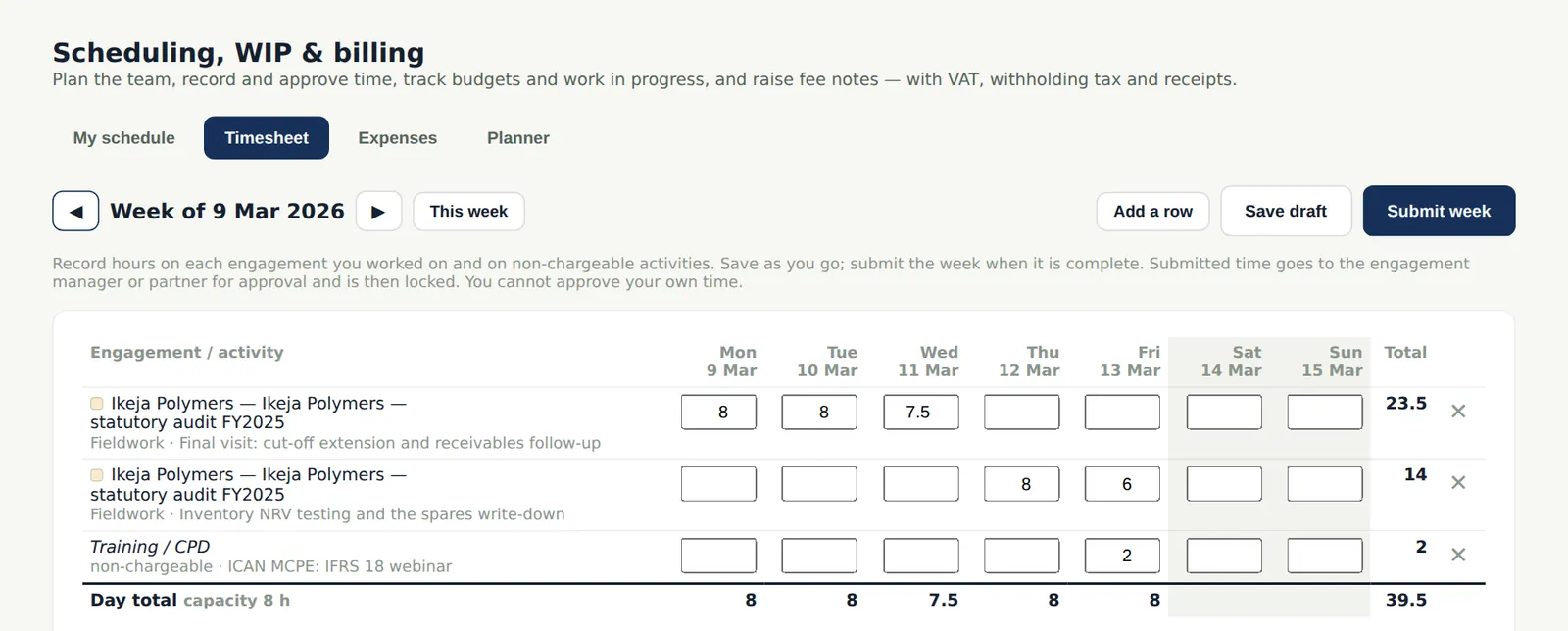
Time is recorded weekly against engagements, phases and other activities (training, leave) and approved by the manager or partner. Approved time feeds the engagement's hours against budget and the firm's work in progress.
Who
Everyone.
What to do
- Open Timesheet, add a row for the engagement and phase and enter the hours by day.
- Choose Submit week.
18.2 Approve timesheets
Why
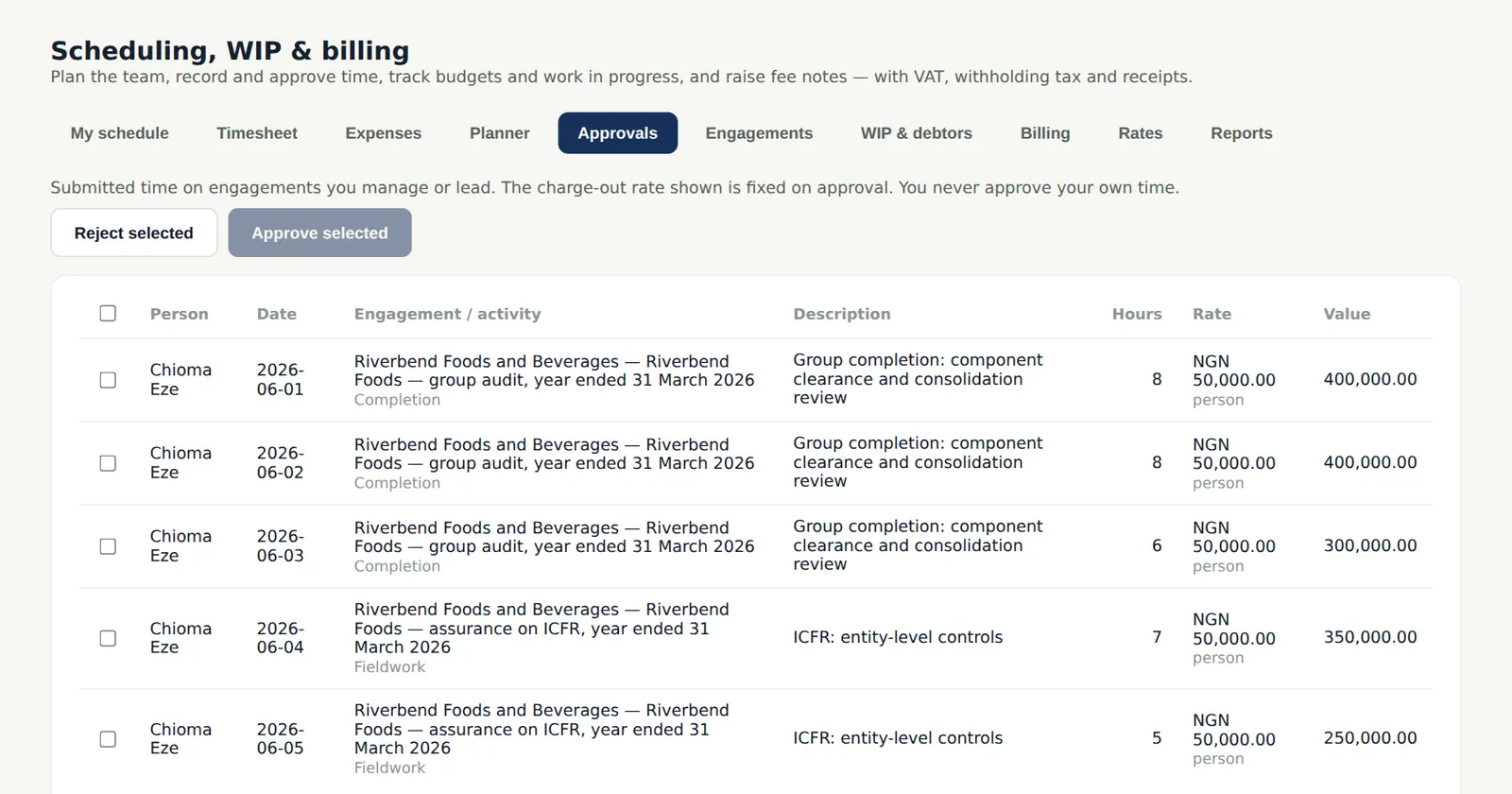
Managers and partners approve or reject submitted time and expenses; a rejection goes back with the reason. Nobody approves their own time.
Who
Manager or partner.
What to do
- Tick the entries and choose Approve, or Reject with a reason.
18.3 The planner
Why
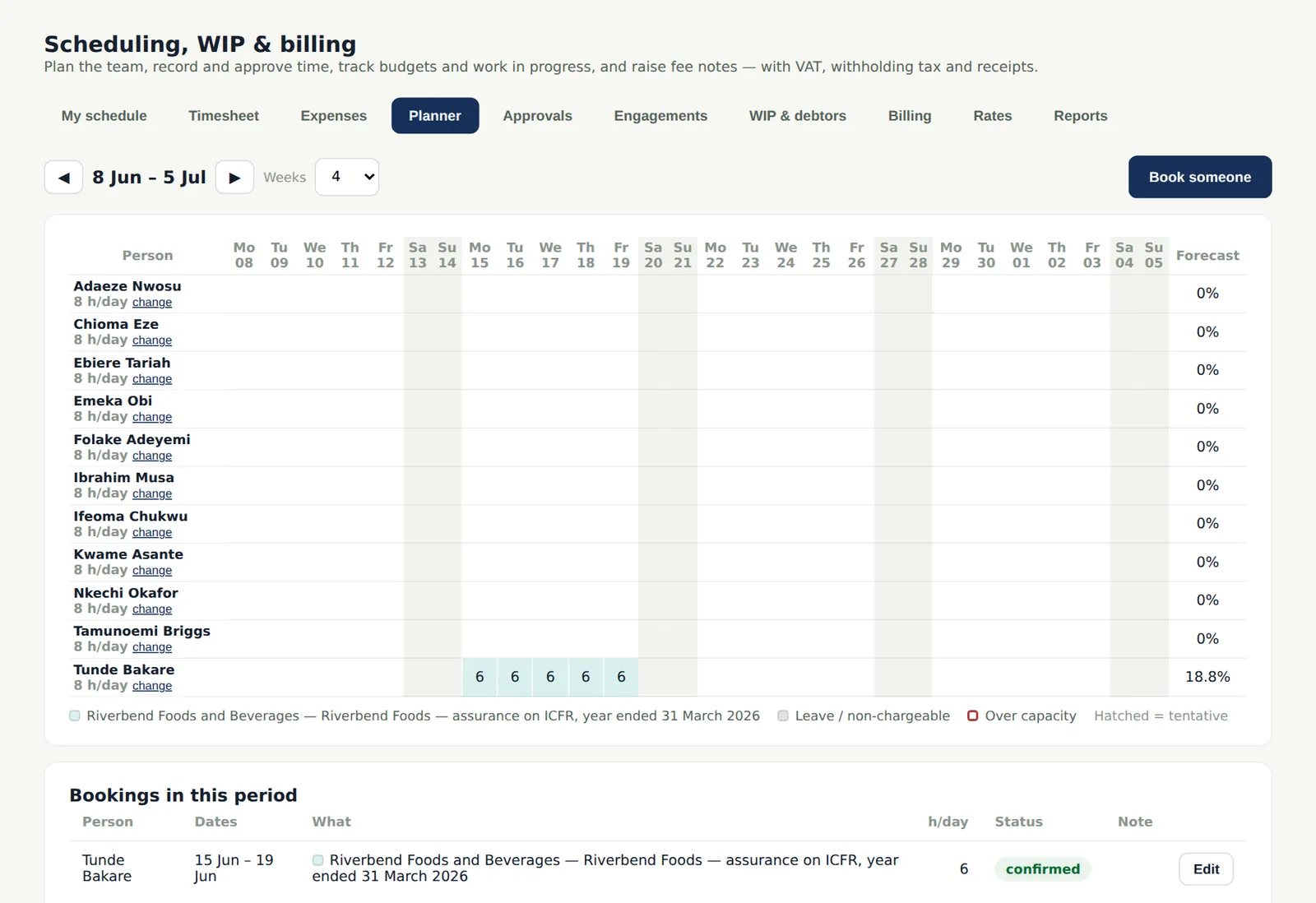
Bookings put people on engagements (or leave and training) for dates and hours per day. The planner shows each person's load against capacity and warns about over-booking and about a person who has not declared independence for the engagement.
Who
Manager or partner.
What to do
- Choose a cell to book a person, or open a booking to change it.
18.4 My schedule
Why
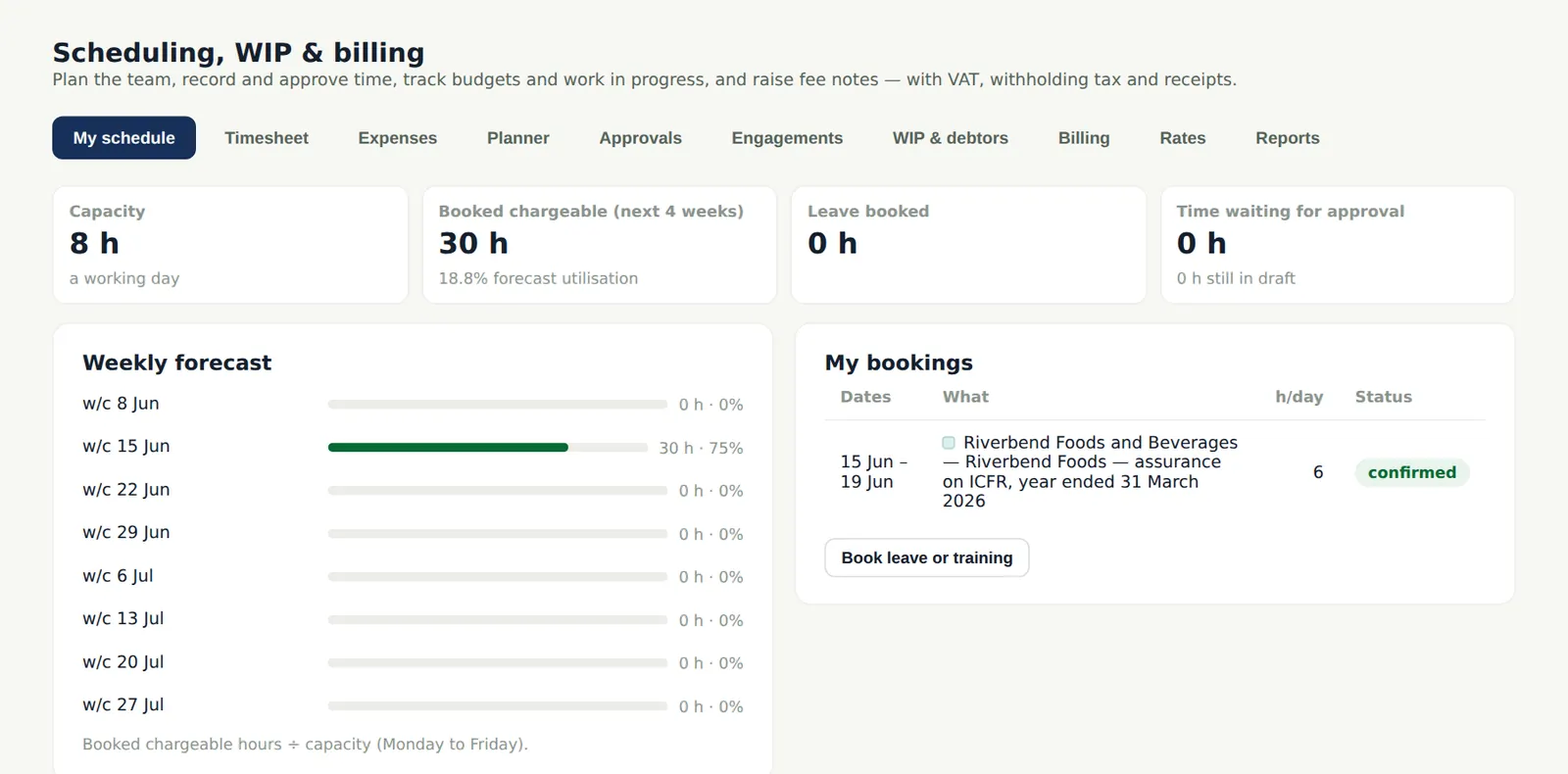
Each person sees their own bookings for the coming weeks and books their own leave or training.
Who
Everyone.
What to do
- Choose Book leave or training to record your absence.
18.5 Charge-out and cost rates
Why
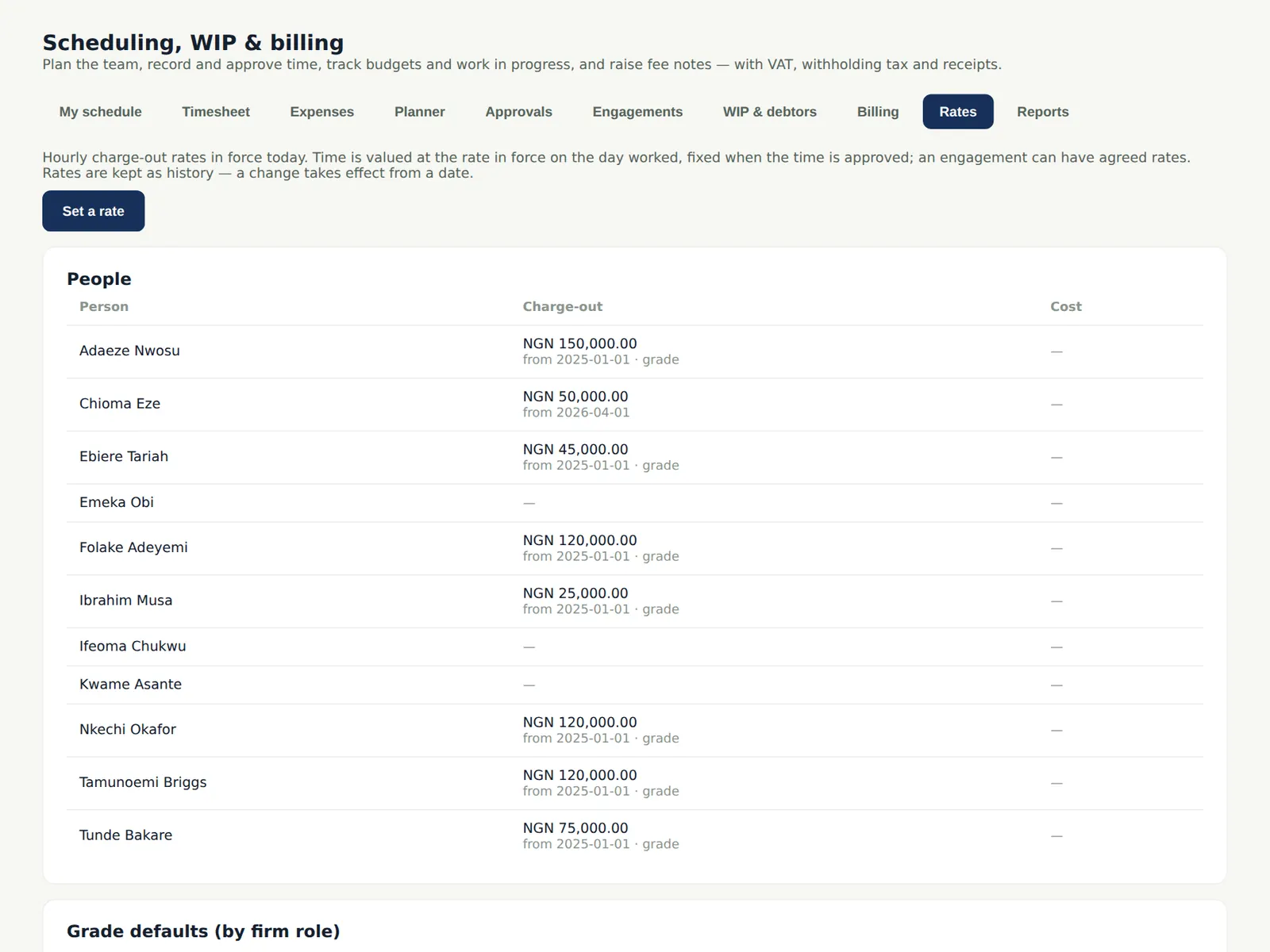
Charge-out rates are set by grade and, where different, by person, with an effective date, so history is kept and old time is valued at the rate in force. Cost rates give realisation.
Who
Owner or partner.
What to do
- Add a rate with its effective date; a new rate never changes approved time already billed.
18.6 Expenses
Why
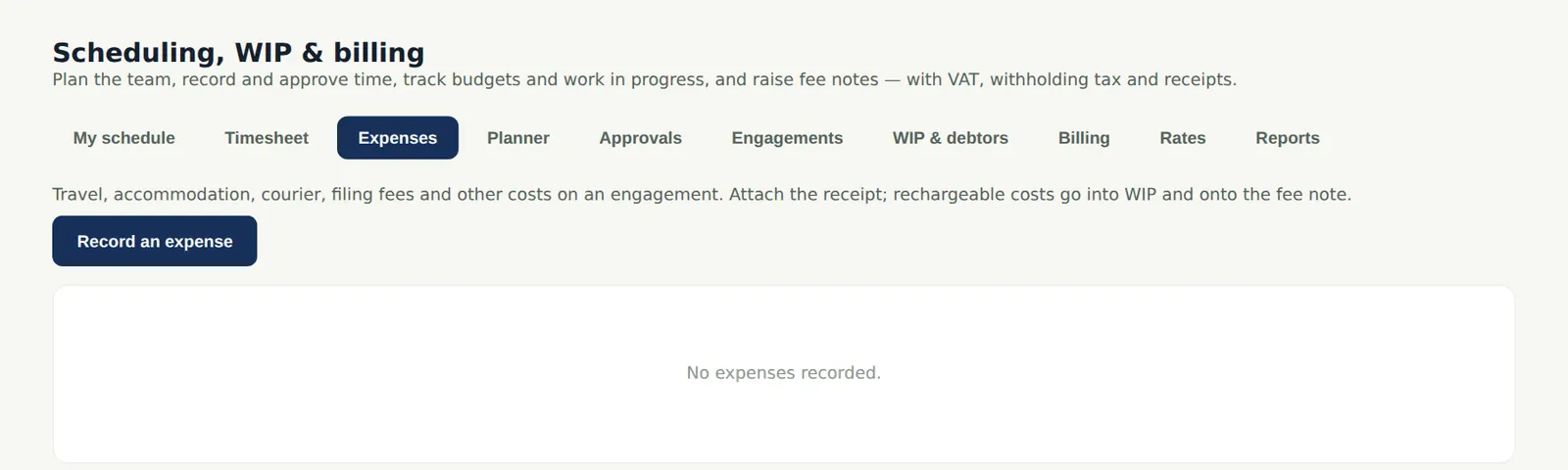
Expenses (travel, courier, other) are recorded against engagements, approved and, if billable, added to the next fee note.
Who
Everyone.
What to do
- Choose Add an expense, pick the engagement and category and tick Billable if it can be charged.
18.7 Engagements: budget and WIP
Why
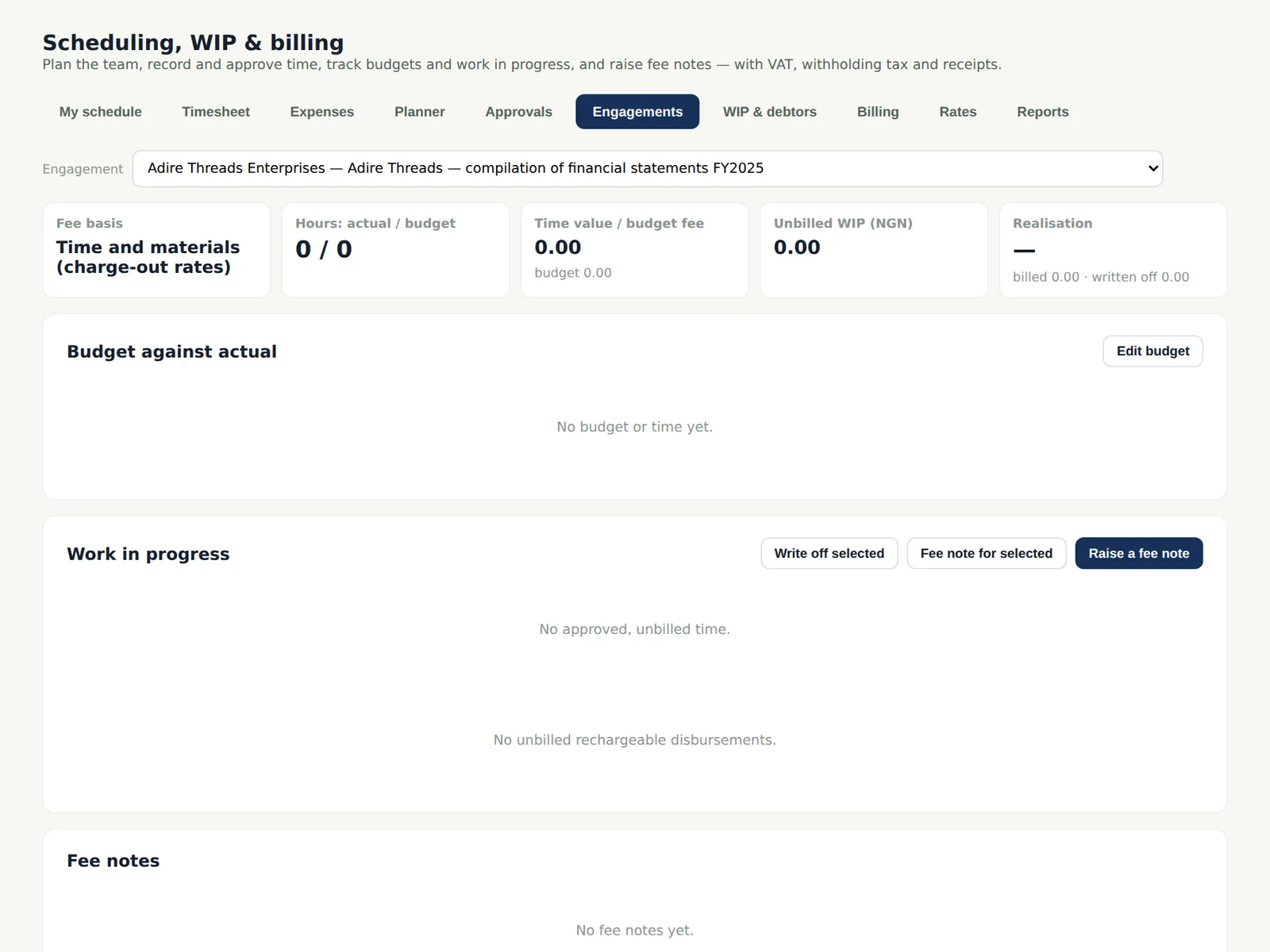
Each engagement shows its fee basis (fixed or time), the budget by person and phase, the time recorded and the unbilled work in progress.
Who
Manager or partner.
What to do
- Open an engagement to set its budget and the rates that apply to it.
18.8 A draft fee note
Why
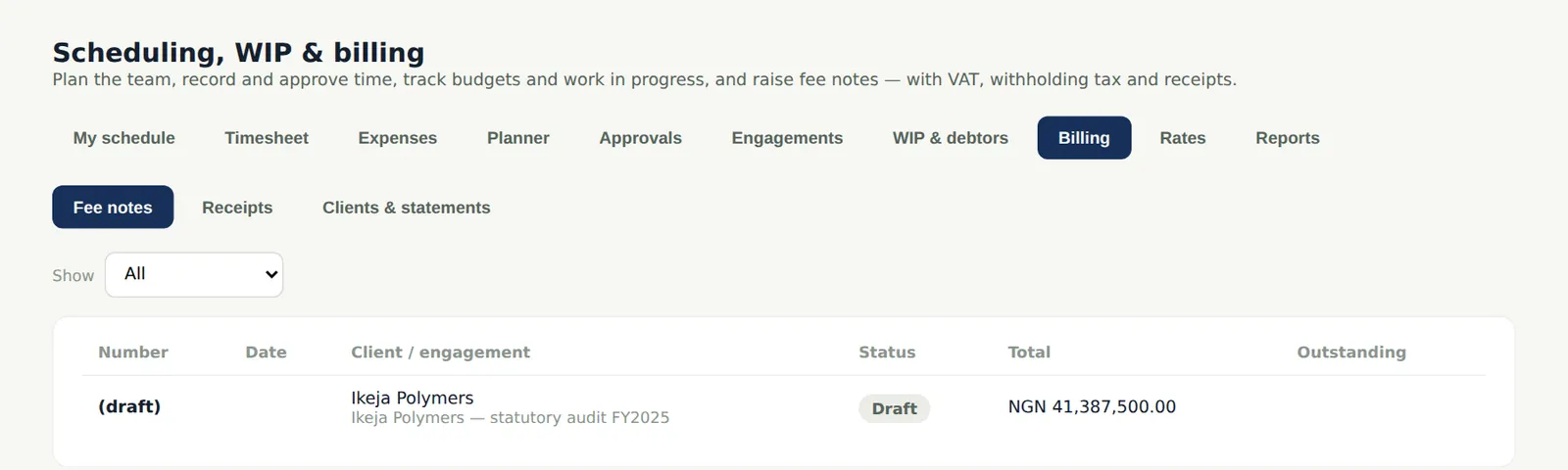
A fee note is drafted from unbilled time and billable expenses, summarised by person or phase, with VAT by the engagement's jurisdiction and the WHT the client may deduct. Fee note lines are classed as audit, audit-related or non-audit for the NAS ratio.
Who
Partner raises; owner or partner issues.
What to do
- On the engagement choose Raise a fee note, check the lines and the text.
18.9 The issued fee note
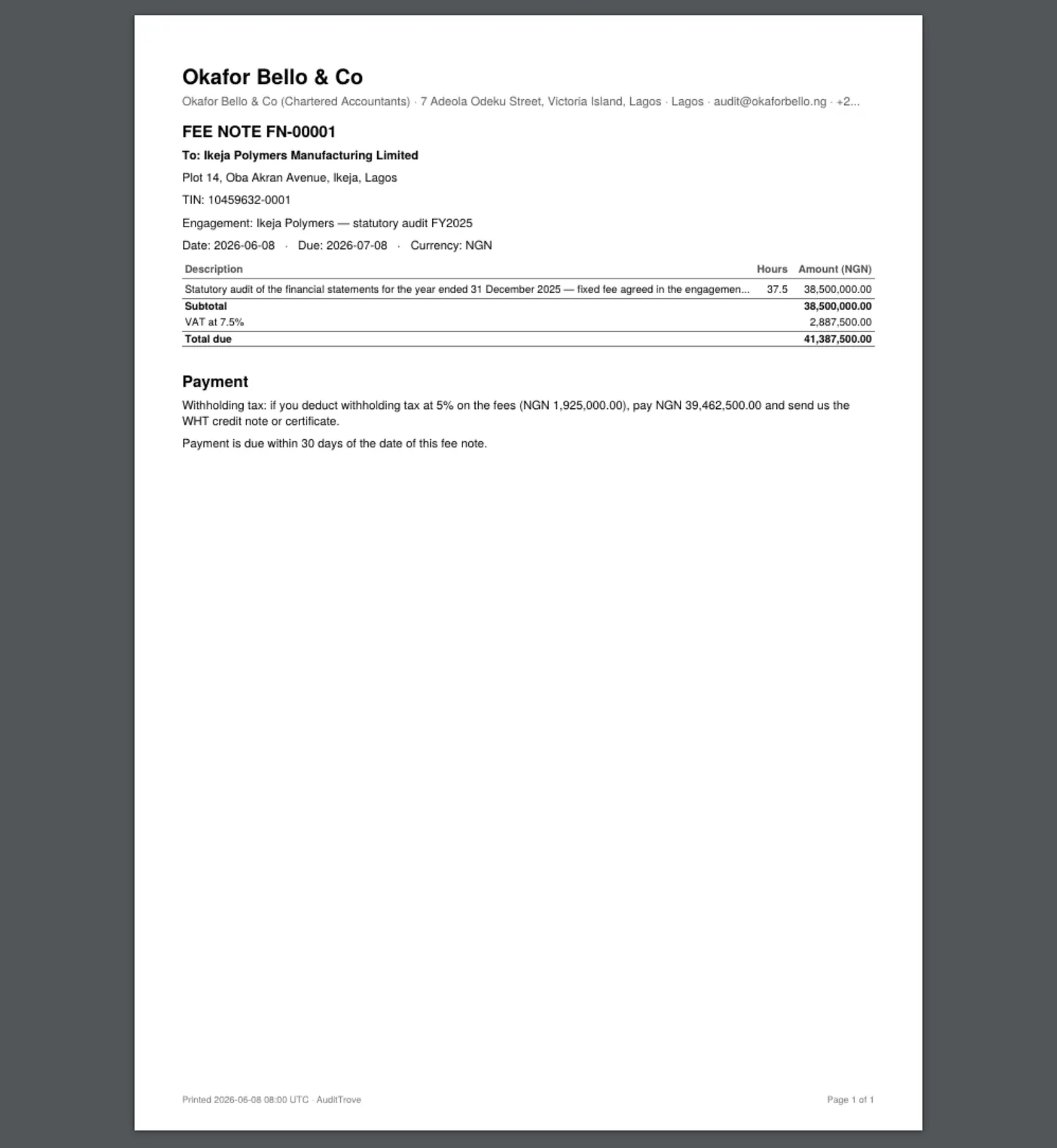
Why
Issuing a fee note gives it the next number (it can only move forward), records any difference from the time value with the reason, and produces the PDF with the firm's bank details and terms. An issued fee note can be corrected only with a credit note.
Who
Partner.
What to do
- Choose Issue, give the reason for any adjustment, and download the PDF.
18.10 Receipts and the fee notes
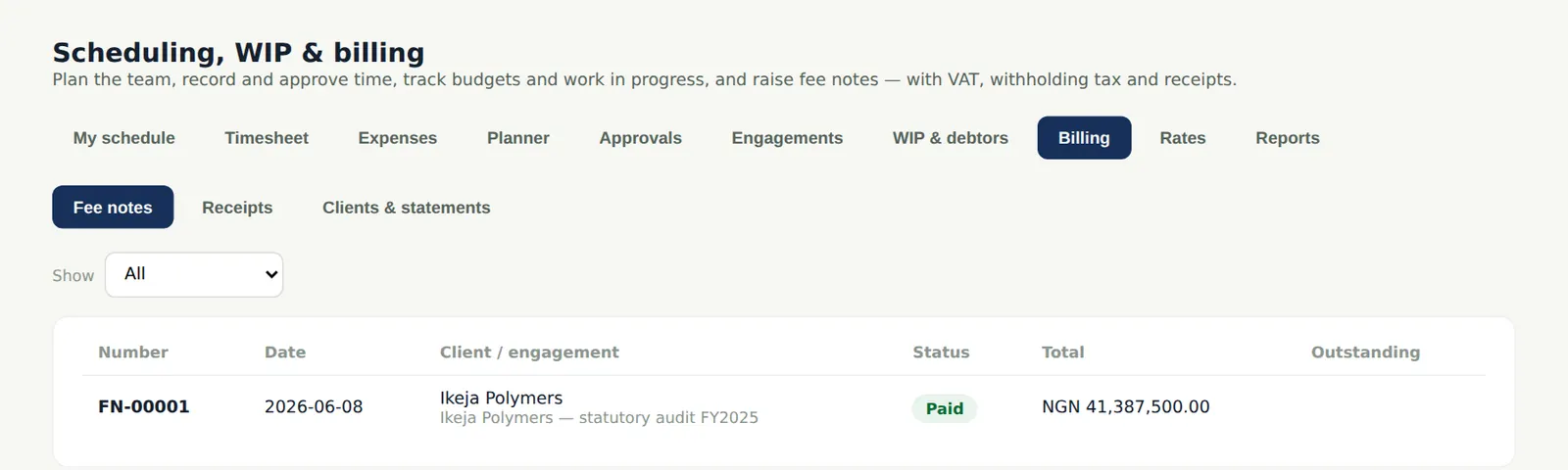
Why
Receipts are recorded against fee notes; a receipt net of withholding tax leaves the WHT to be matched to the client's credit note or certificate.
Who
Owner, partner or administrator.
What to do
- Choose Record a receipt, allocate it to the fee notes and record the WHT.
18.11 WIP and debtors
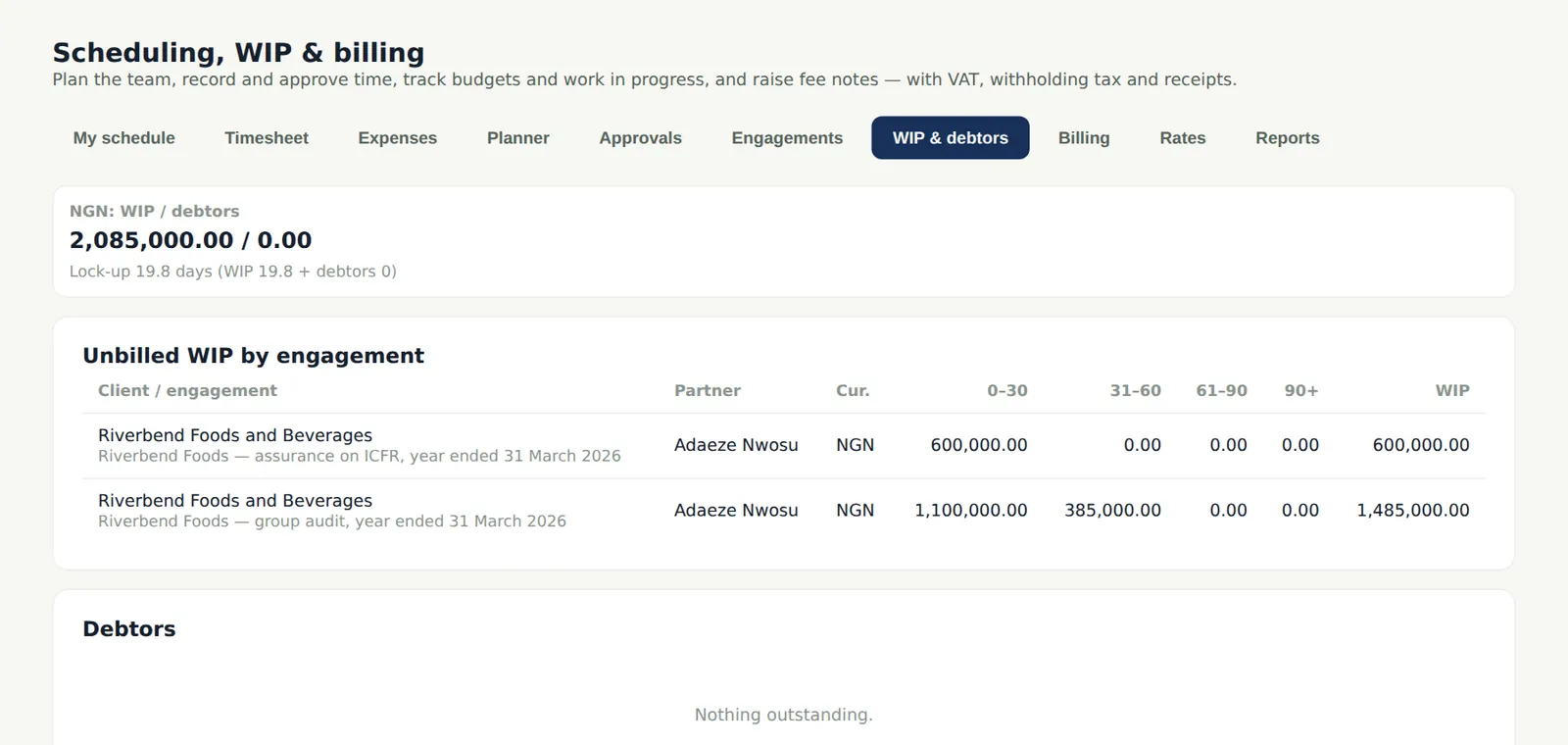
Why
Work in progress and debtors are aged, so partners see what to bill and what to chase; write-offs are recorded with reasons.
Who
Partners.
What to do
- Open a client to see its statement; record a write-off with the reason.
18.12 Practice reports
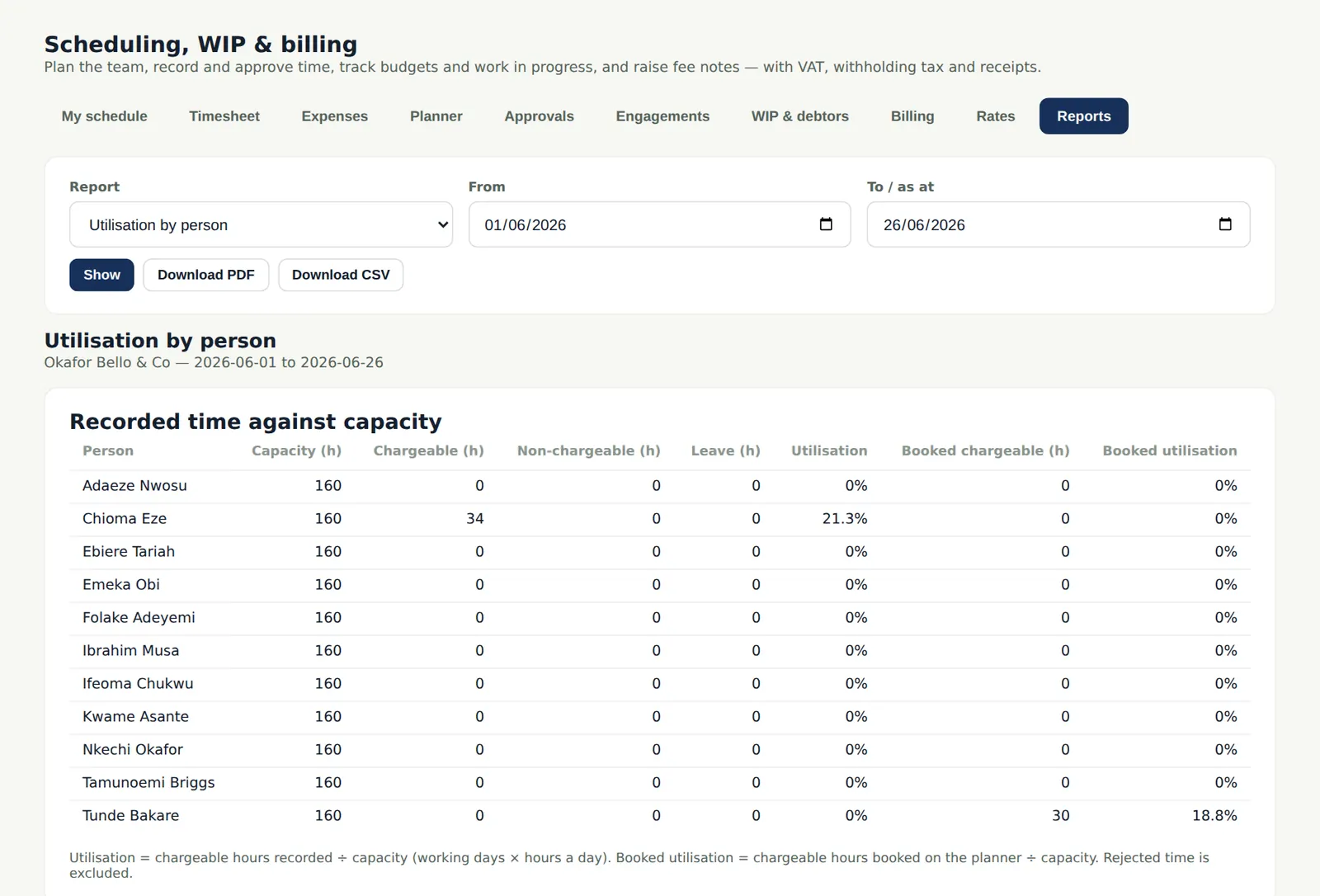
Why
Reports cover utilisation, realisation, WIP, debtors, fee dependency (fees from one client as a share of the firm's total — IESBA Code 410) and the non-audit services ratio for PIE clients (80% cap for Nigerian firms, with a warning at 70%).
Who
Owner, partners, quality lead.
What to do
- Choose a report and a period; download it as CSV.