Steps in this chapter (14)
Create the engagement, check the standards applied, build the team, declare independence, complete AC-1 and AC-3, approve acceptance and prepare the engagement letter.
On 12 January 2026 Adaeze Nwosu creates the audit engagement for the year ended 31 December 2025. AuditTrove sets up the file from the methodology: the working papers, the core audit programme, the presumed fraud risks (ISA 240) and — because Manufacturing is chosen — the manufacturing industry programme.
The engagement moves through six phases: Acceptance → Planning & risk → Fieldwork → Completion → Reported → Archived. Each move is gated: for example, work beyond acceptance cannot start until acceptance is approved, the engagement letter is signed and every team member has declared independence.
Use cases
- Use case — A first-year audit. Tick First-year audit (step 6.2): the opening balances paper (ISA 510) is added, and AC-1 asks about the predecessor auditor.
- Use case — A listed client. The EQR is required automatically, key audit matters apply and the partner is named in the report.
- Use case — A small owner-managed company. Choose the ISA for LCE as the auditing standard when you create the audit (chapter 15).
- Use case — A team member with a threat to independence. They declare it with the safeguards; the partner or quality lead accepts or rejects the declaration before they can work on the file (steps 6.6–6.8).
6.1 Create the engagement
Why
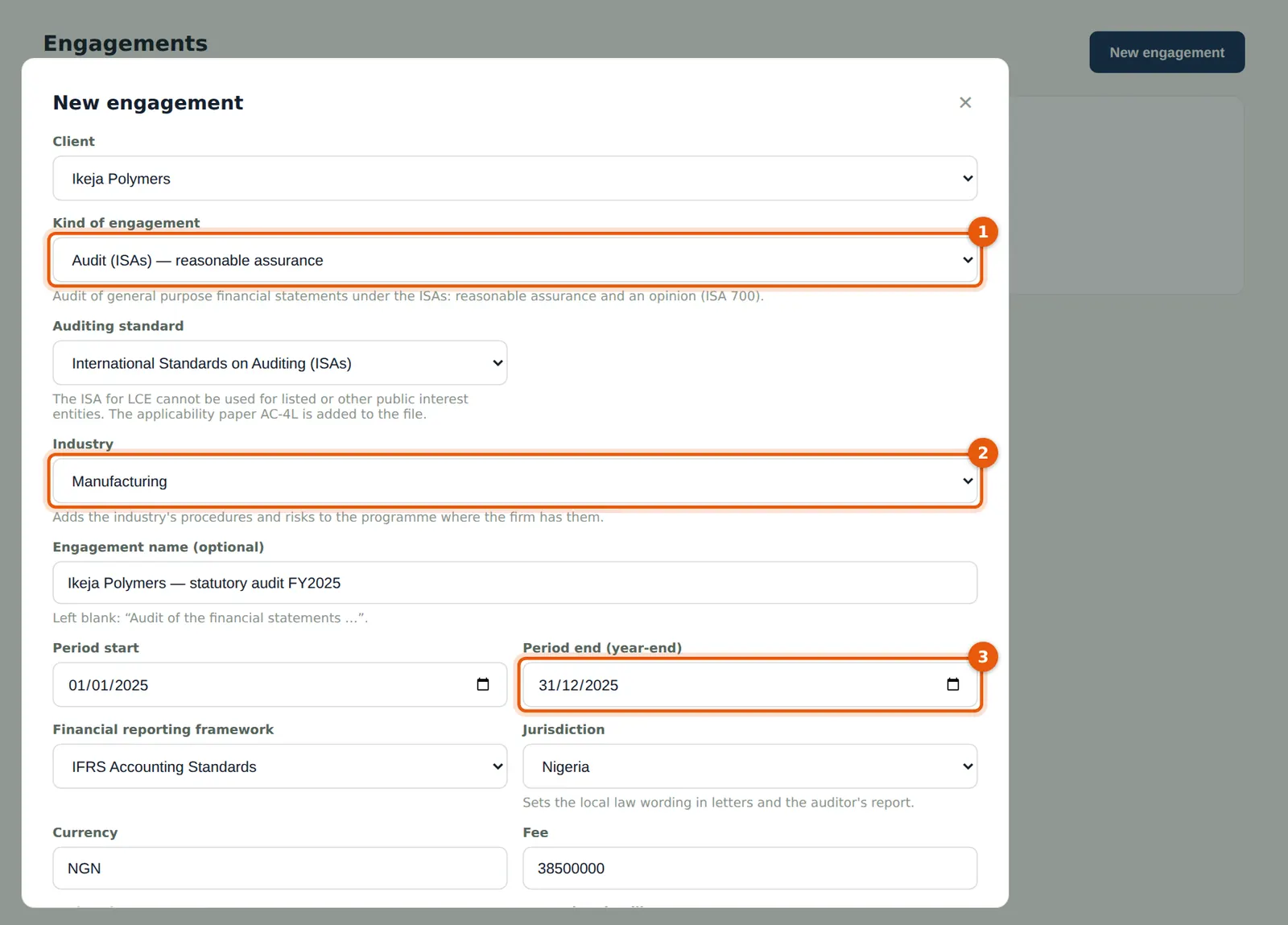
The kind of engagement (1) decides the standard, the working papers, the programme, the completion gates and the report, and cannot be changed later. For an audit you also choose the auditing standard: the ISAs or the ISA for LCE. The industry (2) adds the industry's risks, procedures and checklists.
Who
Partner (or a manager with engagement rights).
What to do
- Open Engagements and choose New engagement, or choose New engagement on the client's page.
- Choose the client, the kind — Audit — (1), the auditing standard (ISAs) and the industry — Manufacturing — (2).
- Enter the period start and end (3), the framework, jurisdiction (Nigeria) and currency (NGN).
- Enter the fee (NGN 38.5m), the budget hours (1,150) and the reporting deadline.
6.2 Partner, manager and the quality review
Why
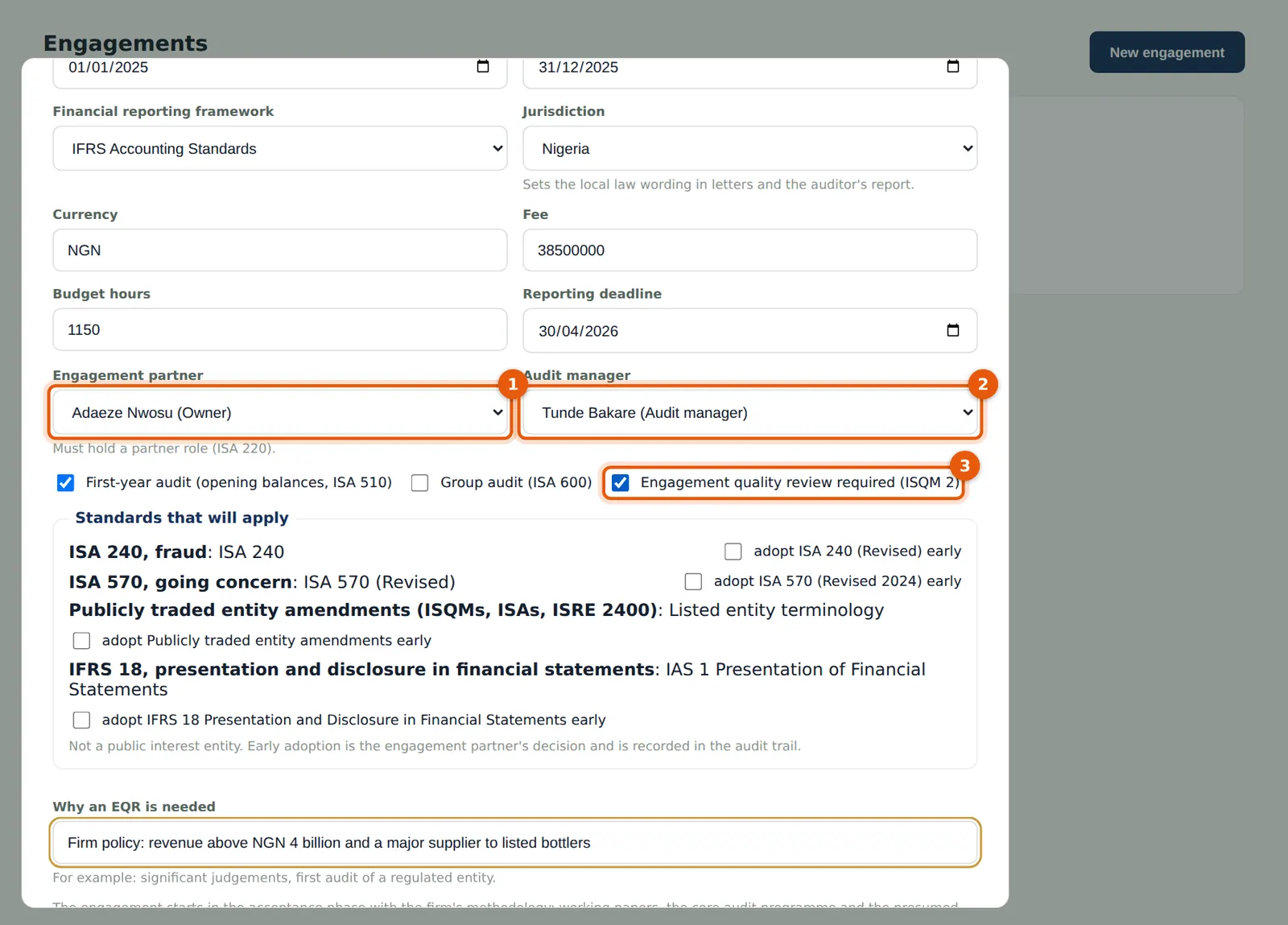
The engagement partner must hold a partner role and a current registration. An engagement quality review is required by law or by firm policy (ISQM 1.34(f); ISQM 2); here the firm's policy requires one because revenue is above NGN 4 billion.
Who
Partner.
What to do
- Choose the engagement partner (1) and the audit manager (2).
- Tick First-year audit if the firm did not audit last year.
- Tick Engagement quality review required (3), give the reason and choose Create.
6.3 The engagement overview
Why
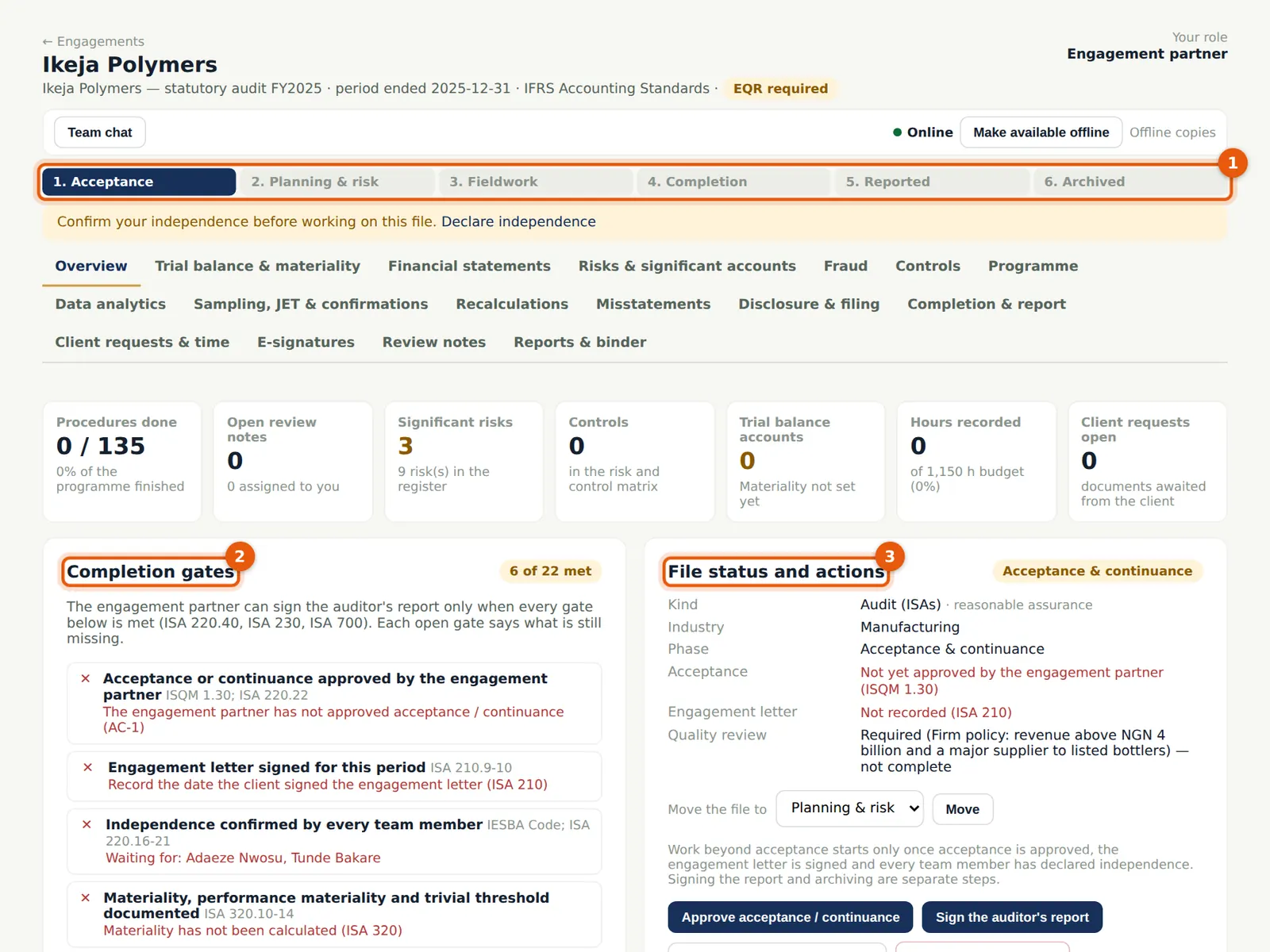
The overview is the home of the file. The phase bar (1) shows where the file is. The completion gates (2) list everything that must be true before the report can be signed and say what is still missing. File status and actions (3) holds the partner's actions: approve acceptance, sign the report, archive, roll forward and delete.
Who
Everyone on the team.
What to do
- Use the tabs to move around the file: Overview, Trial balance & materiality, Financial statements, Risks & significant accounts, Fraud, Controls, Programme, Data analytics, Sampling/JET/confirmations, Recalculations, Misstatements, Disclosure & filing, Completion & report, Client requests & time, E-signatures, Review notes, Reports & binder.
6.4 The standards applied and the auditing standard
Why
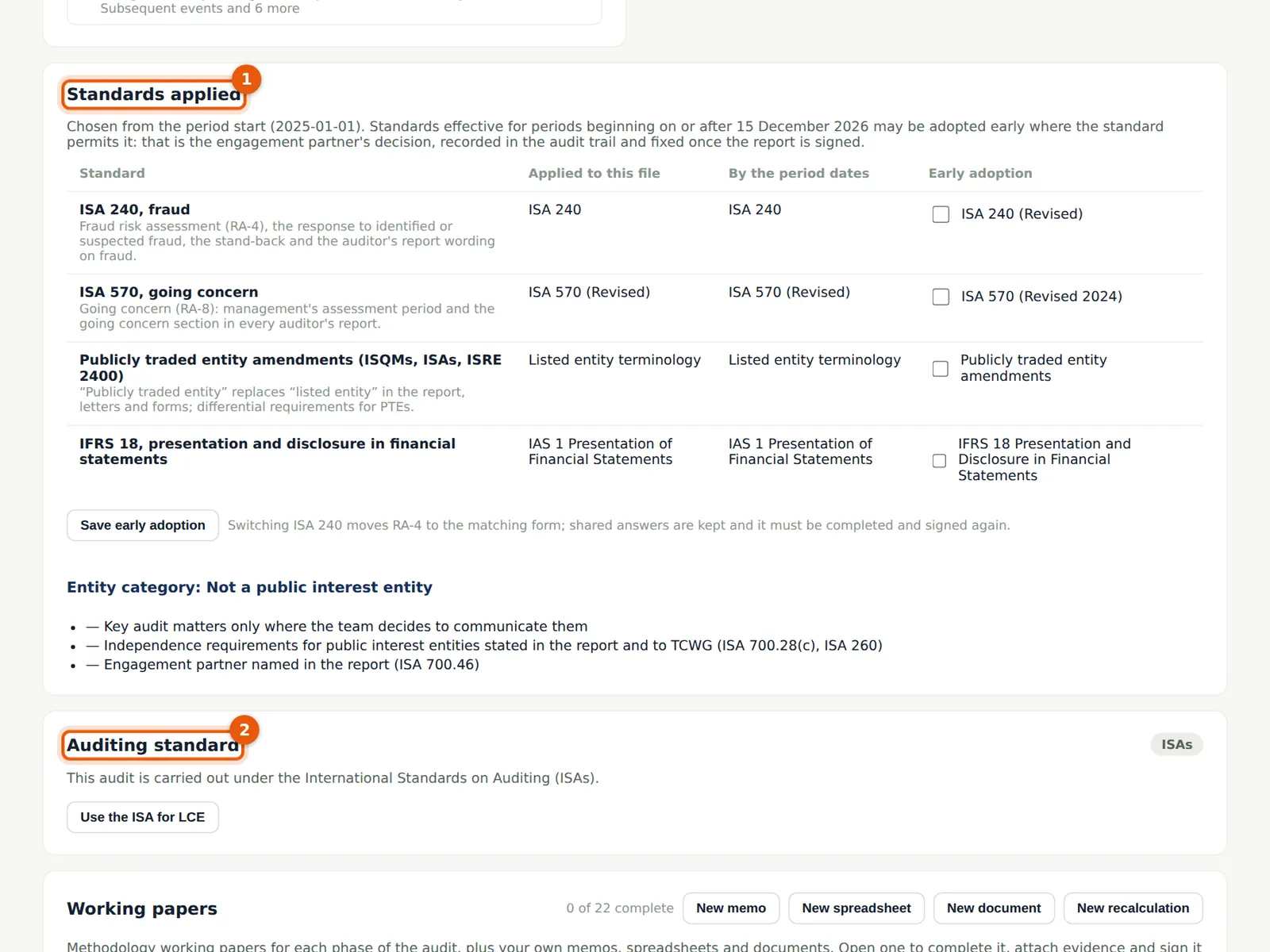
Each engagement applies the standards in force for its period. ISA 240 (Revised), ISA 570 (Revised 2024) and the publicly traded entity amendments apply to periods beginning on or after 15 December 2026; the partner can adopt them early here. The Auditing standard card shows whether the audit follows the ISAs or the ISA for LCE, and the partner can switch it within the limits the standard allows (chapter 15).
Who
Engagement partner.
What to do
- Tick a standard under Early adoption only if the partner decides to adopt it early, and choose Save early adoption; the decision is in the audit trail and is locked once the report is signed.
6.5 Build the engagement team
Why
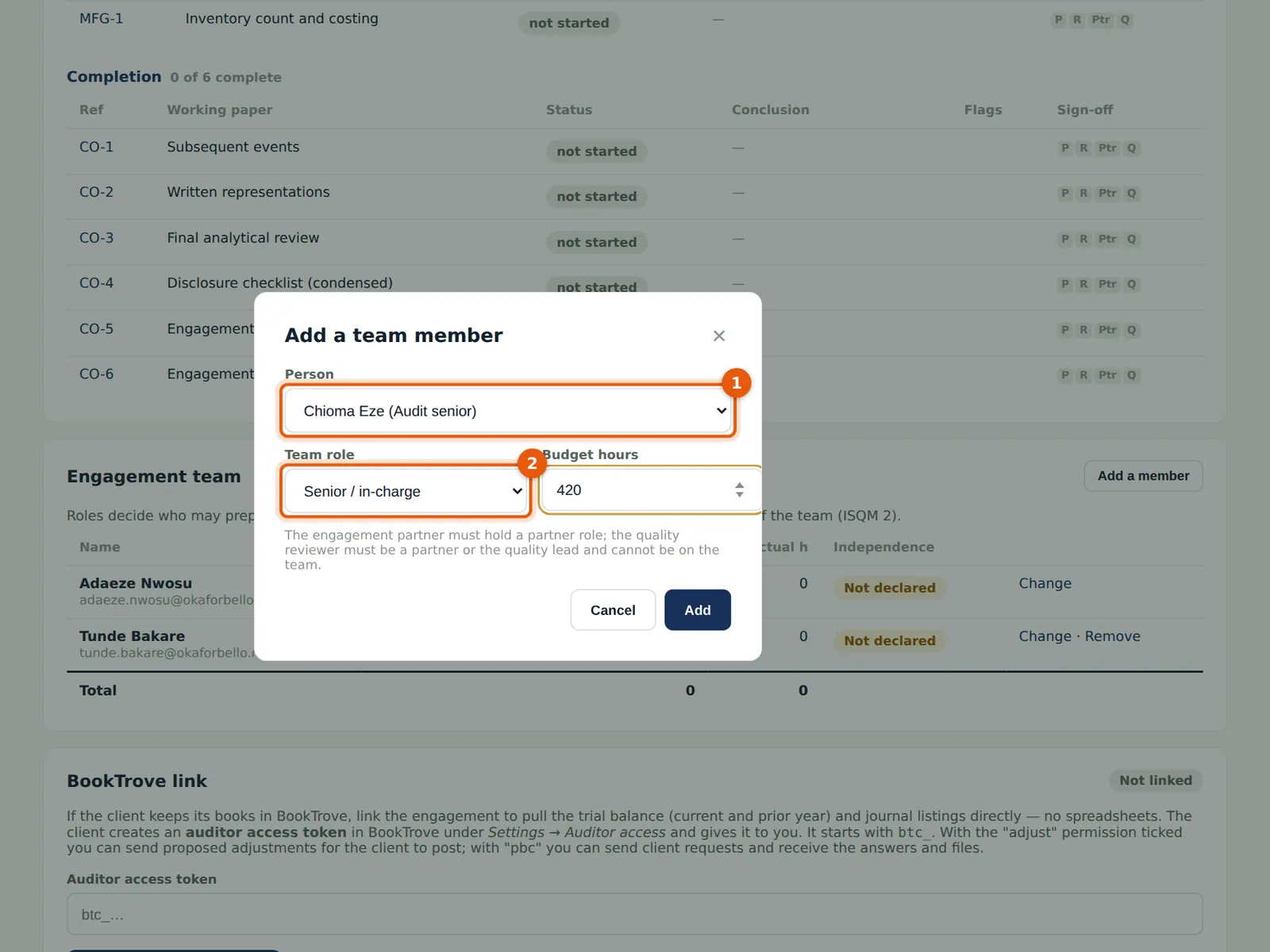
Only team members can work on the file. Each person's team role decides which sign-offs they can give. The quality reviewer is independent of the team and cannot change its working papers (ISQM 2).
Who
Engagement partner or manager.
What to do
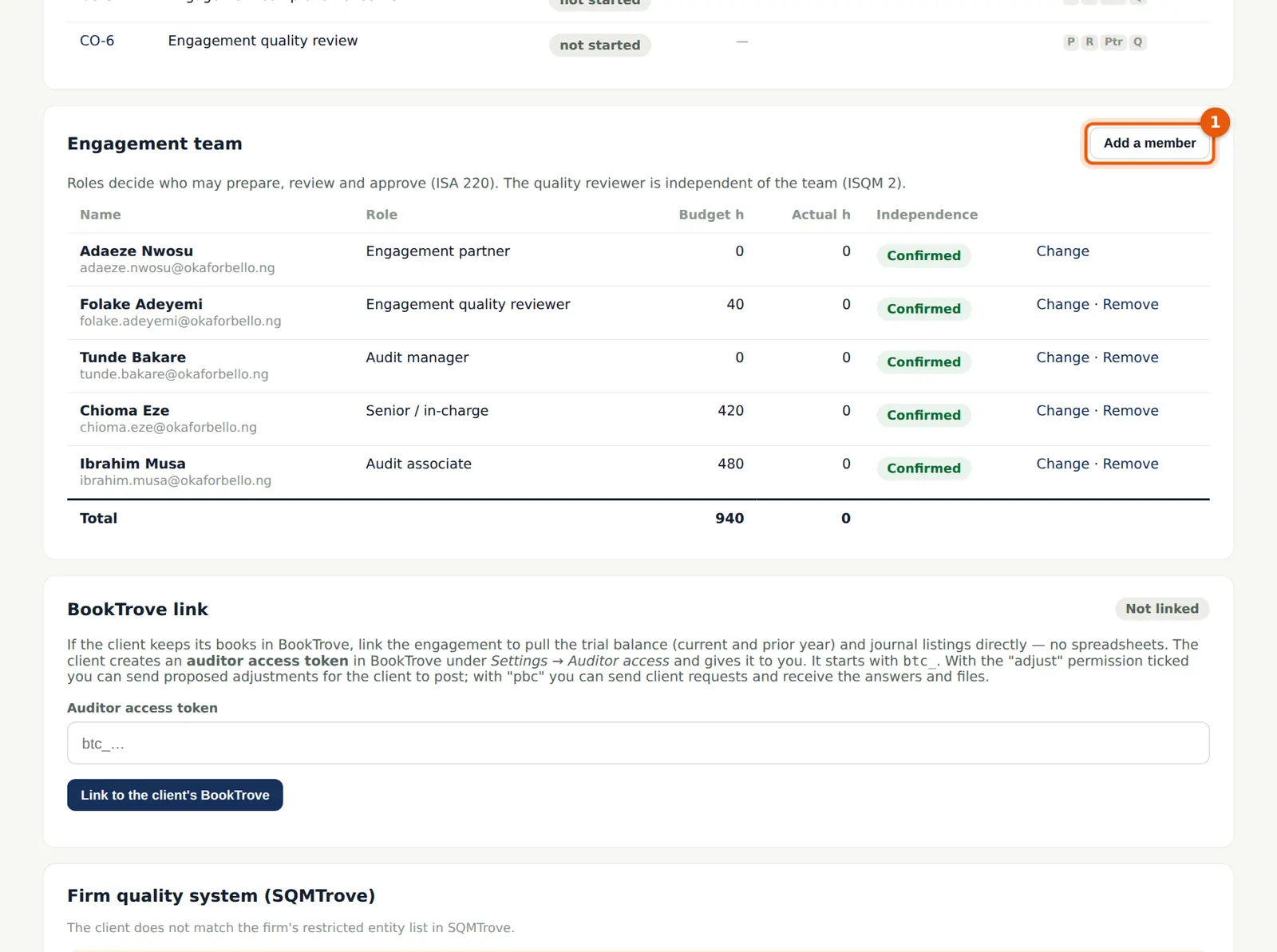
- Scroll to Engagement team and choose Add a member.
- Choose the person (1) and the team role (2) and enter the budget hours; choose Add.
- In the illustration: Chioma Eze (senior, 420 h), Ibrahim Musa (associate, 480 h) and Folake Adeyemi (engagement quality reviewer, 40 h).
6.6 Declare independence
Why
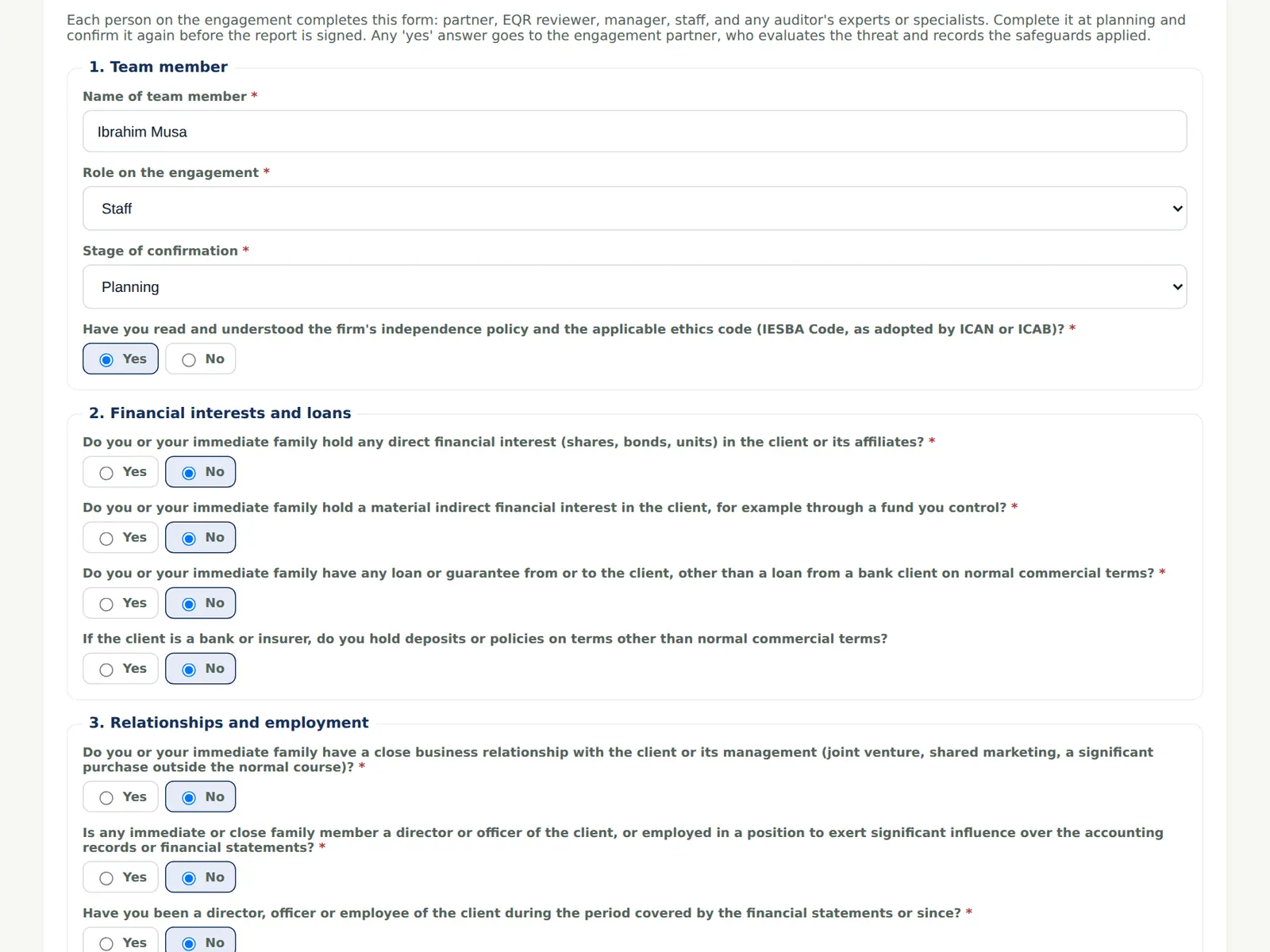
Everyone on the engagement confirms independence before working on the file (IESBA Code Part 4A; ISA 220 (Revised).16–21). A 'Yes' to any threat question sends the declaration to the engagement partner or quality lead to evaluate the safeguards.
Who
Every team member, including the partner and the quality reviewer.
What to do
- Open the engagement; the Independence section asks you to complete your declaration.
- Answer each question about financial interests, loans, relationships, employment, services and fees.
6.7 Conclude and submit
Why
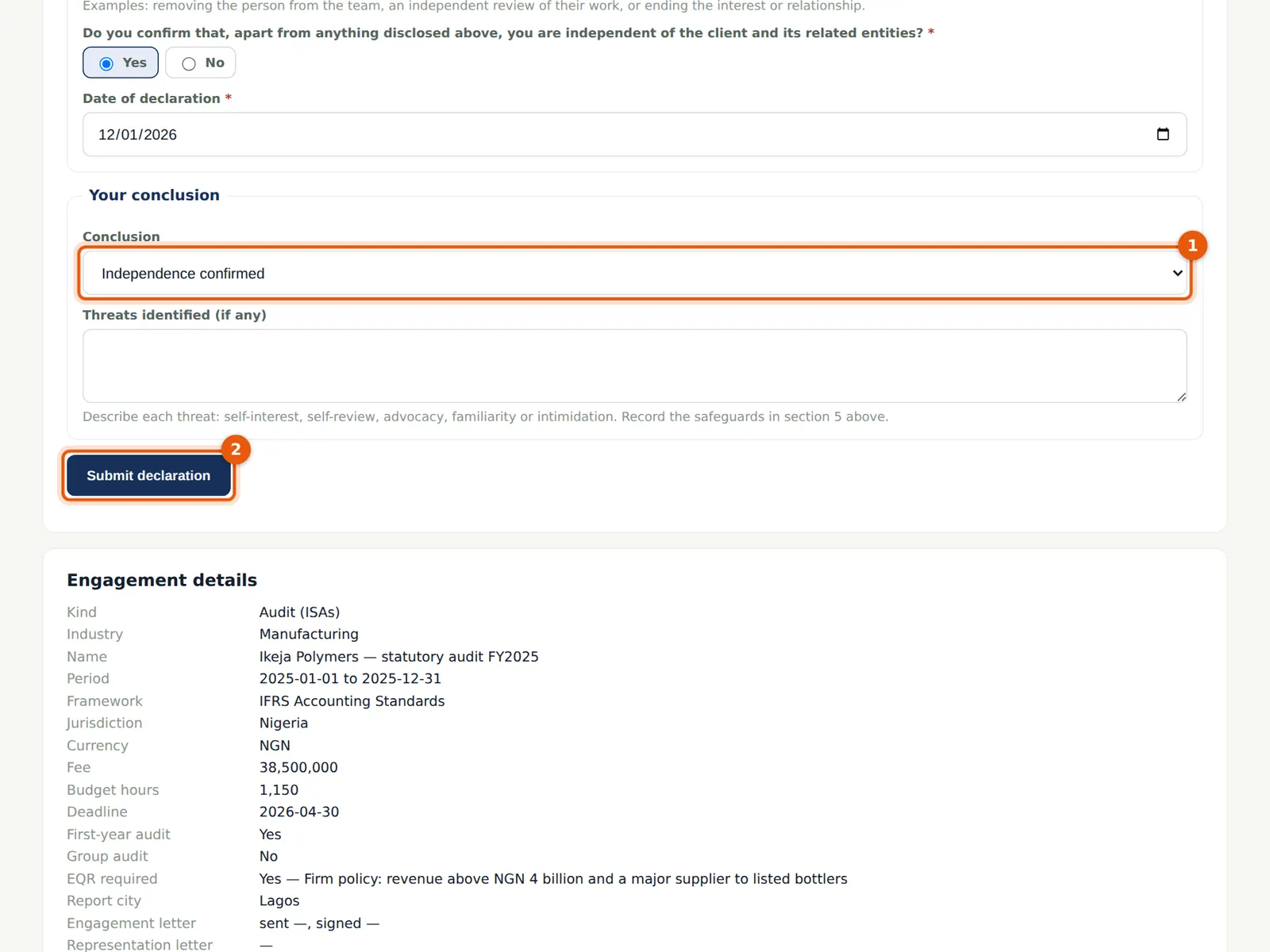
You cannot simply confirm independence if an answer shows a threat — you must describe the threat and the safeguards.
Who
Every team member.
What to do
- Choose the conclusion (1): Independence confirmed, Threats reduced by safeguards, or Not independent.
- Describe any threats and choose Submit declaration (2).
6.8 The team's declarations
Why
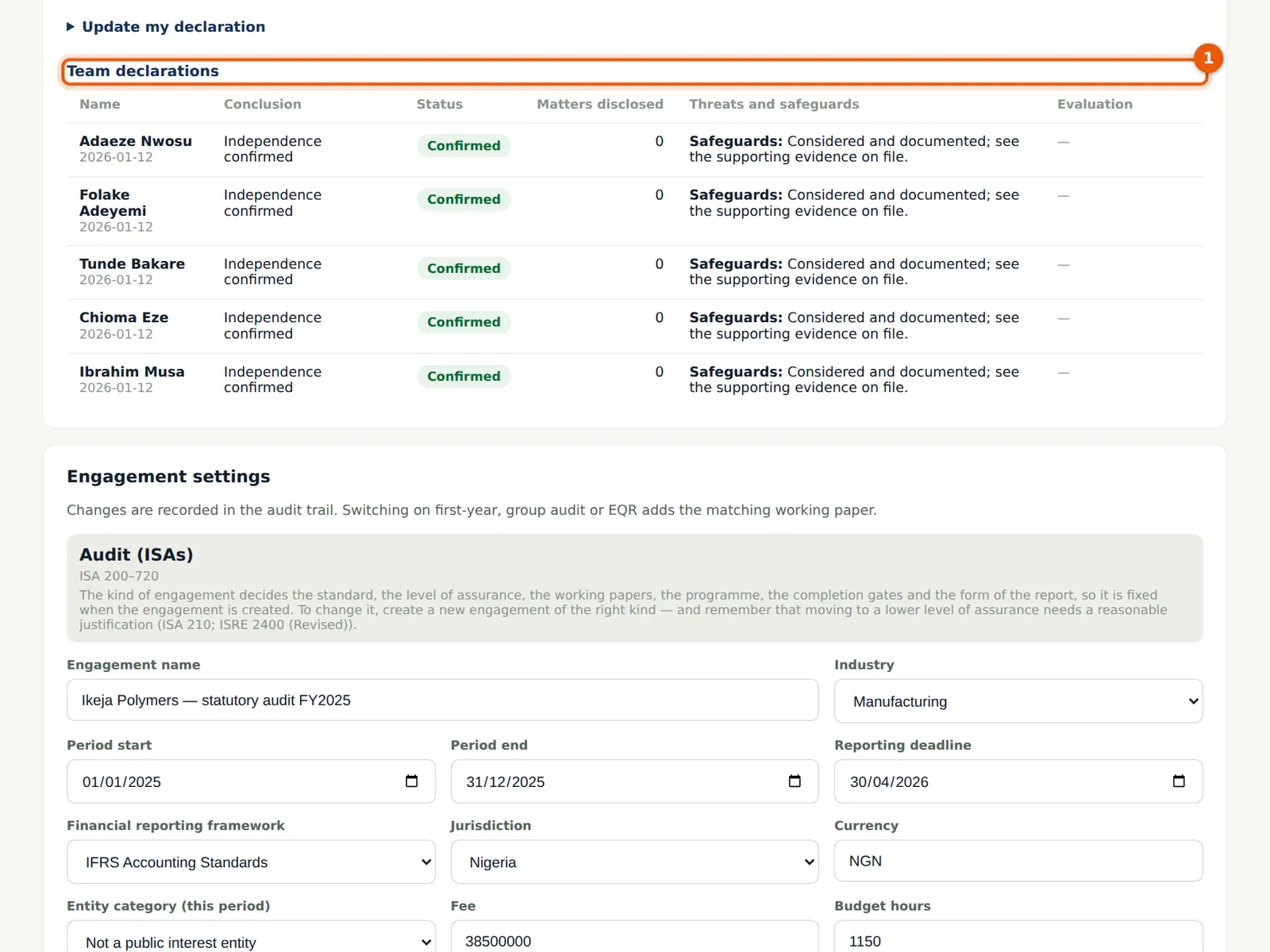
The table shows each person's conclusion and status. Declarations with threats wait for the partner or quality lead to accept or reject them; until then the person cannot write to the file.
Who
Engagement partner.
What to do
- Evaluate any pending declaration with Accept or Reject and a note.
6.9 The completed team
Why
When everyone shows Confirmed, the independence gate is met. Anyone joining later must declare before working.
Who
Engagement partner or manager.
What to do
- Check each person's role and budget hours; use Change or Remove as the team changes.
6.10 Document acceptance (AC-1)
Why
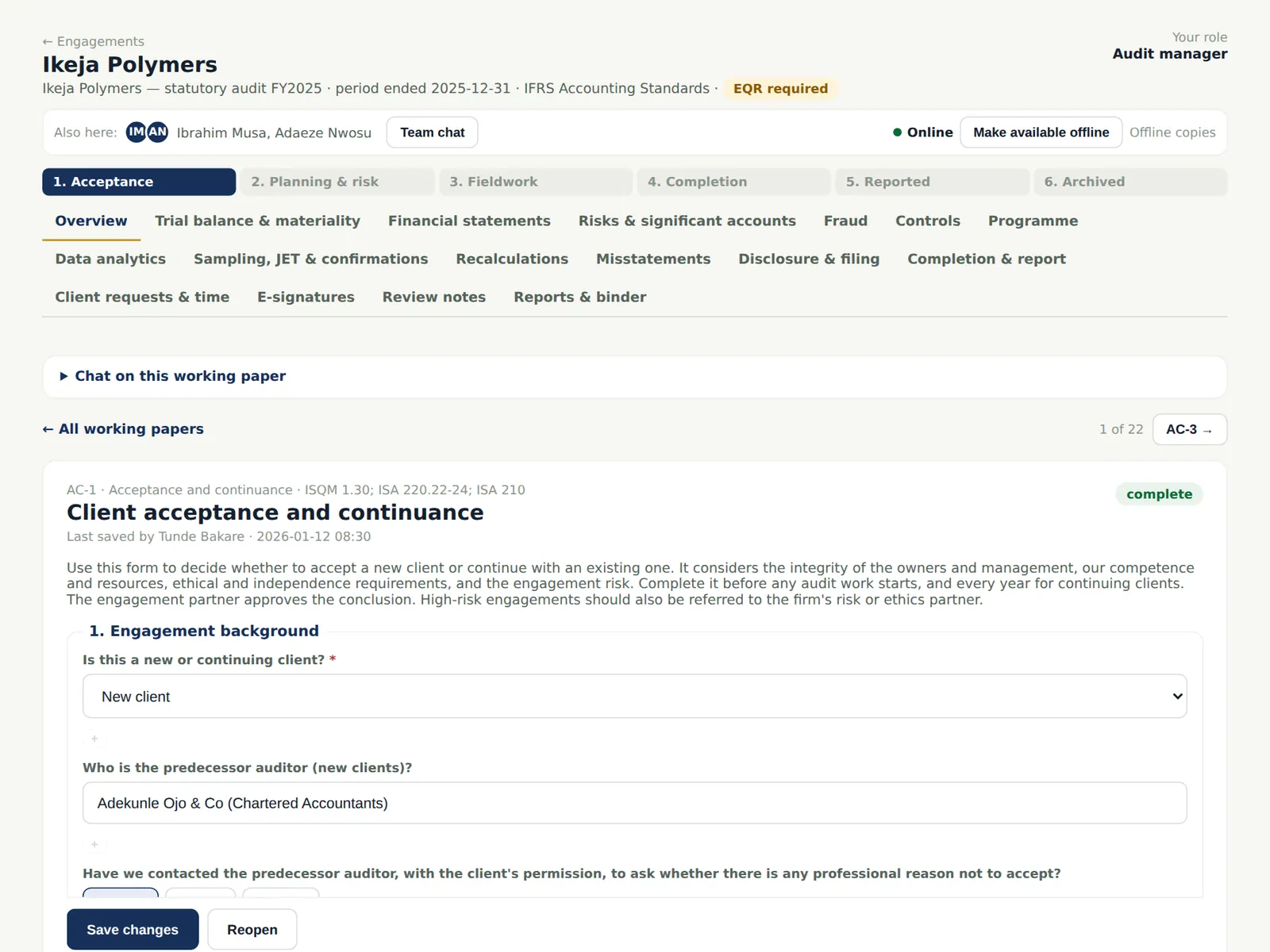
AC-1 records the acceptance decision: the predecessor auditor, the integrity of the owners, competence and resources, ethics and independence, and engagement risk (ISQM 1.30; ISA 220 (Revised).22–24; ISA 210). AC-3 records the preconditions for an audit and the terms of engagement (ISA 210).
Who
Manager prepares; partner reviews and approves.
What to do
- Open the working paper from the Overview's list of working papers.
- Answer each question; answers that point to a risk are flagged in red.
- Choose the conclusion — Accept / continue — with a short note, and choose Mark complete.
6.11 Sign the working paper
Why
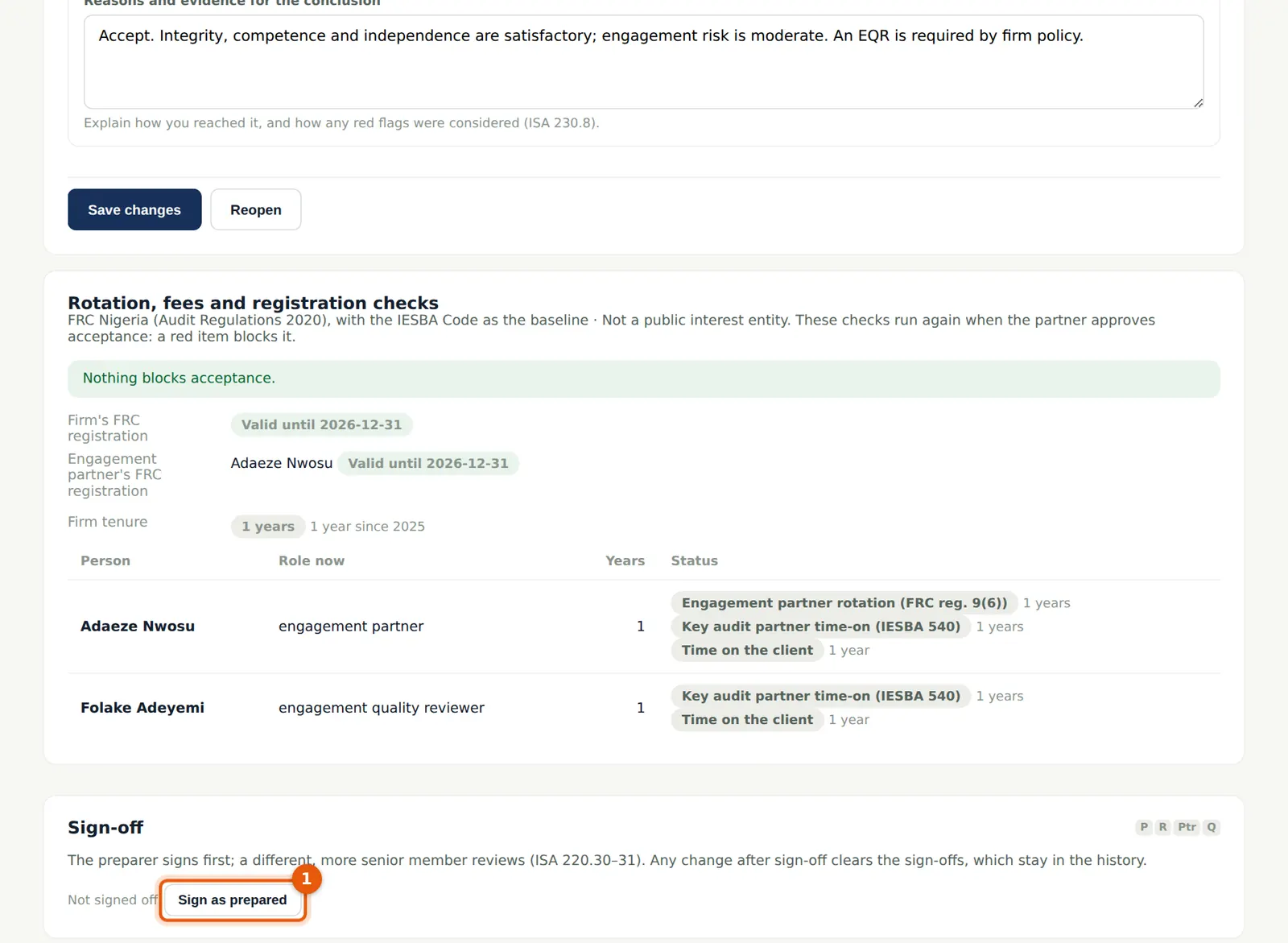
Every sign-off stores a fingerprint of what was signed. If the content changes afterwards, the sign-offs are cleared and kept in the history. The preparer cannot also be the reviewer.
Who
Preparer, then reviewer.
What to do
- When the paper is complete, choose Sign as prepared (1).
- The reviewer opens the paper and chooses Sign as reviewed; the partner can add the partner sign-off.
6.12 The sign-off trail
Why
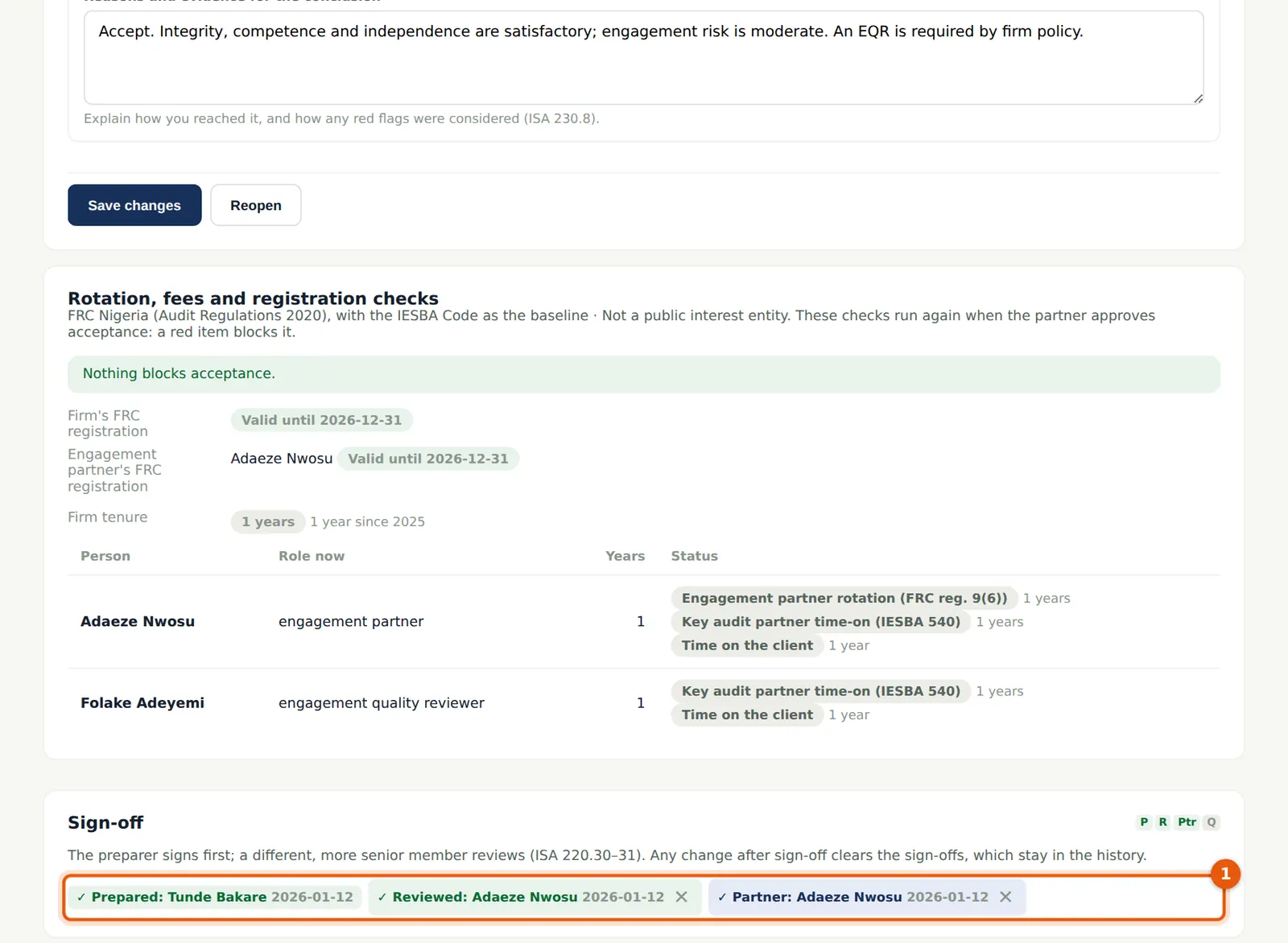
The sign-off bar shows who signed at each level and when.
Who
—
What to do
- If a signed paper must change, reopen it; the sign-offs are cleared and must be given again.
6.13 Approve acceptance
Why
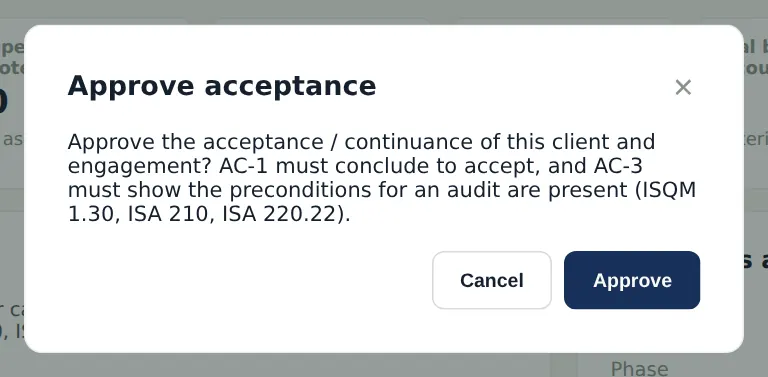
The engagement partner approves acceptance once AC-1 concludes to accept and AC-3 shows the preconditions are present (ISQM 1.30; ISA 210; ISA 220 (Revised).22). For a Nigerian engagement the partner's and the firm's registrations must be current, the rotation rules met and — with the SQMTrove link on — the client must not be on the restricted list.
Who
Engagement partner.
What to do
- On the Overview choose Approve acceptance / continuance, read the conditions and choose Approve.
6.14 The letters and communications
Why
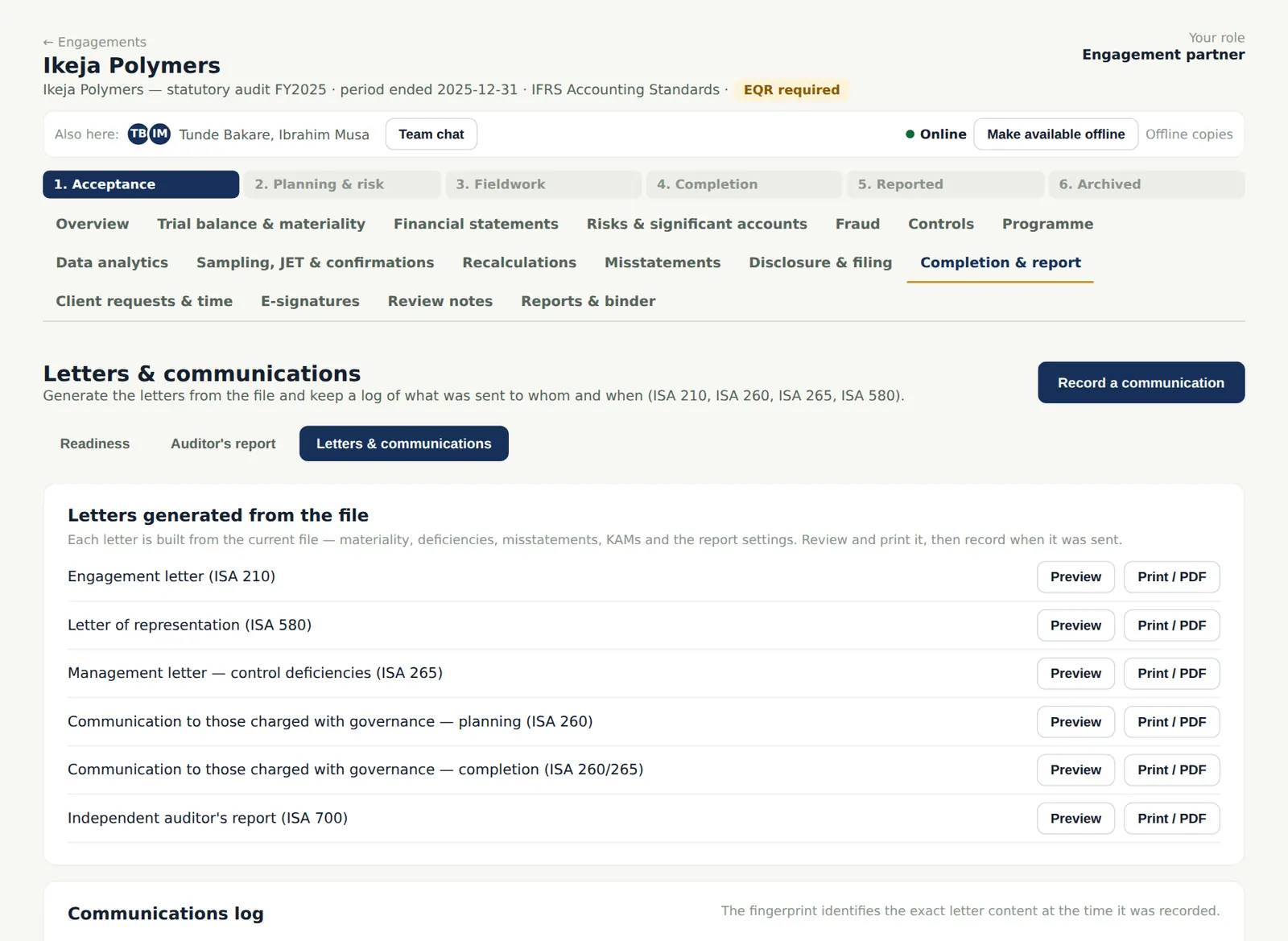
The engagement letter (ISA 210) is generated from the file: the firm, the client, the framework and the responsibilities. Every letter is previewed and printed from here, and the date it was sent or signed is recorded in the communications log. The engagement letter can also be signed electronically (chapter 7).
Who
Manager.
What to do
- Open Completion & report → Letters & communications and choose Preview or Print / PDF beside Engagement letter.
- Send it for electronic signature (step 7.4), or print it and record when it was sent and signed with Record a communication.