Steps in this chapter (6)
Add a prospective client, have a partner accept it, and see the client's page with its portal users, tenure and non-audit services.
A client is the entity you audit or report on. Anyone with client rights can add a prospective client, but only a partner can accept it (ISQM 1.30; ISA 220 (Revised)). No engagement can be created for a declined client.
Ikeja Polymers Manufacturing Limited makes PET preforms, closures and caps for bottlers of soft drinks and water from plants in Ikeja and Agbara. It was referred by its banker. Tunde Bakare, the audit manager, adds it as a prospect on 7 January 2026; Adaeze Nwosu accepts it.
Use cases
- Use case — A new client referred by a bank. Add it as a prospect with its entity category and framework (step 5.1); carry out the acceptance checks in AC-1 (chapter 6); a partner accepts it (step 5.3).
- Use case — A client on SQMTrove's restricted list. With the SQMTrove link on, approving its acceptance is refused or needs a recorded reason (chapter 4).
- Use case — The non-audit services cap for a PIE client. The client's page shows the NAS ratio against the prior-year audit fee (step 5.6); Nigerian firms have an 80% cap for PIE audit clients.
5.1 Add the prospective client
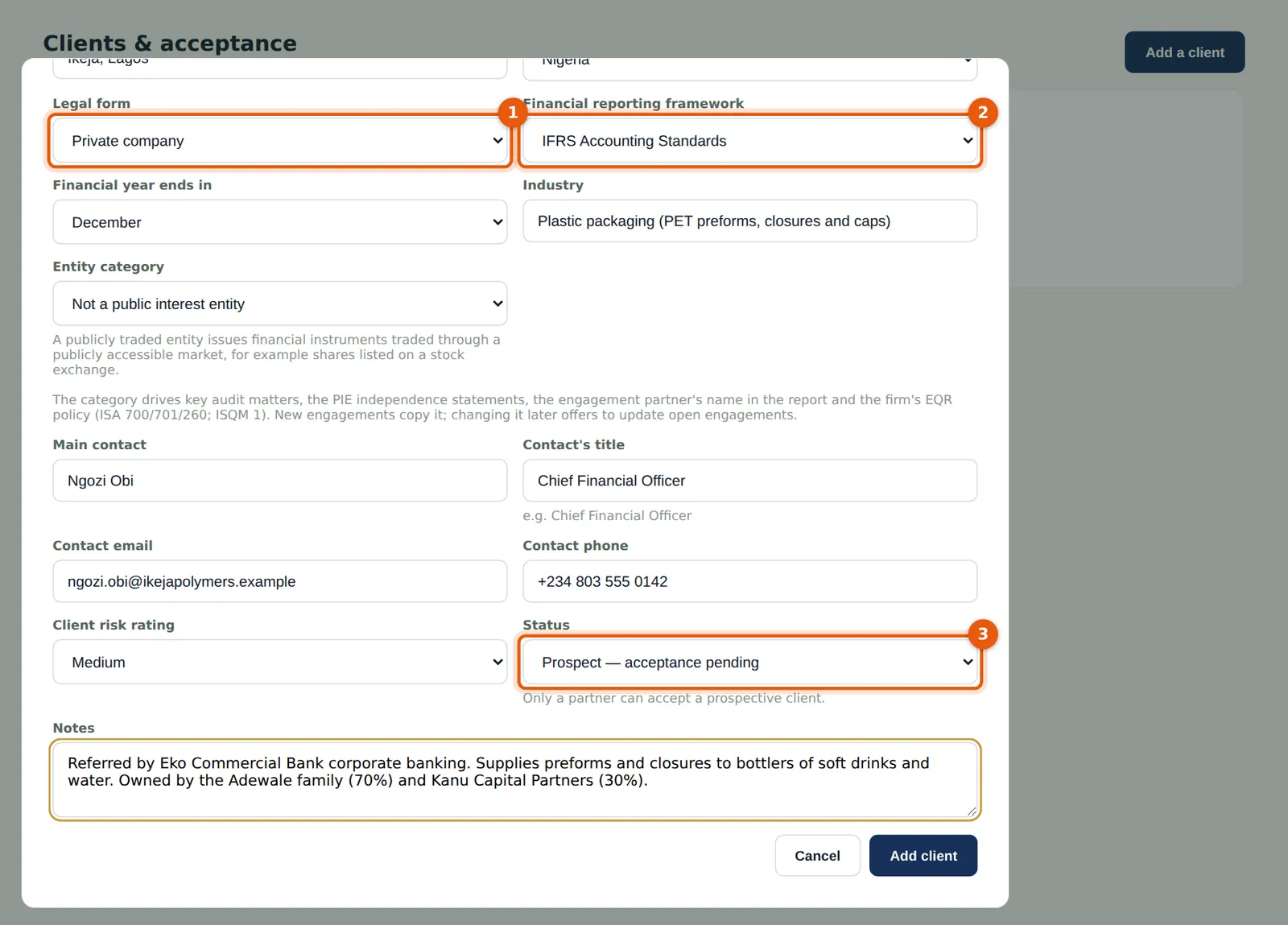
Why
The client's entity category and framework drive the independence rules, the EQR policy, key audit matters and the wording of the report. A listed entity or other public interest entity is marked here with its basis (for example listed on NGX, or regulated by PenCom).
Who
Manager (or anyone with client rights).
What to do
- Open Clients & acceptance and choose Add a client.
- Enter the name, legal name, RC number, TIN and address.
- Choose the type of entity (1) — Private company — and the framework (2) — IFRS Accounting Standards — and the year-end month.
- Record the contact (Ngozi Obi, CFO), the risk rating and how the client came to the firm. The status (3) stays Prospect until a partner accepts it. Choose Add client.
5.2 The client waits for acceptance
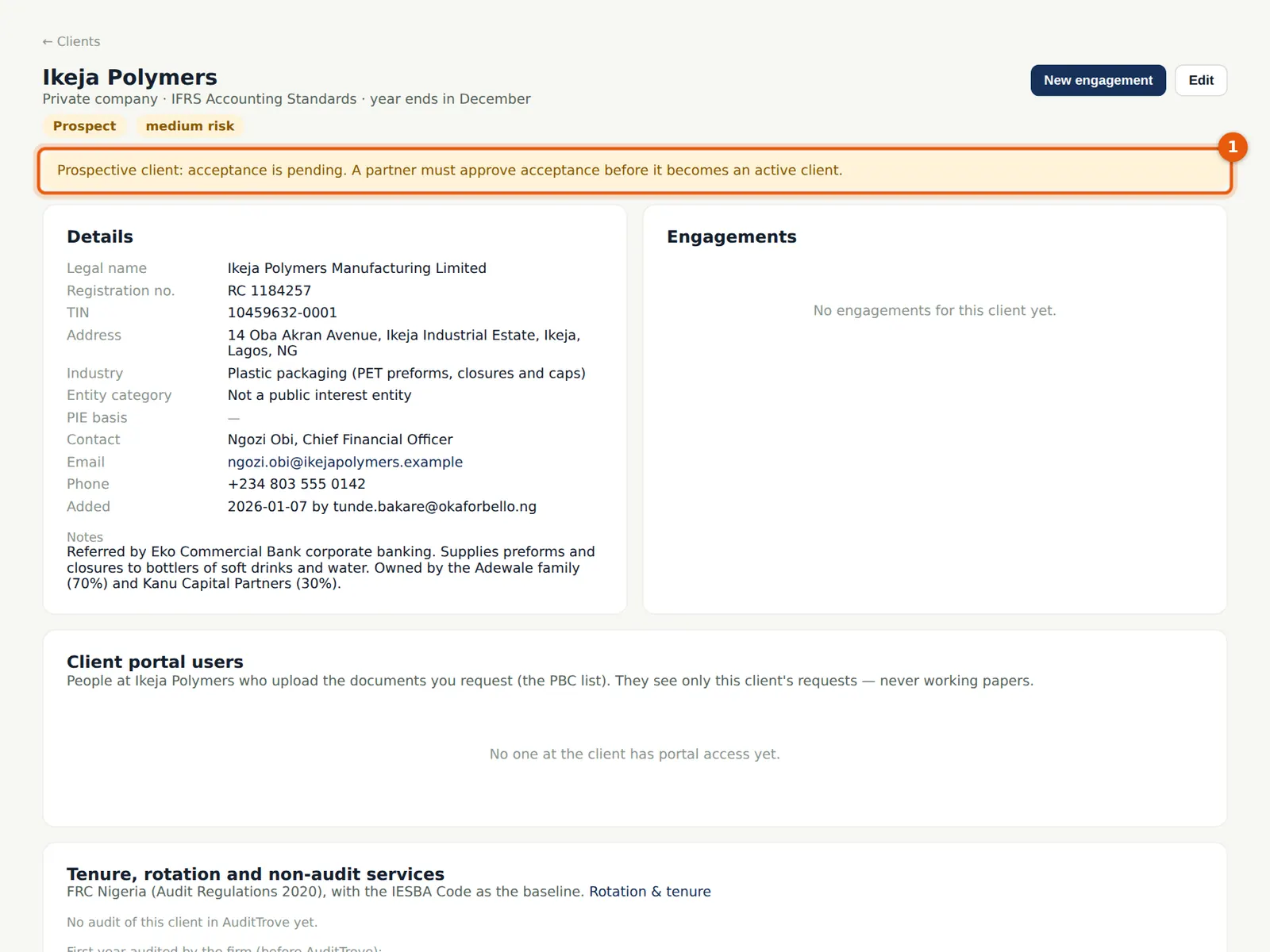
Why
The banner reminds everyone that acceptance is pending.
Who
—
What to do
- Carry out the firm's acceptance checks (integrity, competence, independence and conflicts); they are documented in the engagement's AC-1 working paper (chapter 6).
5.3 The partner accepts the client
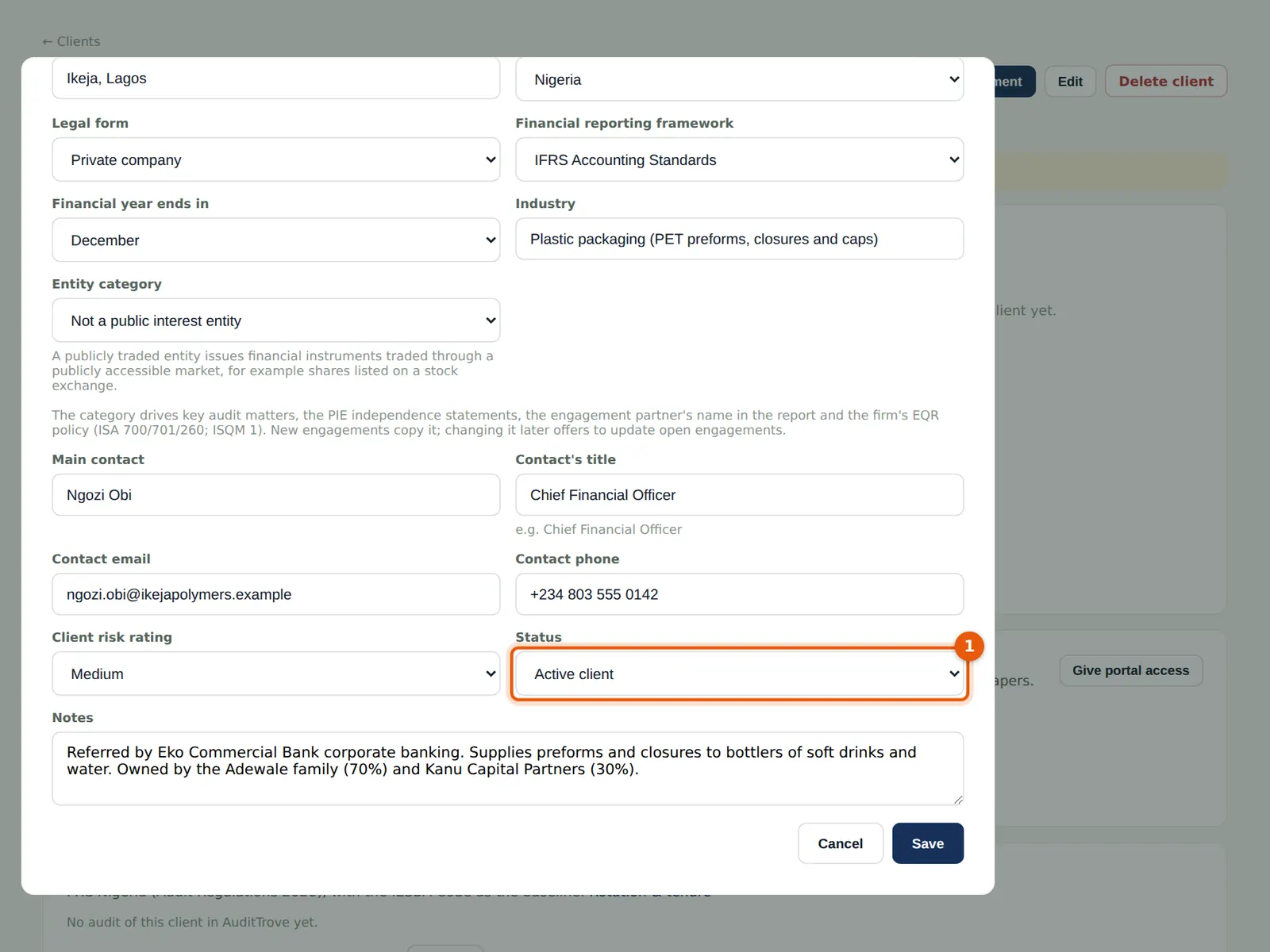
Why
Accepting a client is a partner decision (ISQM 1.30).
Who
Partner.
What to do
- Open the client and choose Edit.
- Change the Status (1) to Active client and save.
5.4 The client list
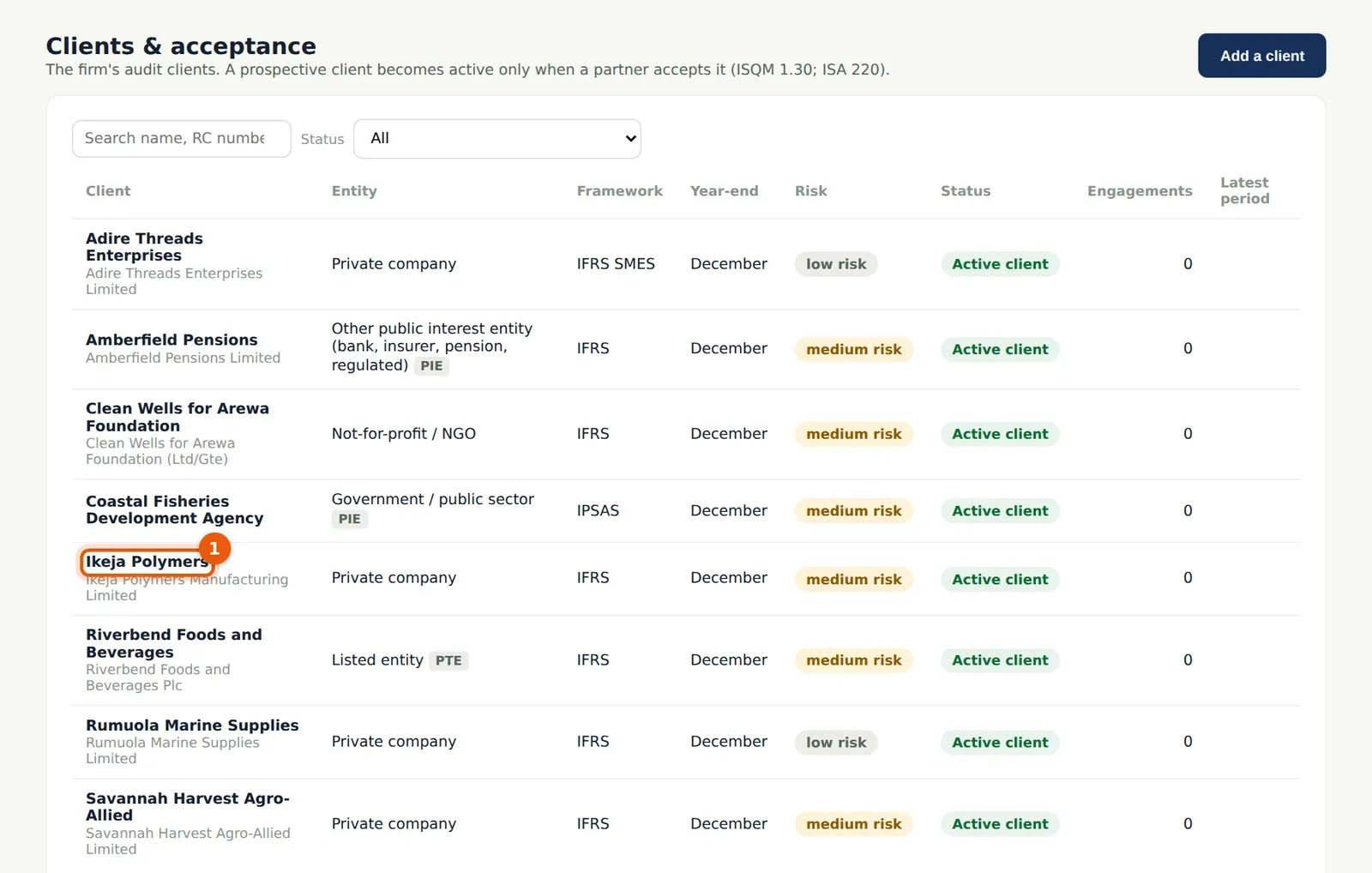
Why
The list shows each client with its status, entity category, risk rating, engagements and latest period. In the illustration the firm's other clients have been added too: Rumuola Marine Supplies, Riverbend Foods and Beverages, Delta Crest Logistics, Adire Threads, Clean Wells for Arewa Foundation, Savannah Harvest, Amberfield Pensions and Coastal Fisheries Development Agency.
Who
Anyone with client rights.
What to do
- Search by name, RC number or TIN, or filter by status.
5.5 The client's page
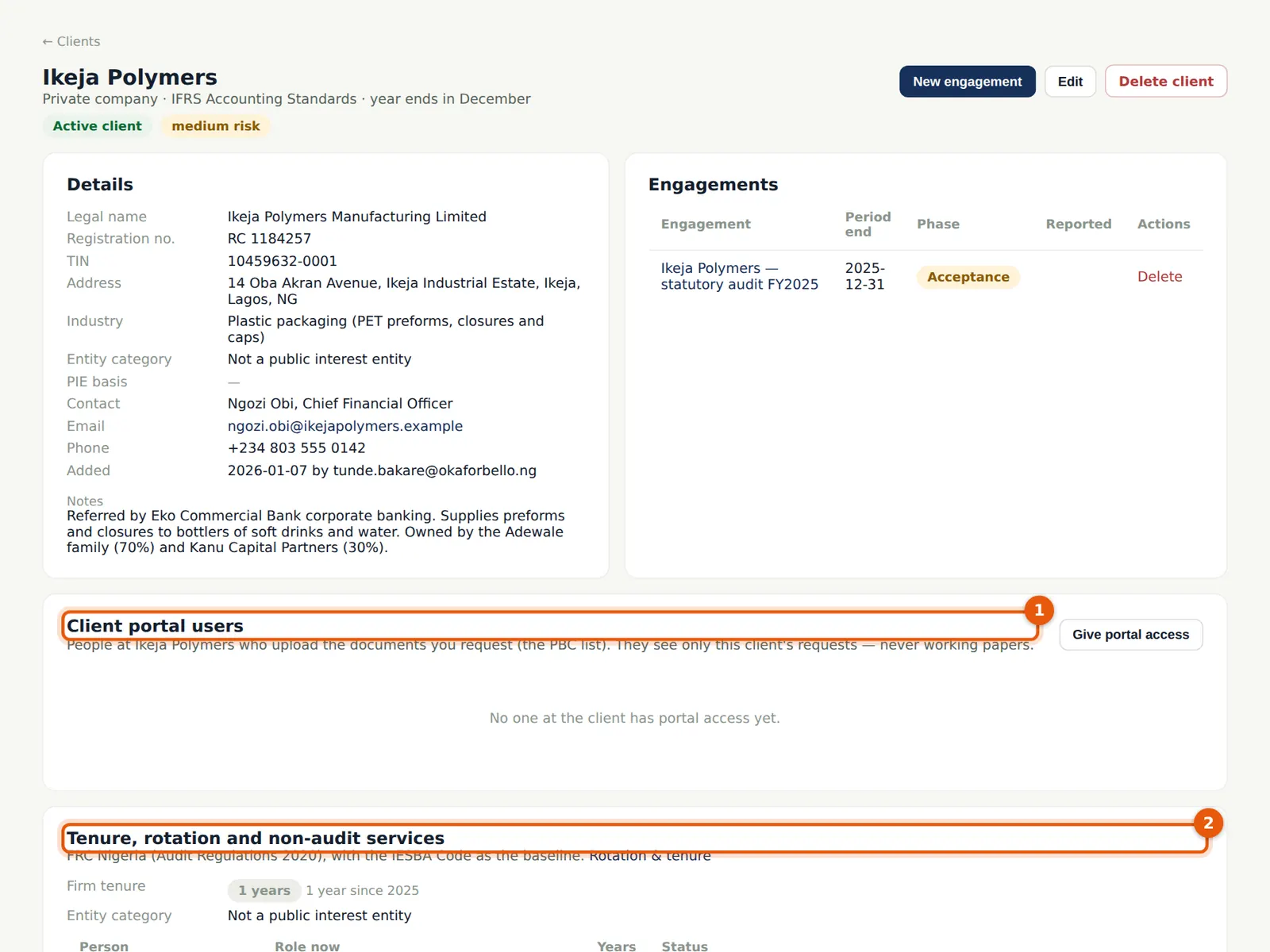
Why
The client's page brings together its details, engagements, the people at the client who use the portal, and the firm's tenure, partner rotation and non-audit services ratio. Portal users are invited by email from here (chapter 7).
Who
Partner, manager, administrator.
What to do
- Choose Give portal access to invite someone at the client (1).
- Check tenure and rotation (2) before accepting the next year's engagement.
5.6 Tenure, rotation and non-audit services
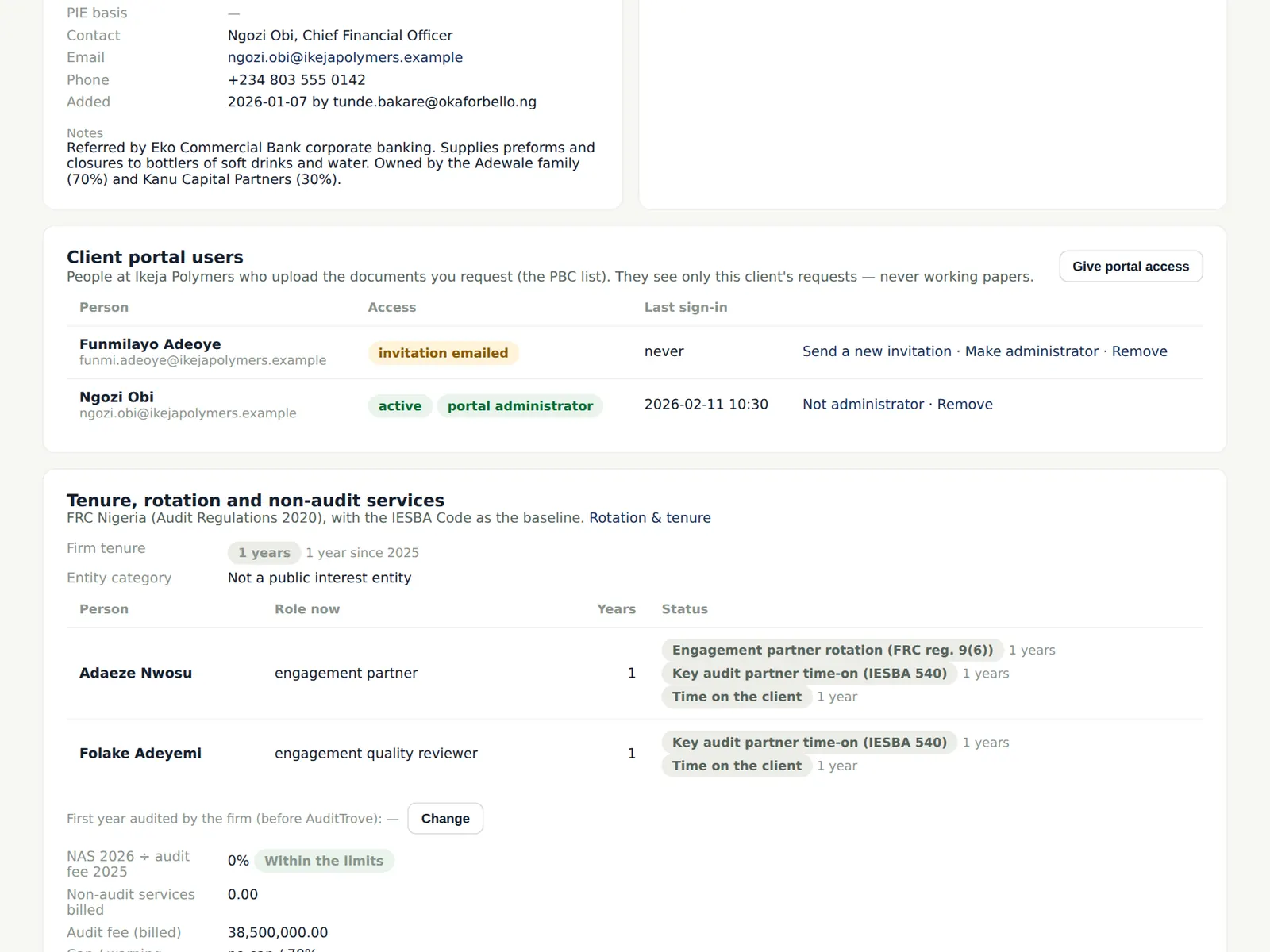
Why
Rotation and tenure follow the firm's rules (chapter 2): partner time-on across roll-forwards, firm tenure and cooling-off. The non-audit services ratio compares non-audit fees billed to the client and its group with the prior-year audit fee; new non-audit engagements over the cap are blocked unless the quality lead overrides.
Who
Partner, quality lead.
What to do
- Review the status; an amber or red status needs action before the next acceptance (chapter 19).