Steps in this chapter (4)
Part A: For partners. Fill in the application on Become a partner, read and accept the Partner Terms, and receive the acknowledgment email.
The application asks who you are and how to reach you. Your email address becomes your referral code and your partner login, so use the address you want clients to type. You must accept the Partner Terms shown on the form; TroveUniverse records the version you accepted, with the date and time.
2.1 Fill in the application
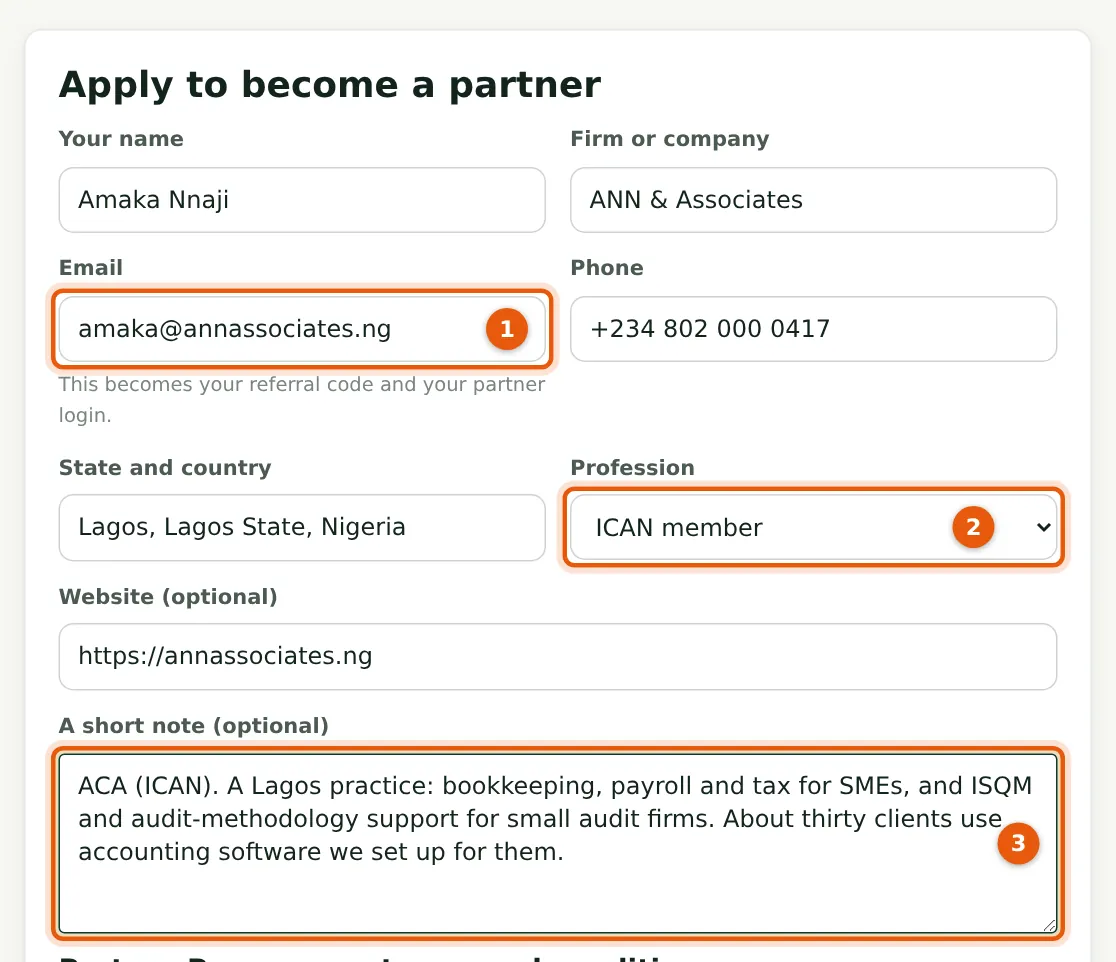
Why
TroveUniverse reviews every application. The note helps: say which clients you work with and which apps interest them.
Who
Partner.
What to do
- Enter your name, firm, Email (1) — this becomes your referral code — phone and state and country.
- Choose your Profession (2): ICAN member, ICAB member, ANAN member, other accountant, tax practitioner, consultant or other.
- Add your website if you have one, and a short note (3).
2.2 Read and accept the Partner Terms
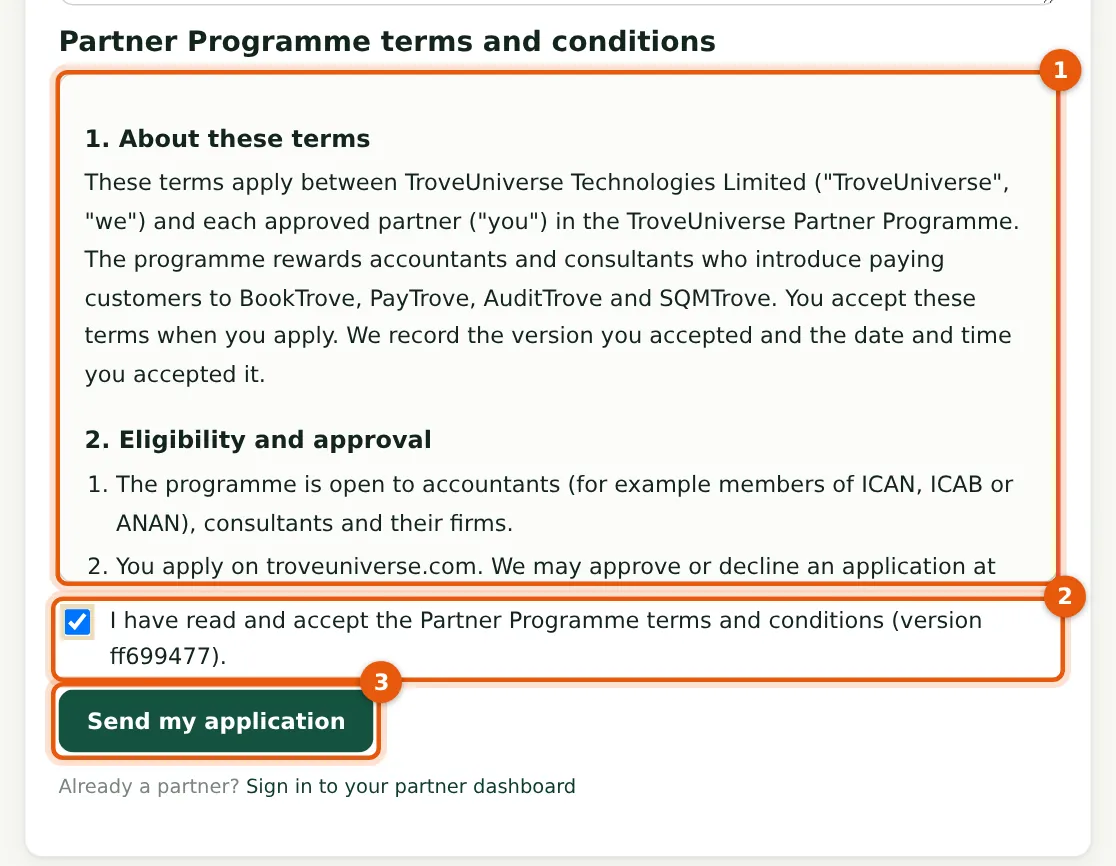
Why
The terms are shown in full (1). The tick (2) records your acceptance of this exact version (in the illustration, version ff699477). If TroveUniverse changes the terms while you are reading, the form asks you to reload and read them again; you cannot accept an older version by mistake.
Who
Partner.
What to do
- Scroll through the terms (1).
- Tick I have read and accept the Partner Programme terms and conditions (2).
- Choose Send my application (3).
2.3 Your application is sent
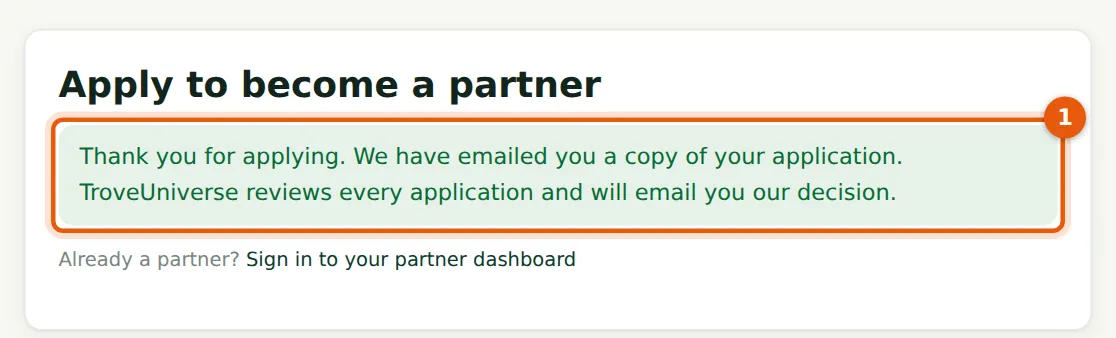
Why
The page gives the same answer whether or not the address is already known, so nobody can use it to find out who is a partner. If you apply twice, the second application is not stored; you get an email instead.
Who
Partner.
What to do
- Look out for the acknowledgment email and, later, TroveUniverse's decision.
2.4 The acknowledgment email
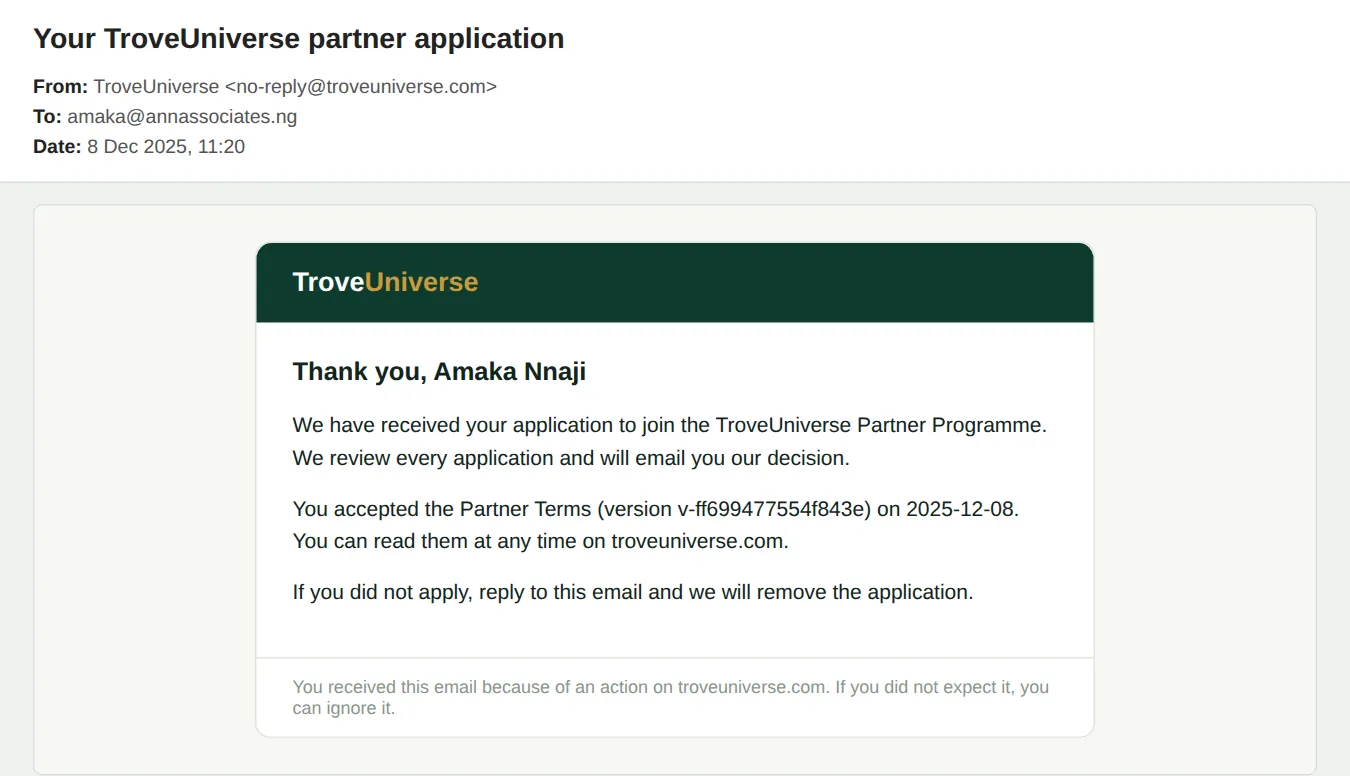
Why
The email confirms the terms version you accepted and the date. TroveUniverse's sales team is told of the new application at the same time.
Who
Partner.
What to do
- Keep the email. If you did not apply, reply to it and the application is removed.