Steps in this chapter (7)
Pay a leaver's final settlement with pro-rata leave, then run March with back pay and a bonus.
Emmanuel Adaji, buying officer at Lokoja, resigns and works his notice to Friday 13 March 2026. He still owes ₦100,000 on his staff loan.
A leaver is paid in two parts. Their salary for the days worked in the final month is paid by that month's regular run, which prorates to the last working day automatically. Everything else — unused leave, pay in lieu of notice, gratuity, compensation for loss of office, and recovery of loans or salary already paid — goes in a separate final settlement run for that person only, approved like any other run.
March also brings back pay for a backdated pay rise and an export bonus in the regular run. A production bonus follows in its own run (chapter 11).
10.1 Start the final settlement
Why
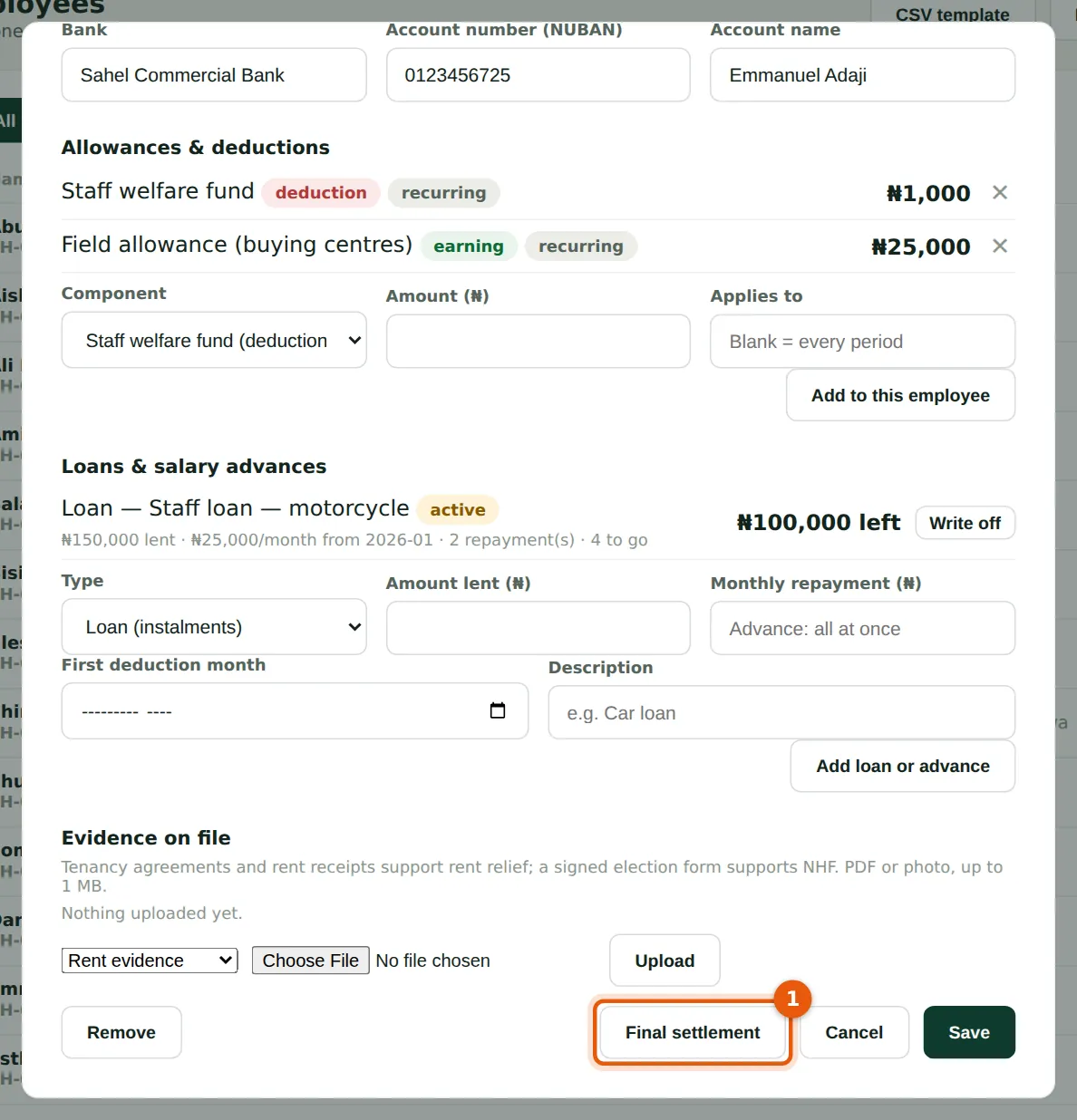
The settlement is started from the leaver's employee record.
Who
Preparer or Admin.
What to do
- Open the leaver with Edit on the Employees page and choose Final settlement (1).
10.2 Work out the settlement
Why
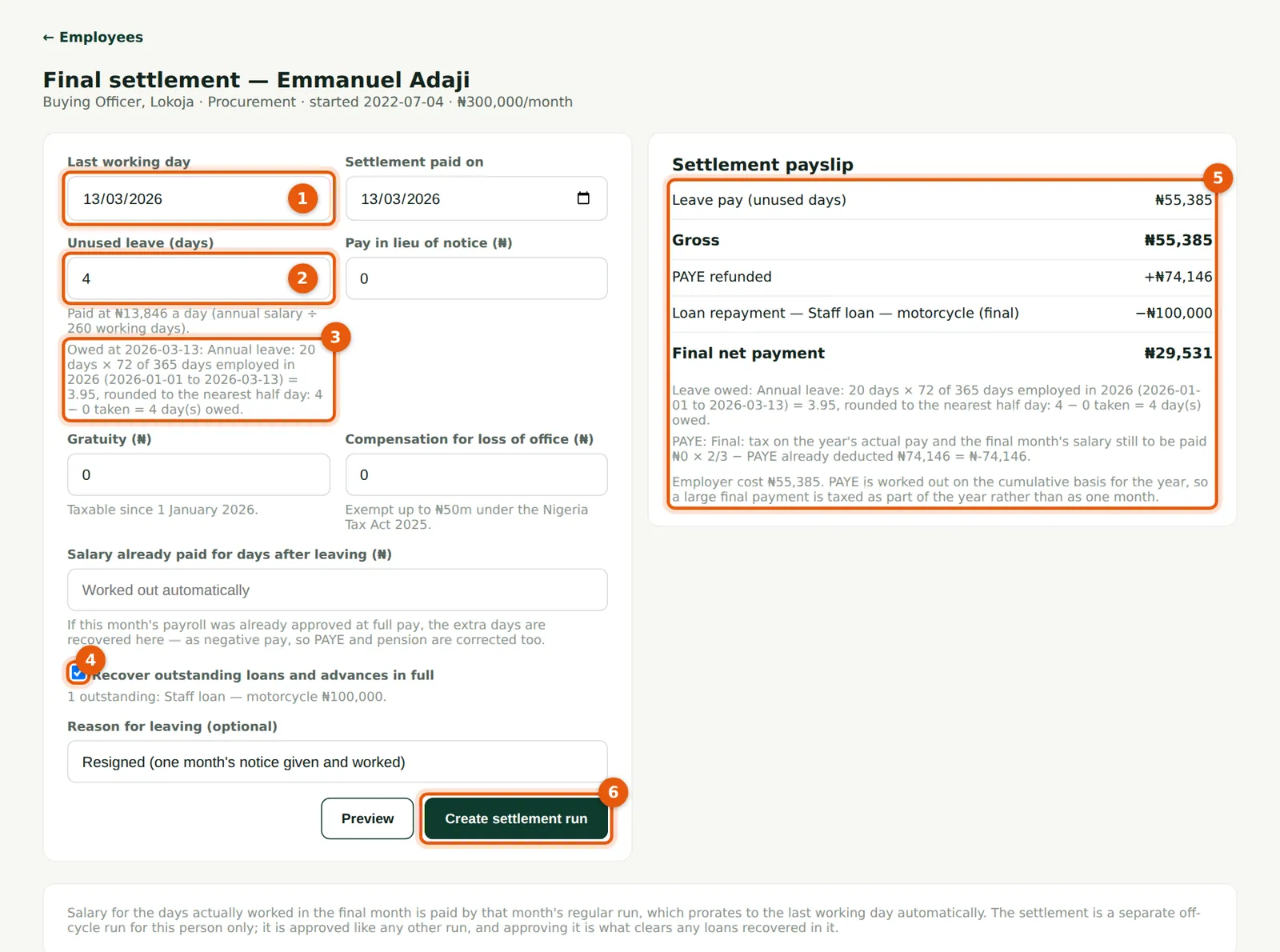
PayTrove works out the annual leave owed at the last working day and fills it in (2), with the working shown under the field (3): the year's entitlement earned to the leaving date, plus any days carried over, less leave already taken. For Emmanuel: Owed at 2026-03-13: Annual leave: 20 days × 72 of 365 days employed in 2026 (2026-01-01 to 2026-03-13) = 3.95, rounded to the nearest half day: 4 − 0 taken = 4 day(s) owed. Unused leave is paid at the working-day rate: annual salary ÷ 260 working days (₦13,846 a day). You can type a different figure if your policy or the contract says otherwise. Gratuity is taxable since 1 January 2026; compensation for loss of office is exempt up to ₦50 million.
Who
Preparer or Admin.
What to do
- Enter the last working day (1) and the date the settlement is paid. The leave owed (2) and its working (3) update when the last day changes.
- Enter any pay in lieu of notice, gratuity or compensation.
- Leave Recover outstanding loans and advances in full ticked (4) to take the ₦100,000 loan balance from the settlement.
- Choose Preview. The settlement payslip (5) appears: here ₦55,385 leave pay, a PAYE refund of ₦74,146 and the loan recovery, giving a final net payment of ₦29,531.
- Choose Create settlement run (6) and confirm. This saves the leaving date and creates a draft off-cycle run for this person.
10.3 Approve the settlement run
Why
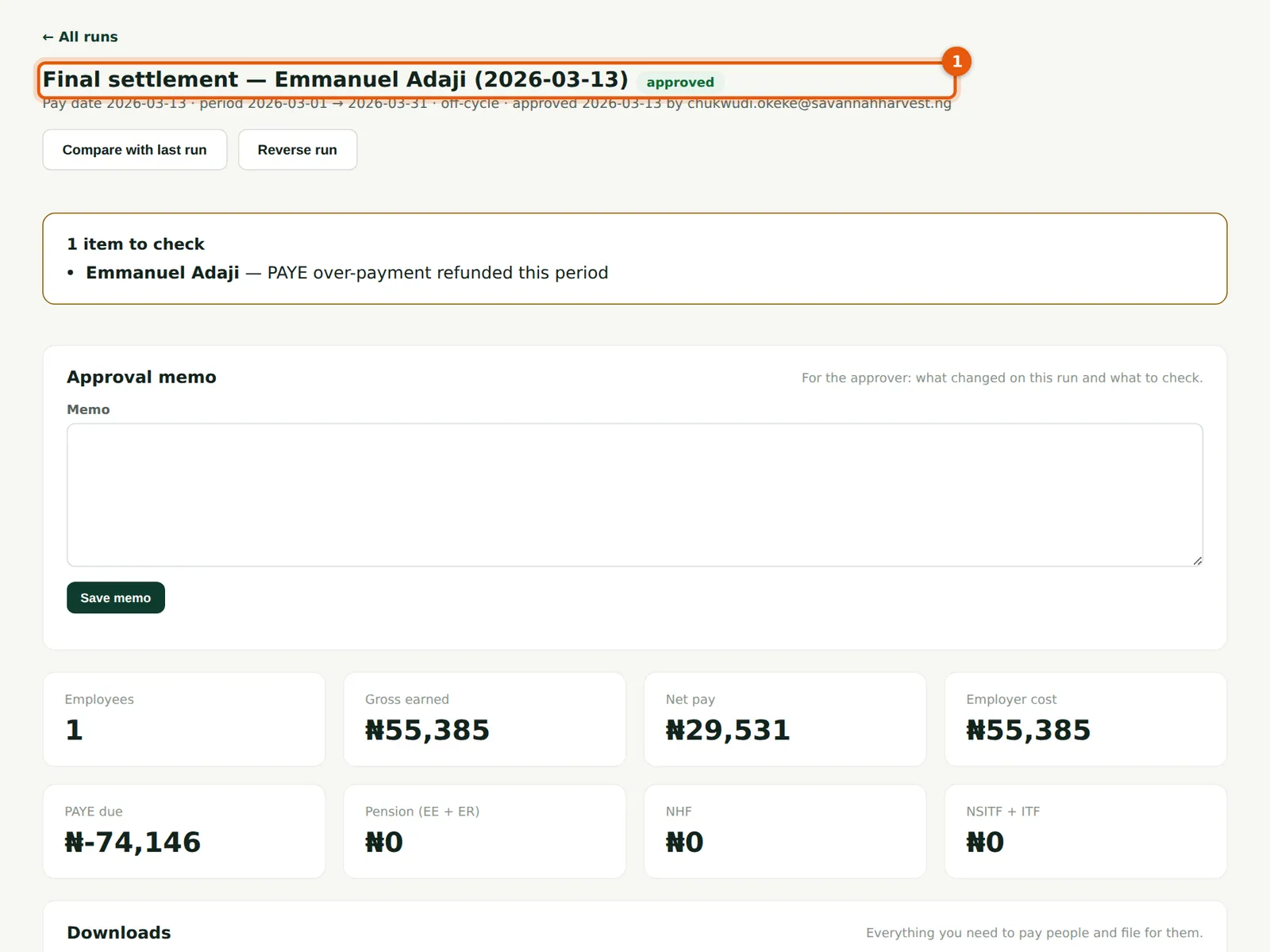
Why a PAYE refund? Cumulative PAYE in January and February assumed Emmanuel would earn a full year. Once his leaving date is known, his income is projected only to March, so tax already deducted was too much and the over-payment is returned through the settlement. The refund is never more than the tax actually deducted this year.
Who
Admin other than the preparer.
What to do
- Open the draft (1) from Run payroll and approve it as usual. Approving it clears the loan.
- The line items (2) show the net payment. Pay it with the bank payment file from this run.
10.4 Mark the leaver inactive
Why
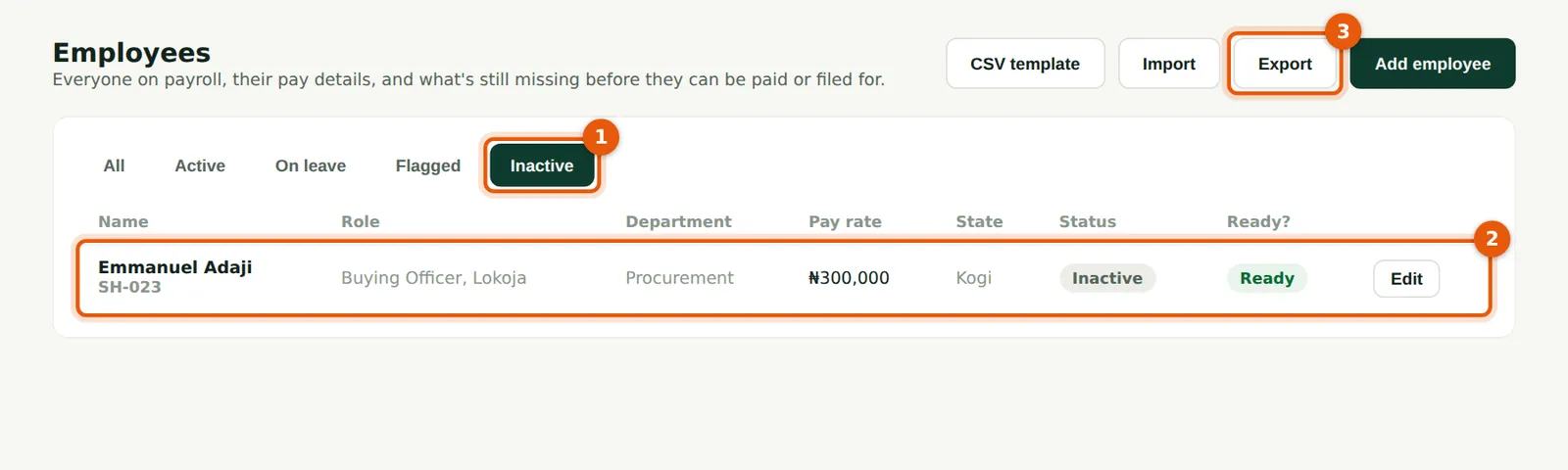
Once the settlement is paid, set the leaver's status to Inactive on their record. Inactive employees are left out of new runs and do not count as active employees on your subscription (someone whose leaving date has passed stops counting anyway). Their records, payslips and history stay on file for the retention period.
Who
Preparer or Admin.
What to do
- Open the record, set Status to Inactive and Save. The Inactive tab (1) lists former staff (2).
- Choose Export (3) for a CSV of the list shown.
10.5 The March payroll and its checks
Why
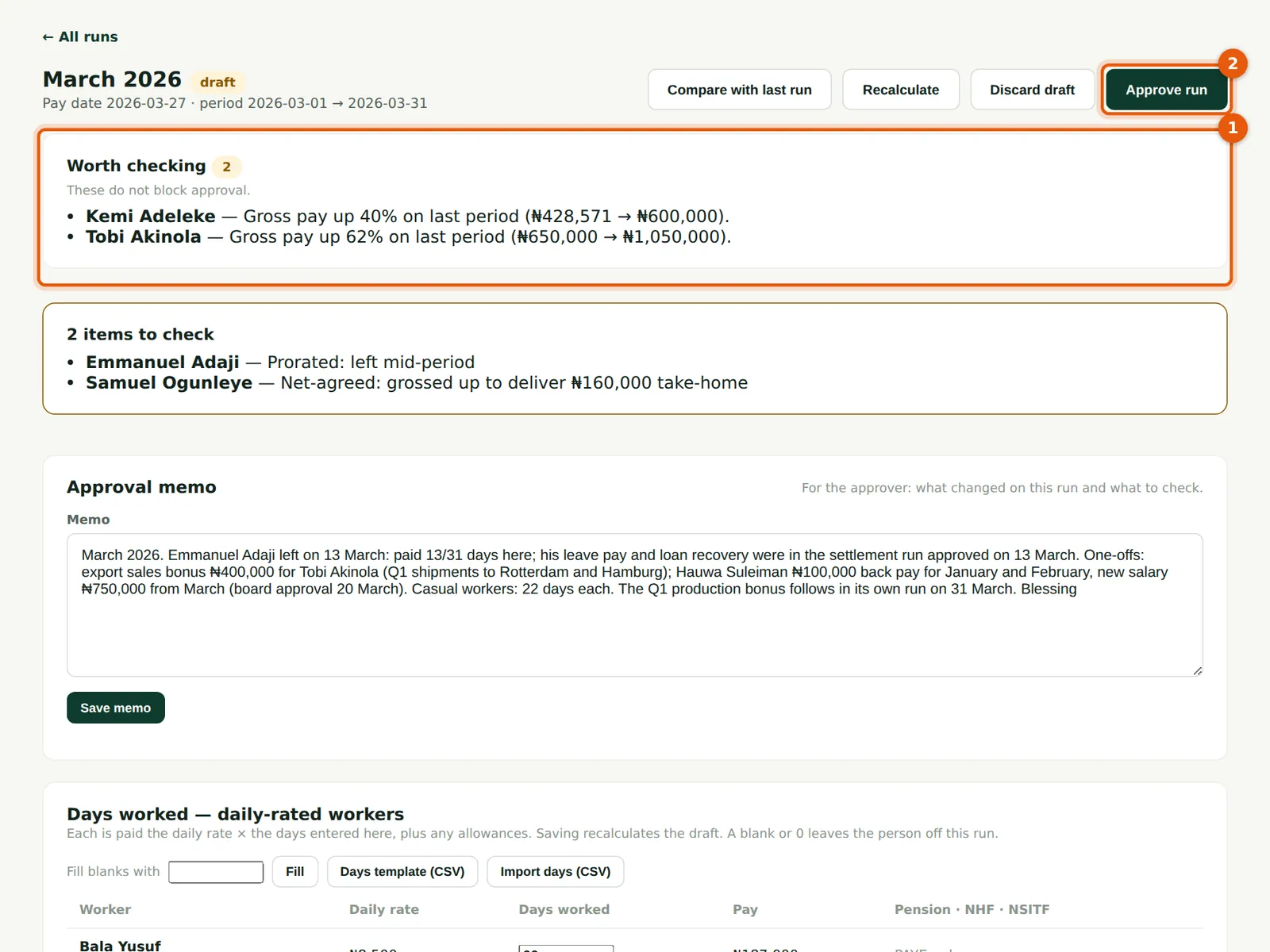
The March run pays Emmanuel for 13 of 31 days, the casual workers for 22 days each, Tobi Akinola's ₦400,000 export sales bonus for first-quarter shipments and Hauwa Suleiman's back pay (steps 10.6–10.7). The checks (1) compare the run with the last regular run (February), not with the settlement paid on 13 March, so they point only at real changes: Tobi Akinola's gross is up 62% because of his export bonus, and Kemi Adeleke's is up 40% because February was a part month for her. Casual workers are not flagged. Bonuses are taxed as part of each person's year but not projected forward.
Who
Preparer, then the approver.
What to do
- Create the March run (pay date 27 March 2026), enter the casual workers' days and write the memo.
- Read the checks (1) and approve (2). Chukwudi approves March on 26 March.
10.6 Pay back pay (arrears)
Why
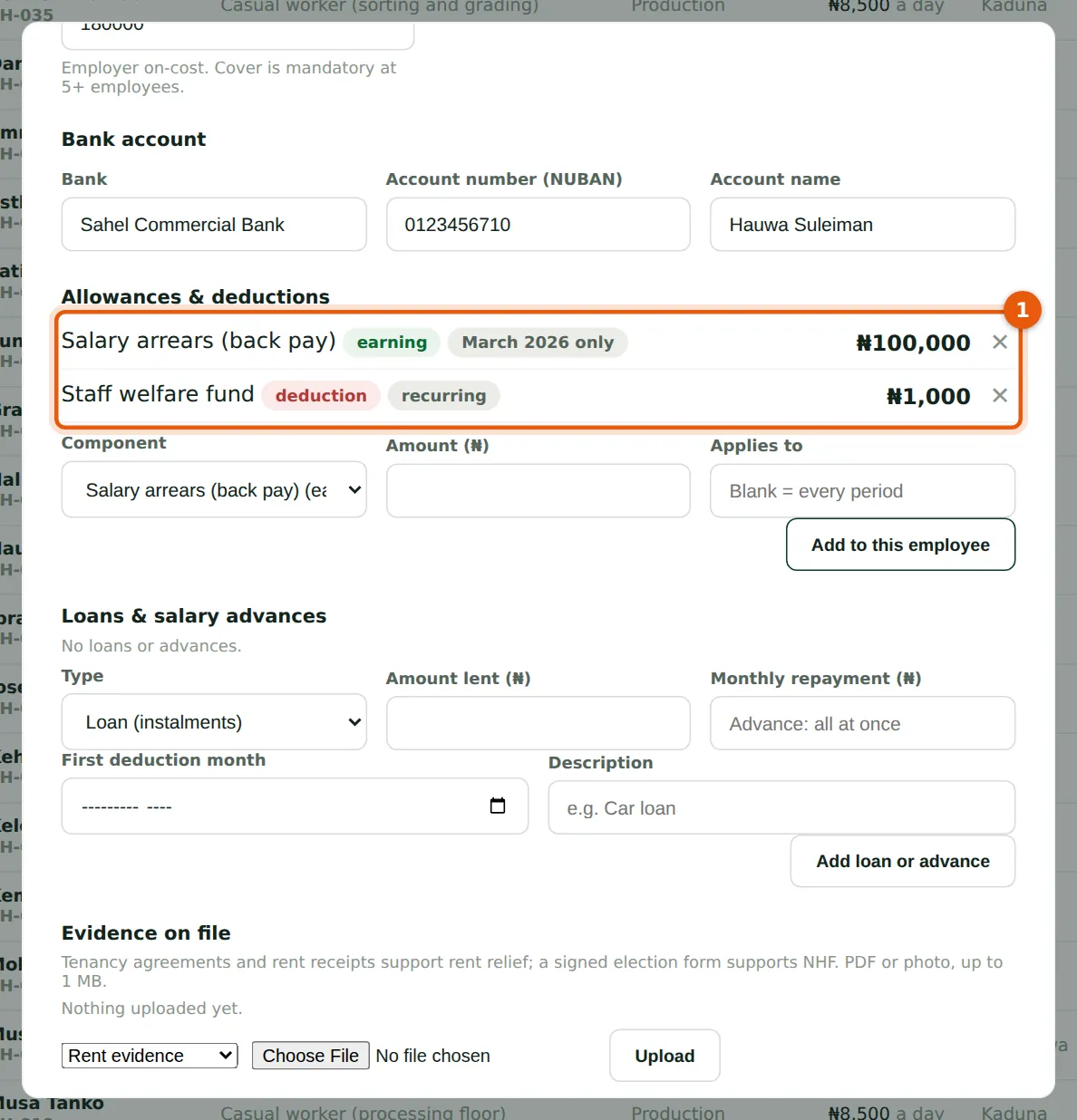
In March the board approved Hauwa Suleiman's rise from ₦700,000 to ₦750,000, backdated to 1 January. Her monthly gross is changed to ₦750,000 from March, and the ₦100,000 owed for January and February is paid as a one-off component, 'Salary arrears (back pay)', for March 2026 (1). As a one-off, it is taxed in the year but not projected forward. Savannah Harvest set the component as not pensionable; if your policy treats arrears of basic, housing and transport as pensionable, create it as pensionable.
Who
Preparer or Admin.
What to do
- Create the component once (Pay components → New component: earning, taxable, one-off).
- On the employee record, change the monthly gross, then add the arrears with the amount and the period name of the run that pays it.
10.7 Back pay on the payslip
Why
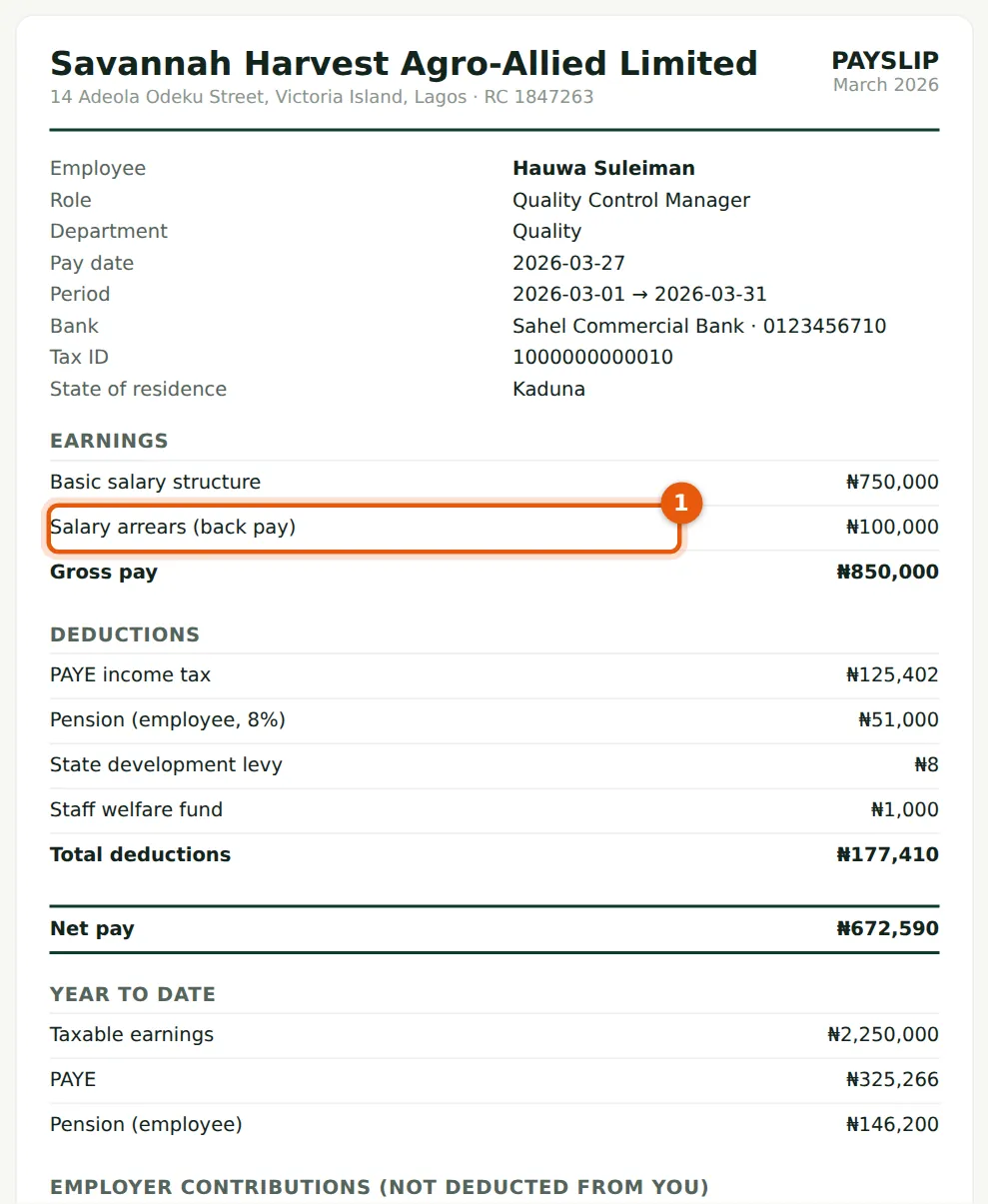
The arrears appear as their own line (1). PAYE on the arrears is worked out cumulatively, as part of the year's income.
Who
Anyone checking a payslip.
What to do
- Check the arrears line against the approval letter before approving the run.