Steps in this chapter (3)
Bring in many clients, with their partner, manager and services, from a spreadsheet: check the file first, fix any rows, then import.
A firm moving to PracticeTrove usually has its clients in a spreadsheet. Save it as CSV with a header row; only the name is required. Appendix D lists the columns. Up to 500 clients can be imported at a time.
7.1 Paste or choose the file
Why
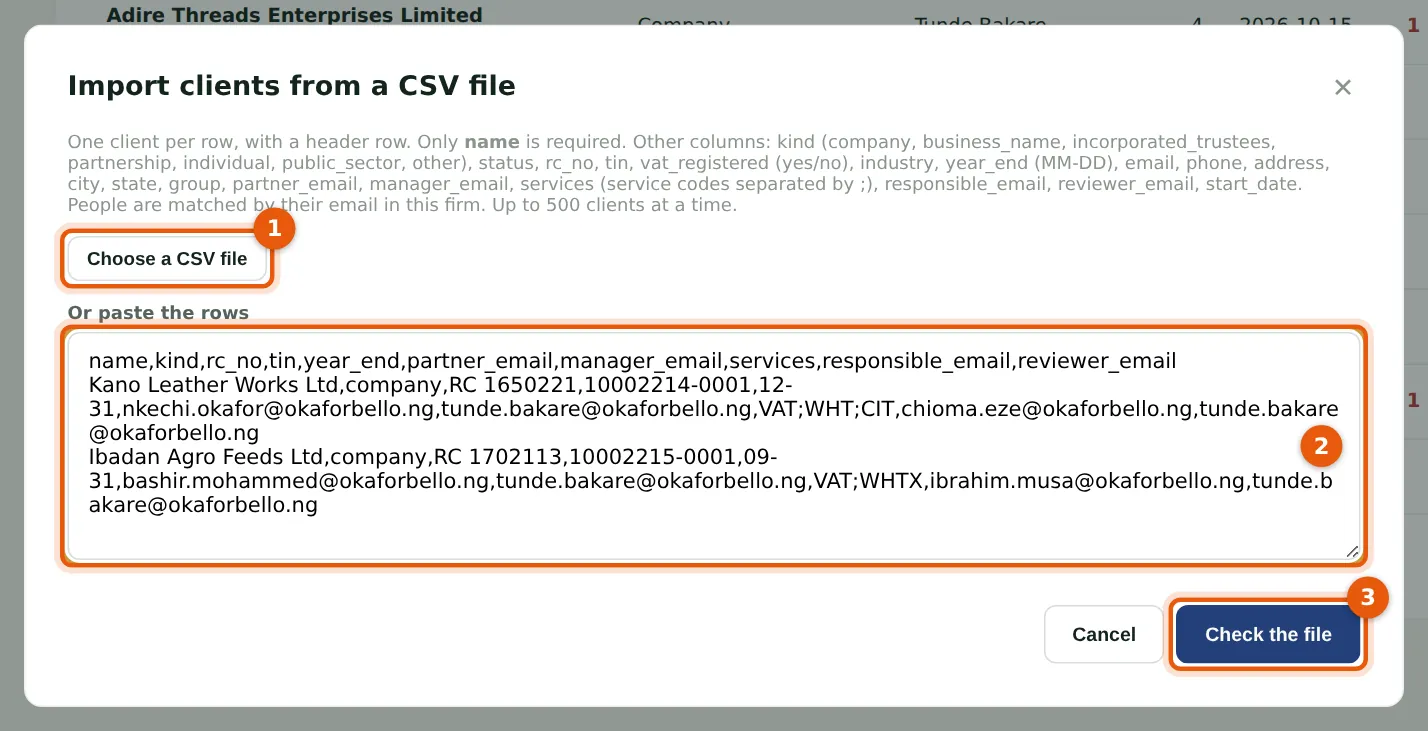
Ifeoma Chukwu imports two new clients with their services. Choose the CSV file (1) or paste the rows (2). People are matched by their email address in the firm; services by their codes, separated by semicolons.
Who
Manager, partner, practice administrator or owner.
What to do
- On Clients, choose Import from CSV.
- Choose a CSV file (1), or paste the rows (2).
- Choose Check the file (3). Nothing is imported yet.
7.2 Fix the rows PracticeTrove cannot read
Why
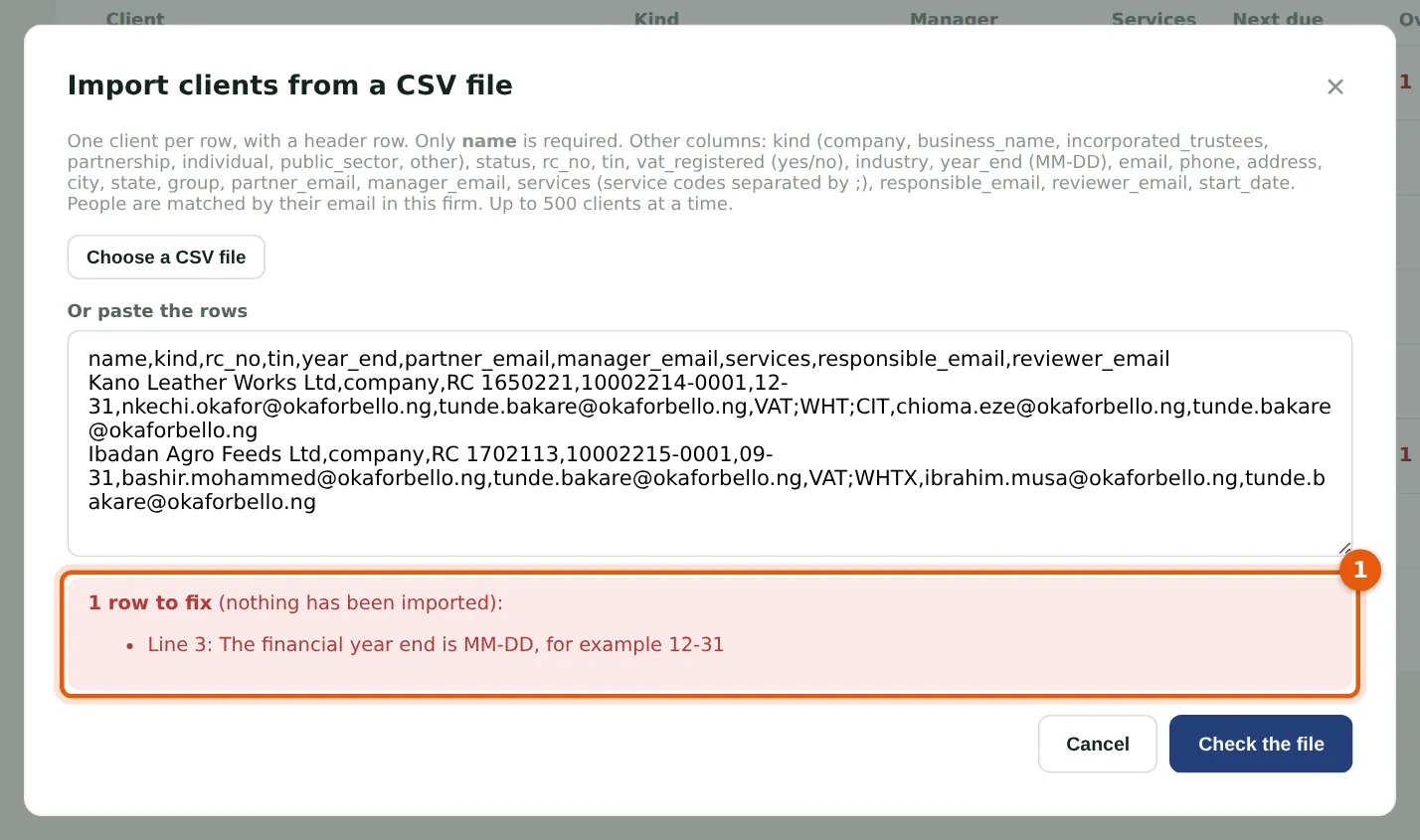
The check lists every row it cannot read, with the line and the reason (1), and imports nothing until they are fixed. Here one year end is 09-31, a date that does not exist.
Who
Manager, partner, practice administrator or owner.
What to do
- Correct the rows in the box (or in the file and choose it again).
- Choose Check the file again.
7.3 Import
Why
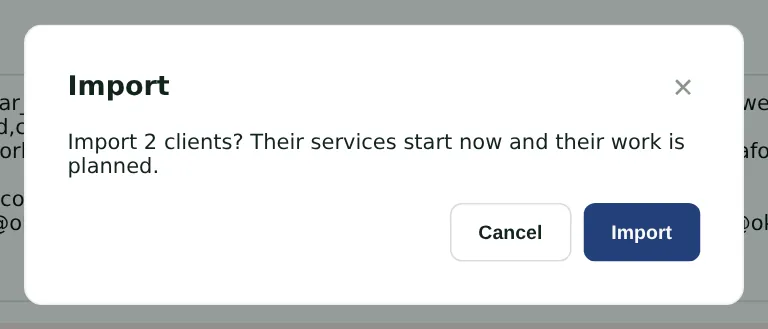
Once every row reads correctly, PracticeTrove asks you to confirm. The clients' services start now and their work is planned.
Who
Manager, partner, practice administrator or owner.
What to do
- Choose Import (1).
- PracticeTrove says how many clients it imported and how many pieces of work it planned.