Steps in this chapter (7)
Contacts are the customers and suppliers of the company. Their TIN, currency, payment terms, credit limit, WHT class and default VAT code are used on every document, so it pays to set them up carefully.
Savannah Harvest buys from farmers' cooperatives, aggregators and service providers across Nigeria, and sells to importers in Europe and Asia in US dollars and euros.
4.1 Import suppliers from a spreadsheet
Why
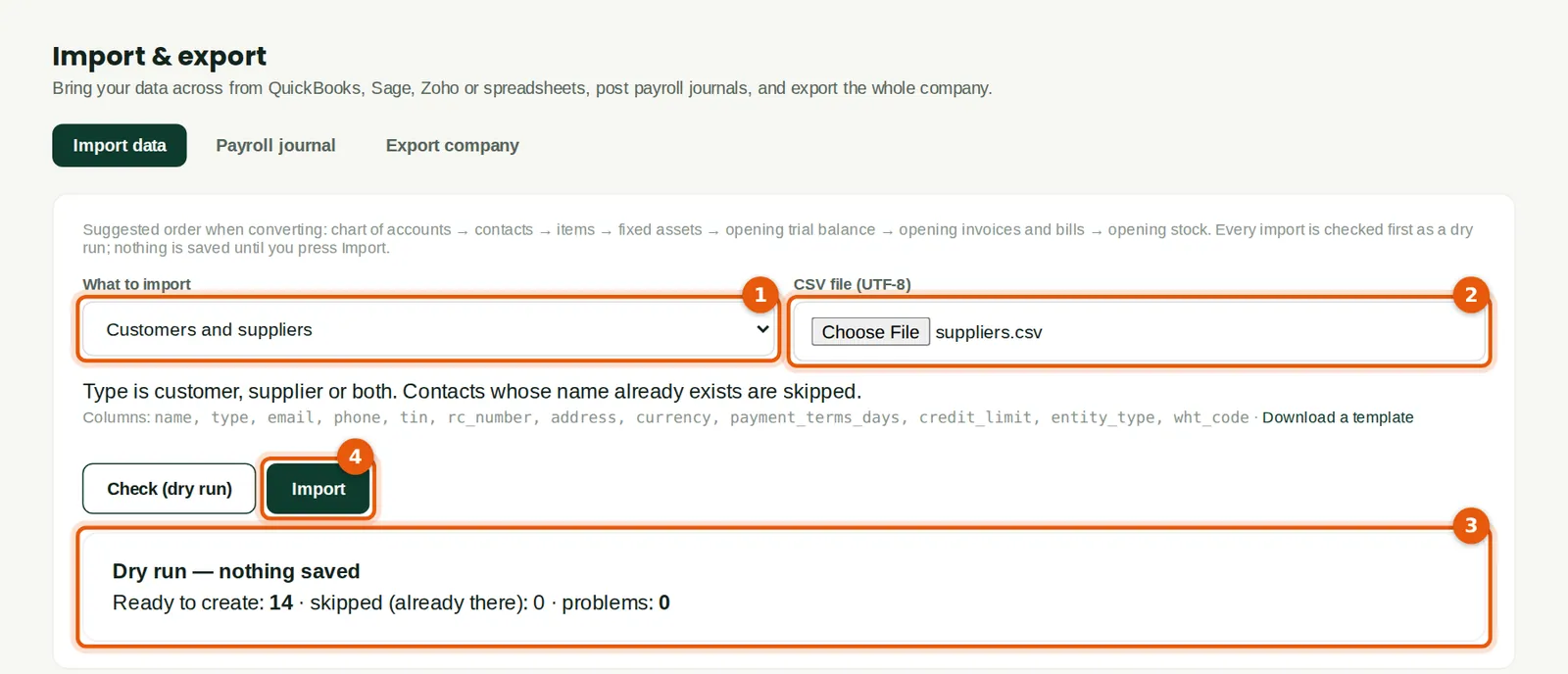
A spreadsheet of contacts from the old system can be imported in one go. BookTrove checks it first (dry run) and skips names that already exist. Savannah Harvest imported fourteen suppliers (3).
Who
Anyone who may create contacts; the accountant when converting.
What to do
- Choose Customers and suppliers (1) and the CSV file (2). The columns are listed under the selector, with a template to download.
- Click Check (dry run), read the result (3), then click Import (4).
4.2 A farmers' cooperative as a supplier
Why
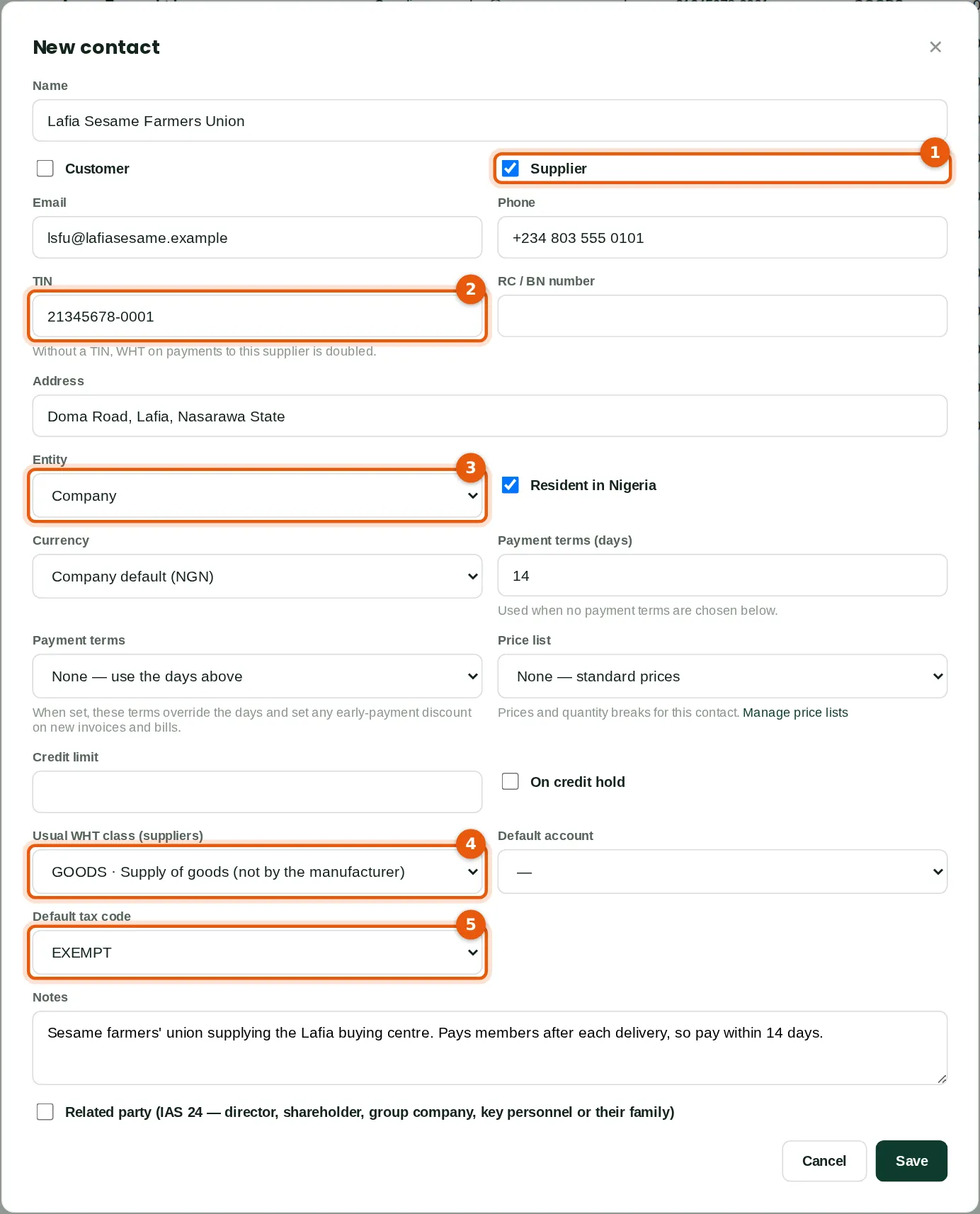
Recording the supplier's TIN (2), whether it is a company or an individual (3), its usual WHT class (4) and default VAT code (5) means that bills and payments pick these up automatically.
Who
Purchasing, accountant or bookkeeper.
What to do
- Click New contact, type the name and tick Supplier (1).
- Type the TIN (2) and choose Company or Individual (3).
- Choose the usual WHT class (4) — GOODS for produce bought from someone other than the manufacturer — and the default VAT code (5): EXEMPT for raw agricultural produce.
- Set the payment terms and save.
4.3 A supplier without a TIN
Why
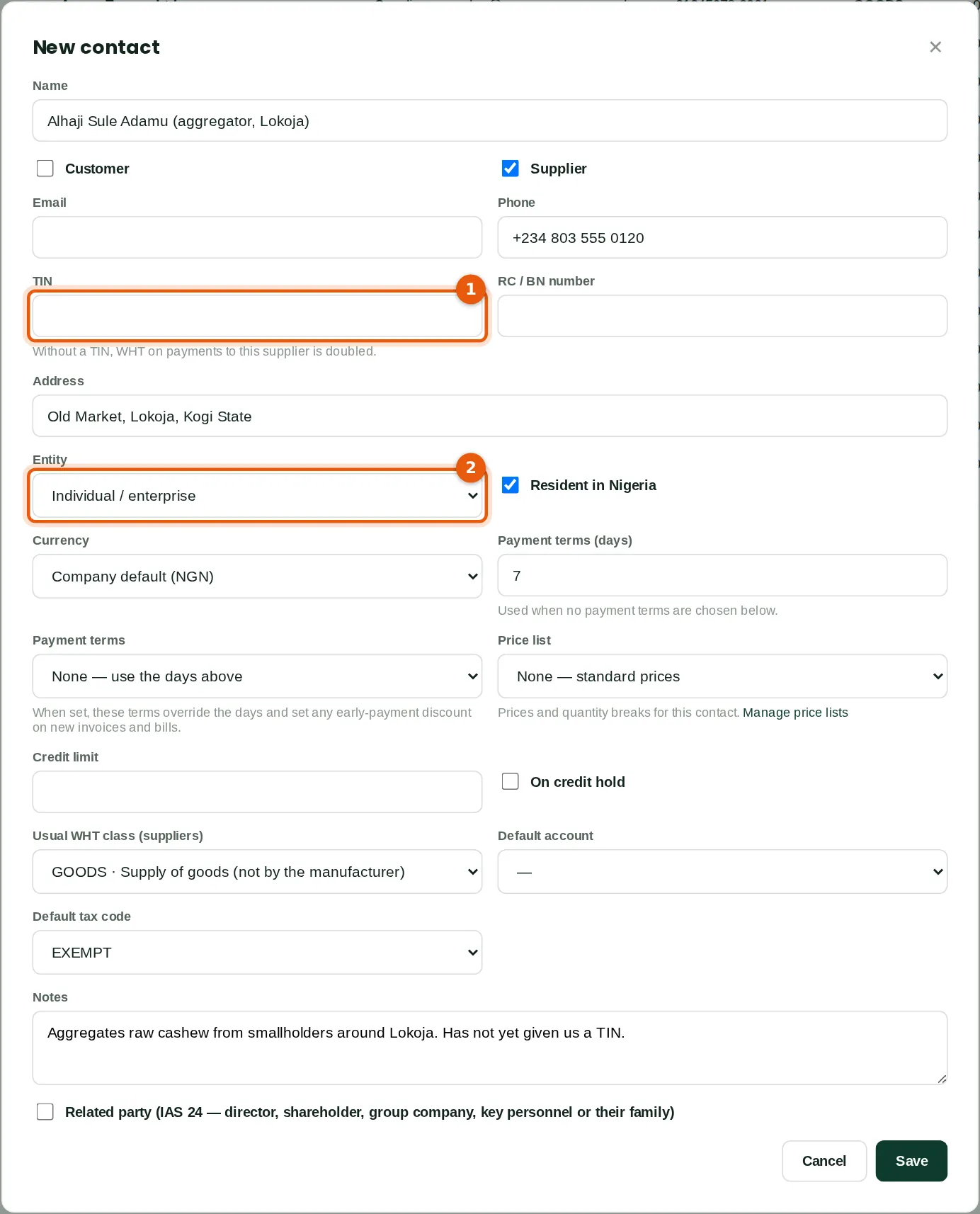
When no TIN is recorded (1), BookTrove doubles the WHT rate on payments to the supplier, as the 2024 WHT Regulations require, and flags the supplier in the contact list and in Book health. Choose Individual / enterprise (2) for a person or a business name.
Who
Purchasing, accountant or bookkeeper.
What to do
- Leave the TIN blank until the supplier provides it; add it as soon as they do.
4.4 A foreign customer
Why
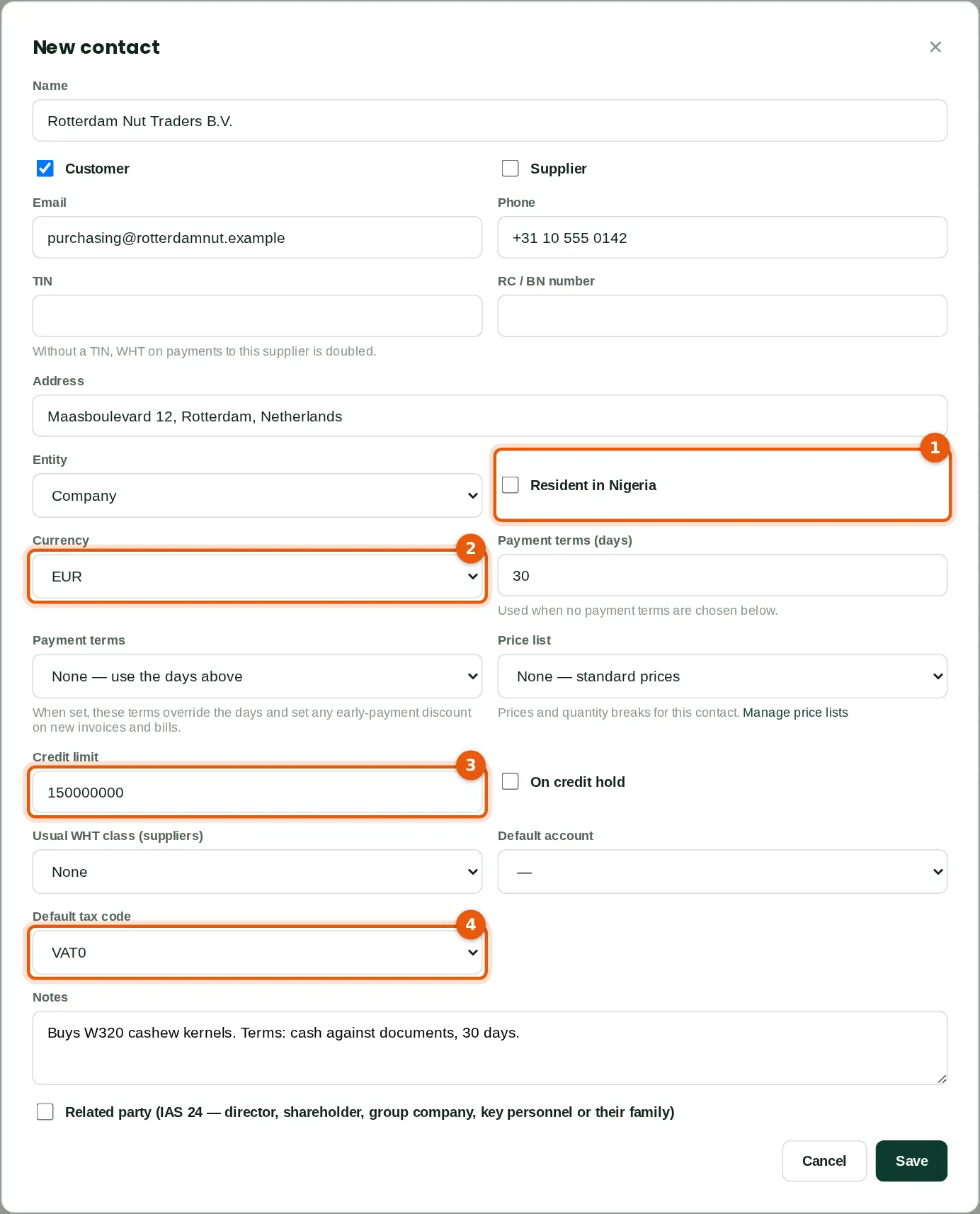
A foreign customer is not resident in Nigeria (1) and is invoiced in its own currency (2). The credit limit (3) is checked when an invoice posts or a sales order is confirmed. Exports are zero-rated, so the default VAT code is VAT0 (4).
Who
Sales.
What to do
- Tick Customer, untick Resident in Nigeria (1) and choose the currency (2).
- Enter the credit limit (3) in the company's currency (naira), the payment terms and the default VAT code (4). Save.
4.5 The contact list
Why
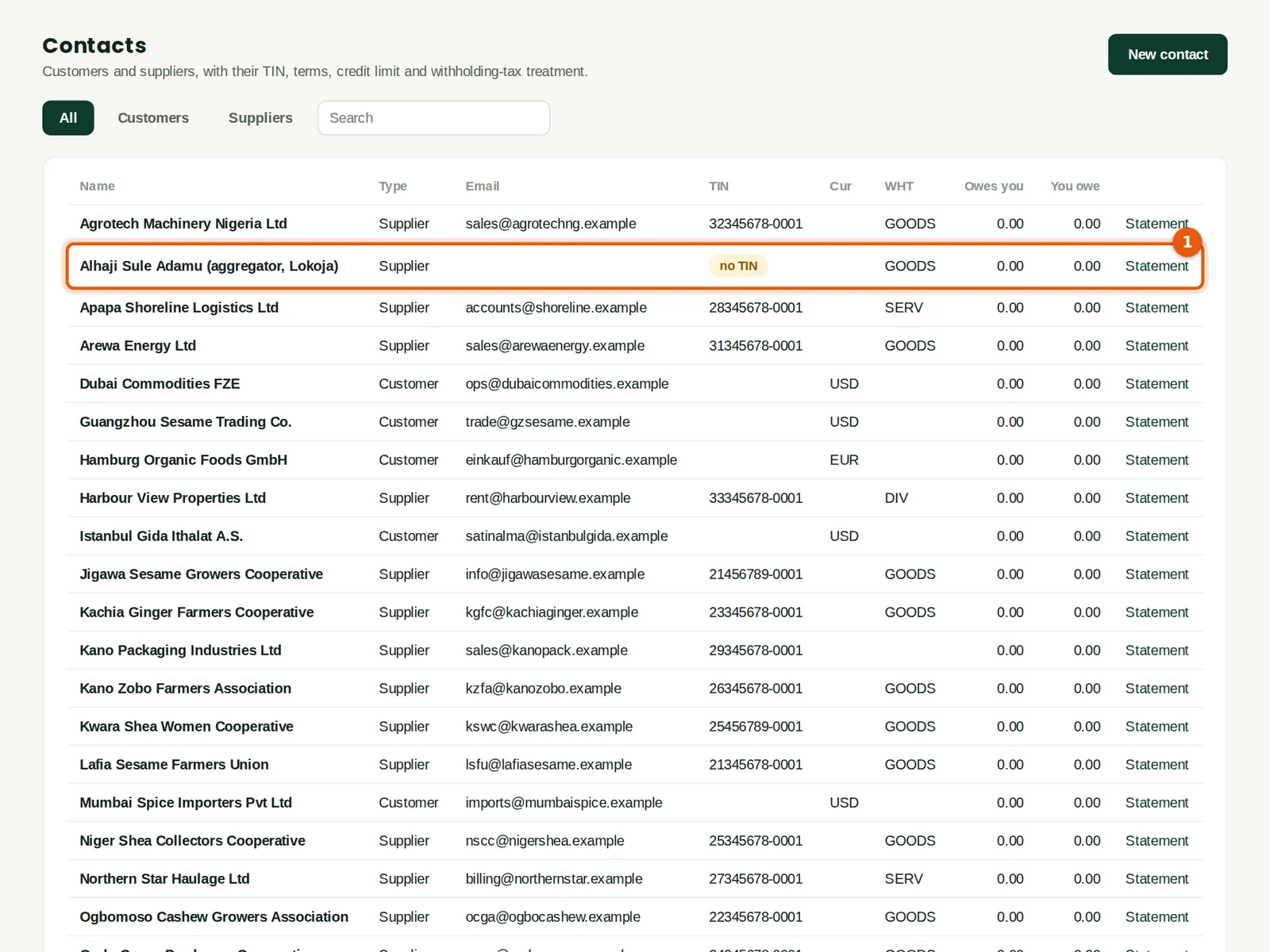
The list shows each contact's type, TIN, currency, WHT class and balances. A supplier without a TIN is marked no TIN (1). Foreign customers show their currency (2). Click Statement to see or print a statement of account.
Who
Anyone with sales or purchases access.
What to do
- Use the tabs and the search box to find a contact; click it to edit.
4.6 Export price lists
Why
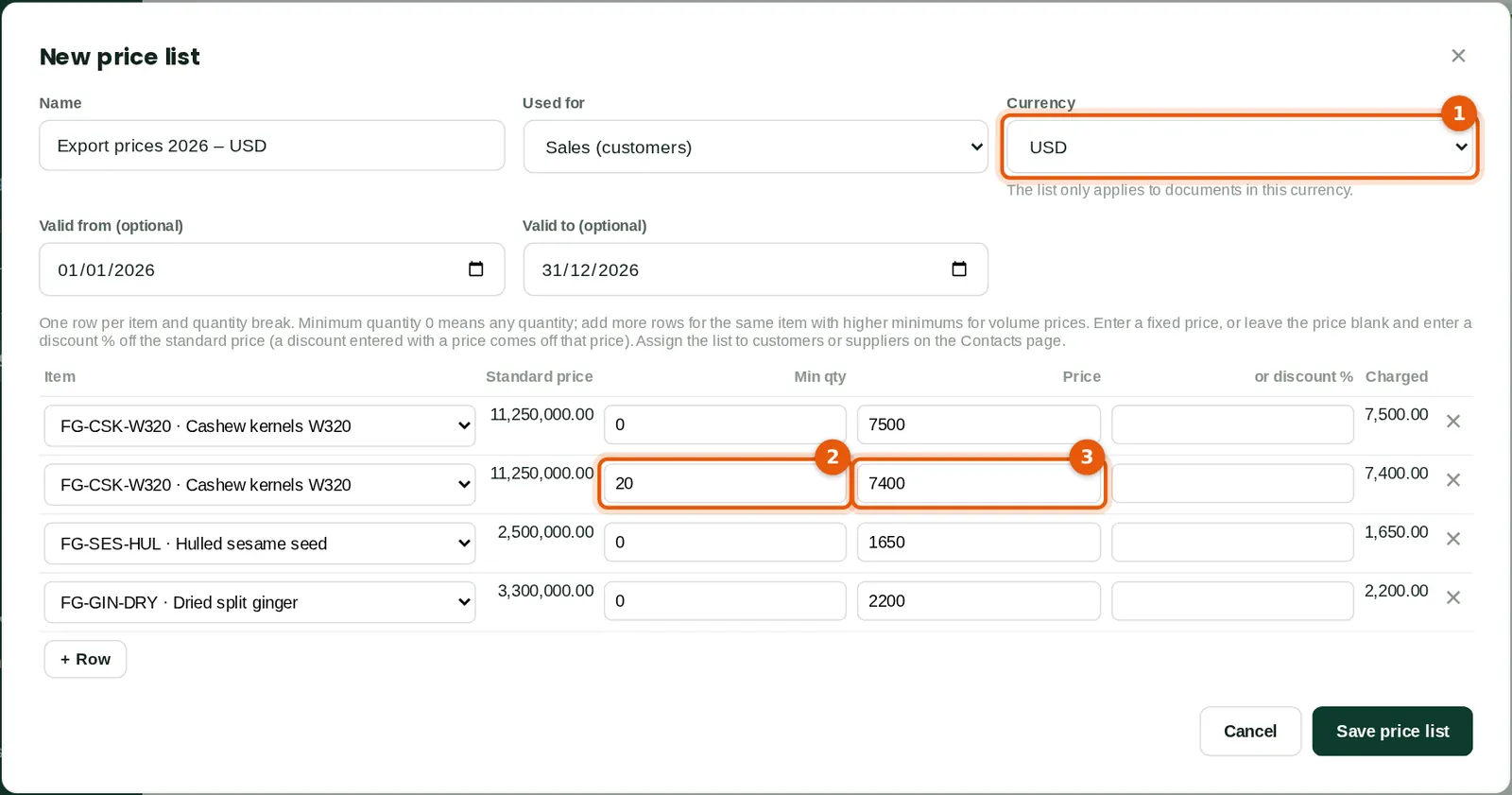
A price list fixes a customer's prices, in a currency, with quantity breaks. When an item is added to a quote, order or invoice for a customer on the list, the price is filled in automatically. Savannah Harvest keeps a USD and a EUR export list; 20 tonnes or more of W320 kernels earn a lower price (2) (3).
Who
A sales approver (Tobi Akinola, export sales).
What to do
- Click New price list, name it, choose Sales and the currency (1), and the dates it is valid.
- Add a row per item and minimum quantity with the price (2) (3). Save.
- Assign the list to customers on their contact record (Price list).
4.7 Price lists and the price check
Why
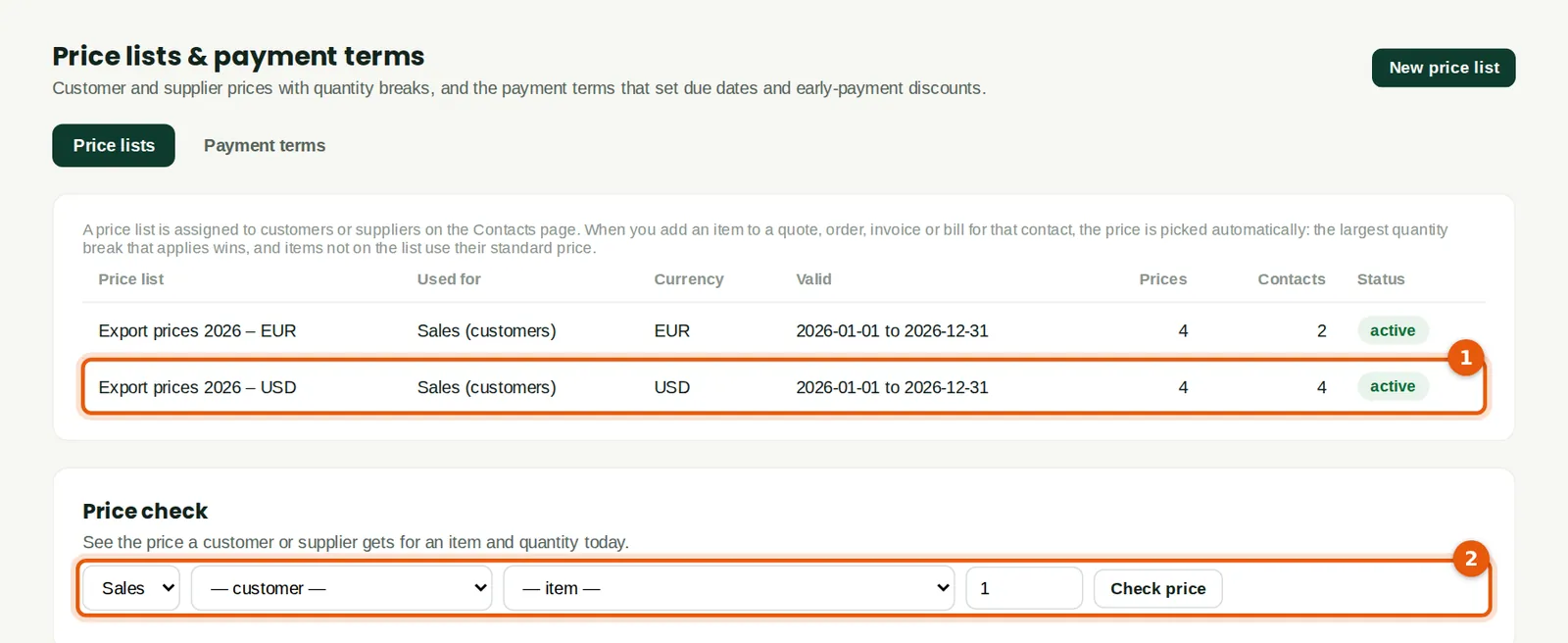
The page lists the price lists (1) and the payment terms. Price check (2) shows what a customer would pay for an item and quantity today.
Who
Sales and purchasing.
What to do
- Open Payment terms to set up terms such as End of month + 30 or early-payment discounts, and assign them to contacts.