Steps in this chapter (19)
BookTrove keeps a perpetual inventory (IAS 2): every receipt, transfer, issue to production, sale and count updates the quantity and value of stock by warehouse, and the stock accounts in the ledger at the same time.
At the Kaduna factory, Ibrahim Danjuma turns raw produce into export products. A bill of materials describes each product; a production order takes the raw produce through work in progress to finished goods, with labour and overhead absorbed at the work centres' rates.
6.1 A raw-material item
Why
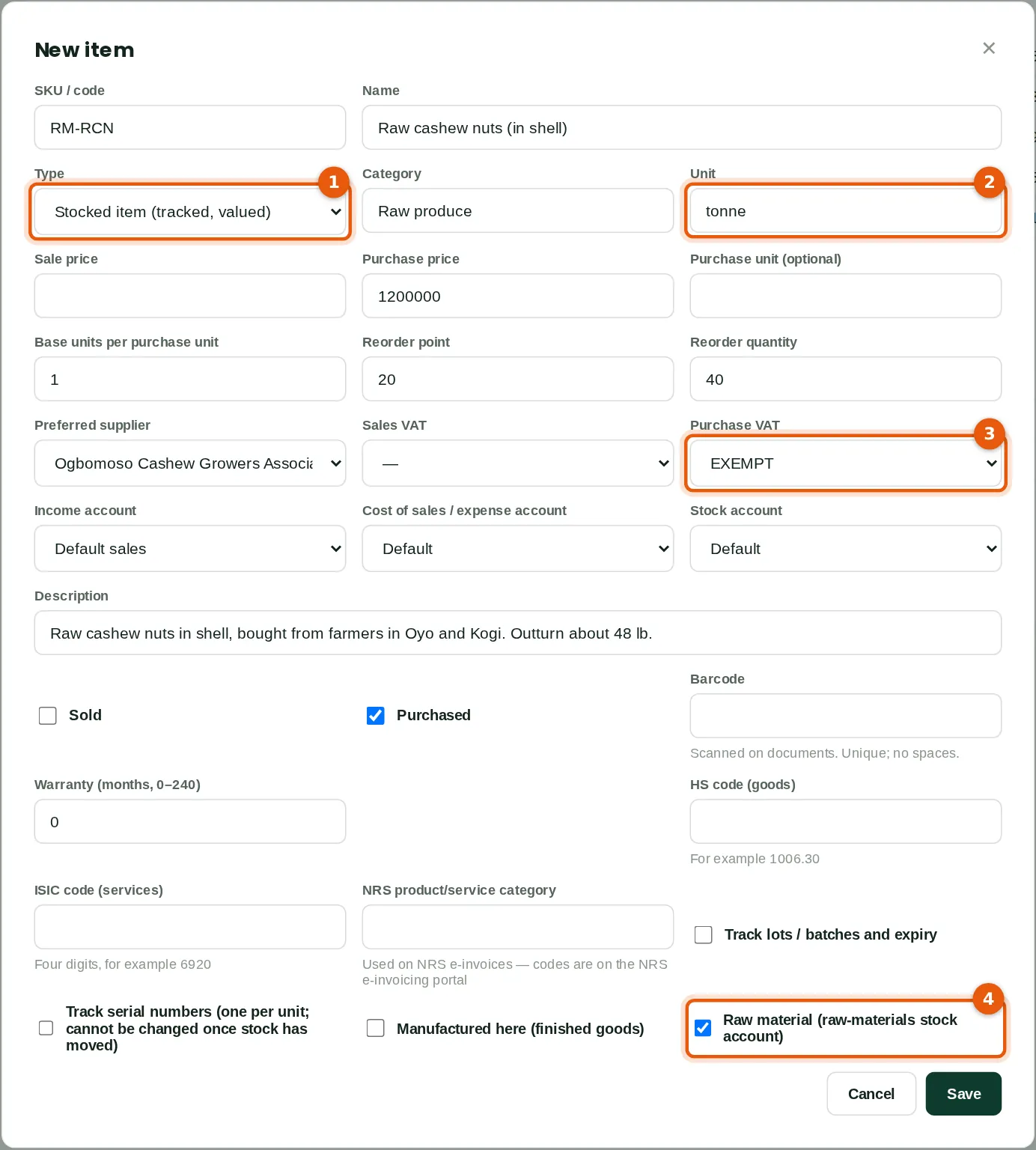
Stocked items are tracked and valued. Produce is kept in tonnes (2). Raw materials go to the raw-materials stock account (4). Buying from farmers is VAT exempt (3).
Who
Inventory manager (Emeka Nwosu, quality control).
What to do
- Click New item. Enter the SKU and name, choose Stocked item (1), the category and the unit (2).
- Enter the purchase price, reorder point and quantity, the preferred supplier and the purchase VAT code (3).
- Tick Purchased and Raw material (4), untick Sold, and save.
6.2 A finished product with lots
Why
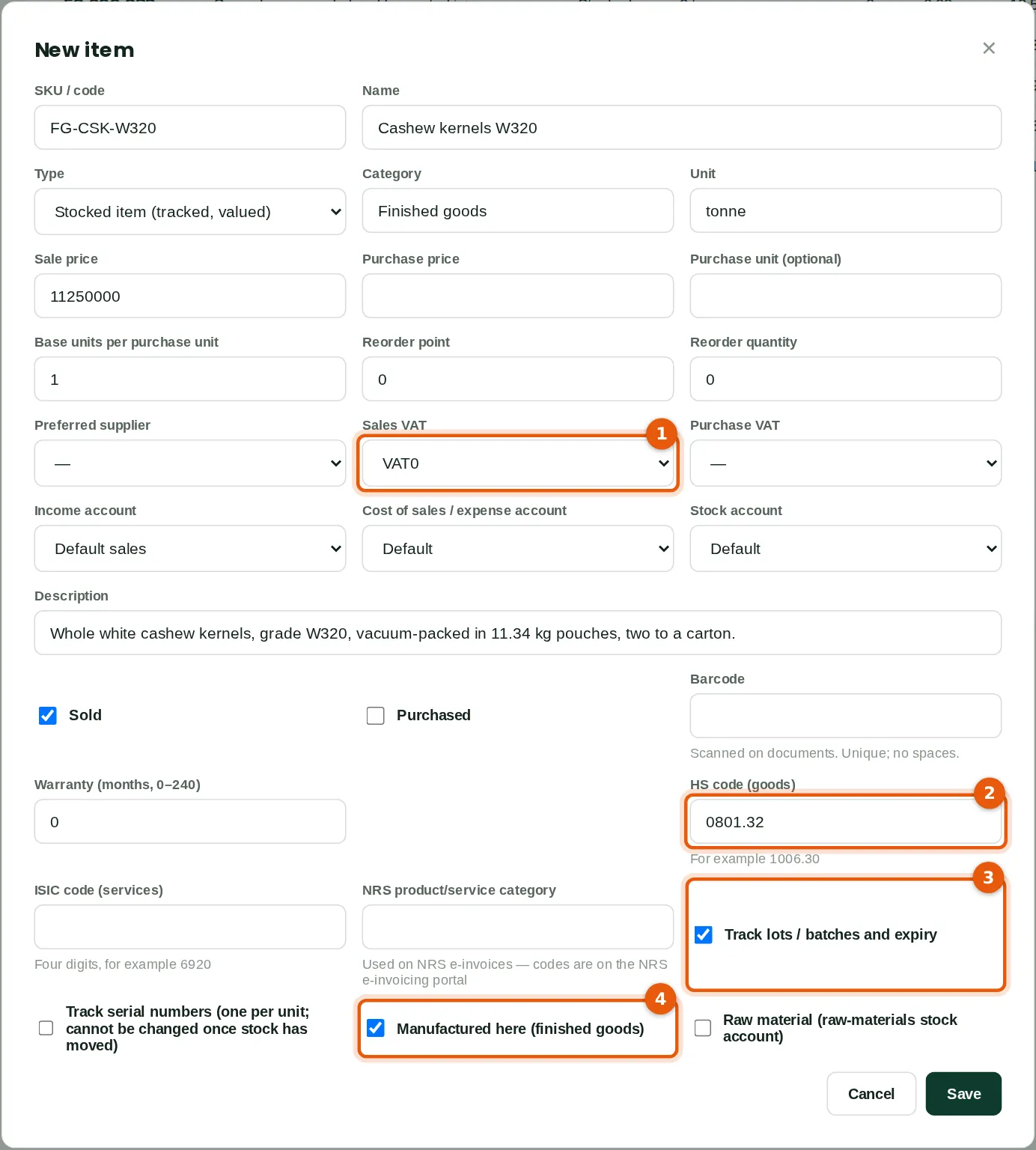
Export products are zero-rated (1) and carry an HS code (2), which is sent with NRS e-invoices. Lot tracking (3) gives each production batch a lot number and expiry date, so a shipment can be traced back to the batch — important for food exports. Manufactured here (4) marks it as a finished good.
Who
Inventory manager.
What to do
- Enter the SKU, name, unit and sale price. Choose the sales VAT code VAT0 (1) and type the HS code (2).
- Tick Track lots / batches and expiry (3) and Manufactured here (4). Save.
6.3 The item list
Why
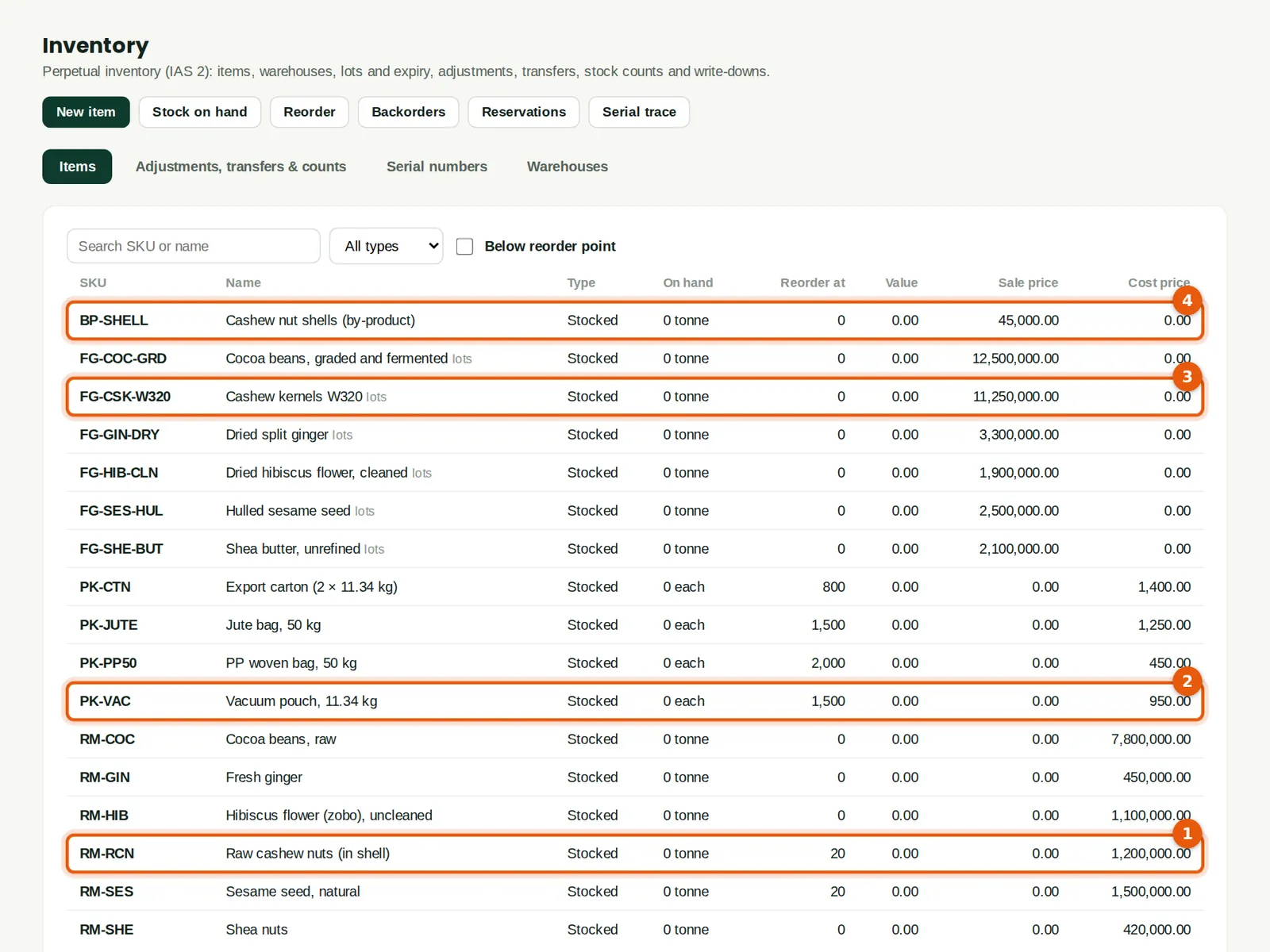
Savannah Harvest has six raw produce items (1), packaging (2), six finished products (3) and one by-product, cashew shells (4). The list shows the quantity on hand and value; click an item for its stock by warehouse, lots and movements.
Who
Anyone with inventory access.
6.4 Work centres
Why
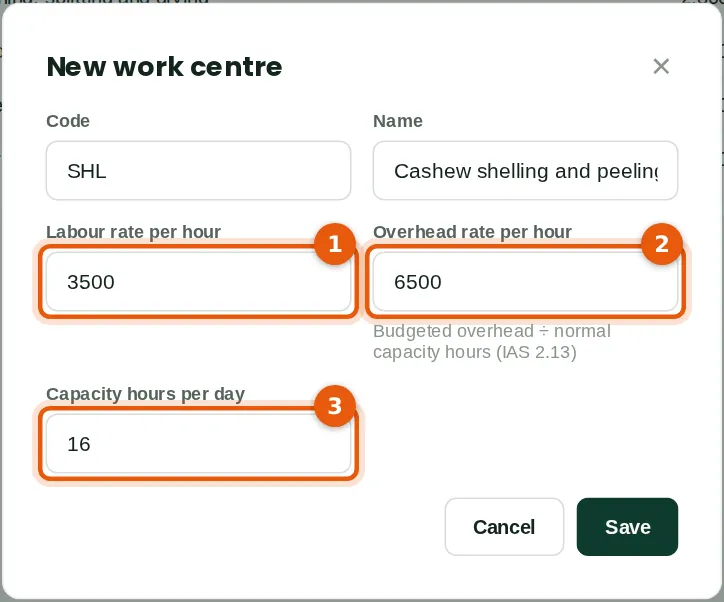
A work centre is a line or team that does the work. Its labour rate (1) and overhead rate (2) per hour are charged to production for the hours booked. Set the overhead rate from budgeted overheads divided by normal capacity hours (3), as IAS 2 requires, so that idle time is not added to stock.
Who
Production manager.
What to do
- Click New work centre, enter the code, name, rates and capacity hours per day, and save.
6.5 A bill of materials with a yield and a by-product
Why
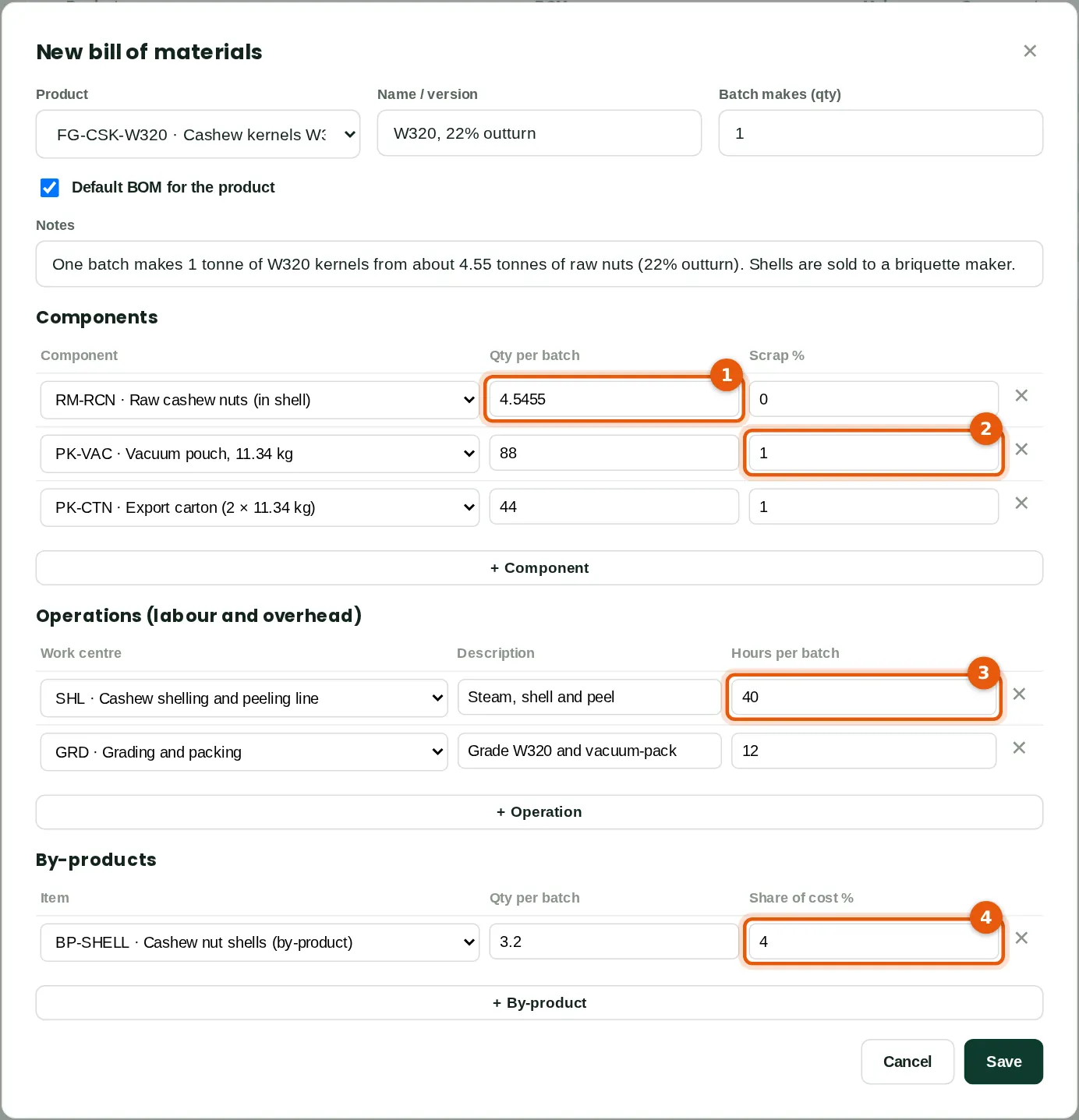
A bill of materials lists what one batch uses. Raw cashew has an outturn of about 22%, so one tonne of W320 kernels needs 4.5455 tonnes of raw nuts (1). Packaging has a 1% scrap allowance (2). The operations (3) set the hours at each work centre. The shells are a by-product (4): they carry 4% of the batch cost and are sold to a briquette maker.
Who
Production manager.
What to do
- Click New bill of materials. Choose the product and the batch size (here 1 tonne).
- Add a line per component with the quantity per batch (1) and scrap % (2).
- Add the operations with their work centres and hours (3), and any by-products with their share of the cost (4). Save.
6.6 Bills of materials and cost roll-up
Why
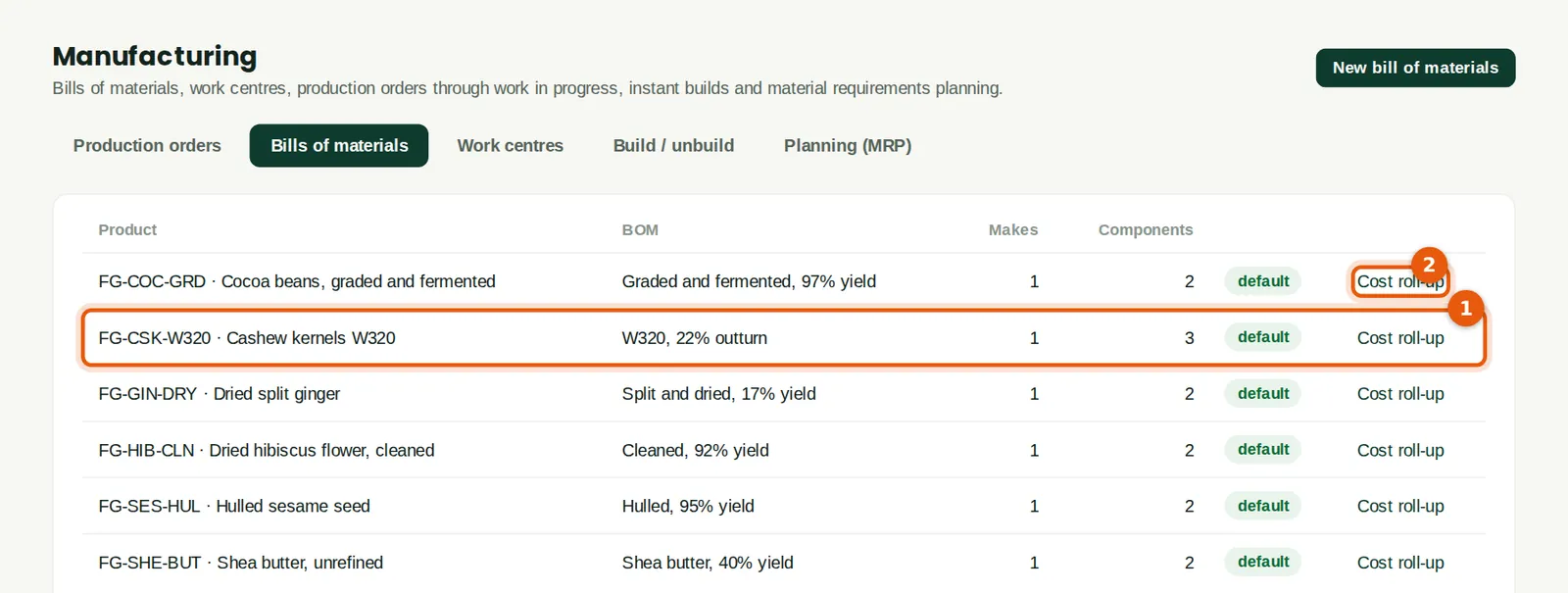
Each product has a default bill of materials (1). Cost roll-up (2) shows the material, labour and overhead cost of one batch at current average costs — useful for export pricing.
Who
Production manager or accountant.
6.7 Plan a production order
Why
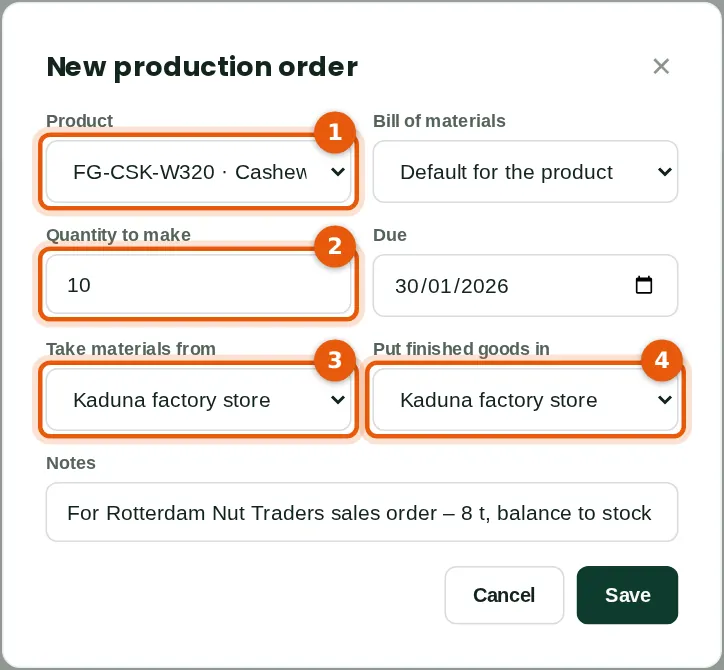
The order sets the product (1), the quantity (2), the store the materials come from (3) and the store for the finished goods (4).
Who
Production manager.
What to do
- Open Manufacturing → Production orders and click New production order. Fill in the fields and save.
6.8 Release the order
Why
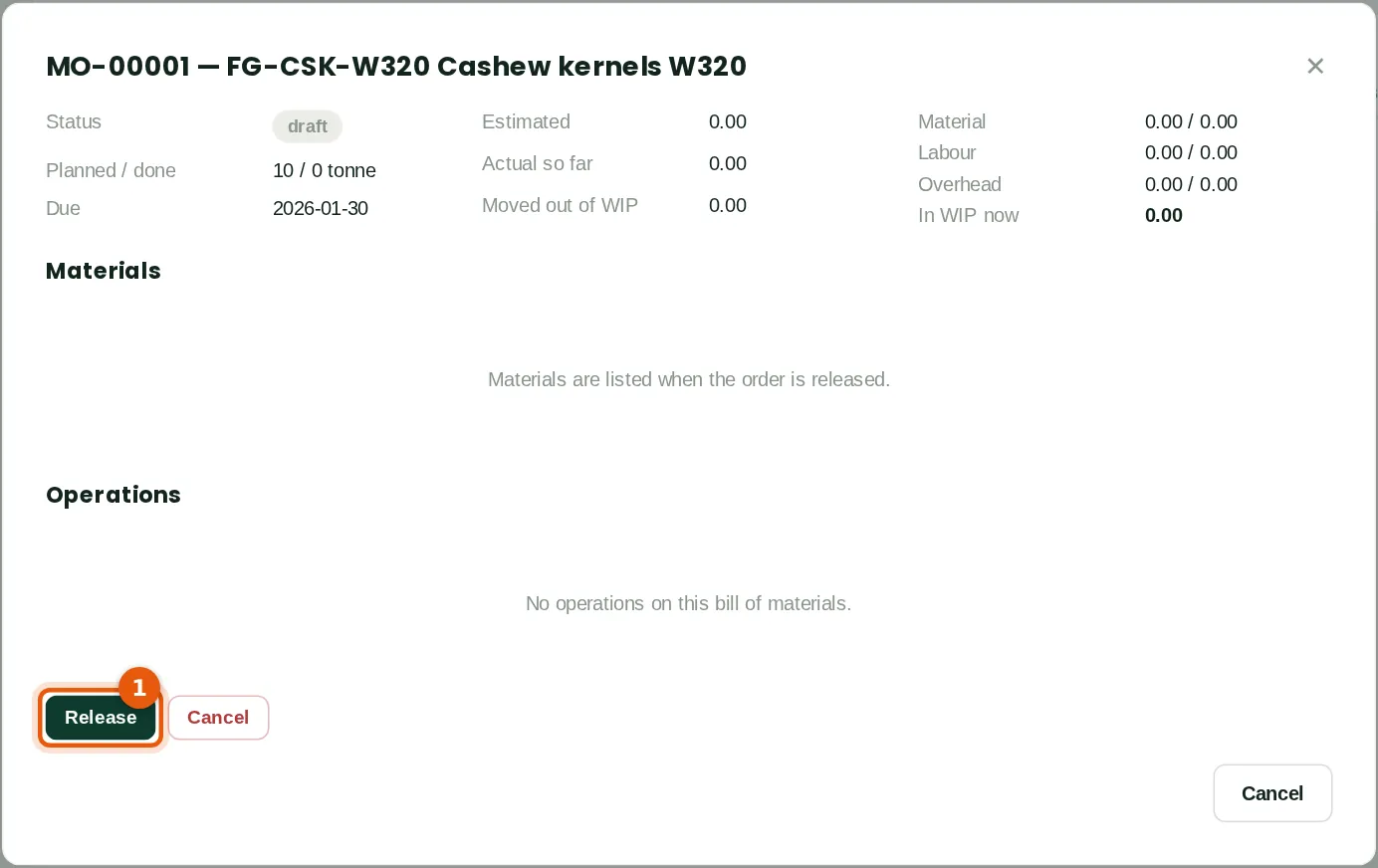
Releasing the order (1) lists the materials and operations from the bill of materials and makes the order available on the shop floor.
Who
Production manager (Approve level).
What to do
- Click Release (1).
6.9 Issue materials and book hours
Why
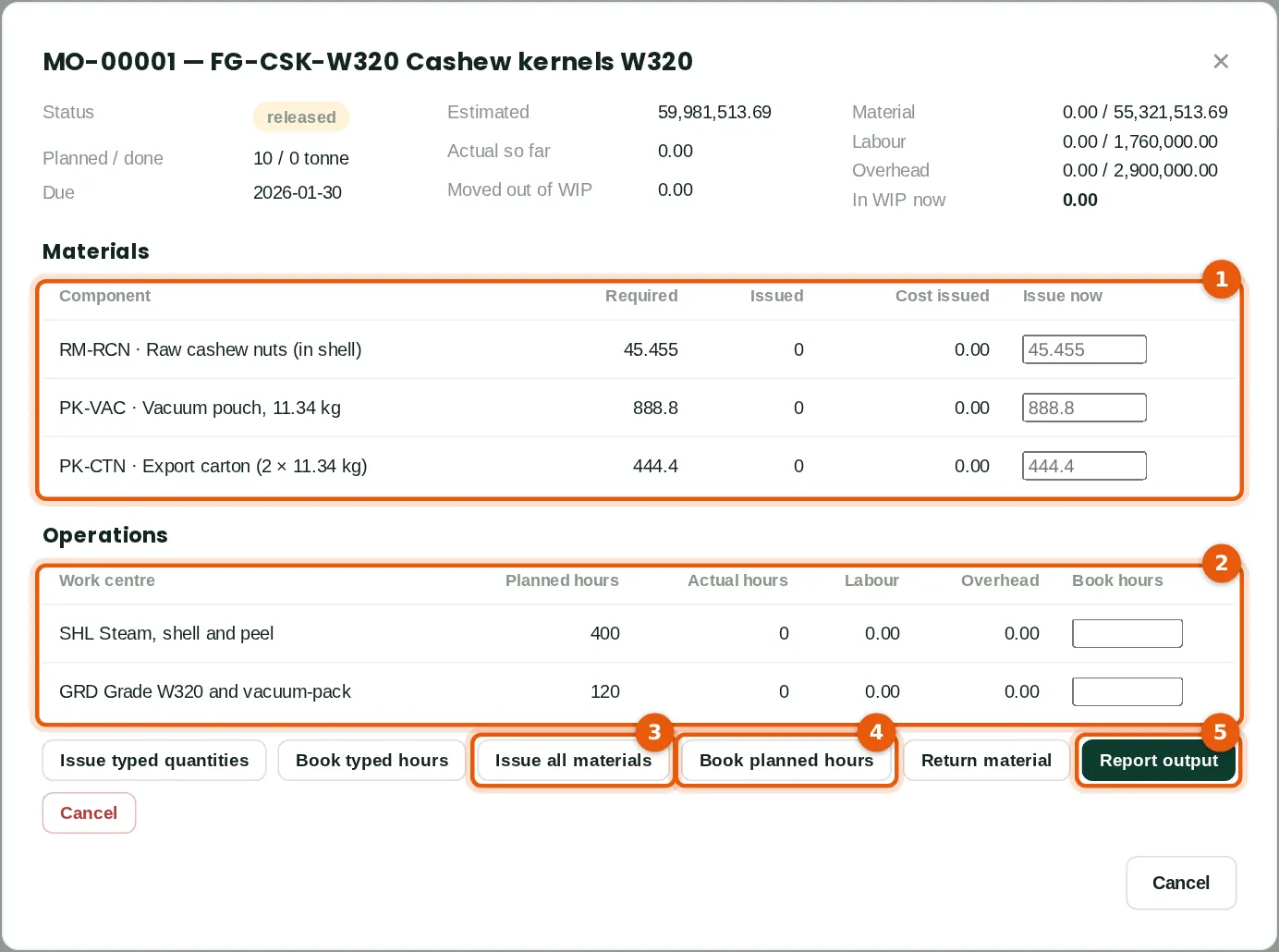
The materials table (1) shows what is required, issued and still to issue; the operations table (2) the planned and actual hours. Issuing moves the materials from the store into work in progress at their average cost.
Who
Production manager or store keeper.
What to do
- Click Issue all materials (3), or type quantities in Issue now and click Issue typed quantities.
- Book the hours worked: Book planned hours (4), or type the actual hours and click Book typed hours.
- When the batch is finished, click Report output (5).
6.10 Report the output and the lot
Why
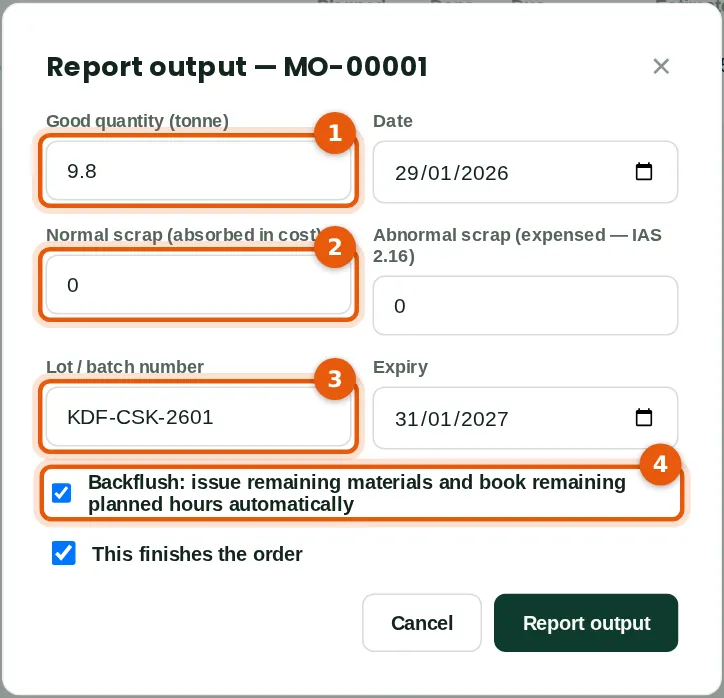
The good quantity (1) moves from work in progress into finished goods. Normal scrap (2) stays in the cost of the good output; abnormal scrap is expensed (IAS 2.16). The batch gets a lot number and expiry date (3). Backflush (4) issues anything not yet issued and books the remaining planned hours.
Who
Production manager.
What to do
- Type the good quantity (1), any scrap (2), the lot number and expiry (3).
- Leave Backflush (4) and This finishes the order ticked, and click Report output.
6.11 Close the order and settle the variances
Why
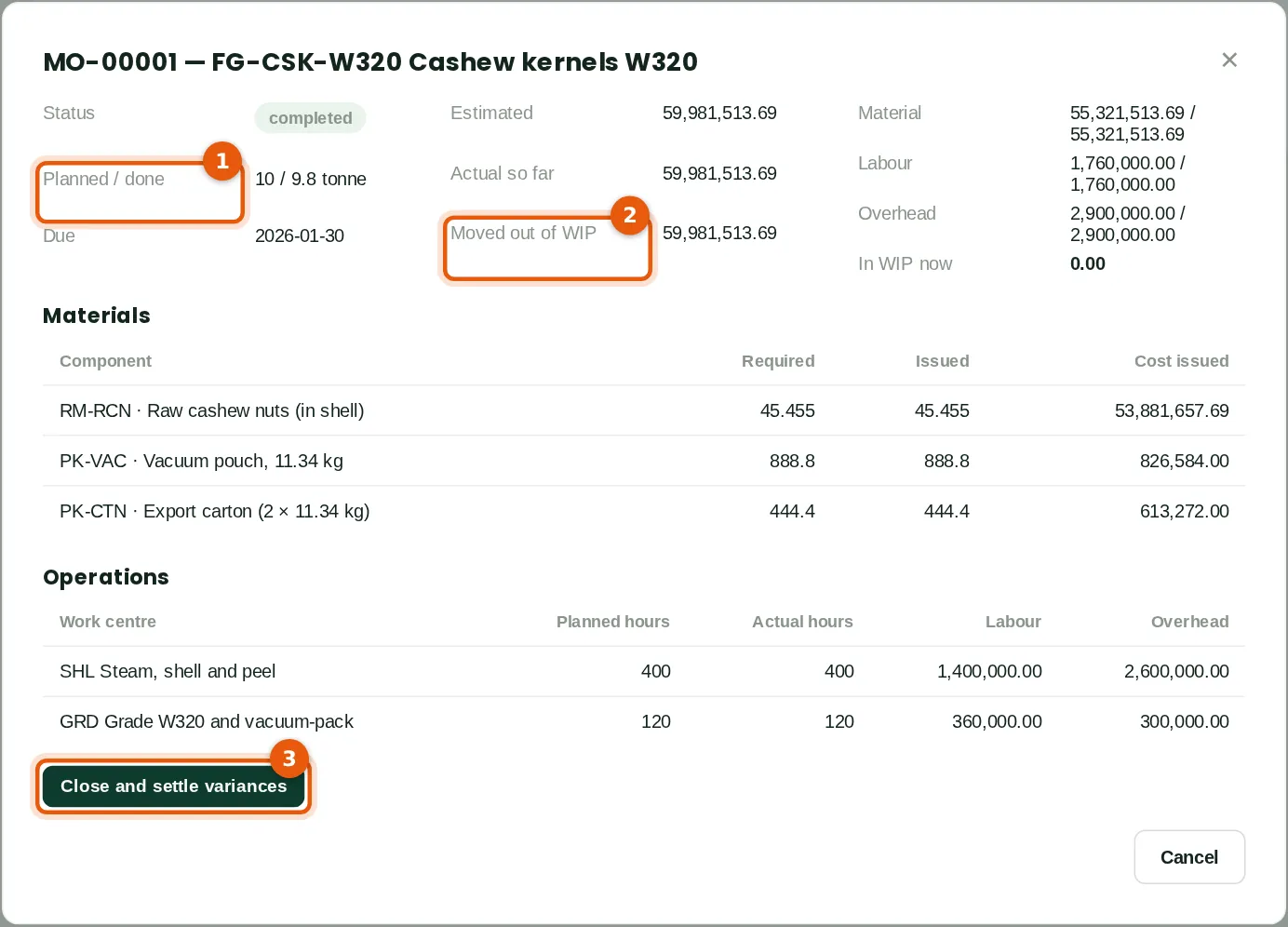
The outturn was 9.8 tonnes against 10 planned (1). Everything in work in progress has moved out (2). Closing the order (3) posts any remaining difference between actual and standard cost as a manufacturing variance.
Who
Accountant (manufacturing Full level).
What to do
- Click Close and settle variances (3).
6.12 Manufacturing variances
Why
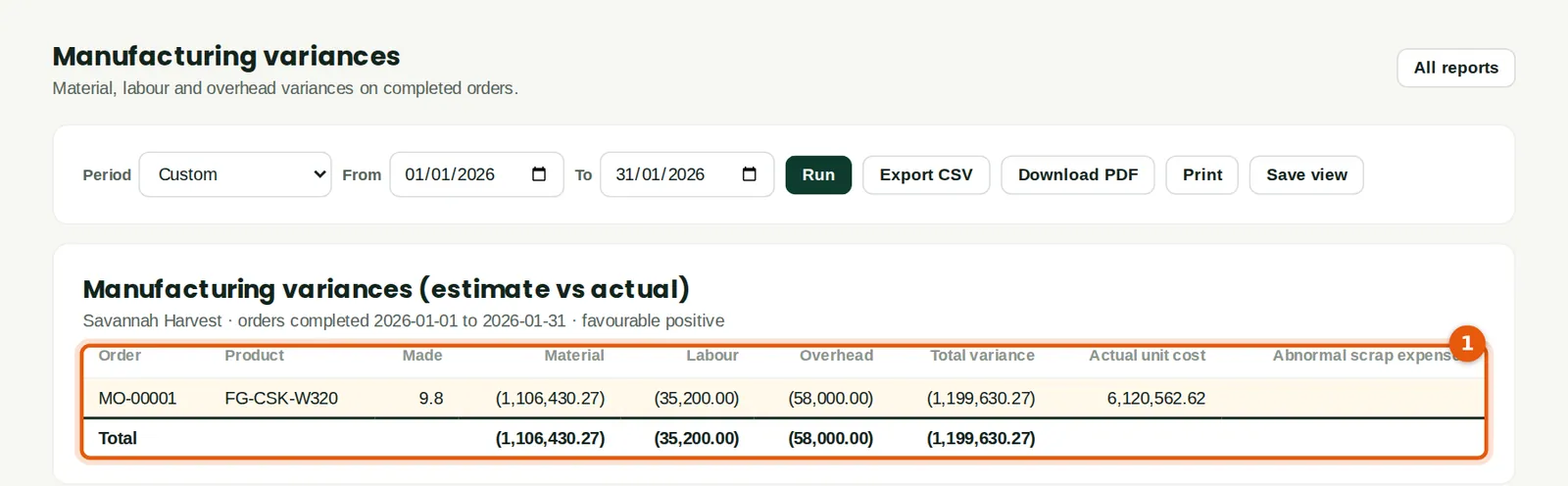
The report (1) compares estimated and actual material, labour and overhead cost for each completed order, and the actual cost per unit. The lower outturn shows as an adverse material variance of ₦1,106,430.27 (shown in brackets), and the actual cost per tonne of kernels is ₦6,120,562.62.
Who
Accountant or production manager.
6.13 Instant build for a simple process
Why
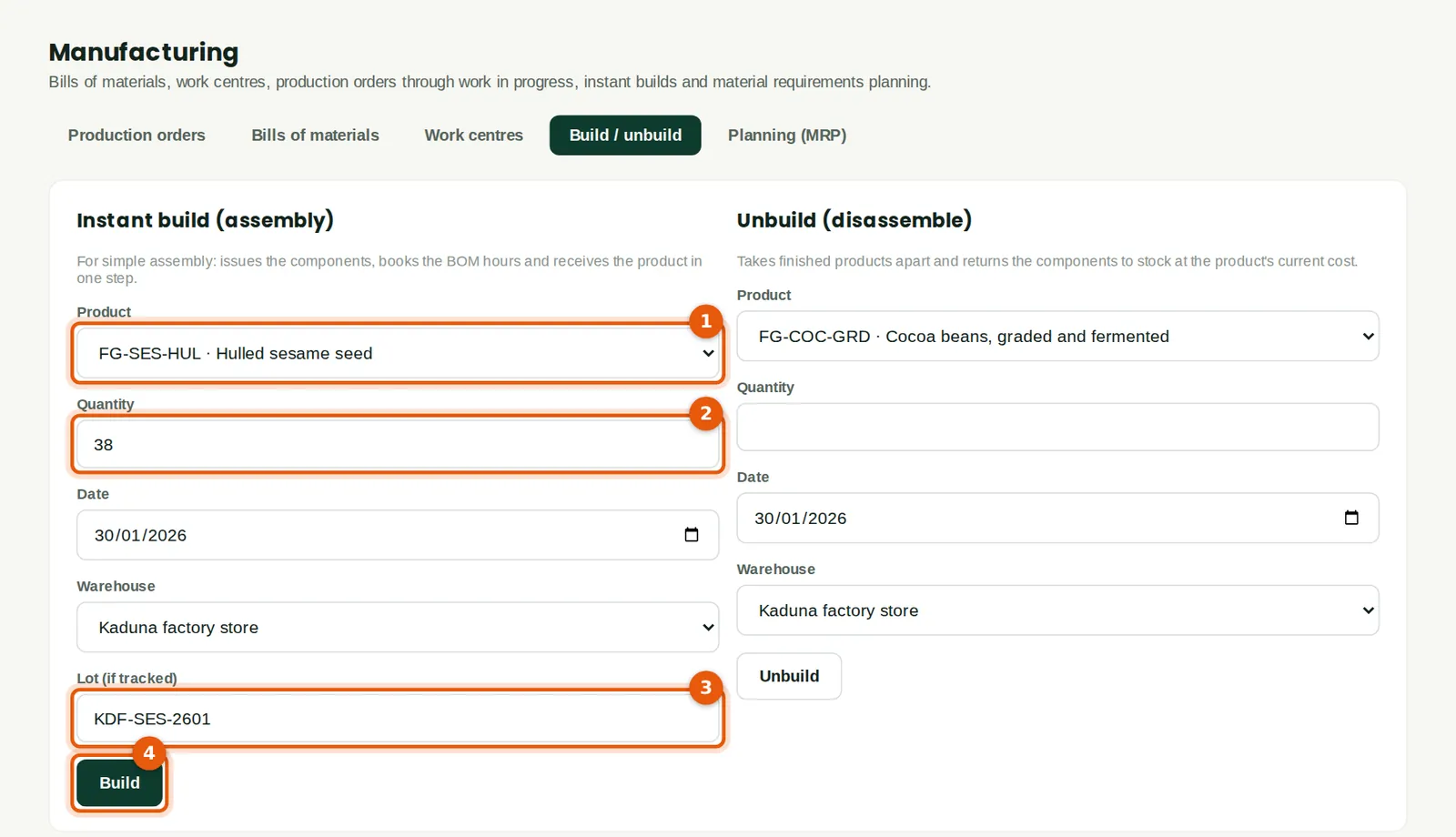
For a same-day process, an instant build issues the components, books the bill of materials' hours and receives the product in one step. Savannah Harvest hulled 38 tonnes of sesame (2) this way, as lot KDF-SES-2601 (3).
Who
Production manager.
What to do
- Choose the product (1), the quantity (2), the date, the warehouse and the lot (3), and click Build (4).
- Unbuild reverses a build: it returns the components to stock.
6.14 Orders in progress
Why
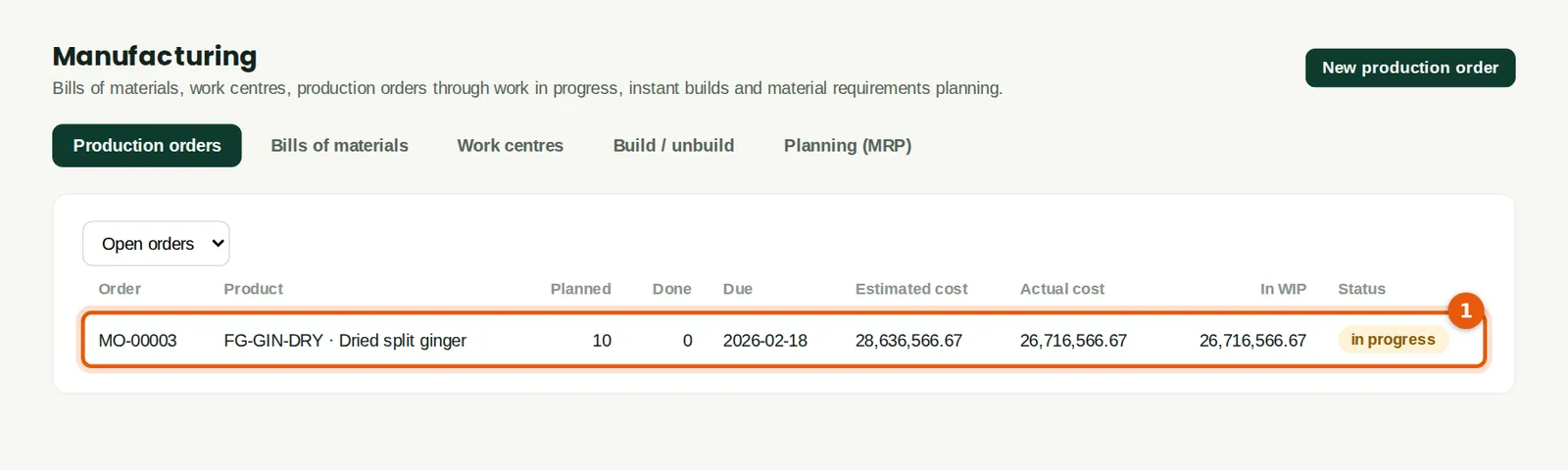
Drying ginger takes about three weeks. The order (1) stays open, with its cost in work in progress, until the output is reported on 18 February. The Work in progress report agrees this to the WIP account at month end.
Who
Production manager.
6.15 Material requirements planning
Why
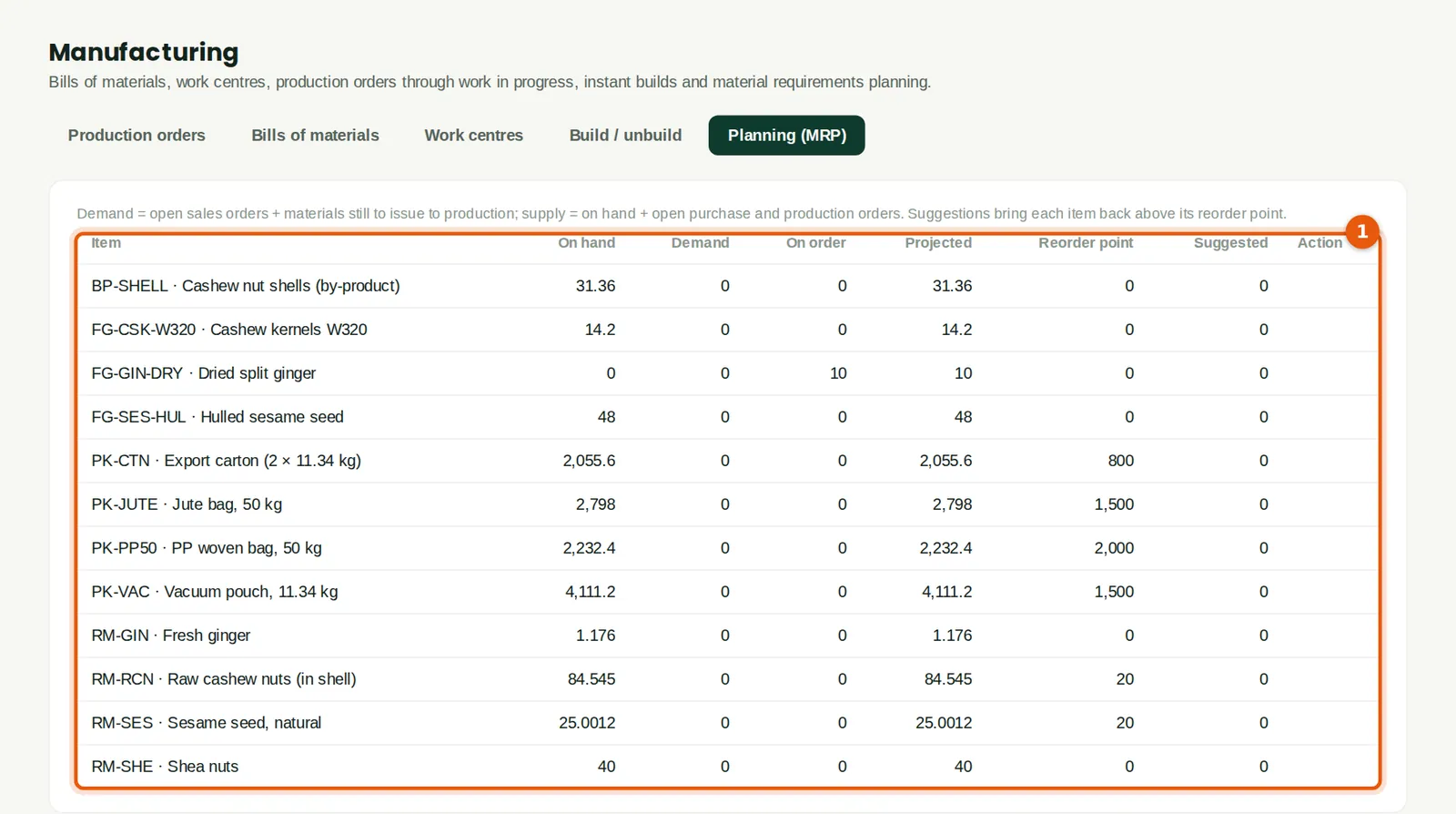
MRP compares demand (open sales orders and materials still to issue) with supply (stock, open purchase and production orders) (1) and suggests what to make or buy to stay above each item's reorder point.
Who
Production manager and purchasing.
What to do
- Click Make or Order next to a suggestion to create the order.
6.16 Move stock between warehouses
Why
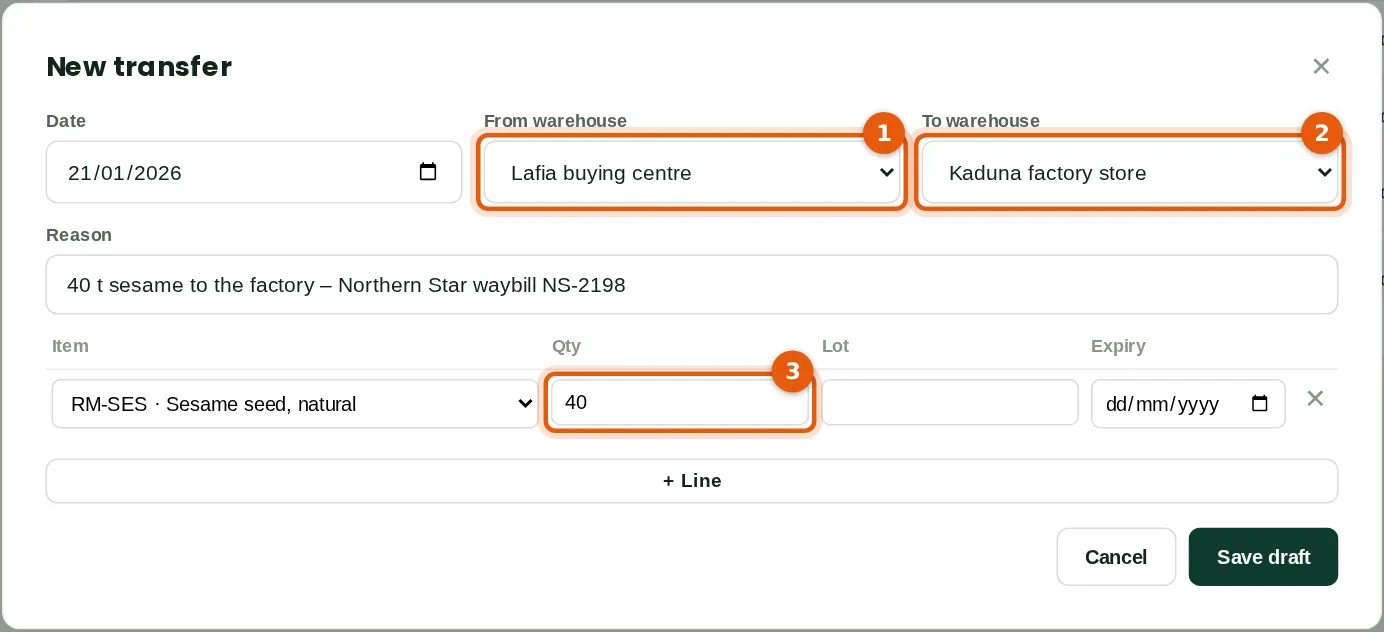
Produce bought at a buying centre is trucked to the factory. A transfer moves it from one warehouse (1) to another (2) at its cost, so each store's stock stays right.
Who
Buying officer or inventory manager.
What to do
- Open Inventory → Adjustments, transfers & counts and click Transfer.
- Choose From (1) and To (2), the reason (with the waybill number), and the item and quantity (3). Save, then Save and post.
6.17 Count the stock
Why
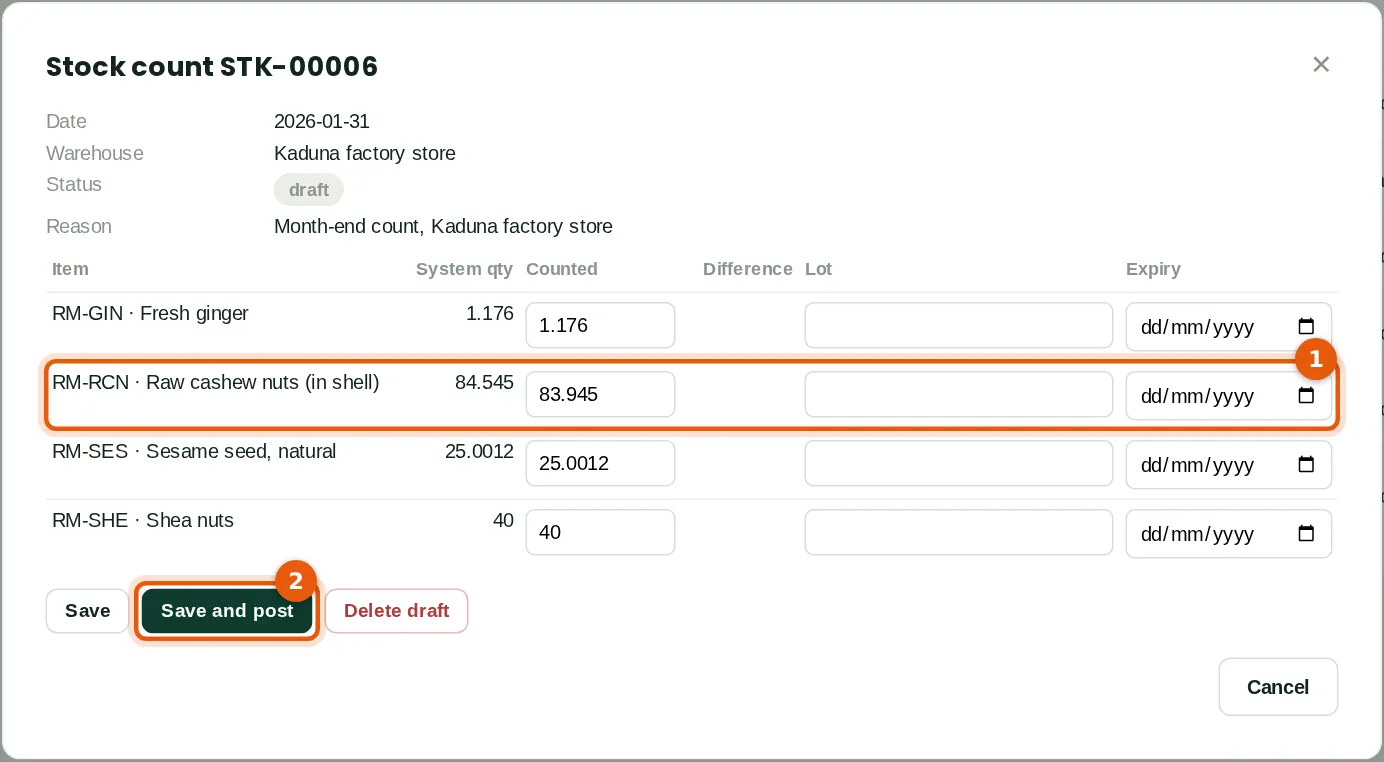
A stock count lists every stocked item with the quantity BookTrove expects. Type what was counted: raw cashew shows 0.6 tonne less (1), from drying. Posting adjusts the stock and charges the difference to stock adjustments and shrinkage.
Who
Inventory manager.
What to do
- Click Stock count, choose the date and warehouse (and a category if you count one section at a time), and save.
- Type the counted quantities and click Save and post (2).
6.18 Stock on hand
Why
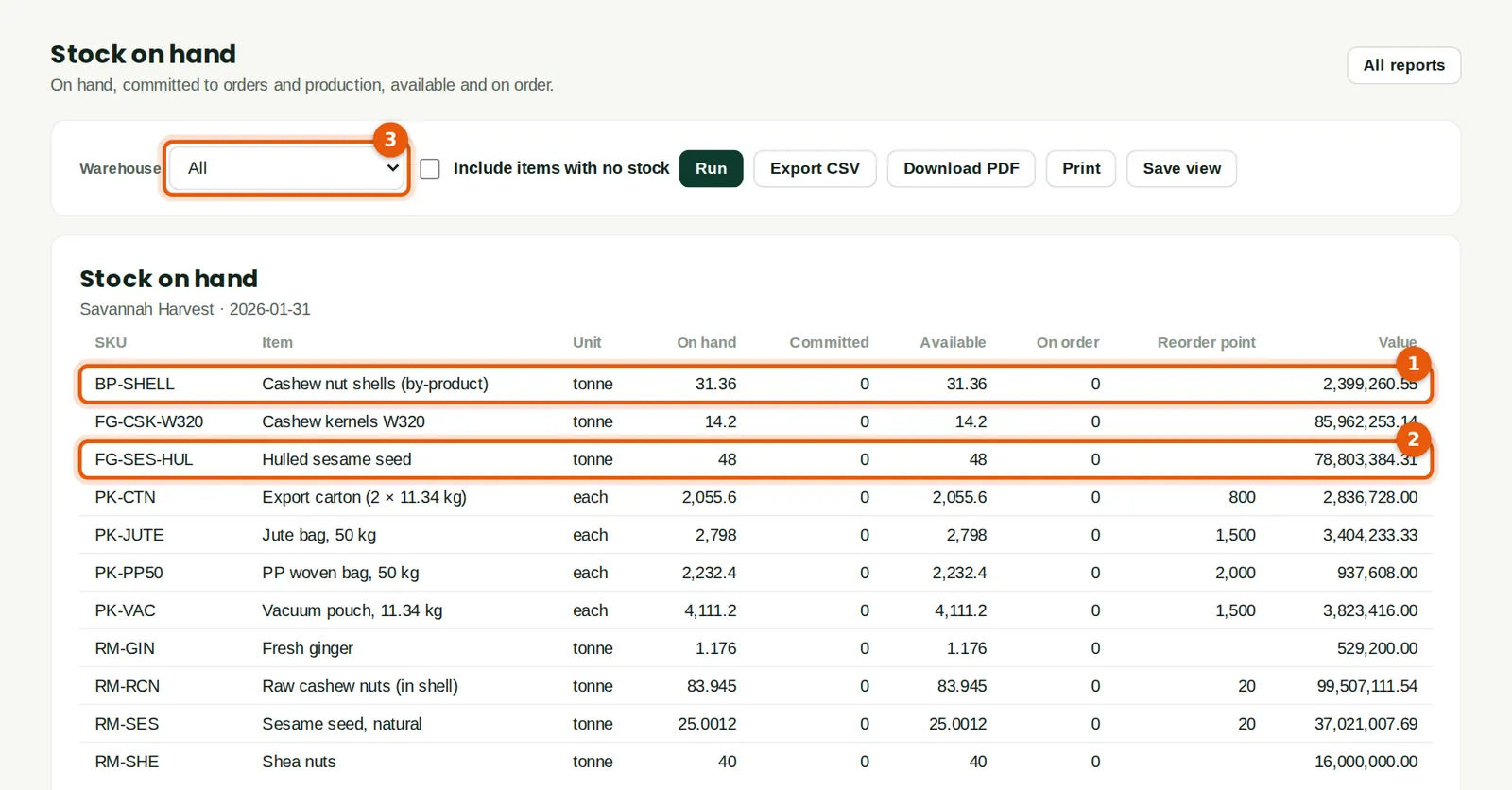
The report shows each item's quantity, what is committed to orders and production, what is available and on order, and the value. It includes the shells from the by-product (1) and the hulled sesame (2). Choose a warehouse (3) for one store.
Who
Anyone with inventory or reports access.
6.19 Lots and expiry
Why
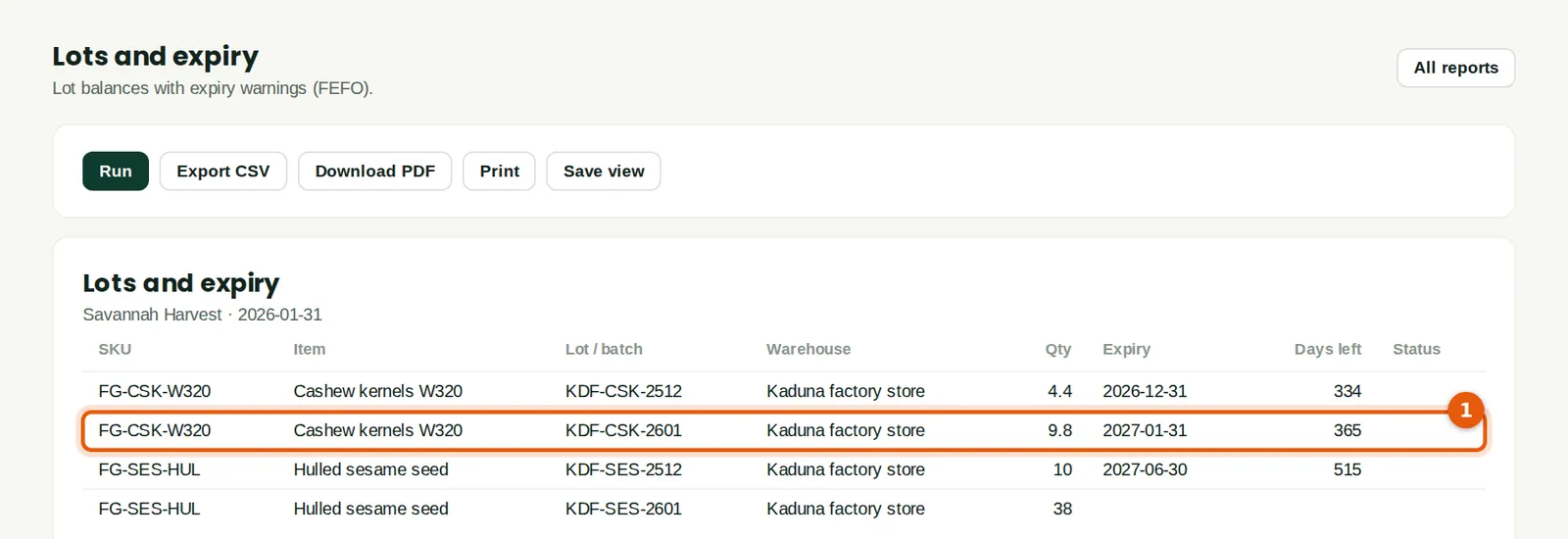
Each lot is listed with its warehouse, quantity, expiry and days left (1). Sales issue the lot that expires first (FEFO). Lot traceability shows every movement of a lot, for a recall.
Who
Quality control and sales.