Steps in this chapter (10)
A payment batch pays many supplier bills at once: choose the bills that are due, have the batch approved, download the bank's bulk payment file, upload it to internet banking, and confirm once the bank has paid. WHT — and VAT, for an appointed withholding agent — is deducted bill by bill. When the bank statement shows one debit for the whole batch, a split match ties it to the payments in BookTrove.
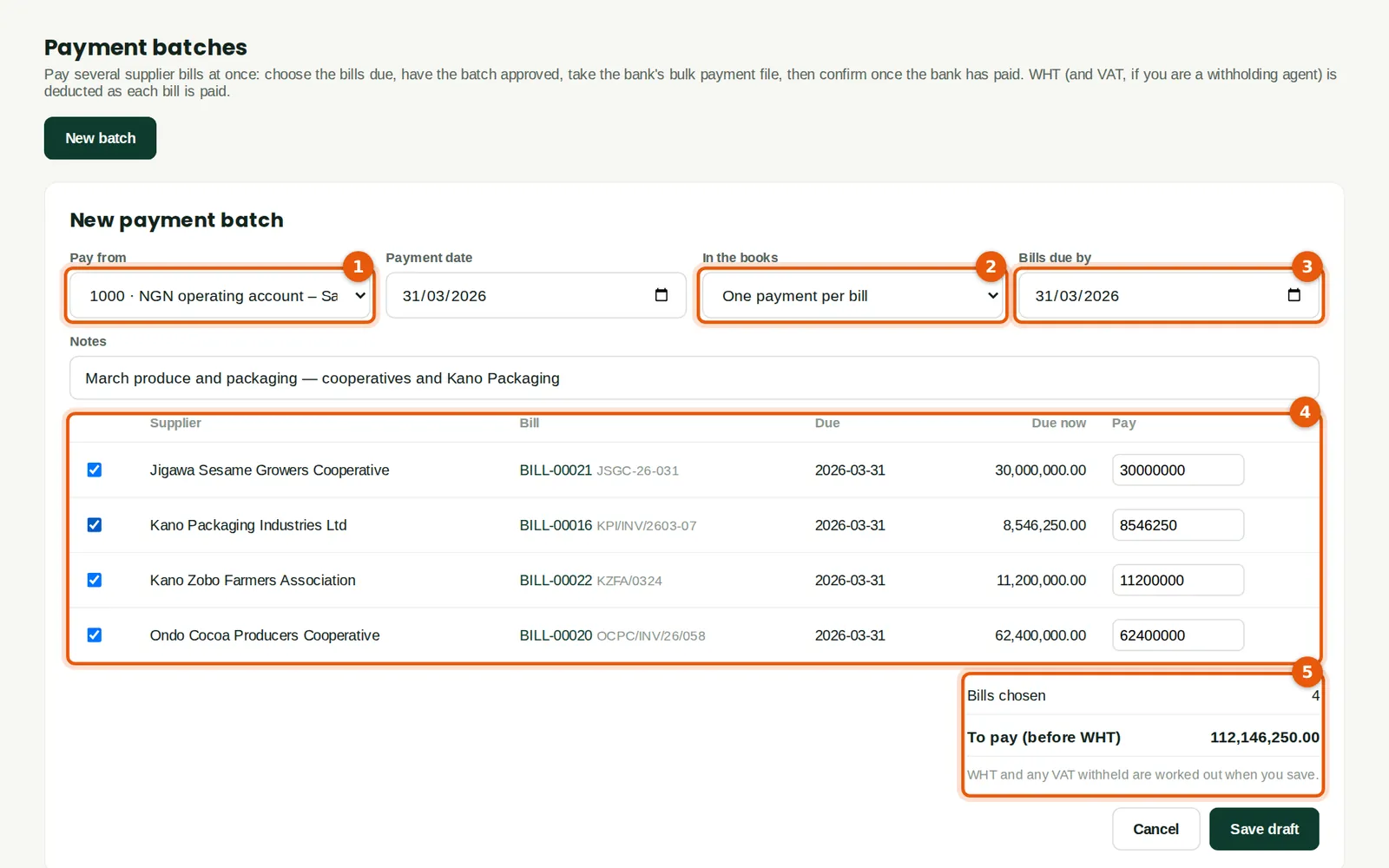
In the illustration Funmilayo pays four March bills on 31 March — the Ondo cocoa, Jigawa sesame and Kano hibiscus cooperatives, and Kano Packaging — in batch PB-00001.
21.1 Choose the bills to pay
Why
Choose the bank account to pay from (1) and the payment date. In the books (2) chooses how the payments post: One payment per bill gives each bill its own payment and journal; One bank line for the batch posts one journal that credits the bank once with the net total (naira batches only). The company default is in Settings → Controls. Bills due by (3) lists the open bills (4); a supplier without bank details is marked. The total (5) is before deductions; WHT and VAT withheld are worked out when the batch is saved.
Who
Accountant (purchases Prepare level).
What to do
- Set the bank (1), the date, the posting (2) and Bills due by (3).
- Tick the bills to pay (4); change the amount to pay part of a bill.
- Click Save draft.
21.2 The draft batch
Why
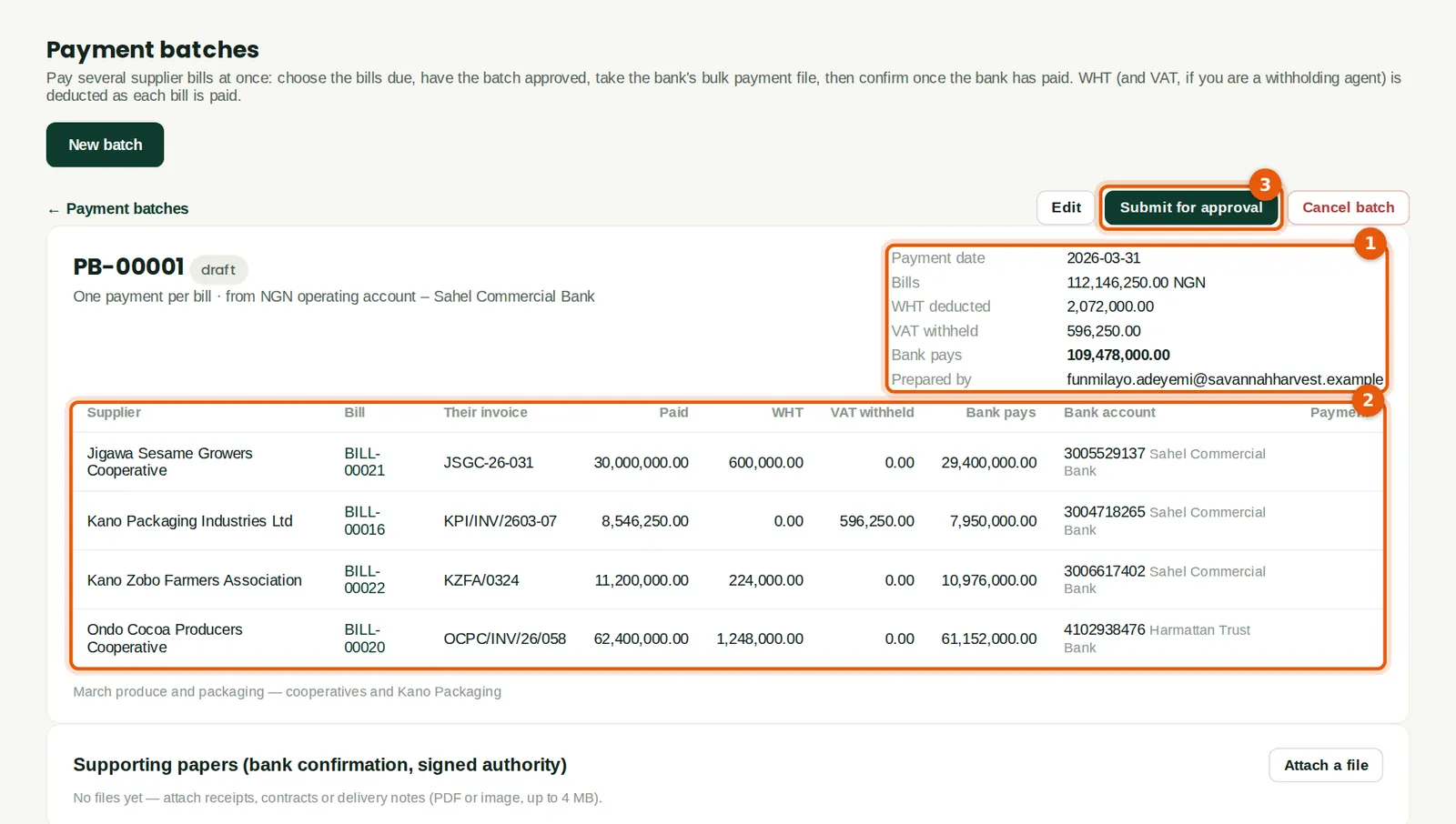
The batch shows the bills total, the WHT deducted, the VAT withheld and what the bank pays (1): ₦109,478,000. Each line (2) shows the bill, the supplier's invoice number, the deductions, the net and the supplier's bank account. WHT uses each supplier's WHT class and rate (doubled without a Tax ID) on the amount before VAT, and the small-company exemption is worked out per supplier across the whole batch. VAT is withheld only on the Kano Packaging bill: the cooperatives' produce is VAT exempt.
Who
Accountant.
What to do
- Check the lines, then click Submit for approval (3).
21.3 Approve the batch
Why
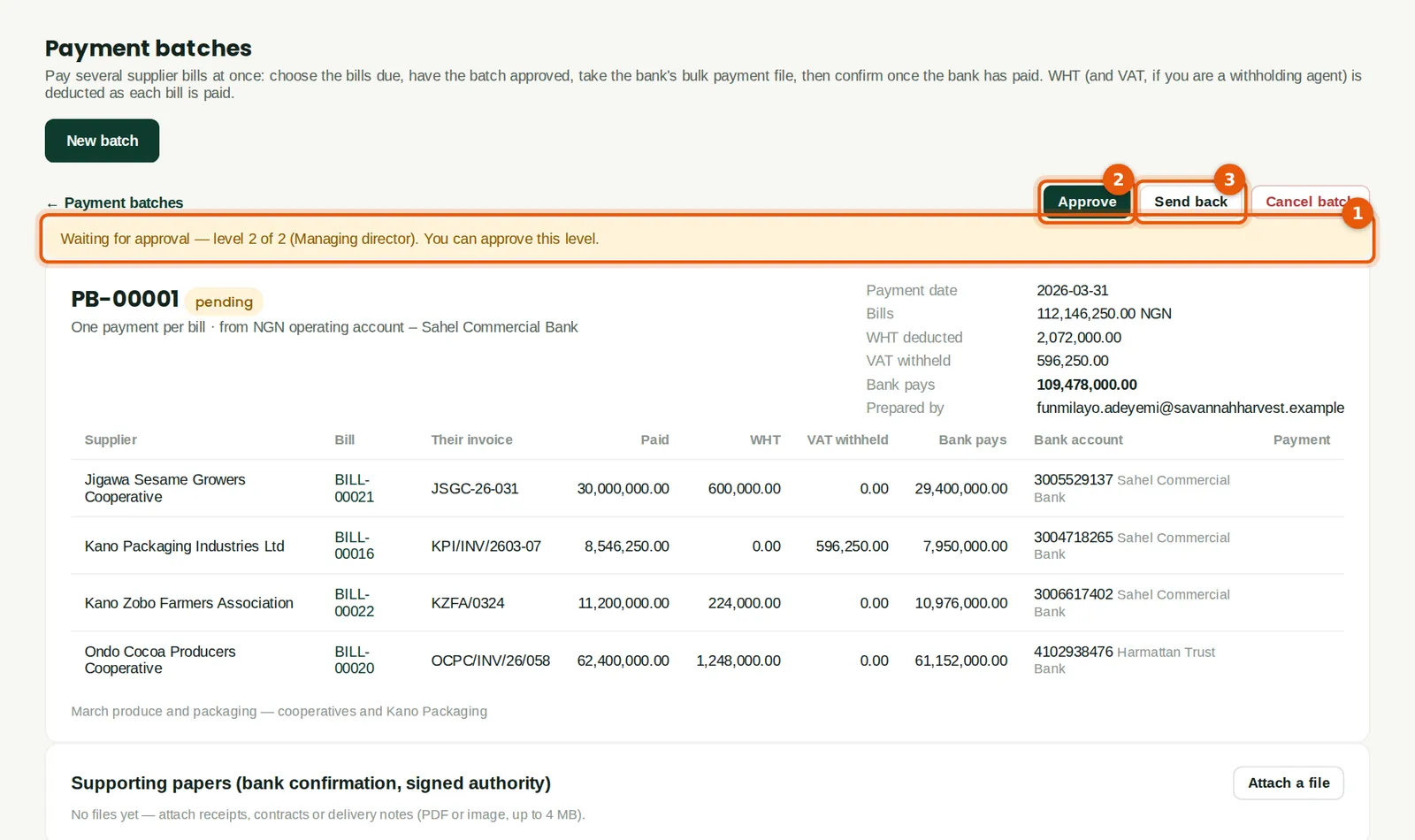
Every payment batch goes through the rule Every payment batch (chapter 20). Chukwudi approved level 1; the banner (1) shows level 2 waiting for the managing director. Without a rule, a batch needs one approval from someone with purchases approval other than the person who prepared it. Send back (3) returns it to draft, with a reason.
Who
The approvers in the chain.
What to do
- Click Approve (2).
21.4 Take the bank file
Why
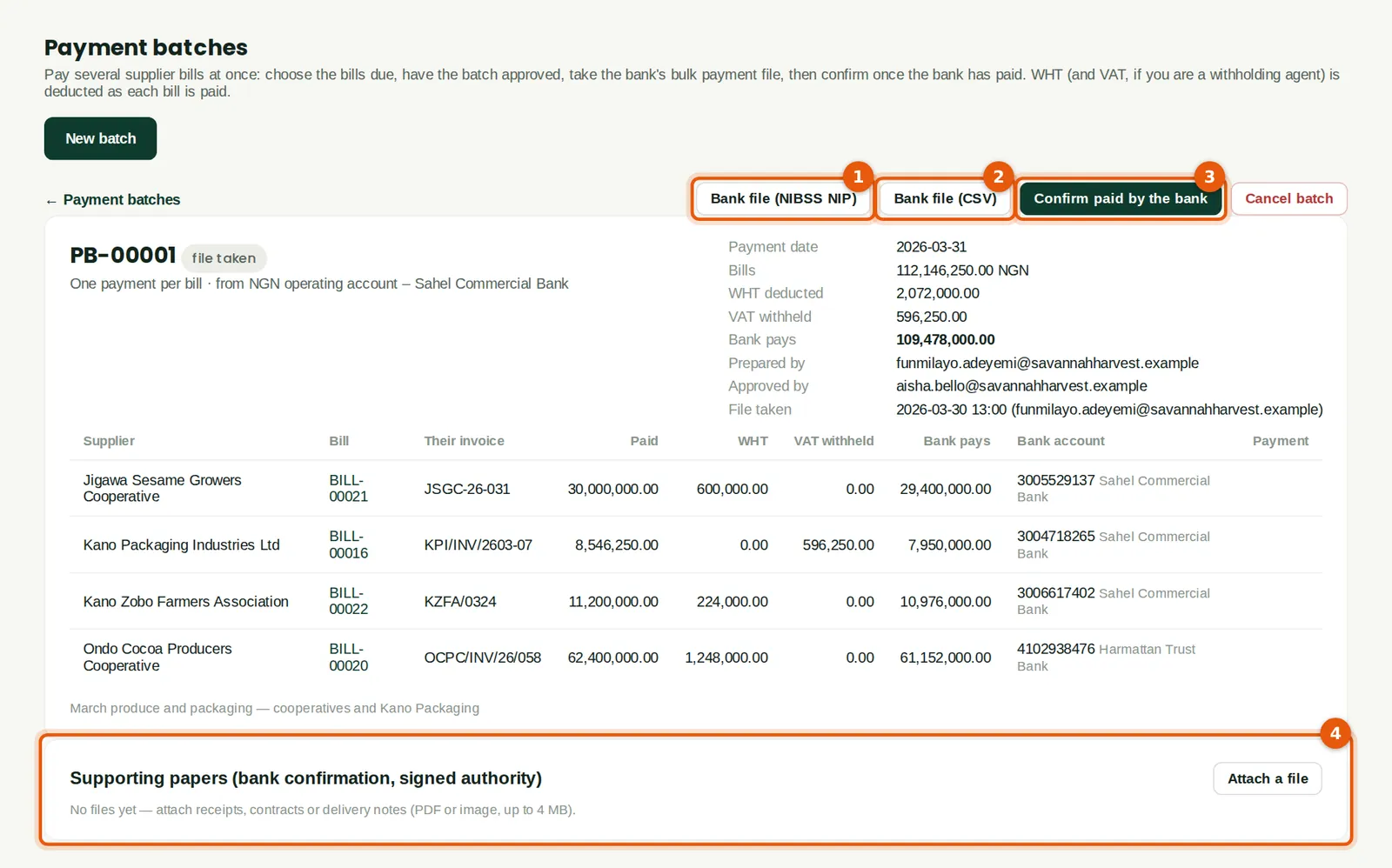
An approved batch gives two files. Bank file (NIBSS NIP) (1) is a bulk upload file in the common NIBSS Instant Payment layout. Bank file (CSV) (2) is a fuller file with both the CBN and NIP bank codes, the WHT and the VAT withheld, for banks with their own layout. A supplier with a missing or invalid account number stops the file, with the reason; an account number that fails the NUBAN check digit gives a warning only. Supporting papers, such as the signed payment authority, are attached below (4).
Who
Accountant or finance manager (purchases Approve level).
What to do
- Click Bank file (NIBSS NIP) (1) and upload the file on your bank's bulk payment page.
- When the bank has paid, click Confirm paid by the bank (3).
21.5 The NIBSS NIP bulk file

Why
One row per bill: serial number, the beneficiary's account number, the six-digit NIP bank code, the net amount, the beneficiary name, a narration with the batch number and the supplier's invoice number, and a payment reference. The banks, codes and account numbers in the illustration are invented.
21.6 Confirm the payment
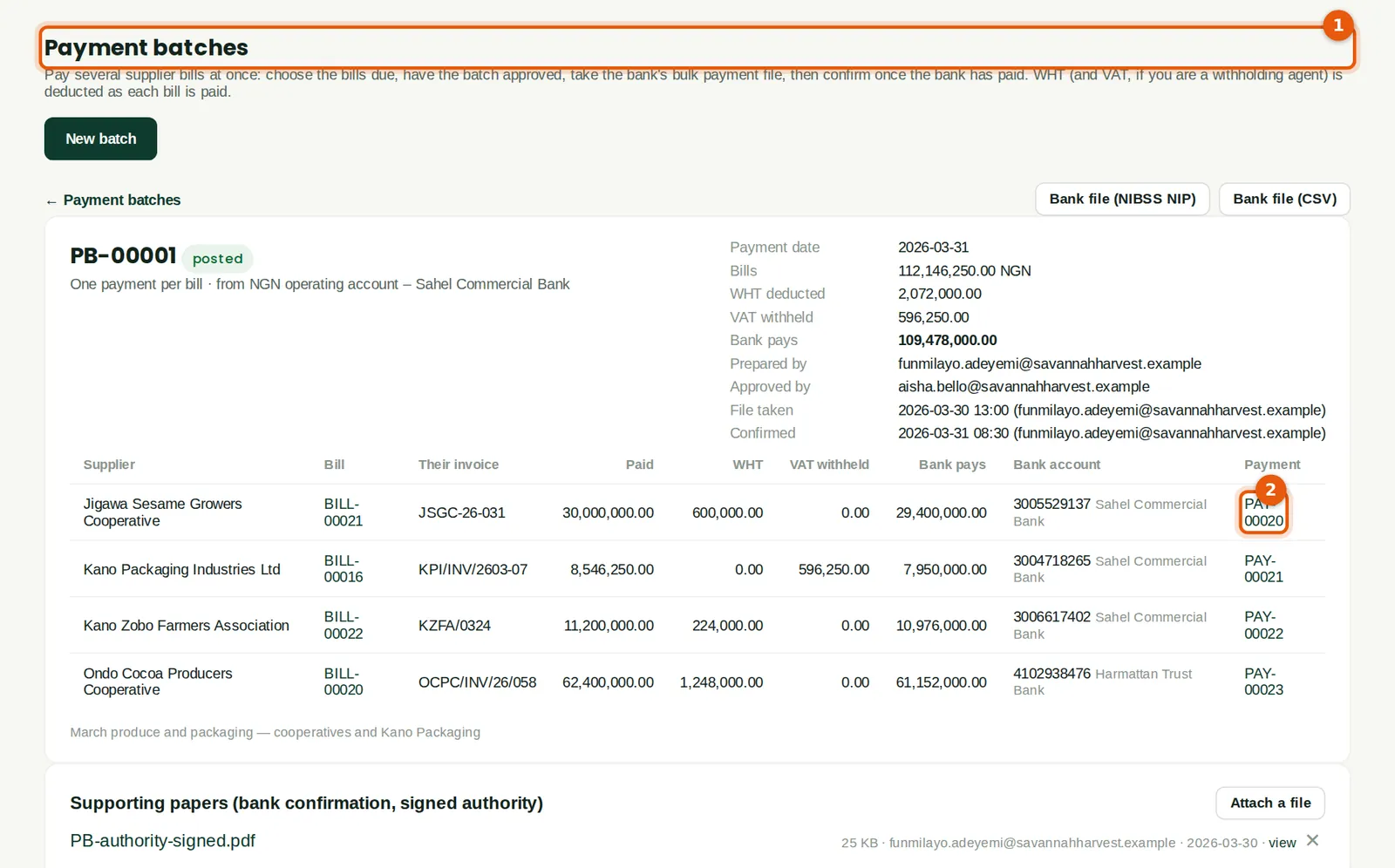
Why
Confirming marks the bills paid and posts the payments on the payment date (1); each line links to its payment (2). Confirmation works through the bills twenty at a time and can be resumed if it stops; a bill already paid through the batch is linked, never paid twice. A batch can be cancelled until it is confirmed. A batch posted as one bank line can be reversed only as a whole (Reverse batch) — for example if the bank returns the transfer.
Who
Accountant.
21.7 The batch list
Why
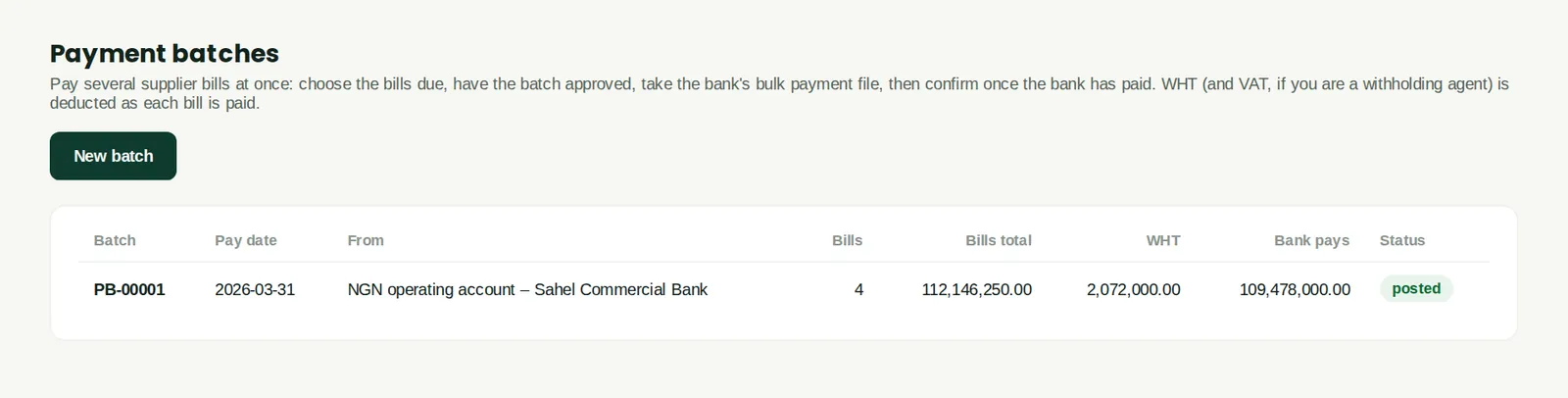
Every batch with its payment date, bank, number of bills, totals and status: draft, pending, approved, file taken, posted, cancelled or reversed. Payment batches in a foreign currency are paid one payment per bill.
Who
Anyone with purchases access.
21.8 A bank rule that splits a line
Why
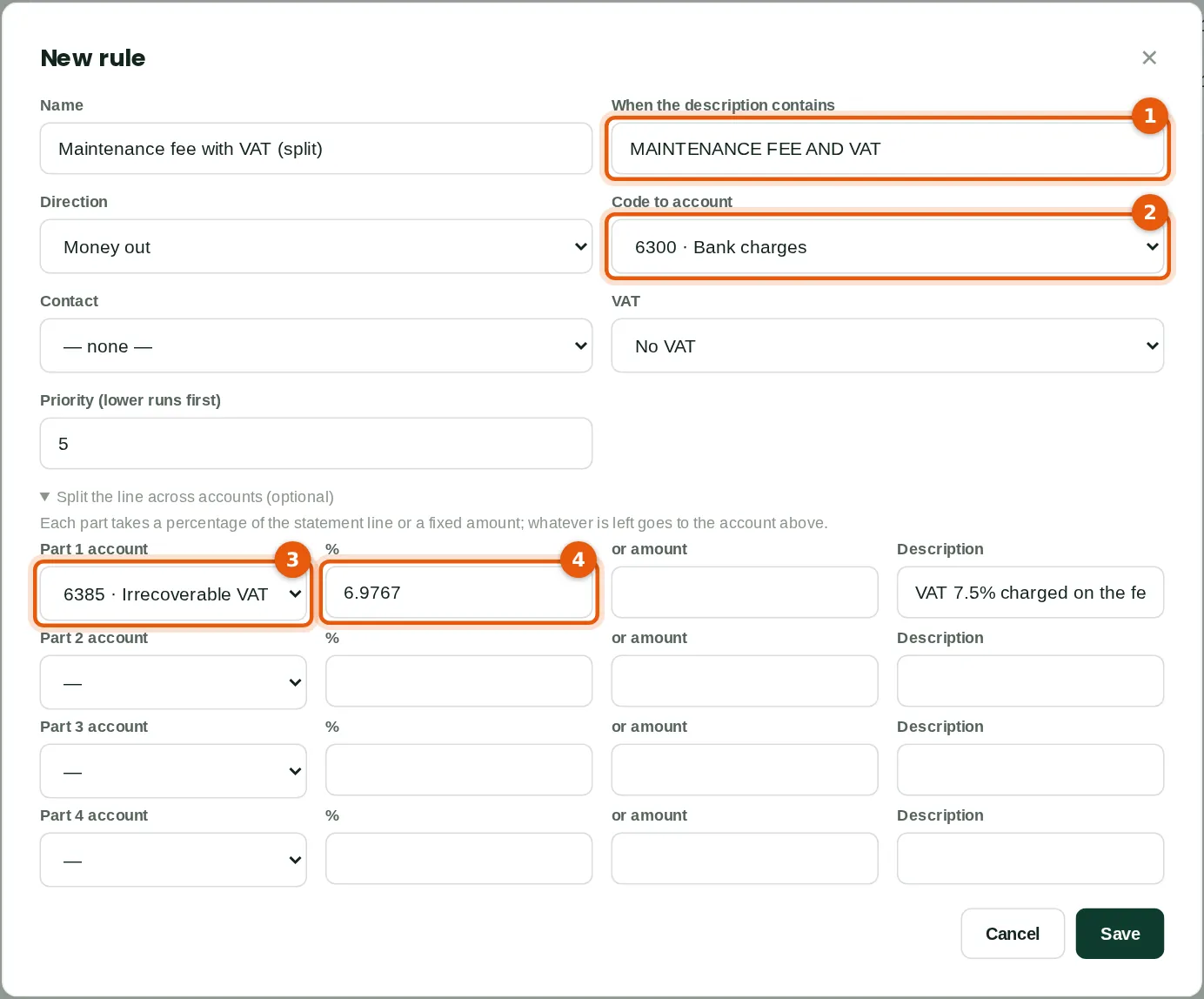
The bank charges its monthly maintenance fee and the VAT on it as one line. The rule matches the narration (1) and posts to bank charges (2), but first takes 6.9767% of the line — the VAT inside a VAT-inclusive amount, 7.5 ÷ 107.5 — to 6385 Irrecoverable VAT (3) (4). Each part takes a percentage of the line or a fixed amount; whatever is left goes to the rule's own account. Parts that come to more than the line are refused.
Who
Accountant.
What to do
- Open Split the line across accounts, choose the account (3) and the percentage (4) or amount for each part, and click Save.
- Apply rules on the statement lines then creates the entry — a spend-money entry, which waits for a second person where spend money needs approval (Savannah Harvest's does: Aisha approved it). A rule can also be used from Create… on a line.
21.9 Match one bank line to several payments
Why
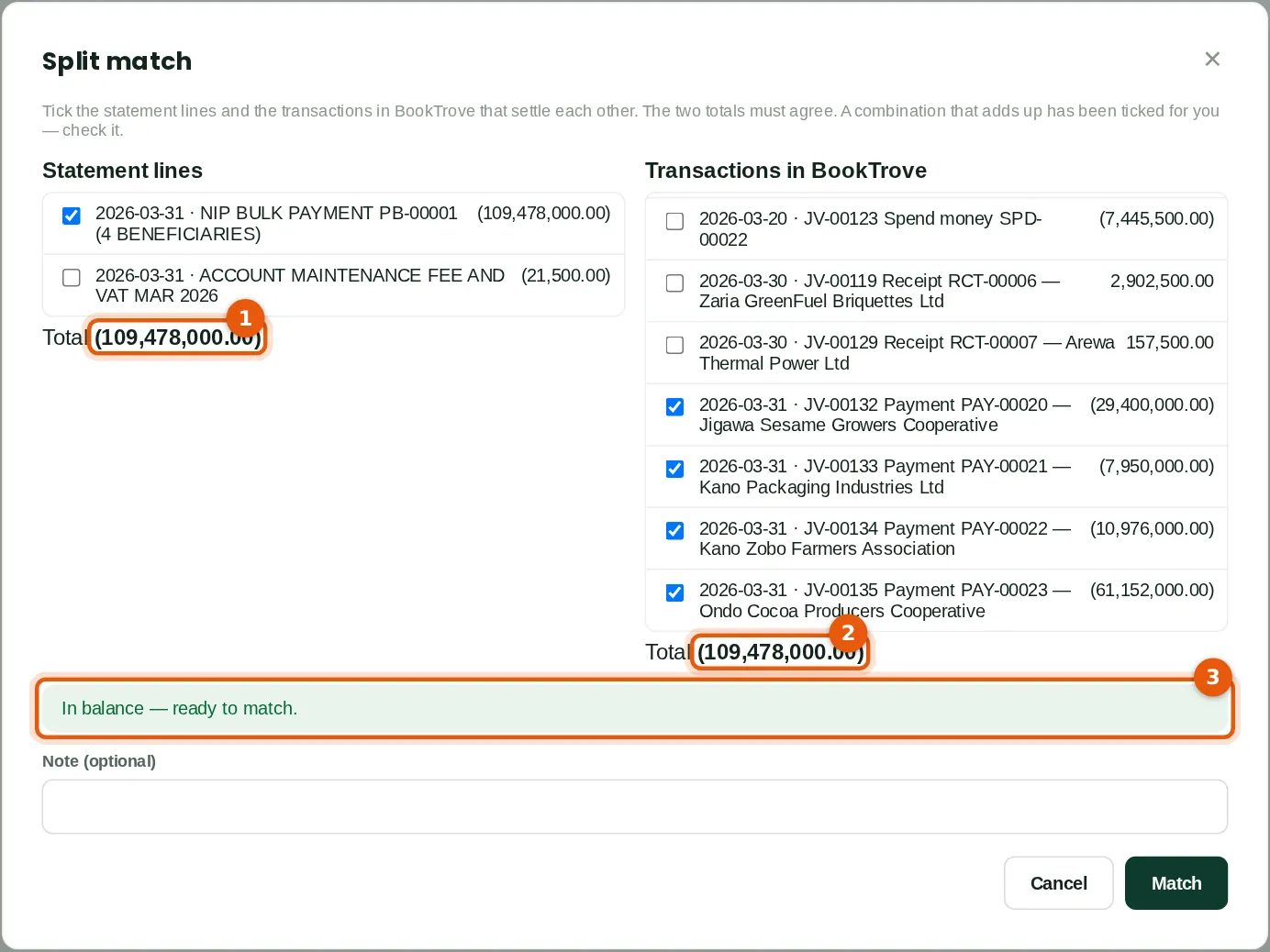
The bank statement shows one debit of ₦109,478,000 for the whole batch, while BookTrove has one payment per bill. Split… on the line looks for up to four nearby transactions that add up, and ticks them. The statement total (1) and the transactions total (2) must agree to the kobo; the banner (3) says when they are in balance. The same screen matches several statement lines to one transaction, or many to many (Split match… above the list).
Who
Accountant (banking Prepare level).
What to do
- Click Split… on the statement line, check the ticked items and click Match.
21.10 Split matches
Why
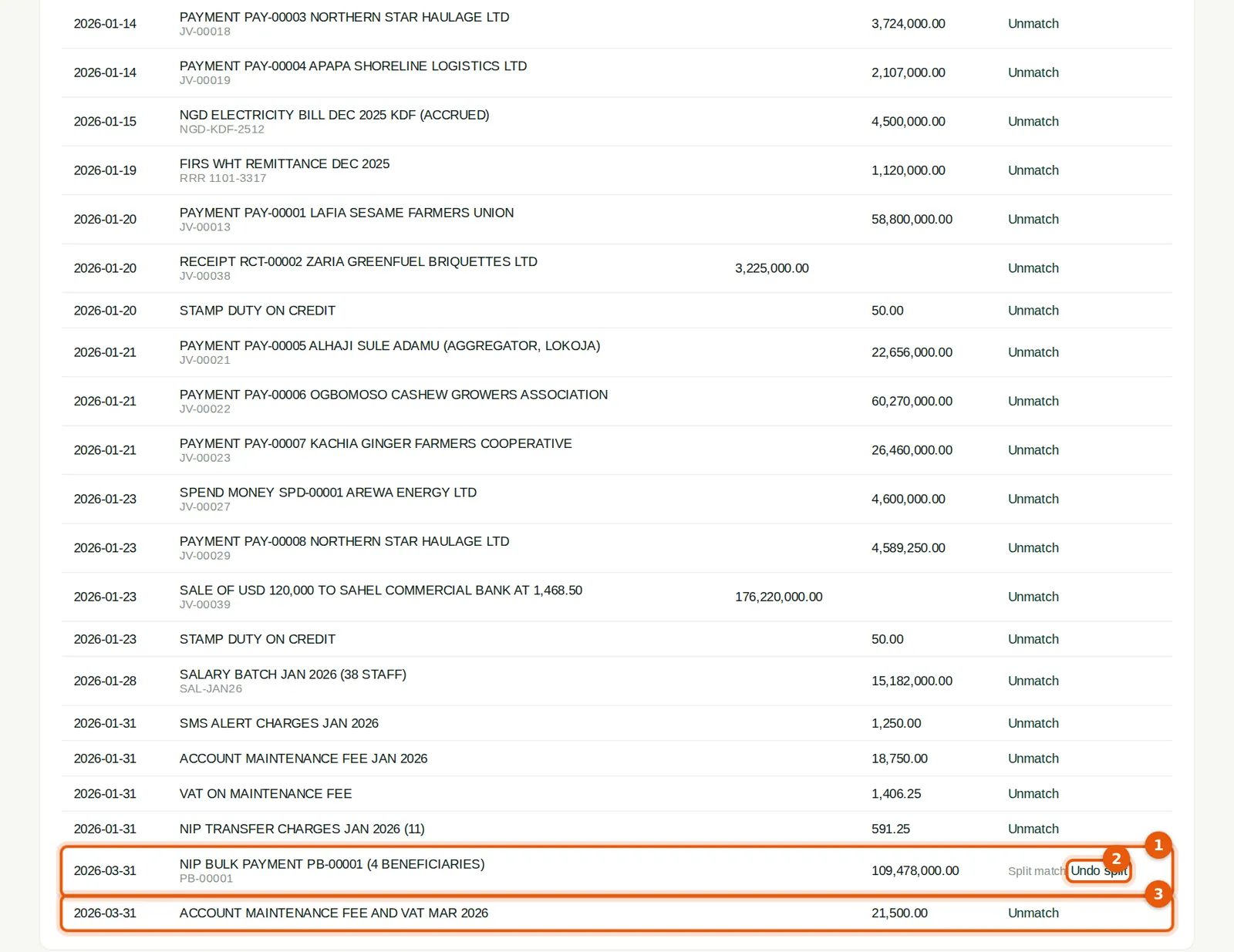
A split match is labelled Split match (1). The fee line (3) is matched to the entry its splitting rule created: ₦1,499.99 to 6385 Irrecoverable VAT and ₦20,000.01 to bank charges (a percentage is rounded to the kobo, so for an exact split use a fixed amount). Undo split (2) on any of its lines undoes the whole match. Voiding one of the payments, or reversing a batch, releases the split; a reconciled line must be un-reconciled first. A transaction can be in only one match at a time.
Who
Accountant.