Steps in this chapter (2)
Part C: For TroveUniverse staff. Attribute a company to a partner, change or remove an attribution, with a recorded reason.
A company is attributed once, by the code at sign-up or its first checkout. Staff can attribute a company that was missed, move it to another partner, or remove the attribution. Commission already recorded stays with the partner who earned it; future payments earn for the partner chosen. A partner cannot be given their own company.
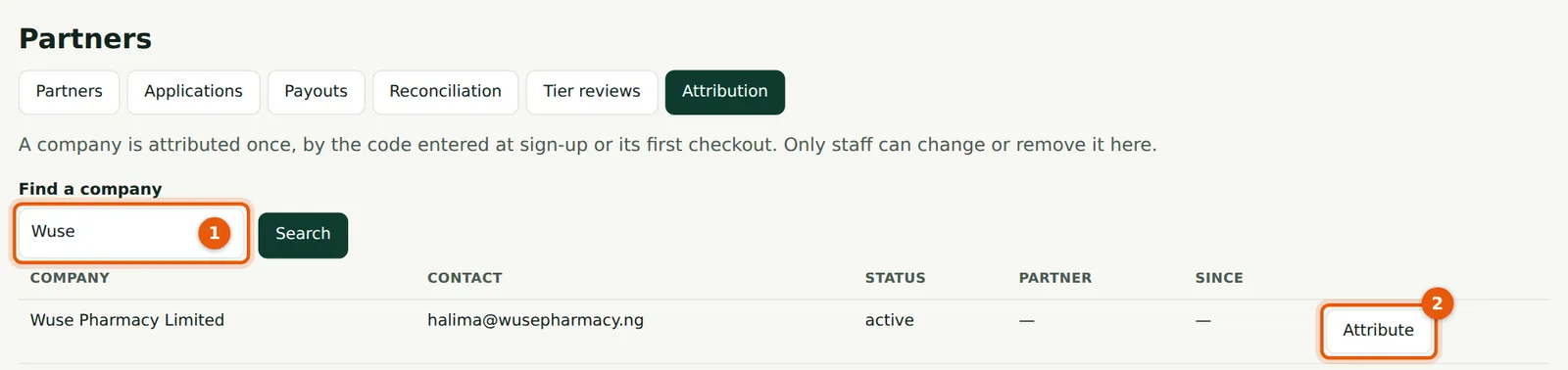
18.1 Find the company
Why
Wuse Pharmacy signed up on 4 March without a code. Ngozi Ibe showed she had introduced it.
Who
TroveUniverse staff with the Manage partners permission (in the illustration, Kelechi Uzor, Partner Programme role).
What to do
- Search by company name, email or number (1).
- Choose Attribute (2), or Change for an attributed company. The same Change button is on a partner's company list.
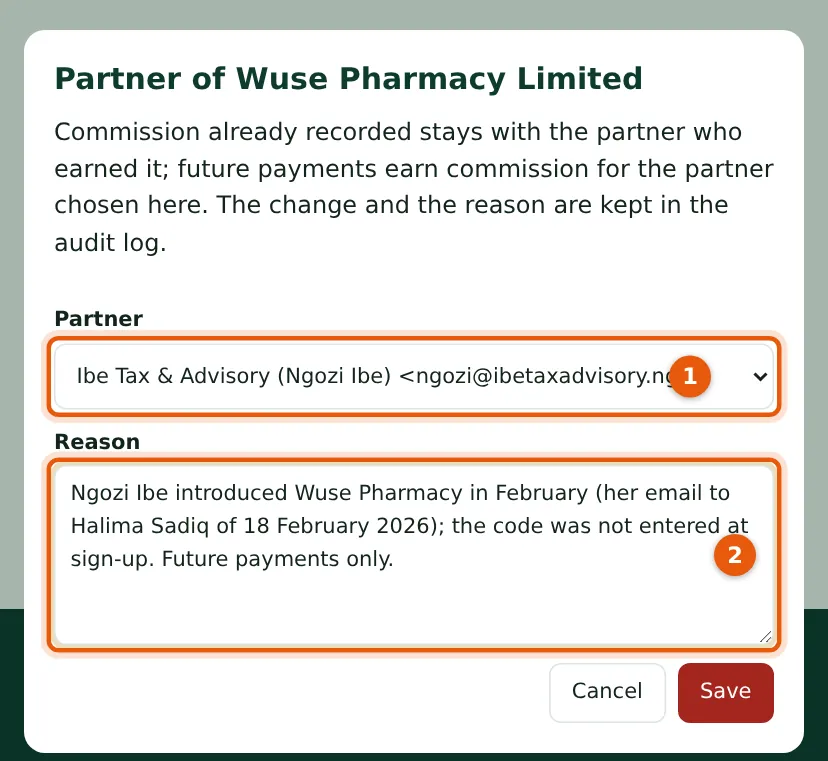
18.2 Choose the partner and give the reason
Why
The change and the reason are kept in the audit log. From then on Wuse Pharmacy's payments earned commission for Ngozi (₦3,150 by September).
Who
TroveUniverse staff with the Manage partners permission (in the illustration, Kelechi Uzor, Partner Programme role).
What to do
- Choose the partner (1), write the reason (2) and choose Save.