Steps in this chapter (3)
Part C: For TroveUniverse staff. Commission is written when a payment is recorded; a refund or a payment recorded in error reverses it in proportion.
Staff do not create commission by hand. It is written automatically, once, when an invoice of an attributed company is paid, whether online (Paystack, Flutterwave, Mono) or by a bank transfer recorded in Settings → Invoices & payments. Manual invoices of an attributed company earn commission too.
19.1 Record a bank transfer
Why
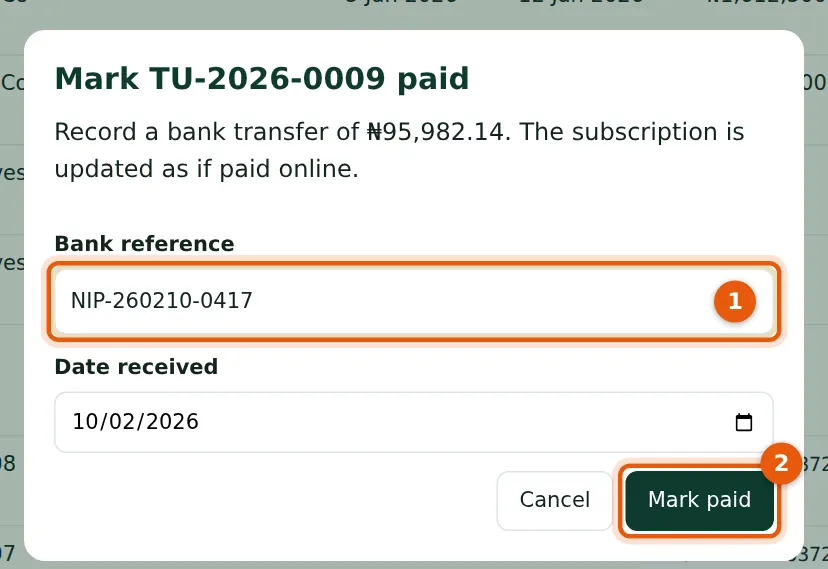
For a transfer recorded late, enter the date the money arrived: the partner's tier on that date applies. The commission line is written in the same step as the payment.
Who
Staff with Manage billing.
What to do
- Choose Mark paid on the invoice, enter the Bank reference (1) and the date received, and choose Mark paid (2).
19.2 Refund a paid invoice
Why
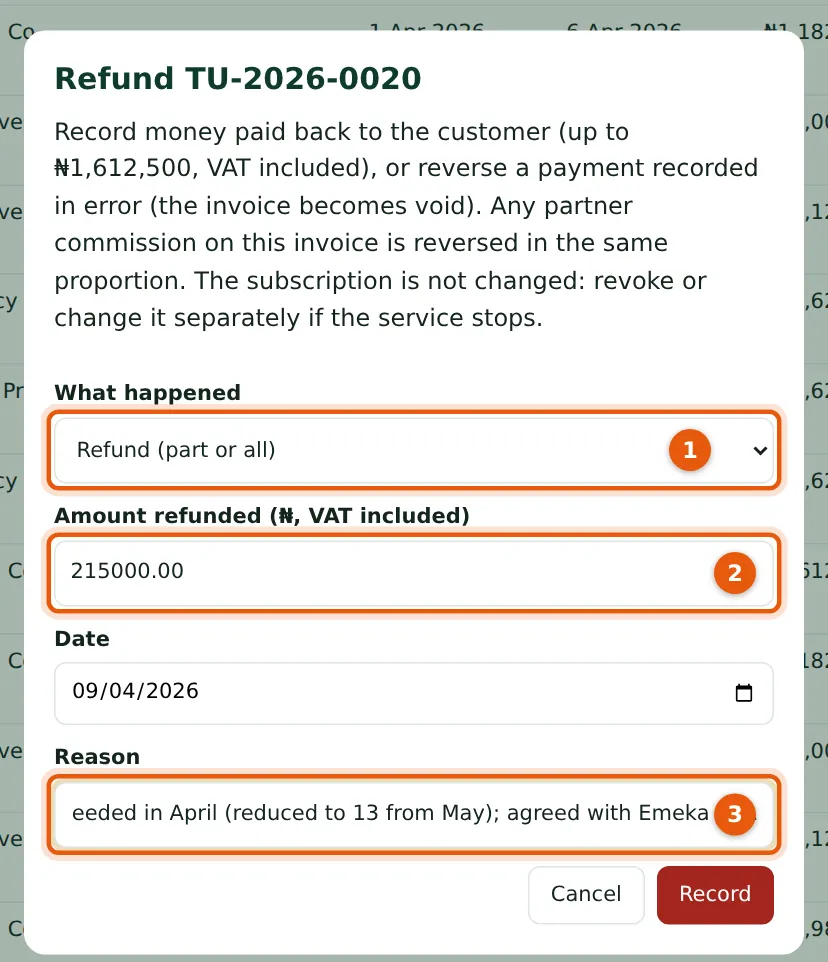
Choose a refund of part or all of the invoice, or “payment recorded in error”, which voids the invoice (1). Any partner commission is reversed in the same proportion. The subscription is not changed; revoke or change it separately if the service stops.
Who
Staff with Manage billing.
What to do
- Choose Refund on the paid invoice.
- Enter the amount refunded including VAT (2), the date and the reason (3), and choose Record.
19.3 The result

Why
The confirmation (1) gives the refund, the credit note issued and the partner commission reversed (₦3,000).
Who
Staff.
What to do
- Tell the partner if the reversal is large; it will reduce their next payout.