Steps in this chapter (2)
Part C: For TroveUniverse staff. Automatic reviews in the hourly billing run, and Recalculate now.
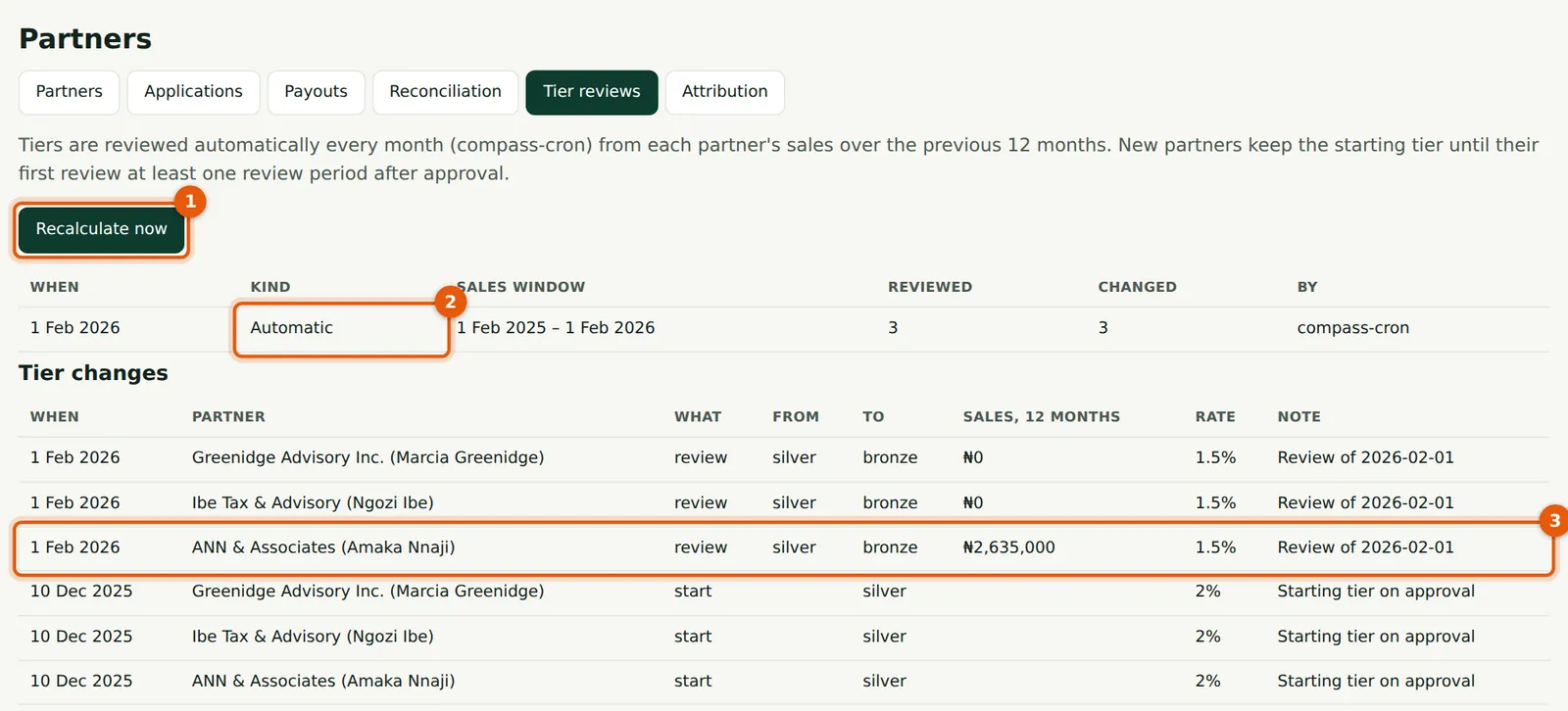
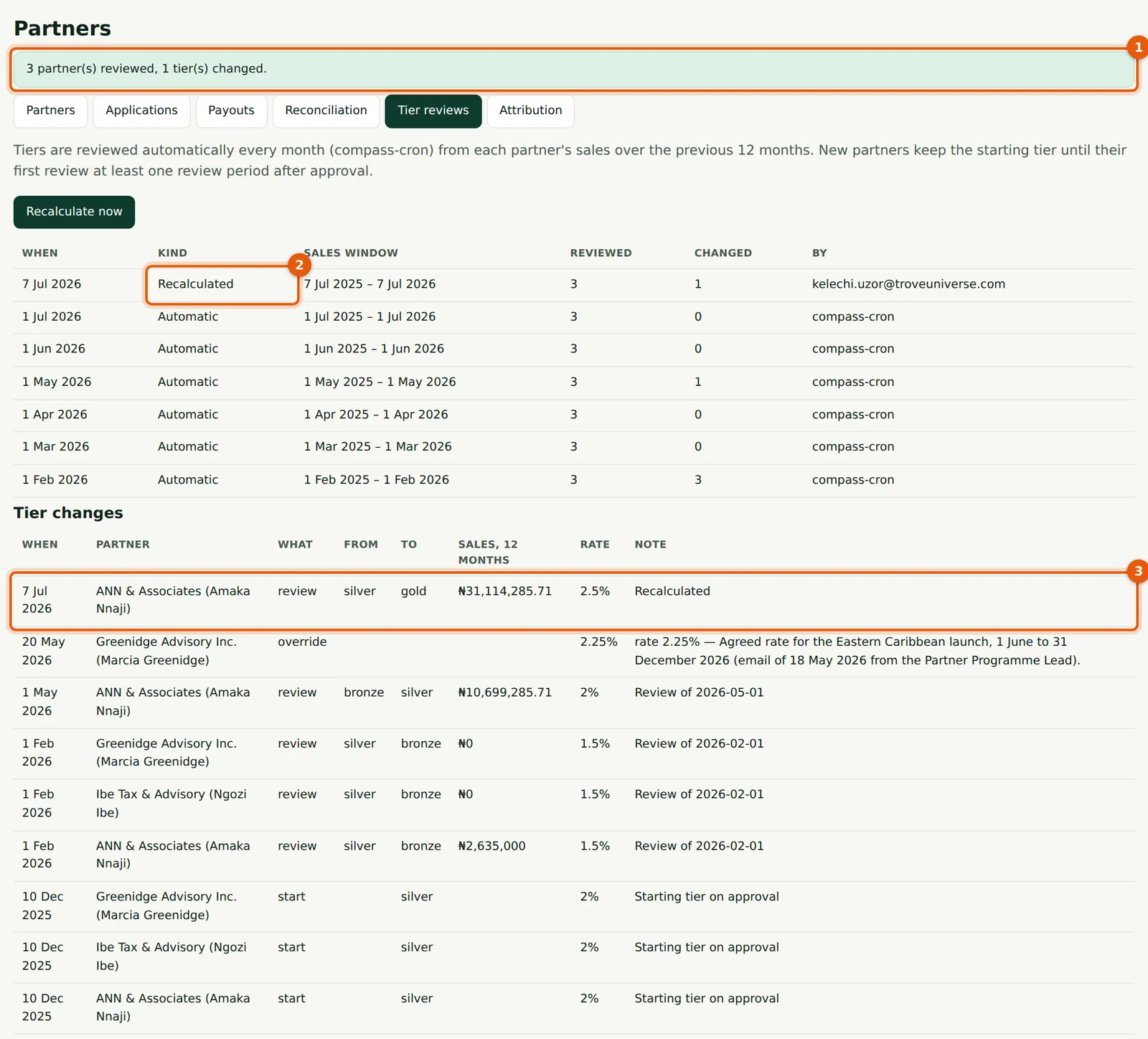
The hourly billing run reviews every active and suspended partner once per review period, on the first day of the period, using sales in the 12 months before that day. Recalculate now runs a review at once, using sales up to and including today. Each changed partner is emailed; overrides still win.
20.1 The review list
Why
Each review (2) shows the sales window, how many partners were reviewed and how many changed. Tier changes below lists each change (3).
Who
TroveUniverse staff with the Manage partners permission (in the illustration, Kelechi Uzor, Partner Programme role).
What to do
- Check the list after the first of each month.
- Choose Recalculate now (1) when a large payment should move a partner at once.
20.2 Recalculate now
Why
The message (1) gives the number of partners reviewed and changed; the review appears as Recalculated (2) and the change (3) with the sales used.
Who
TroveUniverse staff with the Manage partners permission (in the illustration, Kelechi Uzor, Partner Programme role).
What to do
- Use it sparingly, and tell partners when you do: the automatic review a few weeks later would reach the same result.