Steps in this chapter (5)
Part C: For TroveUniverse staff. See commission due for a period, record a payout (WHT deducted automatically), keep the WHT schedule and record remittances.
Pay the partner by bank transfer first, then record the payout. The amount recorded must equal the commission due for the period; the portal works out the WHT from the partner's tax type, records the gross, the WHT and the net, marks the lines paid and emails the partner.
21.1 Commission due for a period
Why
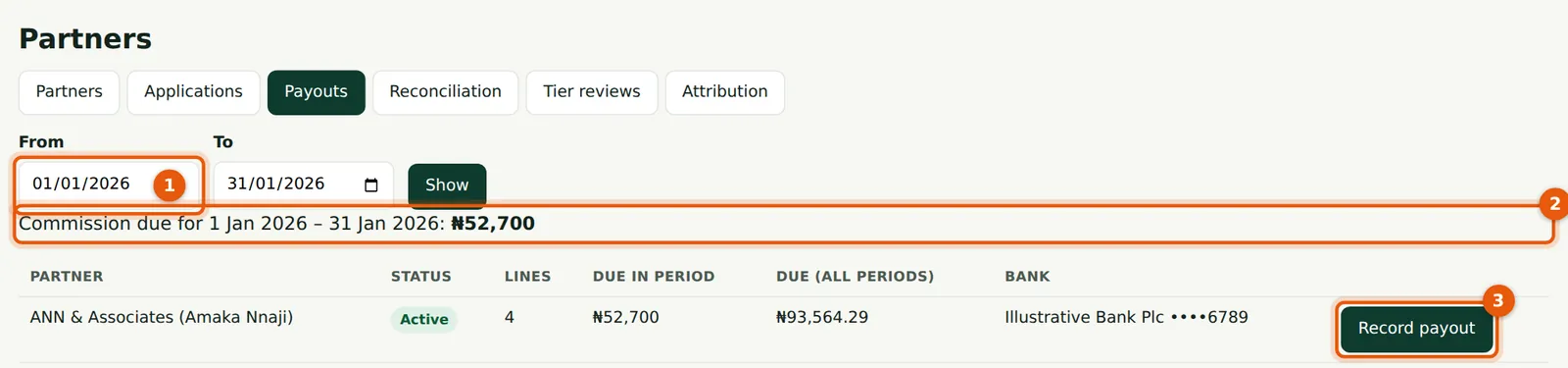
Choose the period (1): by default the last full month. The total due (2) and each partner's lines, due for the period and due over all periods, and bank are listed.
Who
TroveUniverse staff with the Manage partners permission (in the illustration, Kelechi Uzor, Partner Programme role).
What to do
- Transfer the net amount (commission less WHT) to the partner's bank.
- Choose Record payout (3).
21.2 Record the payout
Why
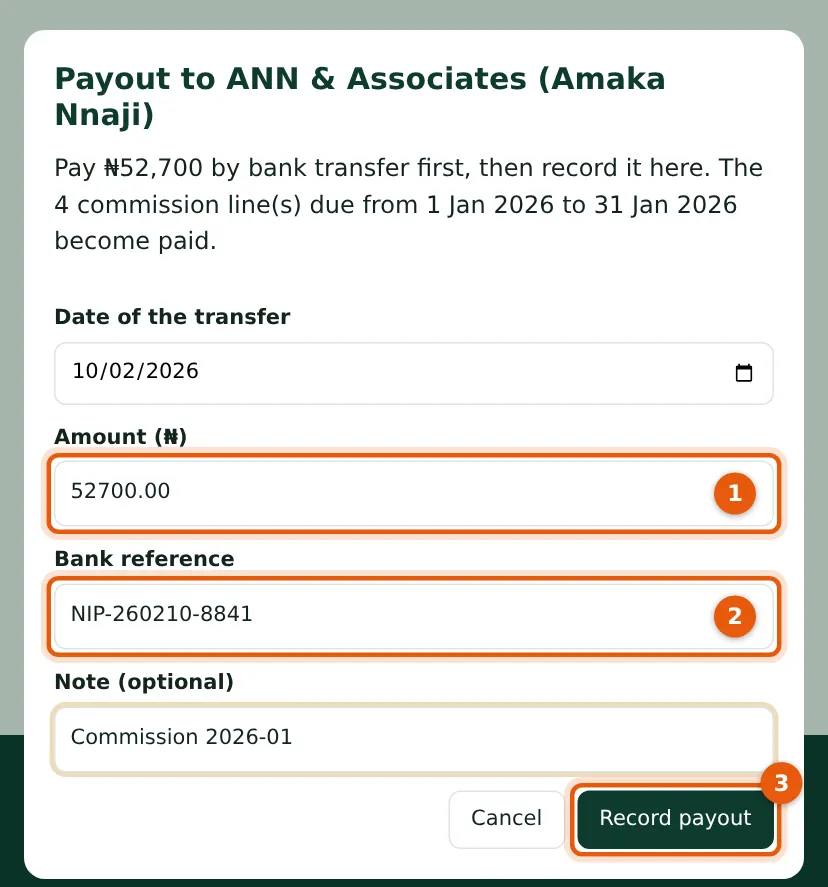
The amount (1) is the commission before WHT and must equal what is due for the period. WHT is deducted on the partner's record and in the email.
Who
TroveUniverse staff with the Manage partners permission (in the illustration, Kelechi Uzor, Partner Programme role).
What to do
- Enter the transfer date, the bank reference (2) and a note, and choose Record payout (3).
21.3 The WHT schedule
Why
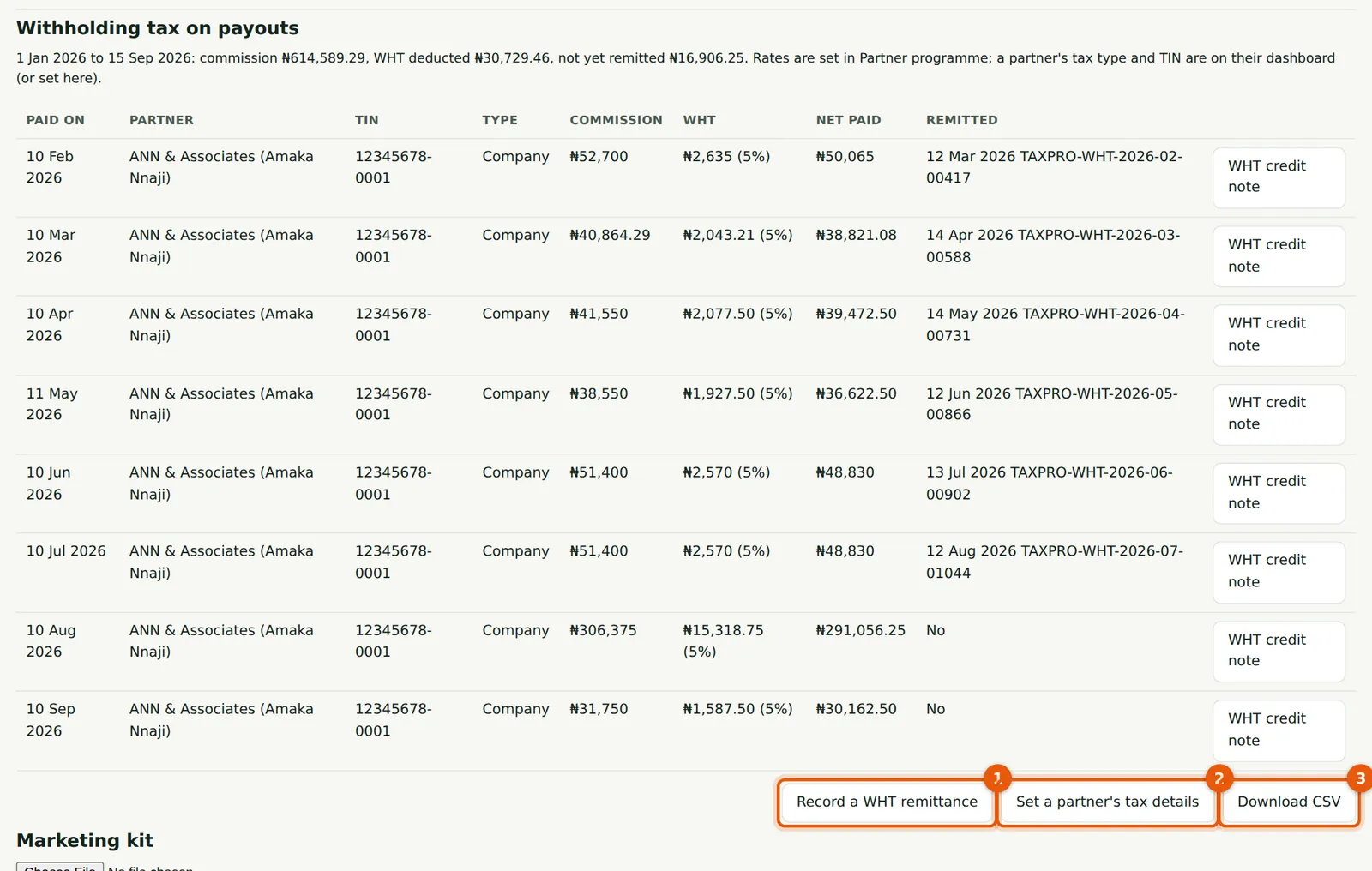
Every payout with its TIN, tax type, commission, WHT, net paid and remittance, plus the WHT credit note. The line above the table gives the WHT not yet remitted.
Who
TroveUniverse staff with the Manage partners permission (in the illustration, Kelechi Uzor, Partner Programme role).
What to do
- Choose Record a WHT remittance (1) after paying the tax authority.
- Use Set a partner's tax details (2) to record an exemption (with the certificate number) or correct a partner's tax type.
- Choose Download CSV (3) for the schedule.
21.4 Record a WHT remittance
Why
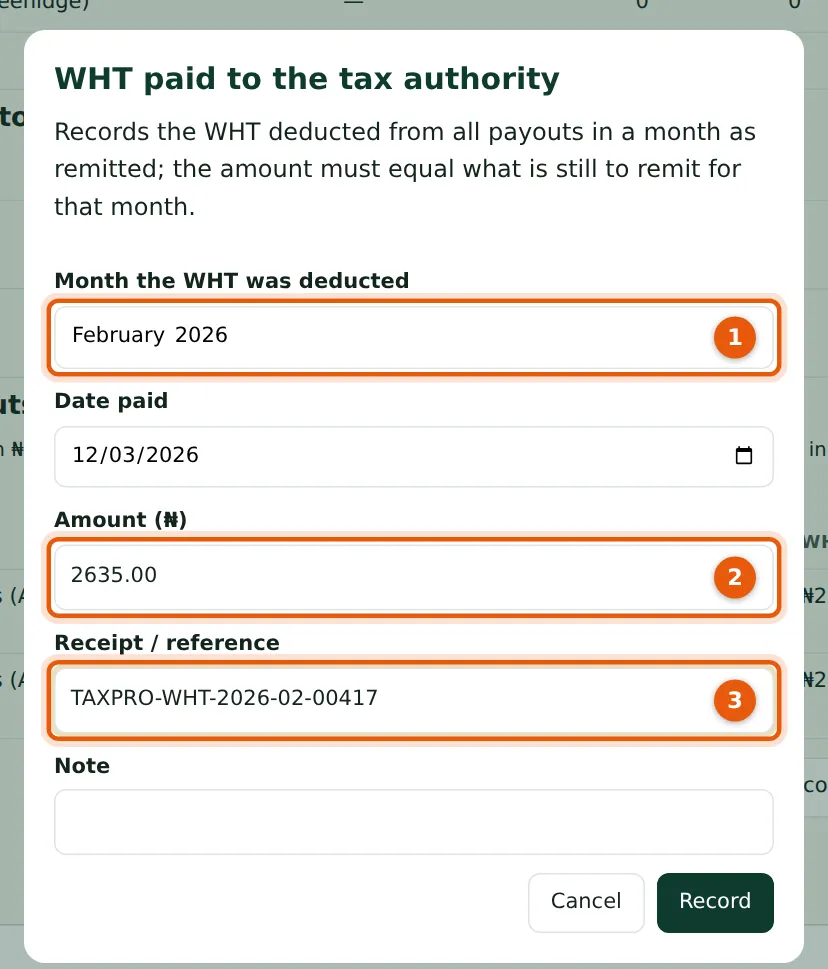
A remittance covers all WHT deducted in a month (1) and must equal what is still to remit (2); the receipt reference (3) then appears on each partner's WHT credit note. February 2026: ₦2,635.
Who
TroveUniverse staff with the Manage partners permission (in the illustration, Kelechi Uzor, Partner Programme role).
What to do
- Enter the month, the date paid, the amount and the receipt reference, and choose Record.
21.5 The WHT schedule as CSV
Why
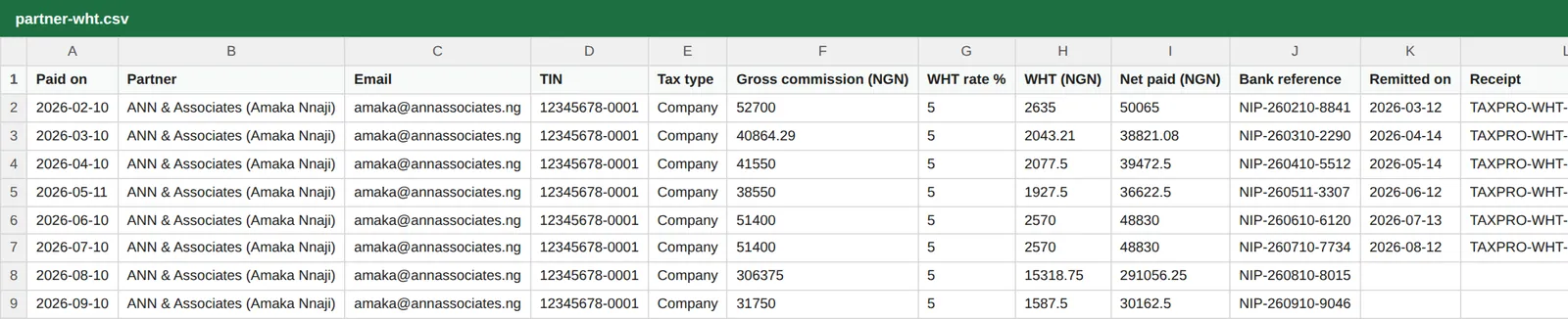
The CSV has naira with two decimals, the TIN and the remittance for each payout, for the WHT returns.
Who
TroveUniverse staff with the Manage partners permission (in the illustration, Kelechi Uzor, Partner Programme role).
What to do
- Download it each month with the remittance.