Steps in this chapter (4)
Part C: For TroveUniverse staff. Reconcile commission with payments for a period, print or download it, and follow referral funnels.
The reconciliation checks the whole chain for a period: every payment, refund and void of the partners' companies, the commission on each, the payouts, and the differences. Run it before each payout run.
22.1 Reconciliation for a period
Why
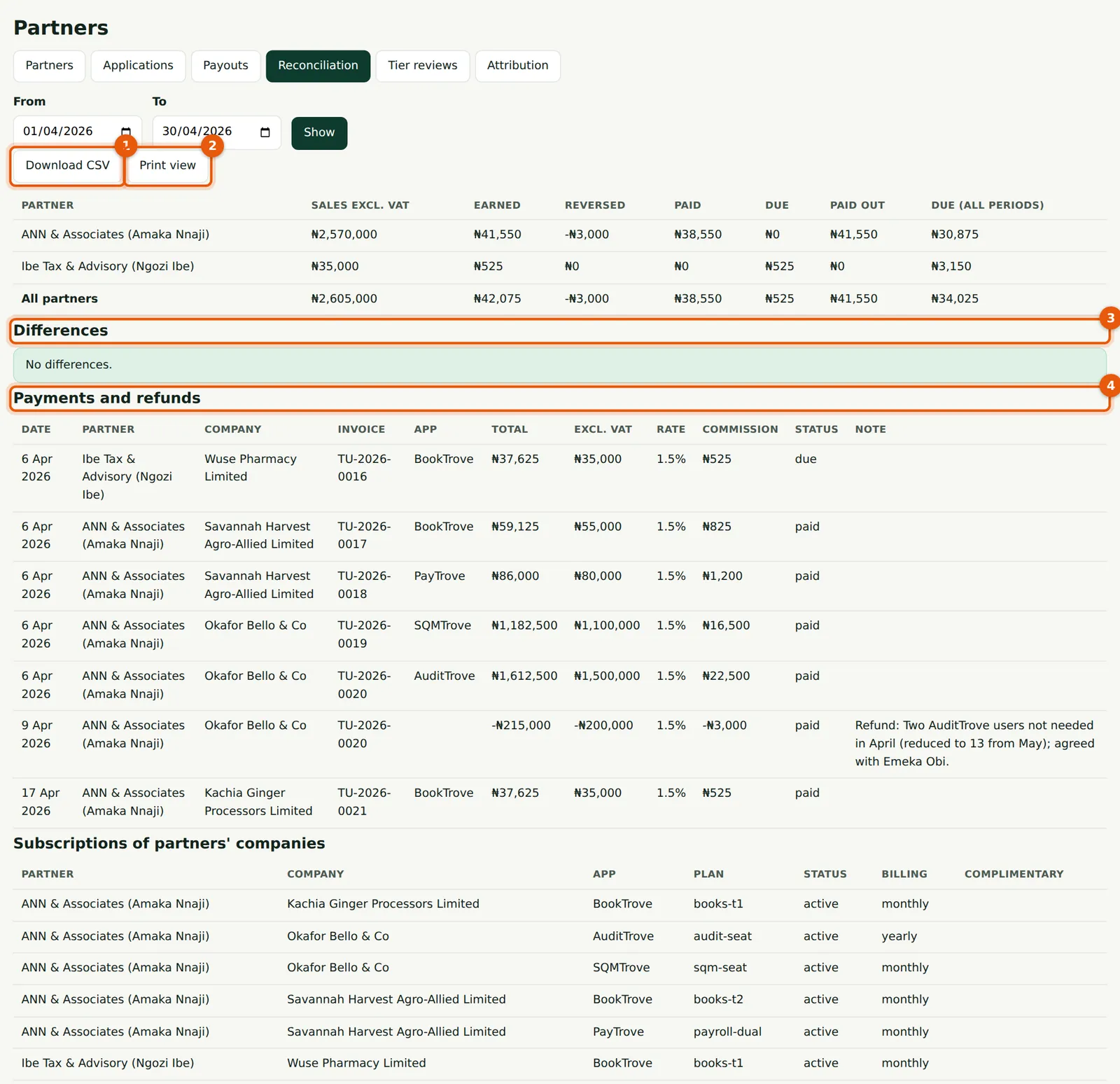
Totals per partner (sales, earned, reversed, paid, due, paid out), then Differences (3), then every payment and refund (4) and the partners' subscriptions. The period can be filtered to one partner from their record.
Who
TroveUniverse staff with the Manage partners permission (in the illustration, Kelechi Uzor, Partner Programme role).
What to do
- Choose the period and Show.
- Download the CSV (1) or open the Print view (2).
What the Differences list catches
- A payment with no commission line although the company is attributed and the partner is now active (for example, received while the partner was suspended or the programme was off).
- A commission amount that is not base × rate.
- A base that differs from the invoice's amount excluding VAT.
- A refund with no reversal.
- A payout whose lines do not add up to it.
22.2 The print view
Why
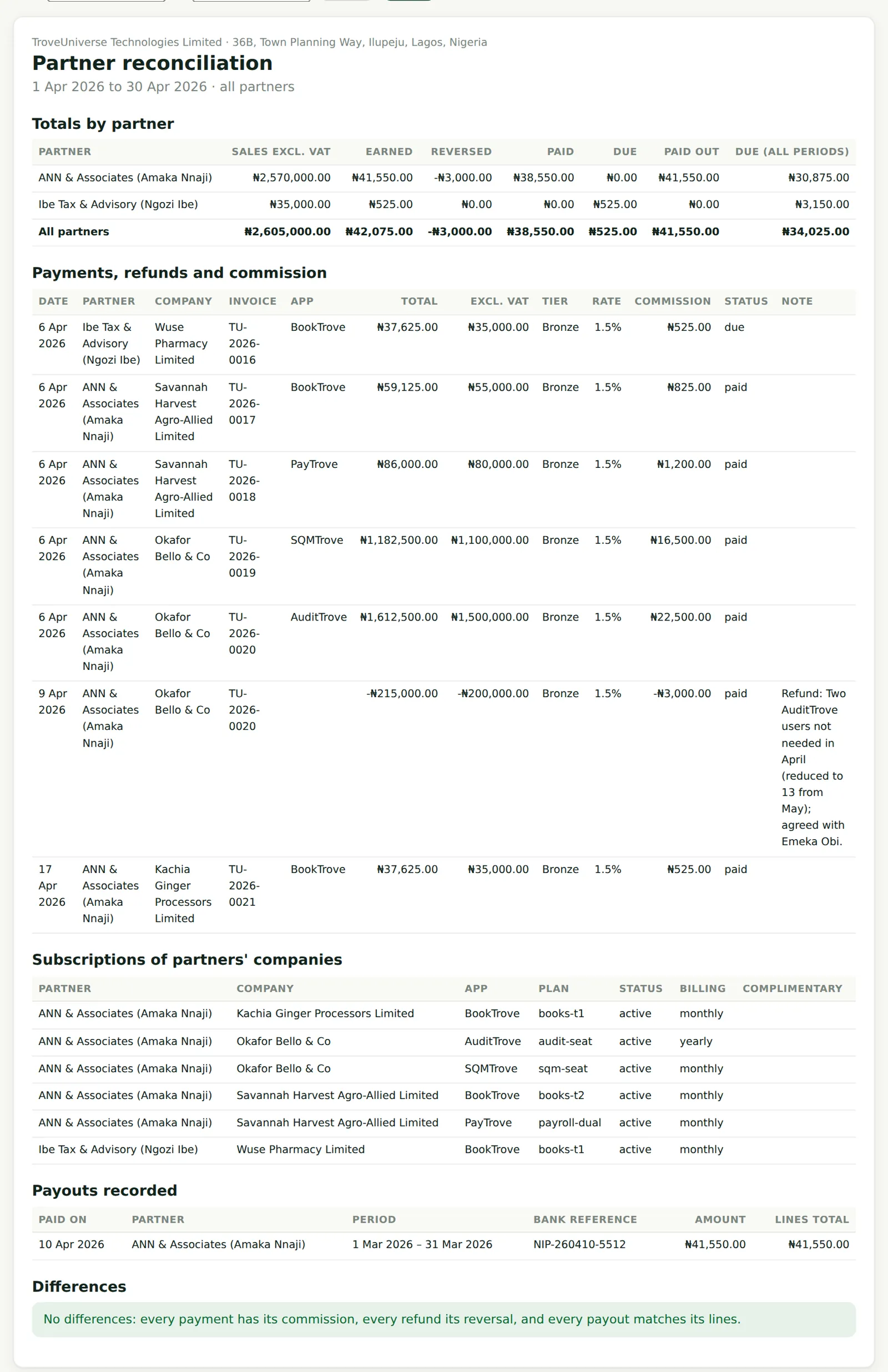
The print view has the same content, laid out for filing.
Who
TroveUniverse staff with the Manage partners permission (in the illustration, Kelechi Uzor, Partner Programme role).
What to do
- Print or save as PDF.
22.3 The reconciliation CSV
Why
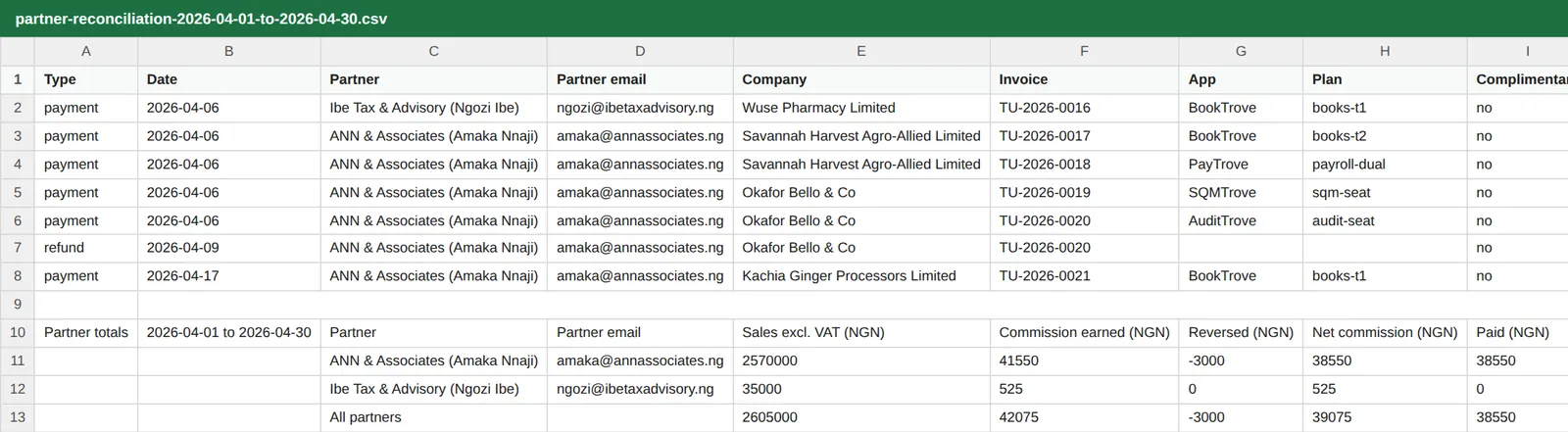
Naira with two decimals and a byte-order mark, so spreadsheets read ₦ and accents correctly; cells that look like formulas are made safe. Each export is recorded in the audit log.
Who
TroveUniverse staff with the Manage partners permission (in the illustration, Kelechi Uzor, Partner Programme role).
What to do
- Use it for the monthly commission accrual in the books.
22.4 Referral funnels for all partners
Why
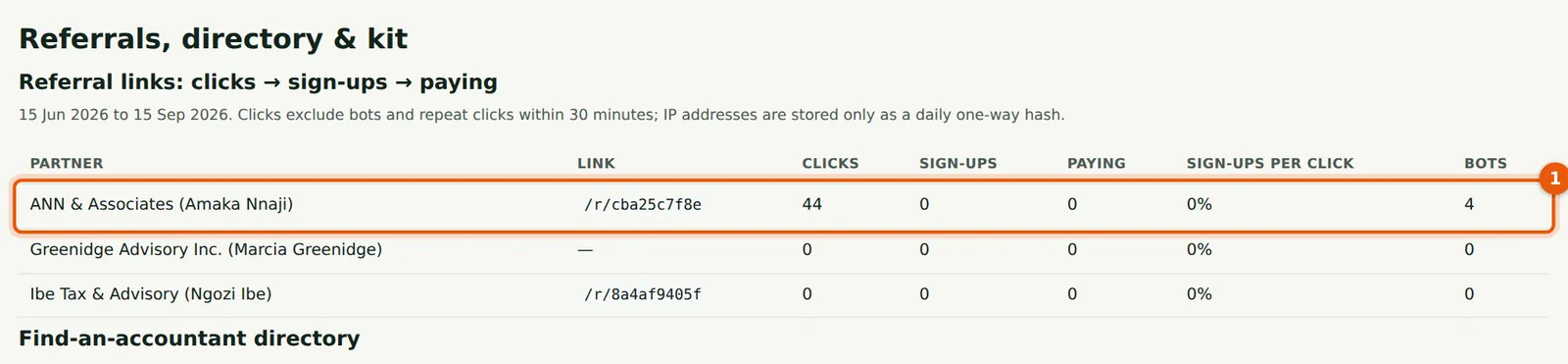
The same funnel partners see, for every partner (1), with bots counted separately.
Who
TroveUniverse staff with the Manage partners permission (in the illustration, Kelechi Uzor, Partner Programme role).
What to do
- Use it to spot partners who need help or marketing material.