Steps in this chapter (6)
Part C: For TroveUniverse staff. The partners list, a partner's record, viewing bank details for a transfer, suspending or ending a partnership, and overriding a tier or rate.
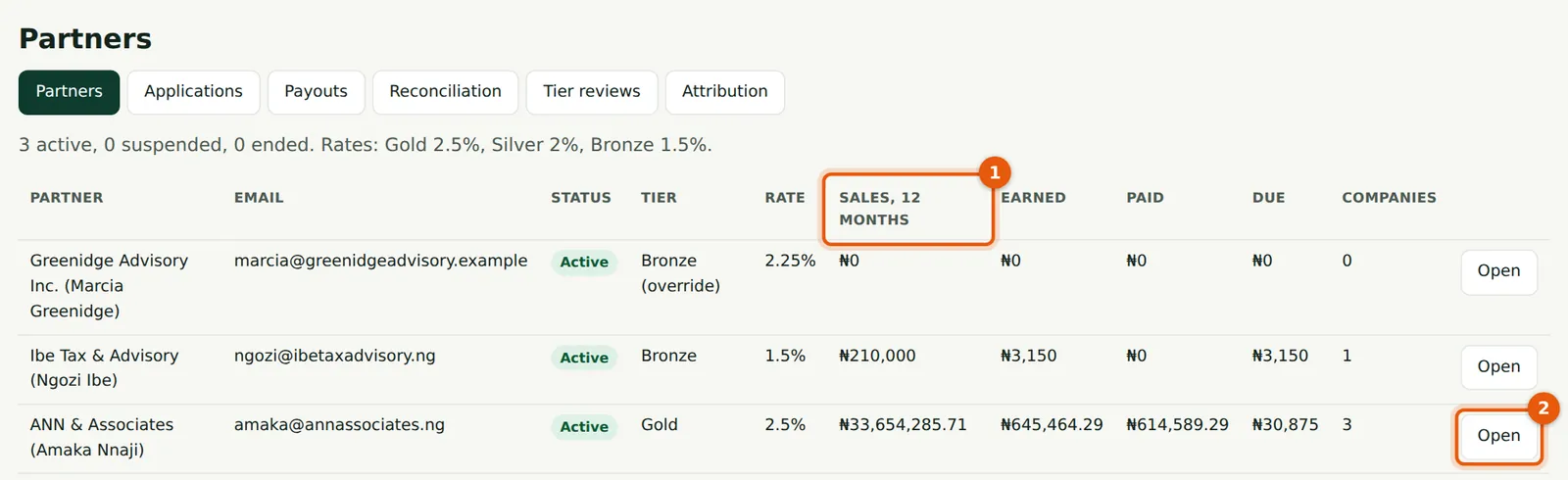
Settings → Partners → Partners lists every active, suspended and ended partner with their tier, rate, 12-month sales, commission earned, paid and due, and the number of companies.
17.1 The partners list
Why
The list (1) gives the position of each partner at a glance. Marcia Greenidge shows Bronze with a 2.25% override.
Who
TroveUniverse staff with the Manage partners permission (in the illustration, Kelechi Uzor, Partner Programme role).
What to do
- Choose Open (2) for a partner's record.
17.2 A partner's record
Why
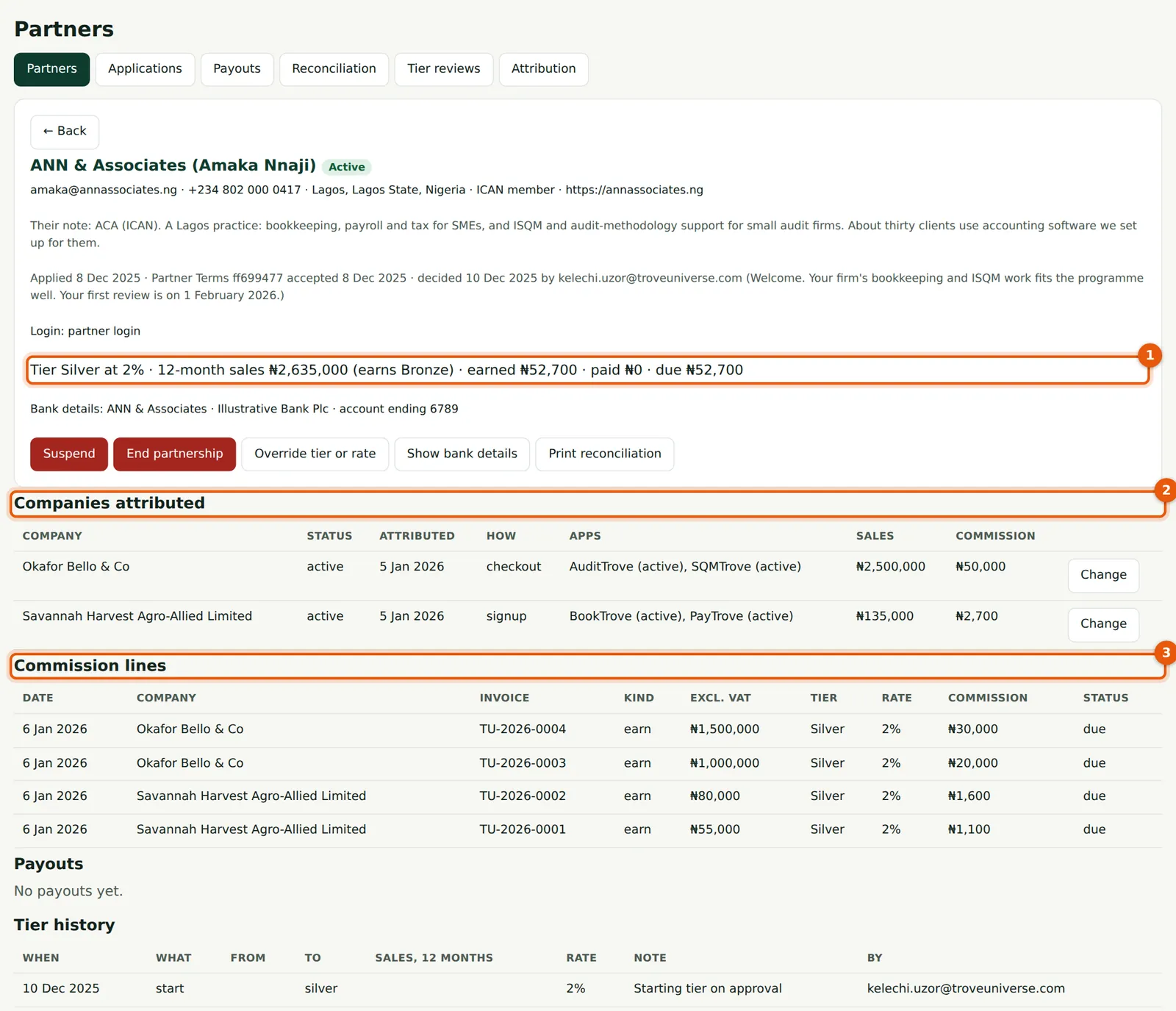
The record has the partner's details and decision, the tier and figures (1), the actions, the companies attributed (2), every commission line (3), the payouts and the tier history.
Who
TroveUniverse staff with the Manage partners permission (in the illustration, Kelechi Uzor, Partner Programme role).
What to do
- Use Print reconciliation for a one-partner reconciliation of the last month.
17.3 Tier history

Why
Every tier change is kept with the sales figure used, the rate, the note and who made it: the starting tier, automatic reviews, Recalculate now (1) and overrides.
Who
TroveUniverse staff with the Manage partners permission (in the illustration, Kelechi Uzor, Partner Programme role).
What to do
- Use it to answer a partner's question about their rate on a date.
17.4 Show bank details for a transfer
Why
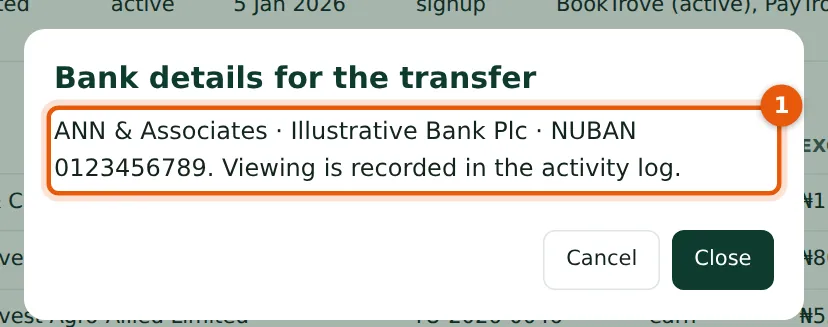
Bank details are stored encrypted and shown masked everywhere else. Opening them (1) is recorded in the activity log.
Who
TroveUniverse staff with the Manage partners permission (in the illustration, Kelechi Uzor, Partner Programme role).
What to do
- Choose Show bank details only when you are about to make the transfer.
17.5 Suspend, reinstate or end a partnership
Why
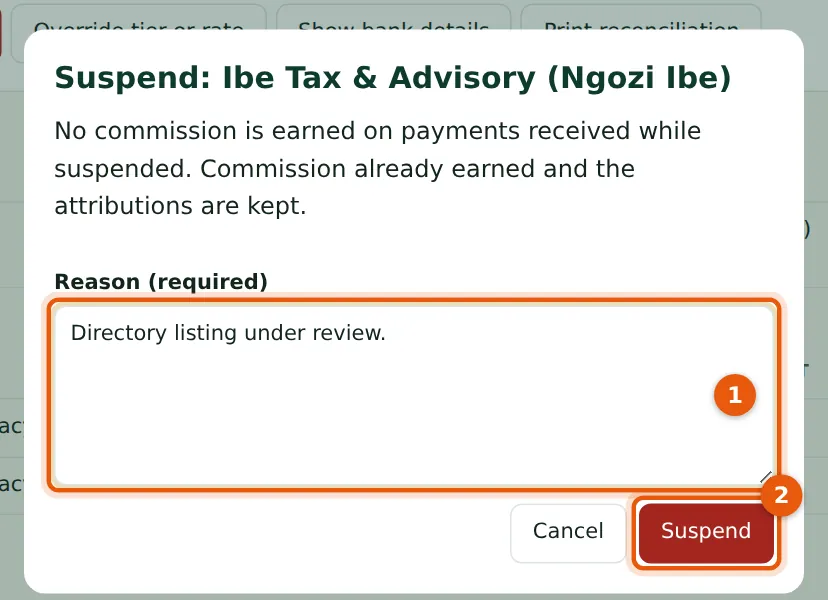
A suspended partner earns no commission on payments received while suspended; commission already earned and the attributions are kept, and the partner can still open client apps. Reinstate starts commission again from that day. End partnership is final: no further commission, no Open, but the history stays visible to the partner. The partner is emailed each time.
Who
TroveUniverse staff with the Manage partners permission (in the illustration, Kelechi Uzor, Partner Programme role).
What to do
- Give the reason (1) and choose Suspend (2).
17.6 Override a tier or rate
Why
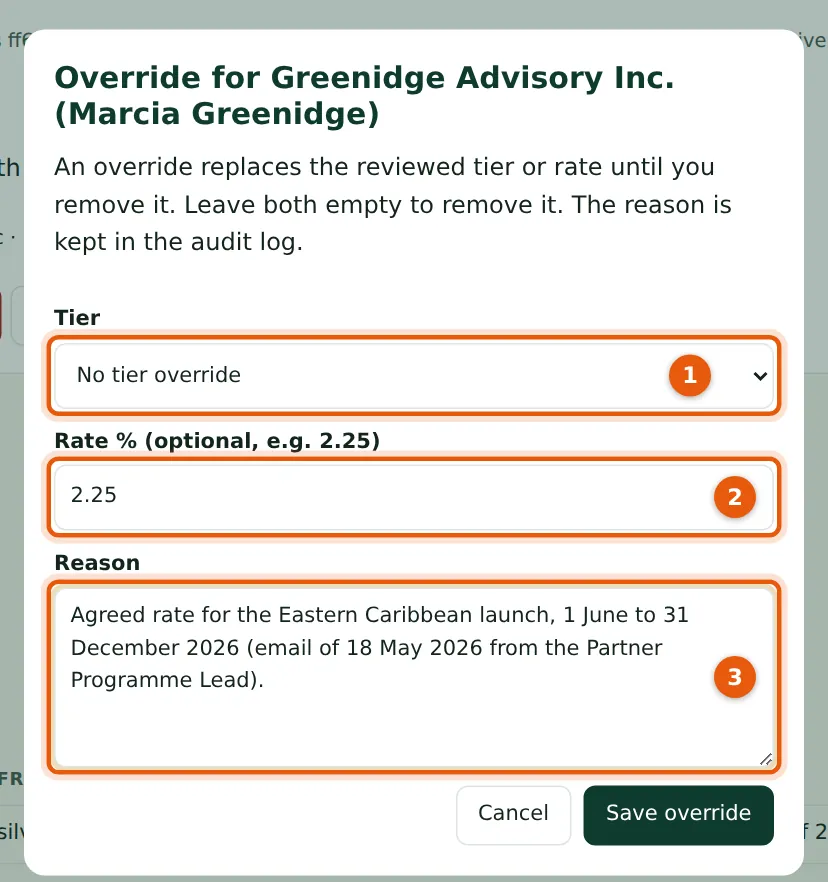
An override replaces the reviewed tier (1) or the rate (2), or both, until you remove it. The reason (3) is kept in the audit log and the tier history. The partner is not emailed about overrides.
Who
TroveUniverse staff with the Manage partners permission (in the illustration, Kelechi Uzor, Partner Programme role).
What to do
- Choose Override tier or rate.
- Choose a tier or enter a rate, give the reason and choose Save override. Leave both empty to remove an override.