Steps in this chapter (3)
Part A: For partners. Read sales and commission by month, print a statement for any period, and see a refund reversal on a statement.
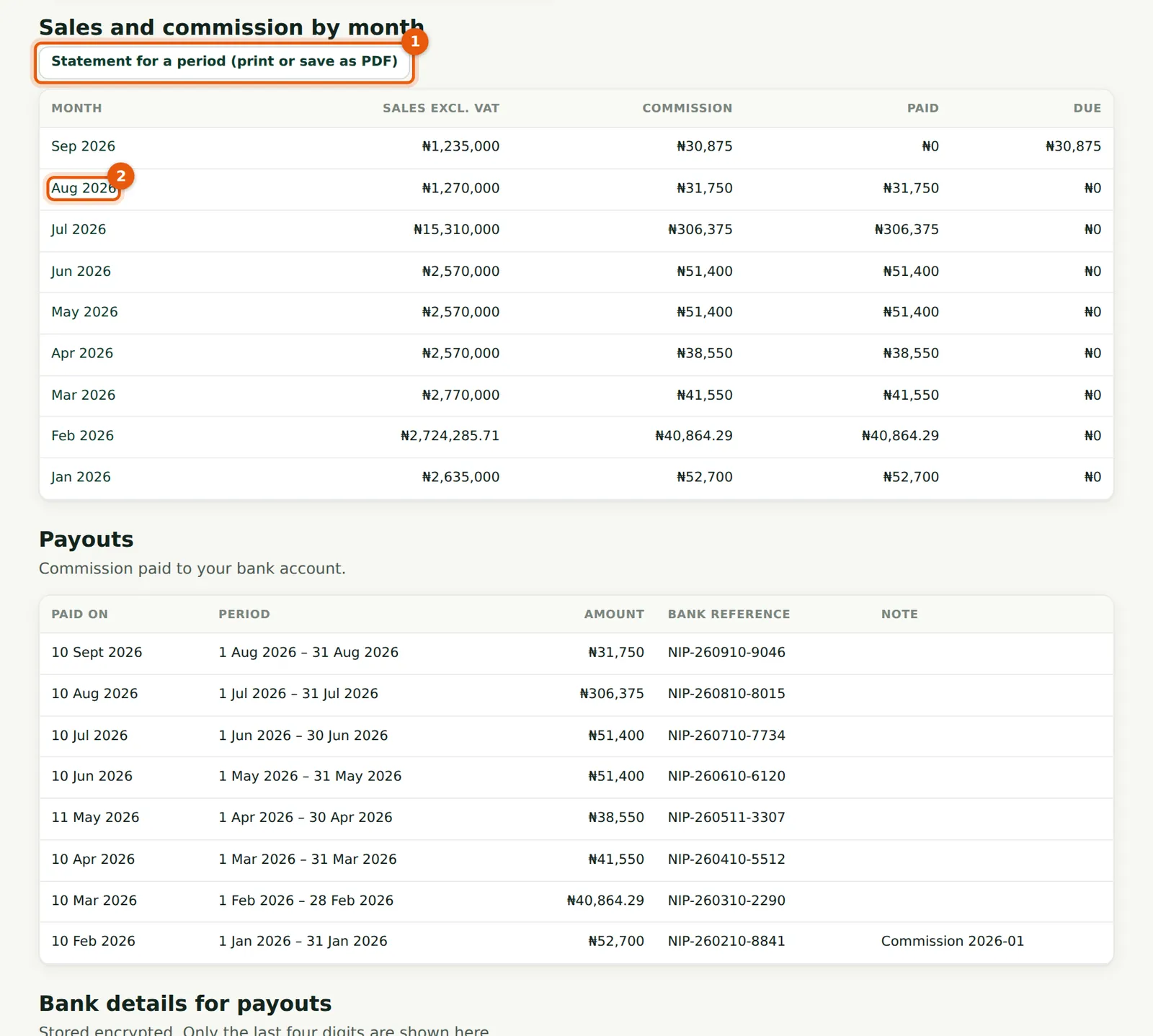
Every commission line has a date (the day the payment was received), the invoice, the app, the amount excluding VAT, the tier and rate, the commission and whether it has been paid. The dashboard adds them up by month; the statement lists them for any period you choose.
10.1 Sales and commission by month
Why
Each month shows sales excluding VAT, commission, the part paid and the part still due. Each month's name (2) opens that month's statement.
Who
Partner.
What to do
- Choose a month (2), or Statement for a period (1) for any other period.
10.2 Print a statement
Why
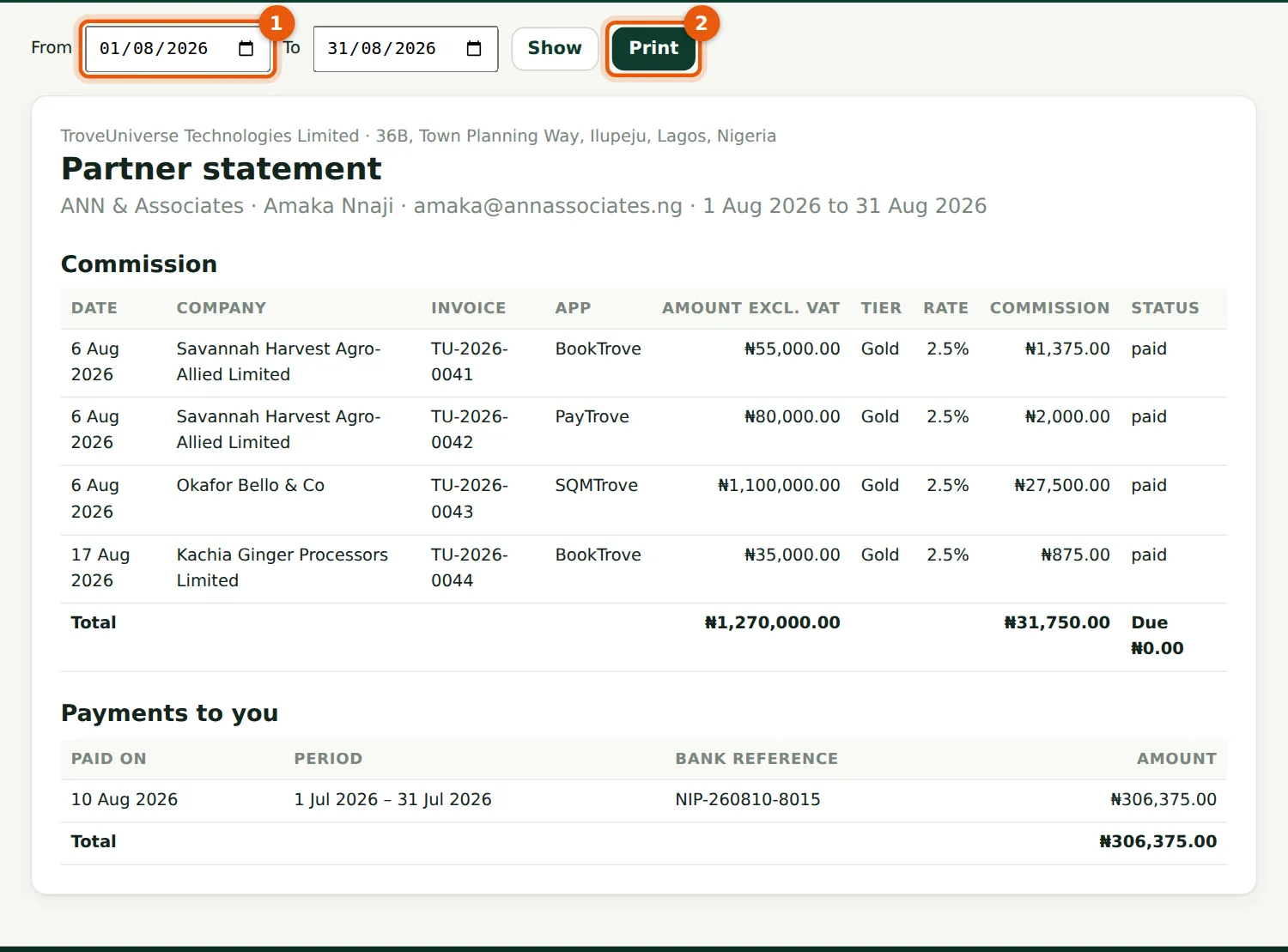
The statement lists each commission line with the invoice, app, amount excluding VAT, tier, rate and status, and the payouts made in the period. It is your record for your own books.
Who
Partner.
What to do
- Change From (1) and To and choose Show.
- Choose Print (2) and save as PDF from the print dialog.
10.3 A refund on the statement
Why
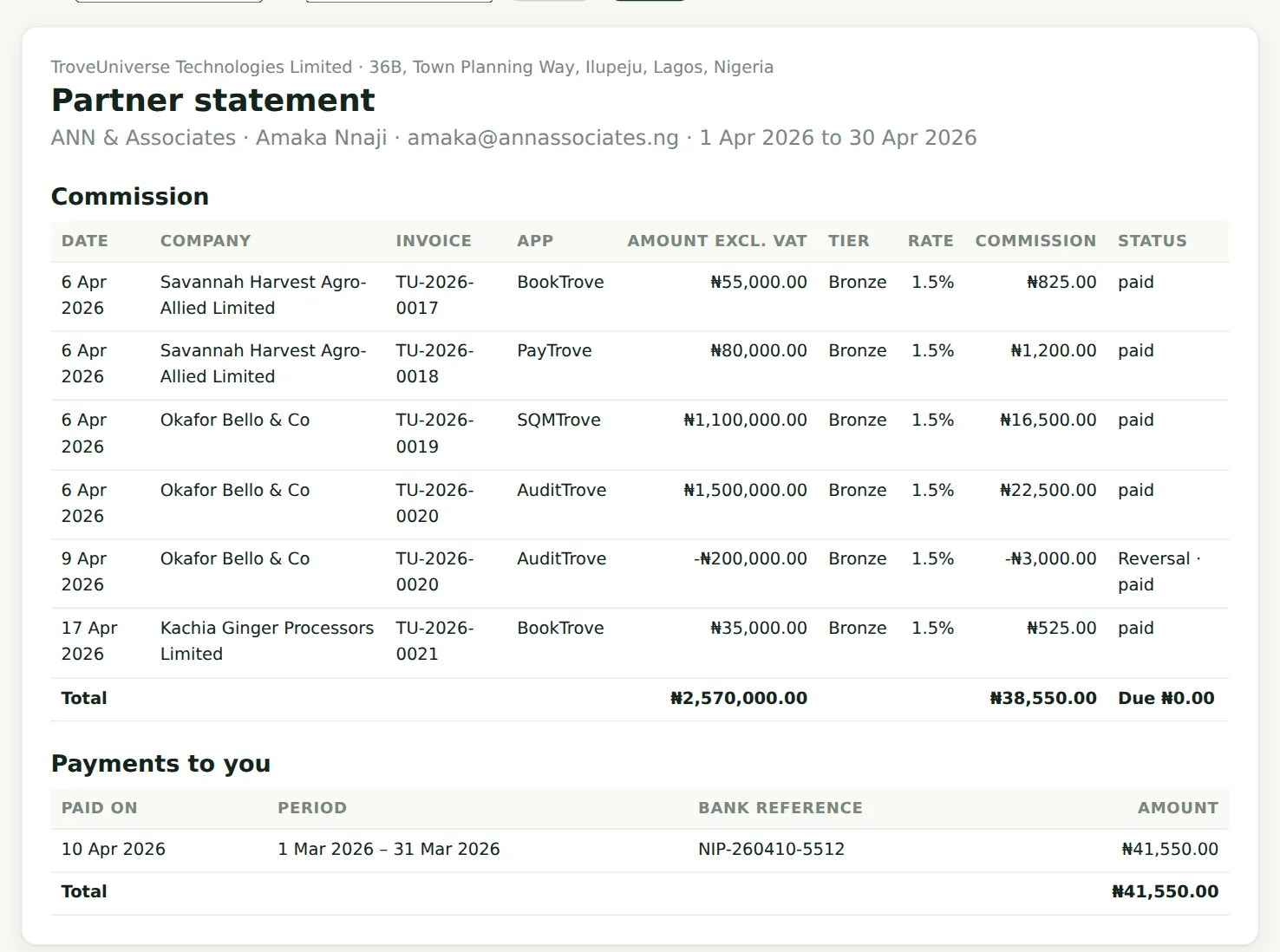
The refund of two AuditTrove users shows as a reversal line with negative sales and negative commission, at the rate of the original line. April's total is net of it.
Who
Partner.
What to do
- Nothing to do: the reversal is deducted from the next payout.
Worked example: a refund reverses commission
| ₦ | |
|---|---|
| Invoice TU-2026-0020 (Okafor Bello & Co, AuditTrove, April): excluding VAT | 1,500,000.00 |
| VAT 7.5% | 112,500.00 |
| Total paid on 6 April | 1,612,500.00 |
| Commission earned at Bronze 1.5%: ₦1,500,000 × 1.5% | 22,500.00 |
| Refund on 9 April 2026 (two users not needed in April), VAT included | 215,000.00 |
| Share of the invoice refunded: ₦215,000 ÷ ₦1,612,500 | 13.33% |
| Sales reversed: ₦1,500,000 × 13.33% | (200,000.00) |
| Commission reversed: ₦22,500 × 13.33% | (3,000.00) |
The reversal is a negative line at the same rate and tier as the original line. It is due, so it is deducted from the next payout: April's commission was ₦38,550 (₦41,550 earned less ₦3,000 reversed). The refunded sales also come off the 12-month sales used for tiers. If a later refund took the rest of the invoice, the last reversal would take exactly what is left, so no kobo is lost to rounding.