Steps in this chapter (5)
Part A: For partners. List your firm in Find an accountant, see how businesses find and contact you, and what happens if TroveUniverse hides a listing.
Find an accountant (troveuniverse.com/find-an-accountant.html) is a public directory of active partners who choose to be listed. Businesses search it by state, app and keyword and contact you through a form. Your email address is never shown: TroveUniverse emails you the enquiry with the sender's address, and they see yours only when you reply.
11.1 List your firm
Why
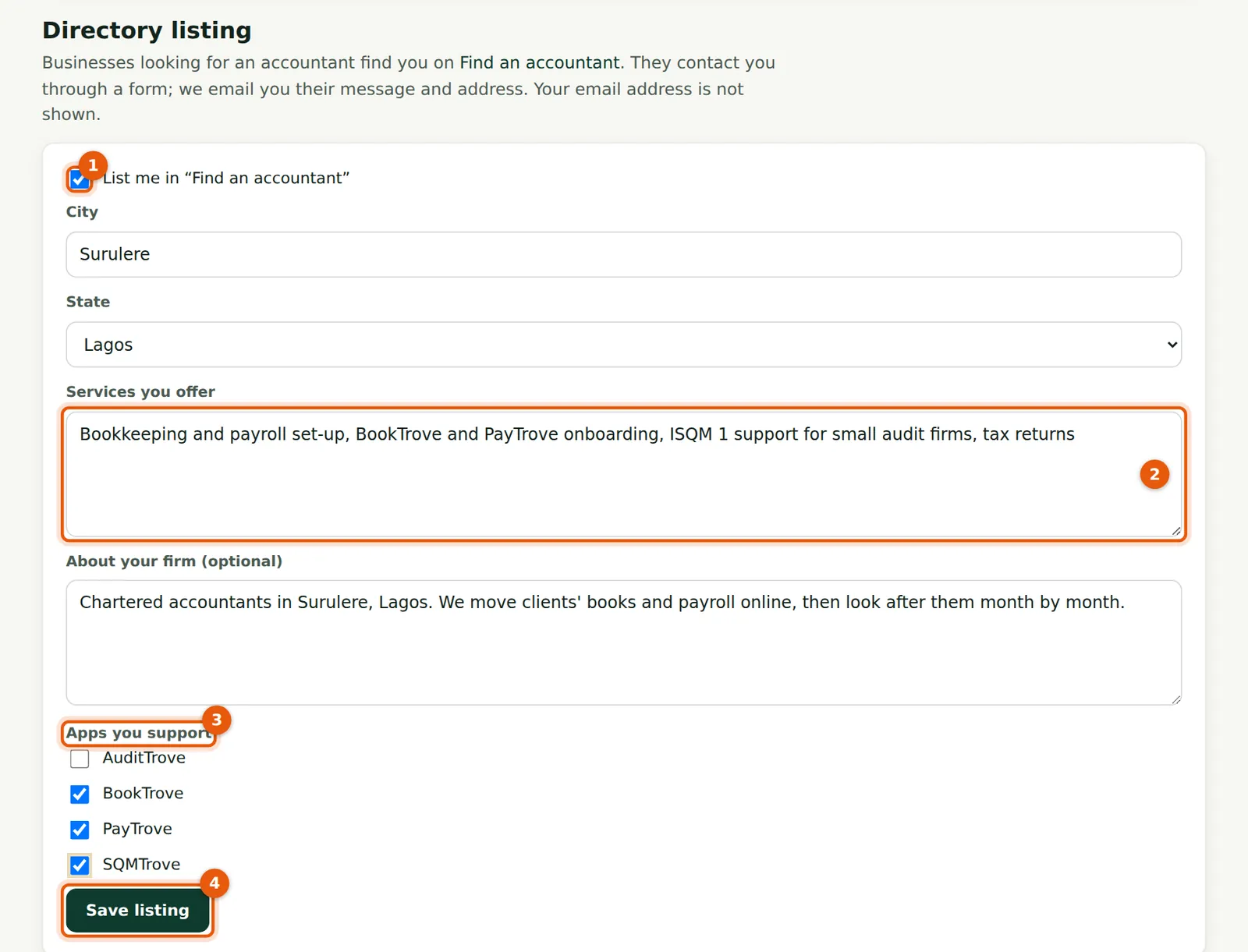
The listing shows your firm, name and profession, city and state, the apps you support, your services and a short text. Describe what you do accurately: the Partner Terms do not allow promises TroveUniverse has not made, and listings that break them are hidden.
Who
Partner.
What to do
- Tick List me in “Find an accountant” (1).
- Enter your city and state, the Services you offer (2) and, optionally, a few lines about your firm.
- Tick the Apps you support (3) and choose Save listing (4).
11.2 How businesses find you
Why
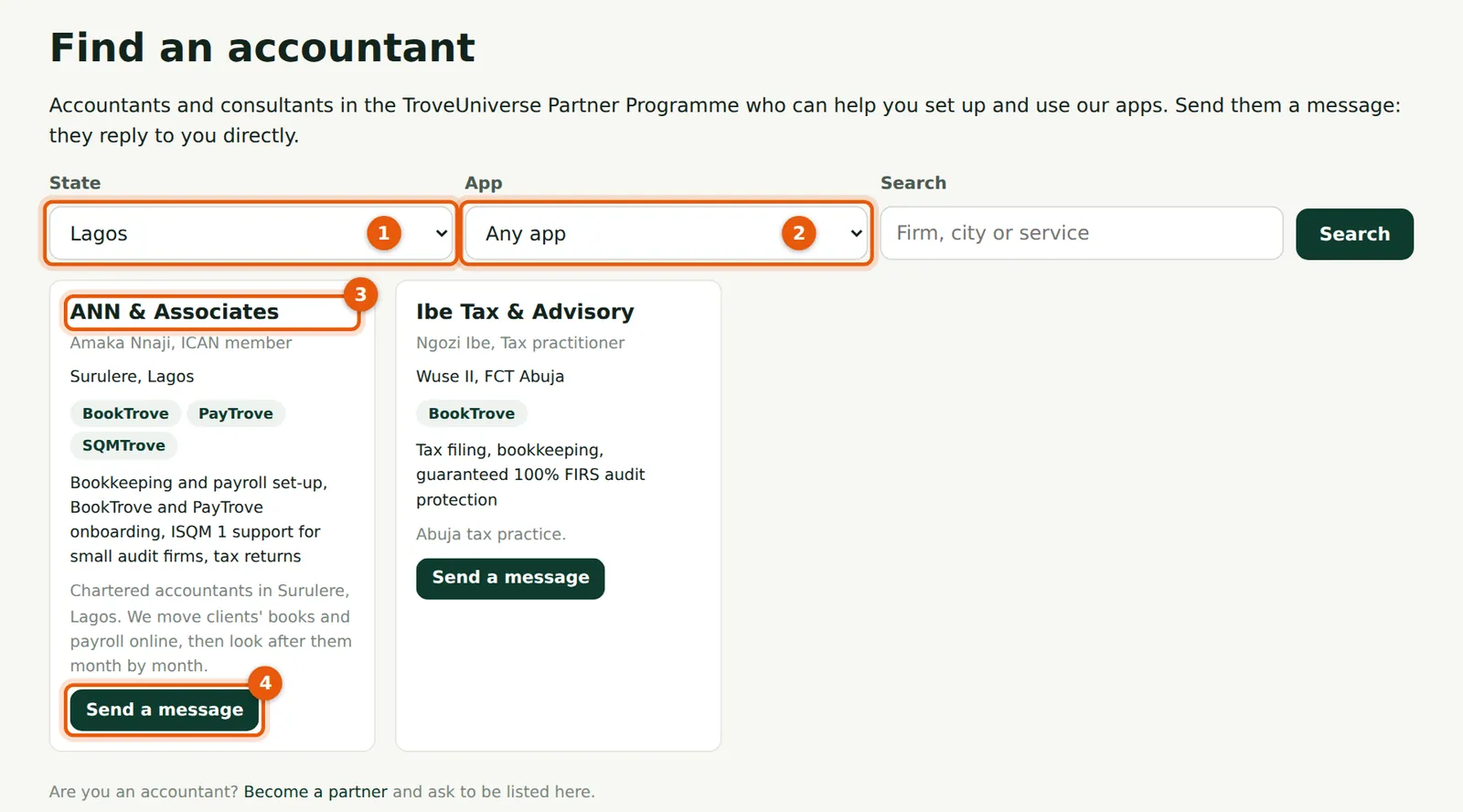
Visitors filter by State (1), App (2) and a search word. Each card (3) shows the listing and a Send a message button (4).
Who
Anyone (public page).
What to do
- Search for your own firm now and then to check the listing reads well.
11.3 A business sends a message
Why
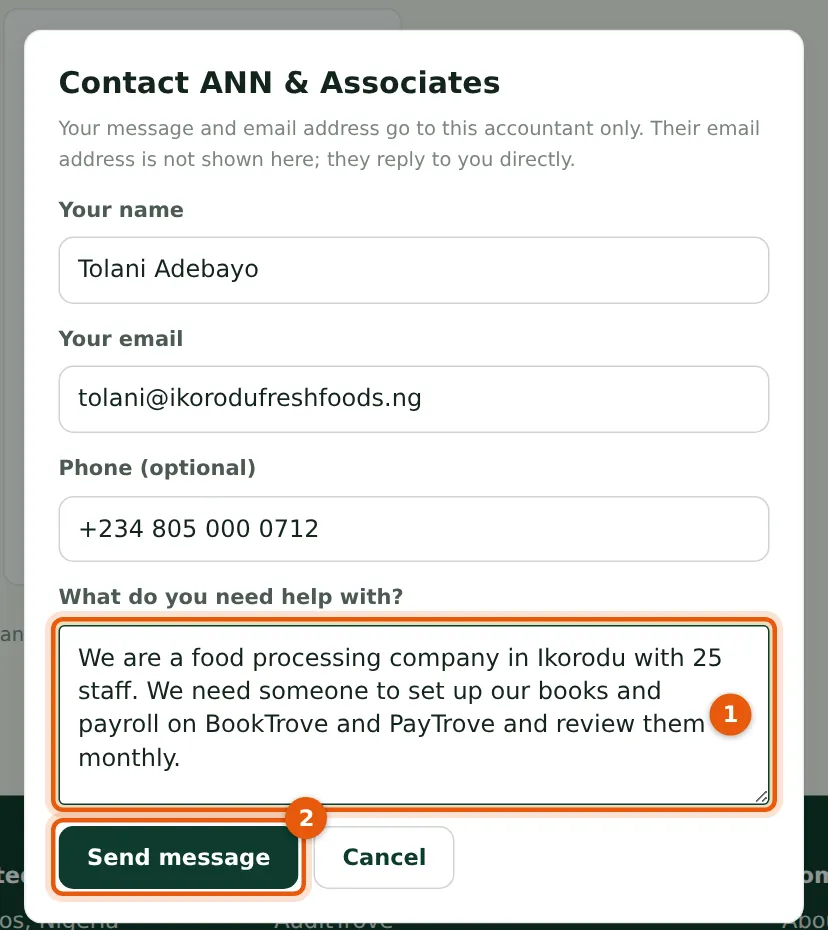
The form asks for the sender's name, email, optional phone and what they need. It is limited to a few messages an hour to stop abuse.
Who
A business looking for an accountant.
What to do
- (The business) fills in the message (1) and chooses Send message (2).
11.4 The enquiry email
Why
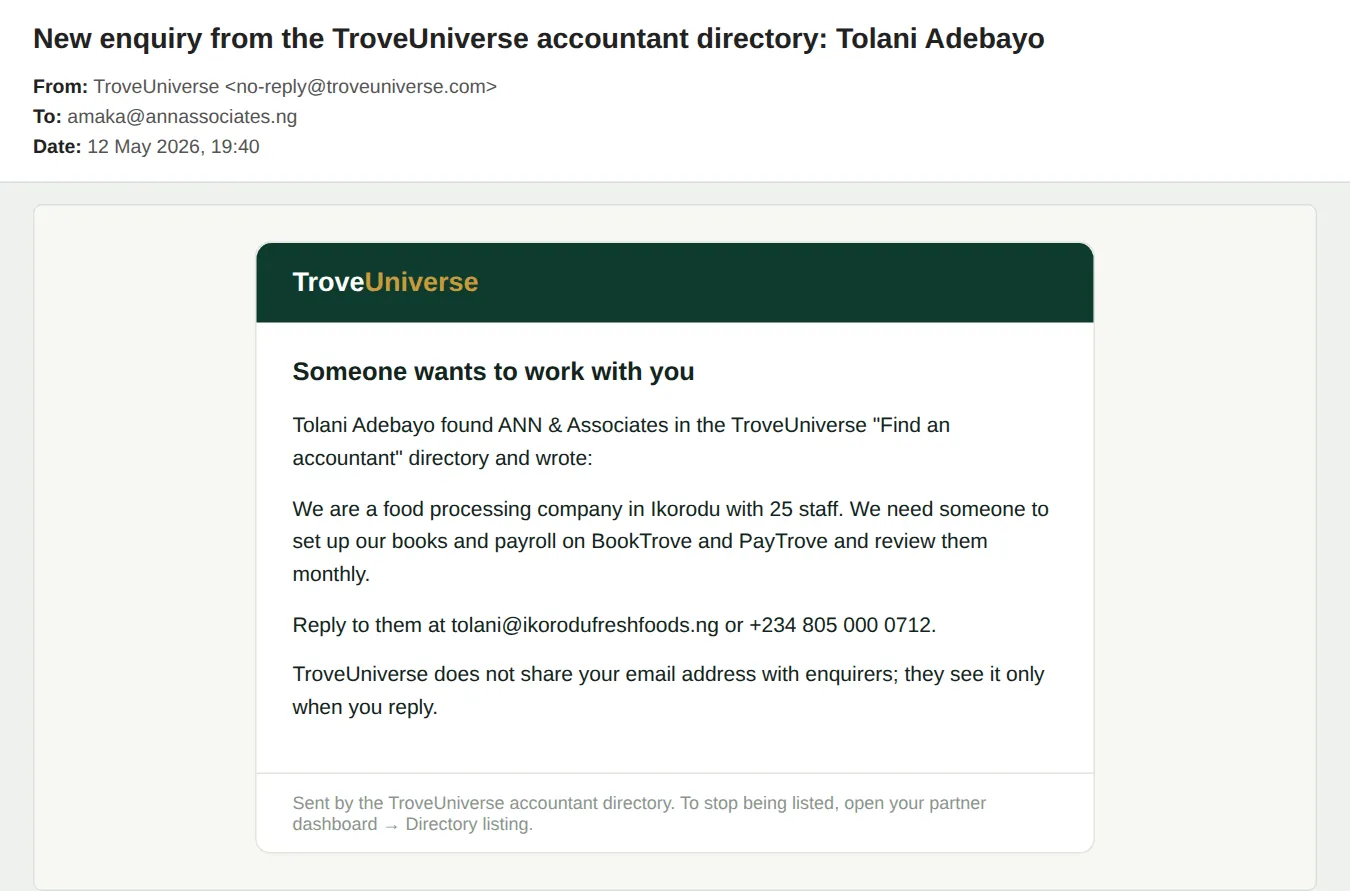
The email has the message and the sender's email and phone, so you can reply directly. The sender gets a confirmation that the message was passed on.
Who
Partner.
What to do
- Reply to the business from your own email.
11.5 If TroveUniverse hides your listing
Why
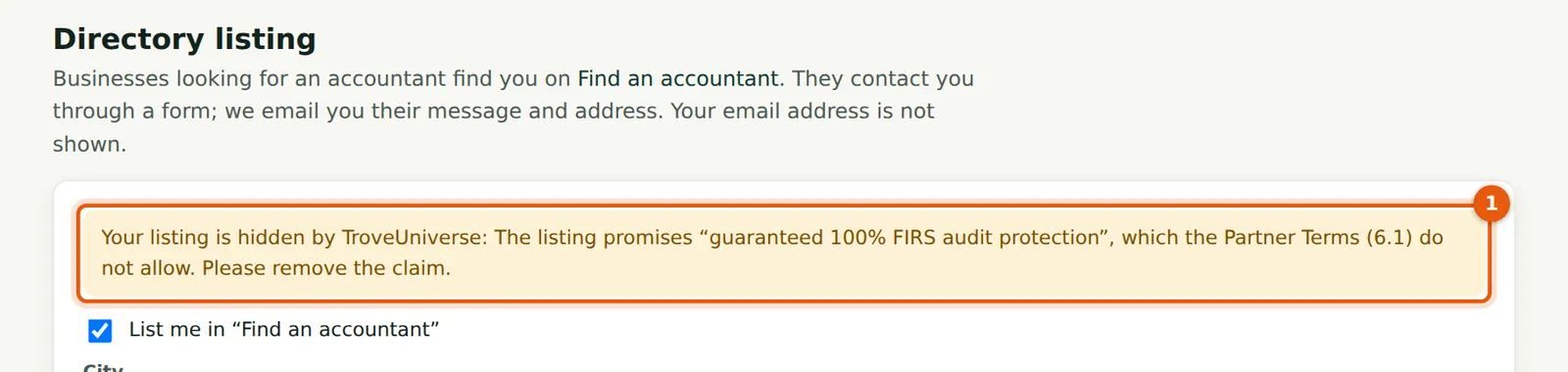
Staff can hide a listing that breaks the Partner Terms. The reason is shown on your dashboard (1). In the illustration, Ngozi's listing promised “guaranteed 100% FIRS audit protection”.
Who
Partner.
What to do
- Correct the listing and save it, then ask TroveUniverse to show it again.