Steps in this chapter (3)
What PayTrove does when a deduction cannot be worked out, when an approval stops half-way, and when an older approval is missing its obligations.
Release 22 made each run's calculation and approval safe for large payrolls. A run of any size now reads each kind of record once (about 14 reads) and saves its lines in one batch, so a draft is saved whole or not at all; a 2,000-employee run takes about 23 database statements to create and 32 to approve. If a lookup fails while a run is being built — for example, the court orders cannot be read — nothing is saved, no deduction is quietly set to zero, and the message names the people it affects.
Approval is one step: the remittance obligations, loan repayments and balances, court-order payments and arrears, the audit entry and the status approved are written together, or not at all. Reversal works the same way.
The situations below should not arise in normal use. To show them, faults were put into a copy of Savannah Harvest's data on 31 March: a loan with a first month typed as 'Apr-26', a co-operative deduction with no amount, a run left half-approved and an approved run missing its obligations. Savannah Harvest's own data was not changed.
15.1 Calculation errors block approval
Why
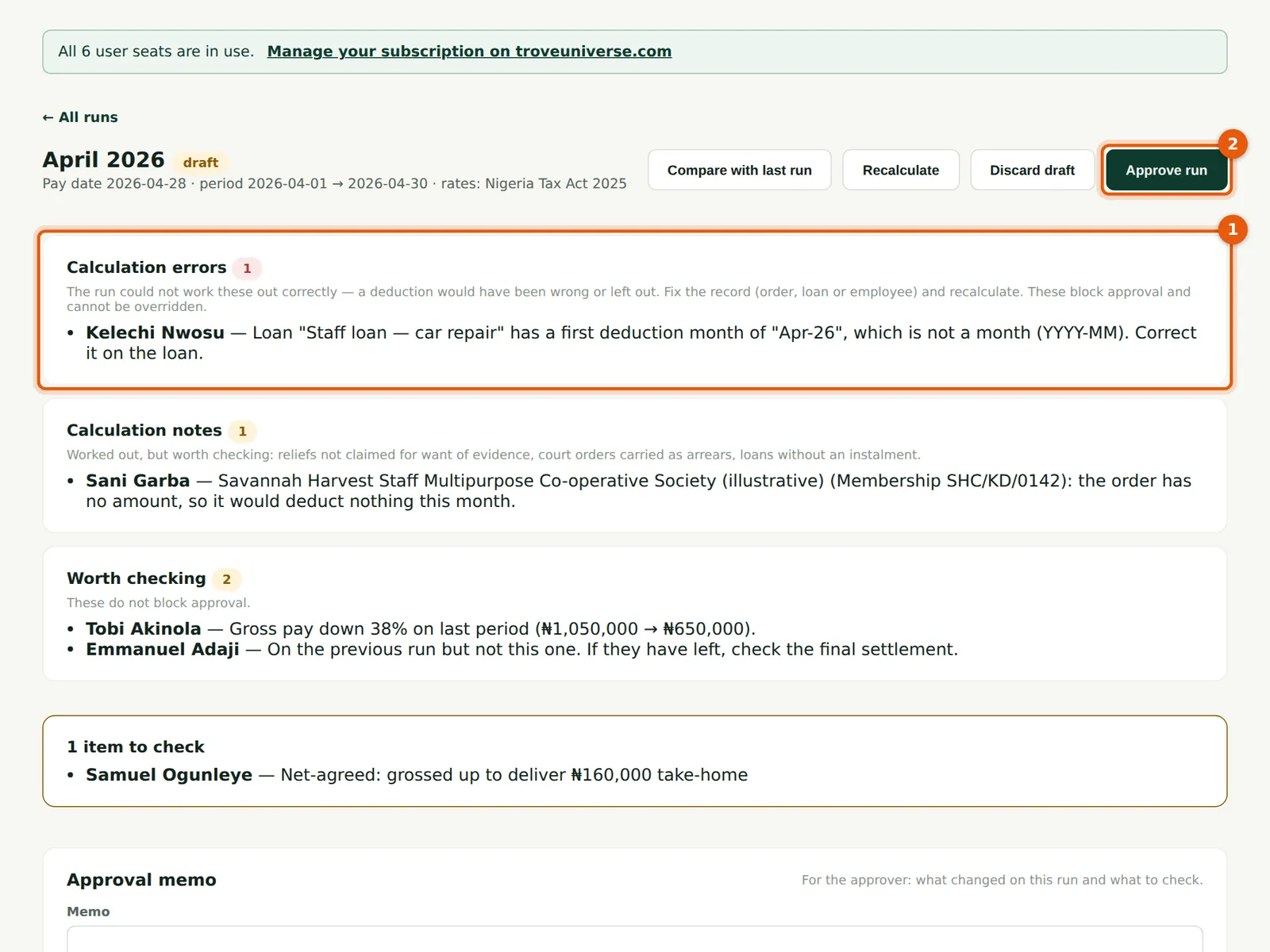
Calculation errors (1) mean a deduction could not be worked out correctly, so the pay would be wrong. They block approval, and no override is possible — not even by an Admin with a reason. They are: a court, maintenance or tax-authority order worth ₦0 (no amount, or 0%); a percentage over 100%; a start or end month that is not a month (YYYY-MM); a record whose figures are not numbers; and a weekly or fortnightly employee with no pay per period. Here Kelechi Nwosu's loan has a first month of 'Apr-26'. Calculation notes are worked out but worth checking: a relief not claimed for want of evidence, a court order carried as arrears, a loan with no instalment (the whole balance is taken), and, as here, a co-operative deduction with no amount. When Chukwudi chooses Approve run (2), PayTrove refuses and points to the list.
Who
Preparer fixes; Admin approves.
What to do
- Read each error: it names the employee, the record and the fix.
- Correct the record (here, the loan's first month as 2026-04), then Recalculate. The error disappears and the run can be approved.
- The Run payroll list shows the number of calculation errors on each draft.
15.2 An approval that did not finish
Why
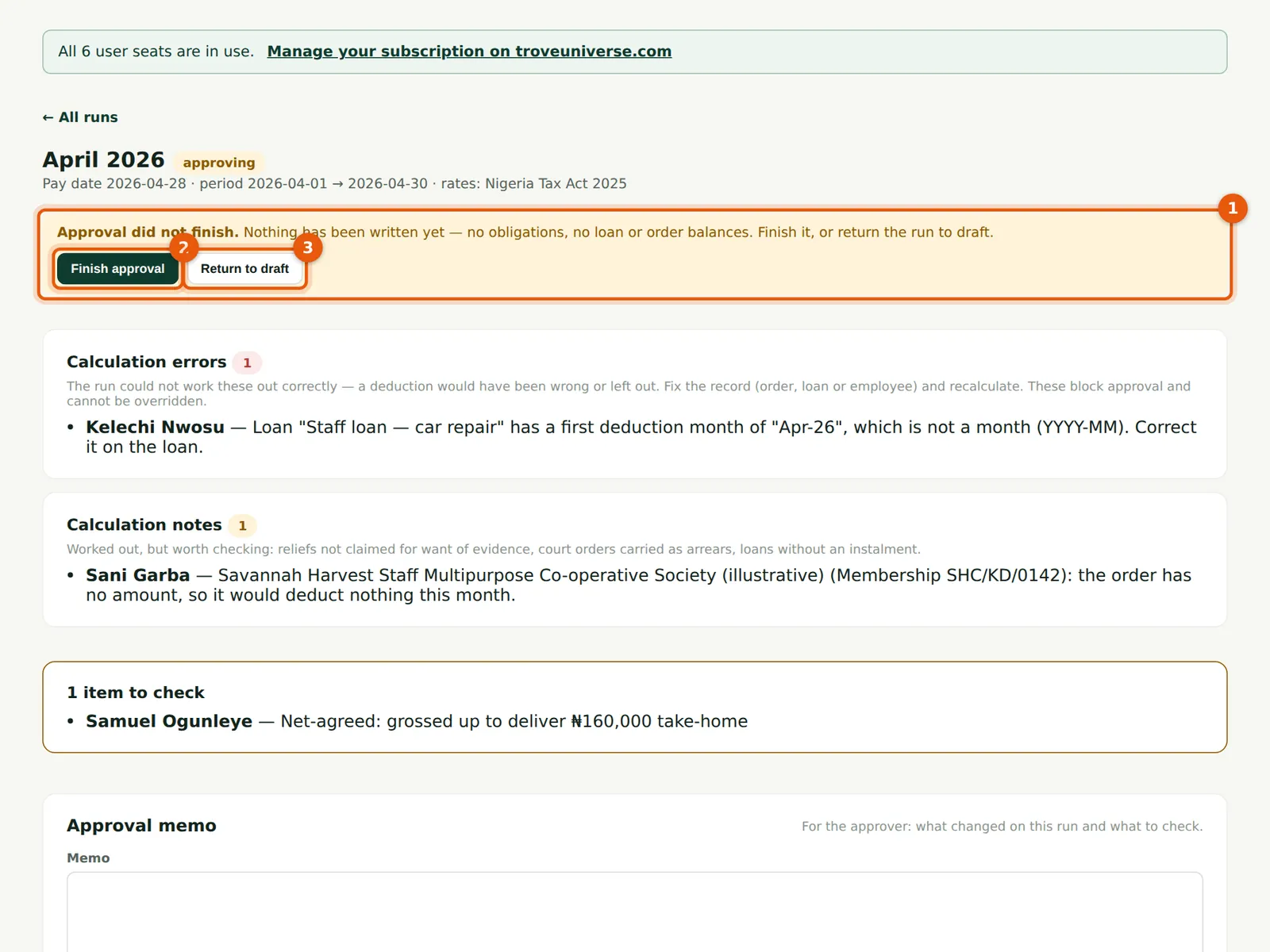
Approval first marks the run approving and then writes everything in one batch. If the batch fails, nothing is written, the run goes back to draft and the reason is shown on it. If the server stops between the two, the run stays 'approving' and says so (1): nothing has been written yet — no obligations, no loan or order balances.
Who
Admin.
What to do
- Choose Finish approval (2) to complete it. Finishing twice changes nothing.
- Or choose Return to draft (3), fix what is needed and approve again. Both are recorded in the audit log.
15.3 Repair an approved run
Why
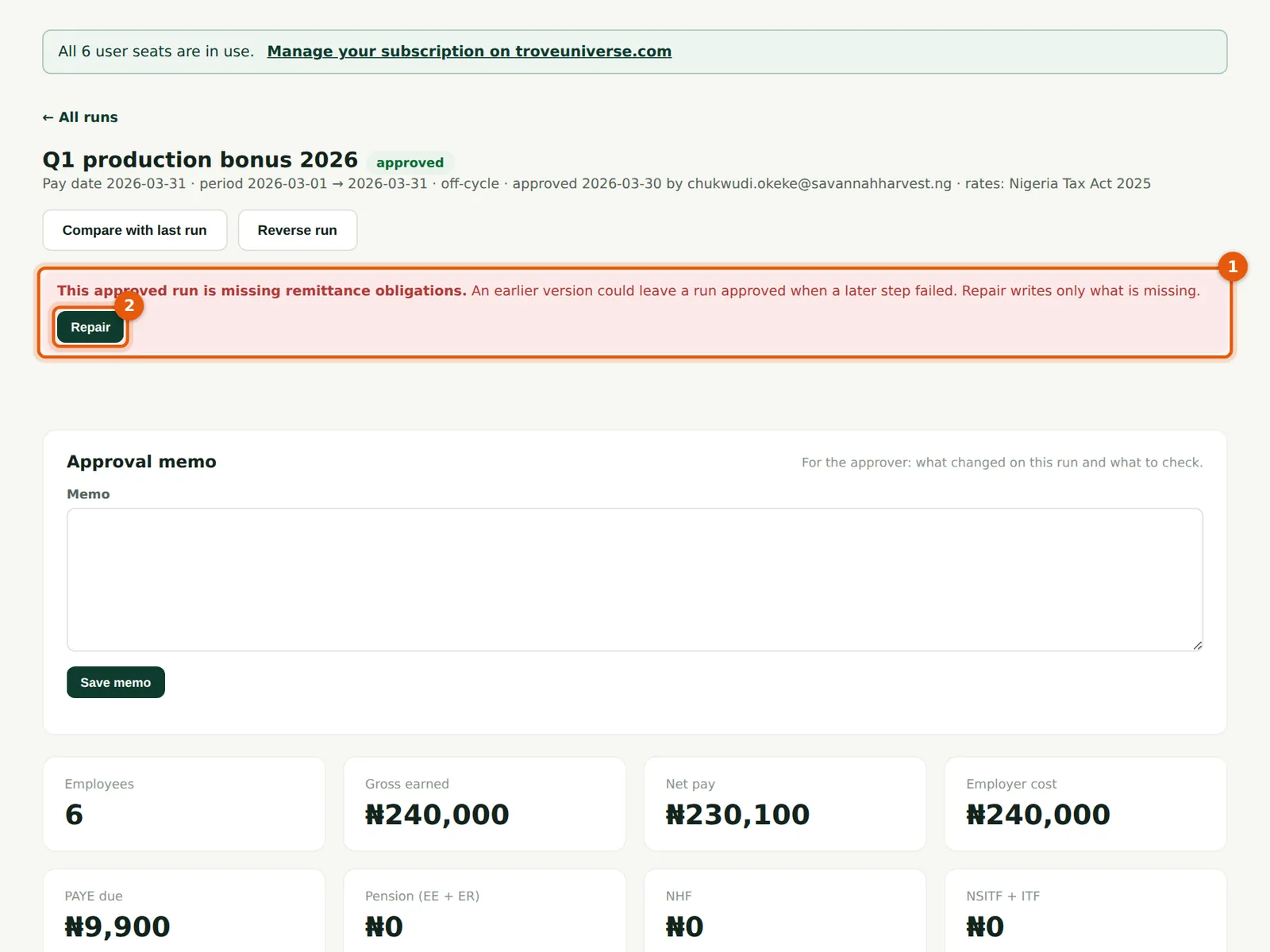
Before release 22, approval was done in separate steps, and a failure after the first could leave a run marked approved with no remittance obligations or balance movements. Such a run now shows a banner (1) saying what is missing. Repair (2) writes only what is missing — here, 'Repaired: remittance obligations opened.' Running it again writes nothing.
Who
Admin.
What to do
- Open any approved run with the red banner and choose Repair (2).
- Check the Remittances page afterwards: the obligations are there with their due dates.