Steps in this chapter (4)
Send employees a secure notice when their payslip is ready, send admins a daily digest of statutory deadlines, and invite new users by email.
PayTrove sends three kinds of email: payslip notices to employees when a run is approved (if the company switches them on), a daily deadline digest to the Admins and any other alert recipients, and invitations to new users. Password-reset emails (step 1.6) are sent as before.
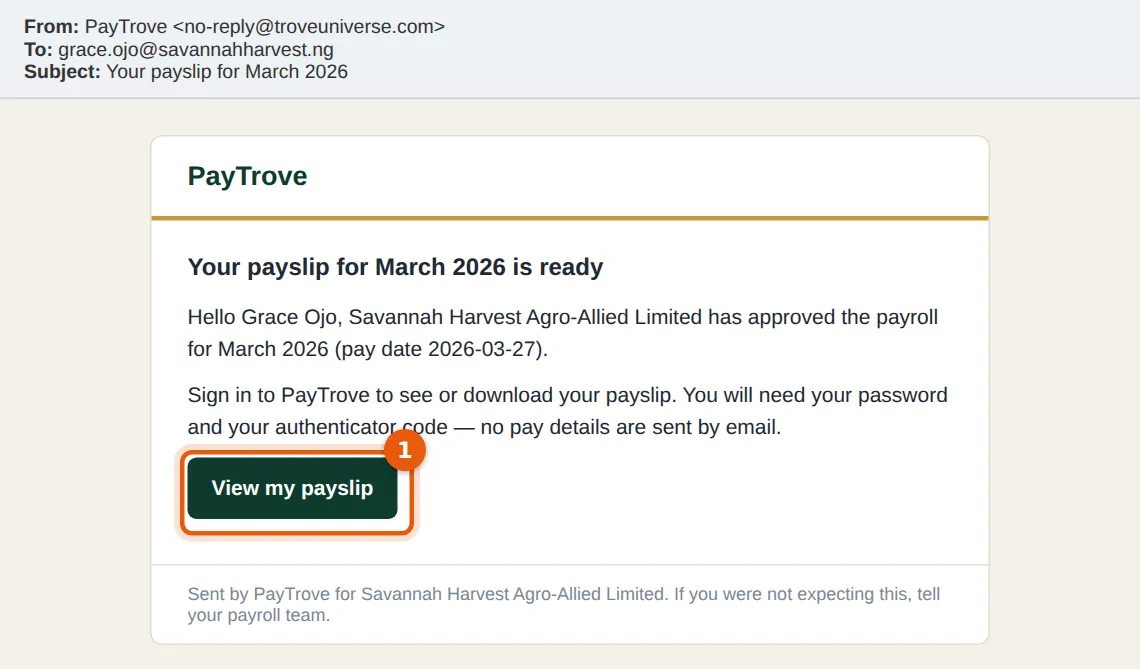
A payslip notice contains no pay figures: it is a secure link to My payslips, which needs the password and a two-factor code. Payslip PDFs are not emailed, because they would leave salary details sitting in mailboxes.
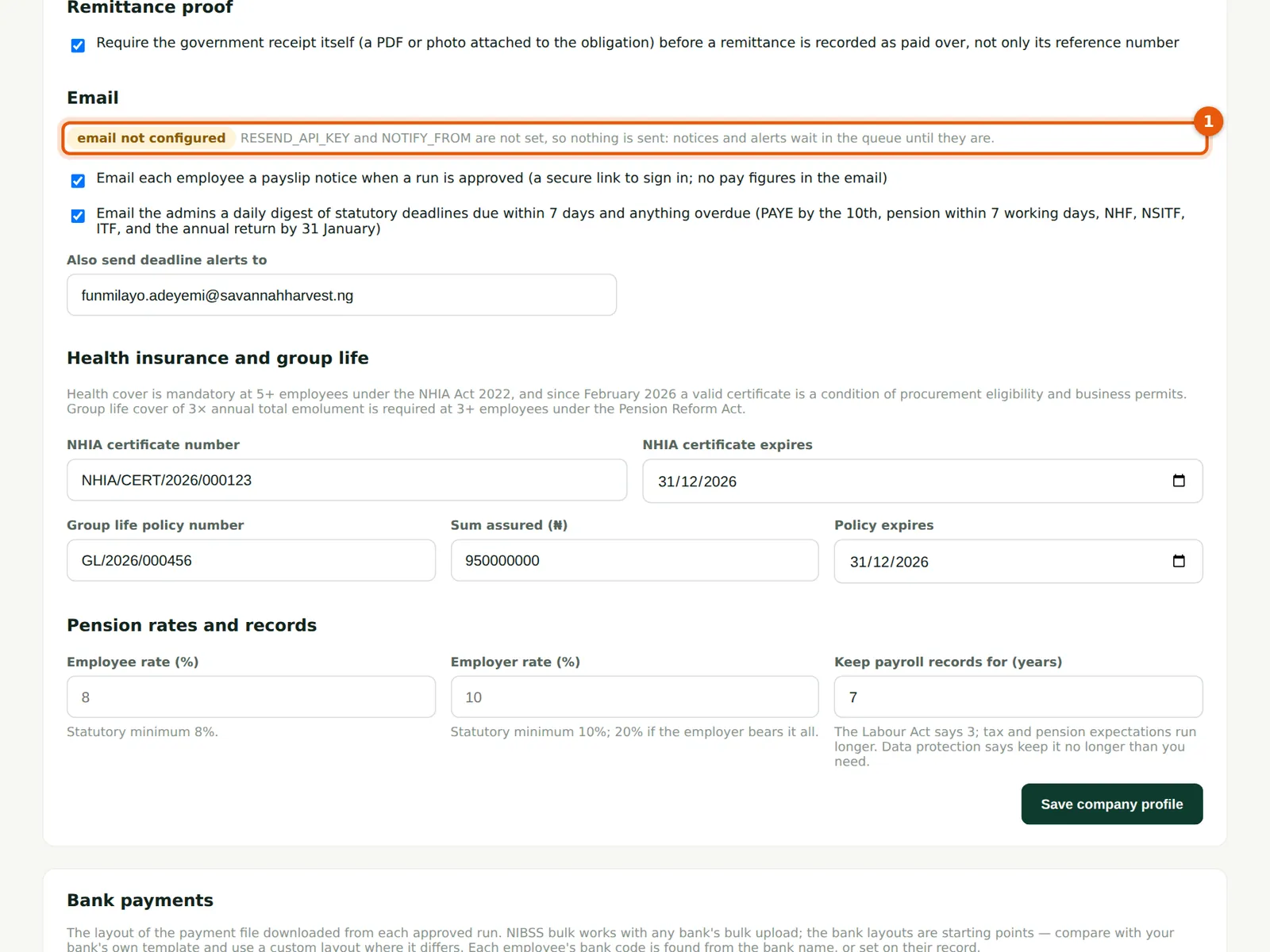
Emails are queued and sent by TroveUniverse's scheduled sender, which runs every hour. For the emails to go out, email must be set up on your PayTrove service by the owner of the installation: a verified sending domain and an API key with the email provider (Resend), set as RESEND_API_KEY and NOTIFY_FROM on both the PayTrove project and the scheduled sender (paytrove-cron). Until then nothing is sent; notices and alerts wait in the queue, and Settings shows email not configured.
16.1 Switch on the emails
Why
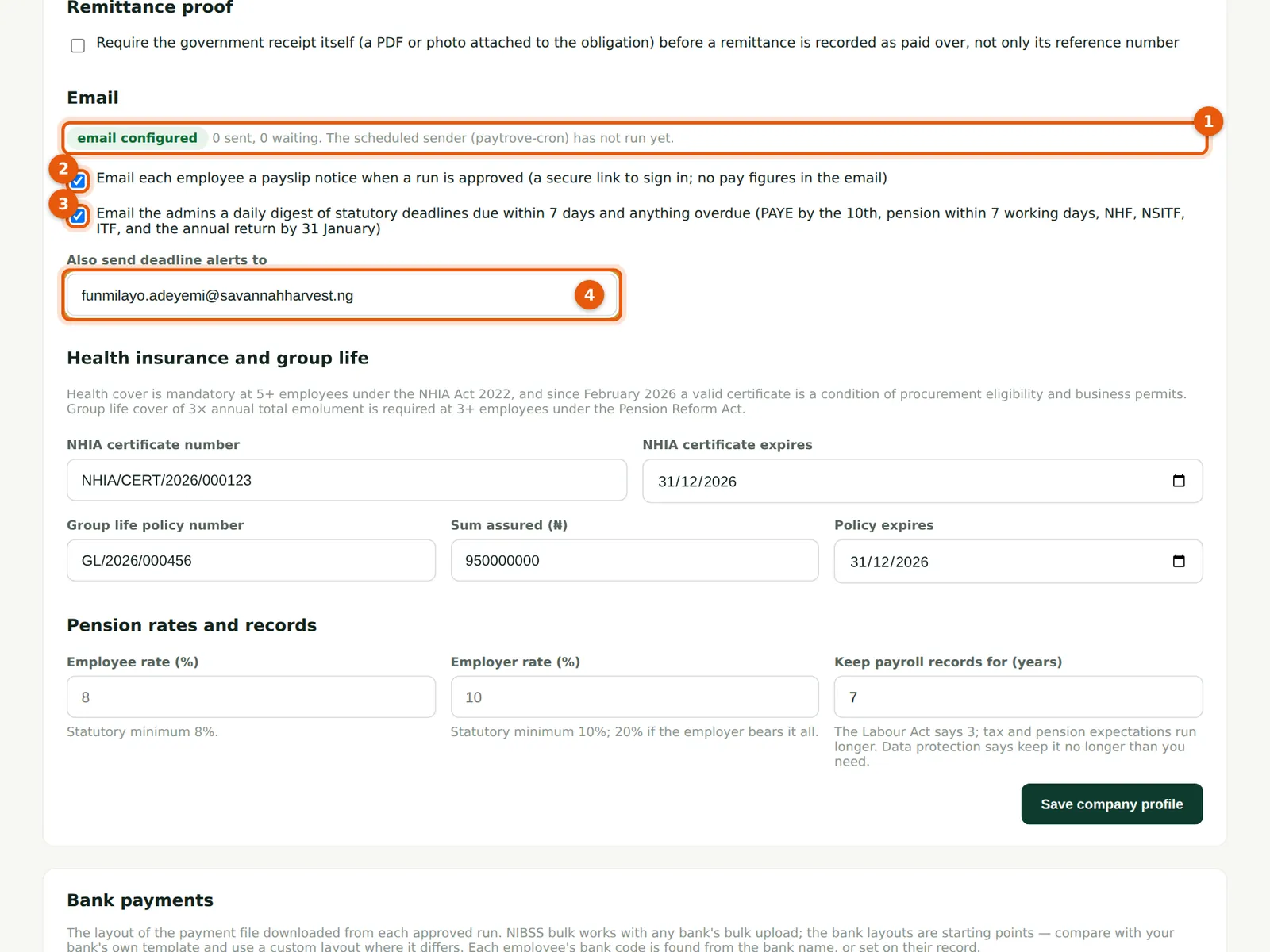
The status line (1) says whether email is set up, how many messages have been sent and are waiting, and when the scheduled sender last ran. Email payslip notices (2) sends each employee a notice when a run is approved. Deadline alerts (3), on by default, send a digest of statutory deadlines due within seven days and anything overdue: PAYE by the 10th, pension within 7 working days, NHF, NSITF, ITF and the development levy, and in January the annual return due by 31 January. The digest goes to the Admins and to anyone listed under Also send deadline alerts to (4): Savannah Harvest adds Funmilayo Adeyemi, the accountant.
Who
Admin.
What to do
- Open Settings and scroll to Email.
- Tick Email payslip notices (2) if wanted, keep deadline alerts (3) ticked and add other recipients (4), separated by commas.
- Choose Save company profile.
16.2 When email is not set up
Why
Without the email keys, the status says email not configured (1). Nothing is sent: payslip notices and deadline alerts wait in the queue (for up to 30 days) and go out once email is set up, and an invitation without a password is refused with an explanation. Everything else in PayTrove works as usual.
Who
Admin; the owner of the PayTrove installation sets up the keys.
What to do
- Ask the owner to verify the sending domain with Resend, create an API key and set RESEND_API_KEY and NOTIFY_FROM (for example 'PayTrove <payroll@yourdomain>') on the PayTrove project and the paytrove-cron scheduled sender.
16.3 The payslip notice
Why
When March is approved, PayTrove queues one notice per employee with an email address; the scheduled sender delivers them. The notice (for March, to Grace Ojo) says the payslip is ready and links to it (1); it contains no figures. An employee without a self-service login is told to ask the payroll team. A notice is sent once per employee per run: the Email payslip notices button on an approved run sends only to those not yet notified.
Who
Employees.
What to do
- Choose View my payslip (1), sign in with the password and the authenticator code, and read or download the payslip.
16.4 The daily deadline digest
Why
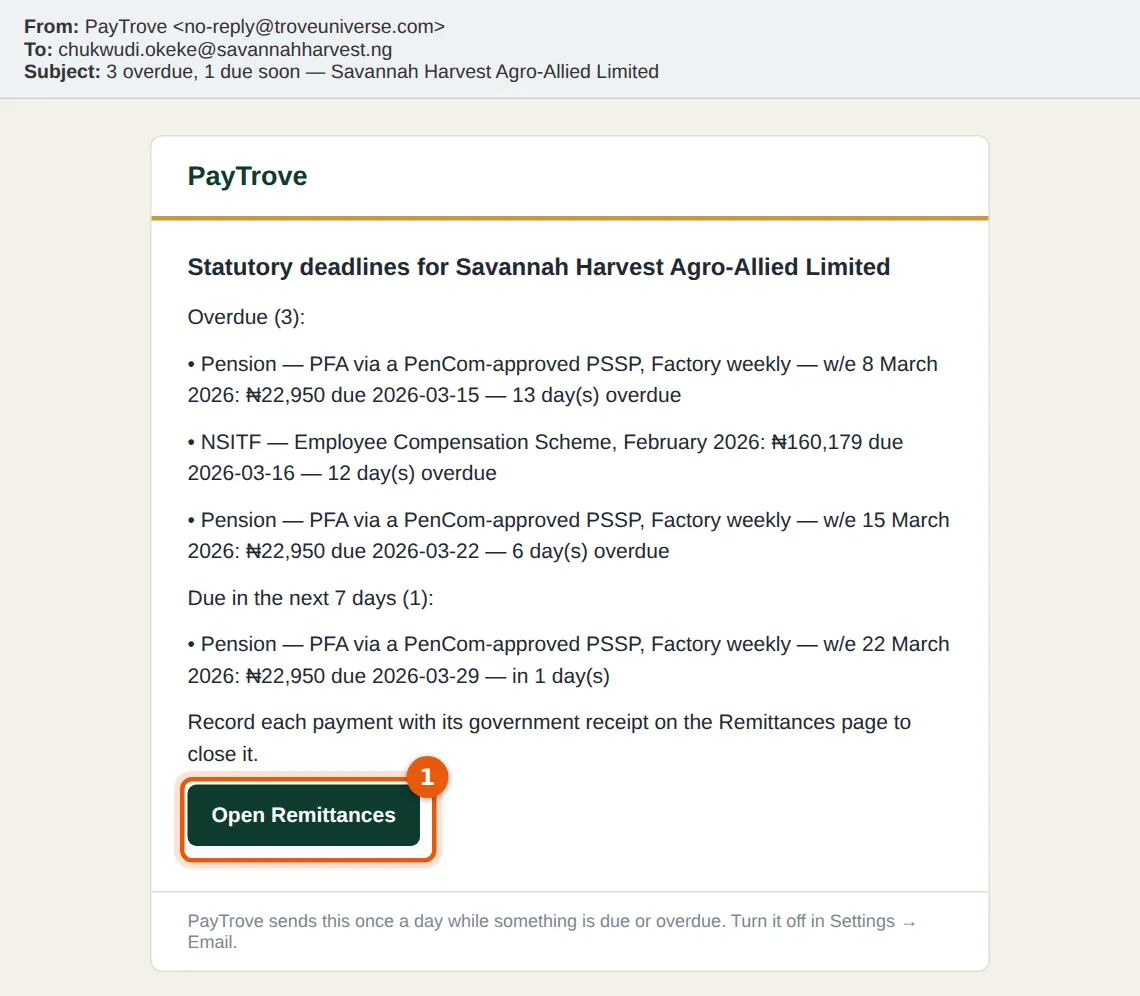
The digest is sent at most once a day per company, after 07:00 Lagos time, while anything is due within seven days or overdue. On 28 March it lists February's NSITF, still overdue, and the pension from the first two weekly runs, which nobody had paid over — the weekly runs open their own pension obligations, due nine days after each weekly pay date. Open Remittances (1) goes straight to the ledger. The digest stops when everything is recorded.
Who
Admins and the alert recipients.
What to do
- Pay and record each line on the Remittances page, with its receipt (chapter 7).
- To stop the digests, untick deadline alerts in Settings.