Steps in this chapter (7)
Map each part of payroll to your ledger accounts, connect PayTrove to your company's BookTrove, and send each approved run's journal to it.
The payroll journal (step 6.16) posts gross pay, employer costs and every payable. On the Ledger & BookTrove page an Admin gives each element an account code from the company's chart of accounts. The mapping drives the CSV journal even without BookTrove; unmapped elements keep their standard account names.
Companies that keep their books in BookTrove can connect the two. In BookTrove, create a token for the company under Settings → Auditor access, with the payroll and read scopes ticked, and paste it into PayTrove. PayTrove stores the token encrypted and shows only its last four characters, and it only ever calls BookTrove's three payroll addresses (the chart of accounts, sending a journal and checking its status). Send to BookTrove on an approved run sends its journal; BookTrove keeps one journal per run, so sending again is safe. The accountant posts it from BookTrove's Payroll inbox (see the BookTrove user guide).
In this illustration BookTrove's answers come from a local copy of its payroll interface, with Savannah Harvest's BookTrove chart of accounts; the token shown is illustrative.
17.1 The Ledger & BookTrove page
Why
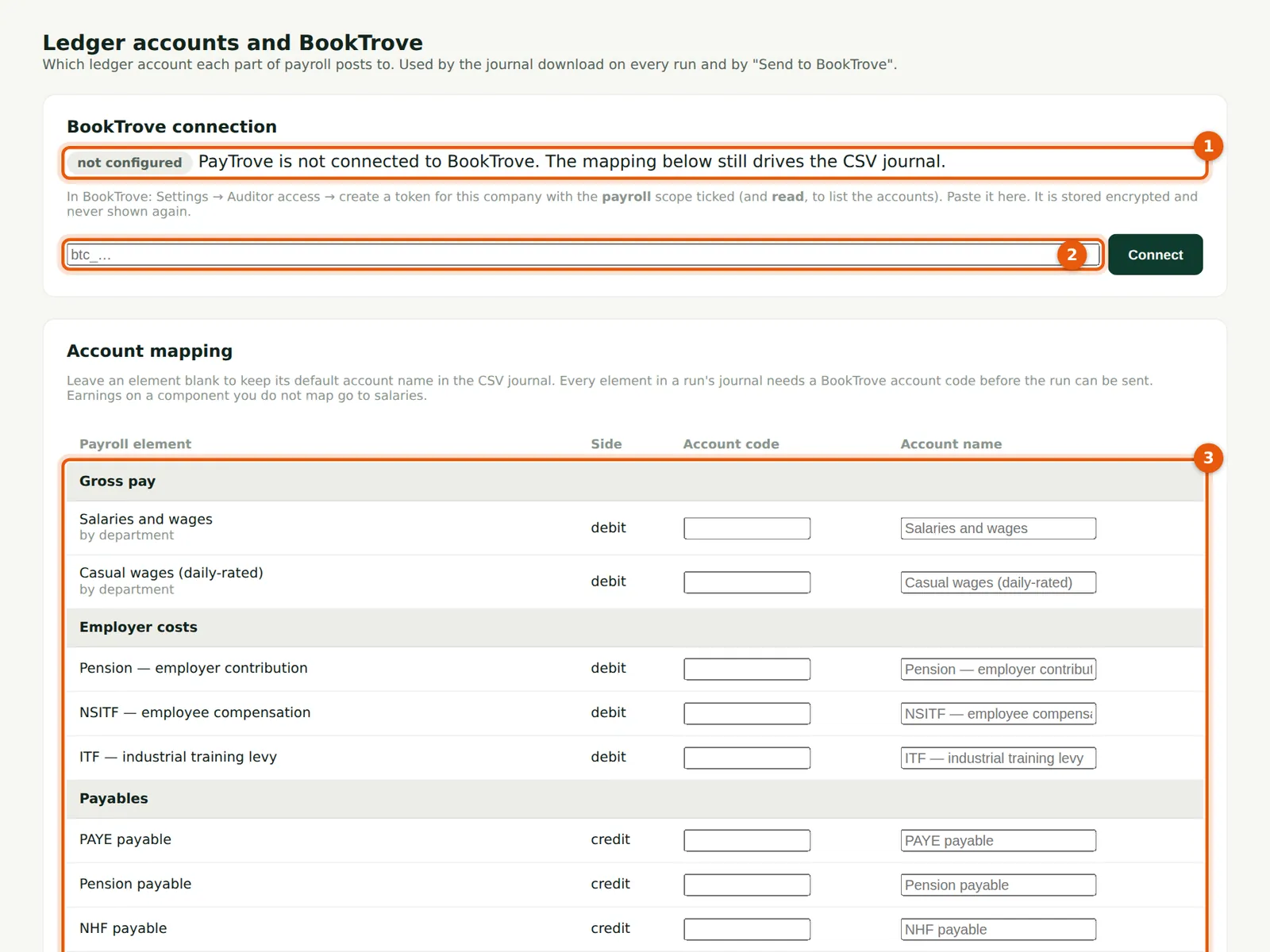
The BookTrove connection card (1) shows not configured; the mapping still drives the CSV journal. The token box (2) takes the token created in BookTrove. The account mapping (3) lists every element: gross salaries and casual wages (both tracked by department), each earning component, employer pension, NSITF and ITF, and the payables for PAYE, pension, NHF, NSITF, ITF, development levy, staff loans (receivable), court orders and third-party deductions, union dues, other deductions and net pay.
Who
Admin (others can read the page).
What to do
- In BookTrove, go to Settings → Auditor access and create a token for the company with the payroll and read scopes ticked. Copy it.
- Paste it into the token box (2) and choose Connect.
17.2 Connected
Why
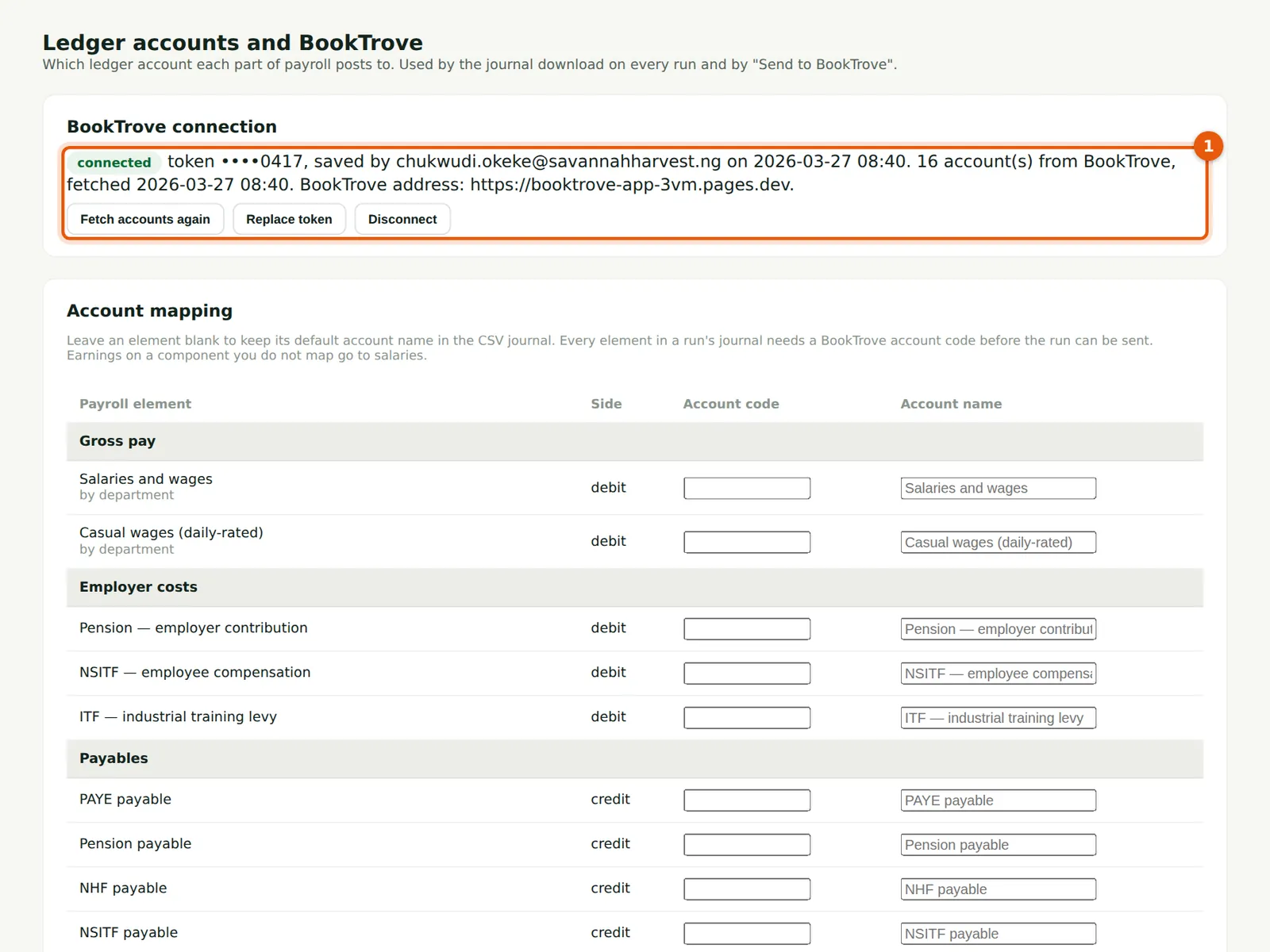
PayTrove fetches BookTrove's chart of accounts to prove the token works, and shows connected with the last four characters of the token, who saved it and when, and how many accounts were fetched (1). Fetch accounts again after adding accounts in BookTrove; Replace token or Disconnect when needed.
Who
Admin.
What to do
- Check the number of accounts fetched, then map the accounts below.
17.3 Sending is refused until everything is mapped
Why
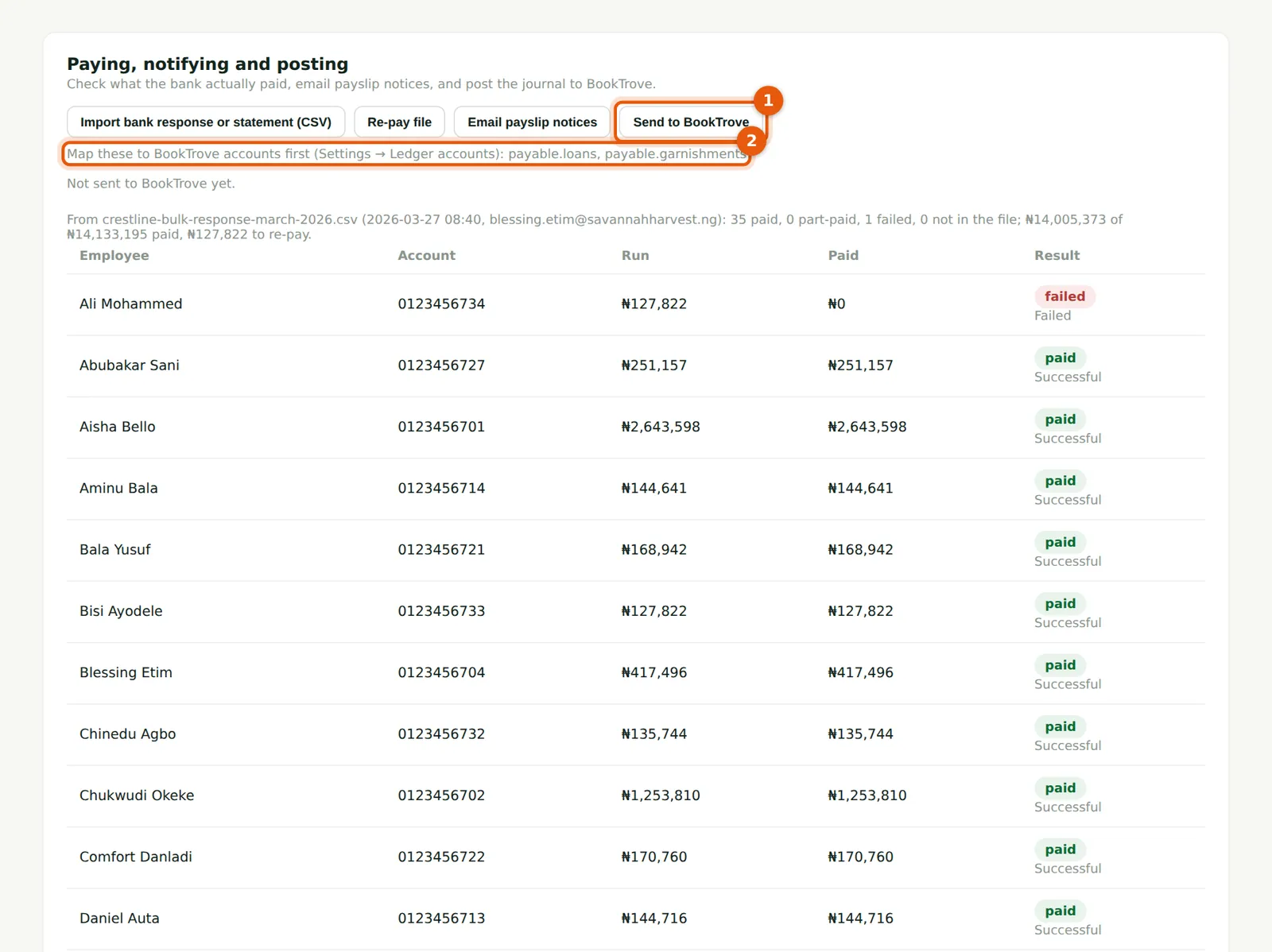
Chukwudi has mapped the salary, employer cost and statutory payable accounts but not yet the staff loans and the court and co-operative deductions. Send to BookTrove (1) is refused and the message lists the elements still unmapped (2), so an incomplete journal never reaches the ledger.
Who
Admin.
What to do
- Map the elements listed, then send again.
17.4 Map the accounts
Why
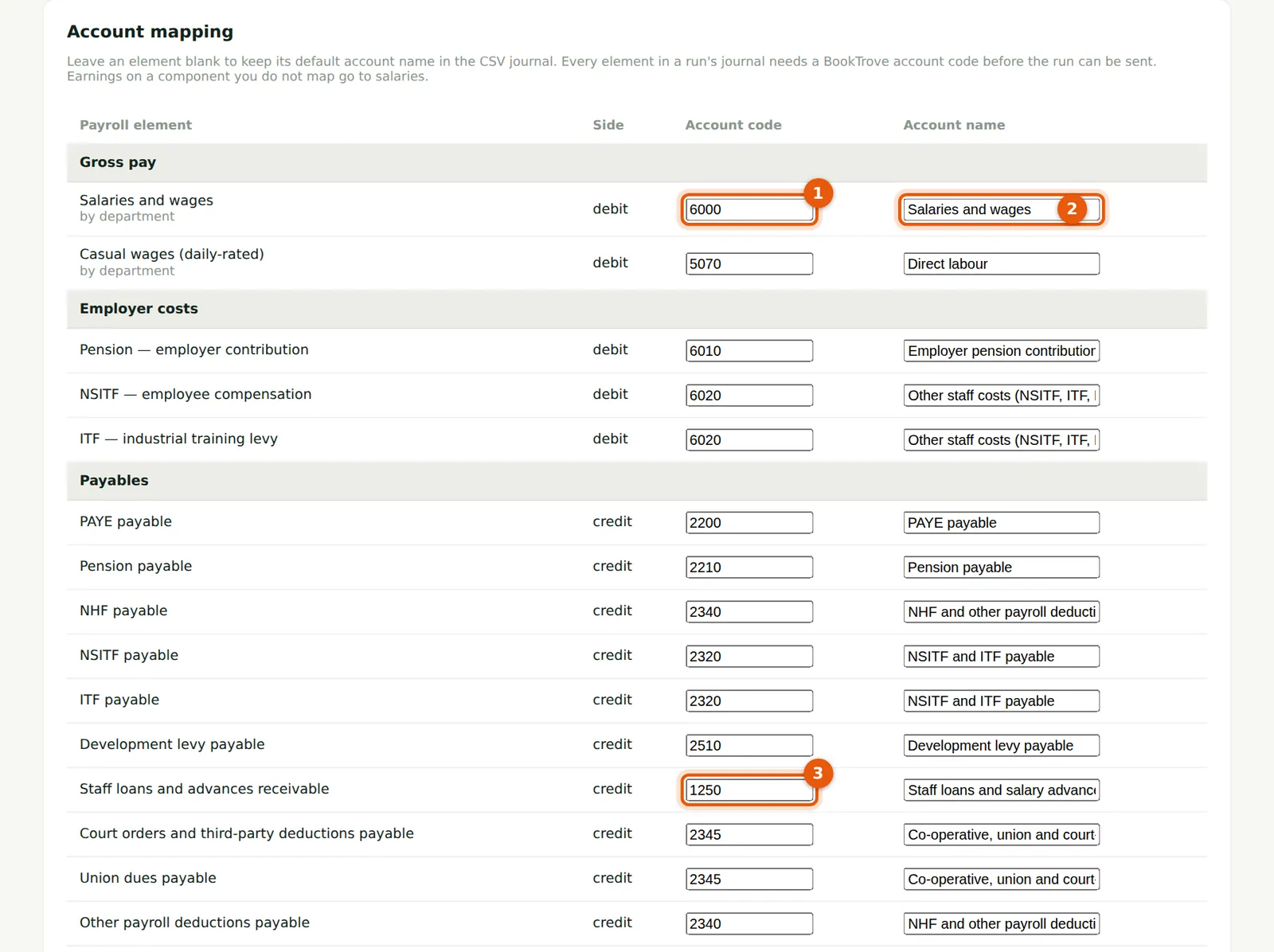
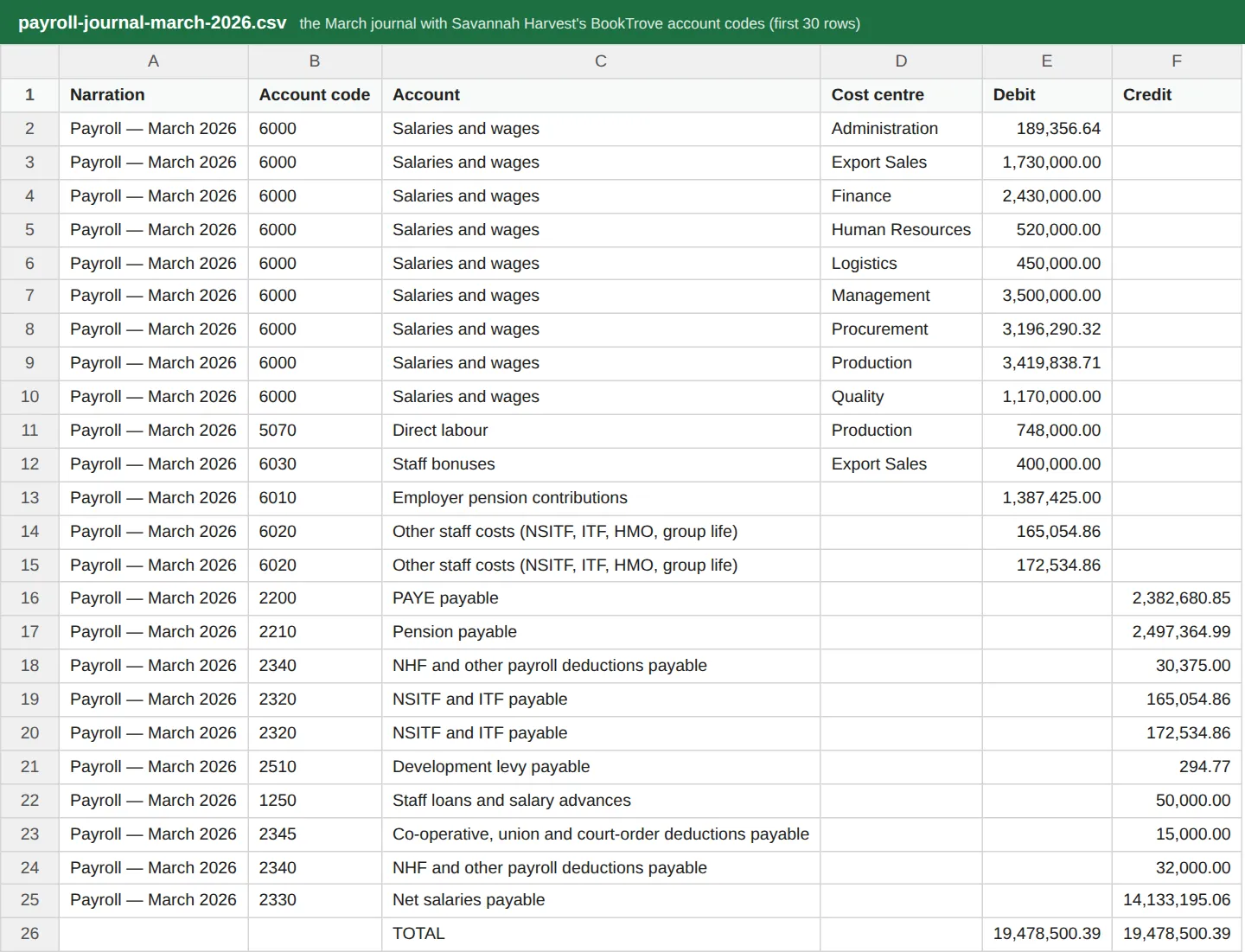
Type the account code (1) for each element; the box suggests BookTrove's accounts and fills in the name (2). Savannah Harvest posts salaries to 6000 Salaries and wages, casual wages to 5070 Direct labour, employer pension to 6010 and NSITF and ITF to 6020; PAYE to 2200, pension to 2210, NHF to 2340, NSITF and ITF to 2320, the development levy to 2510, staff loans to 1250 (3), court, co-operative and union deductions to 2345 and net pay to 2330. A component such as a bonus can have its own account (6030 Staff bonuses); components without one go to salaries. A code that is not in BookTrove is warned about when you save.
Who
Admin.
What to do
- Enter the codes and choose Save mapping at the bottom of the list.
17.5 Send the run to BookTrove
Why
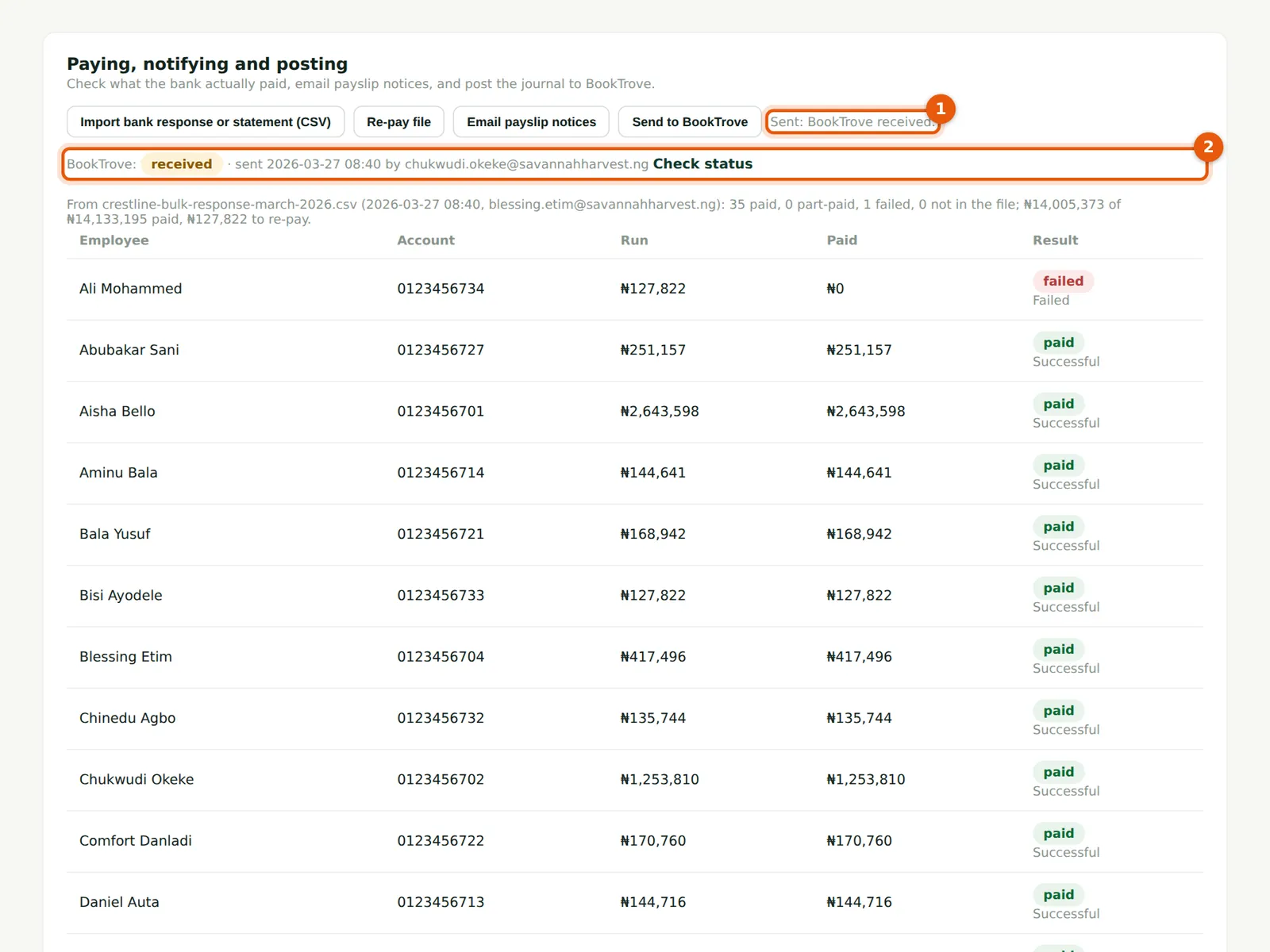
Send to BookTrove sends the approved run's journal with the run's number as its reference, the period, the pay date and the lines in kobo, balanced to the kobo (any rounding goes on net pay). BookTrove answers received (1, 2): the journal waits in its Payroll inbox for the accountant to post it, unless the company has told BookTrove to post payroll journals automatically.
Who
Admin.
What to do
- On the approved run choose Send to BookTrove and confirm.
- If a run that was sent is later reversed, PayTrove flags it: reverse the journal in BookTrove as well, as there is no automatic reversal.
17.6 The BookTrove entry number
Why
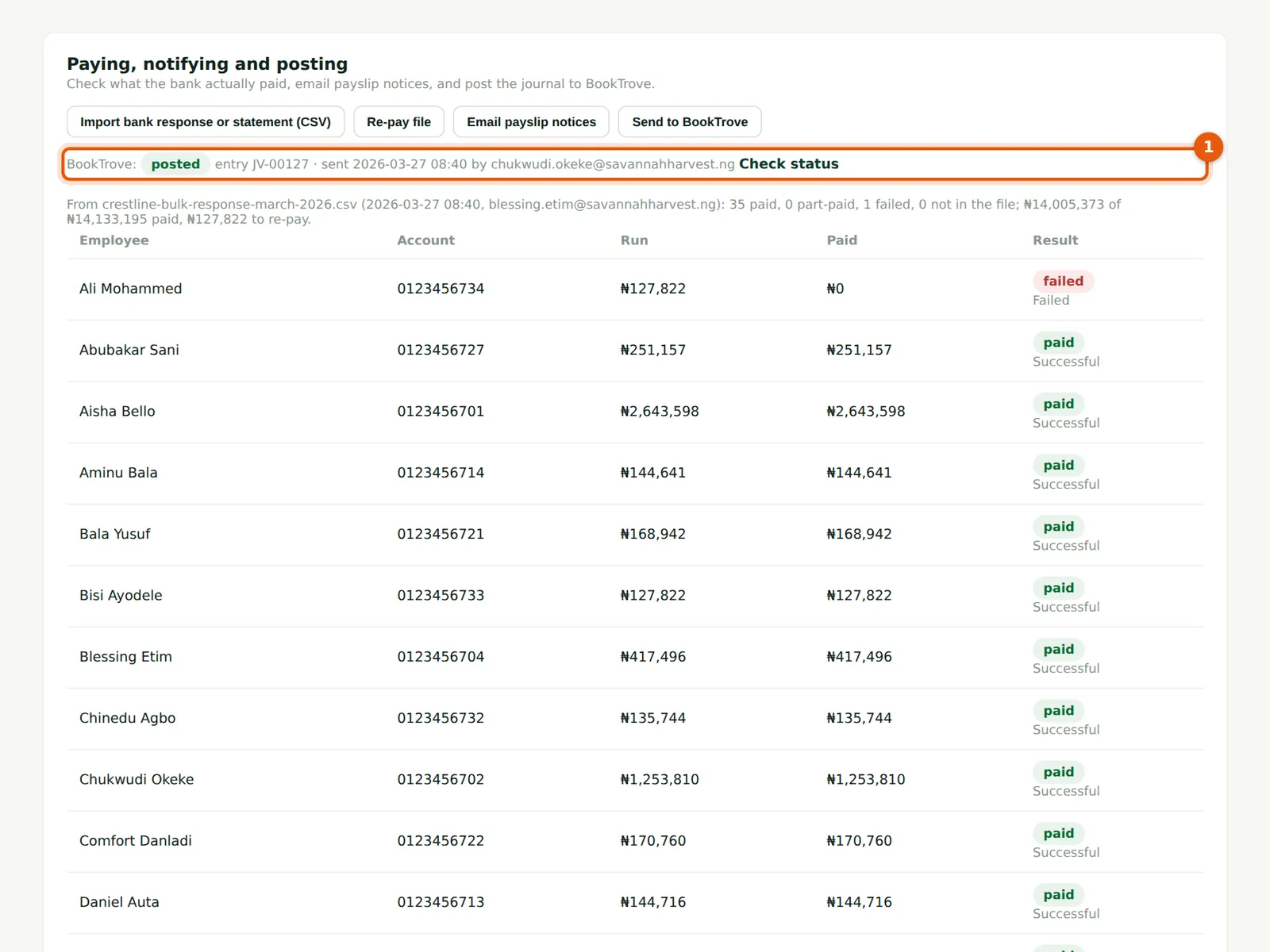
Funmilayo posts the journal from BookTrove's Payroll inbox. On the run, Check status shows BookTrove's status posted and its entry number, JV-00127 (1).
Who
Admin, Preparer.
What to do
- Choose Check status to refresh it.
17.7 The journal with account codes
Why
With the mapping saved, the CSV journal carries the account code beside each account name, salaries by cost centre, and the separate payables for loans, court and co-operative deductions and union dues. It is the same journal that was sent to BookTrove.
Who
Accountant.
What to do
- Use the CSV for a ledger other than BookTrove, or keep it with the month's papers.