Steps in this chapter (4)
Keep the status, due dates and the person delivering each piece of work up to date for a client whose records are kept outside TroveSuite.
Adire Threads Enterprises Limited keeps its books in a desktop package of its own; Okafor Bello & Co does its bookkeeping, VAT, withholding tax and tax return from the records the company sends. Its work is planned in PracticeTrove like any other client's. The difference is only that there is no app to open: the person responsible updates the status by hand as the work moves on, and the manager keeps the due dates and people right.
9.1 Update the status as the work moves on
Why
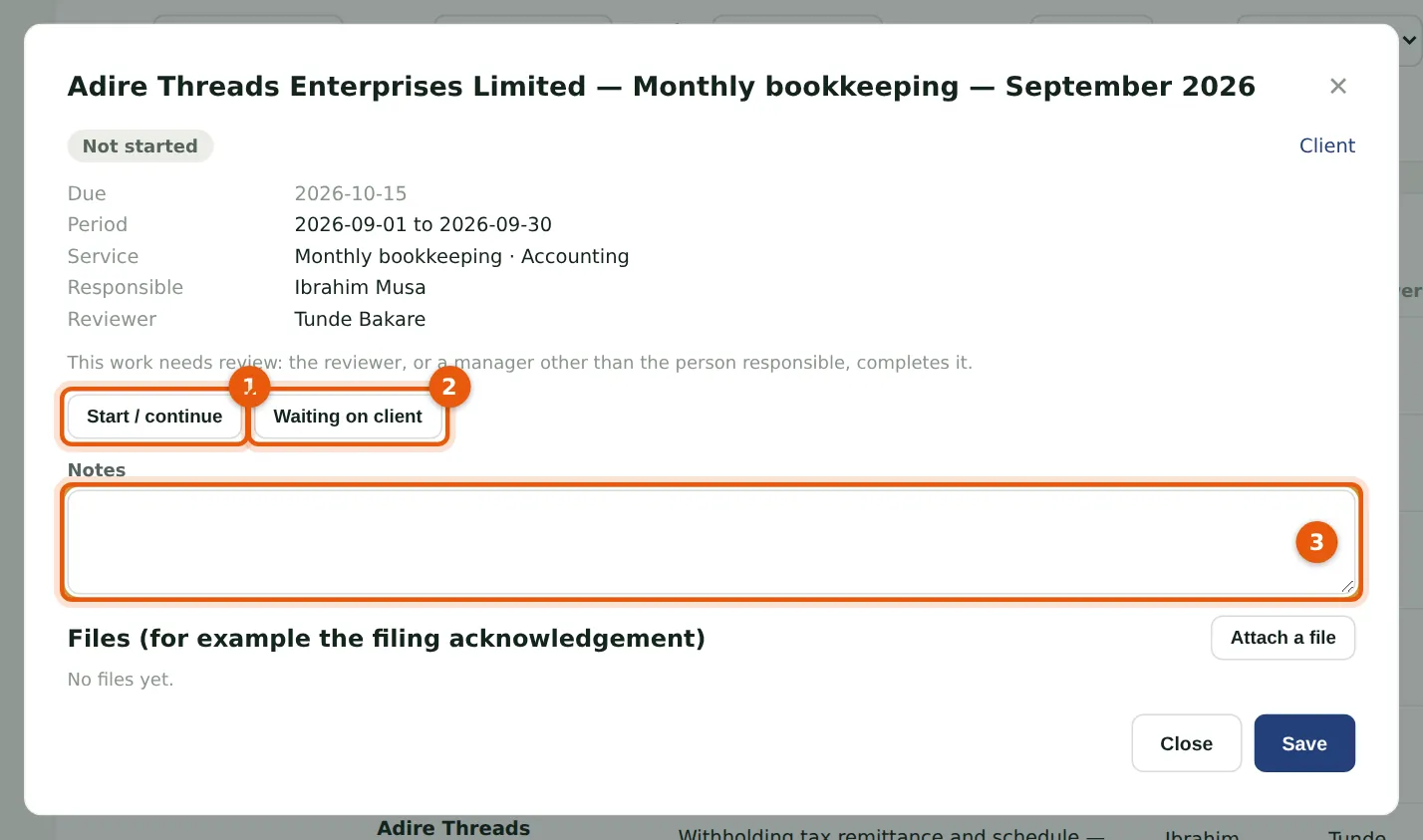
Ibrahim Musa is responsible for Adire Threads' September bookkeeping. Start / continue (1) marks it in progress; Waiting on client (2) records that he is waiting for information; Notes (3) keep what was asked for and when.
Who
Staff (the person responsible), or a manager.
What to do
- Open the piece of work from My work, the tracker or the client's Work tab.
- Choose the button for the new status.
9.2 Waiting on the client
Why
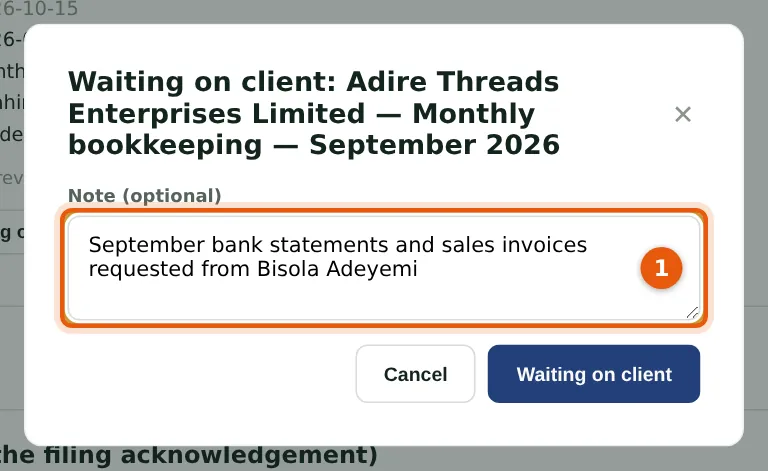
A note (1) says what is outstanding. Work waiting on clients is counted on the dashboard and in Work by person, so the manager can chase the client before the deadline.
Who
Staff (the person responsible), or a manager.
What to do
- Enter what you are waiting for (1) and choose Waiting on client.
- When the information comes in, choose Start / continue.
9.3 Change the due date or the person
Why
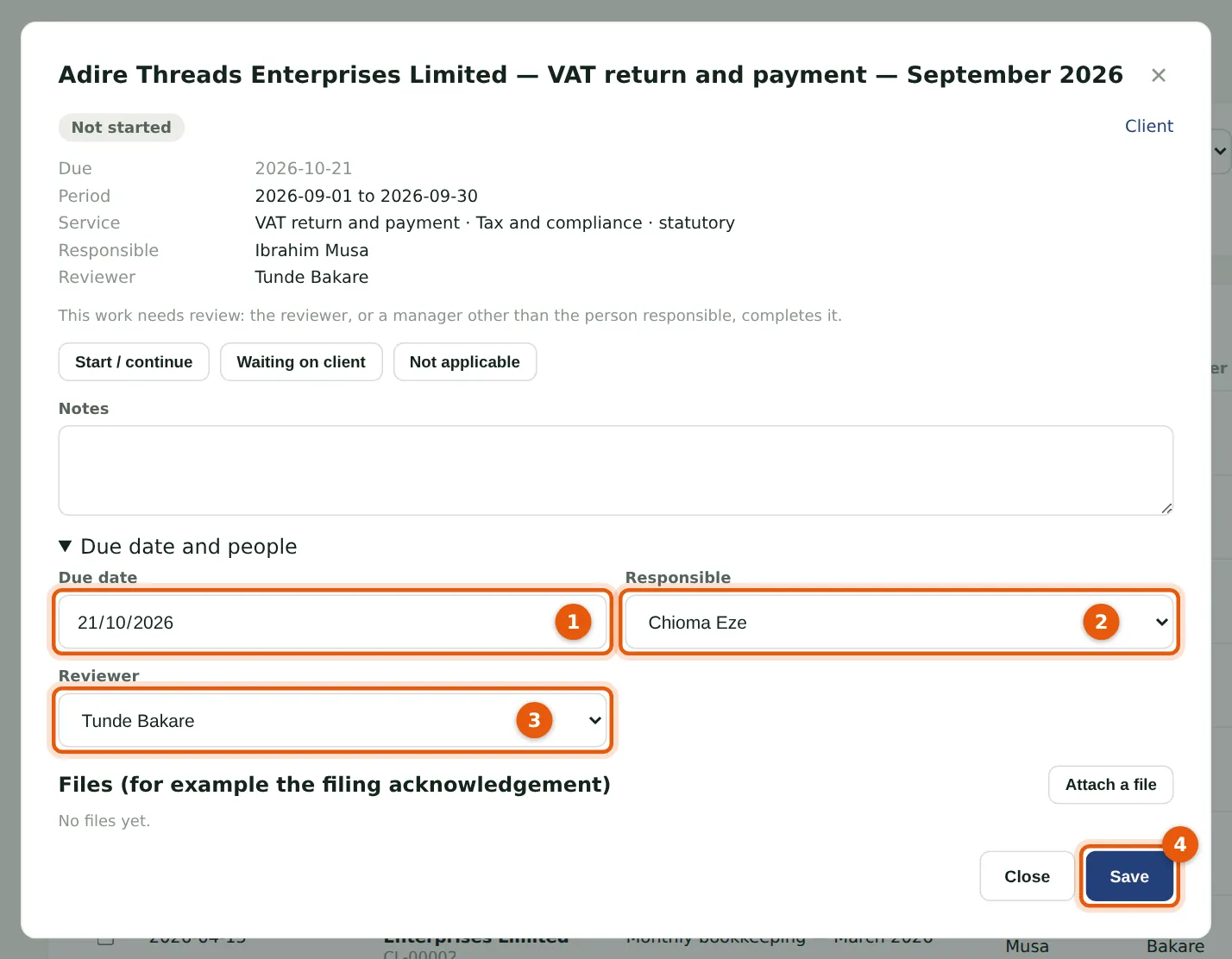
Tunde Bakare moves Adire Threads' September VAT return from Ibrahim to Chioma. Under Due date and people he can change the due date (1), the person responsible (2) and the reviewer (3). A due date changed by hand is marked ✎ in the tracker and is kept when the service's rule changes.
Who
Manager, partner, practice administrator or owner.
What to do
- Open the piece of work and choose Due date and people.
- Change the due date, the person responsible or the reviewer.
- Choose Save (4).
9.4 The client's work in one list
Why
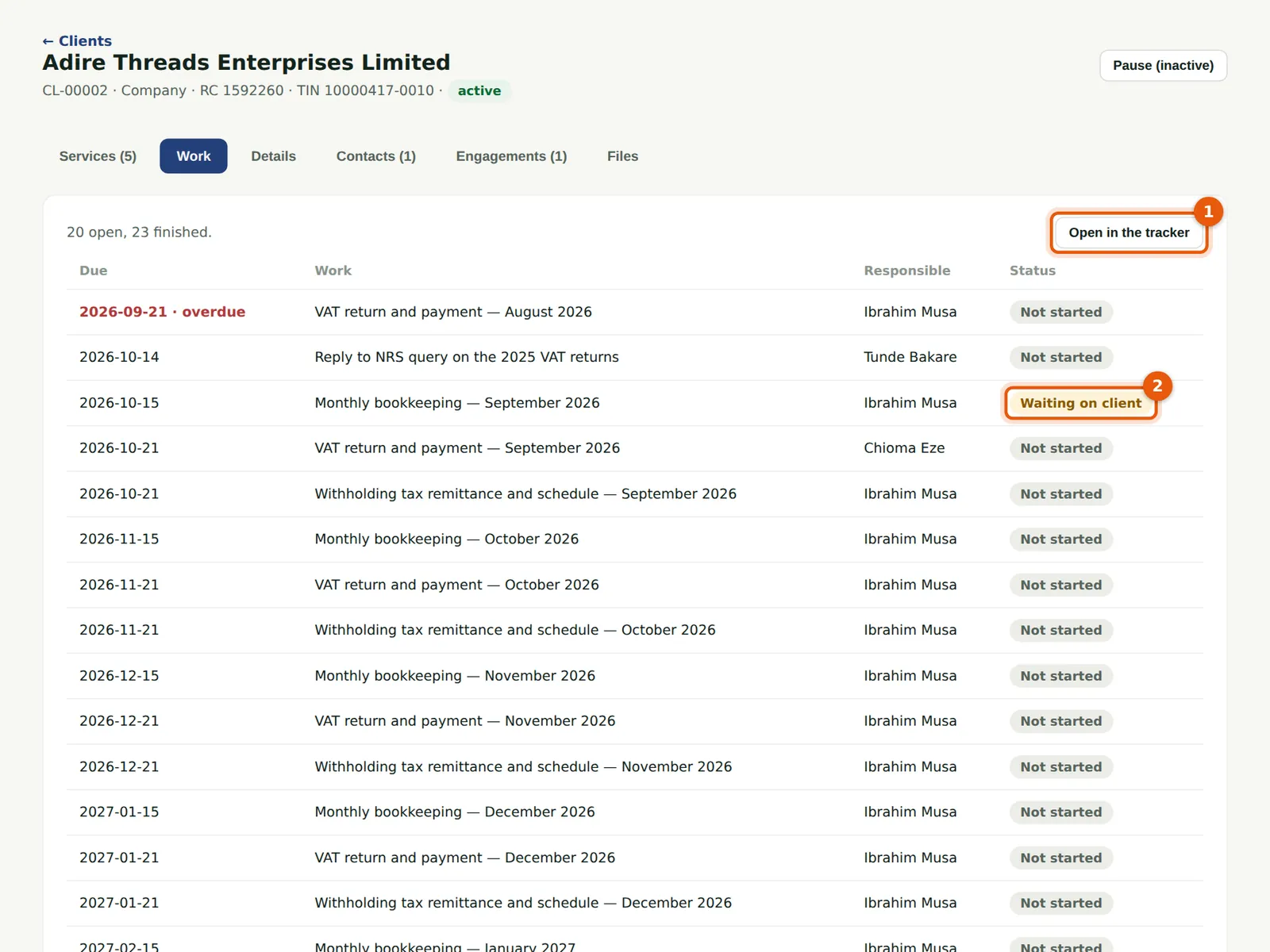
A client's Work tab lists its open work by due date and, below, what was finished, with filing references. Open in the tracker (1) opens the same list with the tracker's filters. Here the September bookkeeping is waiting on the client (2).
Who
Everyone with access to clients.
What to do
- Open the client and choose Work.
- Choose a row to open the piece of work.