Steps in this chapter (3)
Sending an approved engagement letter or another PDF to be signed in the client portal, the signer's code, and the signing record.
The client can sign the engagement letter, or a PDF such as a representation letter or the accounts, in the client portal. The signer reads the document, types their name and confirms with a one-time code sent by email or text. The document's SHA-256 fingerprint is taken when it is sent and checked when it is signed, so a document changed after it was sent cannot be signed.
24.1 Send the letter for e-signature
Why
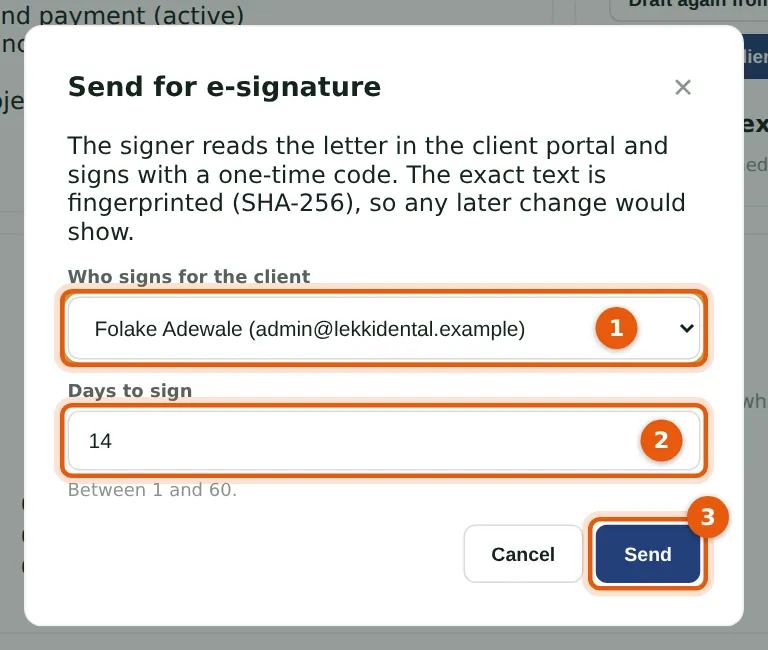
Lekki Dental Clinic accepted the proposal; Nkechi recorded the acceptance decision and approved the letter. Send for e-signature asks who signs (1) — the client's portal logins that may sign — and the days to sign (2). Send (3) emails the signer. Other PDFs are sent from Client portal → Signatures → Send a document for signature.
Who
Partner, practice administrator or owner.
What to do
- Open the engagement (the letter must be approved and sent).
- Choose Send for e-signature, choose the signer and choose Send.
24.2 The client signs
Why
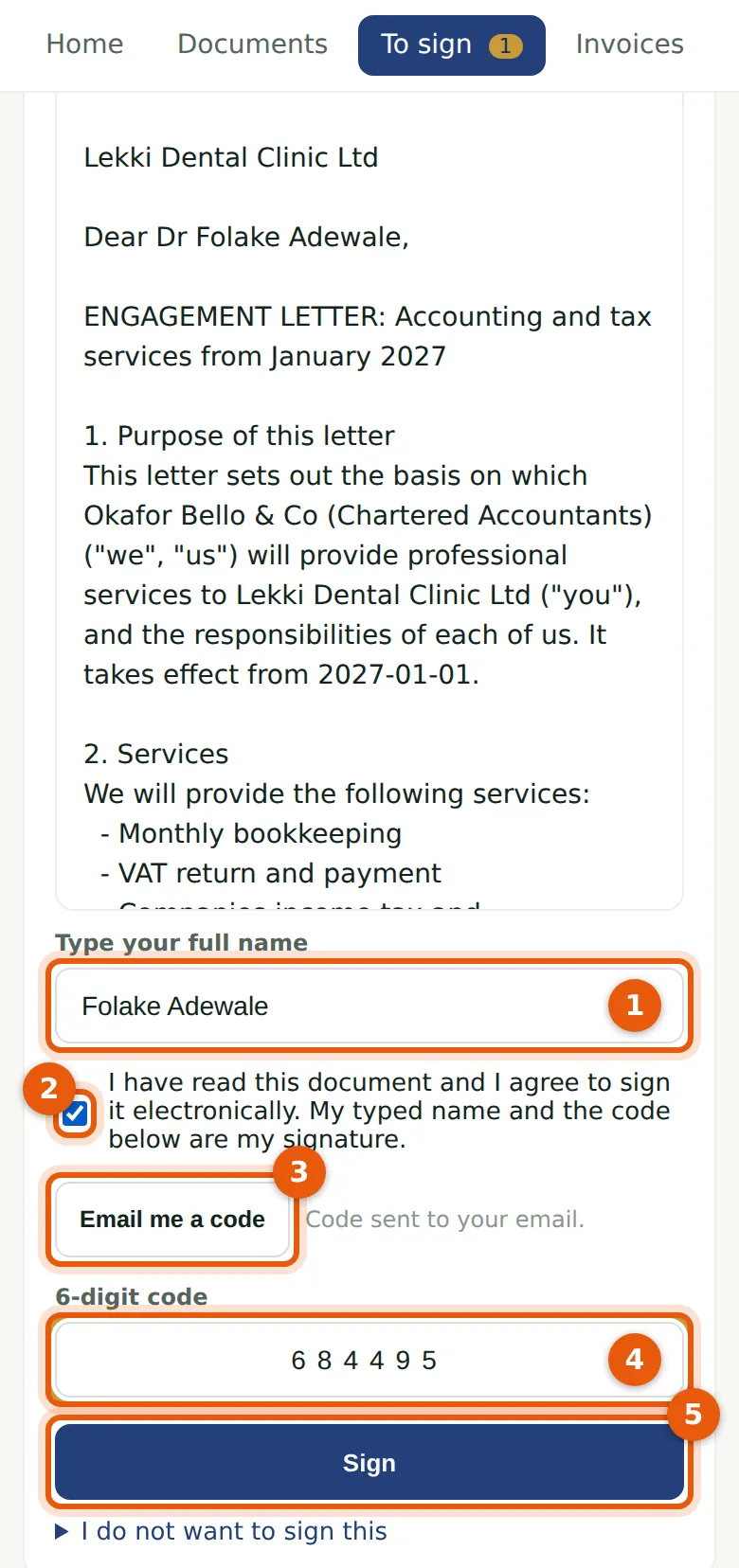
She reads the letter, types her full name (1), ticks that she agrees to sign electronically (2), has a code emailed (3) — or texted, if she has a mobile number — enters it (4) and chooses Sign (5). She could decline, with a reason. The engagement letter is then marked signed, e-signed in the client portal.
Who
The client's contact, with a client portal login that may sign.
What to do
- Choose To sign, then the document.
- Read it, fill in the form and choose Sign.
24.3 The signing record
Why
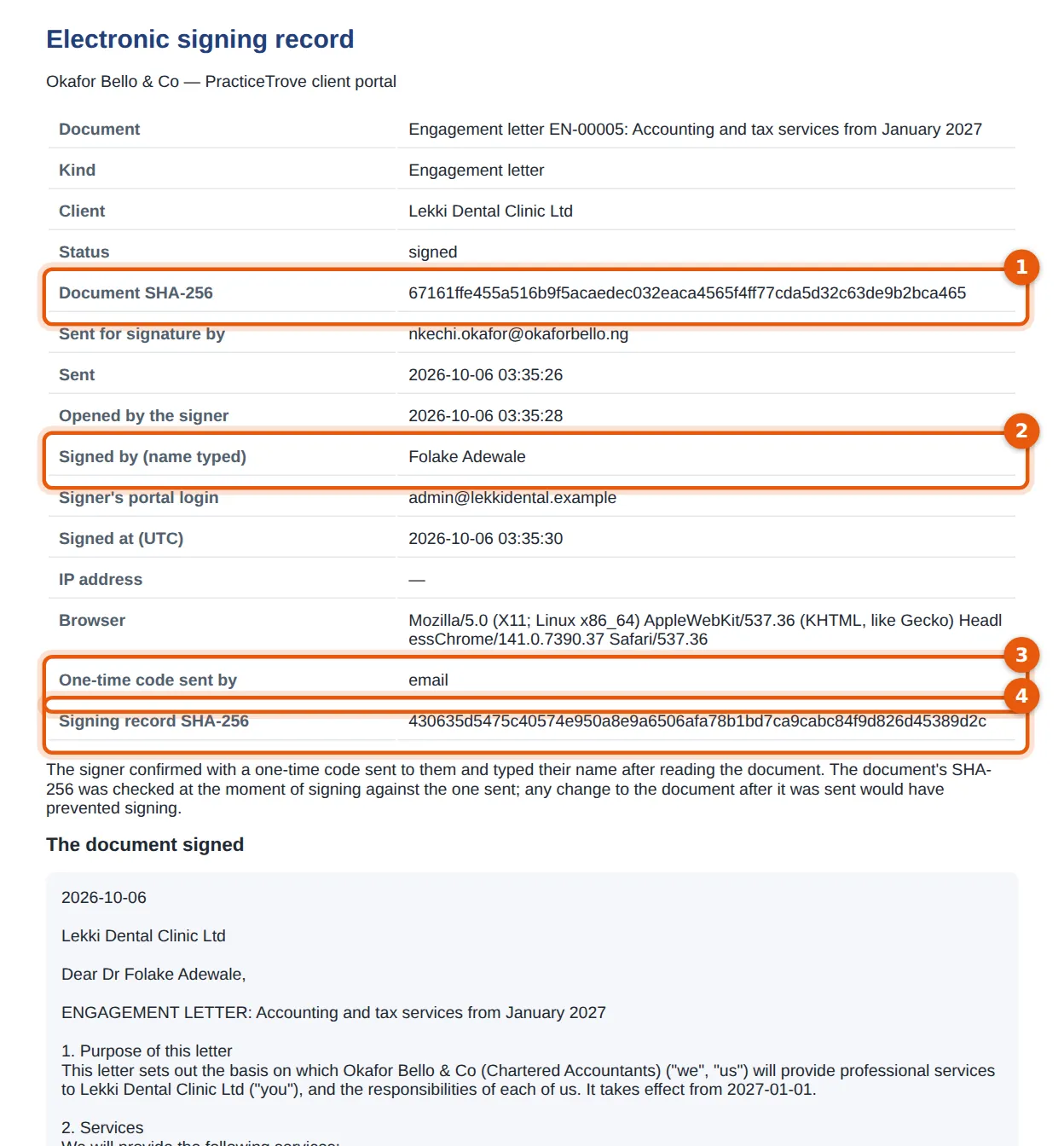
The record is the evidence: the document's SHA-256 (1), the name typed (2), when it was sent, opened and signed, the browser and IP address, how the code was sent (3) and a SHA-256 of the record itself (4), followed by the document signed. Keep it with the letter.
Who
Anyone with access to the engagement or the client portal.
What to do
- On the engagement (or Client portal → Signatures), choose Signing record.
- Print it or save it as PDF.