Steps in this chapter (6)
Draft the engagement letter from the firm's template, edit it, have a partner approve it and record it as sent, record the client's signature, and print it on the letterhead.
The engagement letter moves from not drafted to drafted, sent (approved by a partner) and signed. After a partner approves it, the scope, fees and text change only with a partner, and a new draft can be made only by a partner with a fresh code.
12.1 Draft from the template
Why
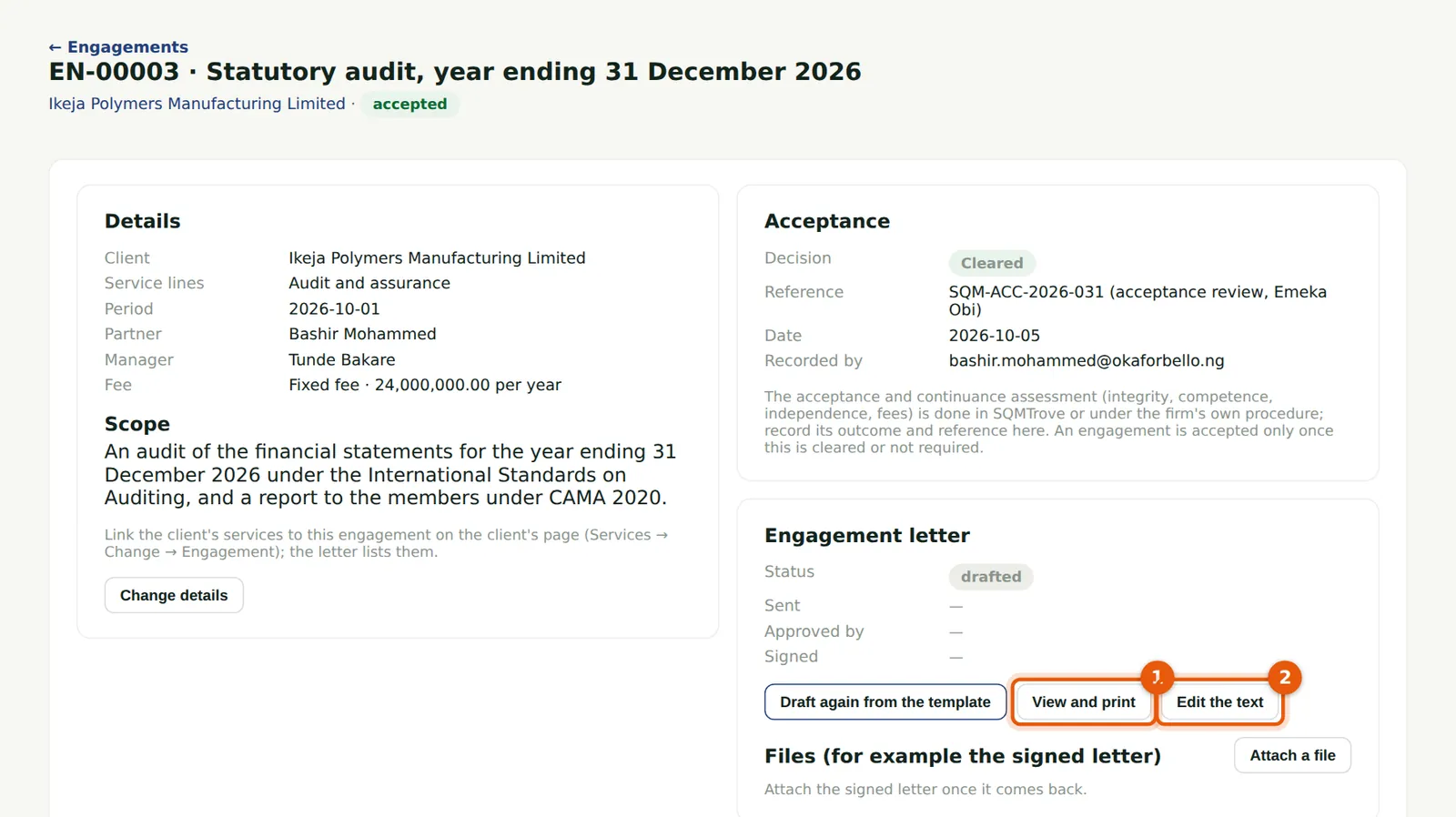
Tunde Bakare drafts Ikeja Polymers' letter from the firm's template: the placeholders are filled in from the engagement, the client and the firm. View and print (1) shows it on the letterhead; Edit the text (2) changes it for this engagement only.
Who
Manager, partner, practice administrator or owner.
What to do
- Open the engagement and choose Draft from the template.
- Read it with View and print (1); change it with Edit the text (2).
12.2 Edit the letter
Why
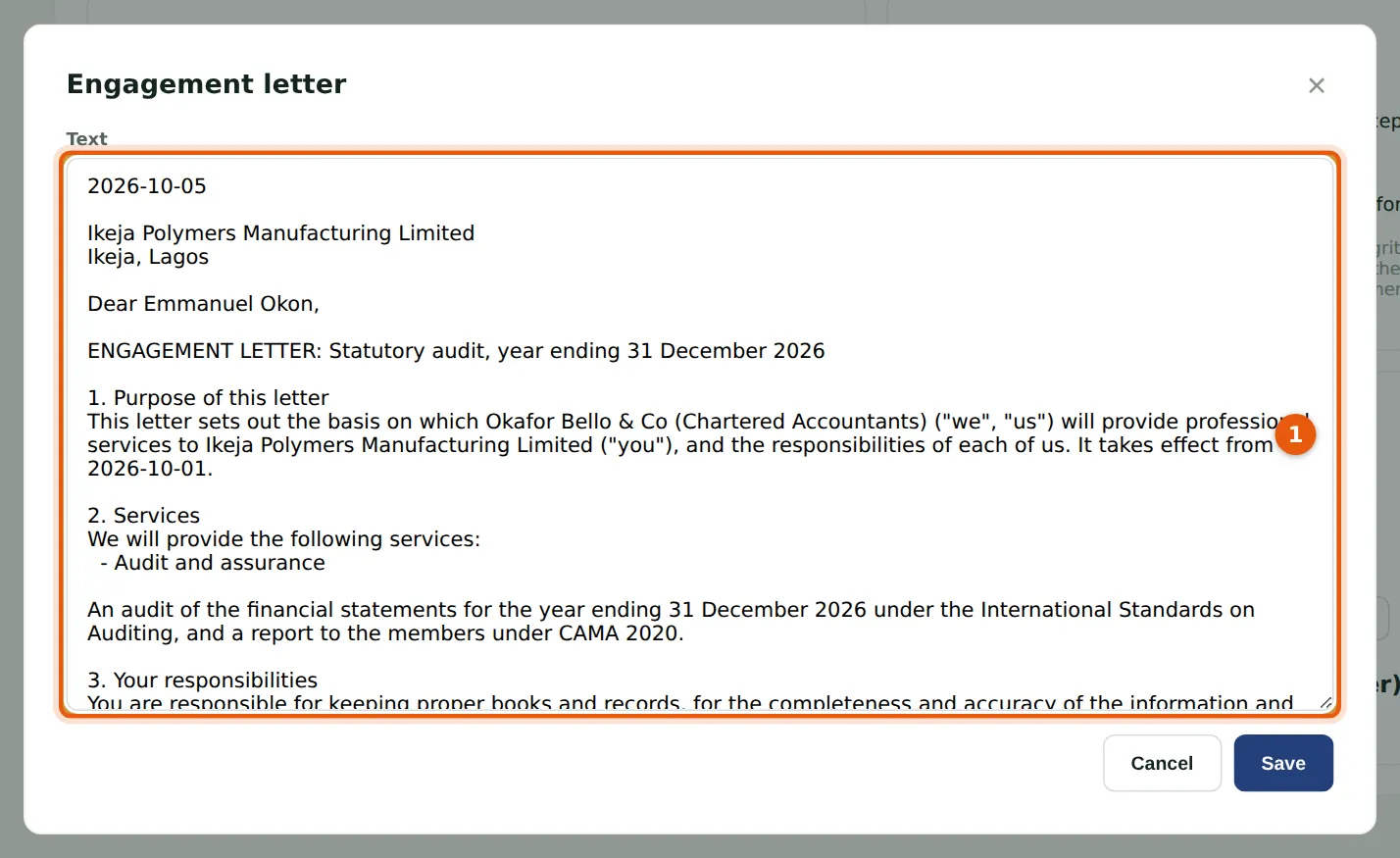
The text (1) can be changed for this client: an extra paragraph on the audit timetable, a different notice period. Leave a blank line between paragraphs.
Who
Manager, partner, practice administrator or owner.
What to do
- Edit the text (1) and choose Save.
12.3 Approve and record as sent
Why
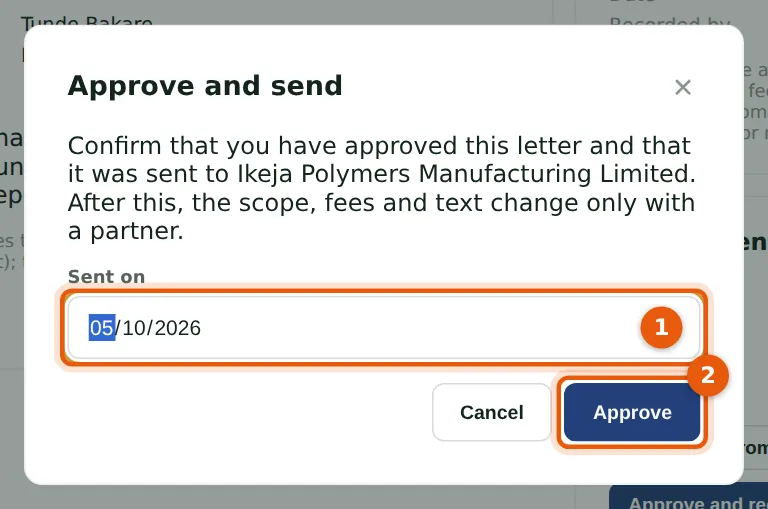
Bashir Mohammed reads the letter and approves it. Approving confirms that the letter was sent to the client on the date given (1); PracticeTrove asks for a fresh authenticator code, and the approval is tied to the version he read: if the text changed in the meantime, he is asked to read it again.
Who
Partner, practice administrator or owner.
What to do
- Choose Approve and record as sent.
- Check the date (1) and choose Approve (2).
- Enter the code from your authenticator app.
12.4 Record the client's signature
Why
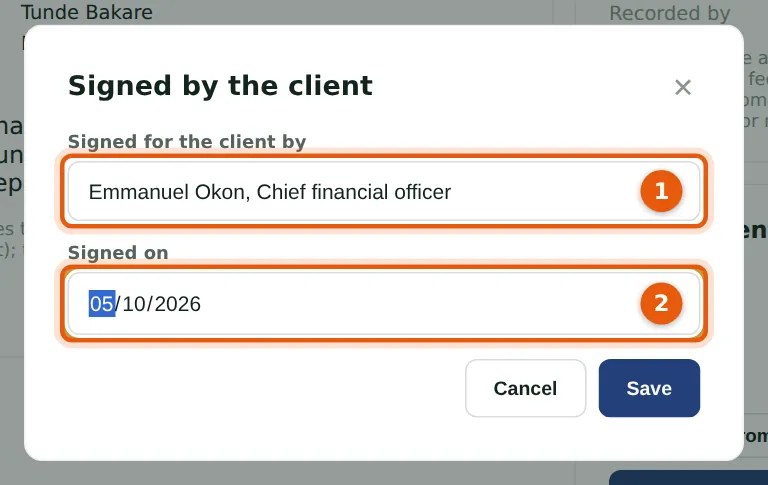
Ikeja Polymers' chief financial officer signs and returns the letter. Record who signed for the client (1) and when (2).
Who
Manager, partner, practice administrator or owner.
What to do
- Choose Record the client's signature.
- Enter the name and date and choose Save.
12.5 The letter's record
Why
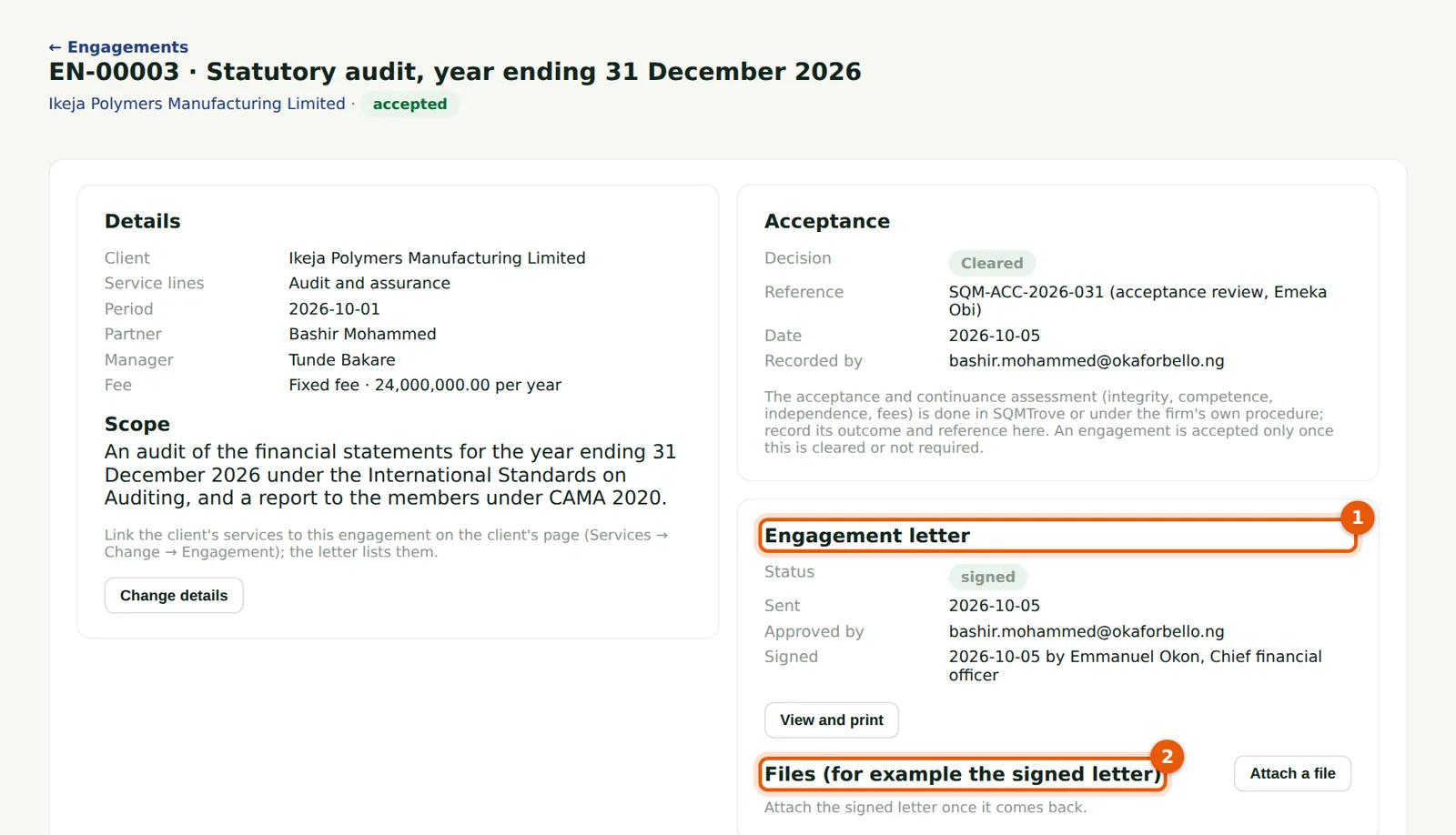
The Engagement letter box (1) now shows when it was sent, who approved it, and who signed it and when. Attach the signed copy under Files (2).
Who
Everyone with access to engagements.
What to do
- Choose Attach a file to keep the signed letter with the engagement.
12.6 Print or save as PDF
Why
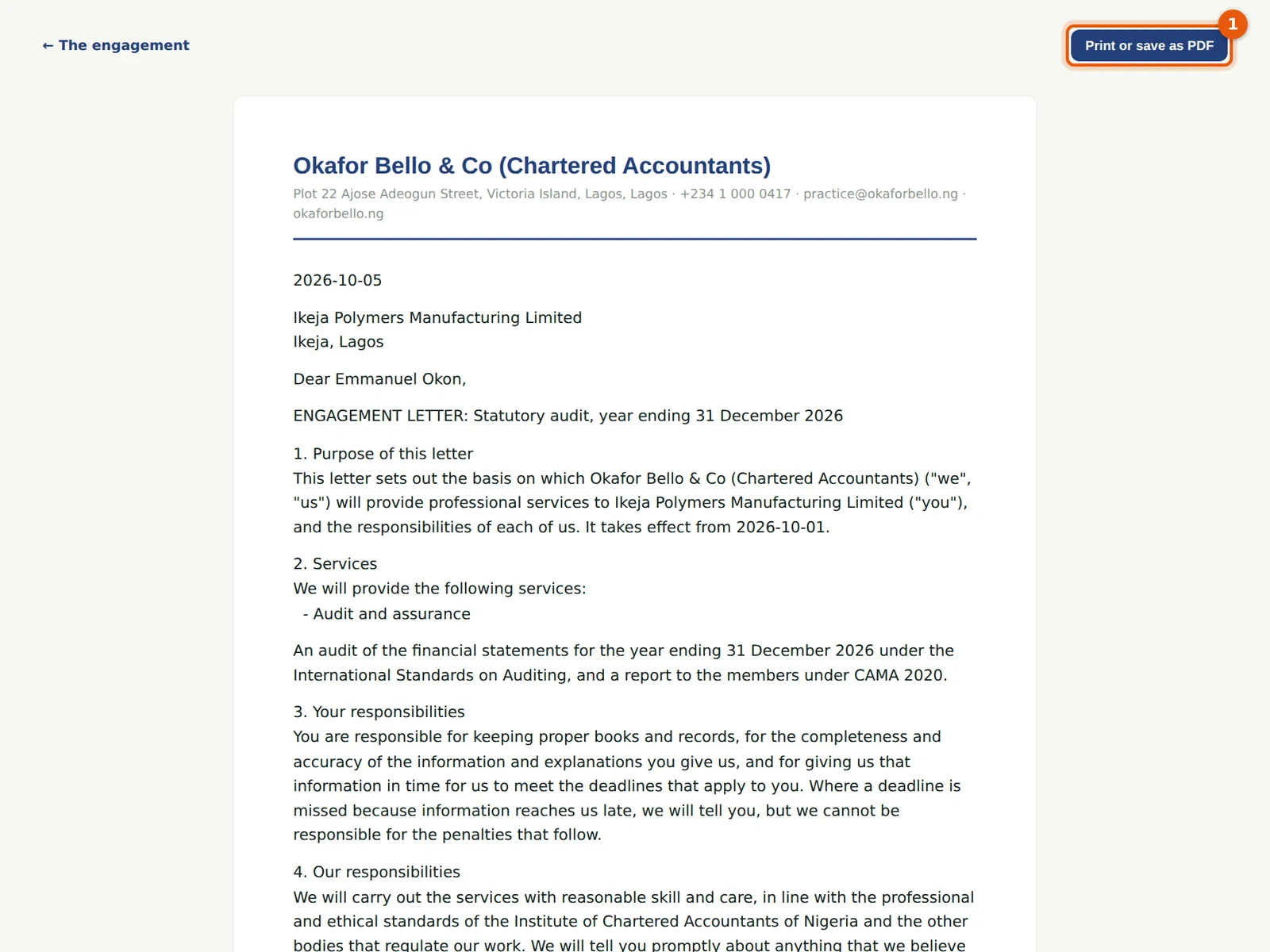
The letter is laid out on the firm's letterhead, with its footer and the engagement number. A signed letter shows who signed it and when.
Who
Everyone with access to engagements.
What to do
- Choose Print or save as PDF (1), and choose Save as PDF in the print dialogue for a file.