Steps in this chapter (5)
Drafting an invoice from fees or work in progress, having someone else issue it, recording payments, credit notes, void and write-off, and what clients owe.
Invoices are numbered INV-00001 onwards and credit notes CN-00001 onwards when they are issued. VAT is added at the firm's rate (7.5% by default) on the lines that carry it. Billing has its own levels: view; prepare (draft invoices, proposals and recurring fees); approve (issue invoices, record payments, send proposals); full (credit, void and write off).
At Okafor Bello & Co managers draft and partners issue: the billing setting "someone other than the person who drafted an invoice issues it" is on (step 20.2). Whoever last changed a draft does not issue it either.
19.1 Draft an invoice from work in progress
Why
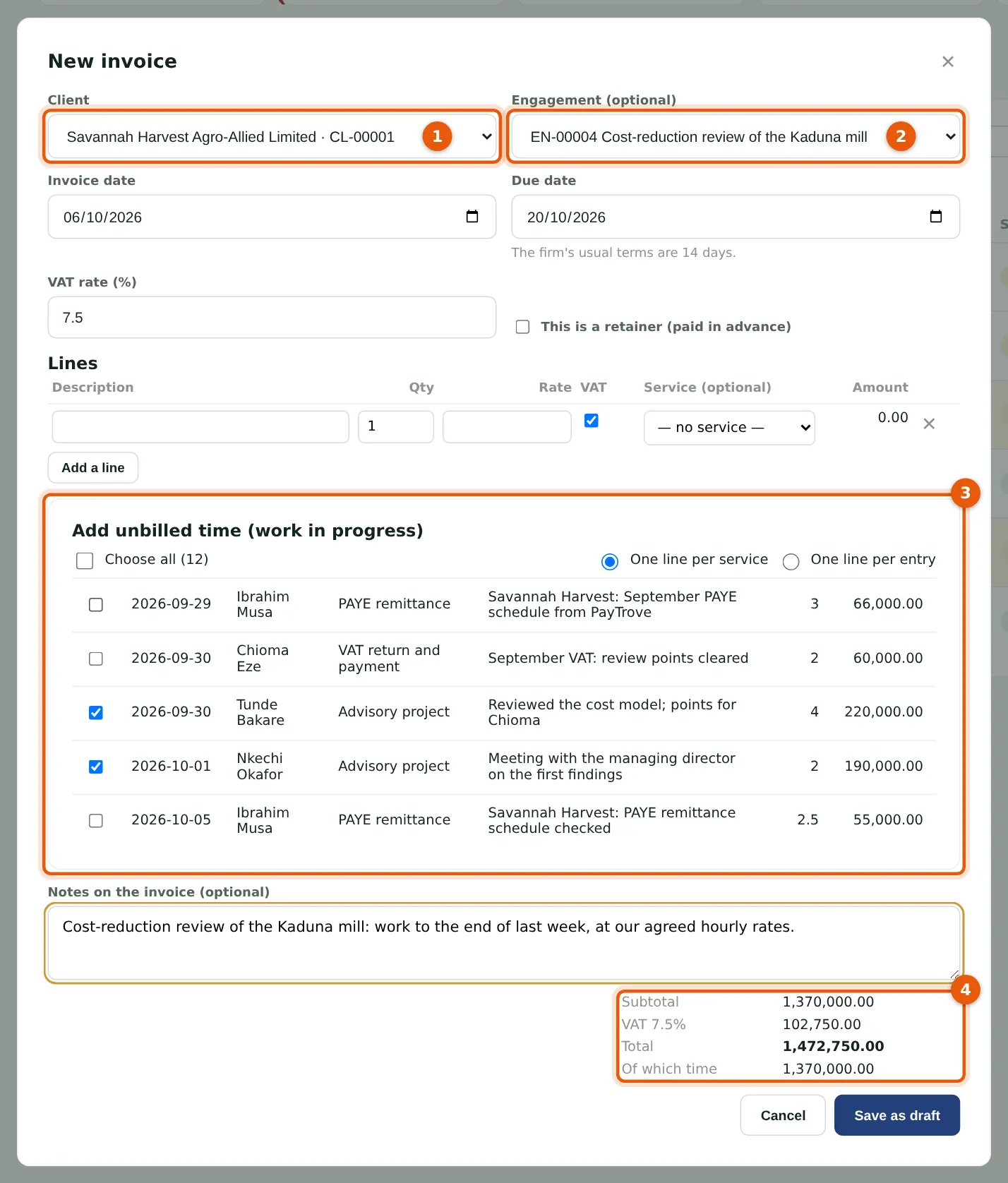
Tunde Bakare bills Savannah Harvest for the review so far. He chooses the client (1) and the engagement (2); the client's approved, unbilled time is listed (3) and he ticks the review's entries. Time becomes one line per service, or one per entry. Add lines of your own for fixed fees or expenses. The totals (4) show the VAT. Saving reserves the time for this draft.
Who
Manager, partner, practice administrator or owner.
What to do
- Choose Billing, then New invoice.
- Choose the client and engagement, tick the time to bill and add any other lines.
- Choose Save as draft.
19.2 Issue the invoice
Why
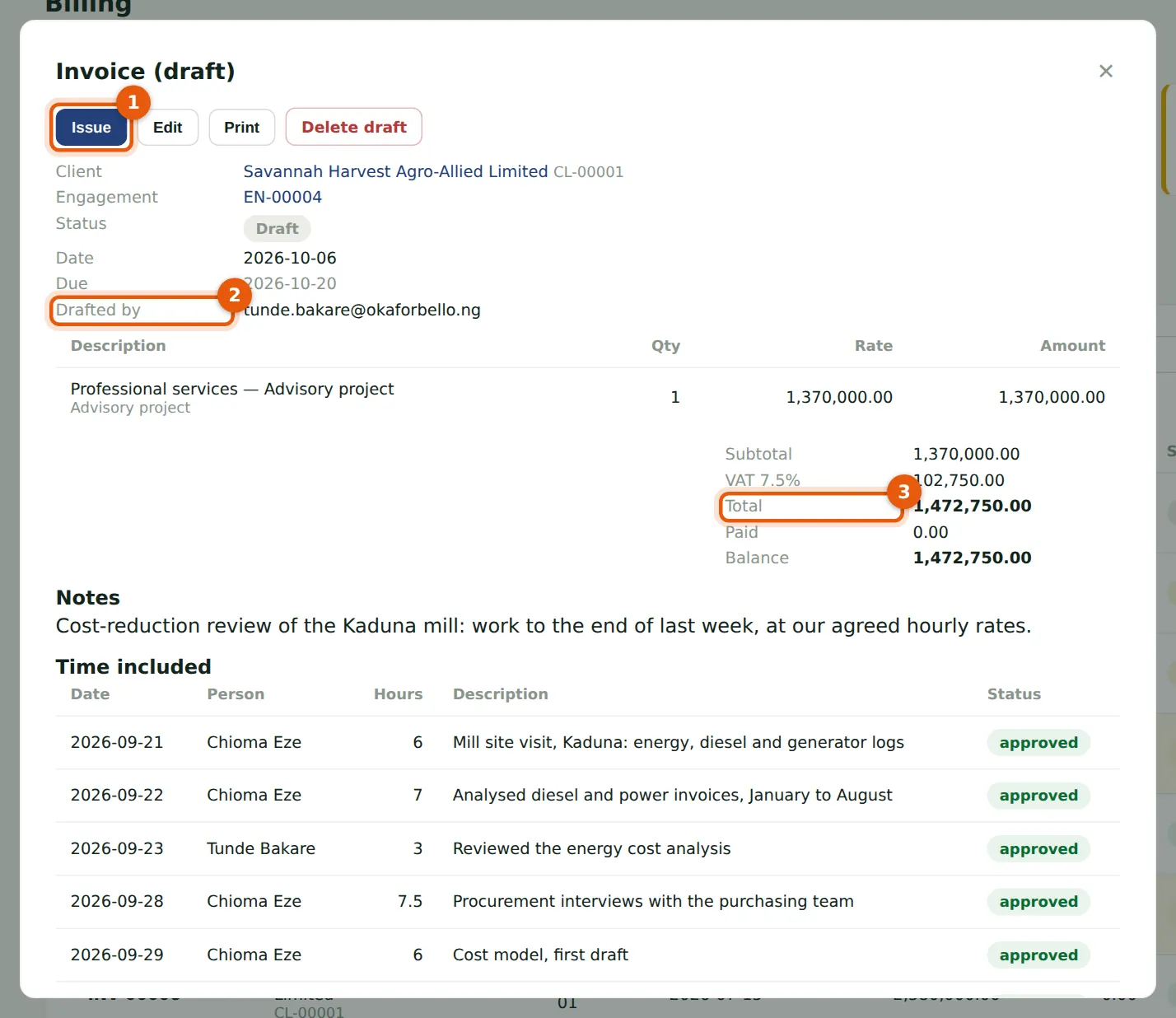
Nkechi Okafor checks the draft: who drafted it (2), the lines and the total (3), and the time included. Issue (1) gives it the next number, marks the time invoiced and, if ticked, emails it to the client's contacts and portal logins, with the pay link when online payment is on (chapter 20). An issued invoice cannot be changed.
Who
Partner, practice administrator or owner — not the person who drafted it.
What to do
- Open the invoice from Billing.
- Check it, choose Issue, leave Email it to the client now ticked and choose Issue.
19.3 Record a payment
Why
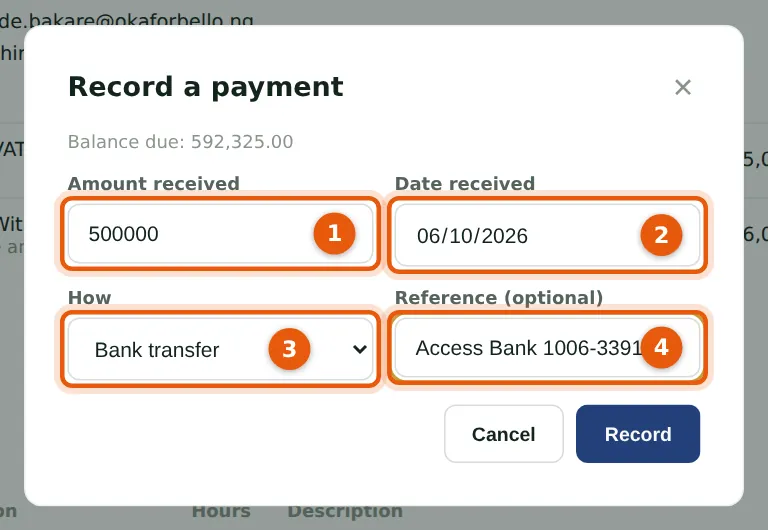
Rumuola Marine pays ₦500,000 of its September invoice by transfer. Enter the amount (1; at most the balance), the date received (2), how it was paid (3) and the bank's reference (4). The invoice becomes part paid, or paid. Payments made online are recorded by themselves. Someone with full access to billing reverses a payment that bounced or was recorded by mistake.
Who
Partner, practice administrator or owner.
What to do
- Open the invoice and choose Record payment.
- Fill in the payment and choose Record.
19.4 Raise a credit note
Why
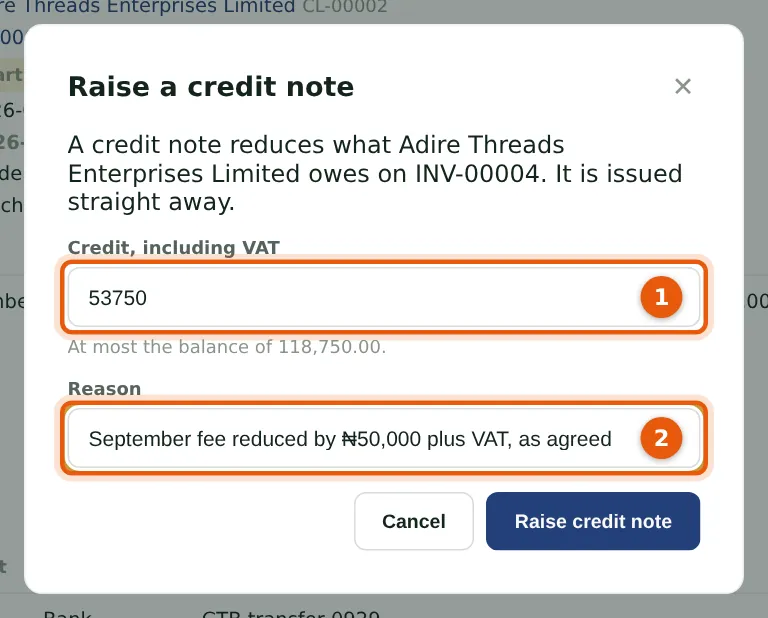
The firm agreed to take ₦50,000 plus VAT off Adire Threads' September retainer. The credit note, for the amount including VAT (1) and with a reason (2), is issued at once and reduces the balance. Void cancels an issued invoice with no payments, and its time goes back to WIP; Write off clears a balance the client will not pay.
Who
Owner or practice administrator (full access to billing).
What to do
- Open the invoice and choose Credit note.
- Enter the amount and the reason, and choose Raise credit note.
19.5 What clients owe
Why
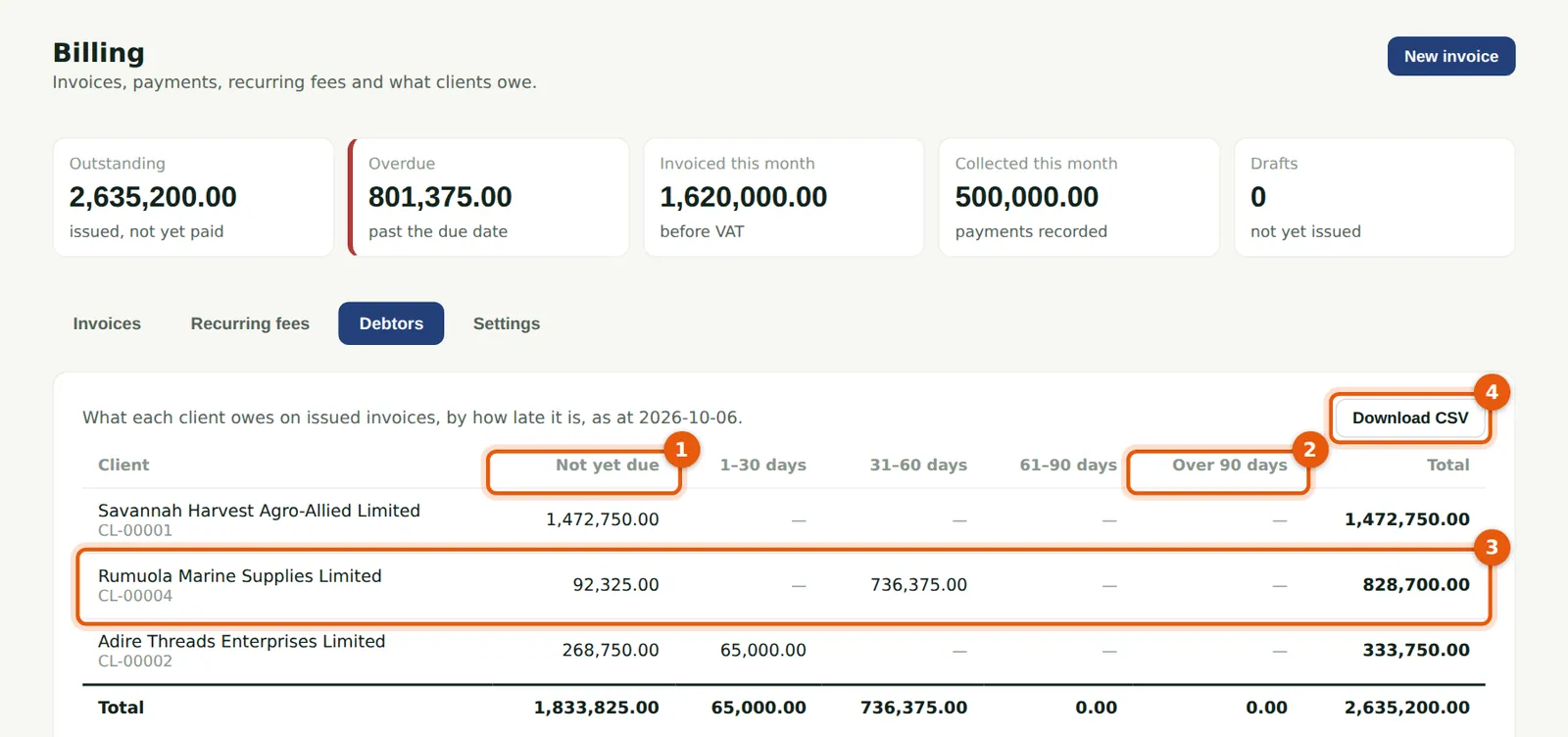
Debtors ages each client's balance on issued invoices by days past the due date, from not yet due (1) to over 90 days (2). Rumuola Marine (3) still owes on its July invoice. Choose a client to see their open invoices, or Download CSV (4). The Invoices tab lists every invoice and credit note, with the amounts outstanding, overdue, invoiced and collected this month.
Who
Anyone with access to billing.
What to do
- Choose Billing, then Debtors.