Steps in this chapter (3)
Profitability, utilisation, realisation, WIP, debtors and retainers; custom reports; importing a deadline tracker from Excel; and work updated from the other TroveSuite apps.
Automatic status. For a client that keeps its books, payroll or audit in its own TroveSuite company, PracticeTrove can read — never change — whether a VAT return is filed, a month or year closed, payroll approved and PAYE, pension, NHF and NSITF remitted, and how the audit file is progressing, and moves the work forward (to In review where review is required) with the reference. A partner asks for the link under Integrations → TroveSuite links; an owner or administrator of that company agrees in the client portal. Either side can end it.
29.1 Profitability and the other practice reports
Why
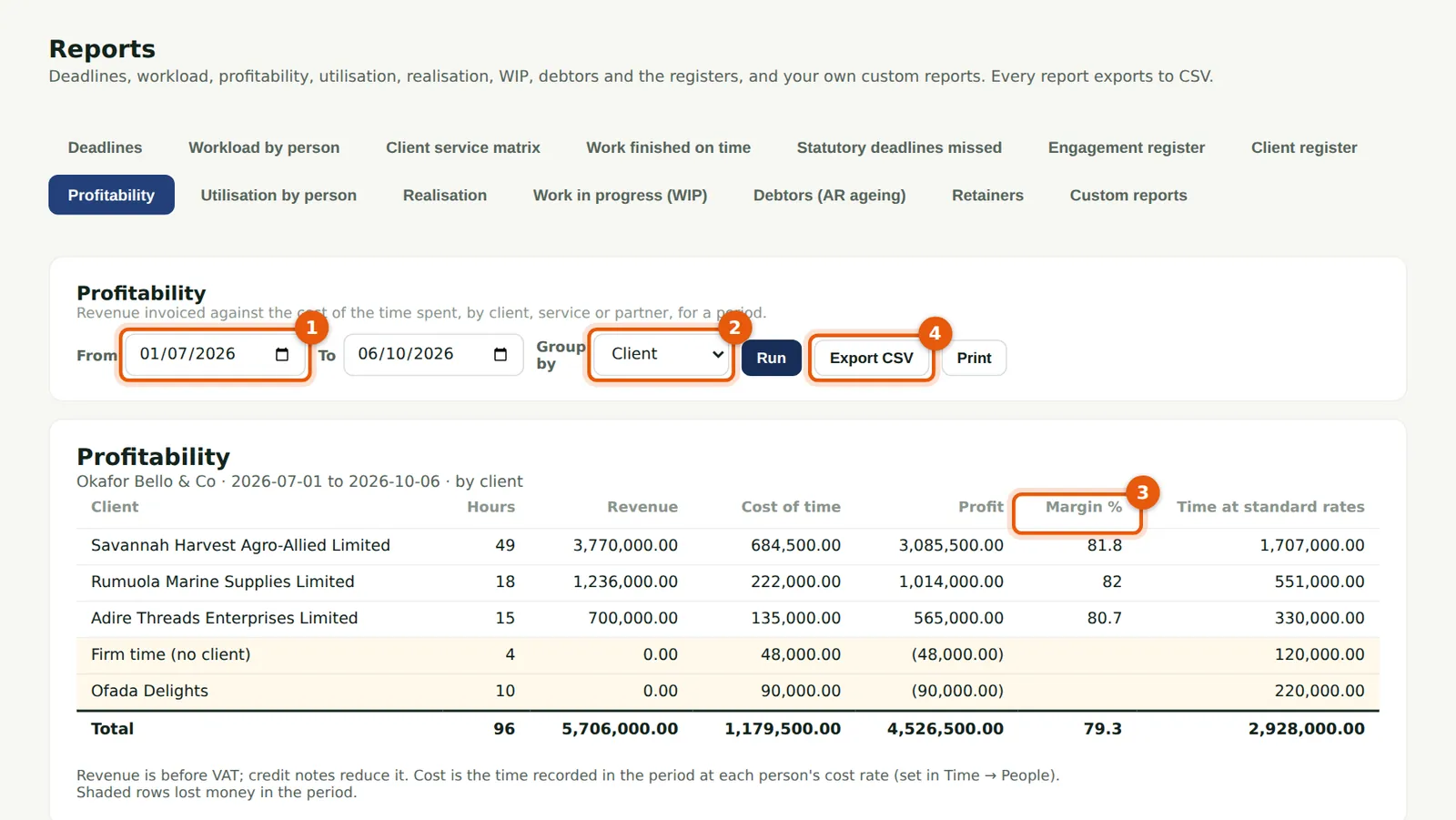
Profitability sets revenue invoiced against the cost of the time spent, for a period (1), by client, service or partner (2), with the margin (3). Utilisation compares each person's hours with their billable target; Realisation compares what was invoiced for time with its standard value; WIP, Debtors and Retainers complete the set. Every report has Export CSV (4).
Who
Partner, practice administrator or owner.
What to do
- Choose Reports, then the report.
- Choose the dates and grouping and choose Run.
29.2 A custom report
Why
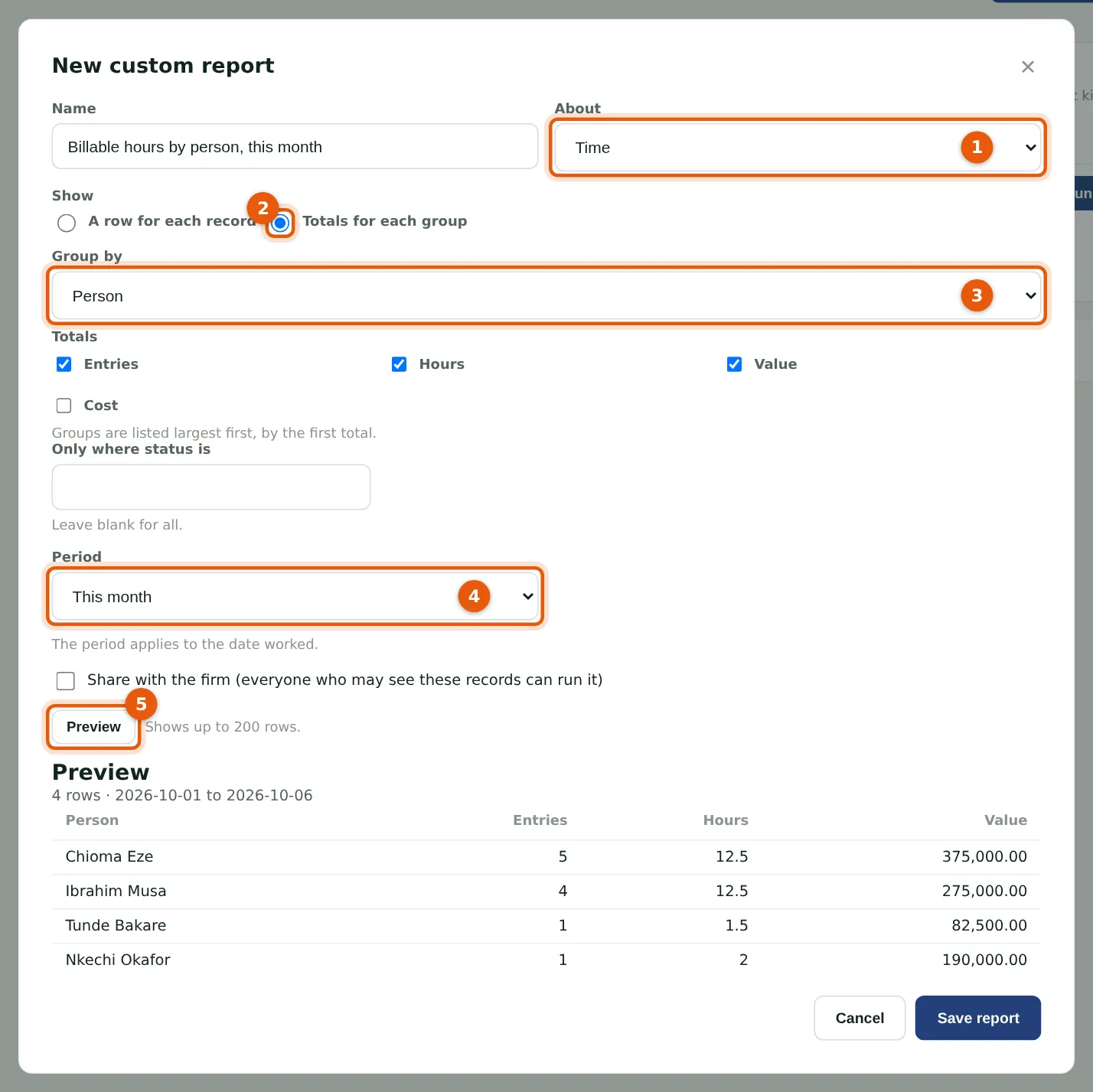
Choose what the report is about (1): work, time, invoices or clients. Show a row for each record with up to 15 columns, or totals for each group (2) — here hours and value by person (3) for this month (4). Preview (5) shows up to 200 rows. Save report keeps it; Share with the firm lets others run it.
Who
Anyone who can run reports.
What to do
- Choose Reports, Custom reports, then New custom report.
- Build the report, choose Preview, then Save report.
29.3 Import your deadline tracker
Why
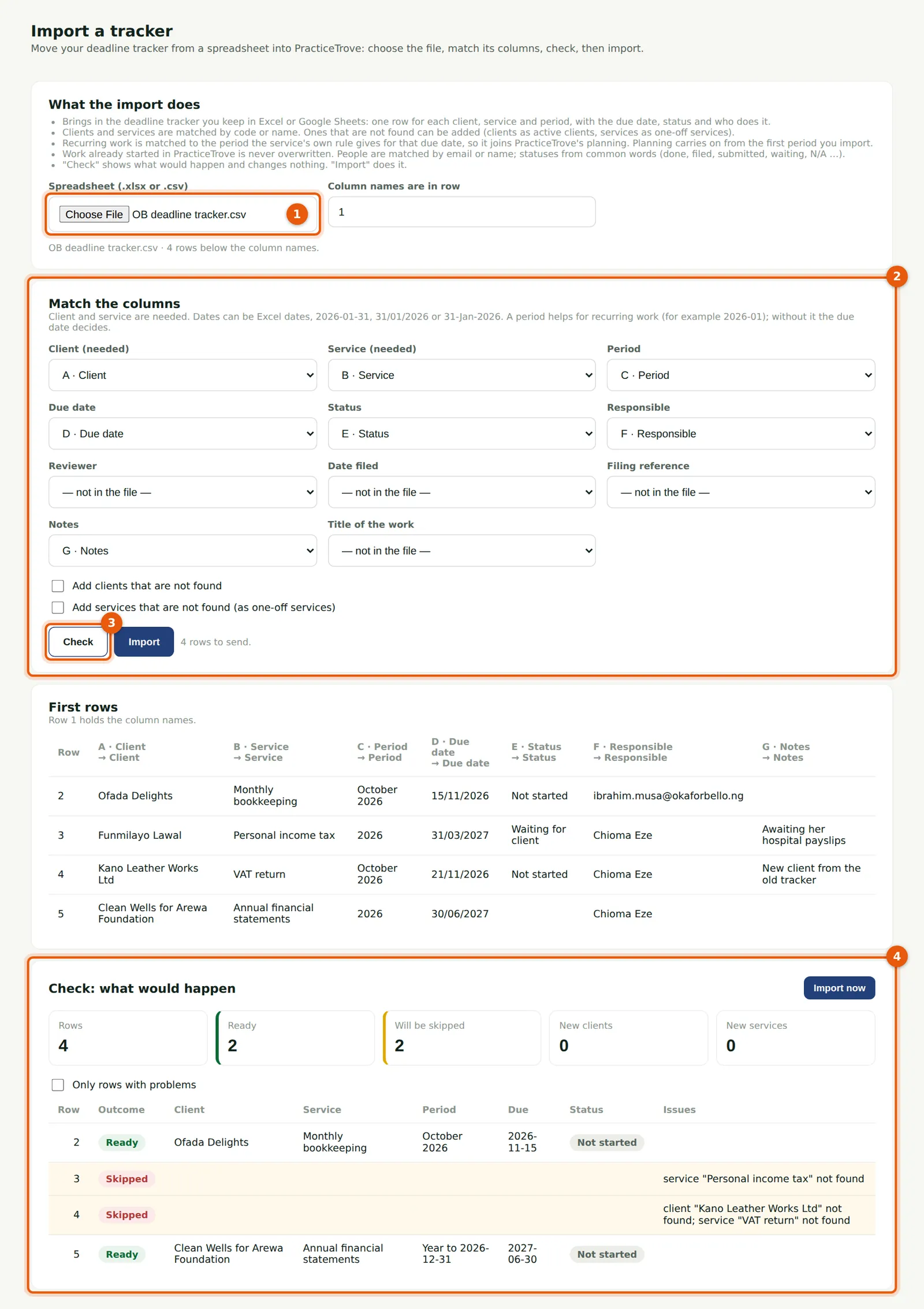
Ifeoma Chukwu brings in the firm's old Excel tracker. The file (1) is read in the browser. Match its columns (2): client, service, period, due date, status and people. Check (3) shows what would happen (4) without changing anything: two rows ready and two skipped, with why. Tick Add clients (or services) that are not found, or correct the file, then Import.
Who
Manager, partner, practice administrator or owner.
What to do
- Choose Import a tracker and choose the .xlsx or .csv file.
- Match the columns, choose Check, then Import. Work already started is never overwritten.