Steps in this chapter (2)
The hourly scheduled jobs that plan the coming periods and send reminders, and the notifications each person receives.
Every hour PracticeTrove plans the coming periods' work for every client service (up to the planning horizon) and sends reminders. Each person gets at most one reminder per run, listing their work that has reached a new stage: due soon, due today, overdue (the day after the due date, then every 7 days) and — for reviewers — work waiting for their review. Reminders appear under Notifications, and are also emailed when email is set up for the firm's PracticeTrove.
14.1 The scheduled jobs
Why
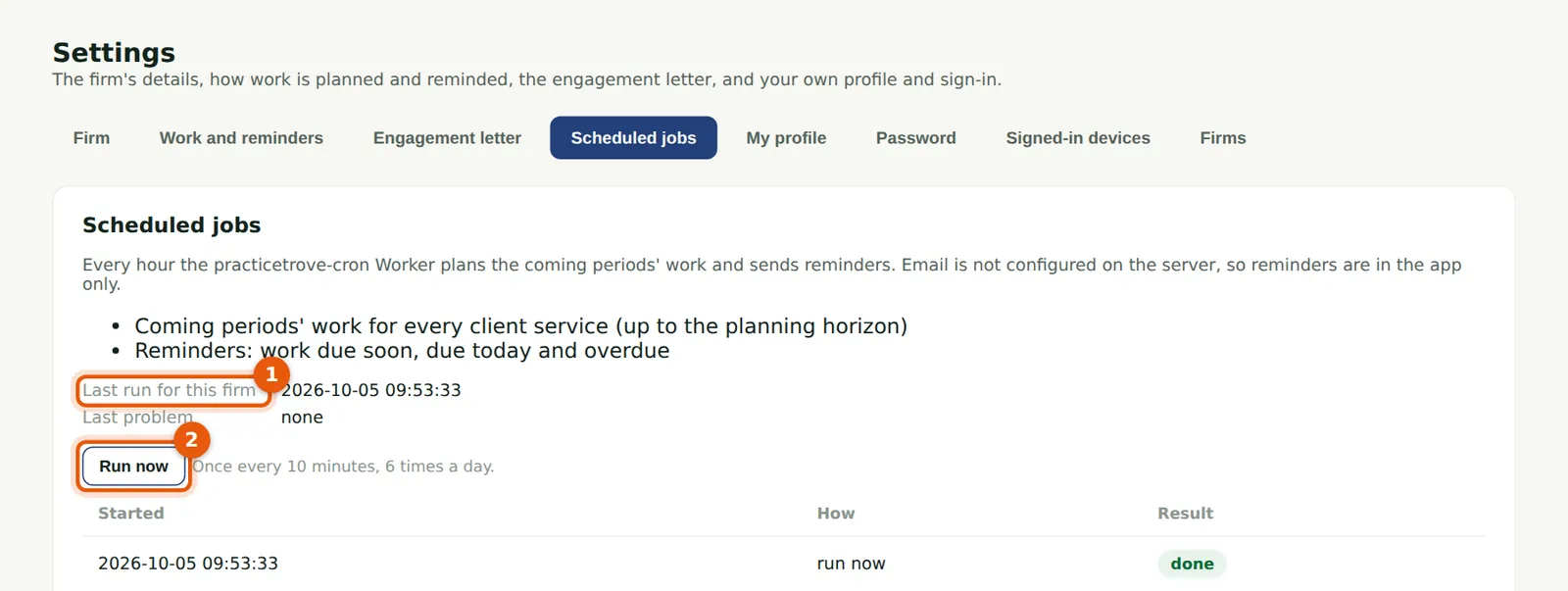
The page lists the jobs, when they last ran for the firm (1) and any problem, and the recent runs. Run now (2) runs them at once — once every 10 minutes, at most 6 times a day; the hourly run carries on as usual.
Who
Owner or practice administrator; partners can see them.
What to do
- Choose Settings, then Scheduled jobs.
- Choose Run now (2) after a large import, so the work and reminders are up to date at once.
14.2 Notifications
Why
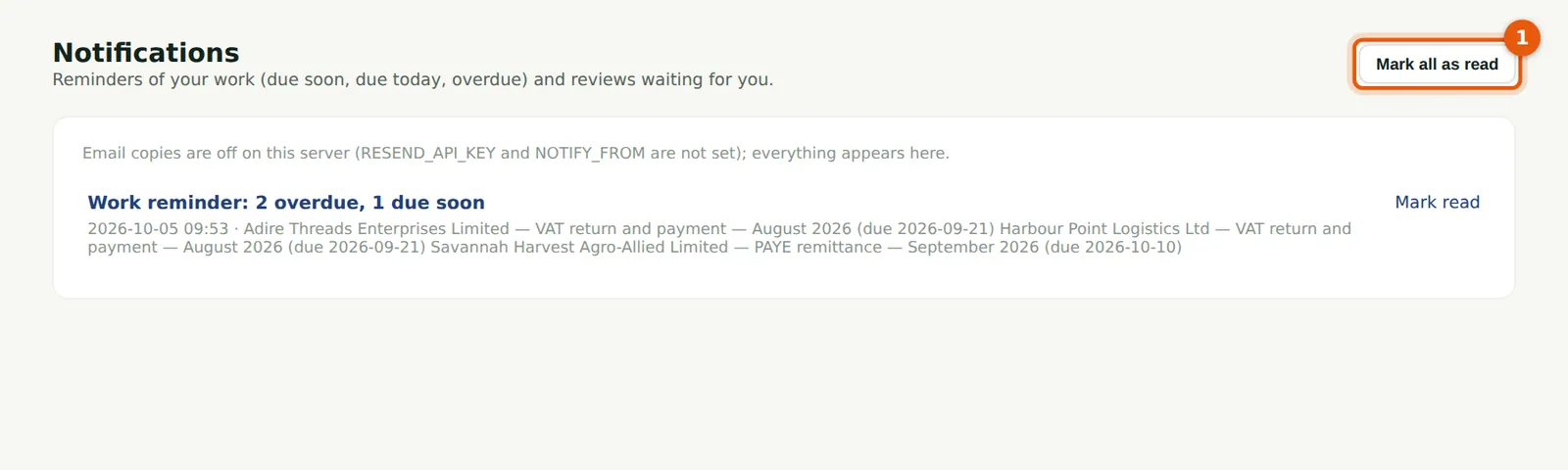
Ibrahim Musa's reminder lists two overdue VAT returns and his PAYE remittance due soon. The menu shows how many notifications are unread. Choose one to open your work.
Who
Everyone.
What to do
- Choose Notifications in the menu.
- Choose a notification to open My work, or Mark all as read (1).