Steps in this chapter (3)
The firm's catalogue of services with the Nigerian statutory dates filled in, how a due-date rule works, and adding a service of your own.
A service is something the firm does for clients: monthly bookkeeping, the VAT return, the statutory audit, the CAC annual return. Each has a service line, how often it comes round (monthly, quarterly, yearly or once), a due-date rule, whether the deadline is statutory, whether the work needs review, the TroveSuite app it is done in and a usual fee. PracticeTrove starts with 20 services and their Nigerian statutory dates (Appendix B).
When a client takes a service, PracticeTrove creates the work for every period with its due date (chapter 6). Change a rule here and the work planned from then on follows the new rule; work already planned keeps its dates.
4.1 The services catalogue
Why
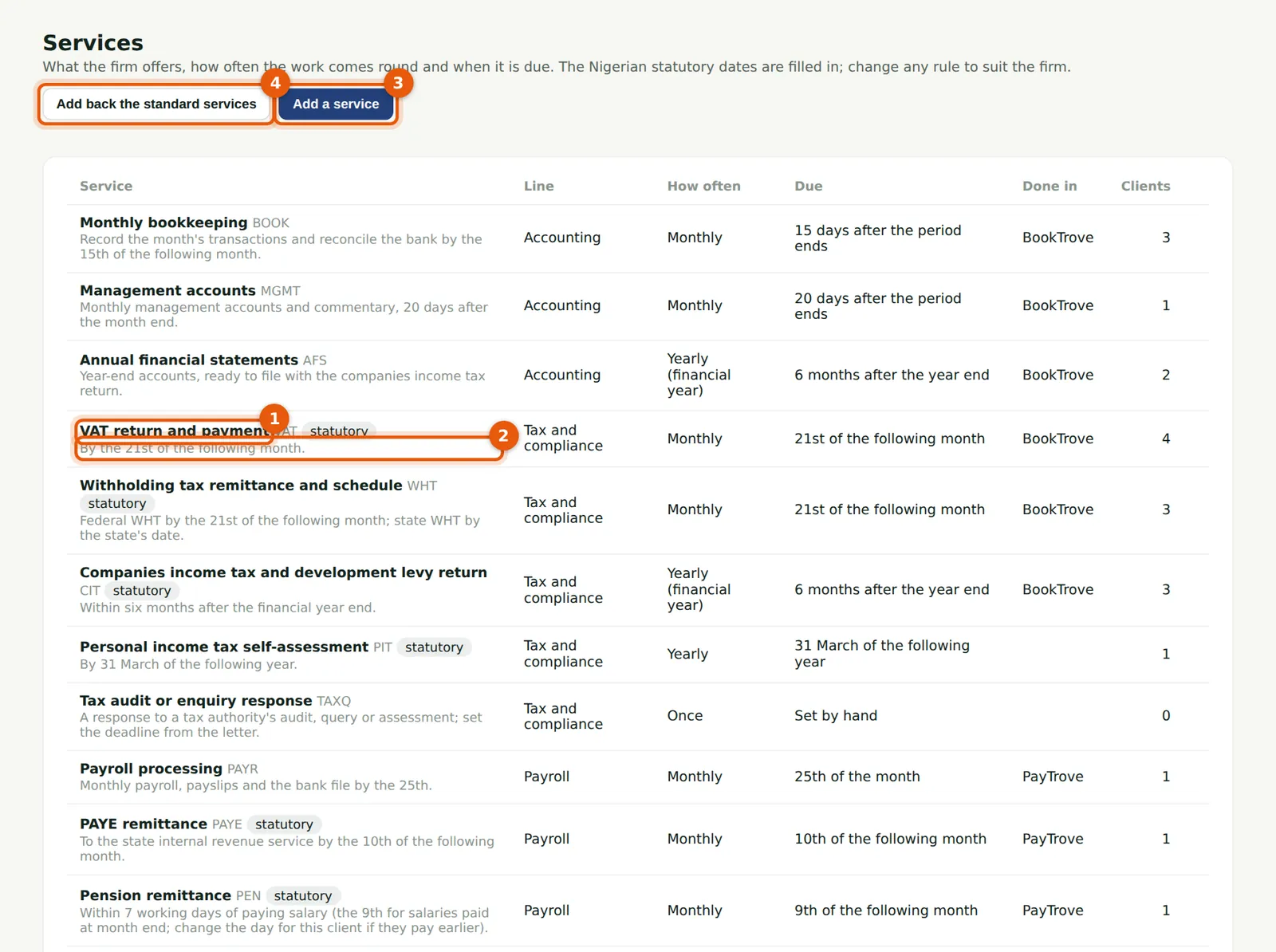
Each row shows the service, its line, how often it comes round, its due date in words (2) and the app it is done in. Statutory services carry a chip (1): they appear in the Statutory deadlines missed report. Add back the standard services (4) restores any of the 20 that were deleted.
Who
Everyone can read it; an owner or practice administrator changes it.
What to do
- Choose Services in the menu.
- Choose a service to see or change its rule, or Add a service (3).
4.2 How a due-date rule works
Why
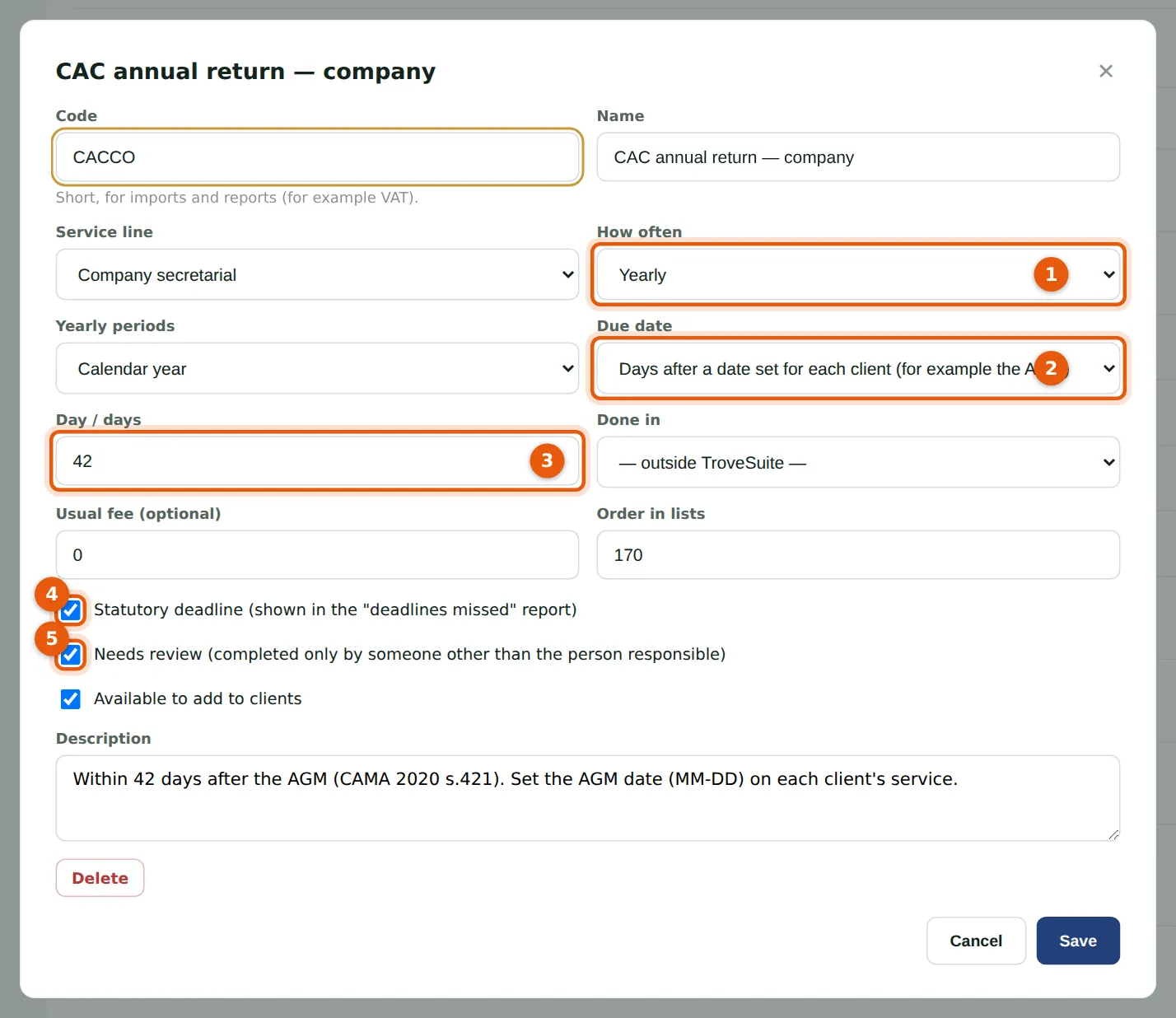
The CAC annual return of a company is due within 42 days after its AGM (CAMA 2020 s.421). Its rule (2) is "days after a date set for each client" with 42 days (3); each client's AGM date is set on that client's service (step 6.2). It comes round yearly (1). It is statutory (4) and needs review (5). Once clients take a service, how often it comes round cannot change; the rule can.
Who
Owner or practice administrator.
What to do
- Choose the service.
- Change the due-date rule and its days, months or date.
- Choose Save. Work planned from now on follows the new rule.
| Rule | Example |
|---|---|
| Day of the month after the period | VAT: the 21st of the following month |
| Day of the period's last month | Payroll: the 25th of the month |
| Days after the period ends | Monthly bookkeeping: 15 days after the month end |
| Months after the period ends | Companies income tax: 6 months after the financial year end |
| Fixed date in the period's year, or a later year | Personal income tax: 31 March of the following year |
| Days after a date set for each client | CAC annual return: 42 days after the AGM |
| Set by hand | A tax query: the date in the authority's letter |
4.3 Add a service of your own
Why
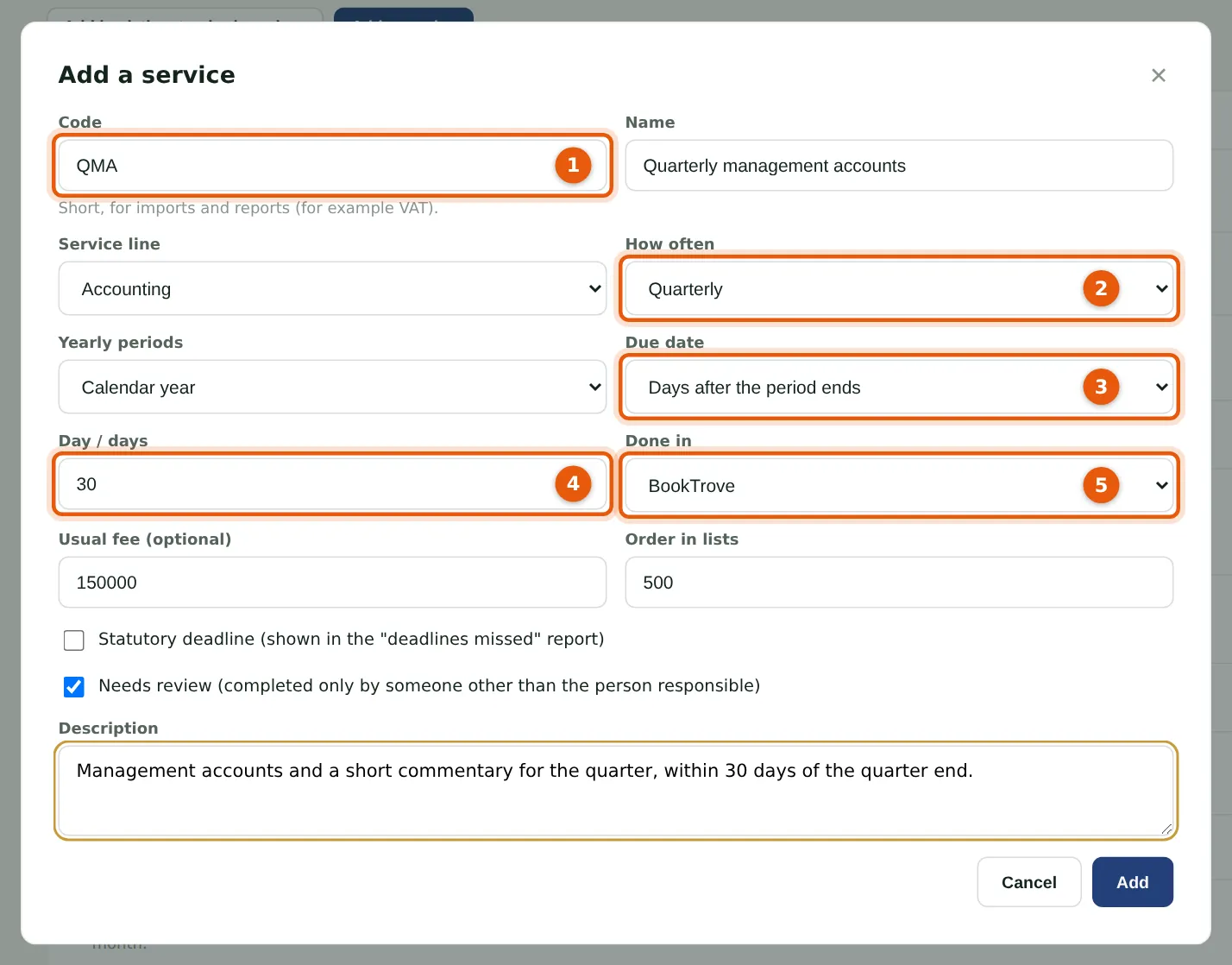
Several of Okafor Bello & Co's clients want management accounts each quarter rather than each month. The new service has a short code (1) used in imports and reports, comes round quarterly (2), and is due 30 (4) days after the quarter ends (3). It is done in BookTrove (5), so for clients on TroveSuite each piece of work has a button to open BookTrove.
Who
Owner or practice administrator.
What to do
- Choose Add a service.
- Enter the code and name, and choose the service line.
- Choose how often (2) and, for a yearly service, calendar or financial years.
- Choose the due-date rule (3) and fill in its days (4), months or date.
- Choose the app (5), the usual fee, and whether the deadline is statutory and the work needs review. Choose Add.