Steps in this chapter (12)
Every receipt, payment and transfer is posted to a bank account in the ledger. The bank's statement is imported (or arrives through a bank feed), matched to those entries line by line, and the account is reconciled to the statement balance at each month end.
Savannah Harvest has a naira operating account, a USD and a EUR domiciliary account, and petty cash at the factory. On 2 February Funmilayo Adeyemi imports the January statement of the naira account and reconciles it.
8.1 The bank accounts
Why
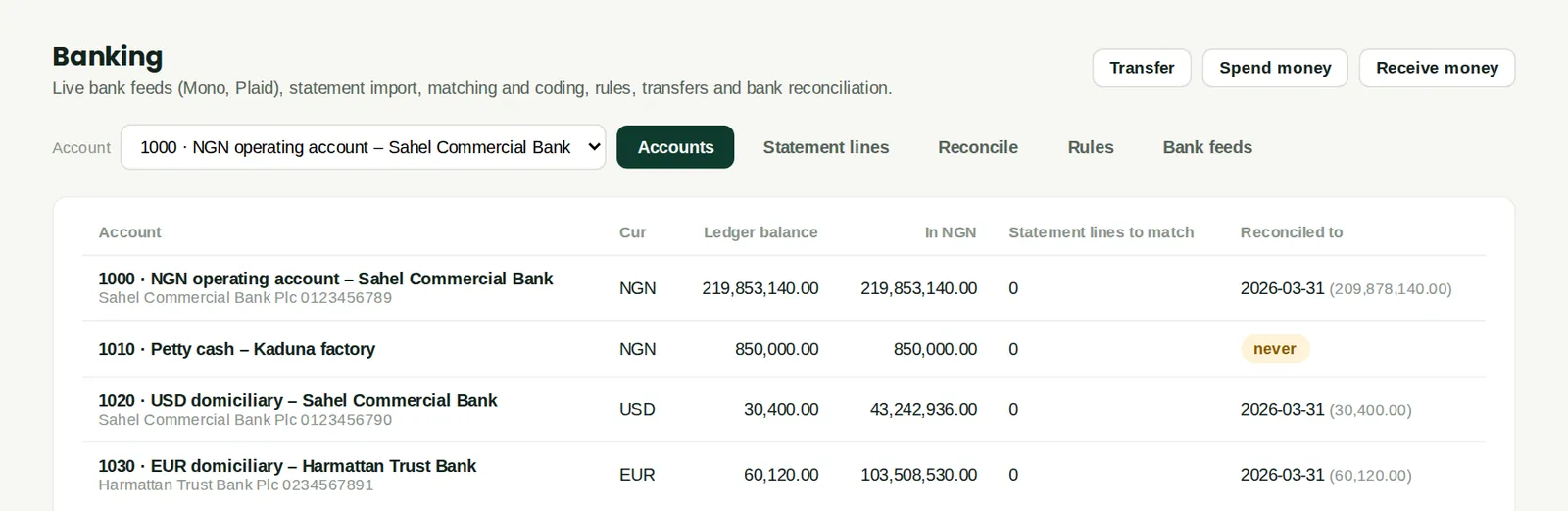
Every bank and cash account with its currency, the balance per the ledger, the last statement balance and date, and what is waiting to be matched. Transfer, Spend money and Receive money start those entries. A foreign-currency account shows its balance in its own currency, with the naira equivalent beside it.
Who
Accountant, finance manager.
What to do
- Choose an account in the Account box to work on its statement lines, reconciliation and rules.
8.2 Transfers, including currency sales
Why
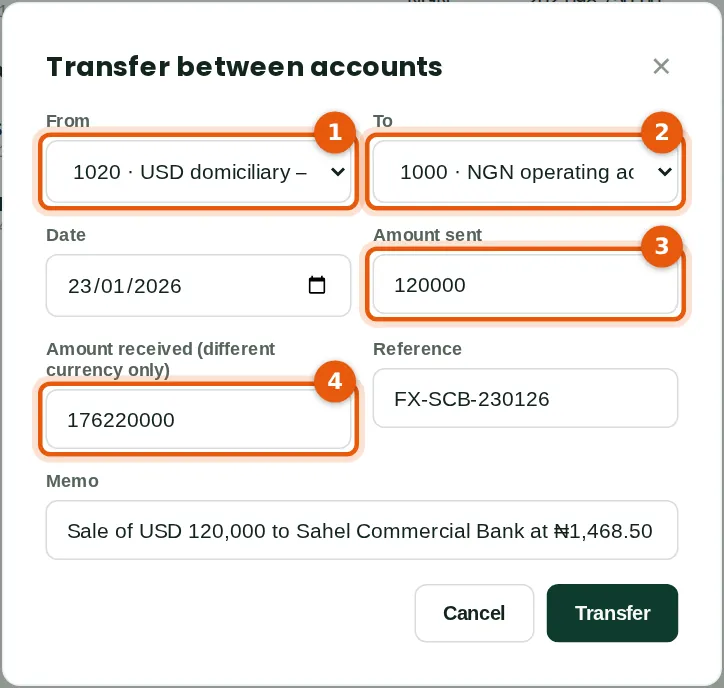
A transfer moves money between two of the company's accounts. When the currencies differ, enter the amount sent (3) and the amount received (4); the difference from the booked value is a realised exchange gain or loss. Savannah Harvest sold USD 120,000 to its bank at ₦1,468.50.
Who
Accountant (banking Approve level).
What to do
- Click Transfer. Choose From (1) and To (2), the date and the amounts (3) (4), and add the bank's reference.
- Click Transfer.
8.3 Import the bank statement
Why
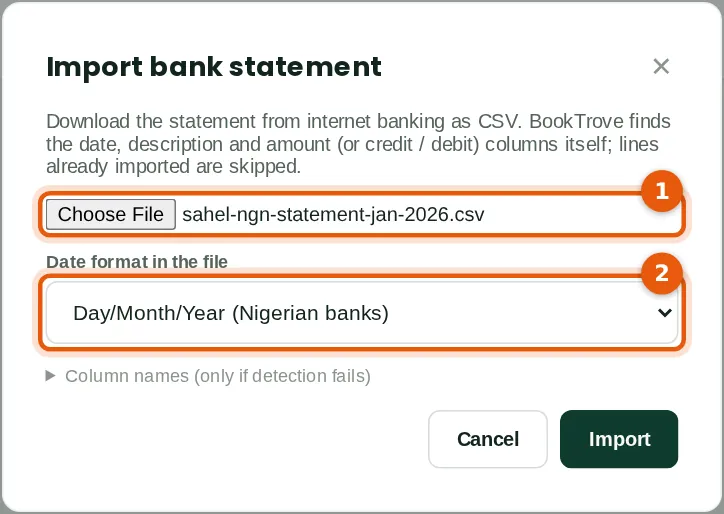
Download the statement from internet banking as a CSV file. BookTrove finds the date, description and amount (or debit and credit) columns itself and skips lines already imported. Nigerian banks write dates day/month/year.
Who
Accountant or bookkeeper.
What to do
- Choose the bank account at the top of the Banking page and open Statement lines.
- Click Import statement (CSV), choose the file (1) and the date format (2), and click Import.
8.4 Match the statement lines
Why
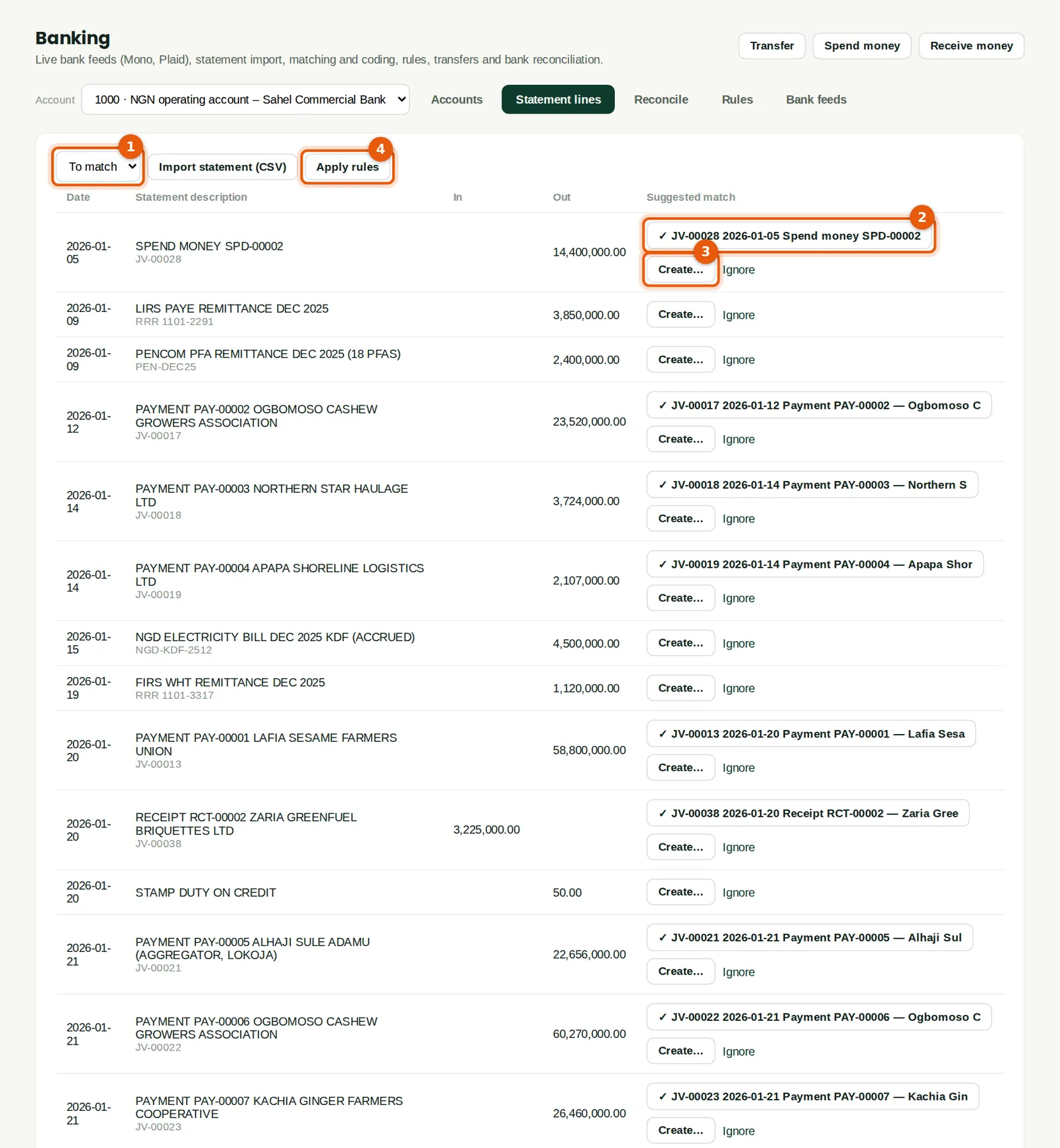
For each line (1), BookTrove suggests entries already in the ledger with the same amount within ten days (2) — payments, receipts, transfers. Lines with no entry yet, such as bank charges or salaries paid from another system, are created from the line (3) or by a rule (4).
Who
Accountant or bookkeeper.
What to do
- Click a suggested match (2) to match the line.
- Click Create… (3) for a line with no entry, or Apply rules (4).
- Click Ignore only for lines that should never be in the books (for example a reversed transfer that nets to nil).
8.5 Bank rules for recurring lines
Why
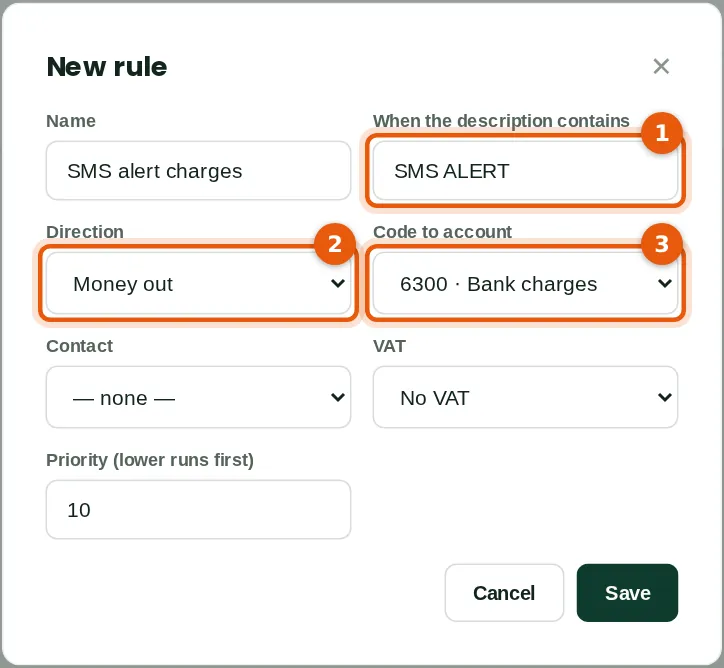
A rule codes every statement line whose description contains some text (1), in one direction (2), to an account (3) — bank charges, SMS alerts, stamp duty on receipts.
Who
Accountant (banking Approve level).
What to do
- Open Rules and click New rule. Enter the text to look for, the direction, the account (and VAT code if any) and save.
8.6 The rules
Why
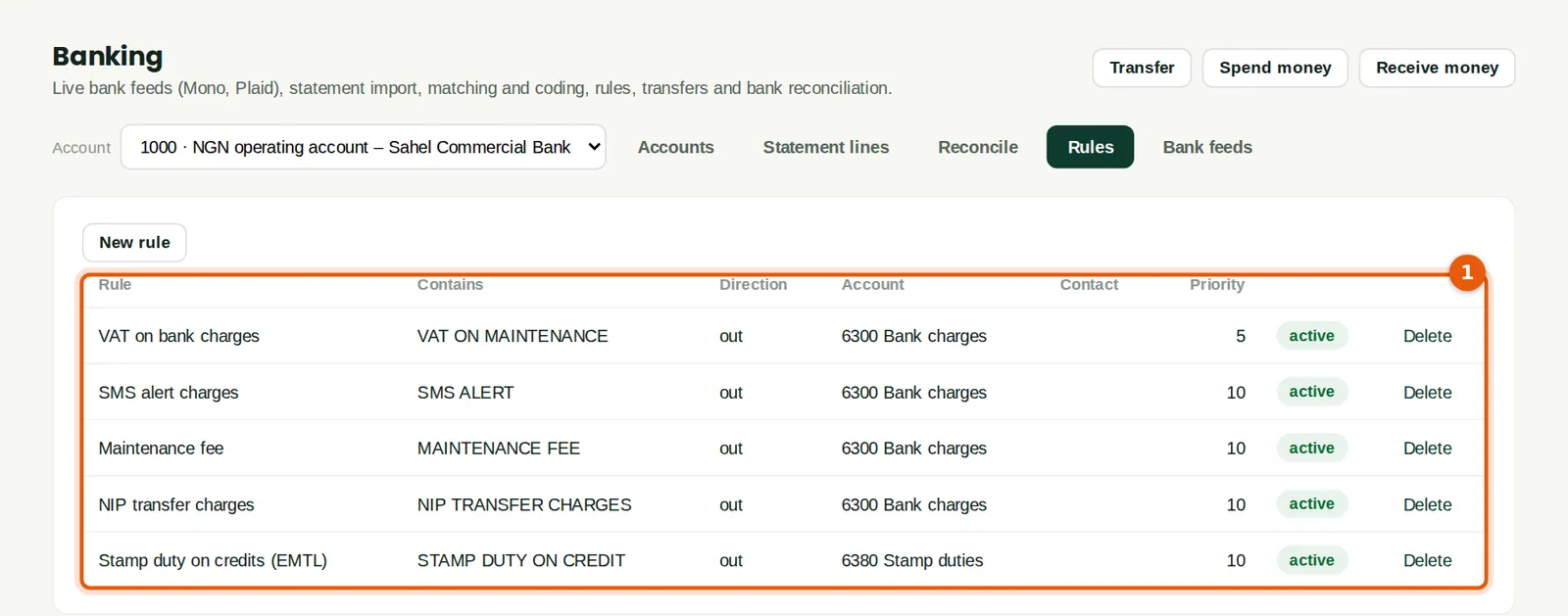
Rules run in priority order (1). Apply rules on the Statement lines tab codes all matching lines at once; at Savannah Harvest the entries they create wait for approval like any payment.
Who
Accountant.
8.7 Create an entry from a line
Why
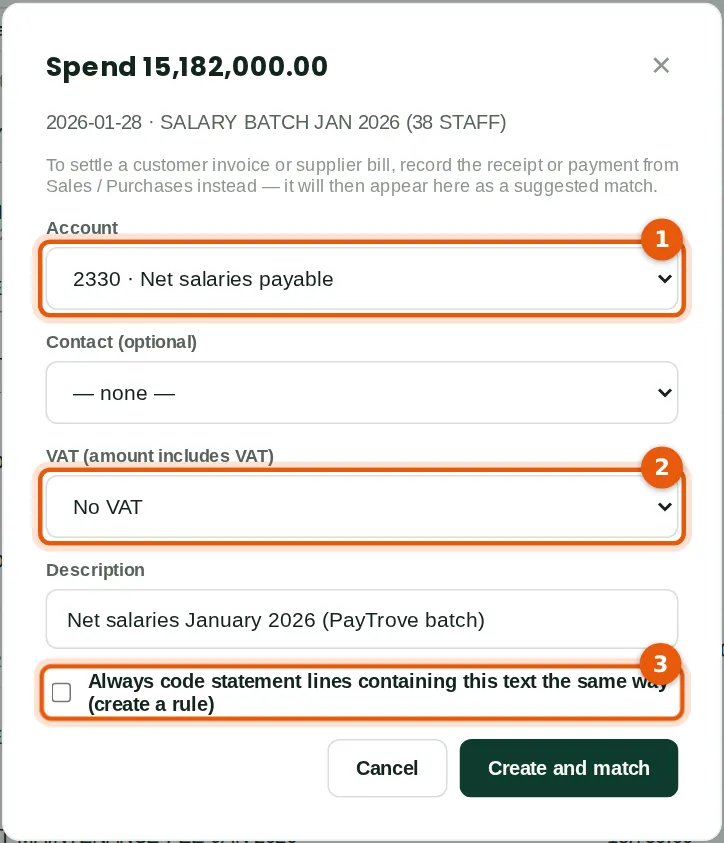
Salaries are paid from PayTrove in one bank batch. The payroll journal (chapter 10) puts the net pay in Net salaries payable; the bank line is coded to that account (1), with no VAT (2). Tick the box (3) to make a rule from the line.
Who
Accountant.
What to do
- Click Create… on the line, choose the account, check the description and click Create and match.
8.8 Reconcile the account
Why
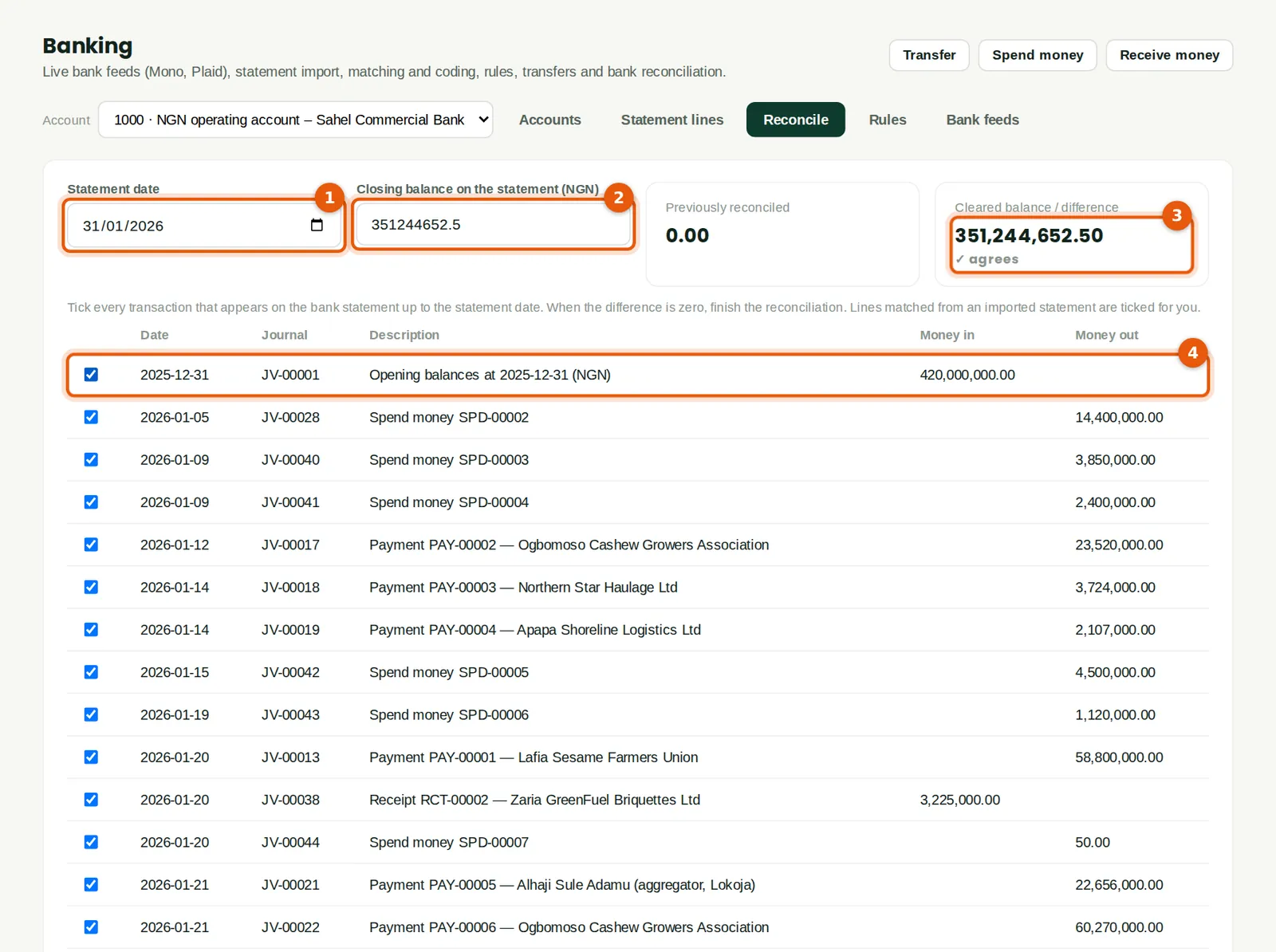
Enter the statement date (1) and the closing balance on the statement (2). Every entry matched to an imported line is already ticked; the first reconciliation also ticks the opening balance brought forward (4). When the cleared balance agrees with the statement (3), the account is reconciled.
Who
Accountant (banking Approve level).
What to do
- Open Reconcile, type the statement date (1) and closing balance (2).
- Tick any entry on the statement that is not yet ticked, until the difference (3) is nil.
8.9 Finish the reconciliation
Why
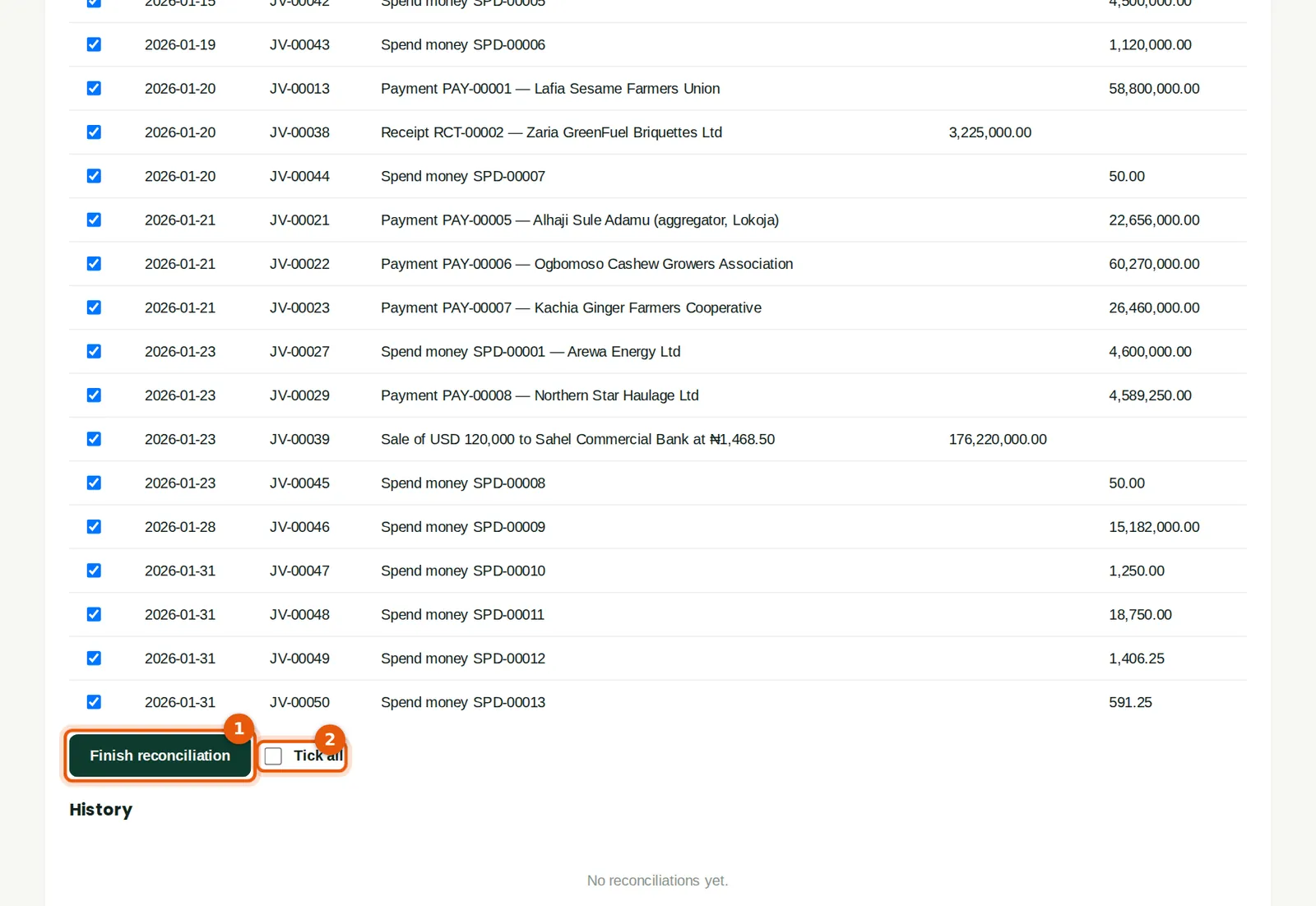
Entries left unticked are items not yet on the statement (for example a cheque not presented); they stay open for next month.
Who
Accountant.
What to do
- Click Finish reconciliation (1).
8.10 Reconciliation history
Why
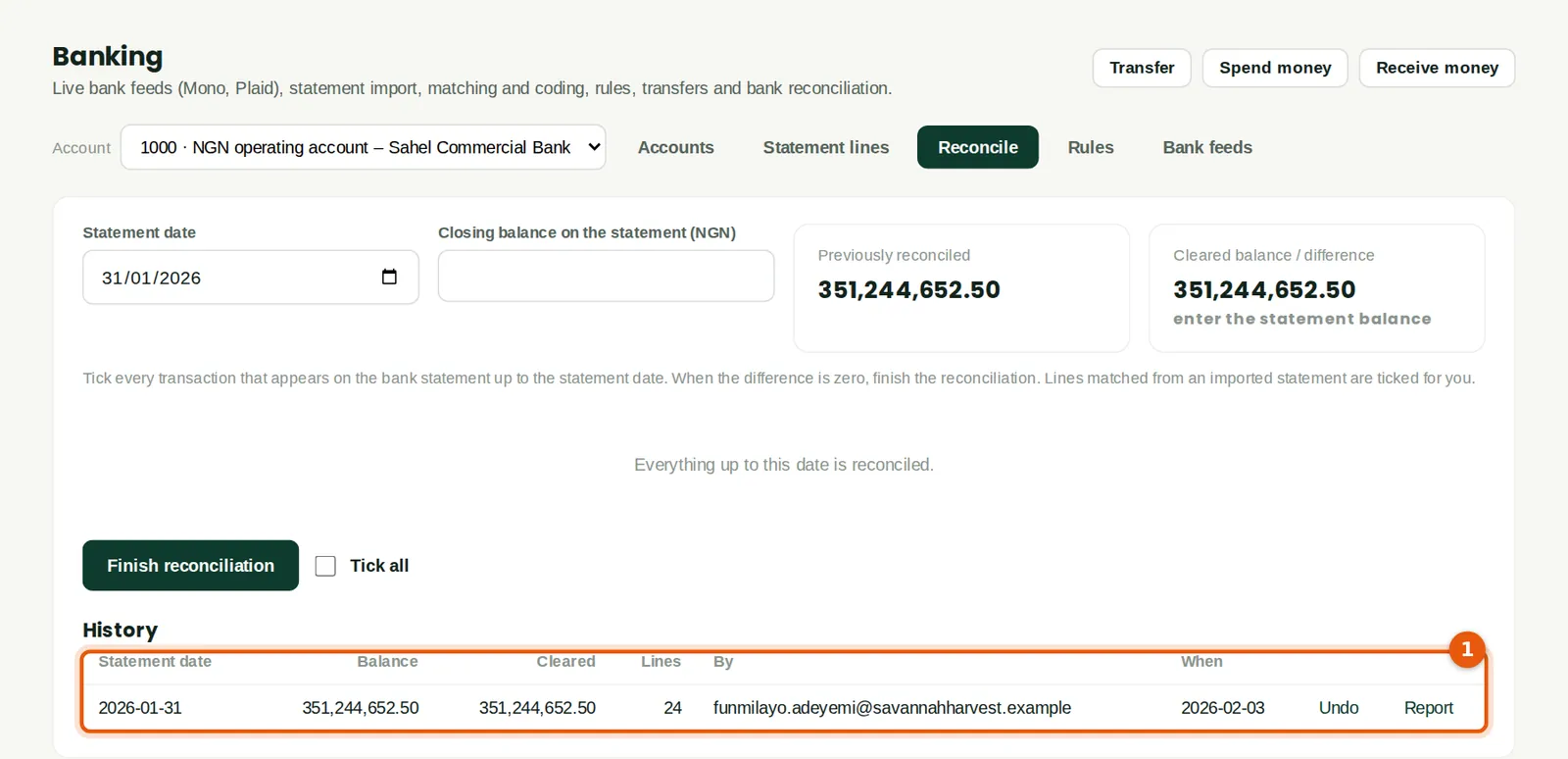
Each reconciliation is recorded with the statement balance, the cleared balance, the number of lines and who did it (1). Report prints the bank reconciliation statement. Only the latest one can be undone.
Who
Accountant or auditor.
8.11 Bank feeds
Why
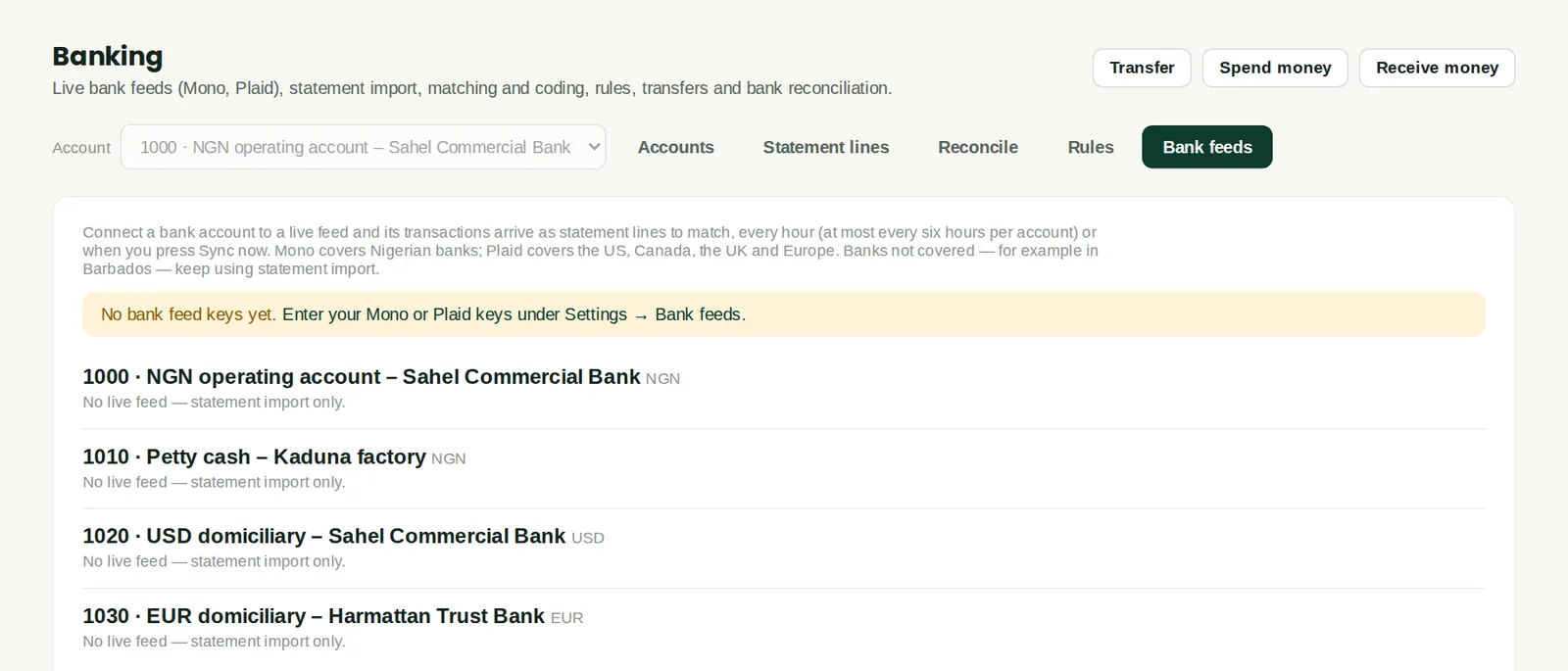
Instead of importing statements, an account can be connected to a live bank feed: Mono for Nigerian banks and Plaid for banks in the US, Canada, the UK and Europe. Transactions then arrive as statement lines every few hours (or with Sync now), and are matched and reconciled in the same way. Savannah Harvest has not set up feed keys, so each account shows statement import only.
Who
Owner or administrator connects; the accountant matches.
What to do
- First enter the company's Mono or Plaid keys under Settings → Bank feeds (next step).
- Then click Connect next to the account and follow the bank's own sign-in page.
8.12 Bank feed keys
Why
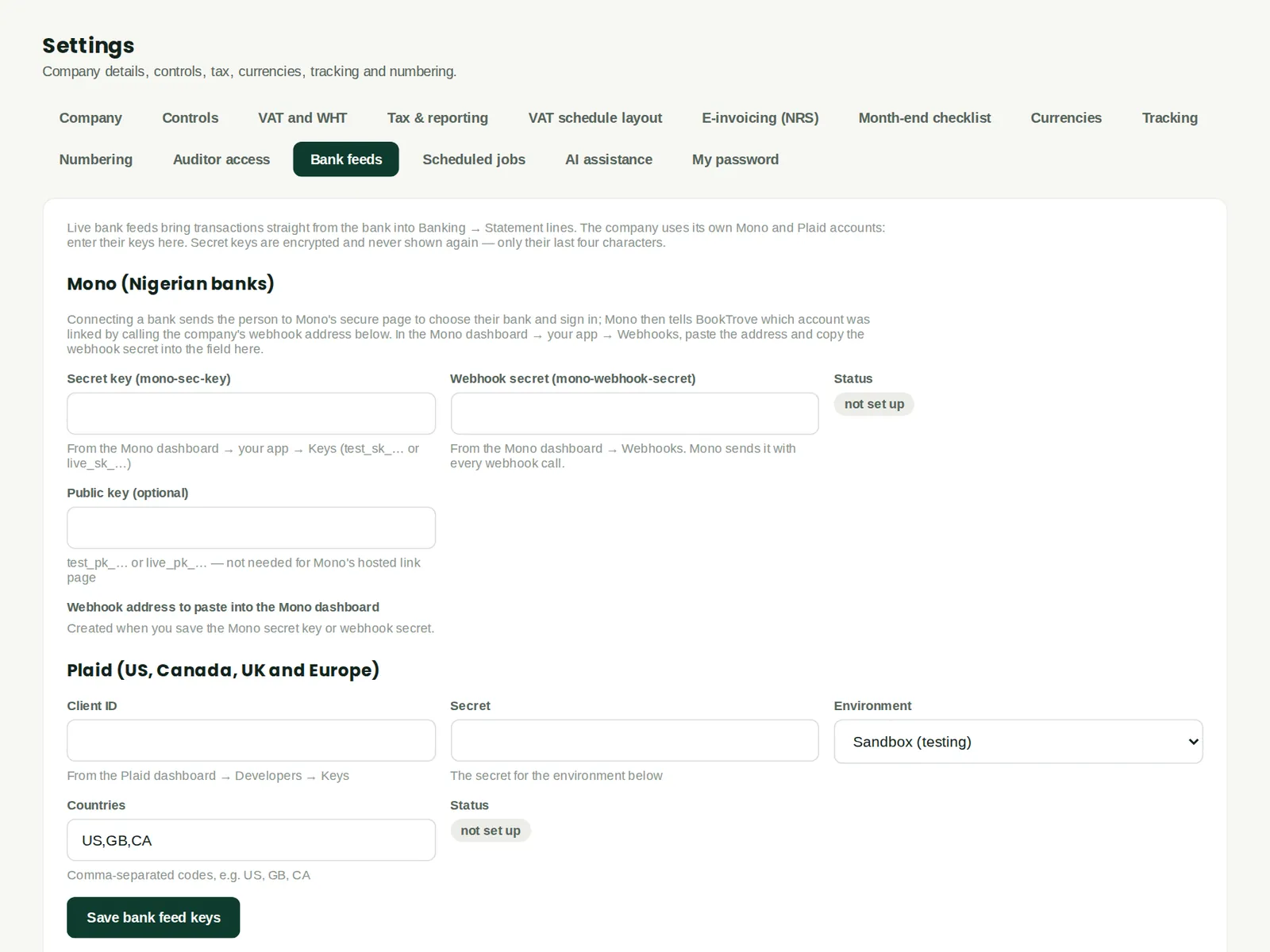
Each company uses its own Mono or Plaid account. The keys are stored sealed and never shown again. For Mono, paste the webhook address shown here into the Mono dashboard so that new transactions arrive promptly.
Who
Owner or administrator.
What to do
- Enter the keys from the provider's dashboard, choose sandbox or production, and save.