Steps in this chapter (8)
The fixed asset register holds each item of property, plant and equipment with its cost, depreciation method and life (IAS 16), and alongside it the tax capital allowances. Leases are accounted for under IFRS 16: a right-of-use asset and a lease liability.
Savannah Harvest brought its register across from spreadsheets, bought an optical colour sorter for the cashew line in February and signed a three-year lease for the Lagos head office.
9.1 Import the existing register
Why
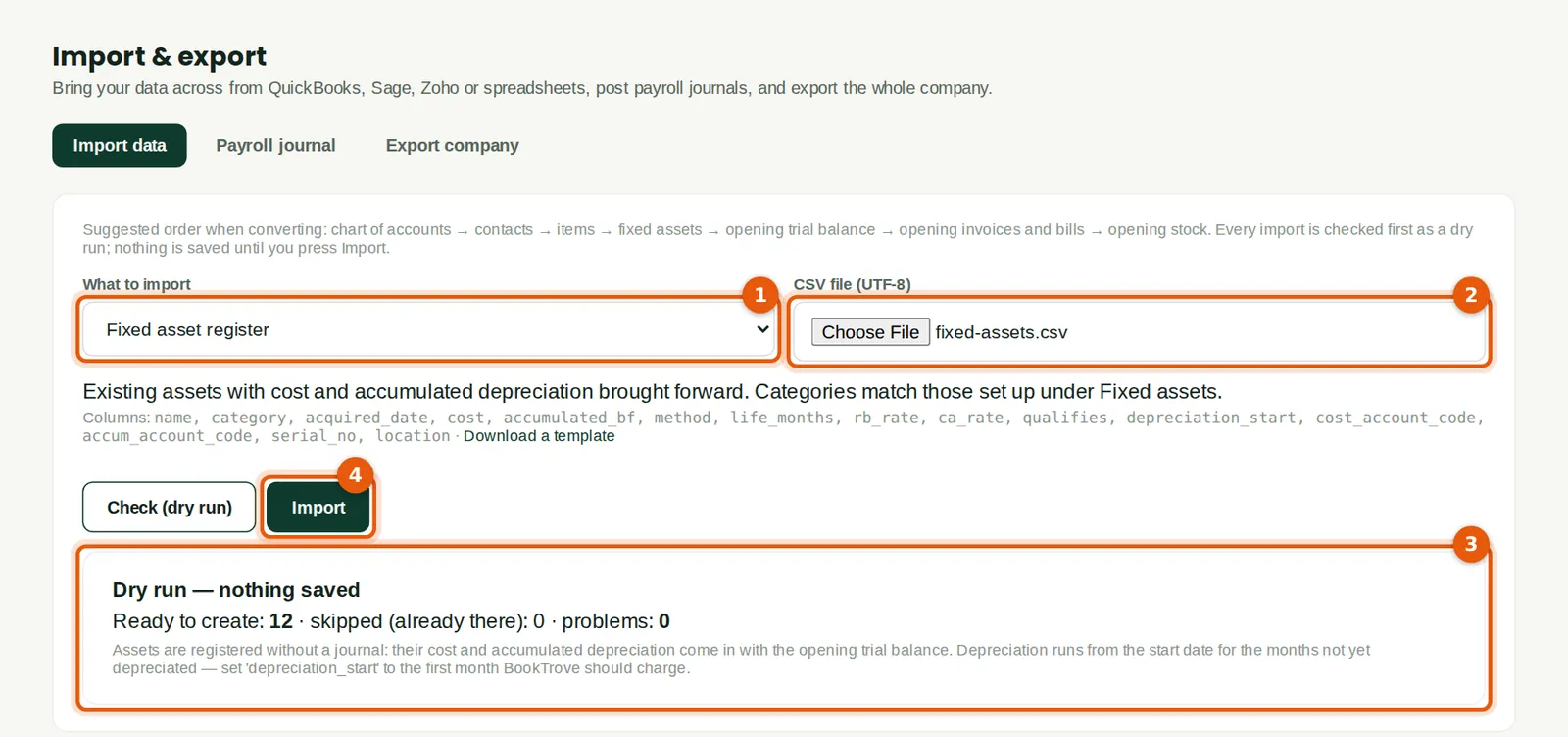
Existing assets are imported with their cost, accumulated depreciation brought forward and life. For assets already in use, set the depreciation start to the conversion month (1 January 2026 at Savannah Harvest) and the life to the full useful life: BookTrove then charges cost ÷ life each month from January. Twelve assets were imported (3).
Who
Accountant.
What to do
- Choose Fixed asset register (1) and the CSV file (2). Check (dry run), then Import (4).
- Post the cost and accumulated depreciation in the opening balances (chapter 2) — the import does not post them.
9.2 Run depreciation
Why
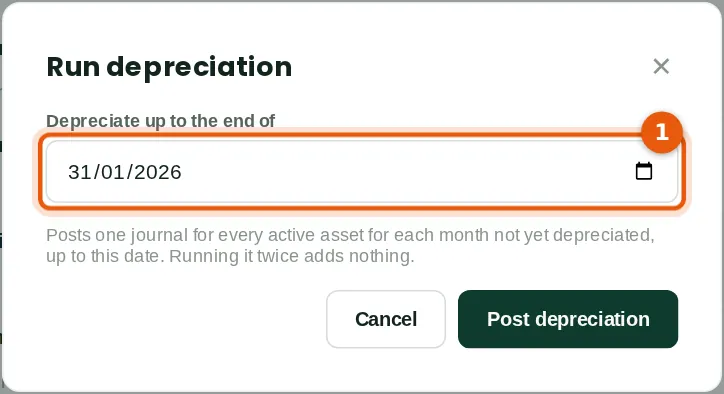
One journal is posted for every active asset for each month not yet depreciated, up to the date chosen (1). Run it at each month end.
Who
Accountant (assets Approve level).
What to do
- Click Run depreciation, choose the month end and click Post depreciation.
9.3 The fixed asset register
Why
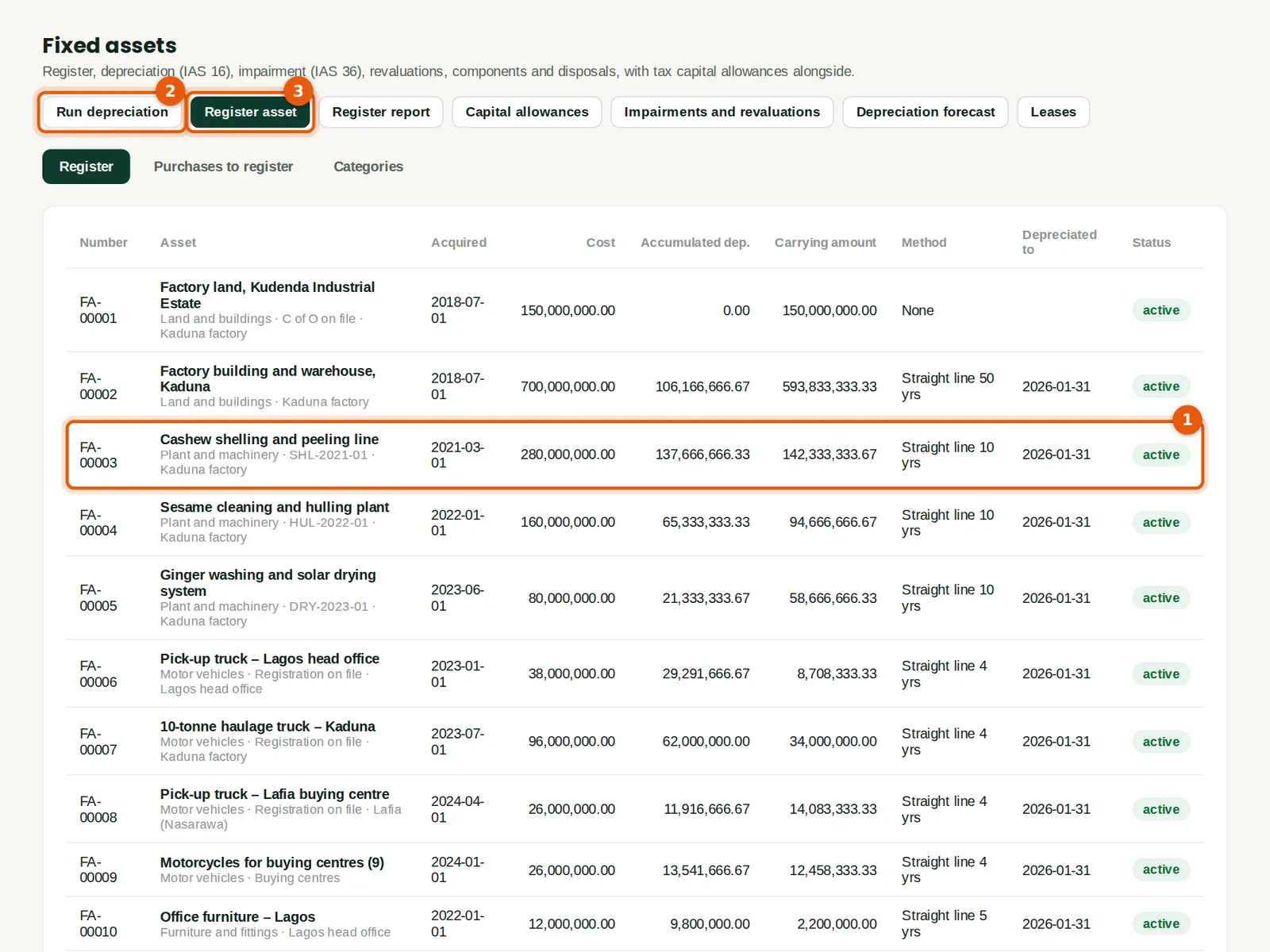
Each asset shows its cost, accumulated depreciation, carrying amount, method and the date depreciated to (1). Click an asset to dispose of it, impair it (IAS 36), revalue it, transfer it or split it into components.
Who
Accountant or auditor.
What to do
- Run depreciation (2) at each month end; Register asset (3) for an asset that was not bought through a bill.
9.4 Purchases to register
Why
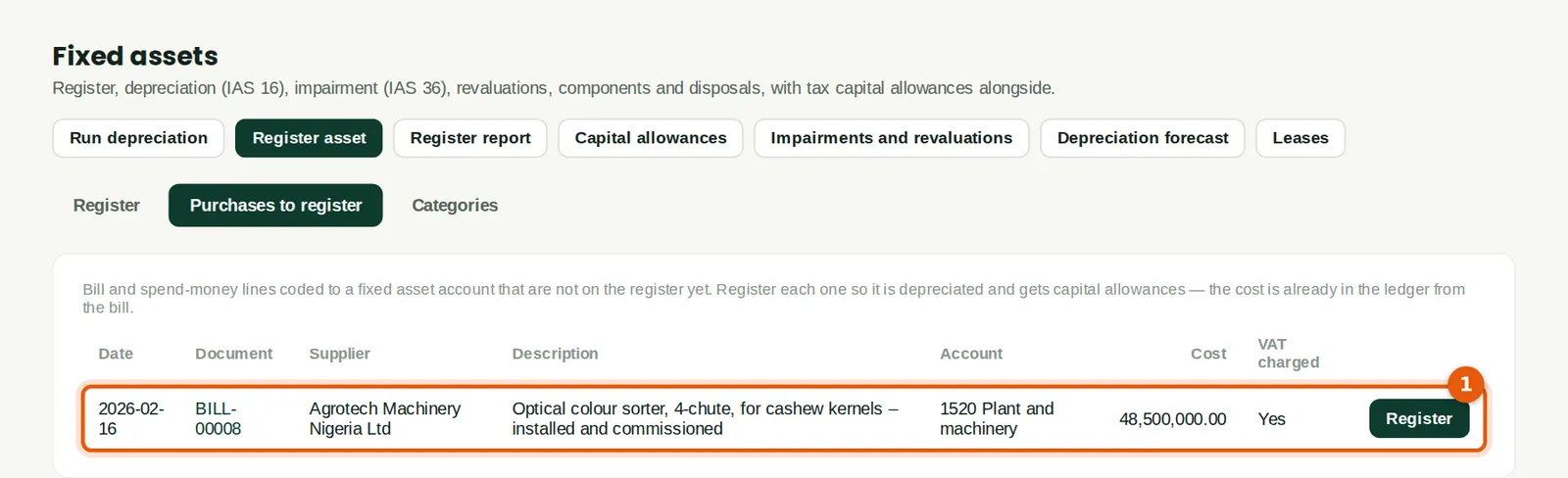
Bills and spend-money lines coded to a fixed asset account appear here until they are on the register (1). The optical colour sorter was bought from Agrotech Machinery Nigeria Ltd for ₦48,500,000 plus VAT.
Who
Accountant.
What to do
- Click Register next to the line.
9.5 Register the asset from the bill
Why
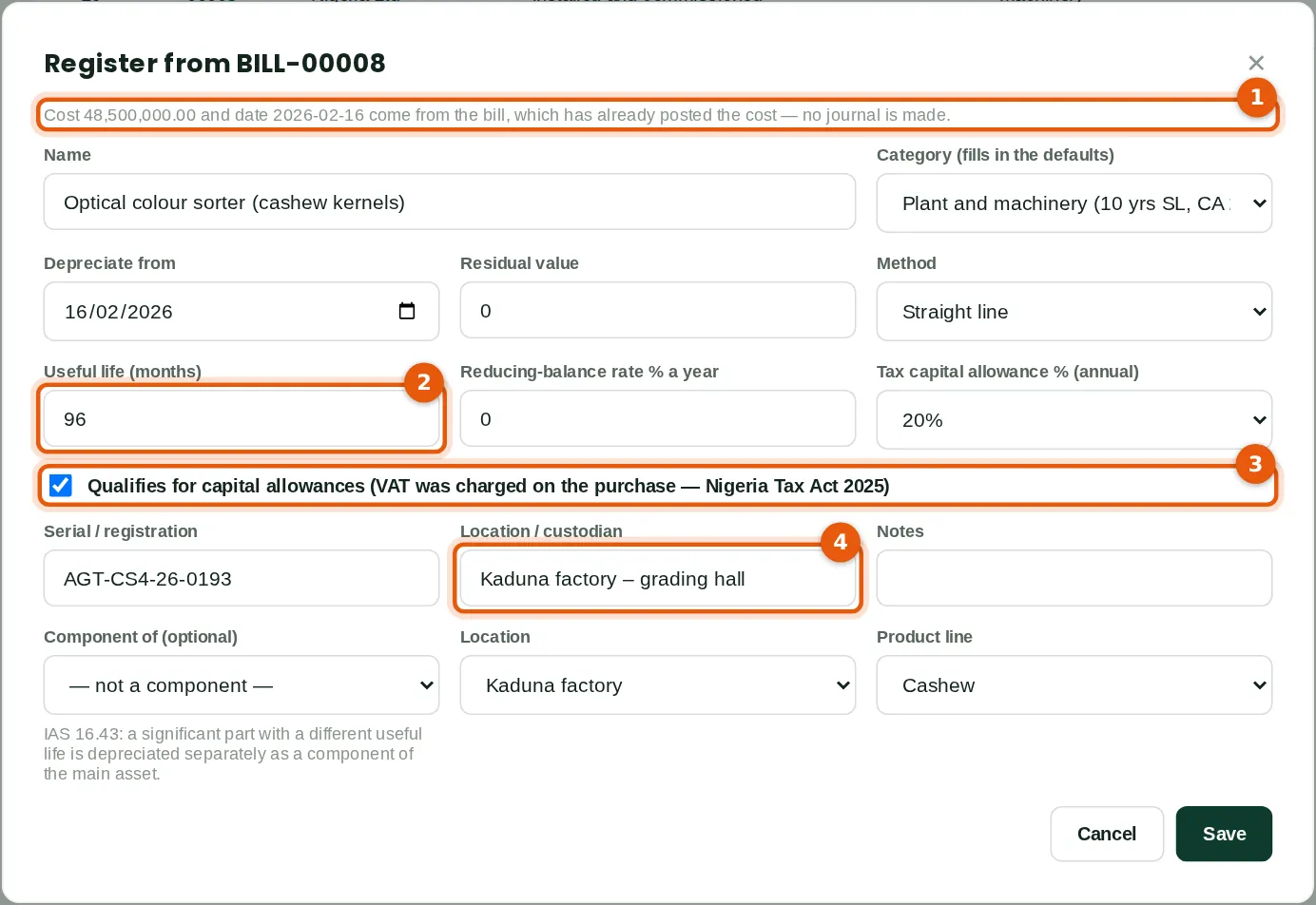
The cost and date come from the bill, which has already posted the cost (1). Choose the category, then the life (2): Savannah Harvest depreciates the sorter over eight years. The purchase qualifies for capital allowances because VAT was charged on it (3), a condition of the Nigeria Tax Act 2025. Record where it is (4).
Who
Accountant.
What to do
- Choose the category (it fills in the defaults) and check the method, life (2), residual value and capital allowance rate.
- Enter the serial number and location (4) and save.
9.6 A new lease (IFRS 16)
Why
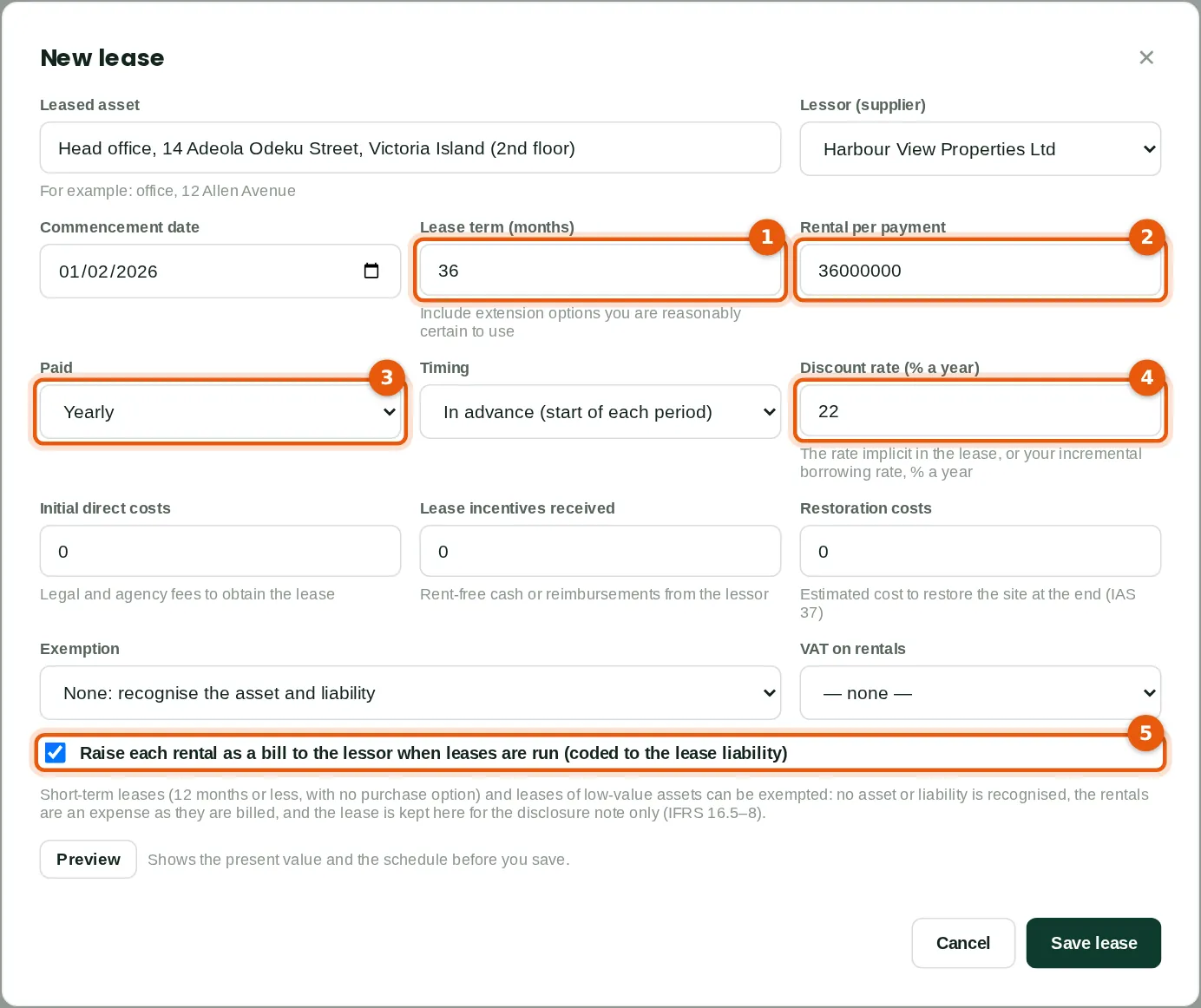
The head office is leased for 36 months (1) at ₦36,000,000 a year (2) paid yearly in advance (3). BookTrove works out the present value of the rentals at the discount rate (4) — Savannah Harvest's incremental borrowing rate of 22% — and recognises the right-of-use asset and lease liability. Each rental is raised as a bill to the lessor when leases are run (5); interest and depreciation are posted monthly.
Who
Accountant.
What to do
- Open Leases (IFRS 16) and click New lease. Enter the asset, lessor, commencement date, term, rental, frequency, timing and discount rate.
- Choose an exemption only for short-term or low-value leases. Click Preview to check the schedule, then Save lease.
- At each month end click Run leases to… (or let the month-end process do it).
9.7 The lease register
Why
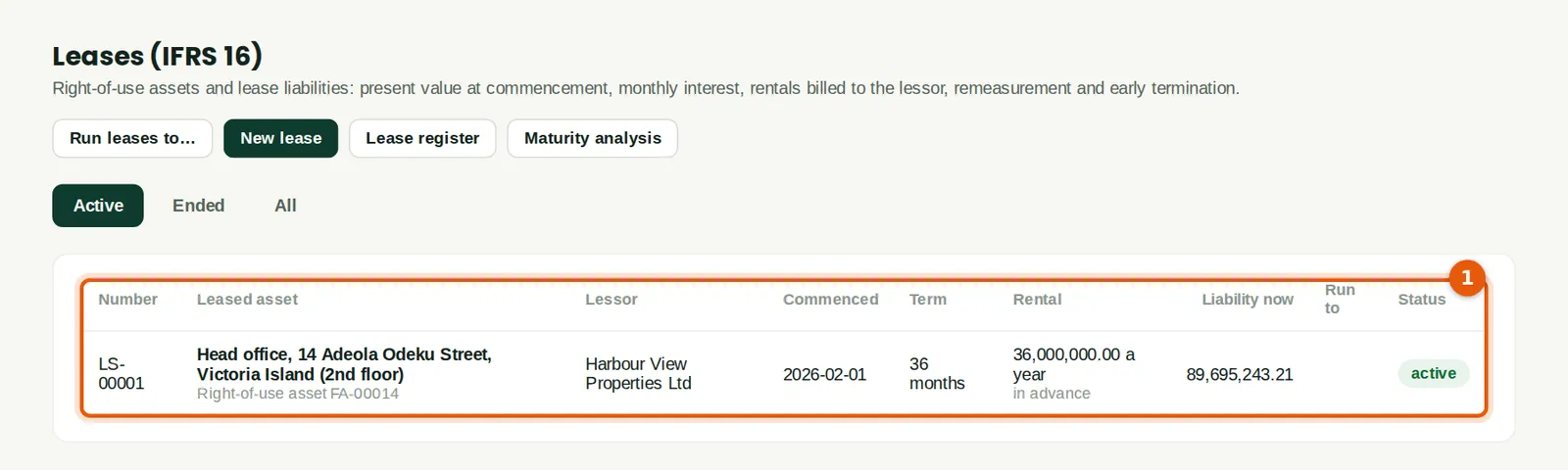
The register (1) shows each lease, its rental and the liability now. The Lease register and Maturity analysis reports give the figures for the notes to the accounts. Stamp duty on the lease is tracked in the Tax centre (chapter 11).
Who
Accountant.
9.8 A lease's schedule
Why
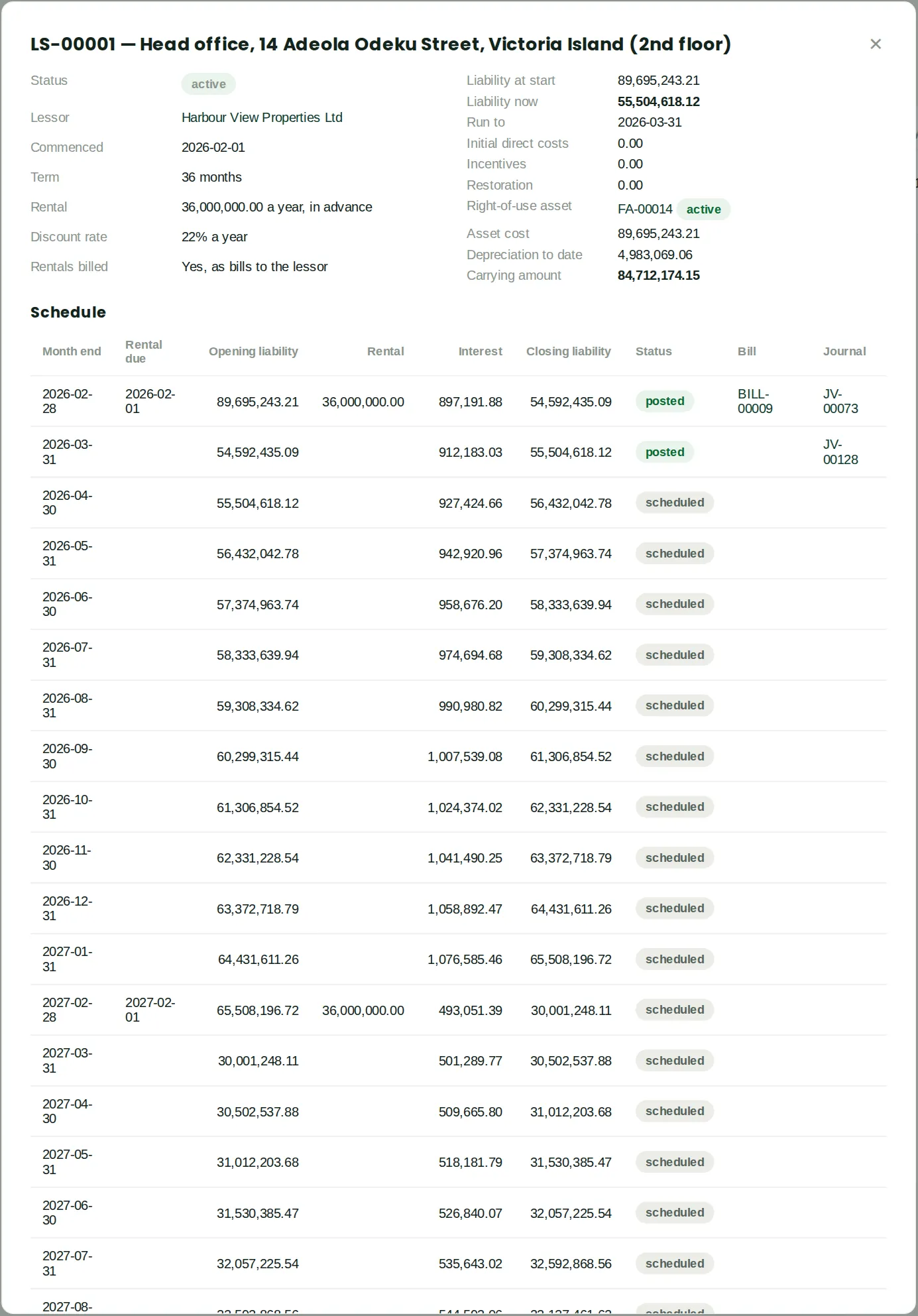
Opening a lease shows its terms, the right-of-use asset and the month-by-month schedule of rentals, interest and closing liability, with the bill and journal for each month already run. The rest are scheduled and are posted by Run leases to… each month (chapter 10).
Who
Accountant.
What to do
- Open Leases (IFRS 16) and click the lease. Use the buttons on the lease to remeasure it after a change in the rental or term, or to end it early.