Steps in this chapter (5)
BookTrove is sold by TroveUniverse as a prepaid subscription with three plans (tiers). The subscription is bought and managed on troveuniverse.com: you pay first, and what you have paid for is what BookTrove lets you use. BookTrove itself shows what the plan includes and tells you when you reach a limit.
What each plan includes
Core features are in every plan. Tier 1 adds expense claims, fixed assets, CSV import, the month-end checklist and offline working; Tier 2 adds inventory, projects, approvals, requisitions, NRS e-invoicing, planning, AI assistance and foreign currencies; Tier 3 adds manufacturing, group consolidation, leases and the practice hub. Appendix B lists every feature.
Each plan includes a number of users and companies. At the time of writing:
| Plan | Users included | Companies included |
|---|---|---|
| BookTrove Tier 1 | 2 | 1 |
| BookTrove Tier 2 | 5 | 4 |
| BookTrove Tier 3 | 10 | 20 |
Prices, and the exact features and numbers of each plan, are set by TroveUniverse and can change. The current prices are on troveuniverse.com/pricing.html.
Buying extra users and companies
You do not need a bigger tier to add people. The subscription owner can buy extra users and extra companies on top of any tier, on troveuniverse.com/account.html (Add users, Add companies). Extras can be chosen when subscribing or bought at any time later.
- Prepaid. Extras are paid in advance. Bought in the middle of a billing period, they are charged only for the rest of that period.
- Access starts when the invoice is paid. BookTrove raises the limit as soon as TroveUniverse receives the payment. Until then, the limit stays where it was.
- Nothing is billed in arrears. BookTrove never lets you go above what you have paid for, so there is never a surprise charge for extra use.
- Reducing. Extras can be reduced from the next renewal under Change plan or reduce extras.
Monthly or yearly billing
Every plan can be paid monthly or yearly. Yearly billing costs less than twelve monthly payments; the discount and both prices are shown on troveuniverse.com/pricing.html. Choose when you subscribe. You can switch at the next renewal, and a monthly subscription can switch to yearly straight away, with credit for the unused part of the current month. Extras follow the same billing period as the plan.
A renewal invoice is raised a few days before each period ends. Pay it on troveuniverse.com/account.html to keep using BookTrove without interruption (see “A payment is overdue” below).
15.4 Adding a person above the plan
Why
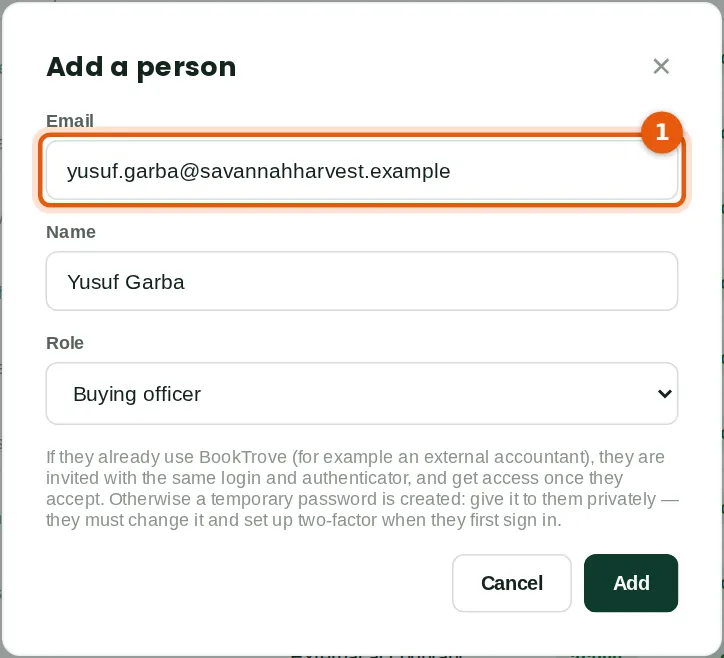
Savannah Harvest's Tier 3 plan allows 10 users, and all 10 are taken. In April Chukwudi tried to add Yusuf Garba (1), a new buying officer for Minna.
Who
Owners and administrators.
What to do
- Add the person as usual (chapter 3).
15.5 The plan's limit is reached
Why
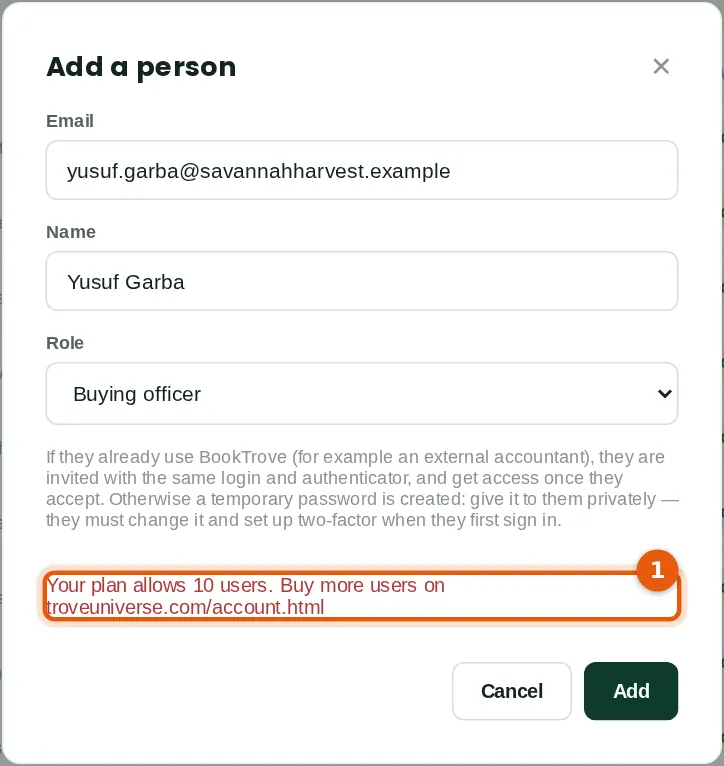
BookTrove refuses a user or company beyond what the subscription has paid for and says so (1). Nothing is added and nothing is charged. The same message appears for a company above the plan's companies.
Who
Owners and administrators.
What to do
- Either remove someone who has left (chapter 3) and try again, or ask the subscription owner to buy an extra user.
- The owner signs in to troveuniverse.com/account.html, clicks Add users on the BookTrove subscription, chooses how many and pays the invoice. When it is paid, add the person again.
15.6 The notice on every page
Why
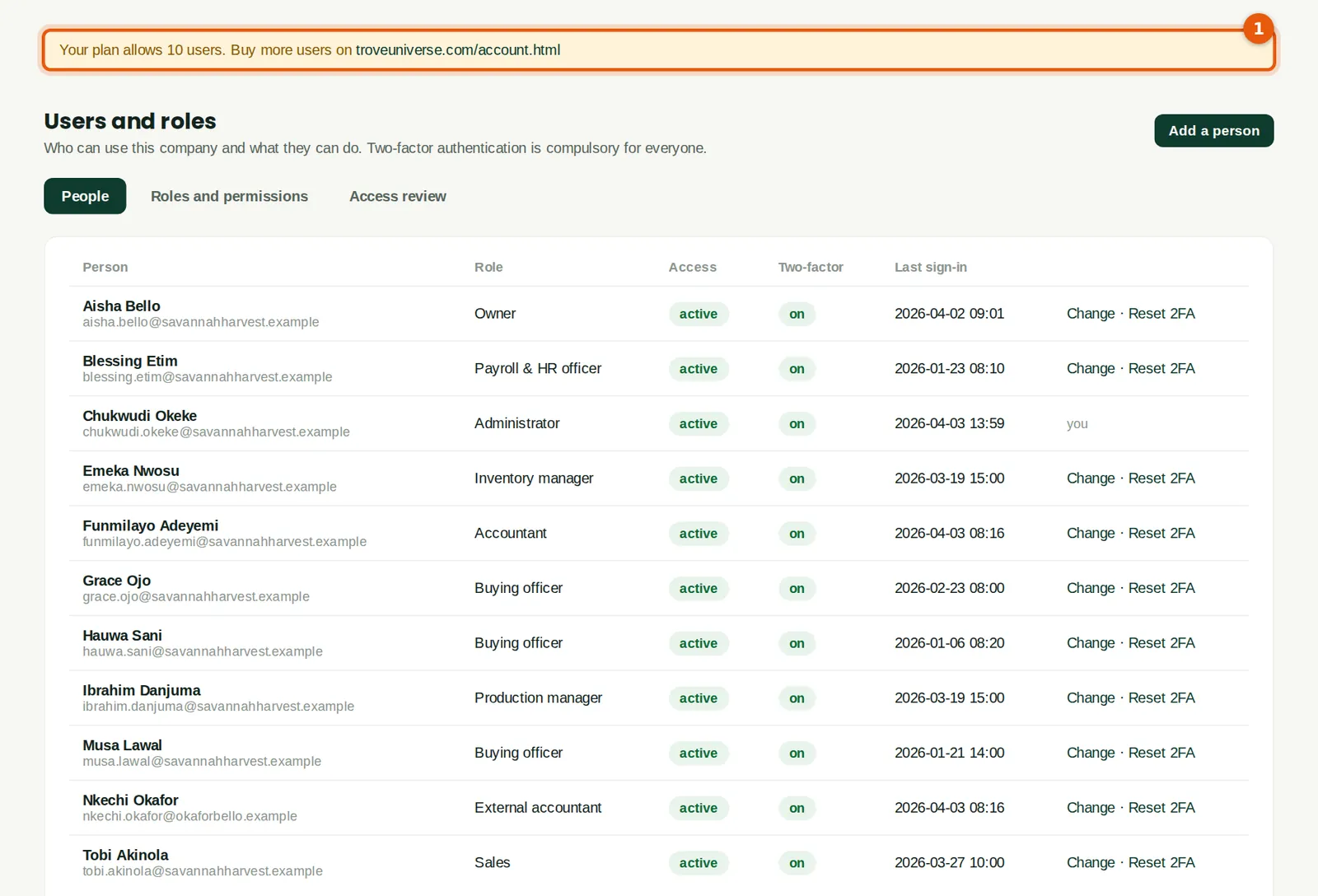
The same message stays at the top of the page (1), with troveuniverse.com/account.html as a link, so the owner can go straight to the subscription.
Who
Everyone who meets the limit.
What to do
- Click the link to open the TroveUniverse account page.
15.7 A feature that is not in the plan
Why
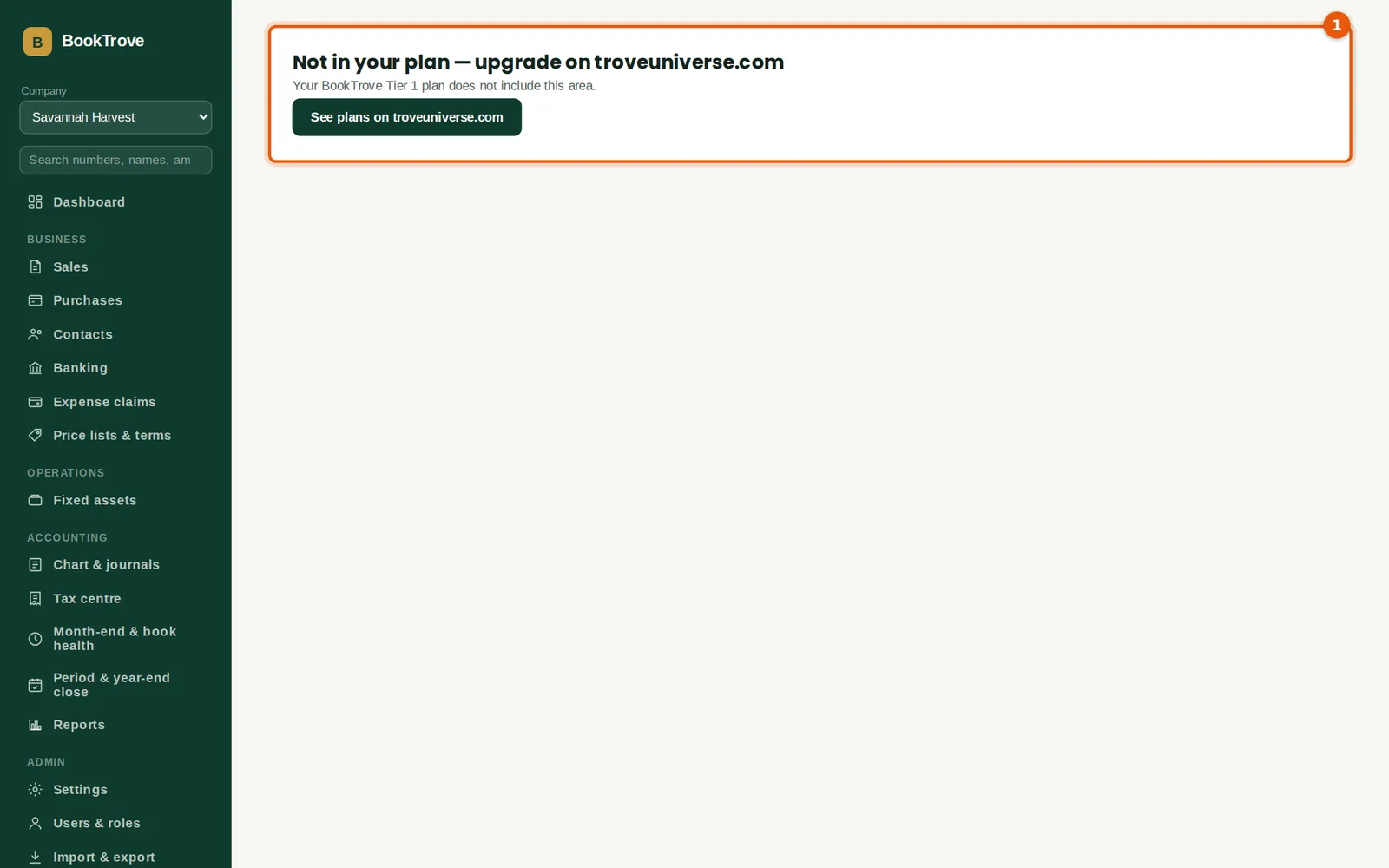
Features outside the plan are hidden from the menu, and their pages show "Not in your plan — upgrade on troveuniverse.com". Nothing already recorded is lost: if a company moves to a lower plan, its data stays and comes back when the plan includes the feature again. To show this, the illustration switched Savannah Harvest to Tier 1 for a moment; the menu has no Inventory, Manufacturing, Approvals or Group consolidation.
Who
Everyone.
What to do
- An owner clicks See plans on troveuniverse.com (1) to change the plan.
15.8 A payment is overdue
Why
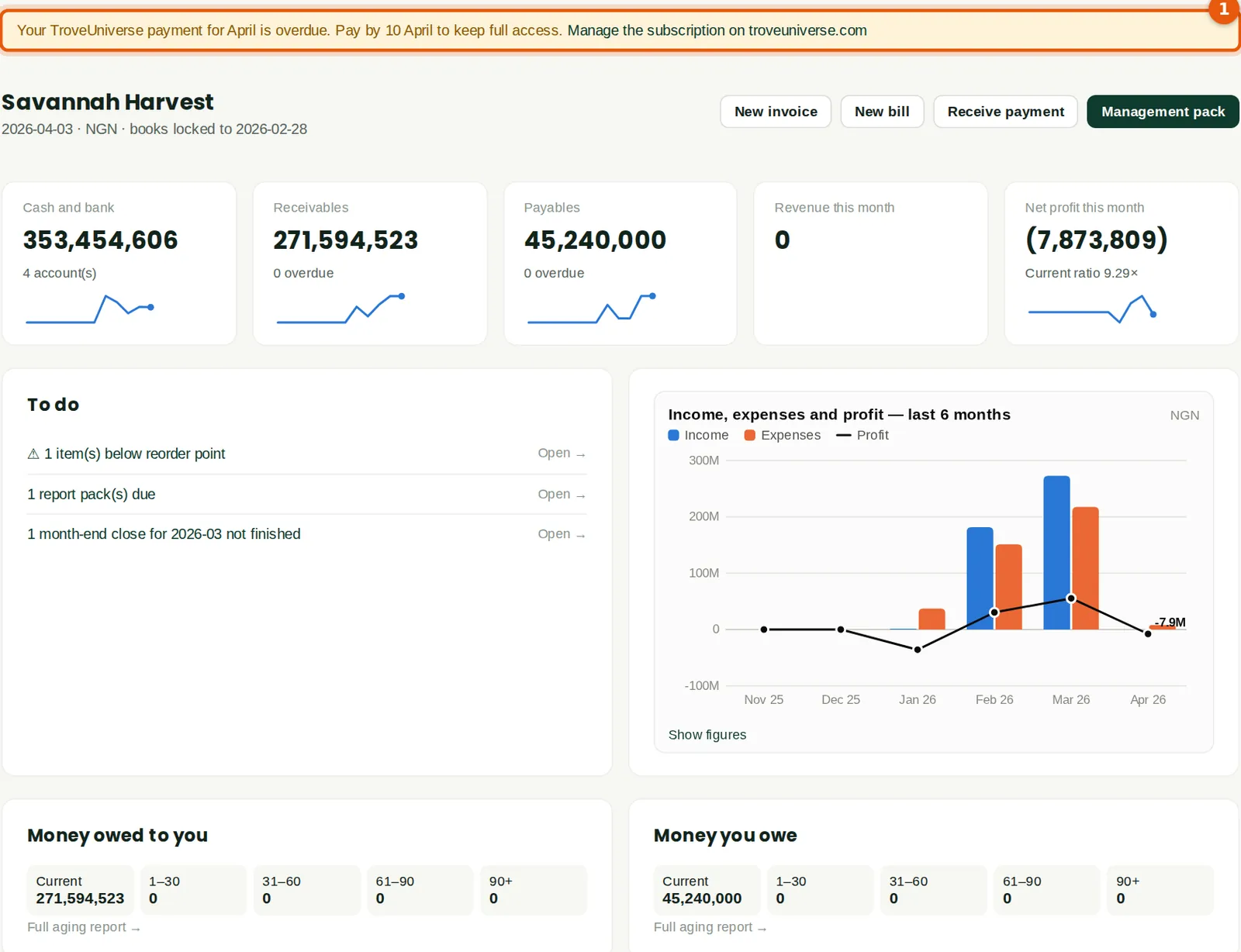
If the renewal is not paid, the subscription moves to a short grace period: everything still works, and a banner tells everyone when to pay by (1). If it is still unpaid, the subscription is suspended and every company in it becomes read-only — people can sign in, view and export, and change their own password and two-factor, but not record anything. When the subscription ends, the companies cannot be opened. Paying on troveuniverse.com restores full access straight away.
Who
Everyone sees the banner; the subscription owner pays.
What to do
- The subscription owner pays the invoice on troveuniverse.com/account.html. Nothing needs to be done in BookTrove.