Steps in this chapter (2)
Part C: For TroveUniverse staff. Give staff the Partner Programme permissions, and set tiers, rates, thresholds, the starting tier, the review frequency, WHT rates and the on/off switch.
Part C is for TroveUniverse staff. The programme lives under Settings → Partners (Partners, Partner programme, Referrals, directory & kit). Two permissions matter: Manage partners (applications, partners, attribution, tier reviews, payouts, reconciliation, directory, kit) and Manage billing (the programme settings, recording payments and refunds). Editing the Partner Terms page needs Edit website content.
14.1 A staff role for the programme
Why
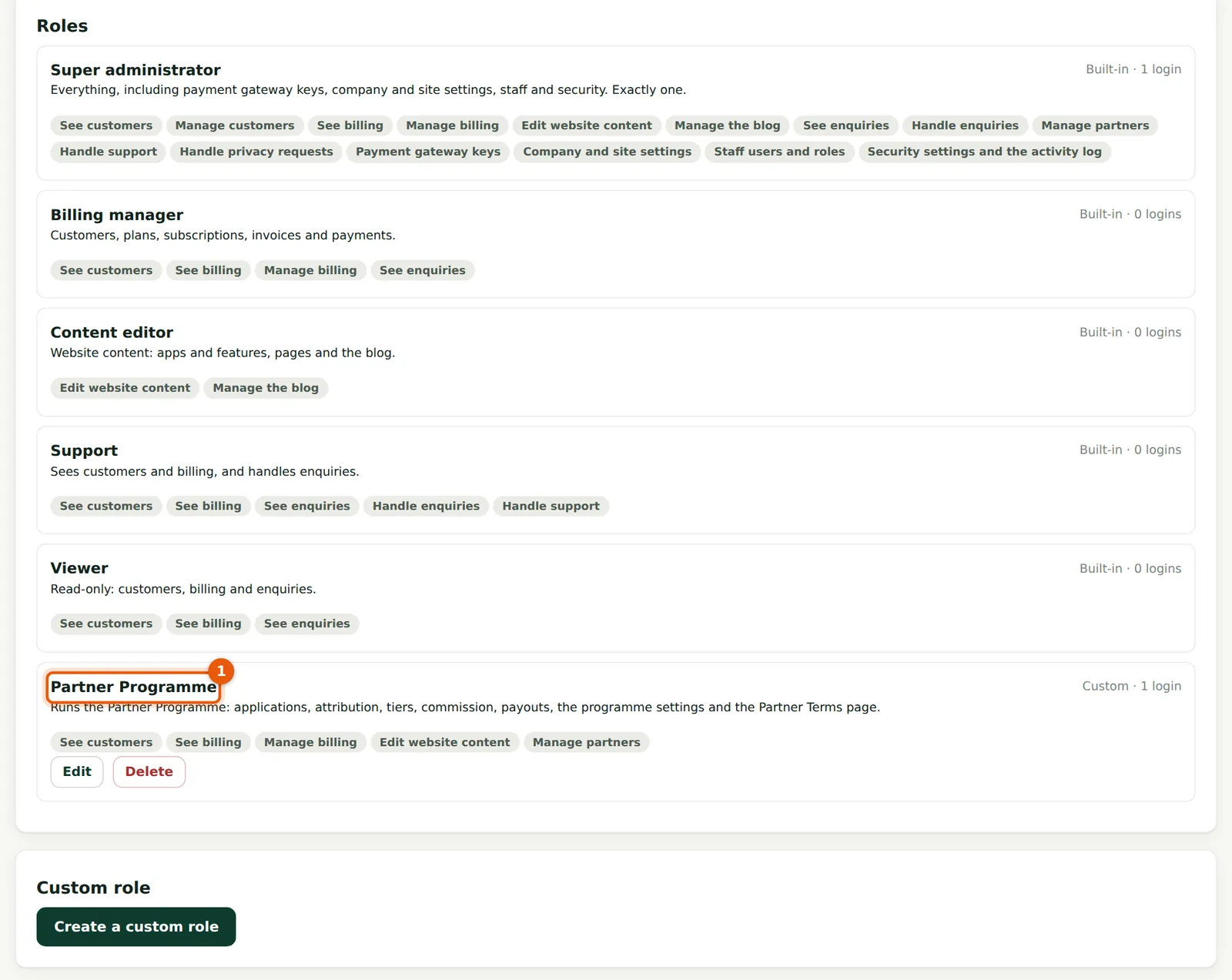
The super administrator holds every permission. In the illustration a custom role (1) gives Kelechi Uzor what he needs to run the programme and nothing more.
Who
The super administrator.
What to do
- Choose Create a custom role, name it and tick See customers, See billing, Manage billing, Edit website content and Manage partners.
- Invite the staff member with that role in Settings → Staff.
14.2 Programme settings
Why
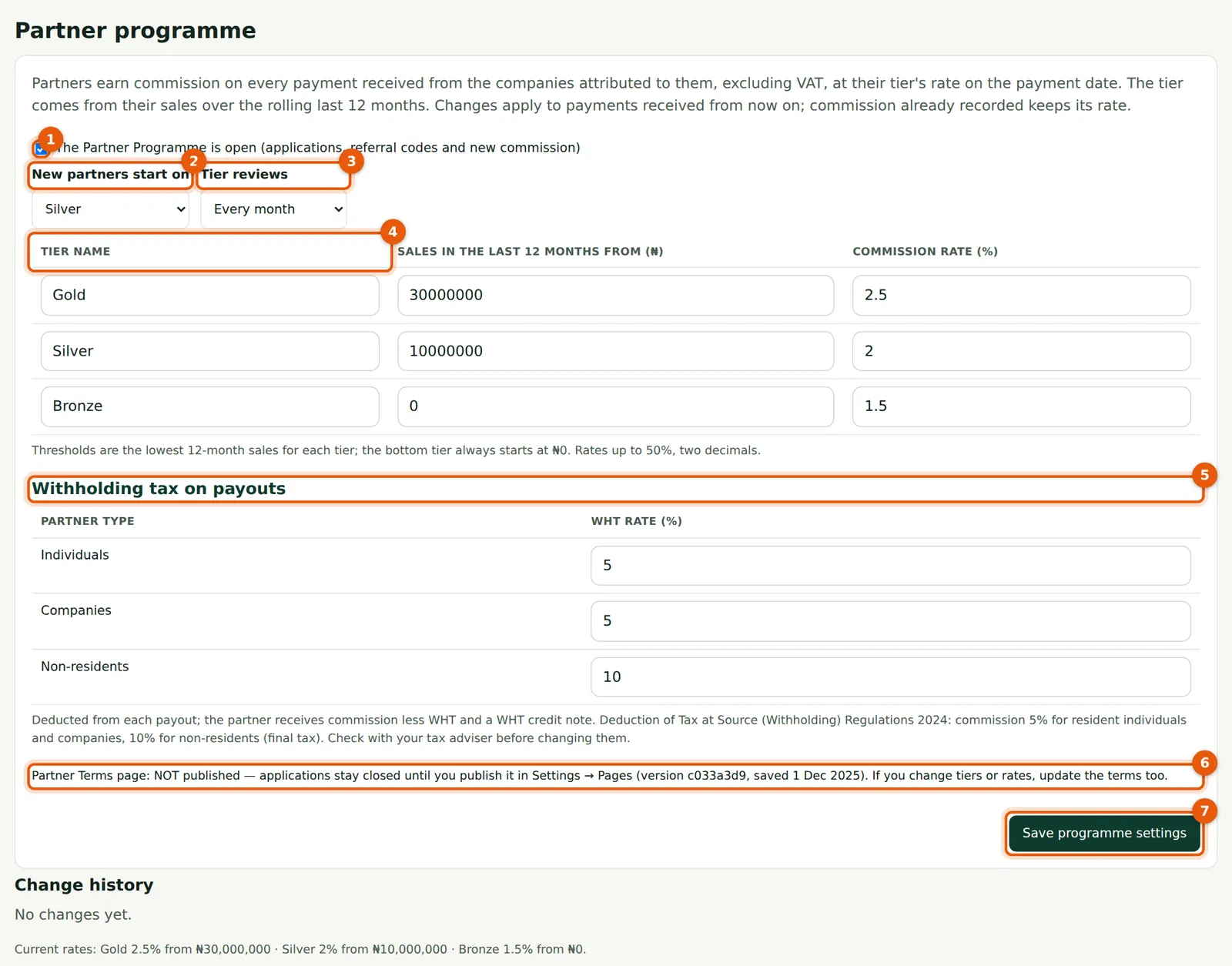
Everything about the money rules is set here: whether the programme is open (1), the tier new partners start on (2), how often tiers are reviewed (3), the tier names, thresholds and rates (4), and the WHT rates for payouts (5). The line at (6) says whether the Partner Terms page is published. Changes apply to payments received from the moment you save (7); commission already recorded keeps its rate. Every change is kept in Change history below the form.
Who
Staff with Manage billing.
What to do
- Set New partners start on and Tier reviews (every 1, 3, 6 or 12 months).
- Enter each tier's threshold in naira and rate in percent (up to two decimals). The bottom tier always starts at ₦0; each higher tier must start above the one below.
- Check the WHT rates with your tax adviser.
- Choose Save programme settings (7). If you change tiers or rates, update the Partner Terms too.