Steps in this chapter (2)
Part A: For partners. Share your code (your email) or your personal links, and follow clicks, sign-ups and paying companies.
You can refer a client in three ways. They all end with the company attributed to you:
Your code is your email address. The client types it in Partner code when creating the TroveUniverse account, or at the first subscription checkout (chapter 13). Your share link (signup.html?partner=…) opens the sign-up page with your code already filled in. Your short link (troveuniverse.com/r/…) is new in release 22: it counts each click and remembers the referral in the visitor's browser, so a company that signs up after following it is credited to you even if nobody types a code.
6.1 Your short referral link
Why
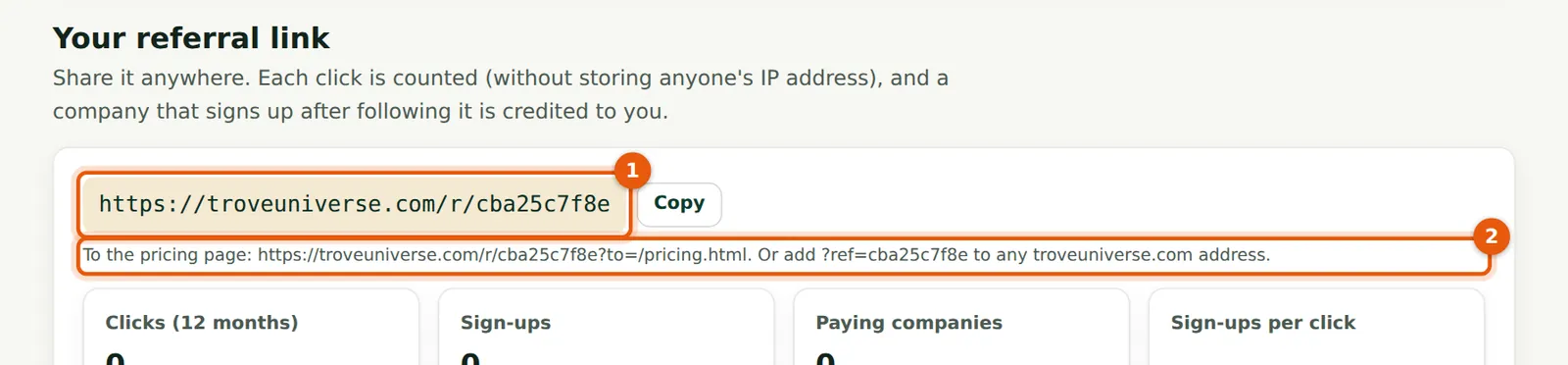
Amaka's short link is troveuniverse.com/r/cba25c7f8e (1). It opens the sign-up page. The second form (2) opens the pricing page instead, and adding ?ref=cba25c7f8e to any troveuniverse.com address works the same way, so you can link to any page (an app page, the blog) and still be credited.
Who
Partner.
What to do
- Copy the link with Copy and use it in emails, WhatsApp, LinkedIn posts or your website.
- Use the pricing-page form when the client wants to compare plans first.
6.2 Follow clicks, sign-ups and paying companies
Why
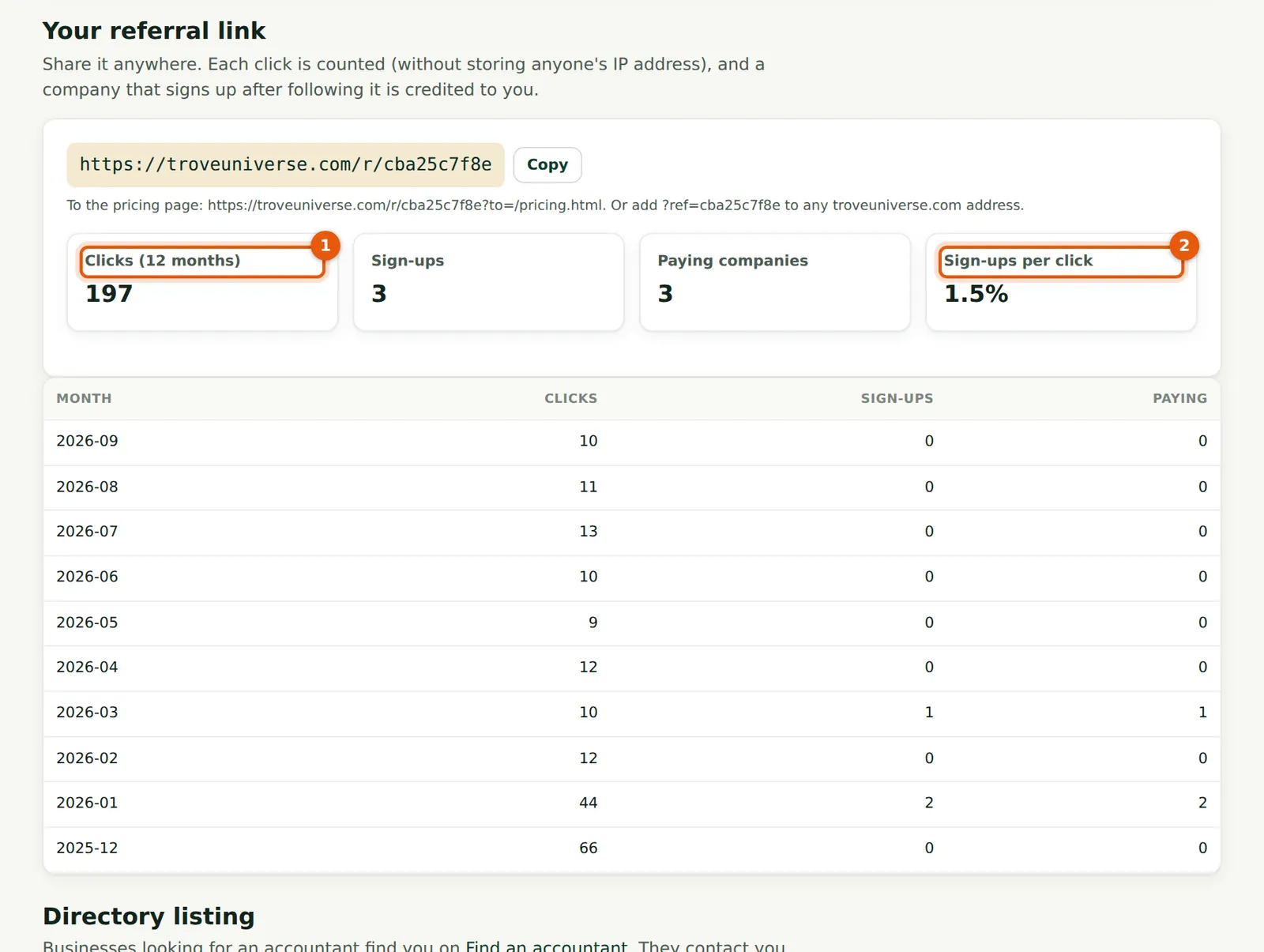
The four figures show clicks in the last 12 months (1), sign-ups, paying companies and sign-ups per click (2). By September Amaka's link had 197 counted clicks, most from phones (117 mobile, 73 desktop, 7 tablet). Sign-ups count every company attributed to you that month, however the code arrived.
Who
Partner.
What to do
- Compare months with what you did: Amaka's December clicks came from a LinkedIn post and a WhatsApp status.
- If clicks are high but sign-ups low, follow up the people you sent the link to.
- Privacy. The portal stores only a one-way code made from the visitor's IP address and the date, which cannot be turned back into the address or matched across days. The device class (desktop, mobile, tablet), the page the link led to and the referring site are recorded.
- Repeat clicks from the same visitor within 30 minutes count once.
- Bots (link previews from LinkedIn, WhatsApp and so on) are recorded but not counted: 14 of Amaka's clicks were bots.
- The referral is kept in the browser until the visitor signs up. If they type a different partner's code, the typed code wins.