Steps in this chapter (2)
Set up the allowances, bonuses and deductions that are paid on top of each employee's monthly gross.
The monthly gross on each employee record is split into Basic, Housing, Transport, Utility, Meal and Other by the salary structure in Settings. Everything else a person earns or has deducted — shift and field allowances, overtime, bonuses, reimbursements, voluntary deductions — is a pay component.
Components are defined once here, then assigned to people on their employee record, either for every month or for one named period only.
4.1 Create a pay component
Why
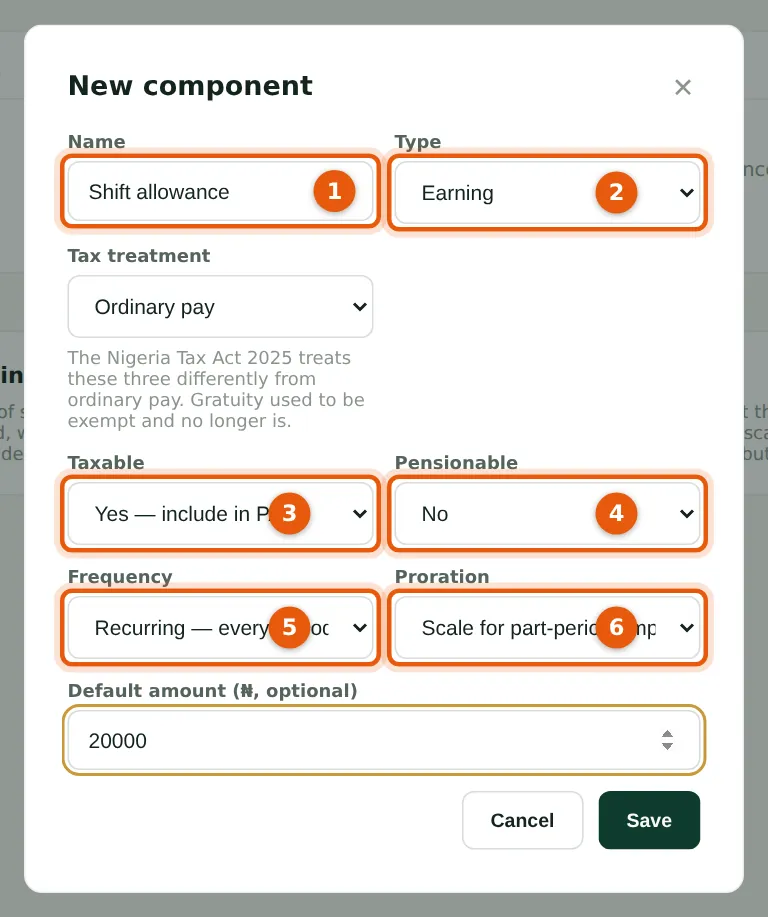
Each setting changes the calculation. Taxable items go into PAYE. Pensionable items are added to Basic + Housing + Transport for the 8% / 10% pension. Recurring items are part of normal monthly pay, so they are projected forward when the year's tax is worked out; a one-off, such as a bonus, is taxed as earned but never projected, so a bonus month is not over-taxed. Prorating items are scaled down for anyone who worked only part of the month.
Who
Preparer or Admin.
What to do
- Open Pay components and choose New component.
- Enter the name (1) and choose Earning or Deduction (2). For special earnings choose the tax treatment: accommodation benefit (capped at 20% of gross), loss of office (exempt up to ₦50m) or gratuity (taxable since 2026).
- Choose whether it is taxable (3) and pensionable (4). Savannah Harvest's shift allowance is taxable but not pensionable.
- Choose Recurring or One-off (5) and whether it prorates (6). Enter a default amount if there is a usual one, then choose Save.
4.2 The company's components
Why
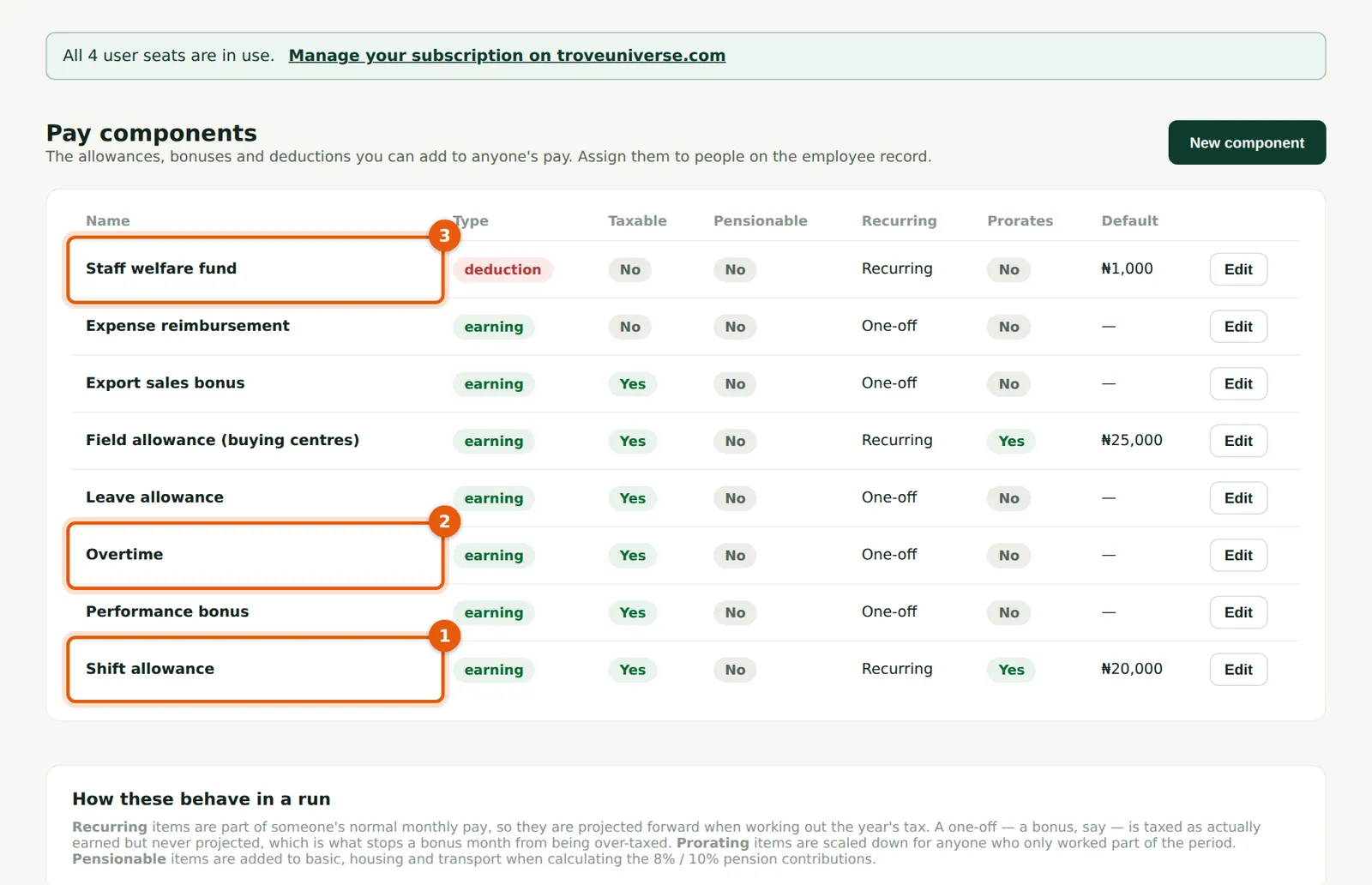
Savannah Harvest pays a shift allowance to factory staff (1) and a field allowance to buying-centre staff, both recurring. Overtime (2), the performance and export sales bonuses and leave allowance are one-offs. Expense reimbursement is not taxable. The staff welfare fund (3) is a recurring deduction of ₦1,000 a month.
Who
Preparer or Admin.
What to do
- Choose Edit on a row to change a component. Changes apply to runs created afterwards; approved runs keep the figures they were approved with.
- Staff loans, salary advances and court or co-operative deductions are not set up here: they have their own screens (chapter 8).