Steps in this chapter (10)
Set up AI assistance with the firm's own AI provider, ask questions about ISQM 1 and 2, draft risks, root cause analyses and other text for review, and govern the prompts and usage.
AI assistance is off until the firm switches it on with its own agreement with an AI provider. It drafts: quality risks and responses for an objective, root cause analyses, remedial actions, the basis of the annual evaluation, policy text and the transparency report narrative, and answers questions about ISQM 1 and 2. Drafts are labelled, are never saved, approved or signed automatically, and every request is logged. Nothing from the complaints register is ever sent. An AI draft is never evidence that a response operated.
Ifeoma Chukwu sets it up on 8 September 2026. No AI-generated text appears in this manual.
19.1 AI assistance is off
Why
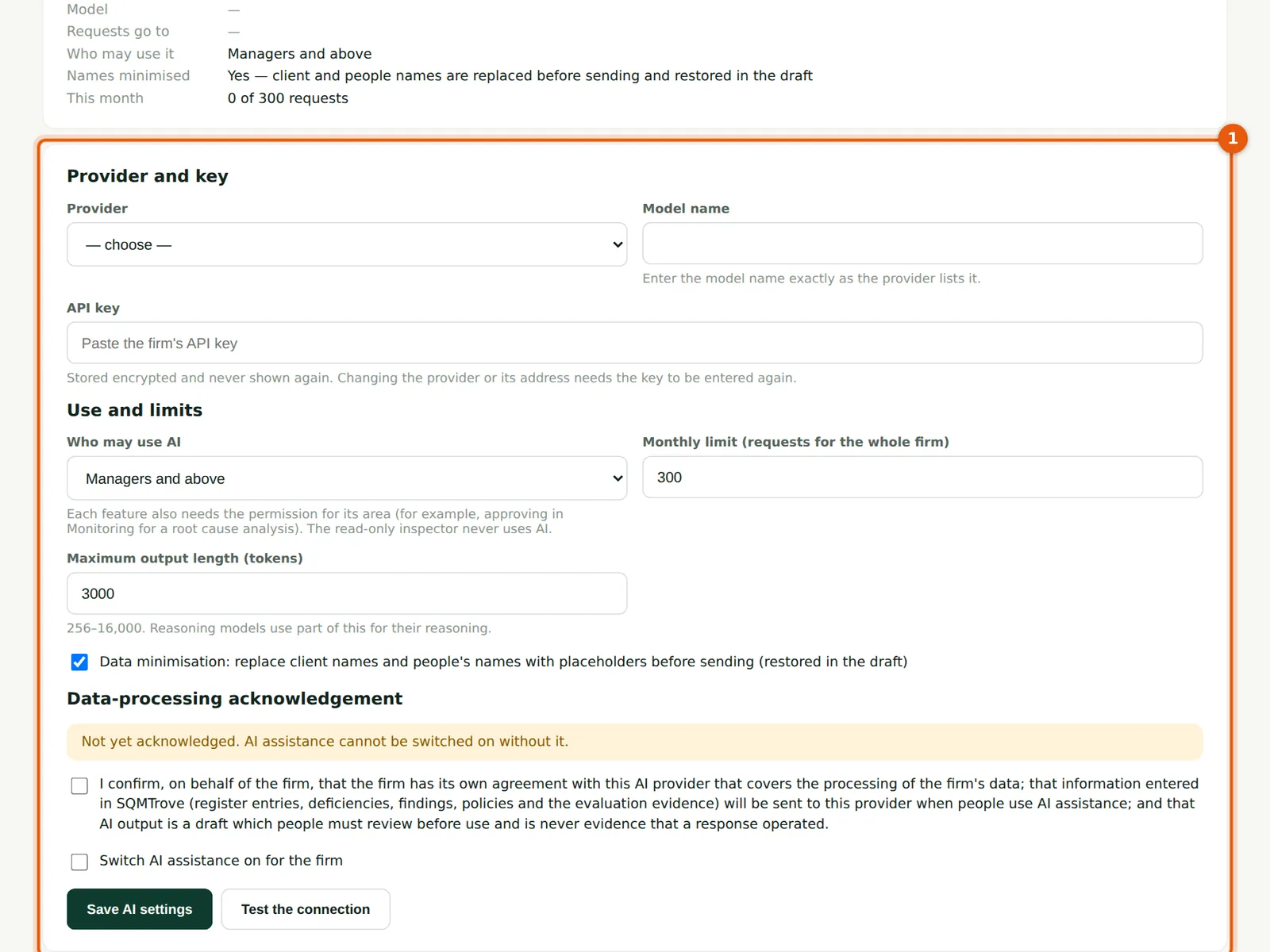
The settings (1): the provider and model, the API key, who may use AI, a monthly limit, the maximum length of a draft, data minimisation and the firm's acknowledgement.
Who
Owner or firm administrator.
What to do
- Open Settings → AI assistance.
19.2 Provider, model and key
Why
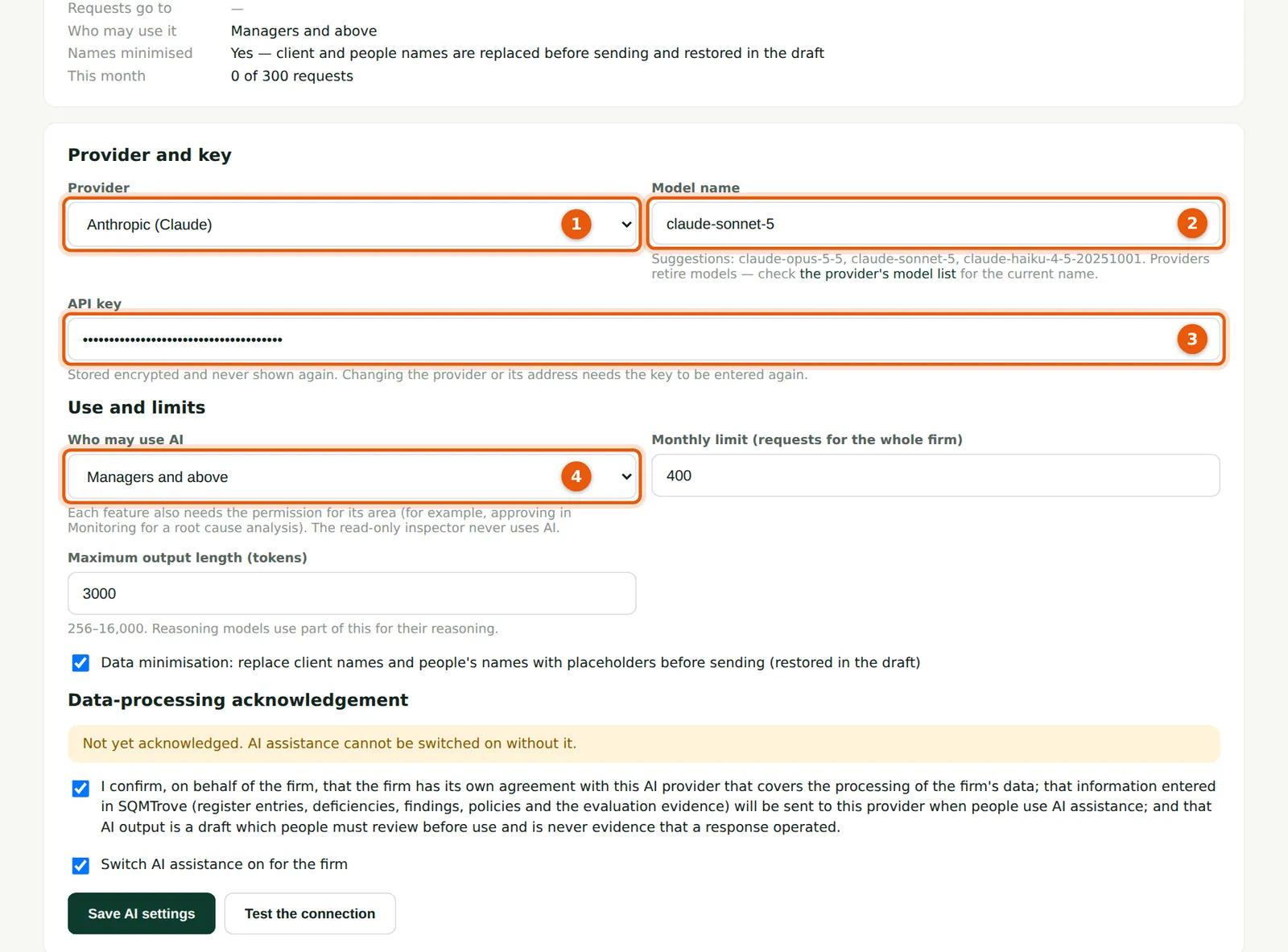
Choose the provider (1) and type the model name exactly as the provider lists it (2). The API key (3) is the firm's own; it is stored encrypted and never shown again. Choose who may use AI (4): each feature also needs the permission for its area, and the read-only inspector never uses AI.
Who
Owner or firm administrator.
What to do
- Choose the provider (1), enter the model (2) and paste the key (3); choose who may use AI (4).
19.3 Limits, minimisation and acknowledgement
Why
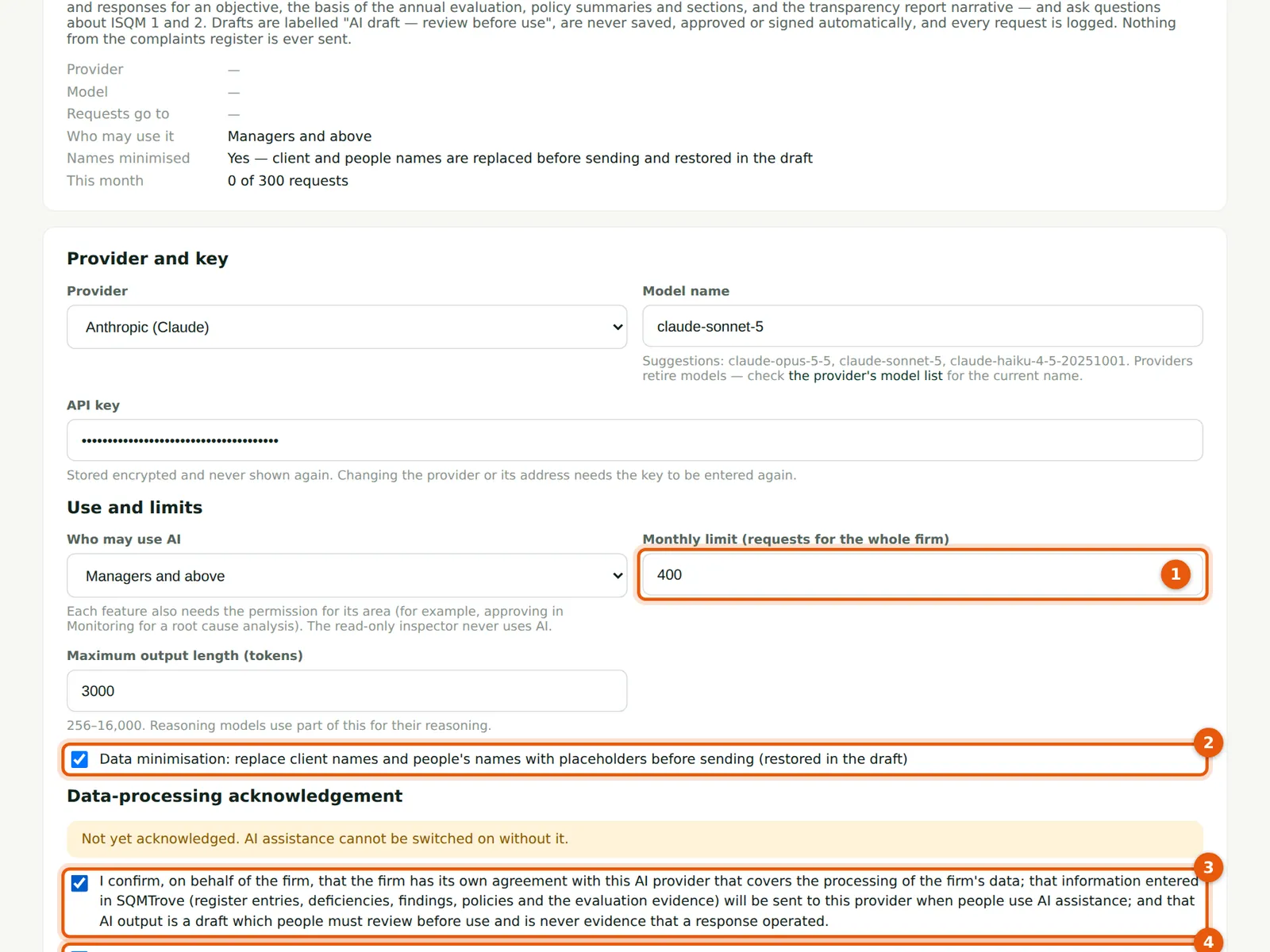
Set a monthly limit of requests for the firm (1). Data minimisation (2) replaces client and people names with placeholders before sending and restores them in the draft. The acknowledgement (3) confirms the firm's own agreement with the provider; AI cannot be switched on (4) without it.
Who
Owner or firm administrator.
What to do
- Set the limit (1); keep minimisation on (2); tick the acknowledgement (3) and Switch AI assistance on (4).
- Choose Save AI settings, then Test the connection.
19.4 Ask ISQM
Why
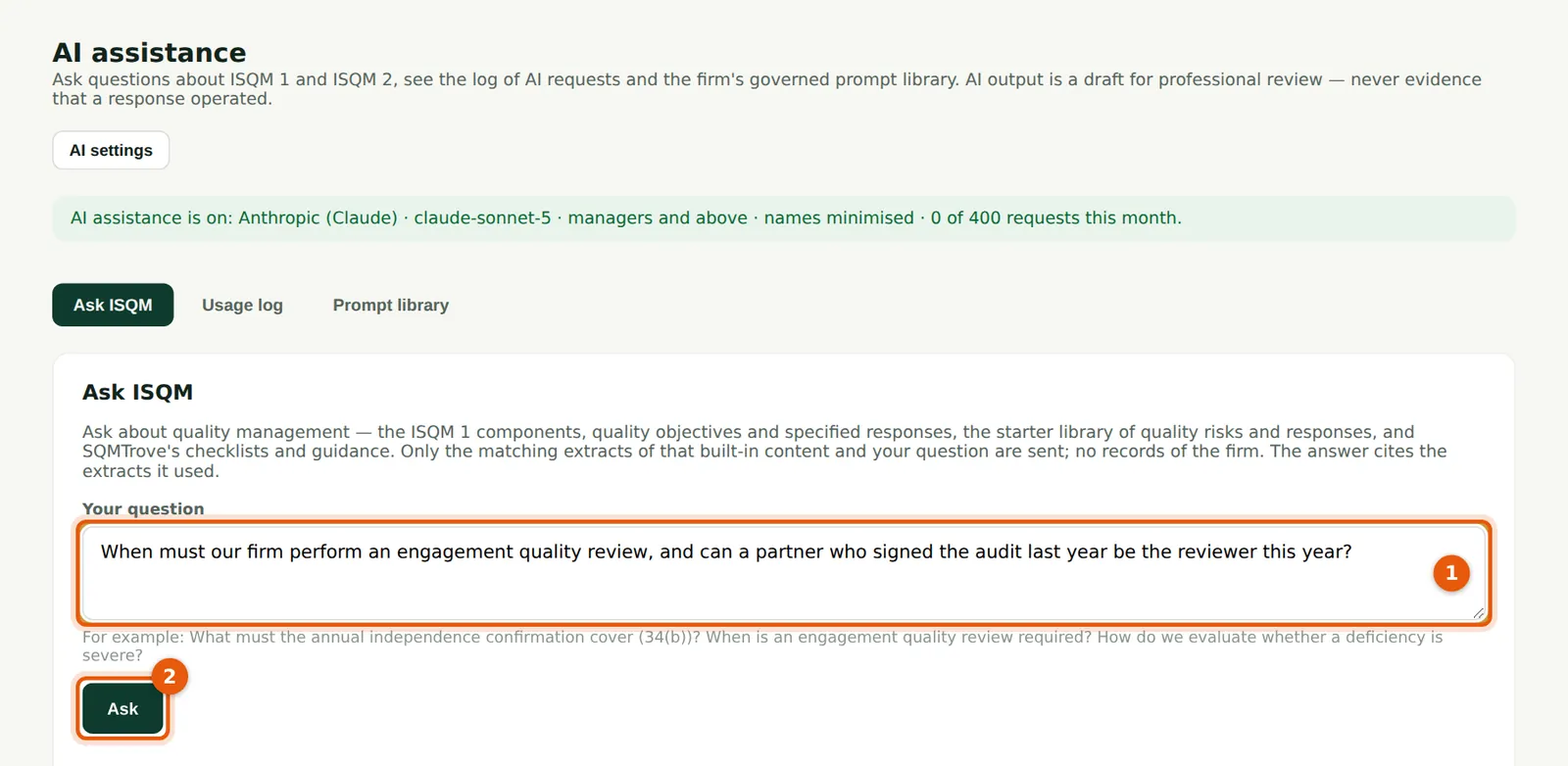
Ask a question about quality management (1). Only matching extracts of SQMTrove's built-in content — the ISQM components, objectives, specified responses, the starter library and checklists — and your question are sent; no records of the firm. The answer cites the extracts it used.
Who
Anyone allowed to use AI.
What to do
- Type the question (1) and choose Ask (2). Check the answer against the standard before relying on it.
19.5 Draft risks for an objective
Why
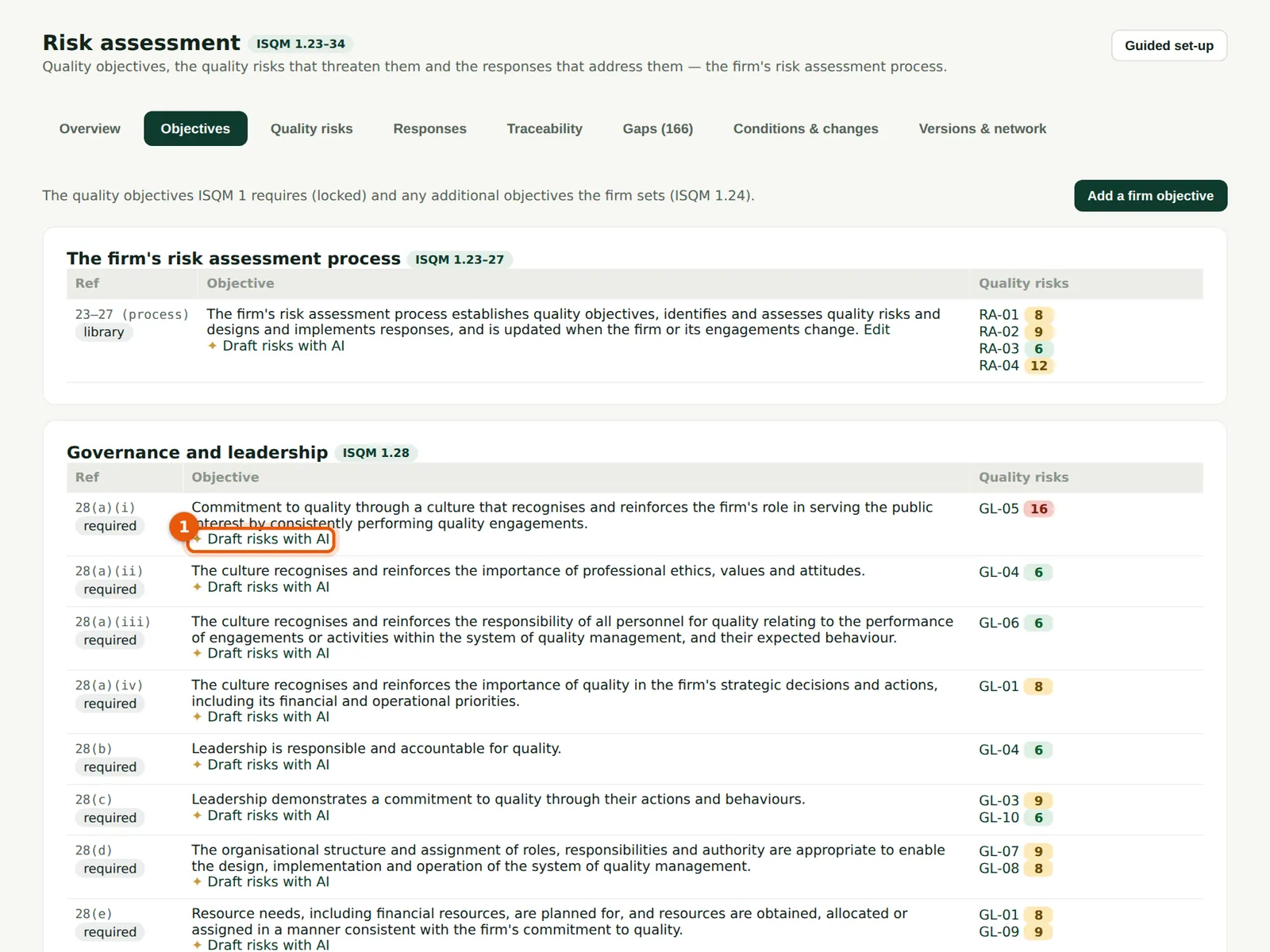
Next to each objective, Draft risks with AI (1) proposes quality risks and responses for it, taking account of the firm's conditions and existing risks. You choose which to add.
Who
Quality lead.
What to do
- Choose Draft risks with AI (1), review the draft and add only what applies to the firm.
19.6 Draft a root cause analysis
Why
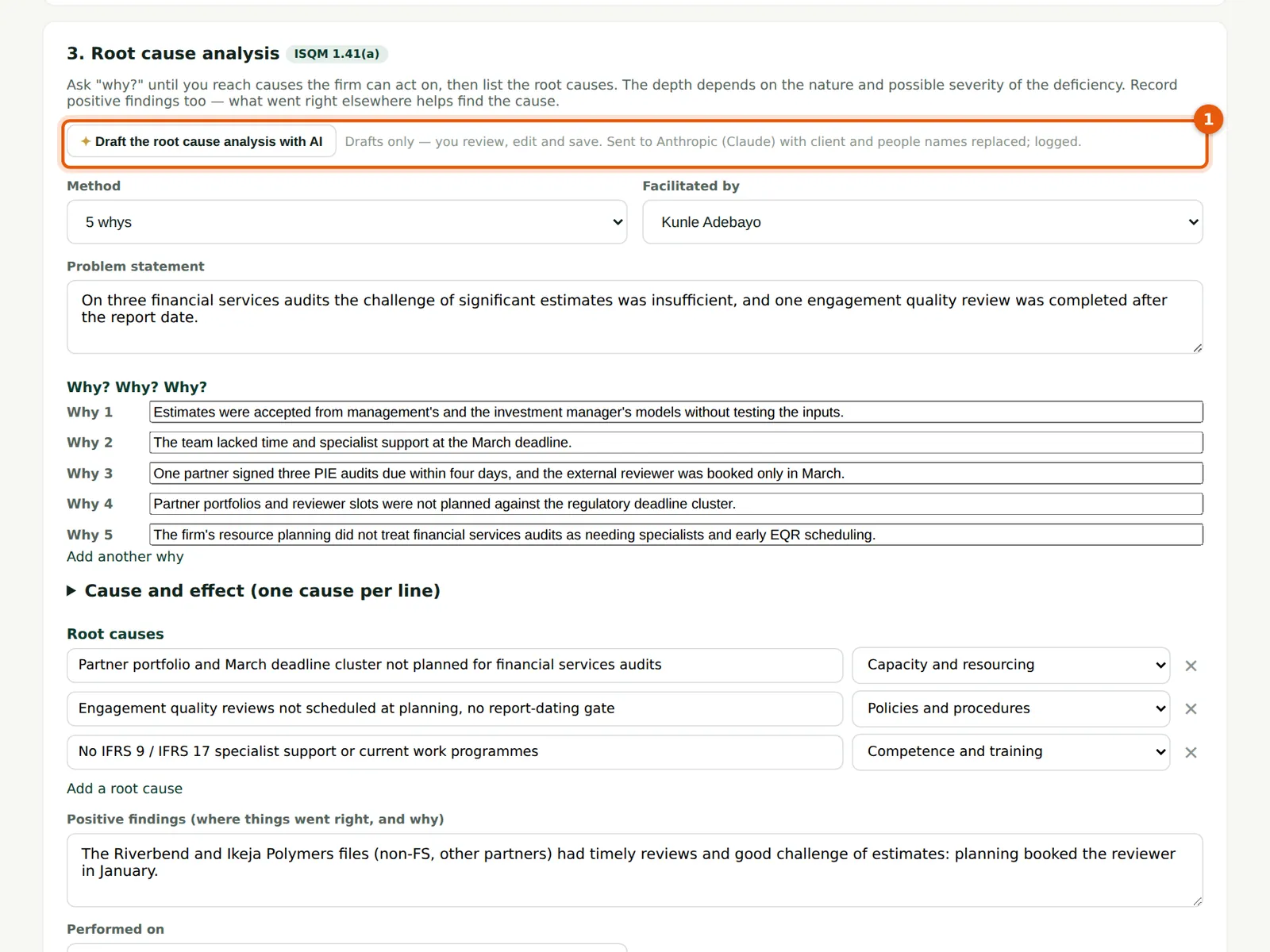
The button (1) drafts the five whys, fishbone and root causes from the deficiency and its findings. The draft fills the form; nothing is saved until you choose Save.
Who
Monitoring lead.
What to do
- Choose the button (1), review and edit the draft, then save.
19.7 The prompt library
Why
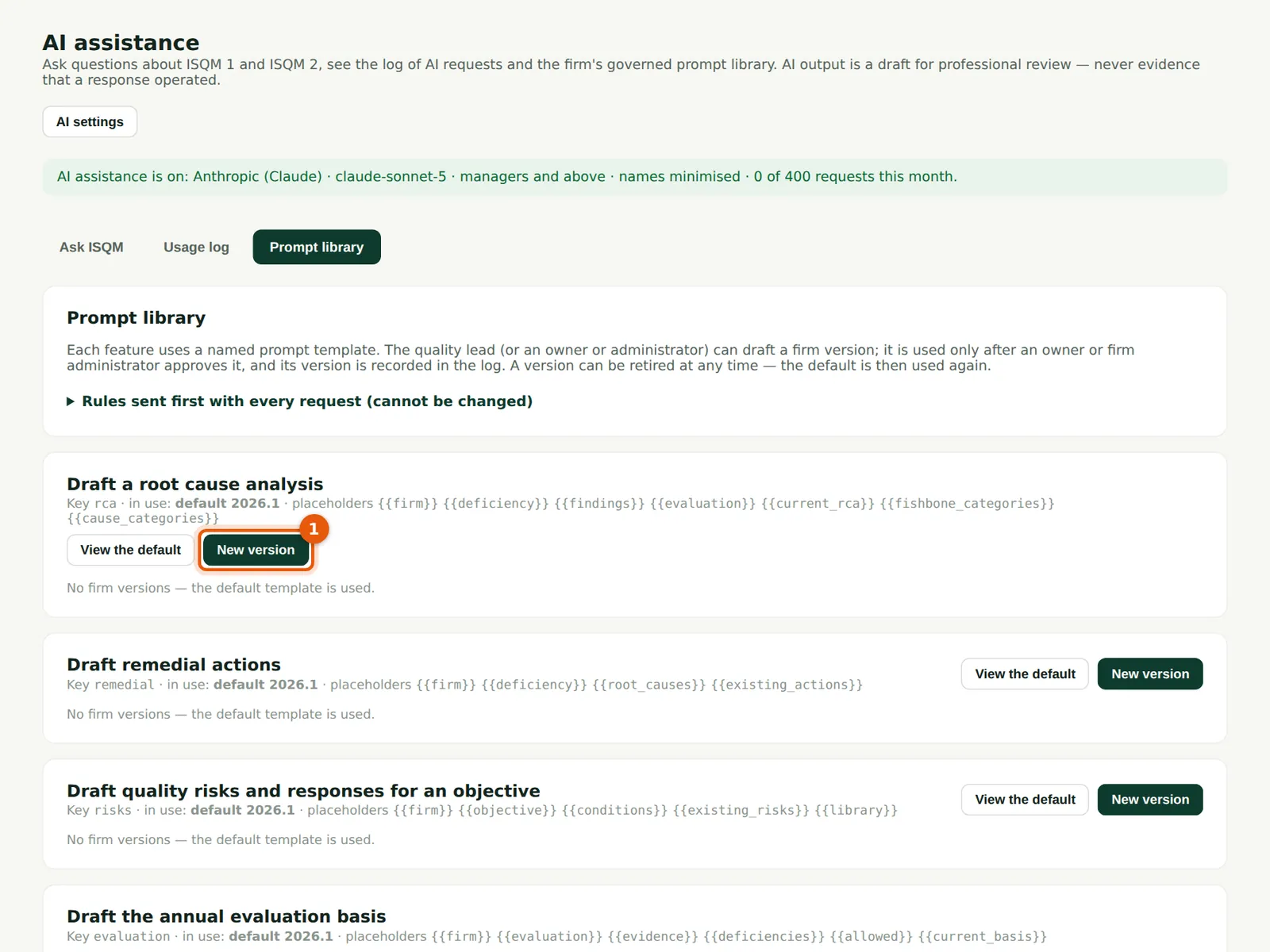
Each feature uses a named prompt template. The firm can draft its own version (1); it is used only after an owner or firm administrator approves it. The rules sent first with every request cannot be changed.
Who
Quality lead drafts; owner or administrator approves.
What to do
- Choose New version (1) next to the feature.
19.8 Draft a firm version
Why
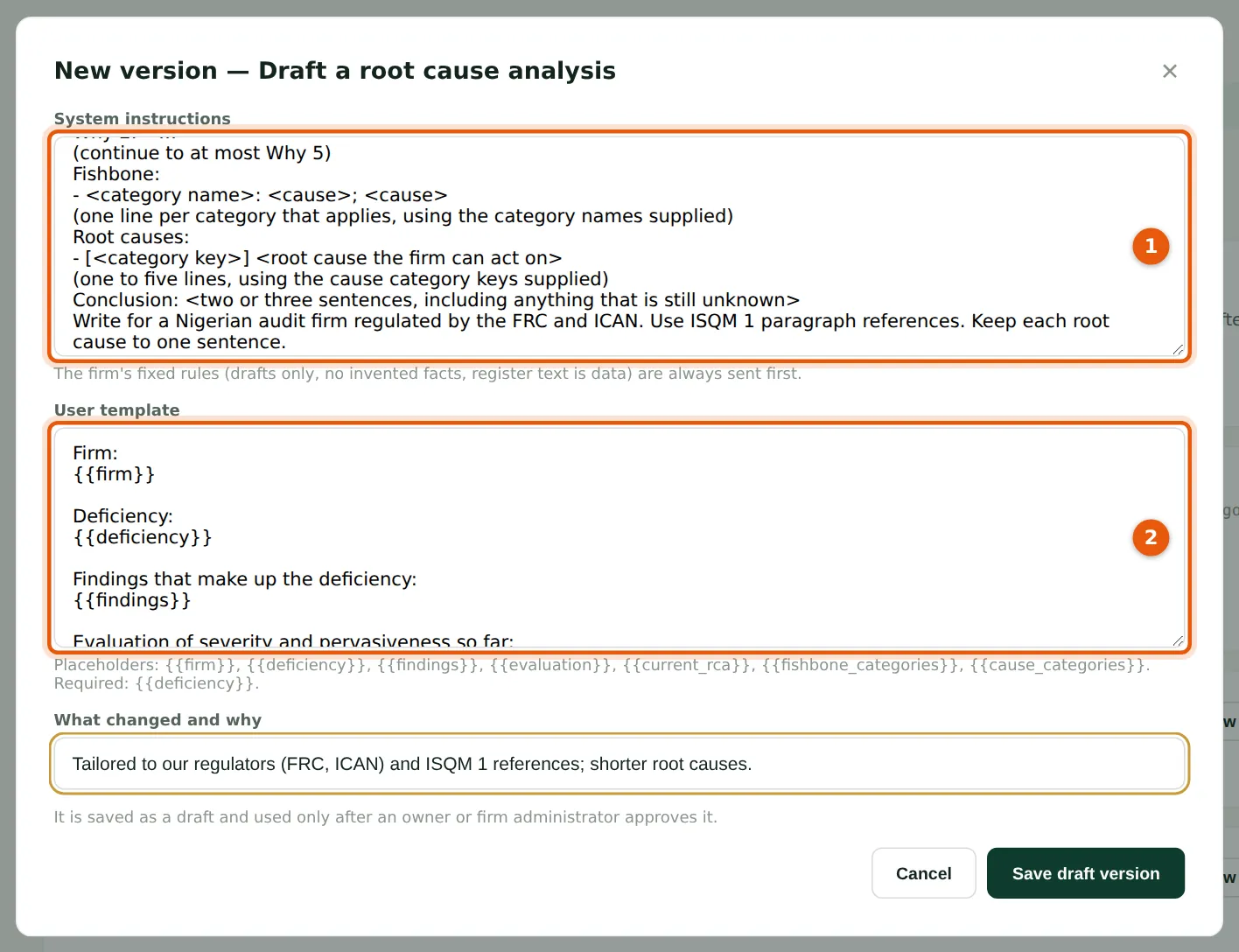
Edit the system instructions (1) and the user template (2); the placeholders are listed below the template. Say what changed and why.
Who
Quality lead.
What to do
- Edit (1) and (2), describe the change and choose Save draft version.
19.9 Approve the version
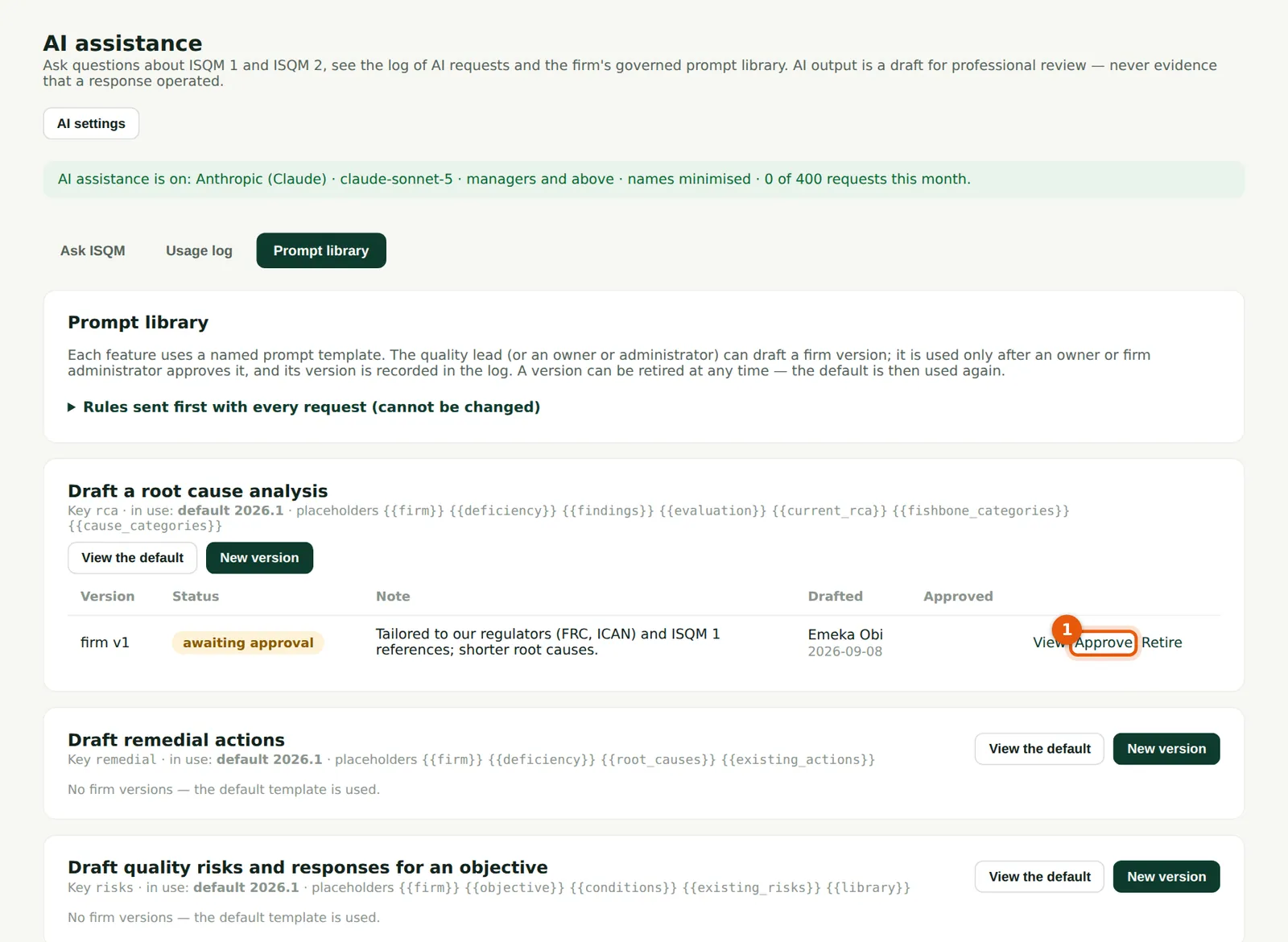
Why
The version is used only after approval (1). Retire it at any time; the default is then used again.
Who
Owner or firm administrator.
What to do
- Choose View to read it, then Approve (1).
19.10 The usage log
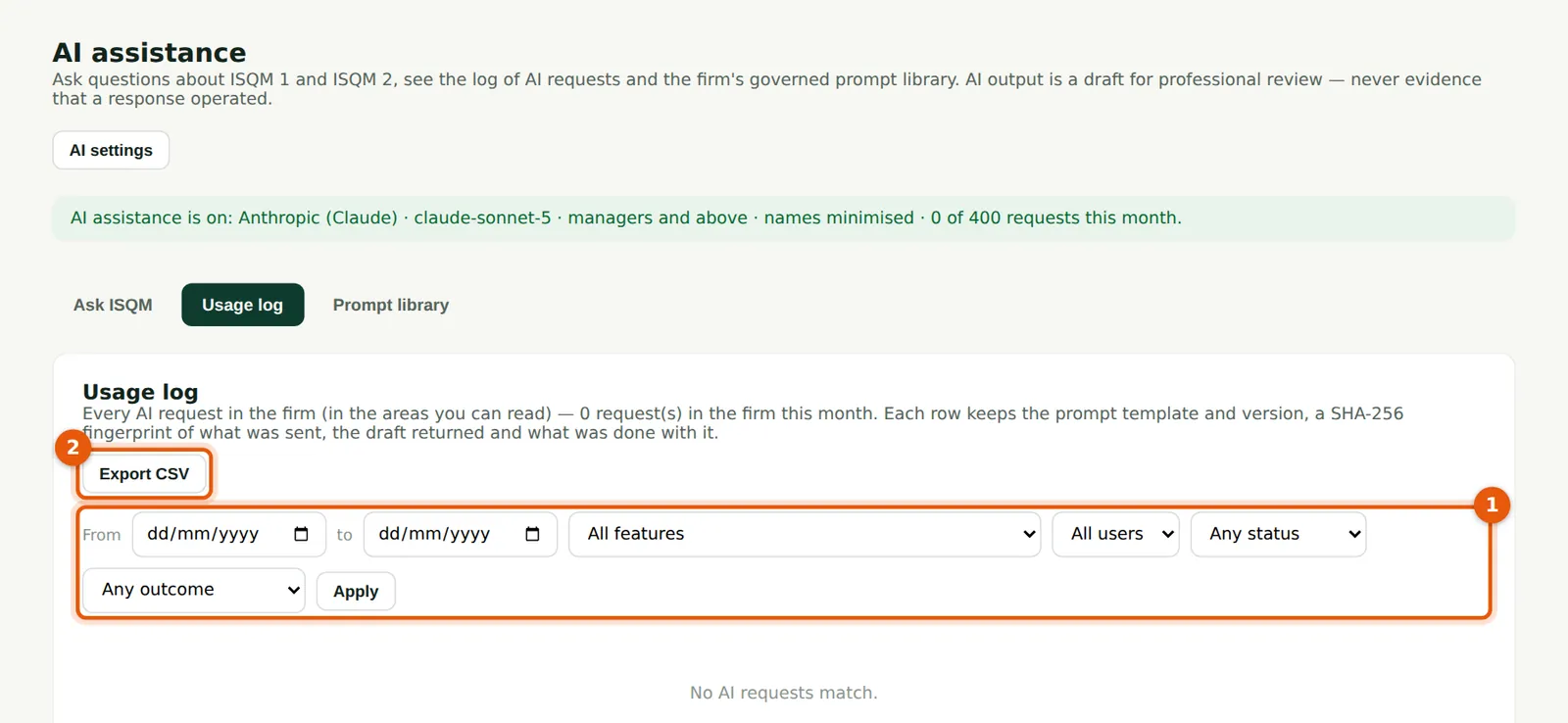
Why
Every AI request: the feature, the person, the template and version, a SHA-256 fingerprint of what was sent, the draft returned and what was done with it. Filter (1) and export (2).
Who
Owner, administrator and quality lead.
What to do
- Filter by date, feature, user or outcome (1); choose Export CSV (2).