Steps in this chapter (5)
Link SQMTrove with AuditTrove so that engagement facts flow into the engagement register, findings and quality indicators, and AuditTrove uses the firm's policies and restricted entity list.
AuditTrove is the TroveSuite audit engagement software. With the link switched on in both apps, AuditTrove sends engagement facts to SQMTrove — acceptance decisions, independence confirmations and possible breaches, engagement quality reviews, report, deadline and file-assembly dates, review notes and partner tenure — and SQMTrove imports them. AuditTrove in turn uses SQMTrove's published policies and restricted entity list when a partner accepts an engagement. The two apps recognise the firm by its TroveUniverse account; nothing leaves TroveSuite.
Adaeze Nwosu switches the link on in both apps on 27 January 2026. The Ikeja Polymers first-year audit, performed in AuditTrove, arrives in SQMTrove as it progresses and is imported when the file is archived on 20 April.
18.1 The link is off
Why
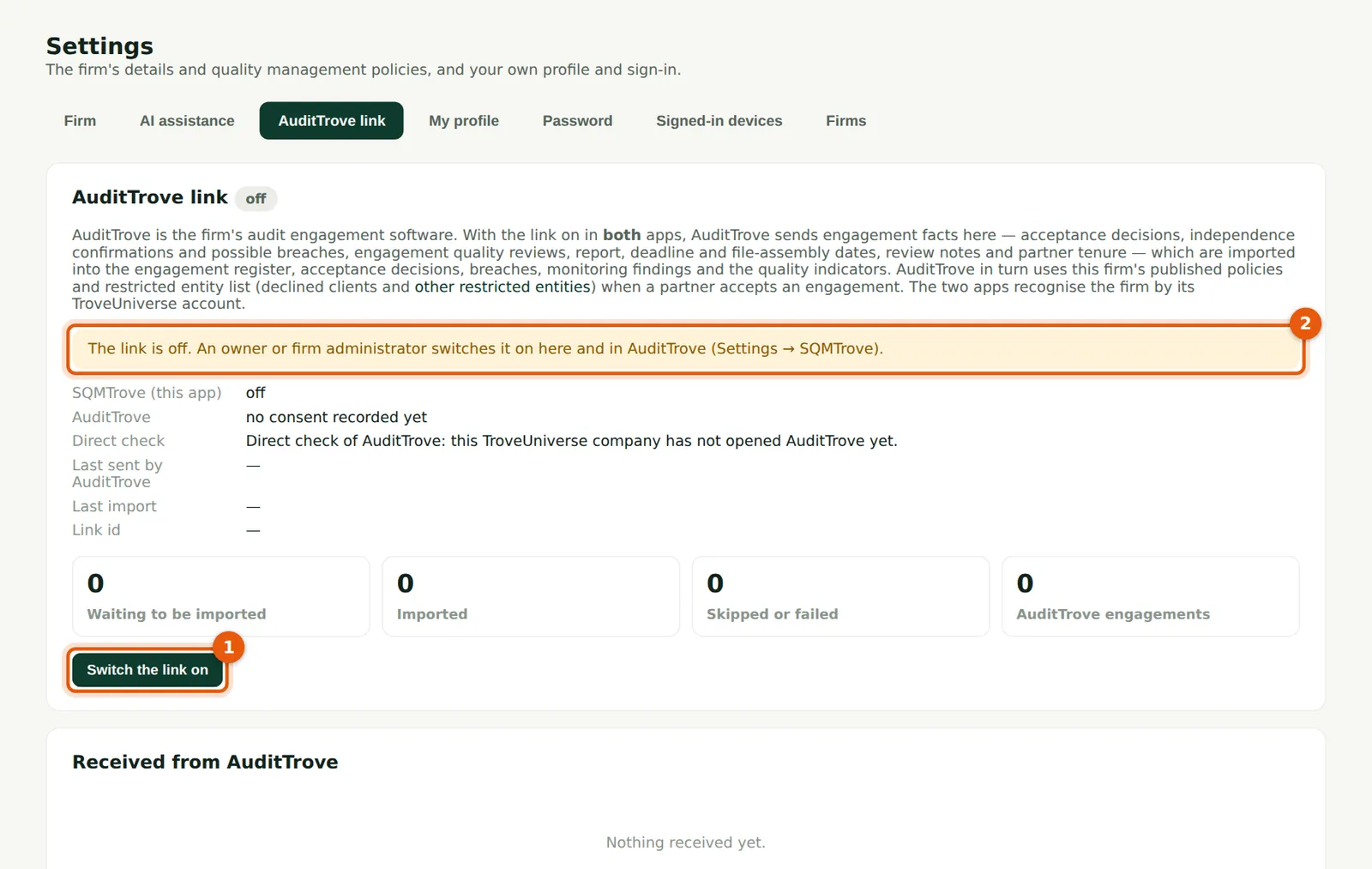
The page explains what the link does and shows its state (2). It works only when switched on in both apps.
Who
Owner or firm administrator.
What to do
- Open Settings → AuditTrove link and choose Switch the link on (1).
18.2 Confirm
Why
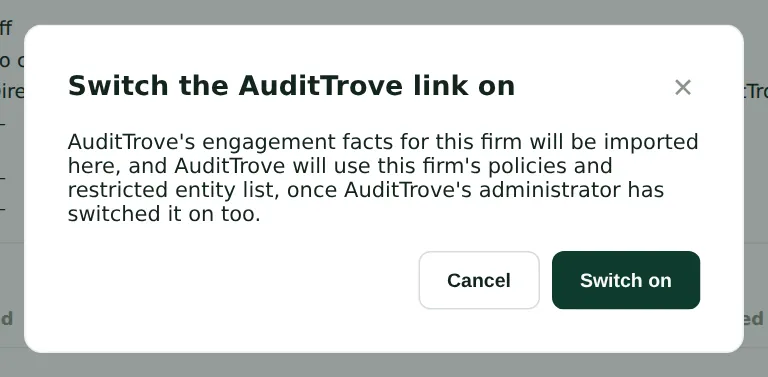
The link starts when AuditTrove's administrator switches it on too (AuditTrove: Settings → SQMTrove).
Who
Owner or firm administrator.
What to do
- Choose Switch on. Ask AuditTrove's administrator to do the same in AuditTrove.
18.3 Linked
Why
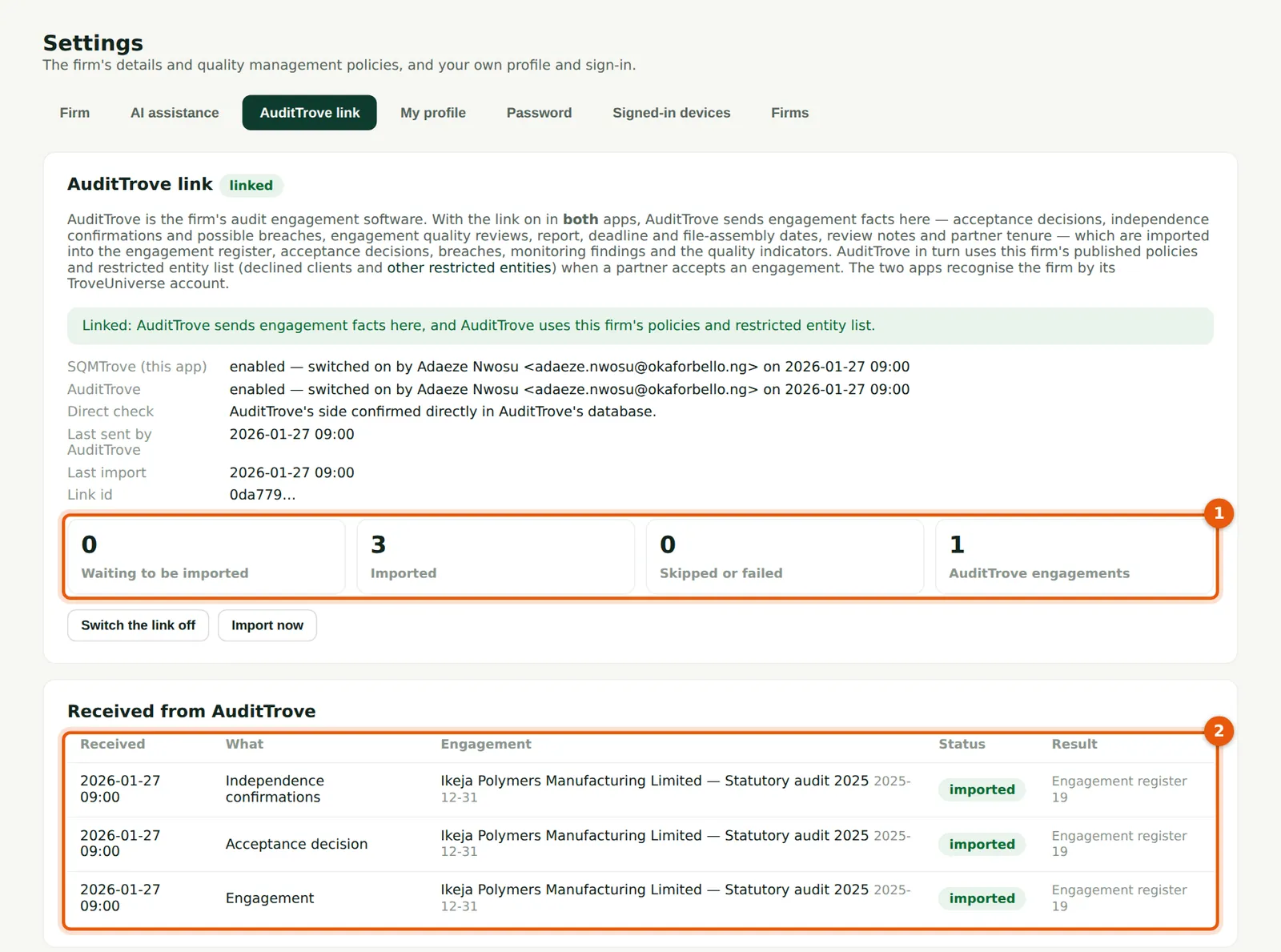
Both sides are shown as enabled, with who switched them on and when. The counts (1) show what is waiting, imported and skipped; the list (2) shows each fact received and where it went.
Who
Quality lead.
What to do
- Imports run automatically; choose Import now to run one at once. Choose Switch the link off to stop it.
18.4 The archived file arrives
Why
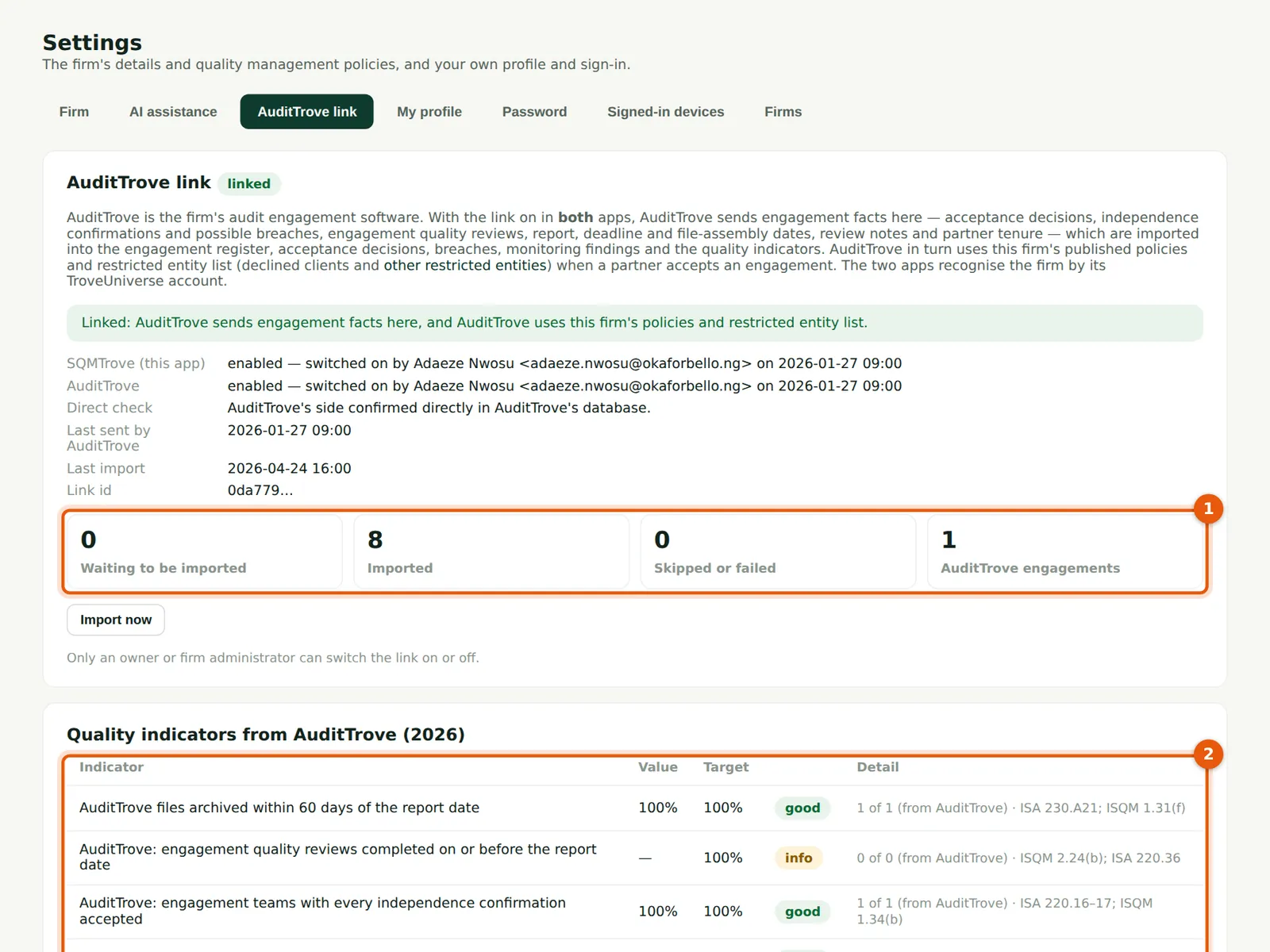
The counts (1), the quality indicators from AuditTrove's engagements (2) — files archived within 60 days, reviews before the report date, team independence and review notes cleared — and the facts received (3).
Who
Quality lead; monitoring lead.
What to do
- Check any fact skipped or failed and the reason given.
18.5 The engagement in the register
Why
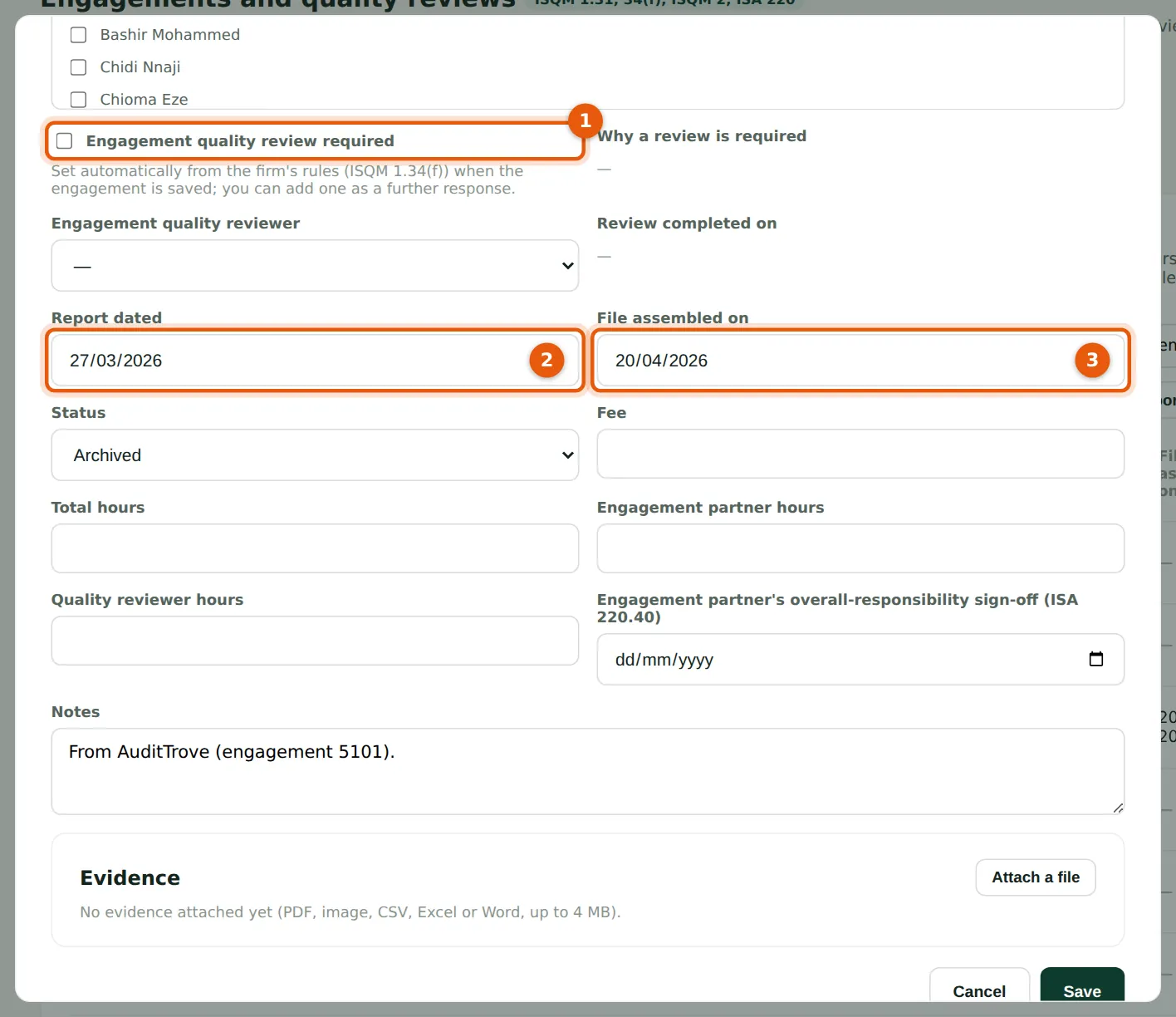
The engagement is created in the register with the partner, team, whether a review is required (1), the report date (2) and file assembly date (3) from AuditTrove. The same exception checks apply as for an engagement entered by hand.
Who
Quality lead.
What to do
- Open the engagement from the register to check the dates.