Steps in this chapter (3)
Operate the firm's responses through recurring tasks, record the evidence, and let SQMTrove schedule the next one.
Many responses are operated by someone doing something regularly: reviewing the gifts register every quarter, checking CPD, reviewing methodology each year. A task links the work to the response, and the evidence recorded when it is done shows that the response operated (ISQM 1.26, 58(c)). Tasks are created from the risk assessment (step 5.12) or on the Tasks page, and appear under For you on the dashboard.
On 26 June 2026 Hauwa Abdullahi completes her quarterly review of the gifts and hospitality register.
17.1 My tasks
Why
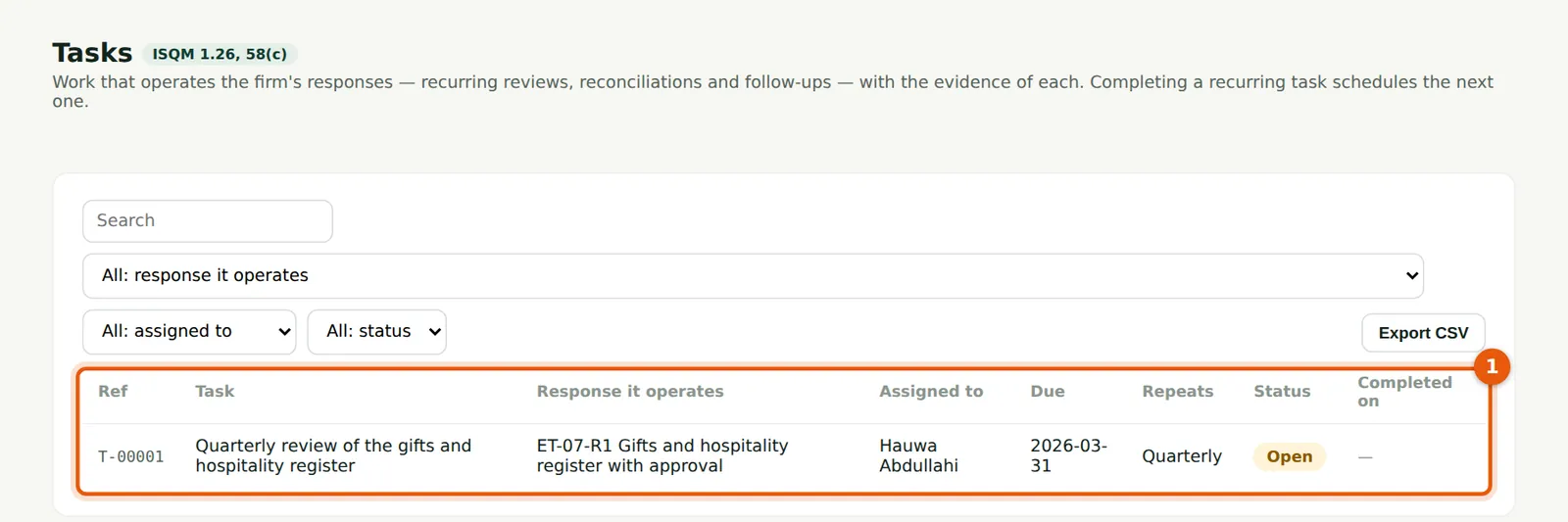
Your tasks with the response they operate, the due date, how often they repeat and their status (1). Hauwa's first quarterly review, due on 31 March, is still open; overdue tasks are shown on the dashboard.
Who
Everyone with tasks.
What to do
- Open My tasks from the menu; choose a task to complete it.
17.2 Complete a task with evidence
Why
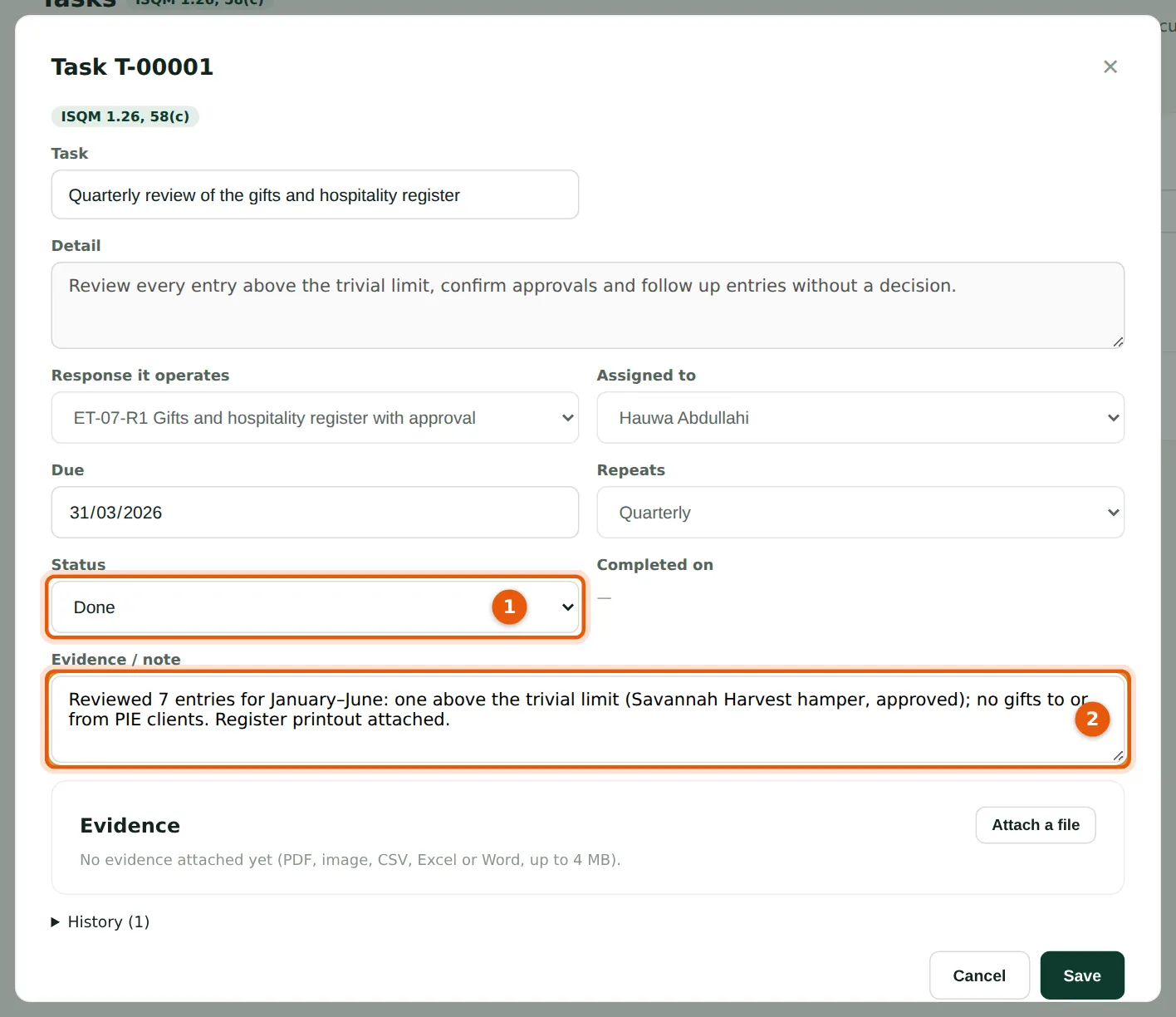
Set the status to Done (1) and record the evidence (2): what was reviewed and what was found. The evidence is kept with the response.
Who
The person assigned.
What to do
- Choose Done (1), write the evidence (2) and save.
17.3 The next task is scheduled
Why
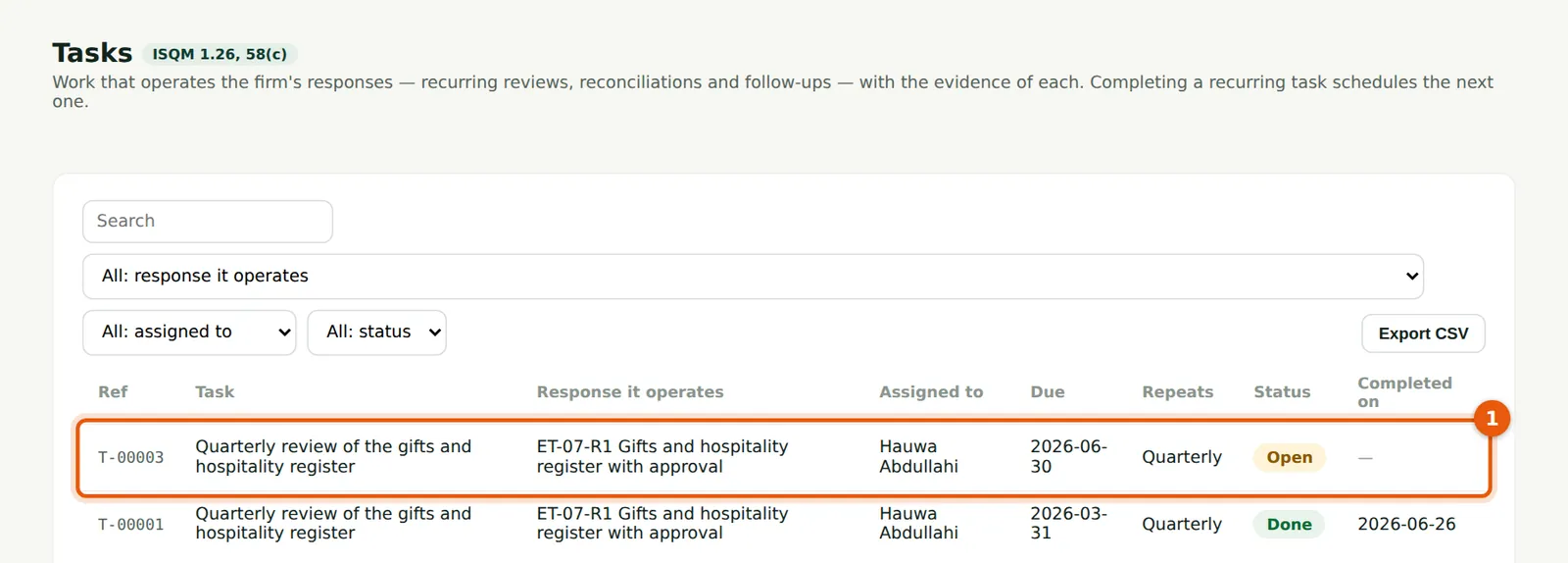
Completing a recurring task creates the next one (1) with the next due date.
Who
The person assigned.
What to do
- Nothing to do: the next task is already on your list.