Steps in this chapter (6)
Follow the firm's audit quality indicators, export any register to a spreadsheet, and print the inspection-ready pack for the FRC, ICAN or the network.
ISQM 1.57–60 require documentation that supports a consistent understanding of the system and evidence of its operation. Regulators ask for the same things at every visit: the firm's risk assessment, policies, independence, reviews, monitoring and the latest evaluation. SQMTrove builds these from the records, so nothing is prepared twice.
16.1 The quality indicators
Why
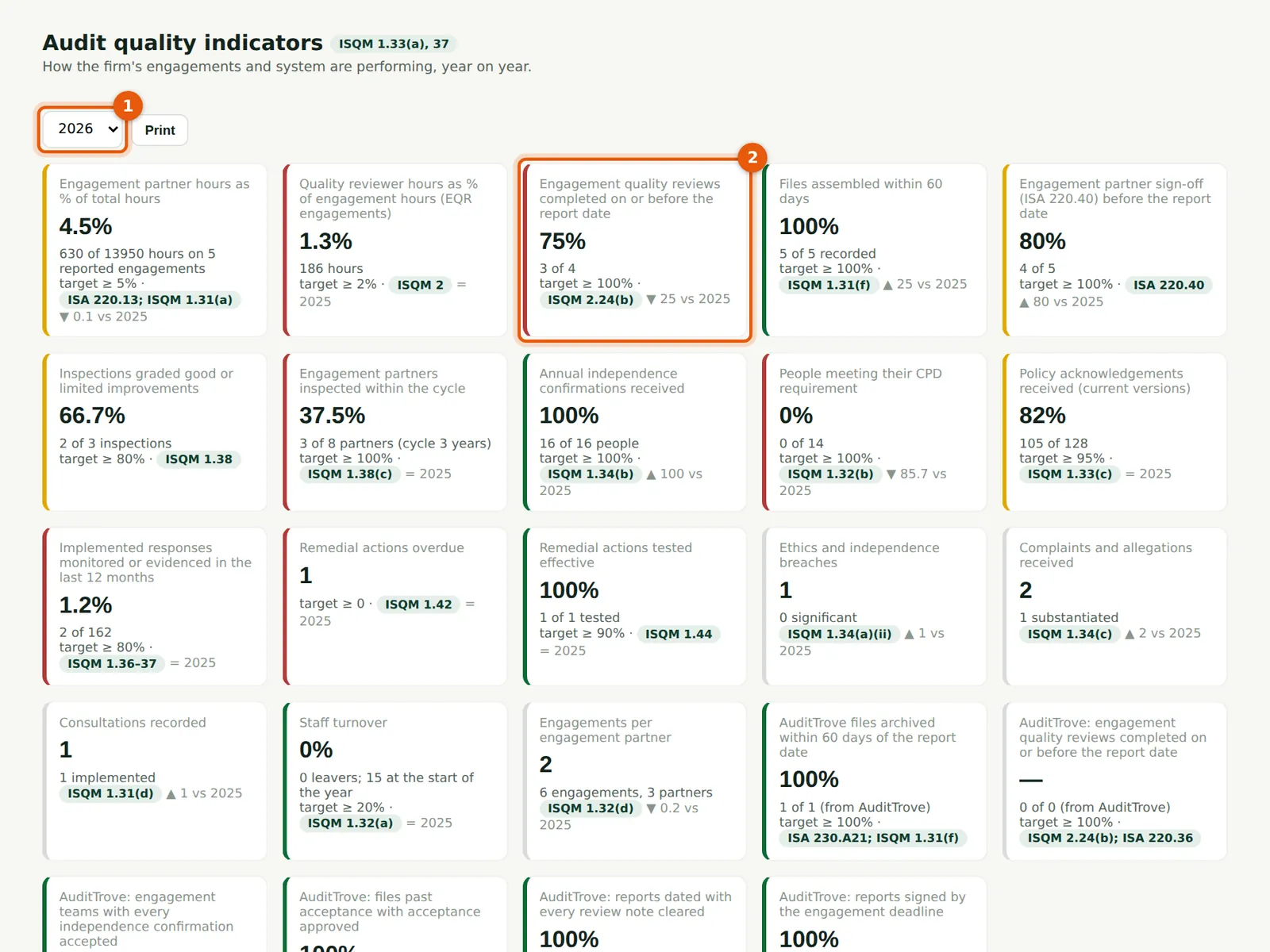
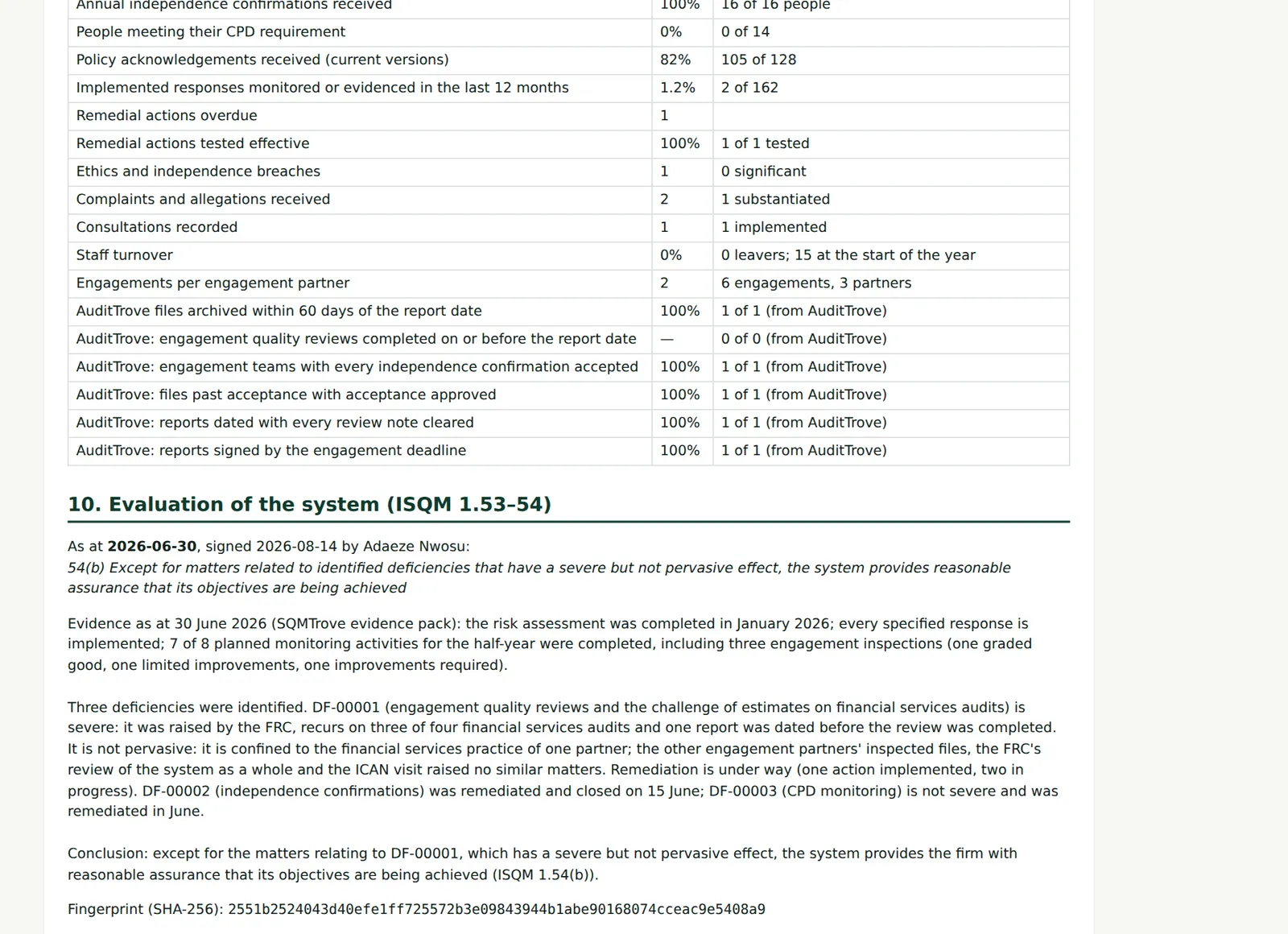
Seventeen indicators measured from the records for the chosen year (1): partner and reviewer hours, reviews and partner sign-offs before the report date, inspection grades, the partner cycle, independence confirmations, CPD, policy acknowledgements, responses monitored, remedial actions overdue and effective, breaches, complaints, consultations, staff turnover and engagements per partner. Each has a target and a colour, with the detail and the ISQM or ISA reference (2).
Who
Leadership; quality lead.
What to do
- Choose the year (1). Read each indicator against its target (2).
16.2 More indicators
Why
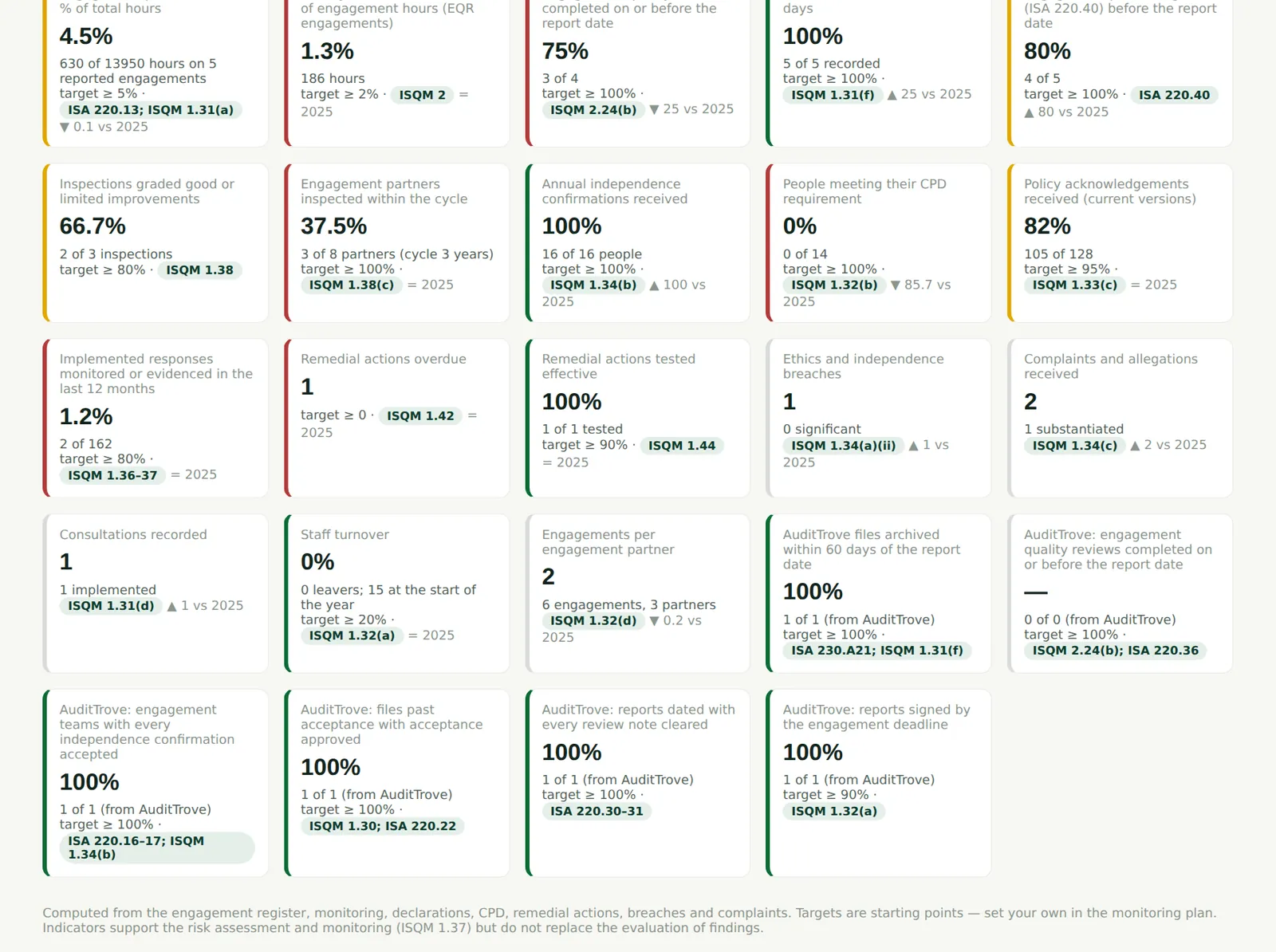
Indicators with a red colour need action; the evaluation evidence (chapter 15) uses the same figures. When the AuditTrove link is on, the indicators from AuditTrove's engagements are shown on the AuditTrove link page (chapter 18).
Who
Leadership; quality lead.
What to do
- Discuss the red and amber indicators at the partners' meeting and record any action as a task or remedial action.
16.3 The inspection pack
Why
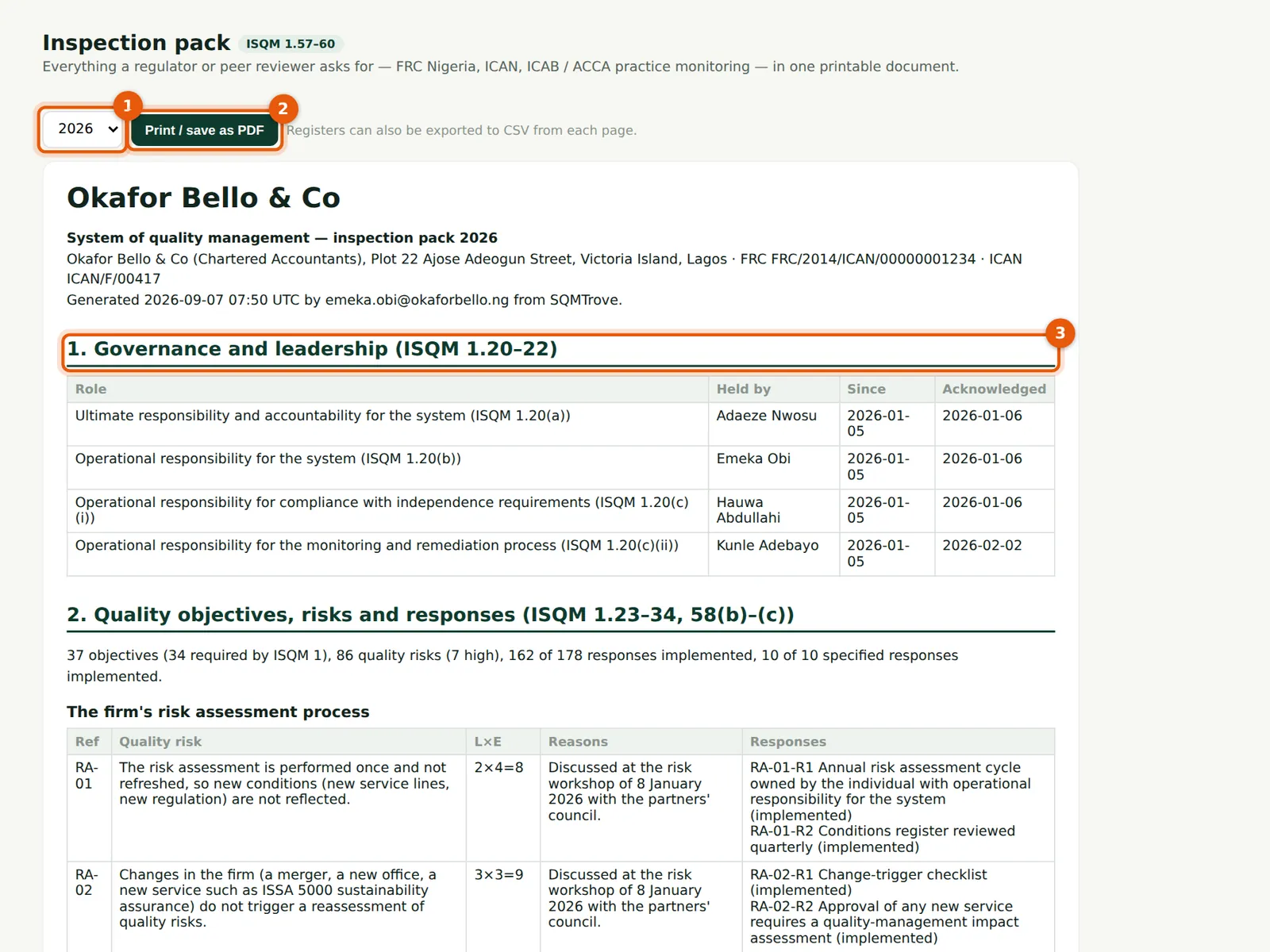
One document for the regulator (3): governance and leadership, the quality objectives, risks and responses, policies, ethics and independence, acceptance, engagement performance and quality reviews, resources, information and communication, monitoring and remediation, the quality indicators and the evaluation of the system — each with its ISQM paragraphs. Choose the year (1).
Who
Quality lead.
What to do
- Choose the year (1).
- Choose Print / save as PDF (2) and save the PDF with the firm's inspection file.
16.4 Monitoring and remediation in the pack
Why
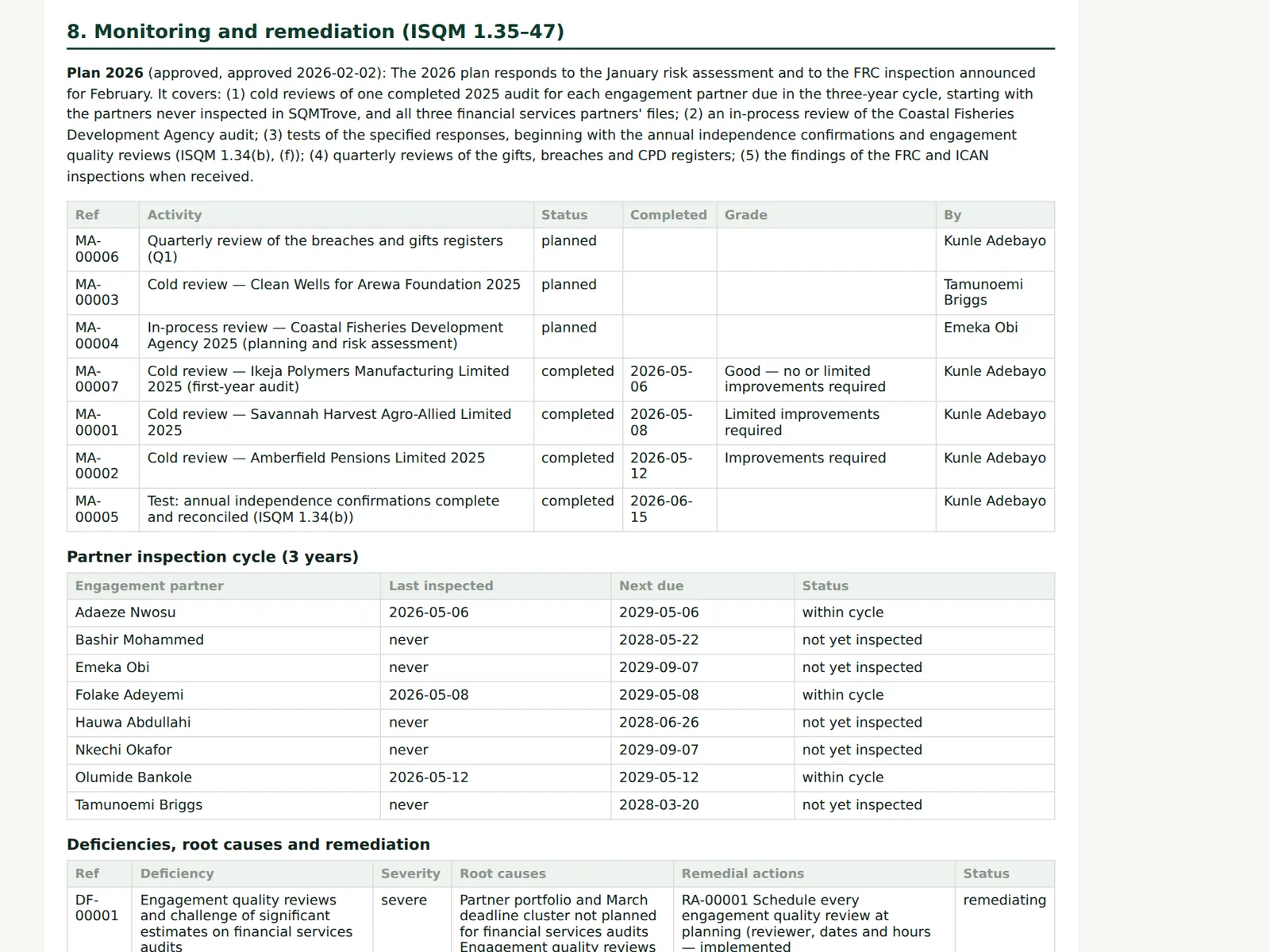
Every monitoring activity with its grade, the partner inspection cycle, deficiencies with their root causes and remediation, external inspections, and complaints and allegations (anonymised).
Who
Quality lead; inspectors.
What to do
- Check the section against the Monitoring & remediation page before sending.
16.5 The evaluation in the pack
Why
The latest signed evaluation, its conclusion, the basis and the actions under ISQM 1.55.
Who
Quality lead; inspectors.
What to do
- Attach the signed evaluation printout if the regulator asks for a signed copy.
16.6 Export a register to a spreadsheet
Why
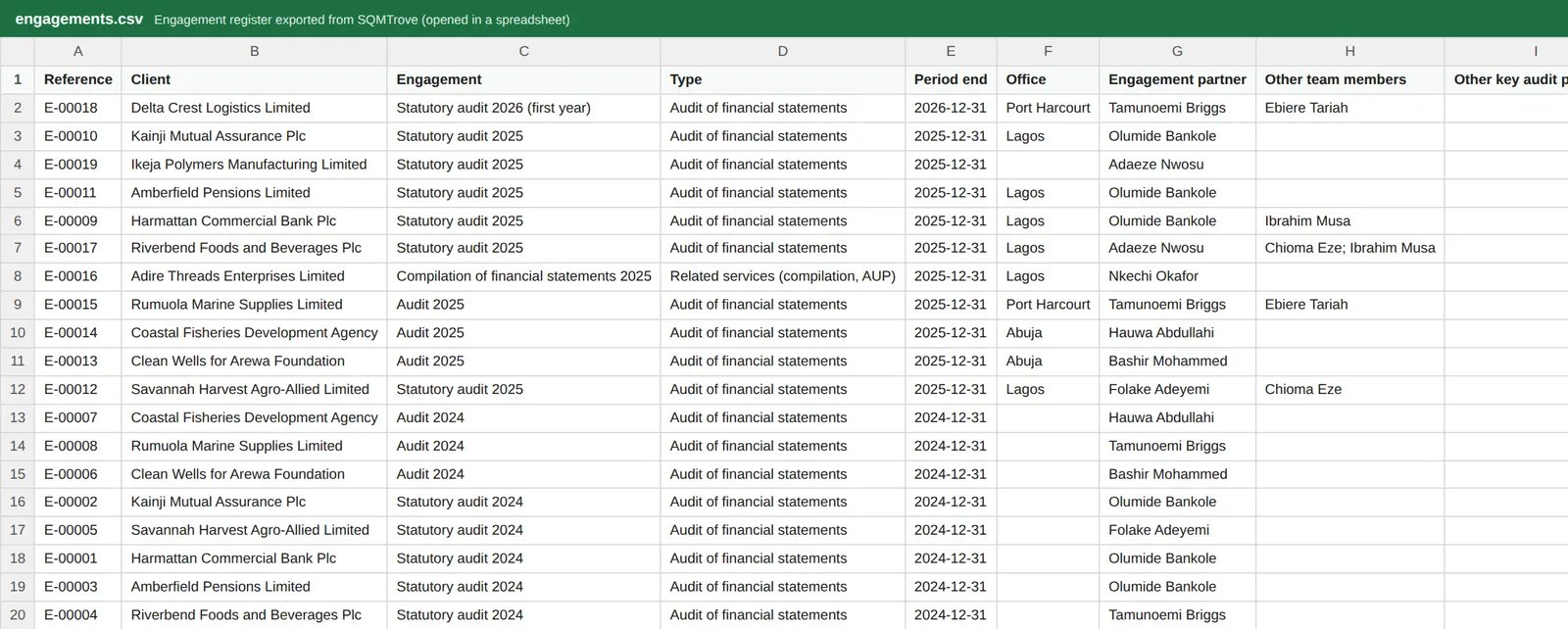
Every register has CSV: the rows shown (with the filters applied) are downloaded with every column, for analysis in a spreadsheet or for a regulator's request. Dates are in year-month-day form.
Who
Anyone with access to the register.
What to do
- On any register, filter as needed and choose CSV. Open the file in your spreadsheet program.