Steps in this chapter (8)
Keep the client register with each client's public interest status, record acceptance and continuance decisions, and deal with information that arrives after acceptance.
ISQM 1.30 and 34(d) and ISA 220.22–24 require the firm to decide whether to accept or continue each client relationship and engagement, on the basis of the integrity of the client, the firm's competence, capacity and independence, and to act on information obtained after acceptance that would have led it to decline.
Okafor Bello & Co serves public interest entities (a commercial bank, an insurer and a pension fund administrator), a listed food and beverage manufacturer, large private companies, a foundation, a federal agency and small companies.
8.1 The client register
Why
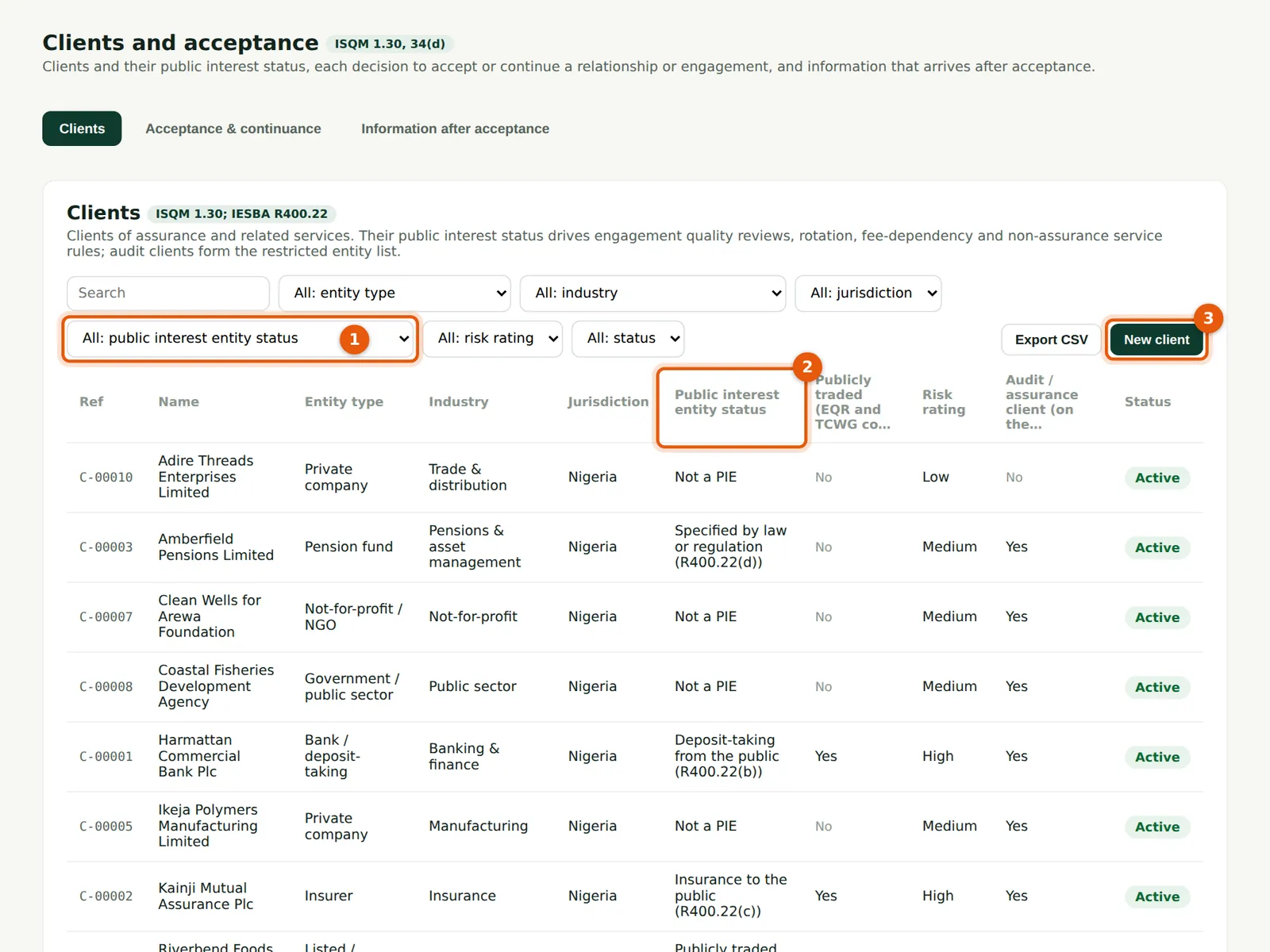
Each client's entity type, industry, jurisdiction and public interest status (2). The status drives engagement quality reviews, rotation, fee dependency and the non-assurance service rules; audit clients form the restricted entity list. Filter on public interest status (1).
Who
Managers and partners (prepare); quality lead.
What to do
- Choose New client (3) to add one; choose a row to edit.
8.2 A client's public interest status
Why
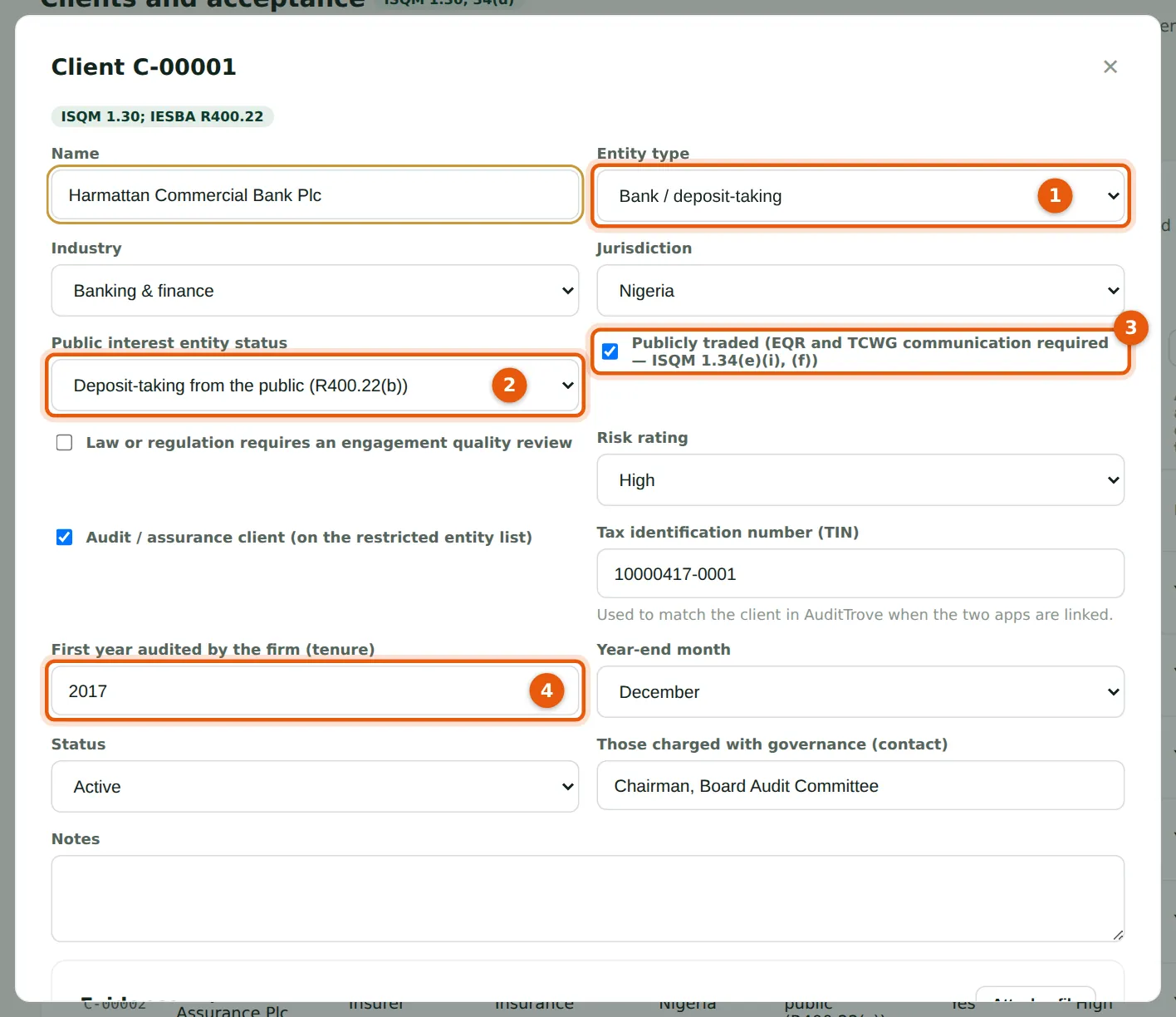
The entity type (1) and public interest category (2) follow IESBA R400.22: publicly traded, deposit-taking, insurance, specified by law or regulation, or treated as a PIE by firm policy. Tick Publicly traded (3) for a listed entity: an engagement quality review and communication with those charged with governance are then required. The first year audited (4) drives firm tenure.
Who
Partners and the quality lead.
What to do
- Choose the entity type (1) and PIE category (2); tick Publicly traded (3) where it applies.
- Enter the TIN (used to match AuditTrove's clients), first year audited (4) and year-end month; choose Save.
8.3 An acceptance decision for a new client
Why
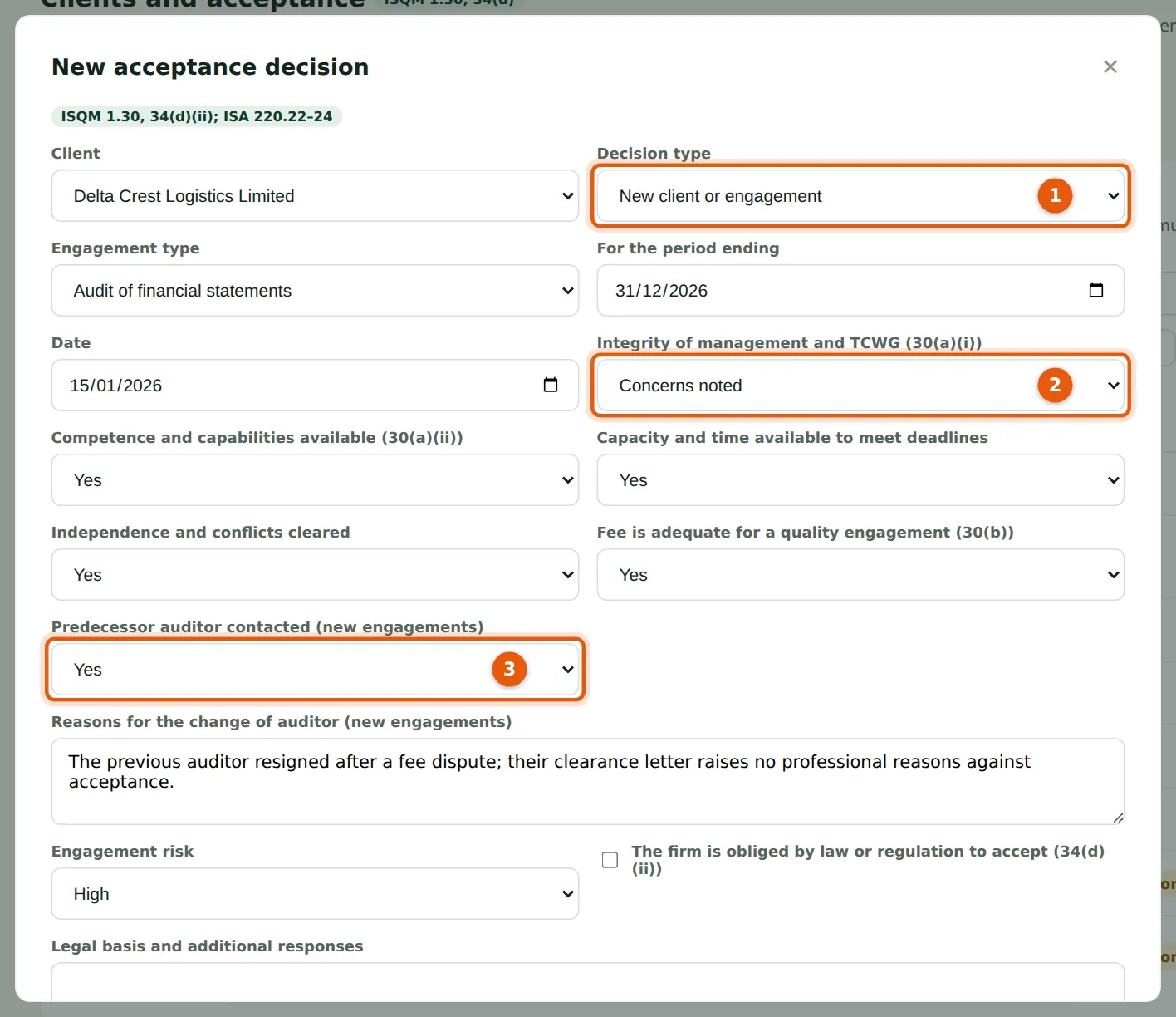
Record whether it is a new client or a continuance (1), the engagement, and the answers on integrity (2), competence, capacity, independence and fees. For a new client, record whether the predecessor auditor was contacted (3) and why the client is changing auditor.
Who
The proposing partner prepares; a partner approves.
What to do
- Choose New decision on the Acceptance & continuance tab.
- Choose the client and decision type (1); answer each question (2); record the predecessor contact (3) and the reason for the change.
8.4 Decide, with independent approval of high risk
Why
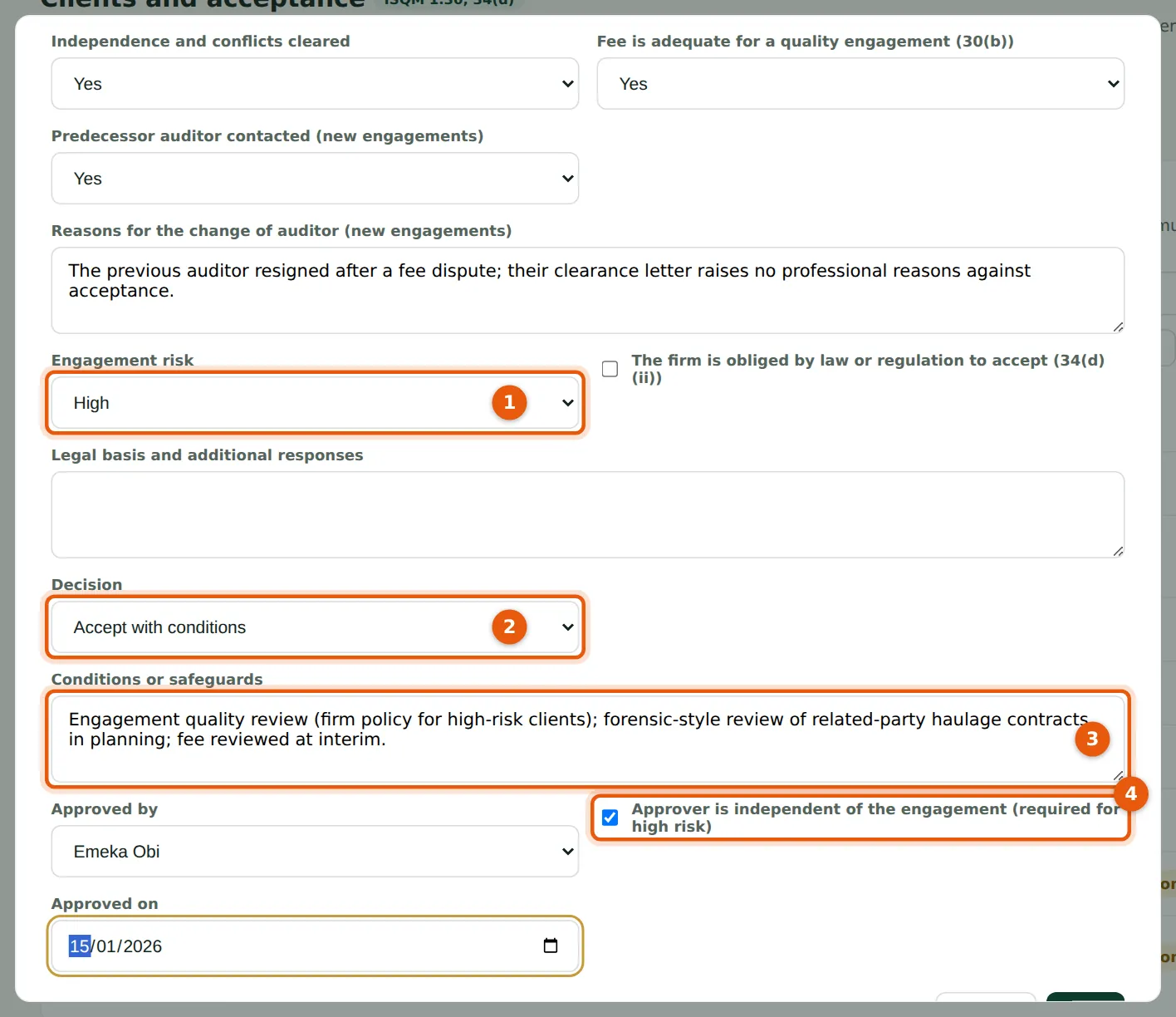
A high-risk engagement (1) can be accepted only with approval by a partner who is independent of it (4). Accept with conditions (2) requires the conditions (3). A legal obligation to accept is recorded with its basis and additional responses (ISQM 1.34(d)(ii)). Accepting a prospect makes it an active client; declining marks it declined and adds it to the restricted list.
Who
Partner (the approver independent for high risk).
What to do
- Choose the risk (1) and decision (2); record the conditions (3).
- Choose who approved and tick Approver independent of the engagement (4); choose Add.
8.5 The decisions register
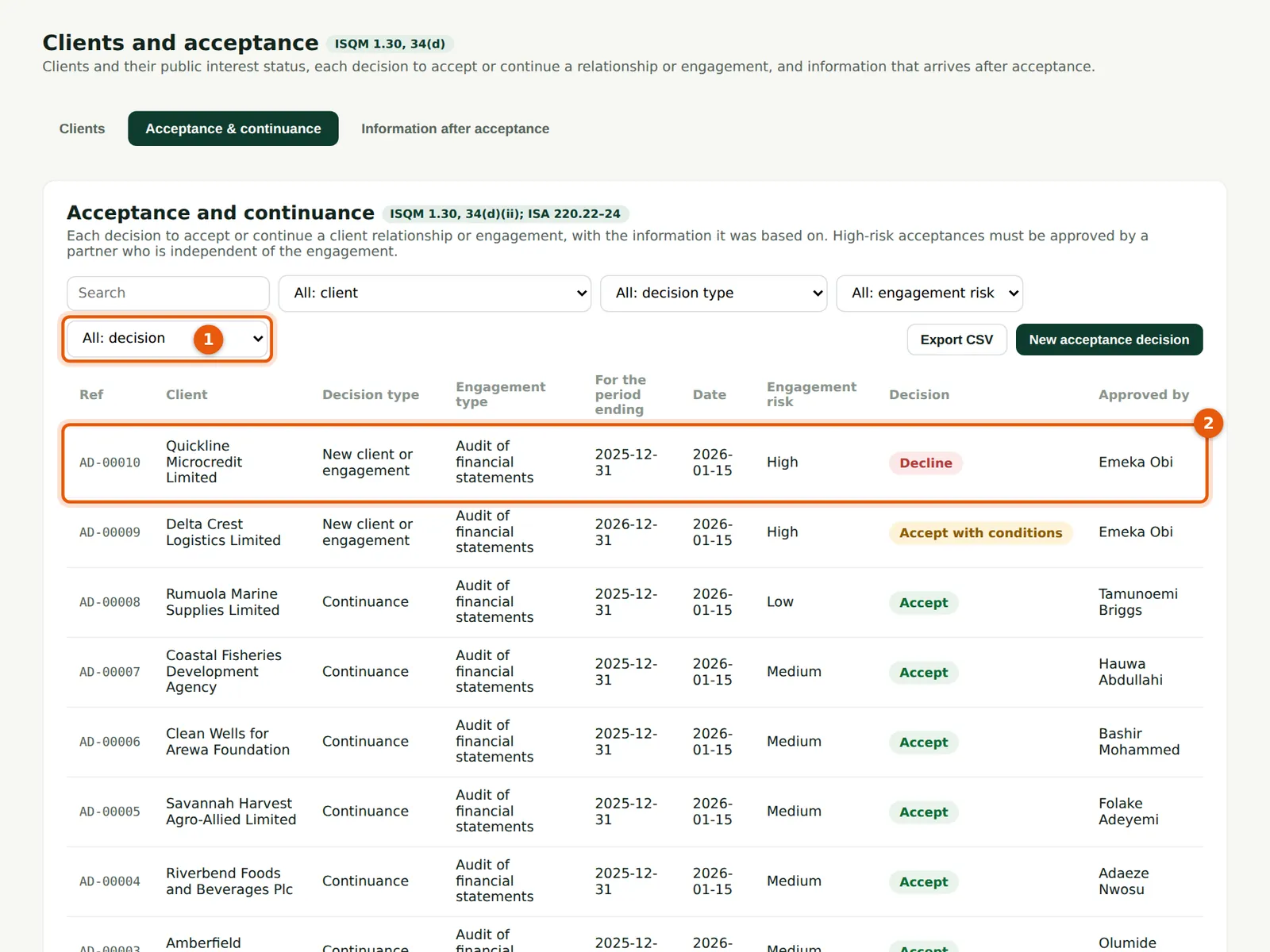
Why
One decision per client and engagement each year. Quickline Microcredit Limited (2) was declined because the promoters would not explain a regulator's examination report.
Who
Quality lead.
What to do
- Filter on the decision (1) to review declines and conditional acceptances.
8.6 The client register after the decisions
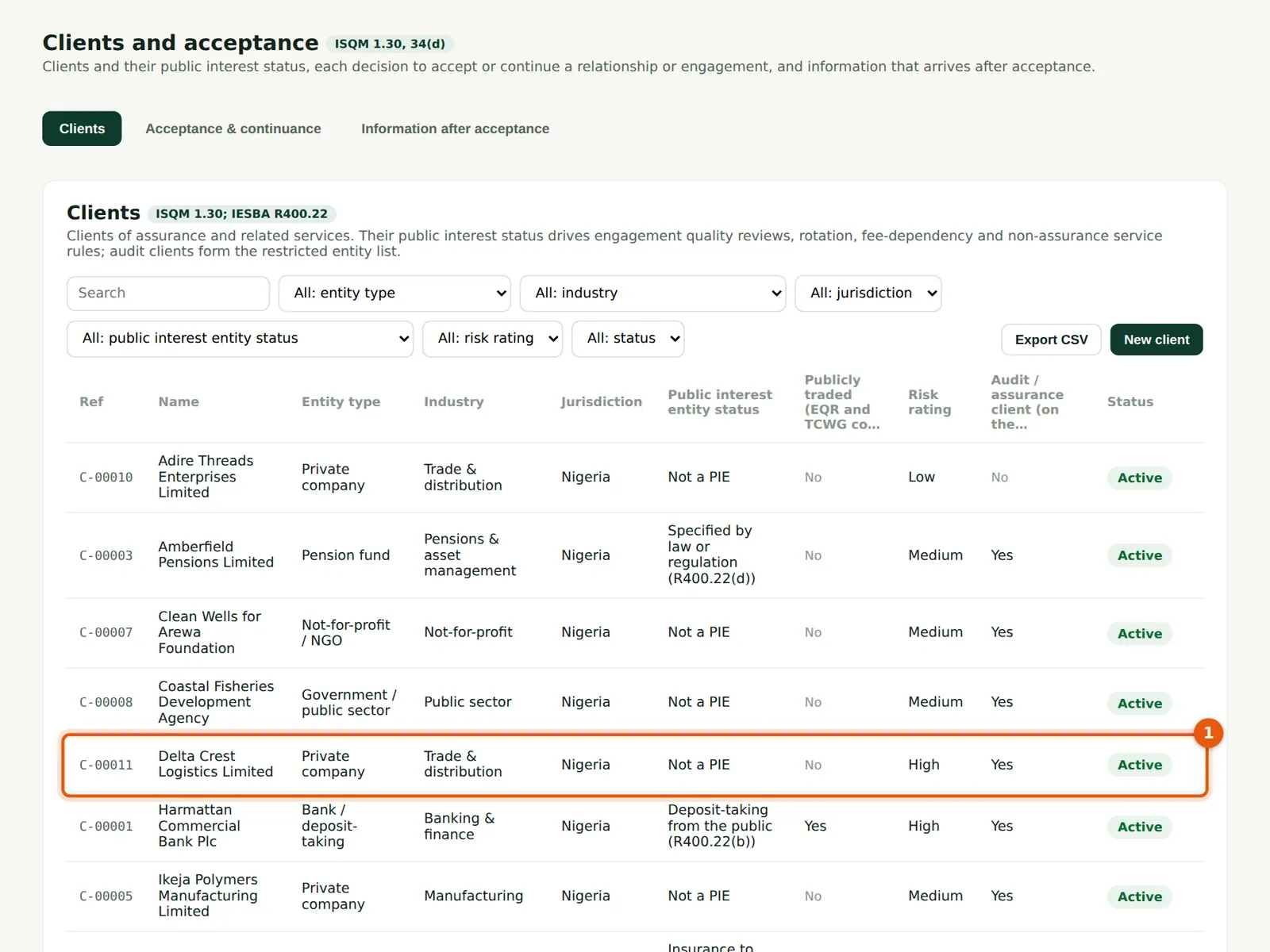
Why
The decisions update each client's status (1, 2).
Who
Anyone with access.
What to do
- Check the status column.
8.7 Information after acceptance
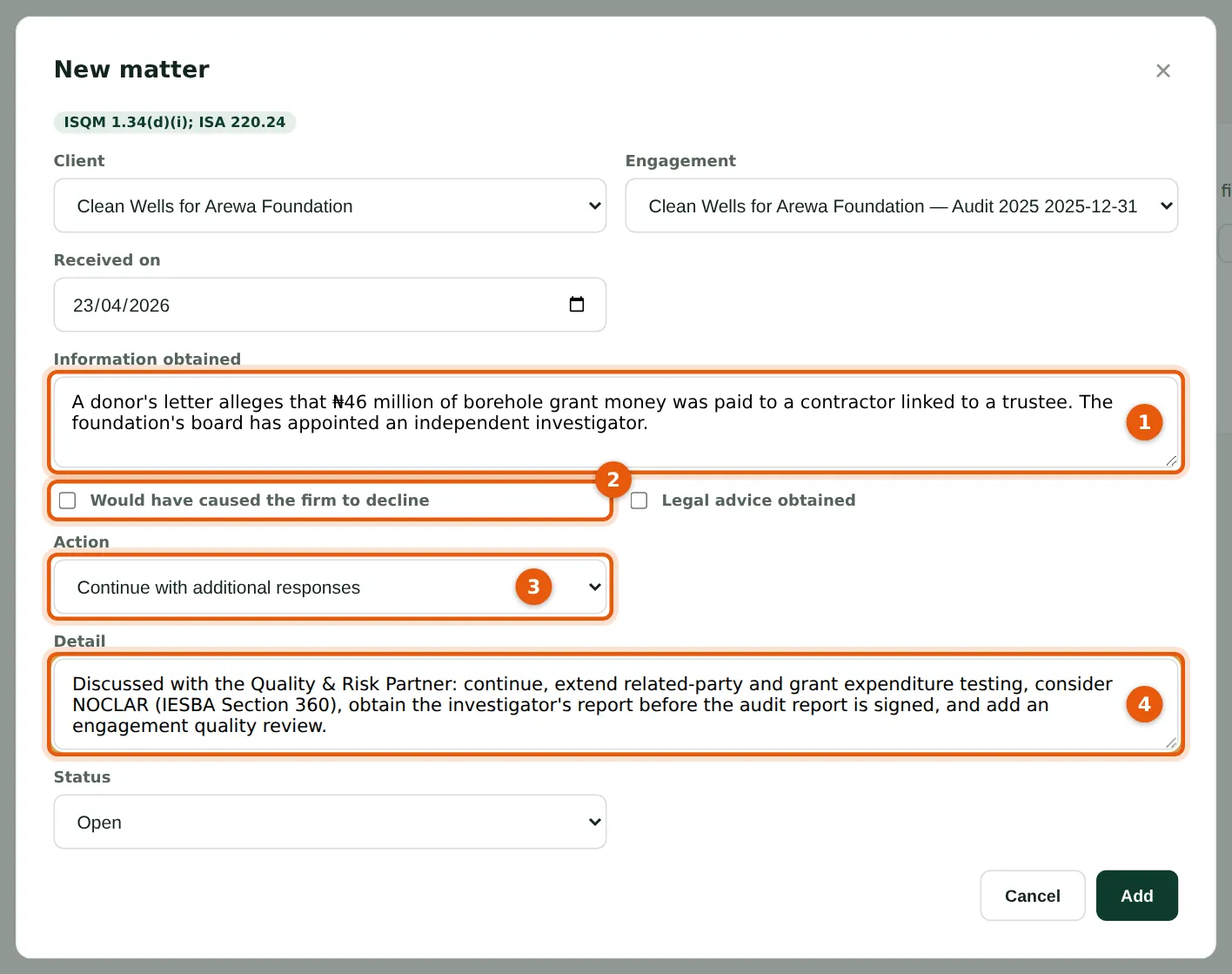
Why
On 23 April 2026 a donor alleges misuse of grant funds. Record the information (1), whether it would have led the firm to decline (2), the action (3) — continue with additional responses, withdraw, or report — and its detail (4). Okafor Bello & Co continues, extends its testing, considers NOCLAR and adds an engagement quality review.
Who
Engagement partner; quality lead.
What to do
- Choose New entry on the Information after acceptance tab, complete it and choose Add.
- Close the entry when the action is complete.
8.8 The information-after-acceptance register
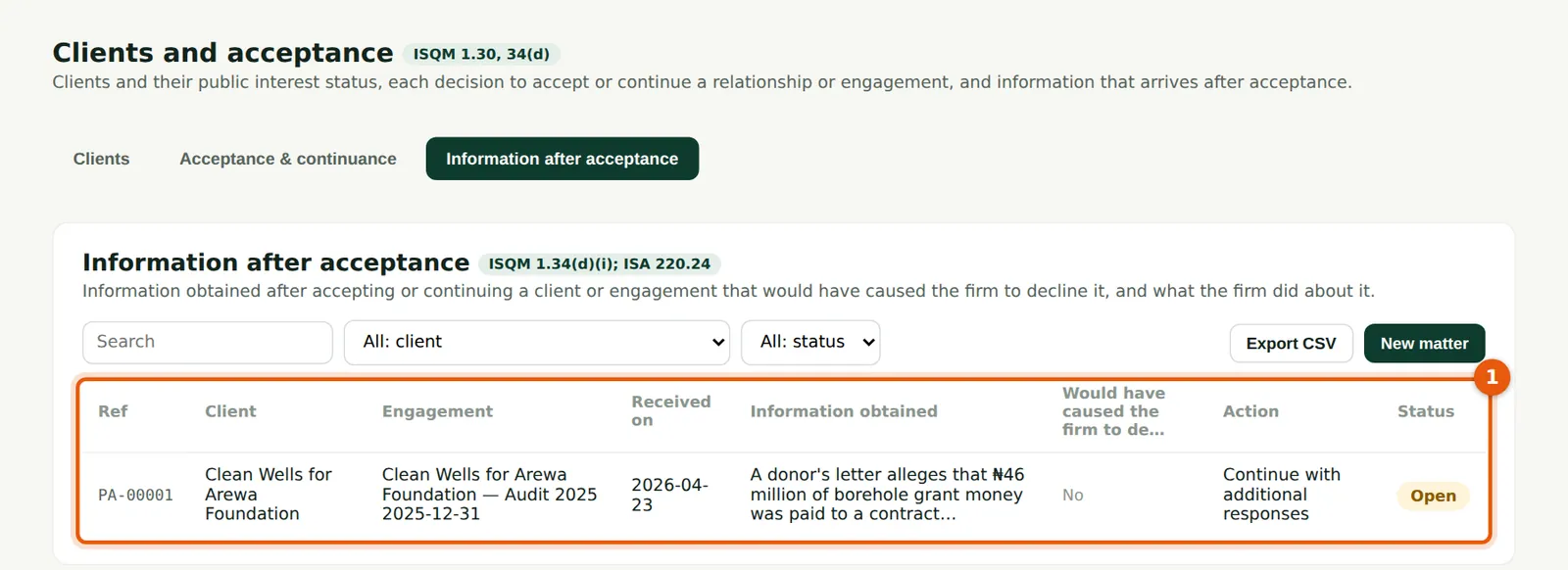
Why
Open entries (1) remain until the action is recorded.
Who
Quality lead.
What to do
- Review open entries at each partners' meeting.