Steps in this chapter (17)
Run the annual independence and fit-and-proper campaigns, review exceptions, keep the restricted list, gifts, breaches, threats and safeguards, non-assurance services, fee dependency and rotation.
ISQM 1.29 and 34(a)–(b) require the firm to identify and address threats to compliance with relevant ethical requirements, deal with breaches, and obtain at least once a year a documented confirmation of independence from everyone who must be independent. SQMTrove applies the IESBA Code (including the public interest entity prohibitions of Section 600, fee dependency in Section 410 and rotation in Section 540) and, for Nigerian public interest entities, the FRC Audit Regulations 2020.
Hauwa Abdullahi, Ethics & Independence Partner, runs this area. In 2024 the firm collected declarations on paper, and the FRC later found two missing (chapter 12); in 2026 the campaign runs in SQMTrove, reconciled to the people register.
7.1 Open the annual campaign
Why
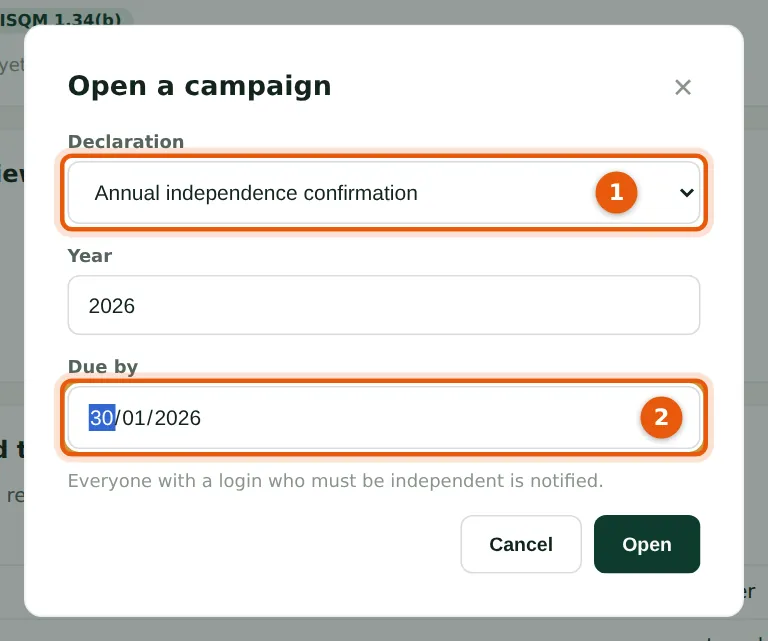
Two kinds of declaration (1): the annual independence confirmation and the fit-and-proper declaration (membership in good standing, CPD, no disciplinary proceedings). Everyone with a login who must be independent is notified. Okafor Bello & Co opens both on 16 January 2026, due 30 January (2).
Who
Ethics & independence partner.
What to do
- Choose Open a campaign; choose the declaration (1), the year and the due date (2); choose Open.
7.2 Complete a declaration
Why
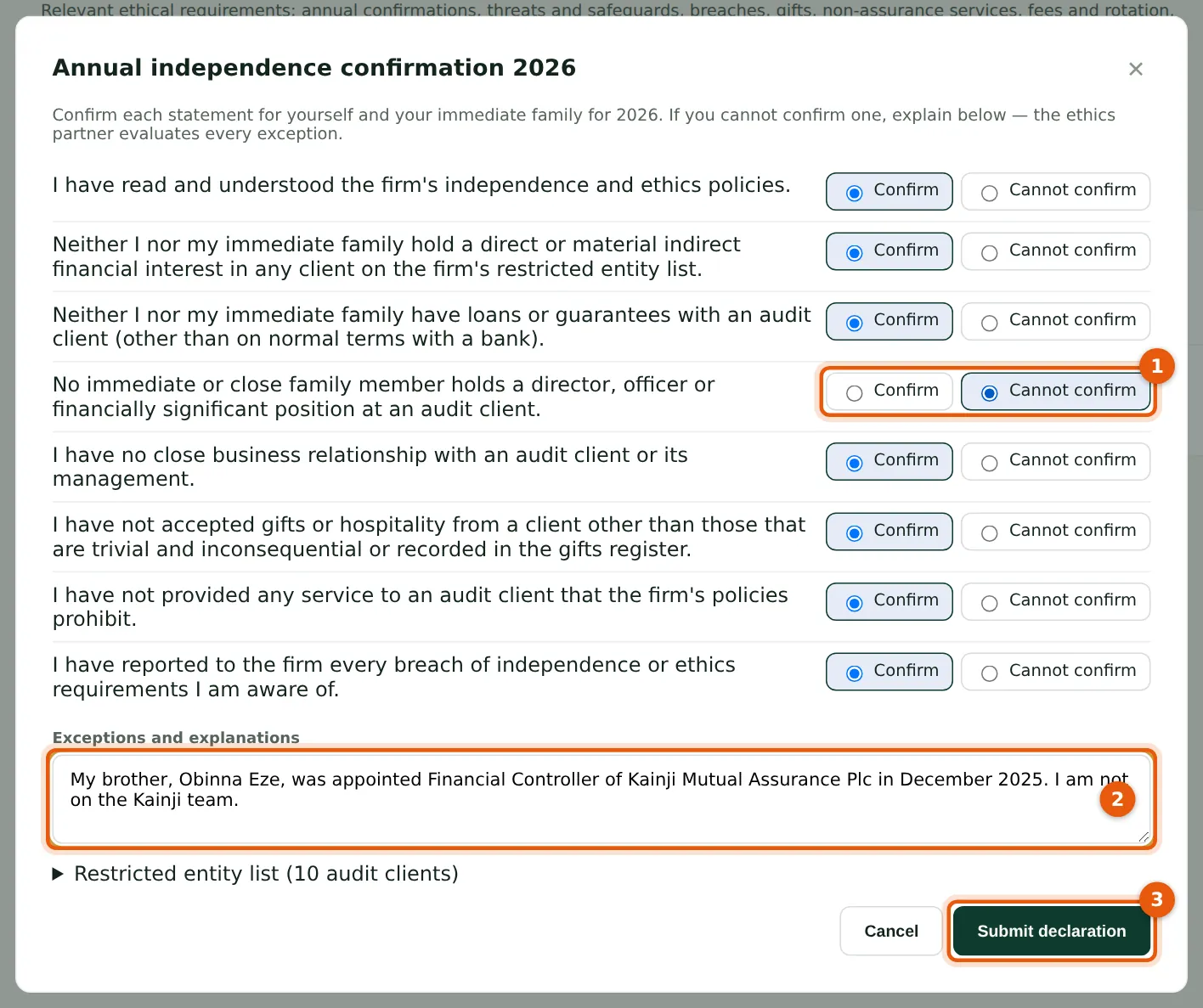
Each statement is confirmed or not (1). Chioma cannot confirm that no close family member holds a position at an audit client — her brother has just become Financial Controller of Kainji Mutual Assurance Plc — and explains it (2). The restricted entity list is at the foot of the form.
Who
Everyone who must be independent (self-service).
What to do
- From the dashboard choose Complete, or open Ethics & independence → Declarations.
- Answer each statement (1); explain any statement you cannot confirm (2).
- Choose Submit declaration (3).
7.3 The campaign as the ethics partner sees it
Why
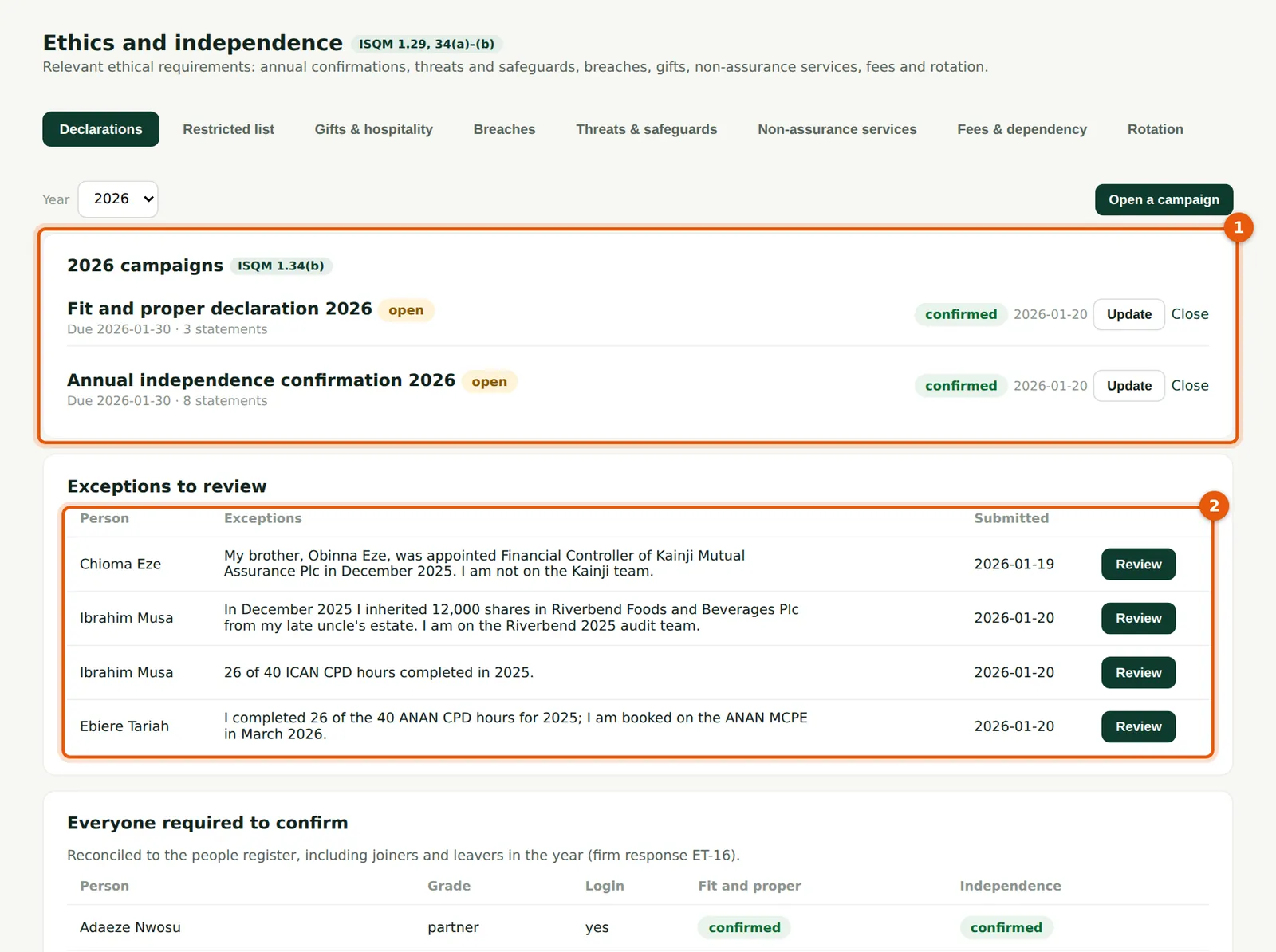
The campaigns (1) show their status and due date; Close ends a campaign (Reopen reverses it). Exceptions to review (2) lists each declaration submitted with exceptions.
Who
Ethics & independence partner.
What to do
- Choose Review next to each exception (2).
7.4 Review an exception
Why
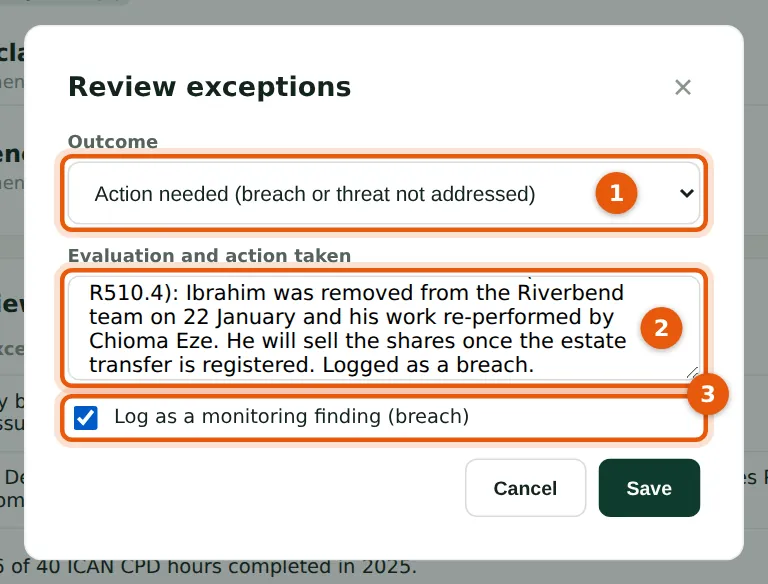
The outcome (1) is Cleared (threats addressed), Action needed (a breach or a threat not addressed) or Return to the person to correct. Record the evaluation and action taken (2). Ticking Log as a monitoring finding (3) sends the matter to monitoring and remediation (ISQM 1.34(a)(ii)).
Who
Ethics & independence partner.
What to do
- Choose the outcome (1), record the evaluation and action (2), tick Log as a monitoring finding (3) for a breach, and choose Save.
7.5 Record a declaration on someone's behalf
Why
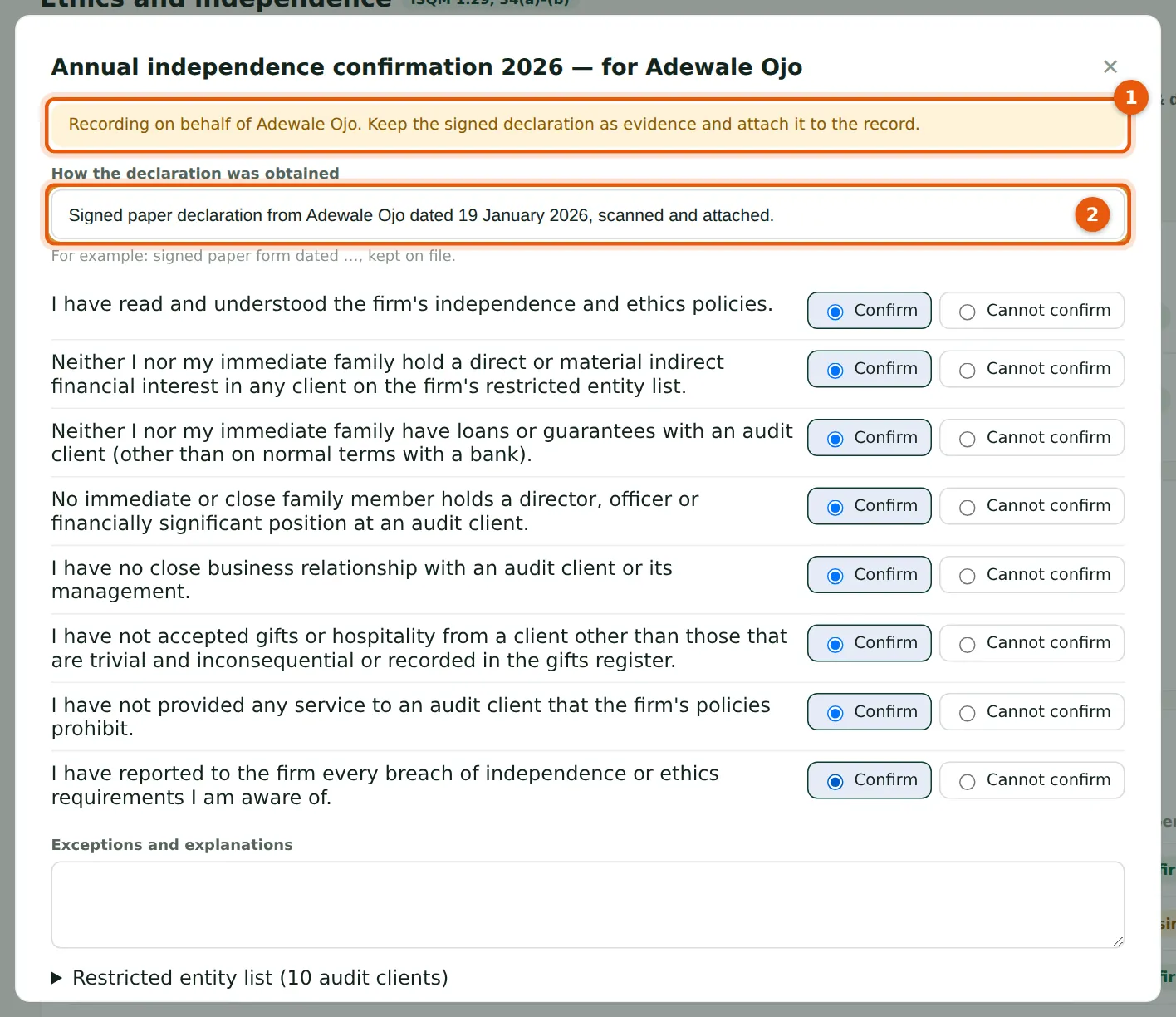
People without a login — the external engagement quality reviewer, contractors — declare on paper. The ethics partner records the declaration on their behalf (1), says how it was obtained (2) and attaches the signed form.
Who
Ethics & independence partner.
What to do
- In Everyone required to confirm, choose record next to the person.
- Answer the statements from the signed form, say how it was obtained (2) and choose Submit declaration.
7.6 Reconcile the population
Why
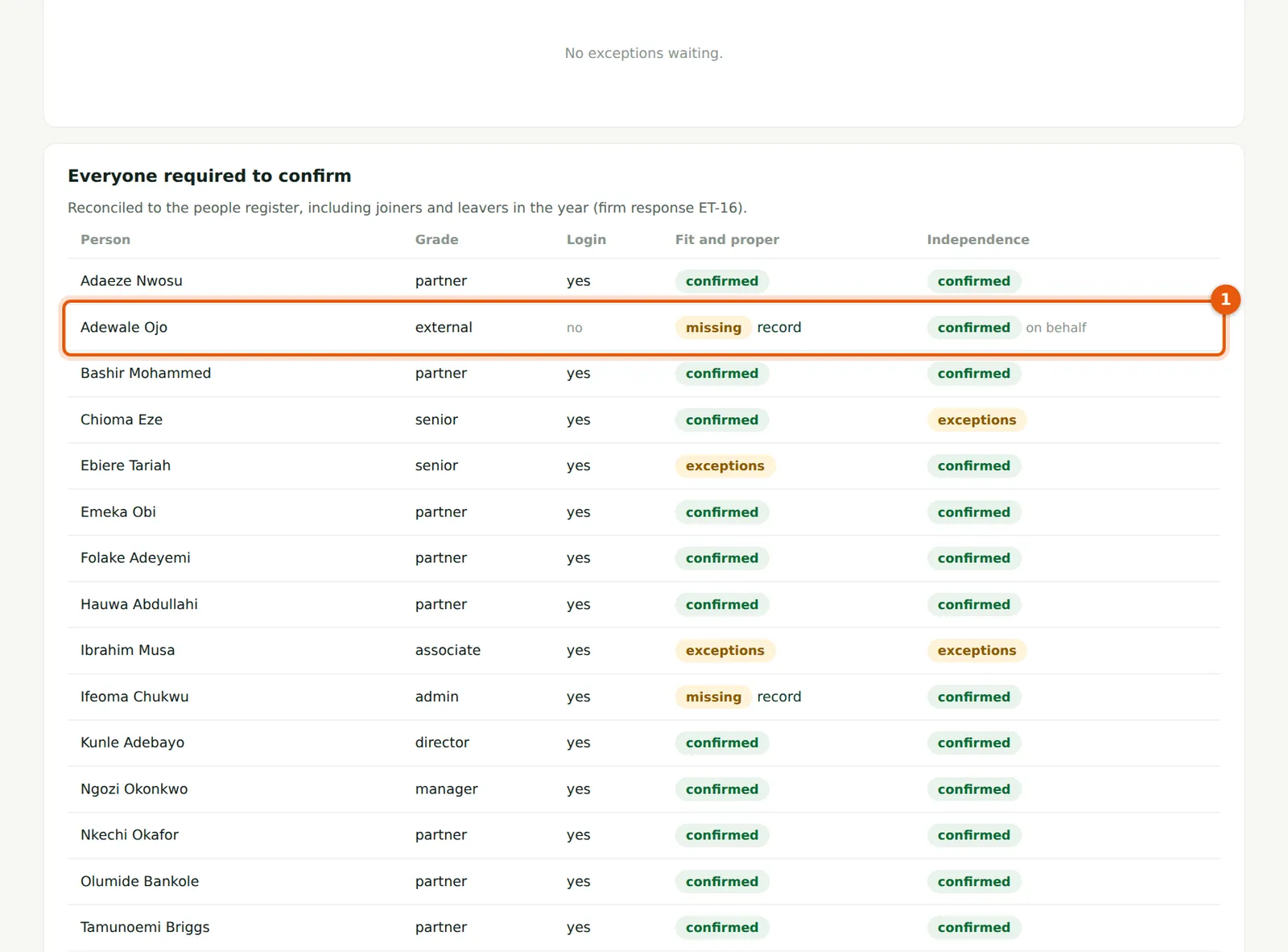
The table lists everyone in the people register who must be independent, including joiners and leavers during the year, with their declarations (1). This reconciliation is the response to the FRC's 2024 finding. People who need not confirm, such as the ISQM adviser (2), are marked not required.
Who
Ethics & independence partner.
What to do
- Follow up anyone shown as missing before closing the campaign.
7.7 The restricted entity list
Why
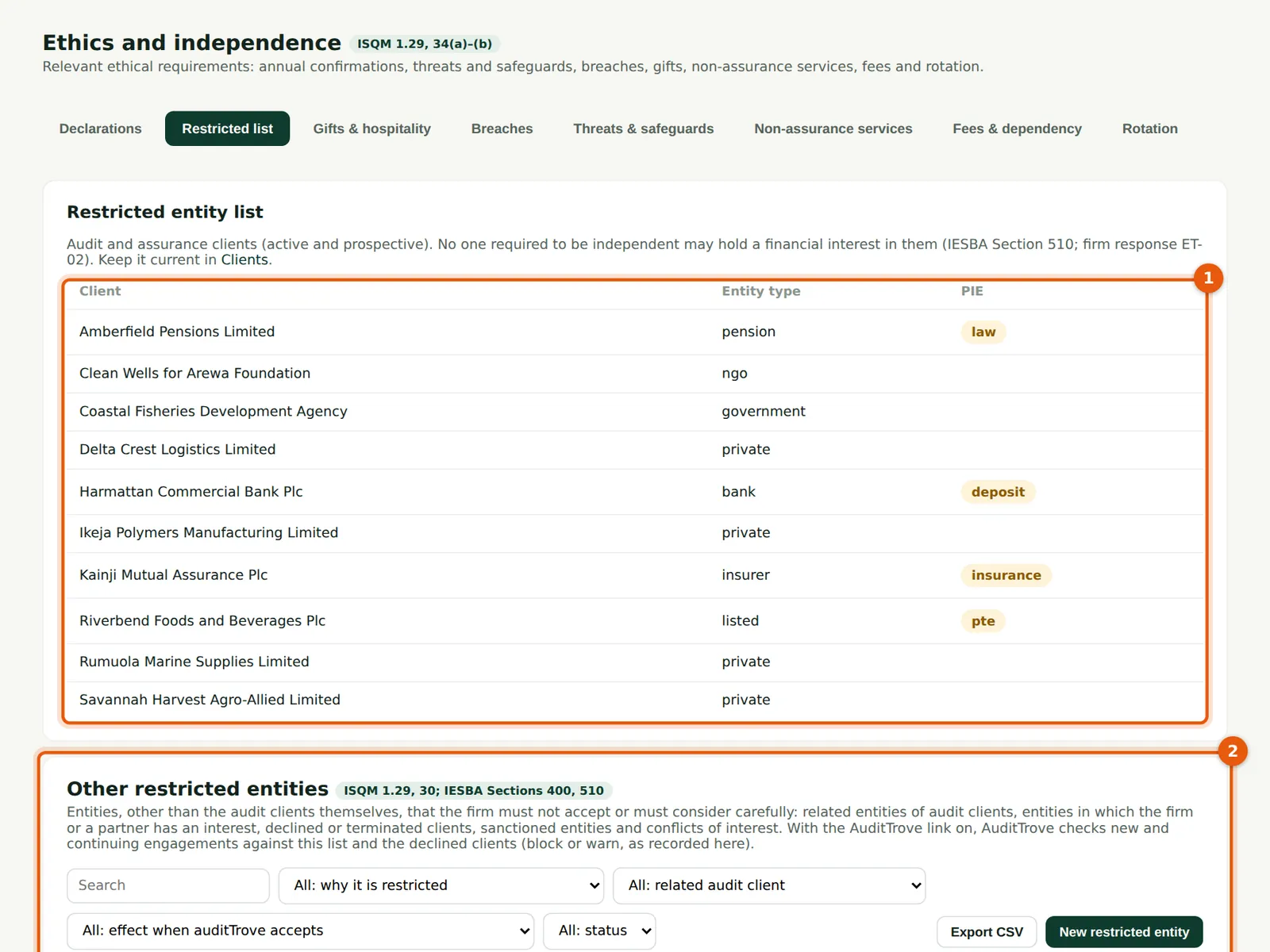
Audit clients (1) — active and prospective — form the restricted entity list: nobody who must be independent may hold a financial interest in them (IESBA Section 510). Other restricted entities (2) adds related entities, declined clients, sanctions and conflicts; when the AuditTrove link is on (chapter 18), AuditTrove blocks or warns on acceptance of these entities.
Who
Ethics & independence partner.
What to do
- Keep the client list current in Clients & acceptance.
- Choose New restricted entity to add a related entity or a declined client, with its effect (block or warn).
7.8 Record a gift
Why
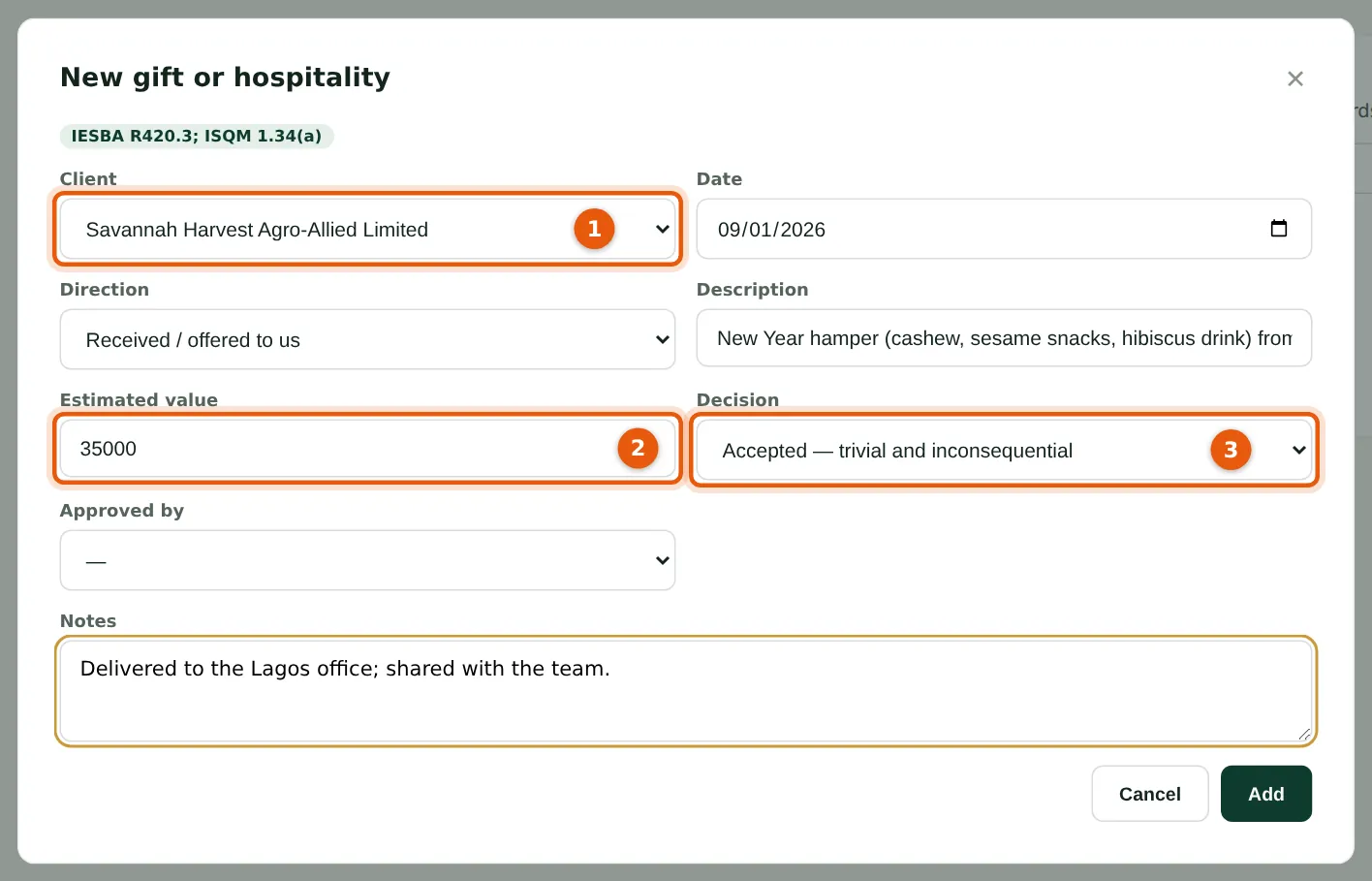
Anyone offered a gift or hospitality records it: the client (1), the value (2) and the decision (3). Above the firm's trivial limit a gift needs approval (IESBA R420.3).
Who
Everyone (self-service); the ethics partner approves.
What to do
- Choose New gift, complete the form and choose Add.
7.9 The gifts register
Why
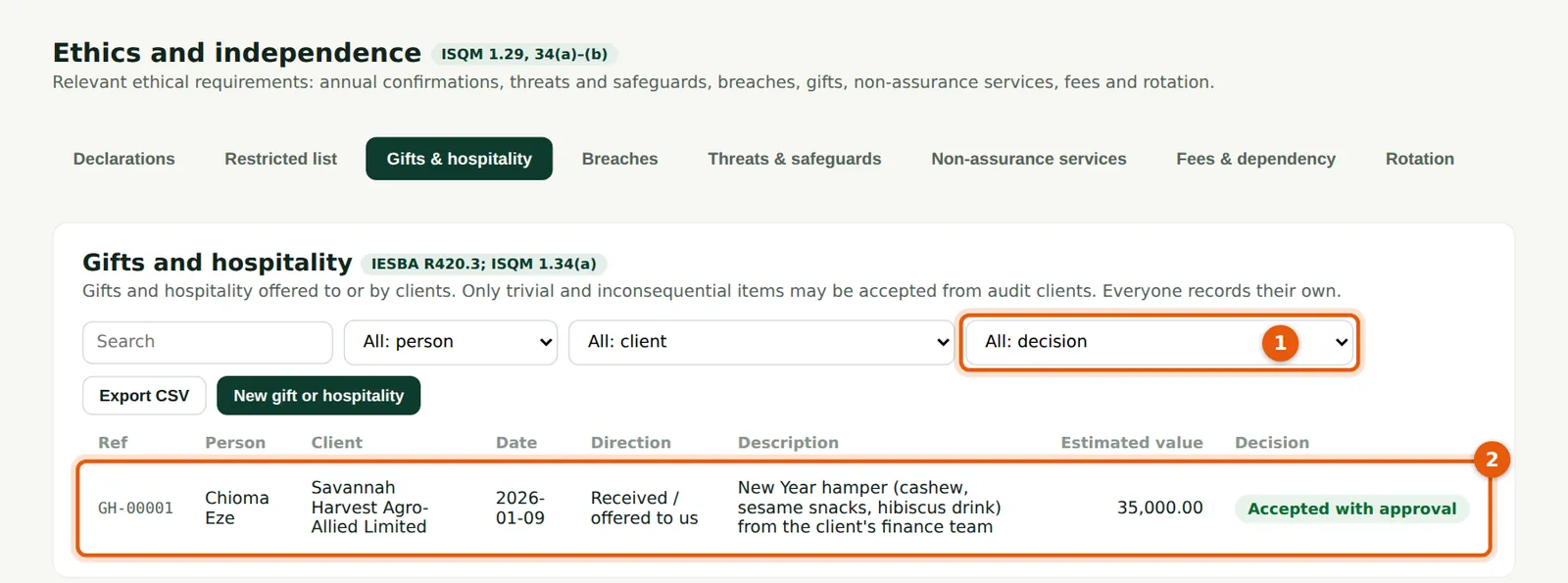
Filter on the decision (1). The ethics partner approves or declines each entry (2); the quarterly review of this register is a scheduled task (chapter 17).
Who
Ethics & independence partner.
What to do
- Open an entry to record the decision and who approved it.
7.10 Record a breach
Why
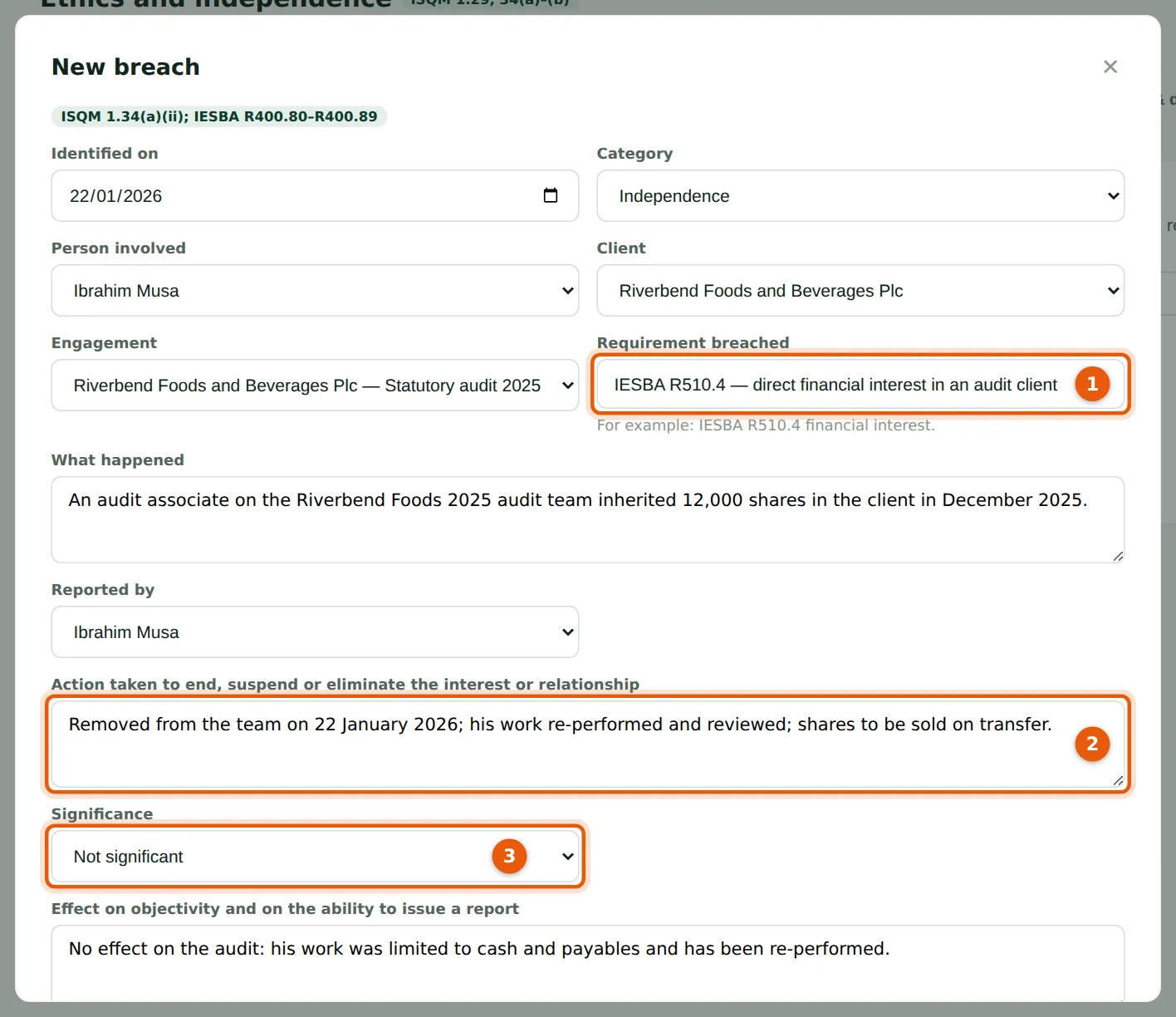
Record the requirement breached (1), what happened, the action taken (2) and its significance (3) (IESBA R400.80–R400.89). Each breach also becomes a monitoring finding automatically.
Who
Ethics & independence partner.
What to do
- Choose New breach and complete the first part of the form.
7.11 Communicate and close the breach
Why
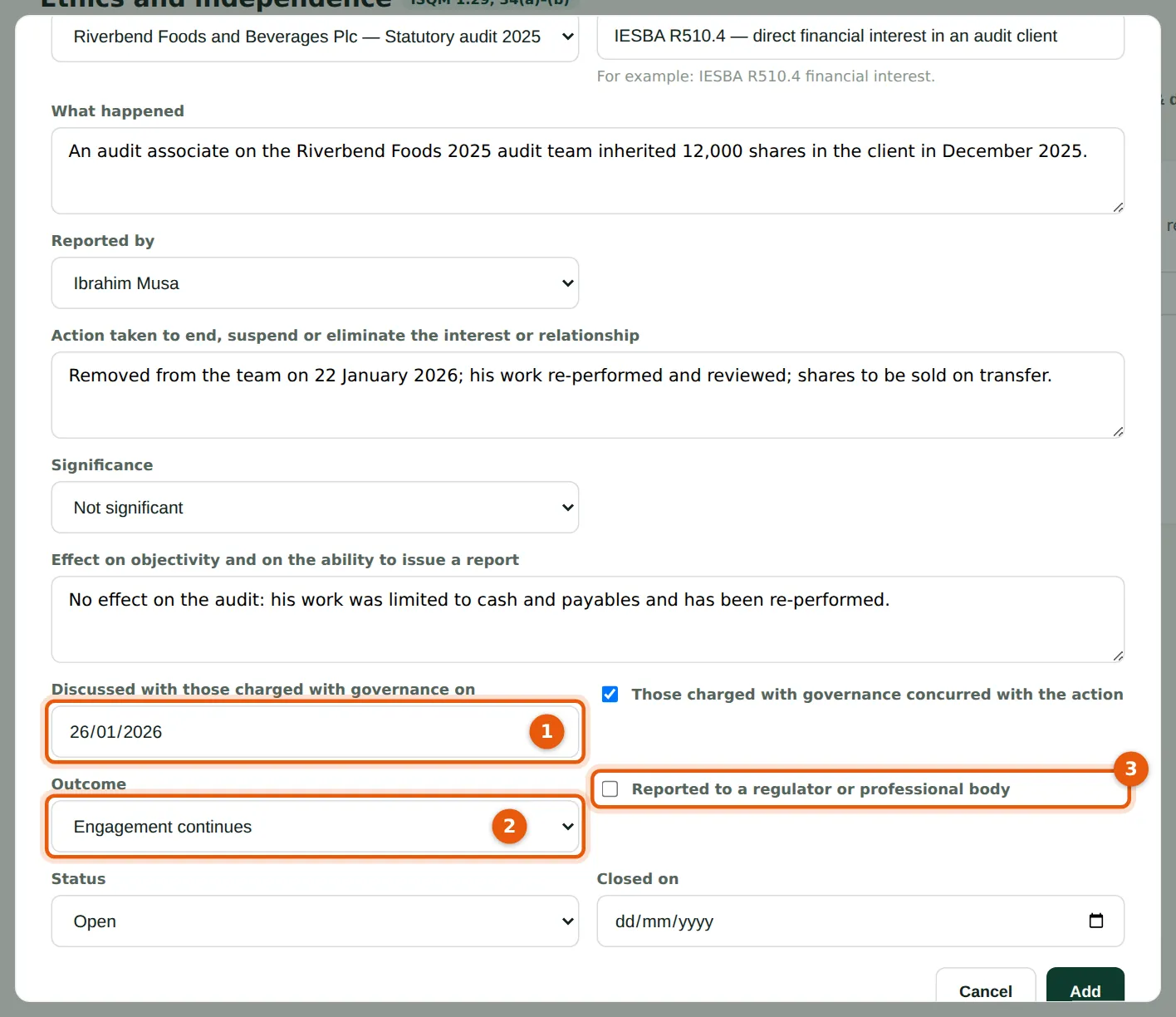
Record when those charged with governance were told (1) and whether they concurred, the outcome (2), and whether the regulator was notified (3).
Who
Ethics & independence partner.
What to do
- Complete the dates and outcome and choose Add; close the breach when every action is done.
7.12 The breaches register
Why
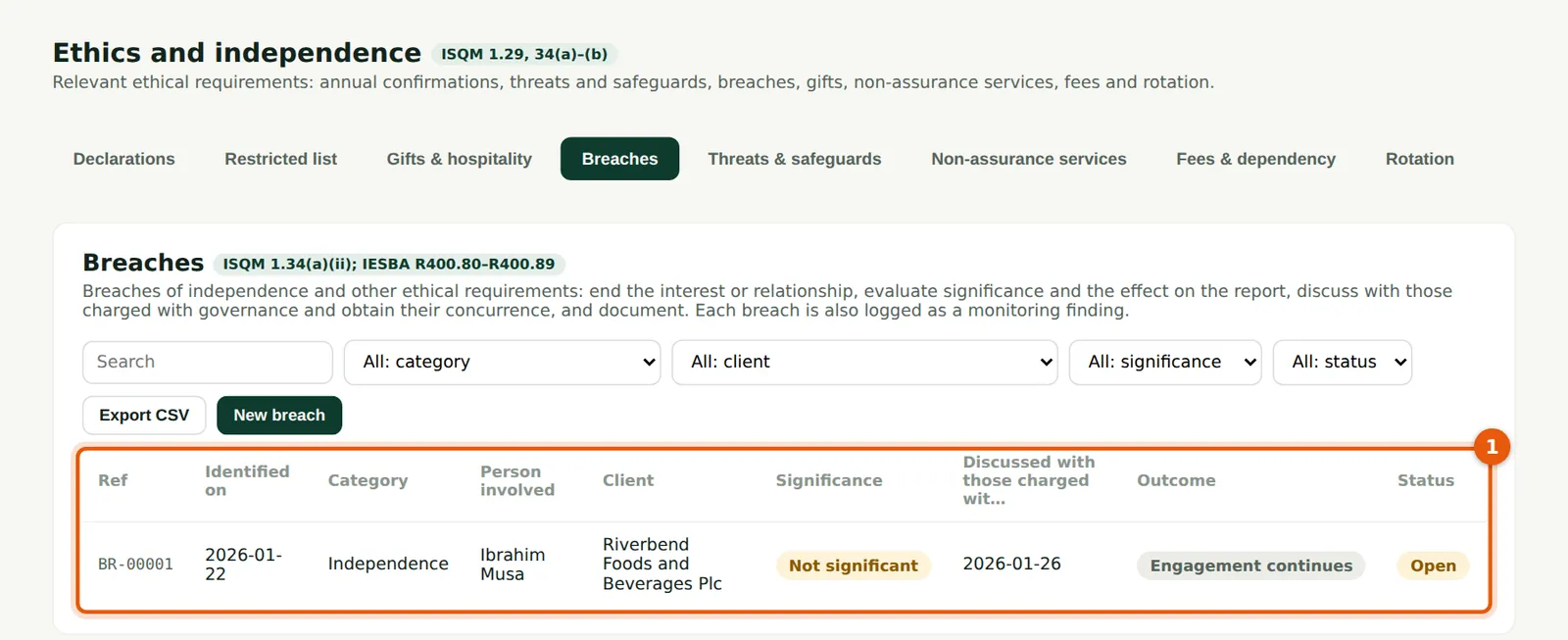
The register (1) is limited to people who prepare or approve in ethics.
Who
Ethics & independence partner.
What to do
- Open a breach to update it.
7.13 Threats and safeguards
Why
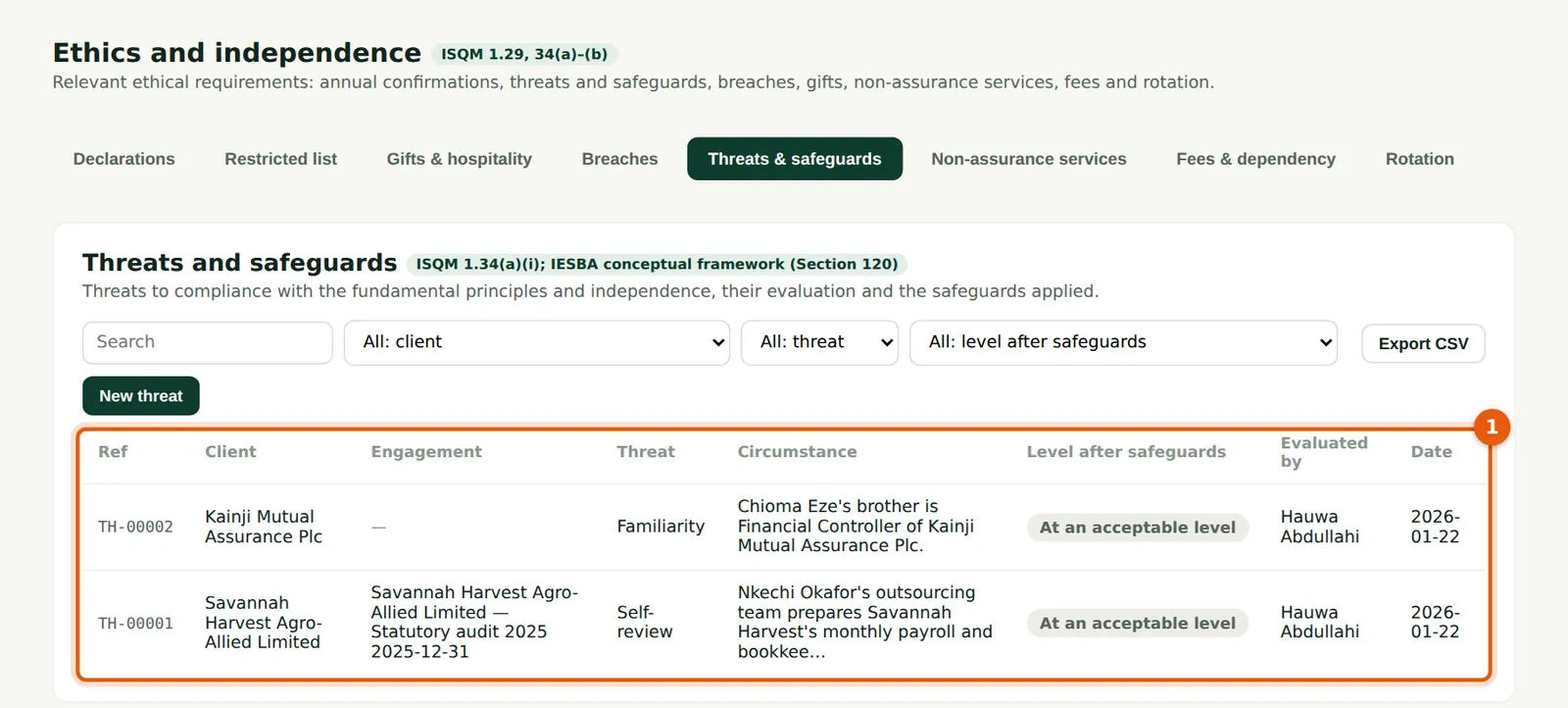
Each threat (1) — self-interest, self-review, advocacy, familiarity, intimidation — with its level before and after safeguards (IESBA Section 120). Okafor Bello & Co records the self-review threat from Nkechi Okafor's outsourced payroll and bookkeeping support for Savannah Harvest, and the familiarity threat from Chioma Eze's brother.
Who
Engagement partners (prepare); ethics partner.
What to do
- Choose New threat: the client, the threat, the safeguard and the level after it.
7.14 A prohibited non-assurance service
Why
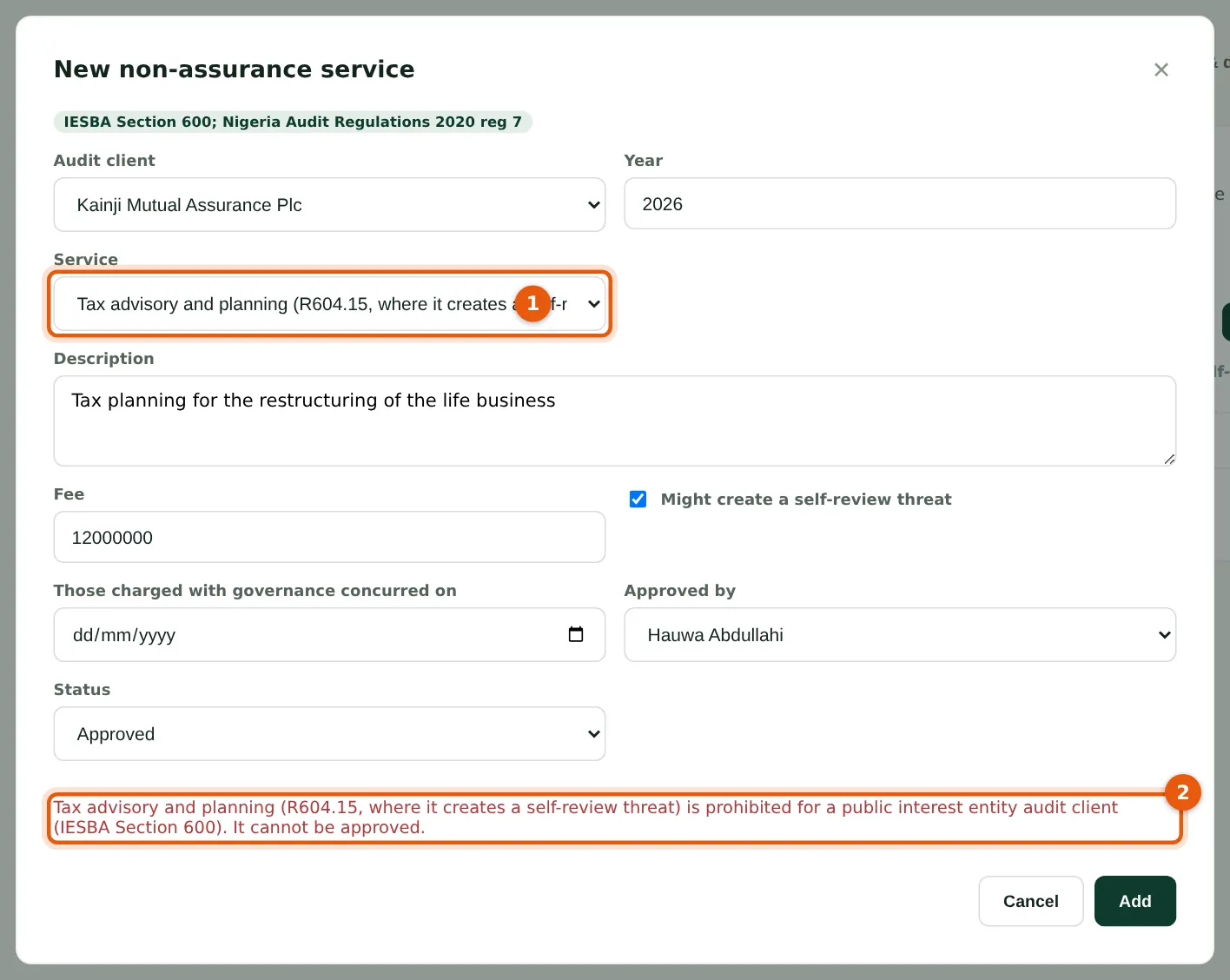
For a public interest entity audit client, SQMTrove refuses services prohibited by IESBA Section 600 (1): accounting and bookkeeping, valuation, tax advisory that creates a self-review threat, internal audit, IT systems, litigation support, legal, recruiting and corporate finance. The message (2) names the rule.
Who
Ethics & independence partner.
What to do
- Choose Cancel. Decline the service, or offer it only if the firm resigns as auditor.
7.15 Non-assurance services
Why
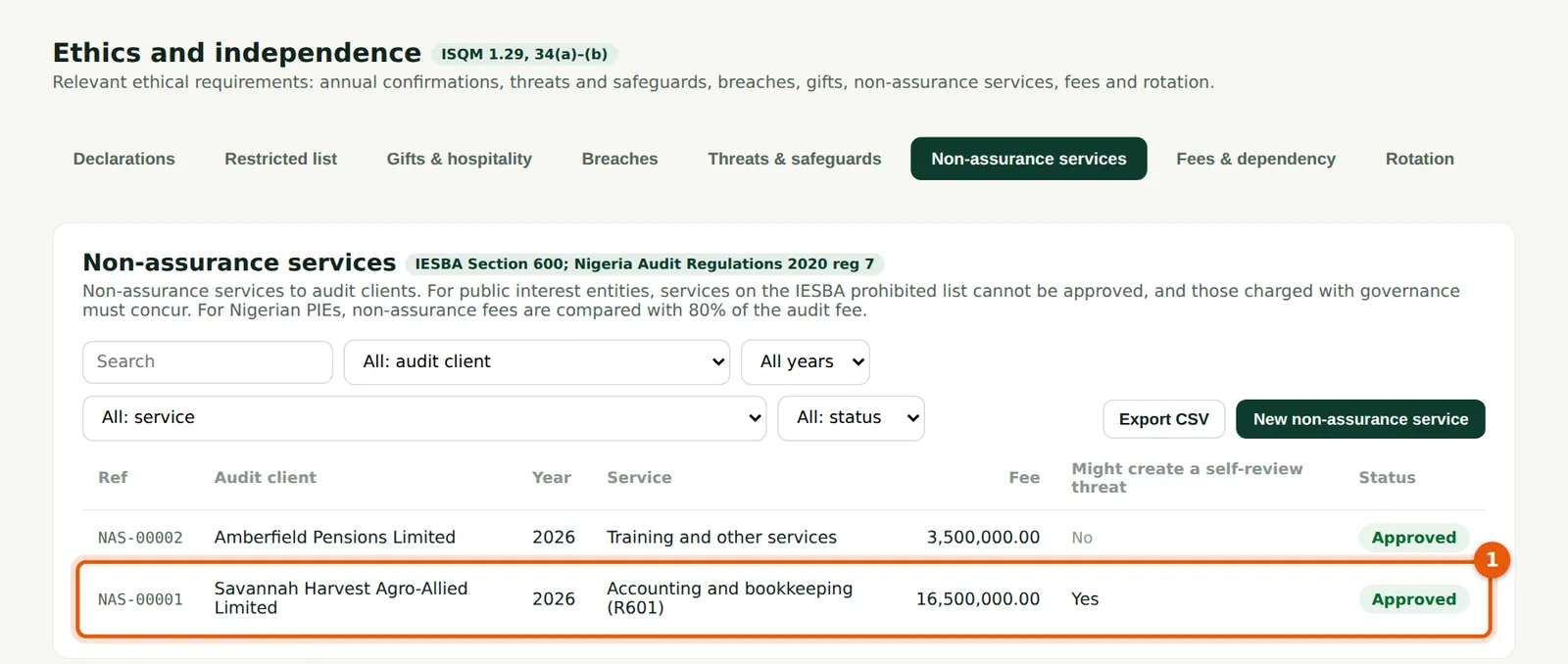
Services to audit clients with their fees, self-review threat and approval. Savannah Harvest (1) is not a public interest entity, so outsourced payroll and bookkeeping may be provided with safeguards.
Who
Ethics & independence partner.
What to do
- Record each service before it starts; record the concurrence of those charged with governance for PIE clients.
7.16 Fees and fee dependency
Why
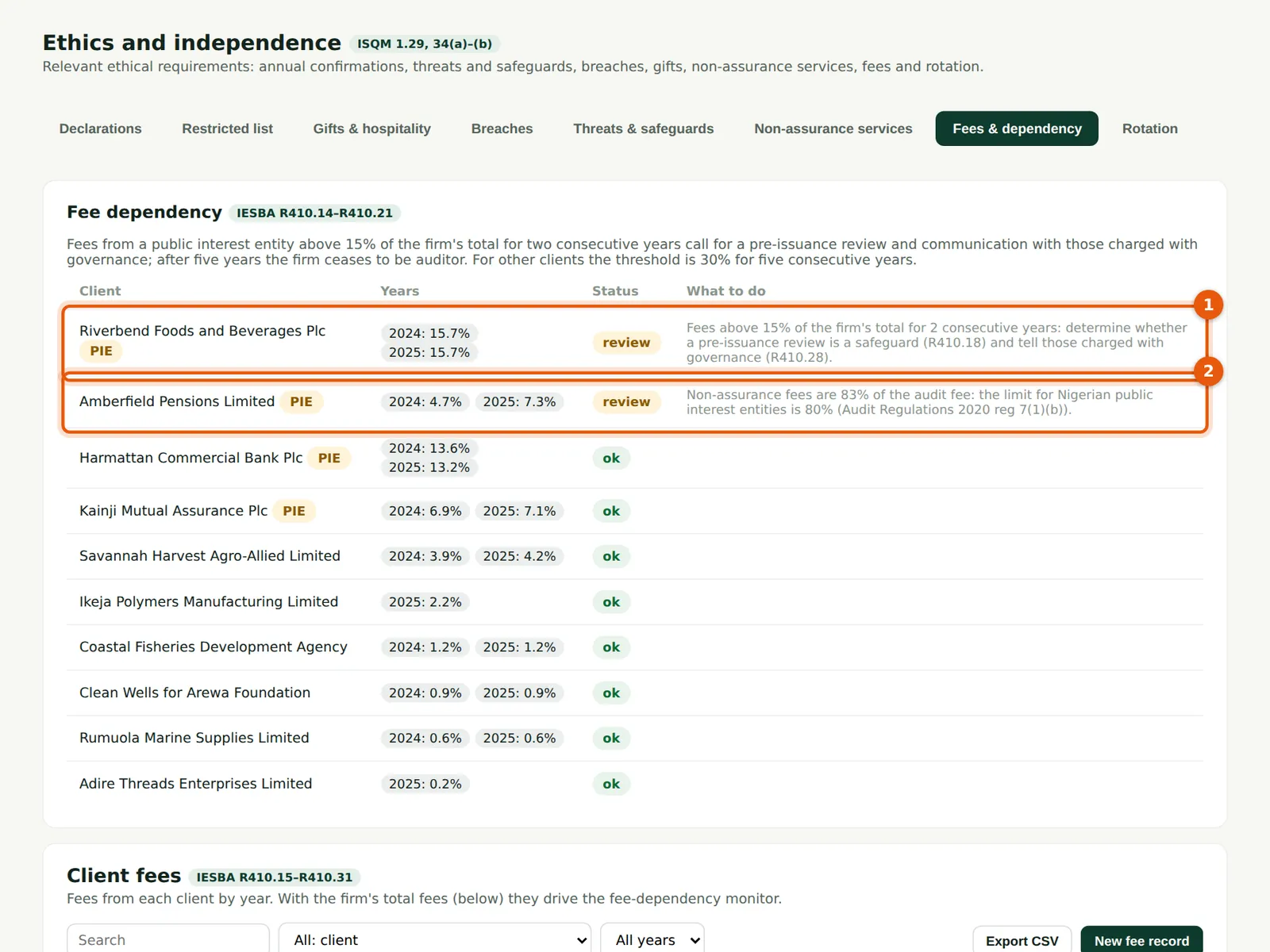
From client fees and the firm's total fees, SQMTrove checks IESBA R410: fees from a public interest entity above 15% of the firm's total for two consecutive years (1) call for a pre-issuance review and communication with those charged with governance; for other clients the threshold is 30% for five years. For Nigerian PIEs it also checks that non-assurance fees are at most 80% of the audit fee (2).
Who
Ethics & independence partner.
What to do
- Enter each client's fees and the firm's total fees for each year below the table.
- Act on each alert: Okafor Bello & Co arranges a pre-issuance review for Riverbend Foods and reduces Amberfield's 2026 non-assurance work.
7.17 Rotation and firm tenure
Why
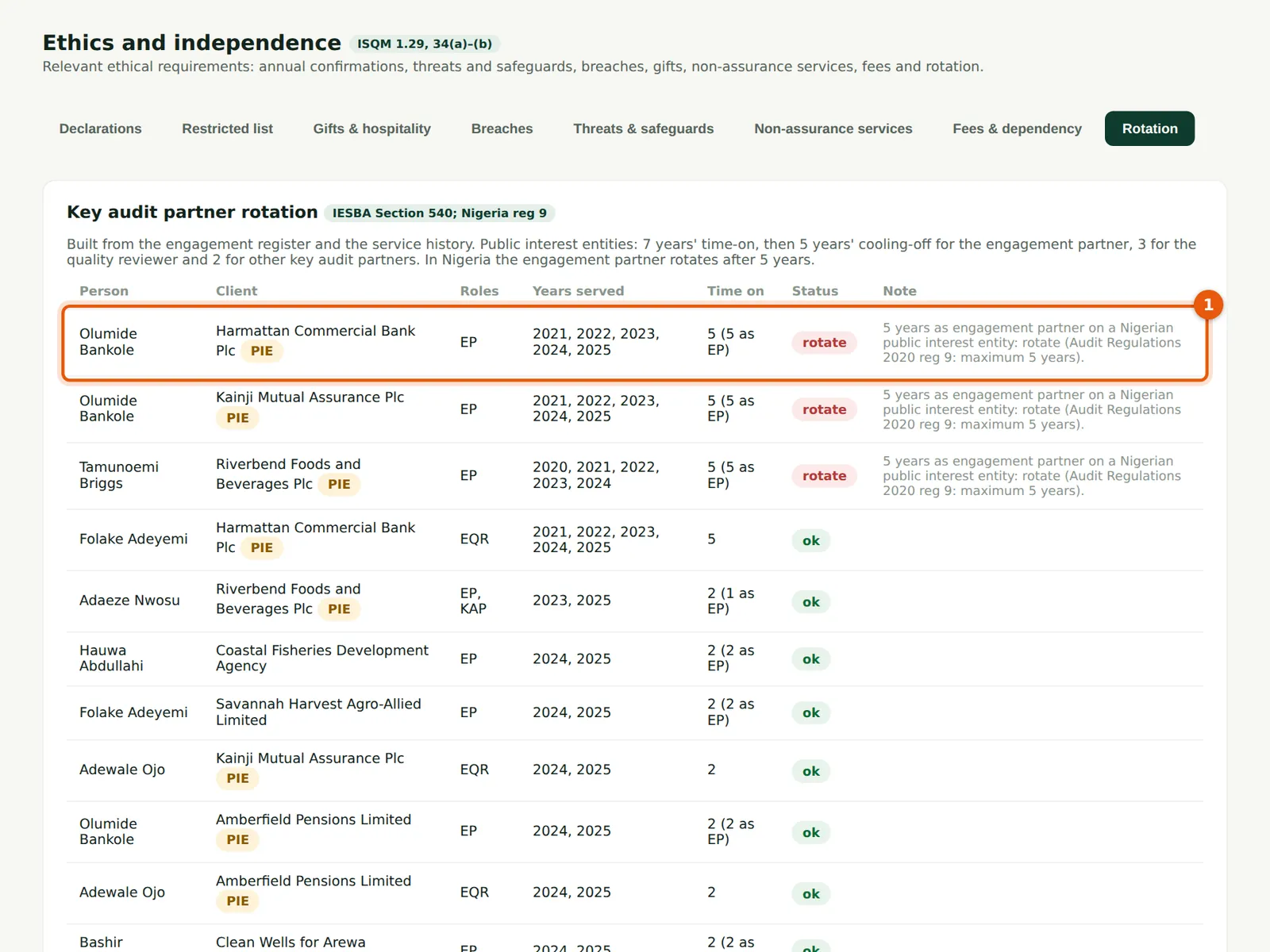
Built from the engagement register and the service history before SQMTrove. For public interest entities: seven years' time-on, then cooling-off of five years for the engagement partner, three for the reviewer and two for other key audit partners (IESBA Section 540); in Nigeria the engagement partner rotates after five years (1). Firm tenure (2) checks the ten-year limit for Nigerian PIEs. Harmattan Commercial Bank reaches both limits with the 2025 and 2026 audits.
Who
Ethics & independence partner.
What to do
- Record years served before SQMTrove in Service history (below the tables).
- Plan rotations at least a year ahead.