Steps in this chapter (15)
Evaluate every finding, decide whether it is a deficiency, assess severity and pervasiveness, find the root causes, design and test remedial actions, and report to leadership.
ISQM 1.40–47: findings from monitoring, inspections, complaints and breaches are evaluated to decide whether they are deficiencies. For each deficiency the firm investigates the root causes, evaluates severity and pervasiveness, designs remedial actions that respond to the causes, checks that the actions work, and communicates to leadership and personnel.
SQMTrove brings every finding into one list, whatever its source: engagement inspections, the FRC and ICAN, the automatic findings from the engagement register, breaches and complaints. In May 2026 Kunle Adebayo groups the FRC's ECL and IFRS 17 findings, the late Amberfield review and his own inspection finding into one deficiency (DF-00001, severe, not pervasive). The FRC's independence finding becomes DF-00002 and ICAN's CPD recommendation DF-00003.
13.1 The findings to evaluate
Why
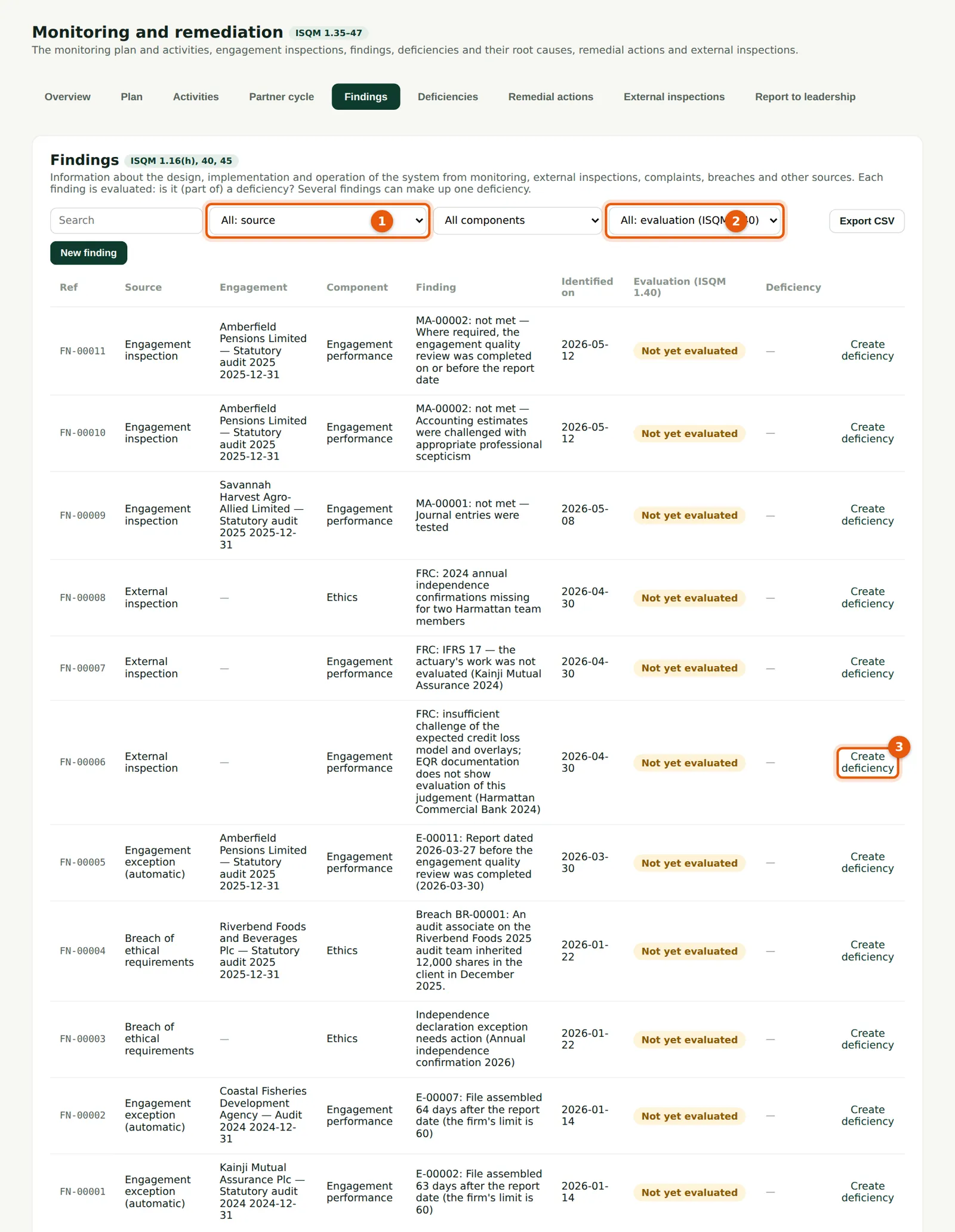
Every finding, filtered by source (1) and evaluation (2): Not yet evaluated, Deficiency (or part of one) or Not a deficiency. Automatic findings from the engagement register and breaches are added by SQMTrove. Create deficiency (3) makes a new deficiency from a finding.
Who
Monitoring lead.
What to do
- Filter on Not yet evaluated (2).
- Open a finding to evaluate it, or choose Create deficiency (3).
13.2 Evaluate a finding
Why
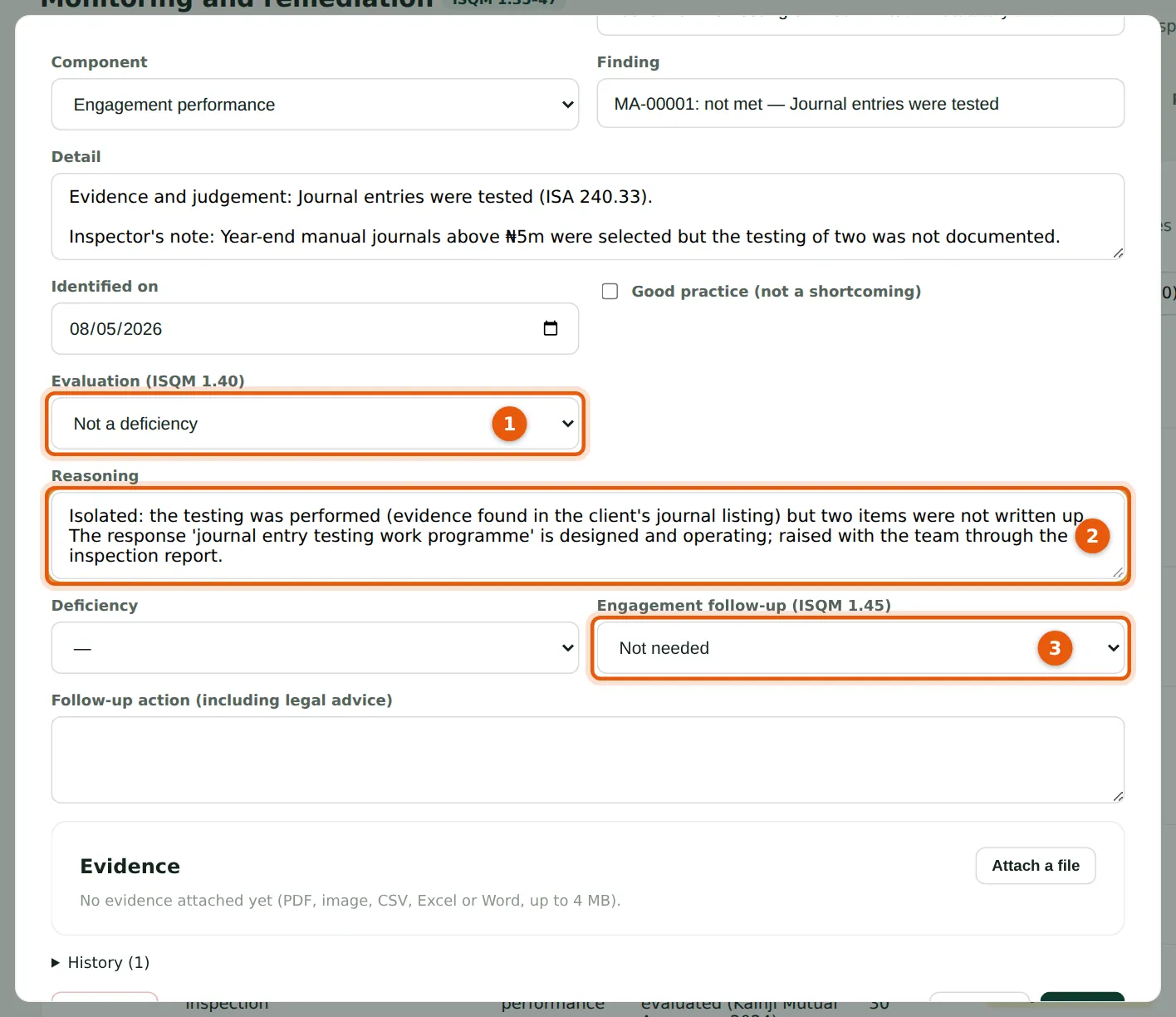
Choose the evaluation (1) and record why (2). Record whether engagement follow-up is needed under ISQM 1.45 (3): procedures omitted, or a report that may be inappropriate.
Who
Monitoring lead.
What to do
- Choose the evaluation (1), explain it (2), choose the follow-up (3) and choose Save.
13.3 Make a deficiency from a finding
Why
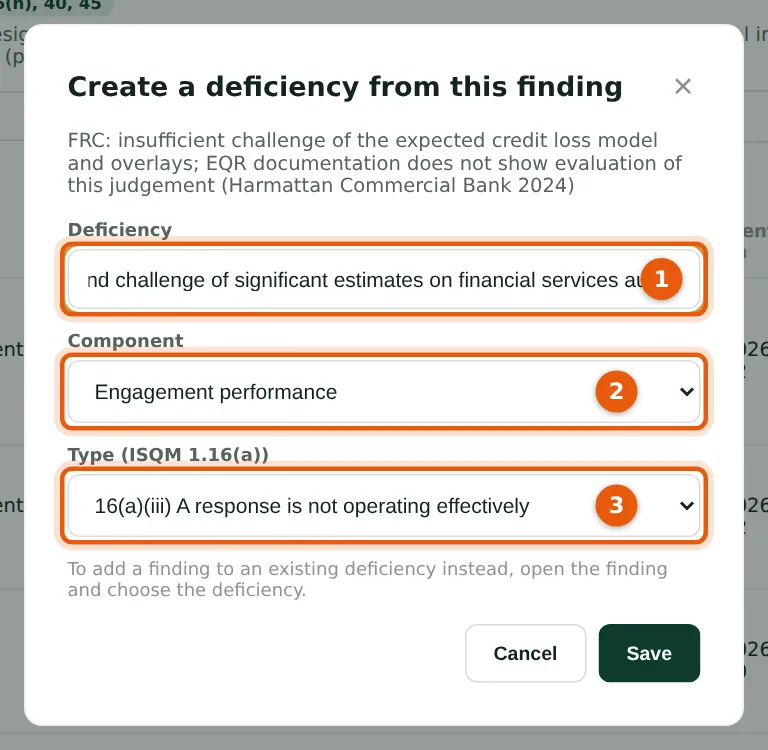
Name the deficiency (1) by its effect on the system, choose the component (2) and the type under ISQM 1.16(a) (3) — an objective not established, a risk not identified, or a response not designed, not implemented or not operating effectively.
Who
Monitoring lead.
What to do
- Enter the title (1), component (2) and type (3); choose Create. The deficiency page opens.
13.4 The deficiency and its findings
Why
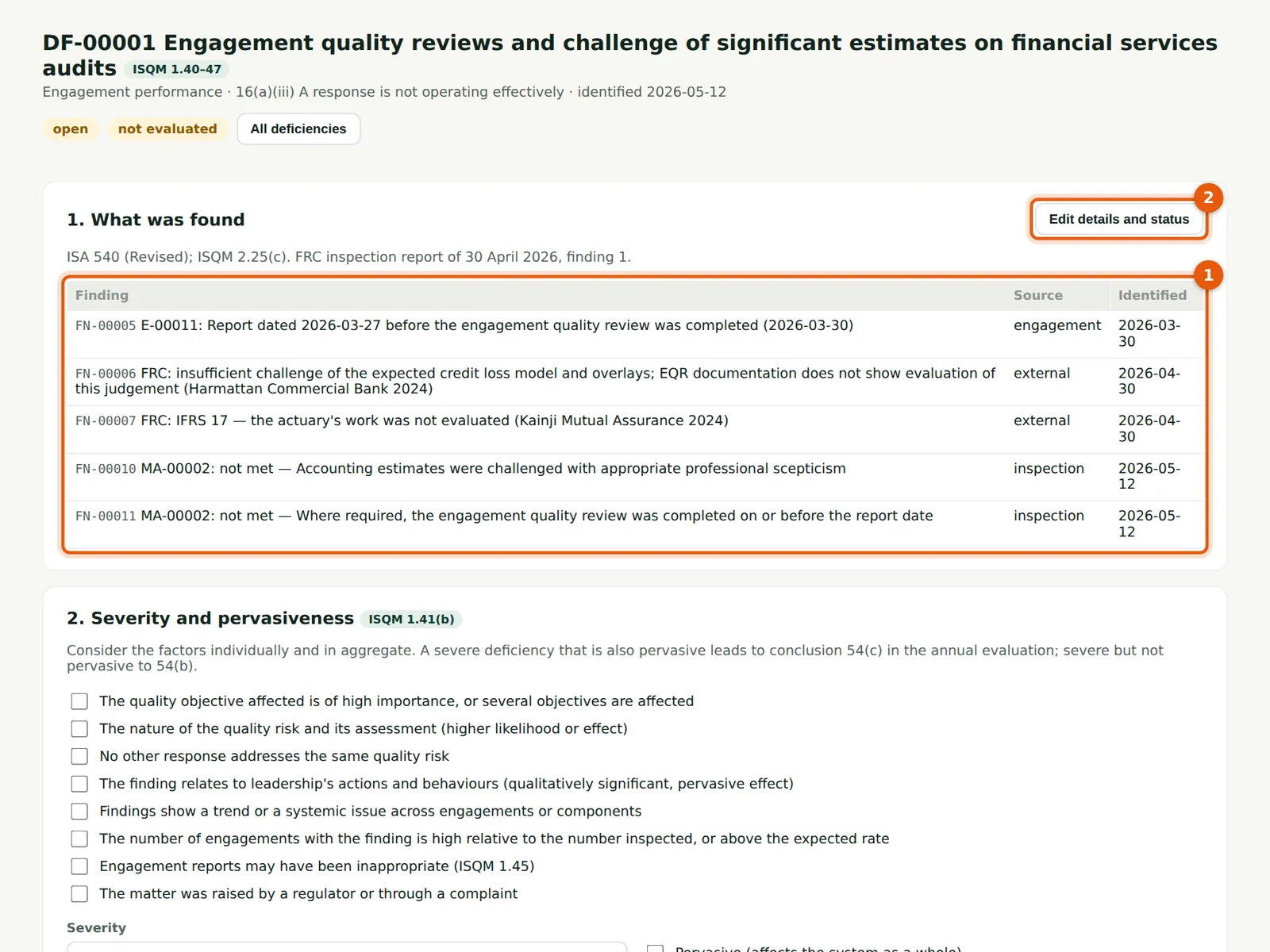
The findings that make up the deficiency (1): the FRC's two findings, the late review on Amberfield, Kunle's inspection finding and, later, the speak-up concern. Link a further finding by evaluating it as Deficiency and choosing this deficiency. Edit (2) changes the title, status and dates.
Who
Monitoring lead.
What to do
- Check the findings (1). Choose Edit (2) to change the details.
13.5 Evaluate severity and pervasiveness
Why
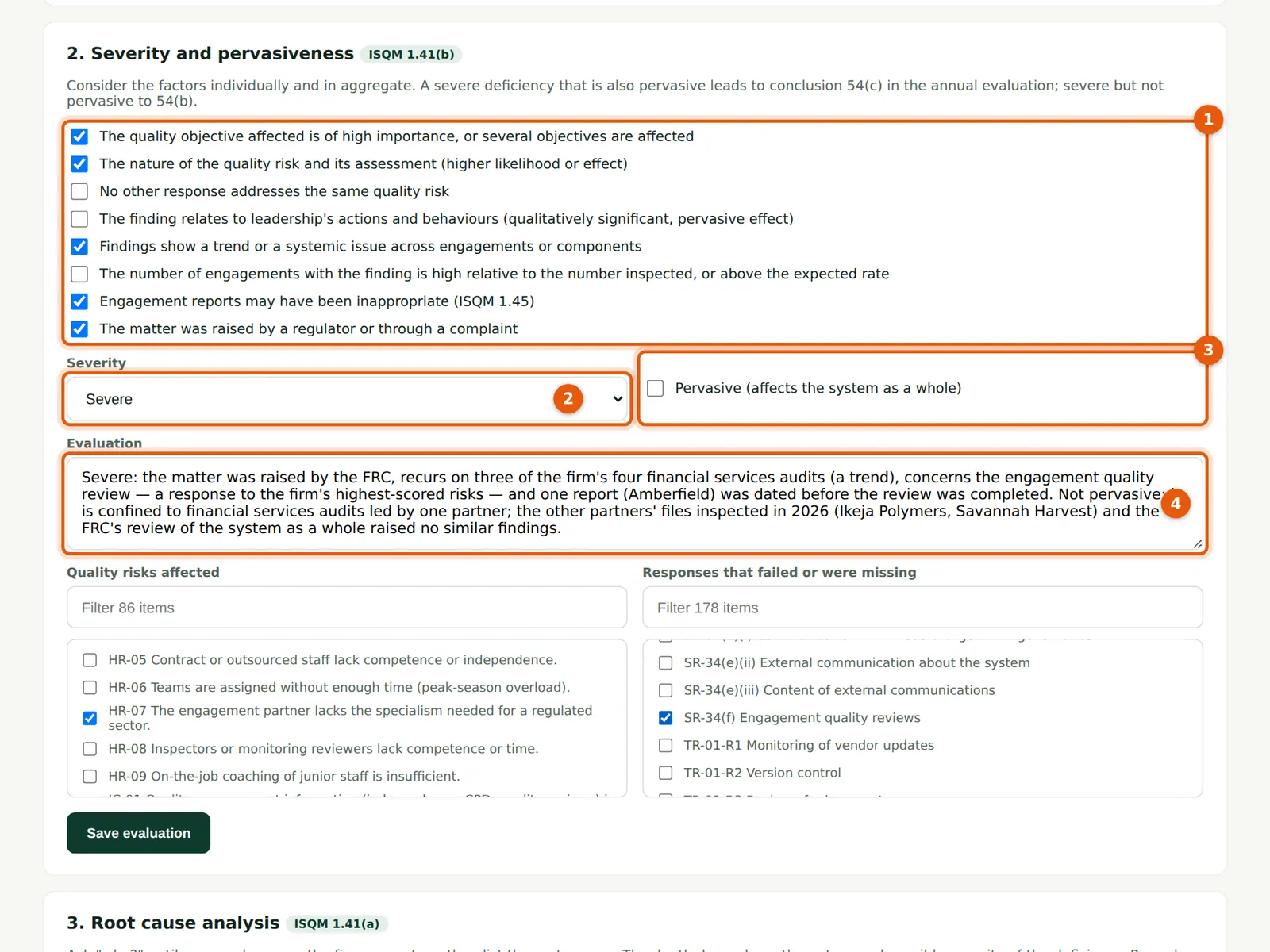
Tick the factors that apply (1): importance of the objective, the nature of the risk, whether other responses cover it, leadership, a trend, frequency, possibly inappropriate reports, and whether a regulator or complaint raised it. Choose the severity (2), tick Pervasive only if it affects the system broadly (3), and record the reasons (4). The severity limits the conclusion the annual evaluation can reach (chapter 15). Link the risks and responses affected so the risk assessment shows the deficiency.
Who
Monitoring lead; the quality lead agrees.
What to do
- Tick the factors (1), choose the severity (2) and pervasiveness (3), write the reasons (4).
- Tick the affected risks and responses; choose Save evaluation.
13.6 Root cause analysis: five whys
Why
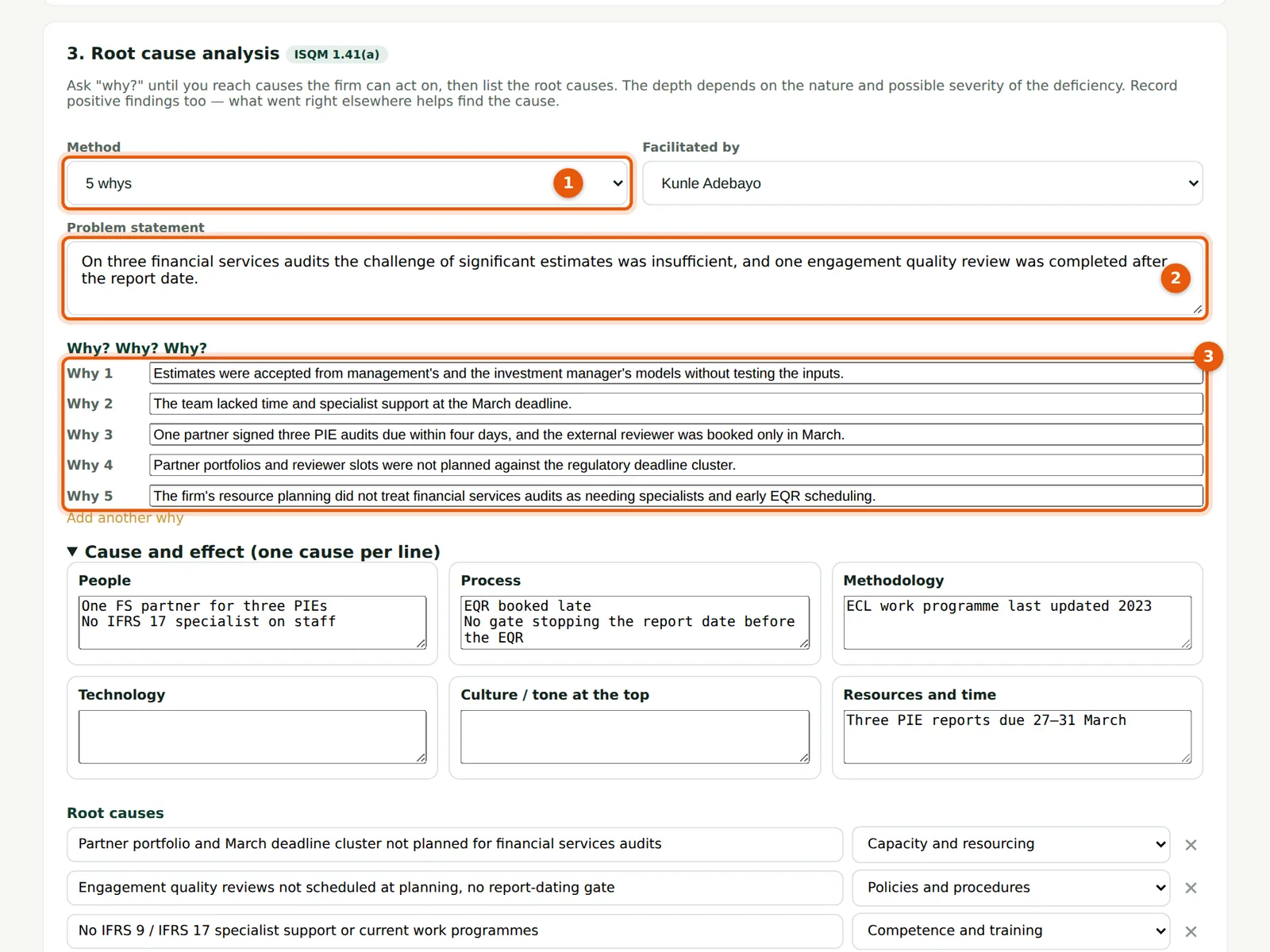
Choose the method (1) — five whys, fishbone or both — state the problem (2) and ask why until you reach causes the firm can act on (3). The depth depends on the nature and possible severity of the deficiency.
Who
Monitoring lead, with the people involved.
What to do
- Choose the method (1) and facilitator; write the problem (2).
- Answer each why (3); choose Add another why if needed.
13.7 Root causes and the fishbone
Why
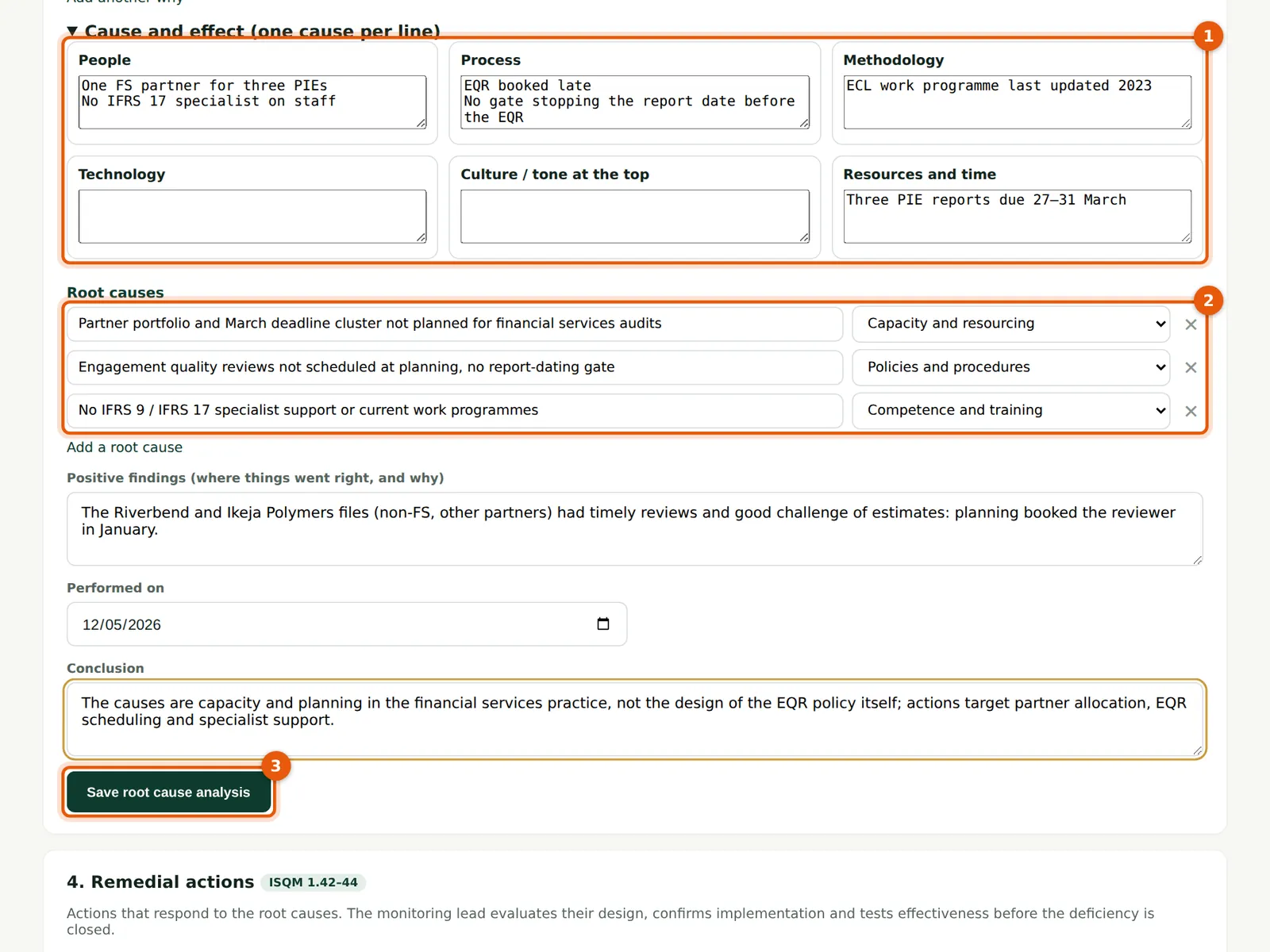
The fishbone (1) sorts contributing factors by people, process, methodology, technology, culture and resources. List the root causes with a category (2): here capacity, policies and competence. Record positive findings — where things went right and why — and the conclusion. Choose Save (3).
Who
Monitoring lead.
What to do
- Fill in the fishbone (1), list each root cause and its category (2), record positive findings and the conclusion; choose Save (3).
13.8 Add a remedial action
Why
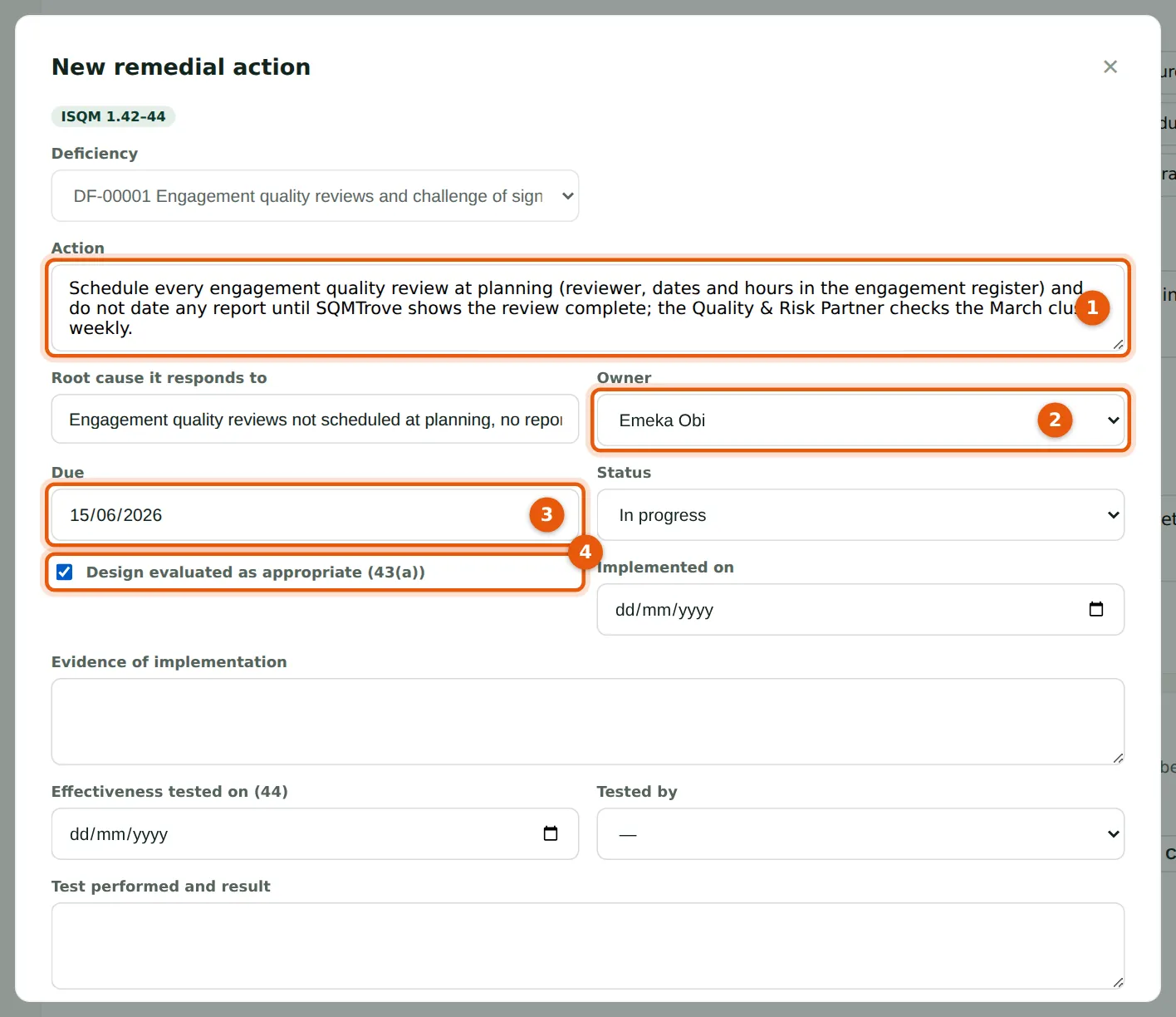
Each action responds to a root cause. Describe the action (1), the owner (2) and due date (3). Tick that the design responds to the root cause (4) (ISQM 1.42).
Who
Monitoring lead; the owner accepts it.
What to do
- In Remedial actions on the deficiency page choose New remedial action.
- Describe it (1), choose the root cause, owner (2) and due date (3); tick (4); choose Add.
13.9 Actions and communication
Why
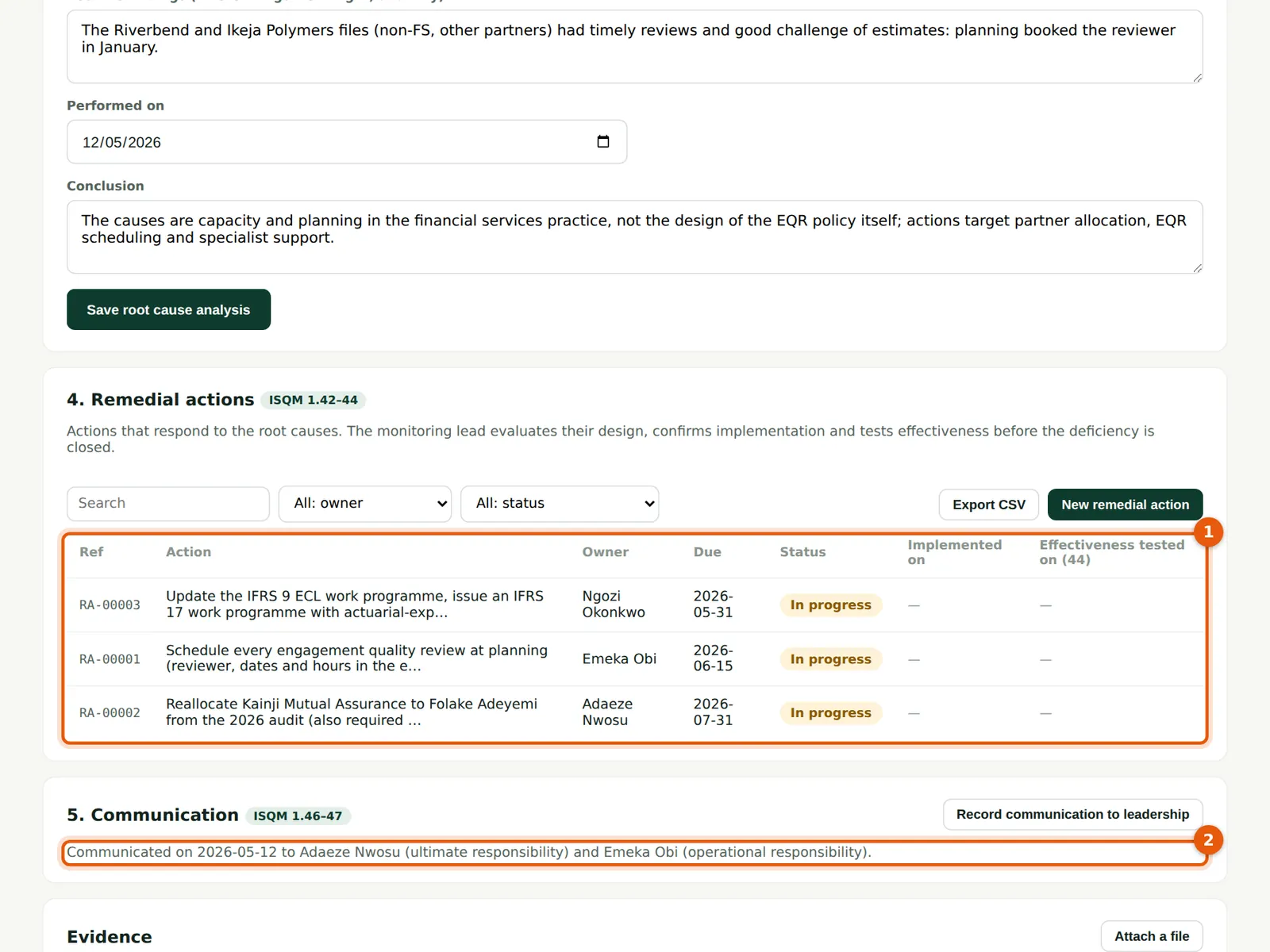
The actions with owners, due dates and status (1). Record when the deficiency was communicated to the individuals with ultimate and operational responsibility (2) — ISQM 1.46.
Who
Monitoring lead.
What to do
- Choose Record communication to leadership, enter to whom and when, and save.
13.10 Test that an action works
Why
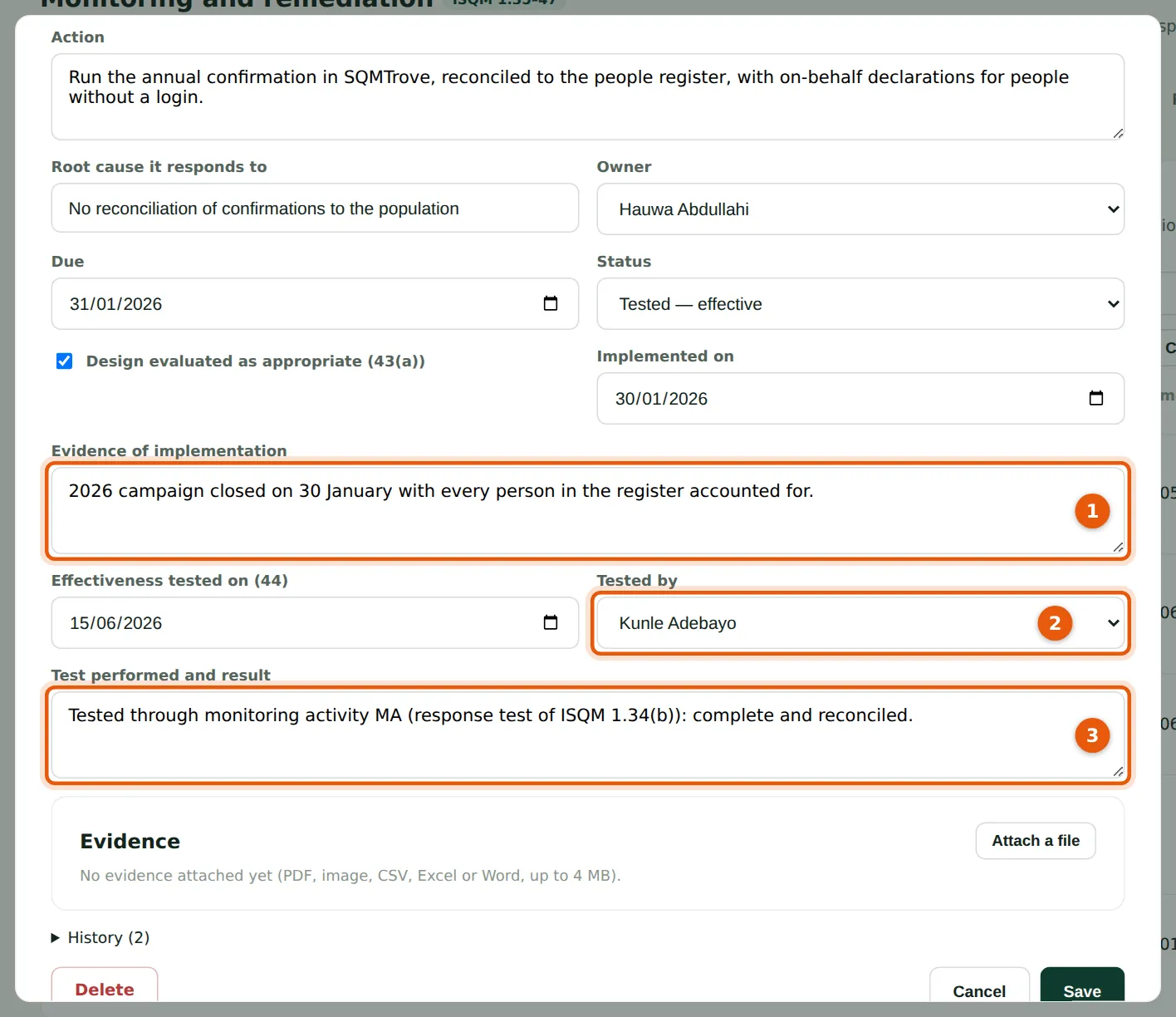
When an action is implemented, record how (1). Someone other than the owner tests whether it is effective (2) and records the test (3) (ISQM 1.42(b)). An action tested not effective leaves the deficiency open.
Who
Owner (implementation); monitoring lead or another tester (test).
What to do
- Record the implementation date and note (1).
- Choose the tester (2), the test date and result, and describe the test (3); choose Save.
13.11 All remedial actions
Why
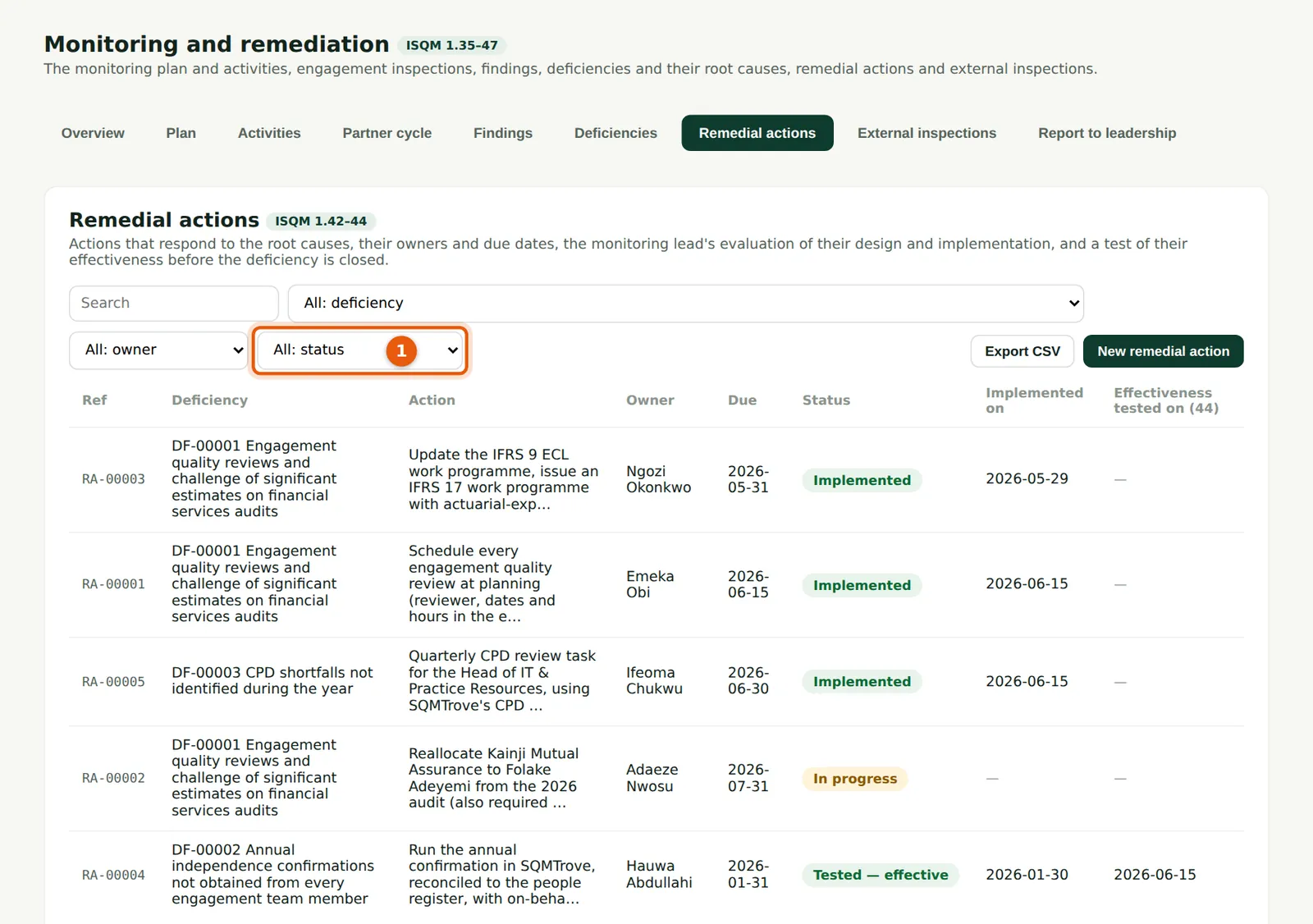
Every action by status (1): open, in progress, implemented, tested effective or not effective. Overdue actions appear on the owner's dashboard and in the quality indicators.
Who
Monitoring lead; owners.
What to do
- Filter by status (1) to find actions waiting to be tested.
13.12 Close a deficiency
Why
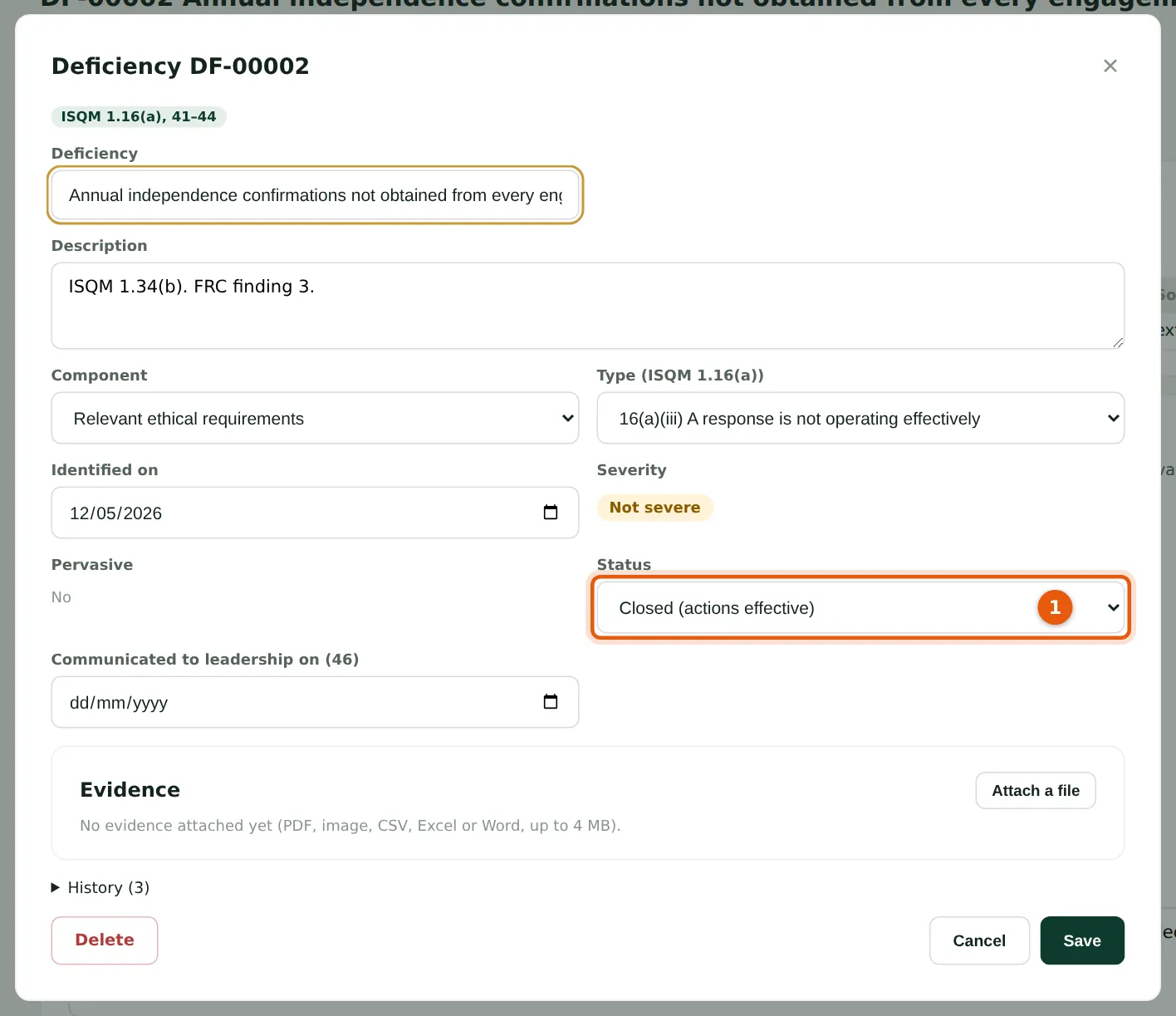
Set the status (1) to Closed (actions effective) once every action is tested effective. SQMTrove refuses to close a deficiency with an action not tested effective.
Who
Monitoring lead.
What to do
- Choose Edit on the deficiency, set the status (1) and save.
13.13 The deficiencies register
Why
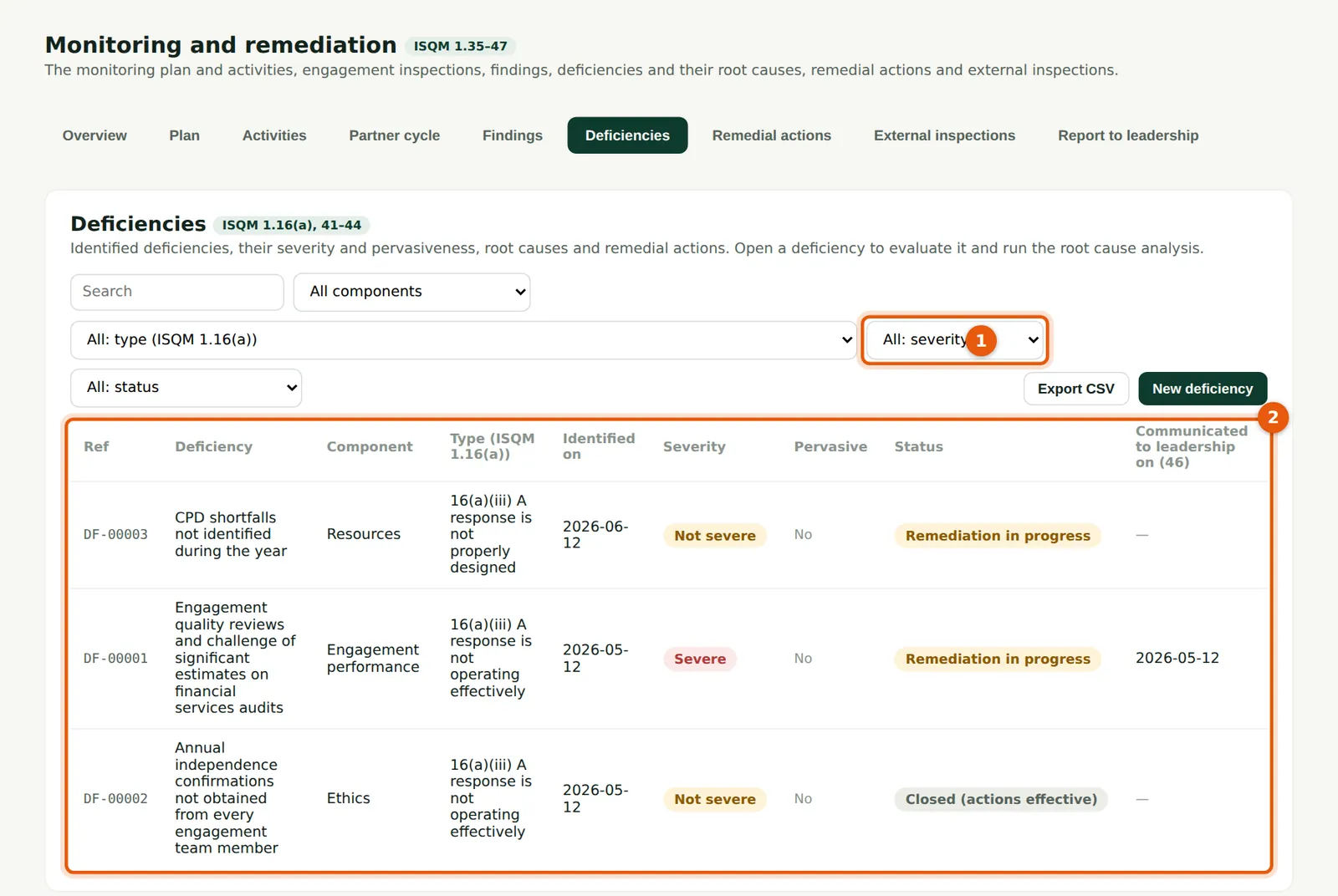
All deficiencies with severity (filter 1), pervasiveness, component, status and actions (2).
Who
Monitoring lead; leadership.
What to do
- Choose a row to open the deficiency page.
13.14 Report to leadership
Why
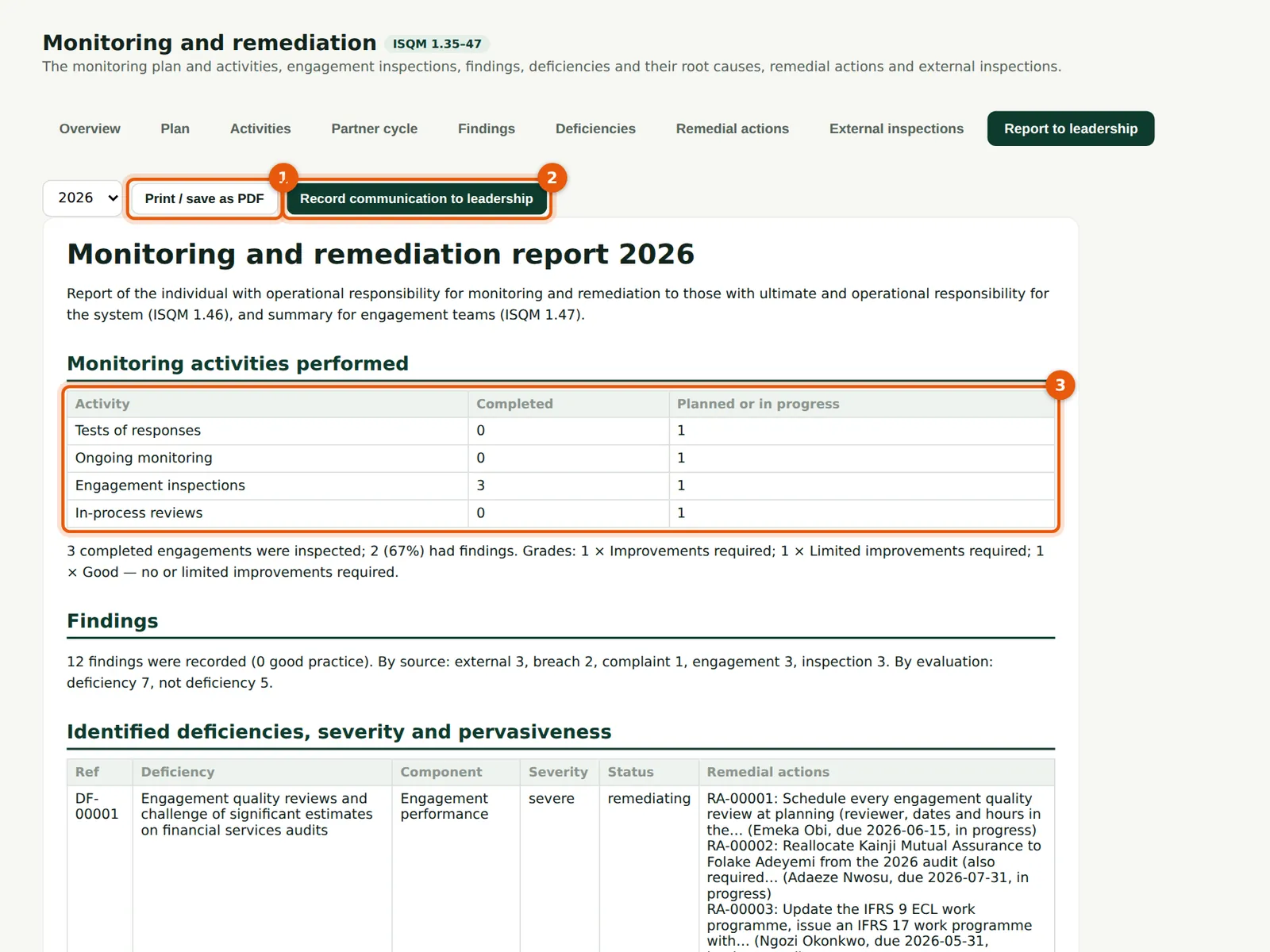
ISQM 1.46 requires the monitoring lead to communicate monitoring results, deficiencies and remediation to leadership. The report (3) is built from the records: activities, inspection grades, findings, deficiencies with severity and actions, and root cause categories.
Who
Monitoring lead.
What to do
- Choose the year; choose Print / save as PDF (1).
- After presenting it, choose Record communication to leadership (2): it is added to the communications log.
13.15 Deficiencies in the report
Why
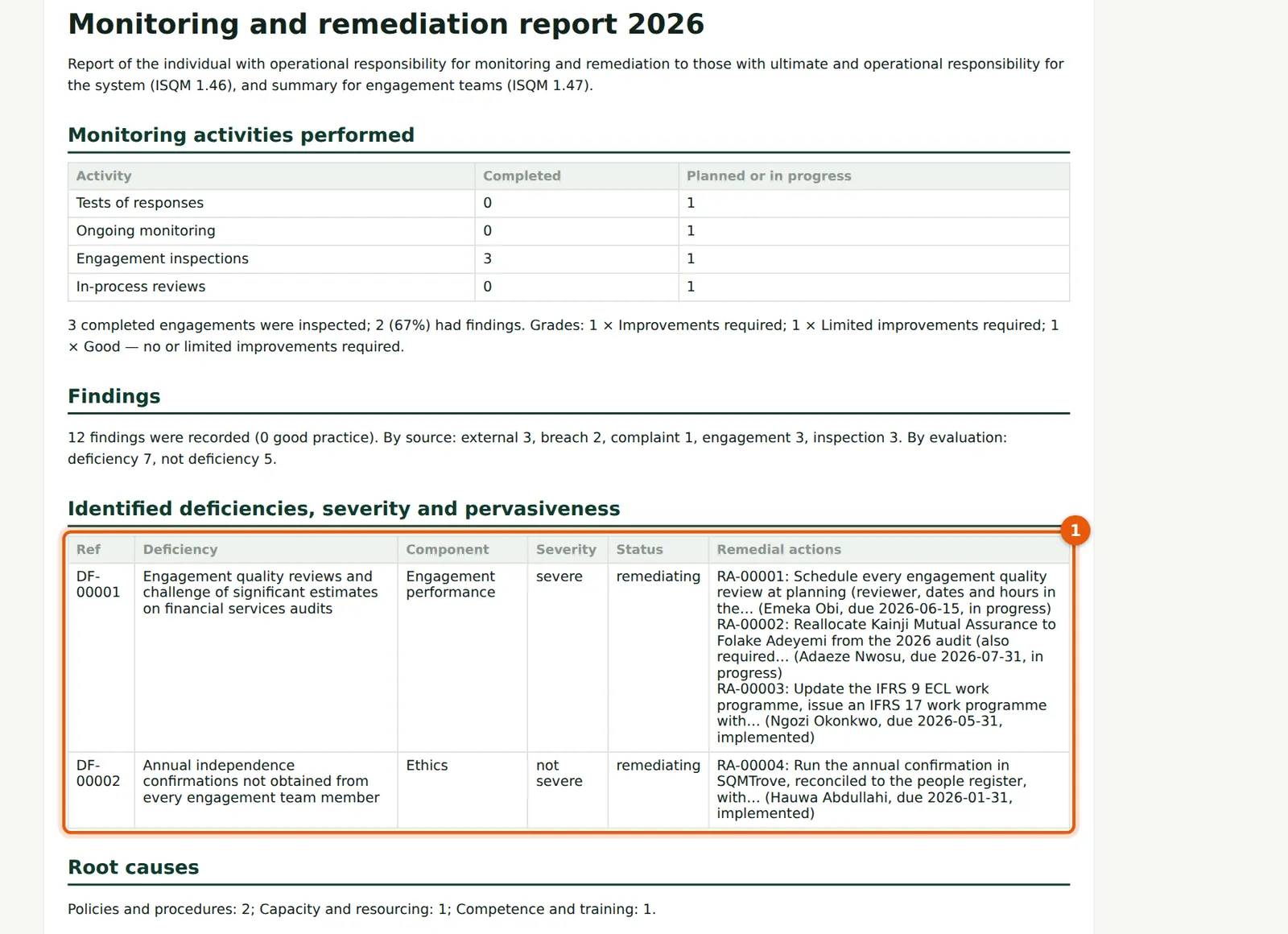
The deficiency table (1) lists each deficiency with its severity, status and remedial actions, owners and due dates.
Who
Monitoring lead; leadership.
What to do
- Read the table with the partners and agree any change of priority.