Steps in this chapter (4)
Let anyone raise a concern, anonymously if they wish, and investigate complaints and allegations in a confidential register.
ISQM 1.34(c) requires policies for complaints and allegations of work not performed in accordance with professional standards and law, or of non-compliance with the firm's policies, and for protecting those who raise them. Every page has Raise a concern on the dashboard. The register is confidential: only the complaints role holders and people given access can see it.
On 14 May 2026 Ebiere Tariah raises an anonymous concern about unrecorded hours on the financial services audits. On 18 May a client complains about late compiled financial statements.
14.1 Raise a concern
Why
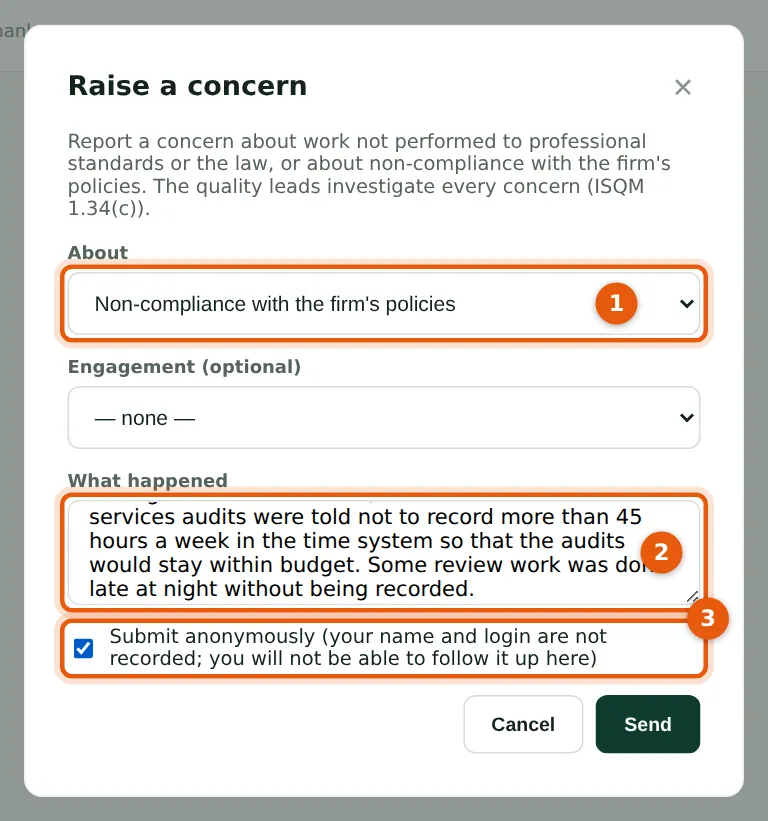
Choose what the concern is about (1) and describe it (2). Tick Submit anonymously (3): SQMTrove then does not record who raised it, even in the audit trail, and the person cannot follow it up in SQMTrove. The person responsible for complaints is notified.
Who
Anyone with a login.
What to do
- Choose Raise a concern on the dashboard.
- Choose the category (1), describe the concern (2), tick Submit anonymously (3) if you wish, and choose Send.
14.2 What staff see
Why
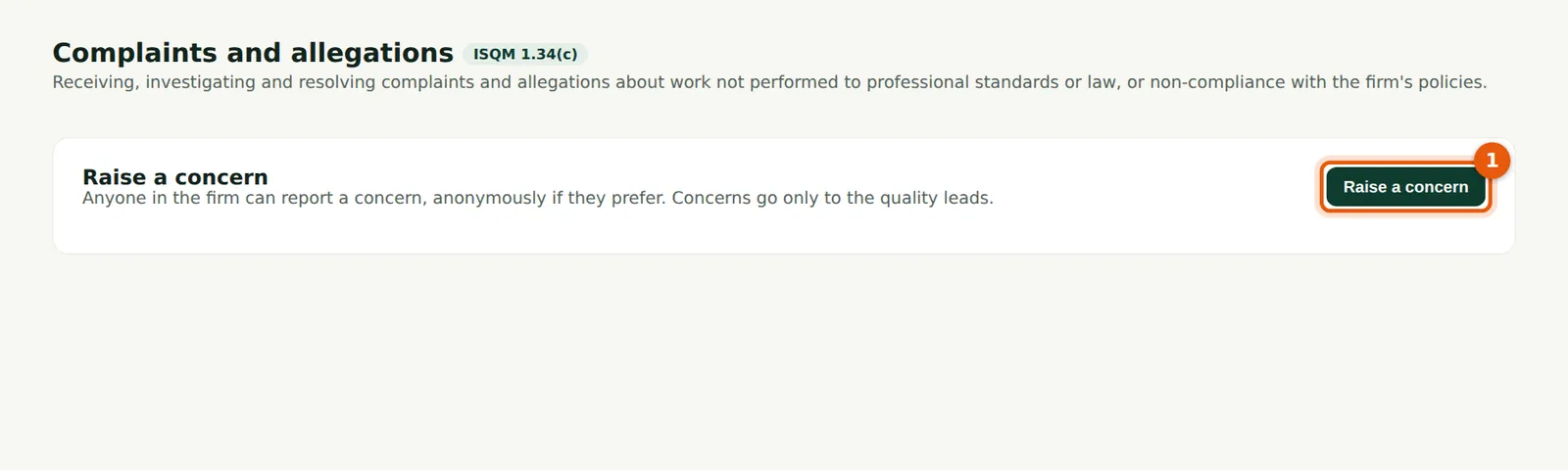
People without access to the register see only how to raise a concern (1). The register itself stays confidential.
Who
Everyone.
What to do
- Choose Raise a concern (1).
14.3 The complaints register
Why
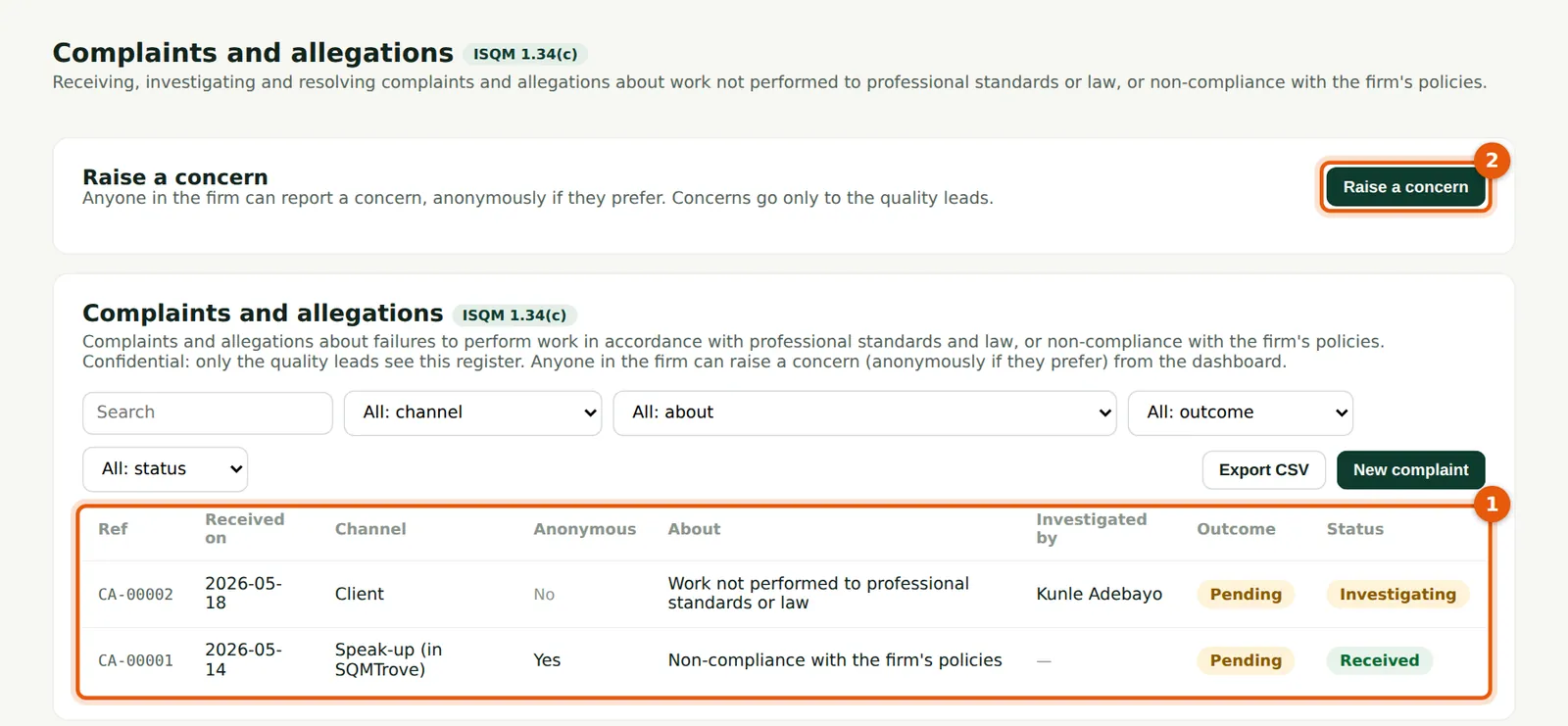
Complaints and allegations with channel, category, status and outcome (1). Record a complaint received by letter or email with New complaint; Raise a concern (2) is also here.
Who
Monitoring lead (complaints role); investigators.
What to do
- Choose a row to open it.
14.4 Investigate and conclude
Why
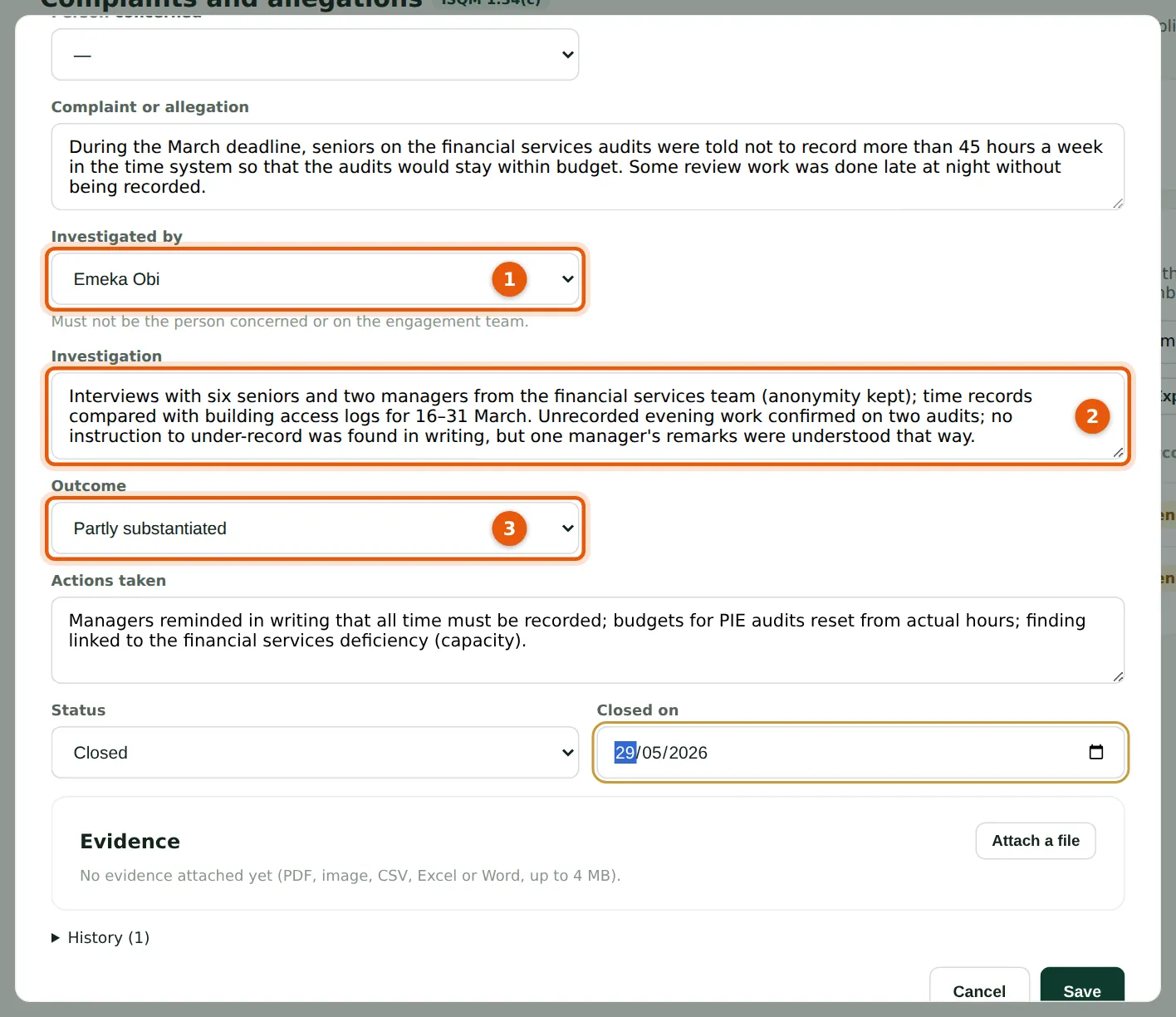
Choose an investigator independent of the matter (1), record the investigation (2), the outcome (3) — substantiated, partly substantiated or not substantiated — and the actions. A substantiated or partly substantiated complaint raises a monitoring finding; here it supports the capacity cause of DF-00001.
Who
The investigator.
What to do
- Choose the investigator (1); record the investigation (2), outcome (3), actions and closing date; set Closed and save.
- Evaluate the resulting finding (chapter 13).