Steps in this chapter (5)
Record an inspection by the Financial Reporting Council of Nigeria or ICAN, give the inspector read-only access, record the report and turn its findings into monitoring findings.
ISQM 1.37(e) and 38 require the firm to consider the results of external inspections. Okafor Bello & Co is monitored by a government regulator, the FRC, which inspects audits of public interest entities and the firm's system, and by a professional regulator, ICAN, which reviews practices through its practice monitoring programme.
In the illustration the FRC visits from 9 to 20 February 2026 and reports on 30 April with three findings; ICAN visits from 13 to 16 April and reports on 12 June with two recommendations. The inspectors' names, reports and findings are fictional.
12.1 Record an inspection visit
Why
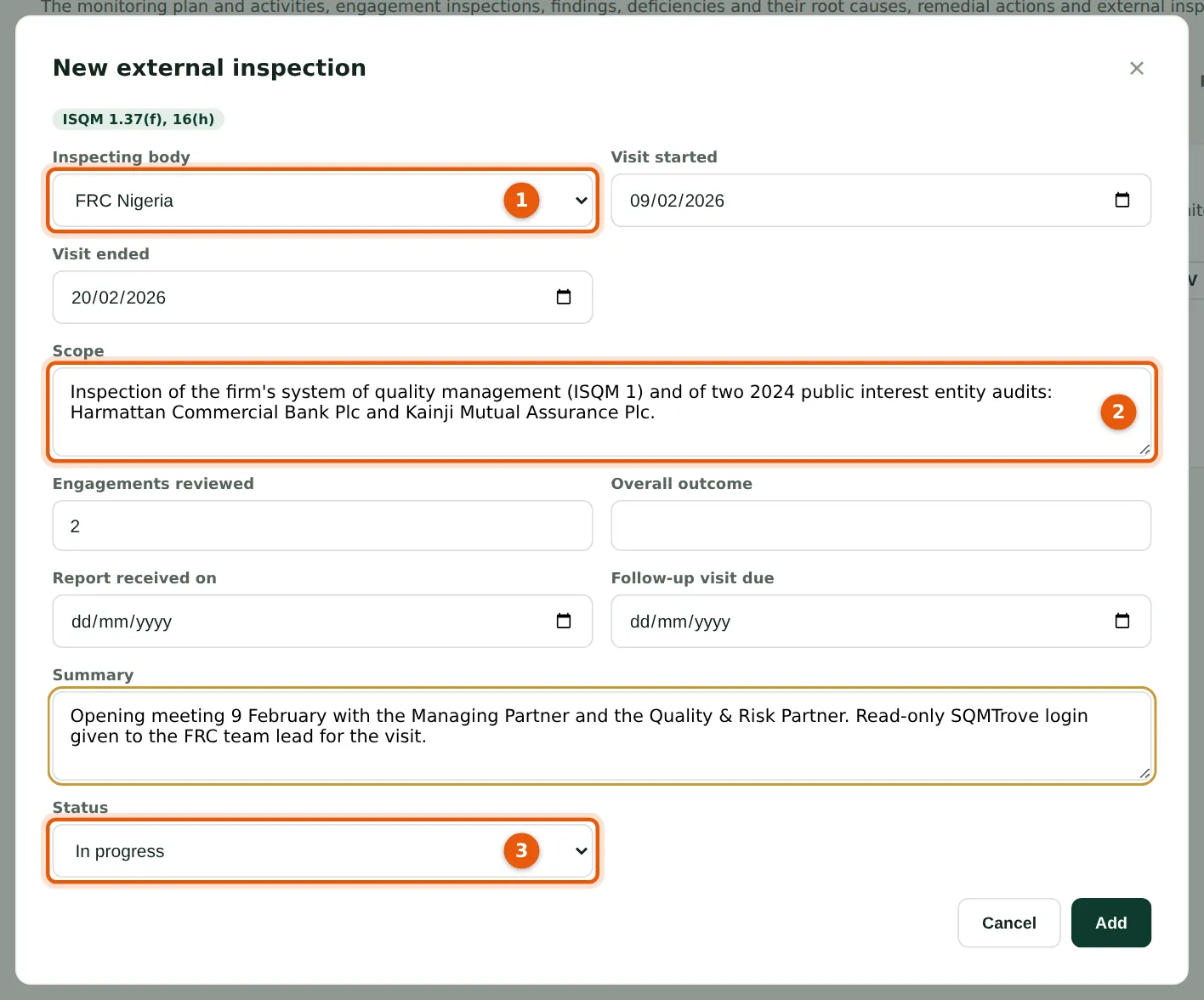
Record the inspecting body (1) — FRC Nigeria, ICAN, ANAN, ICAB or ACCA practice monitoring, PCAOB, the network or a peer review — the dates, scope (2) and status (3).
Who
Monitoring lead or quality lead.
What to do
- Open Monitoring & remediation → External inspections; choose New external inspection.
- Choose the body (1); enter the dates, scope (2) and engagements reviewed; set the status In progress (3); choose Add.
12.2 Record the report
Why
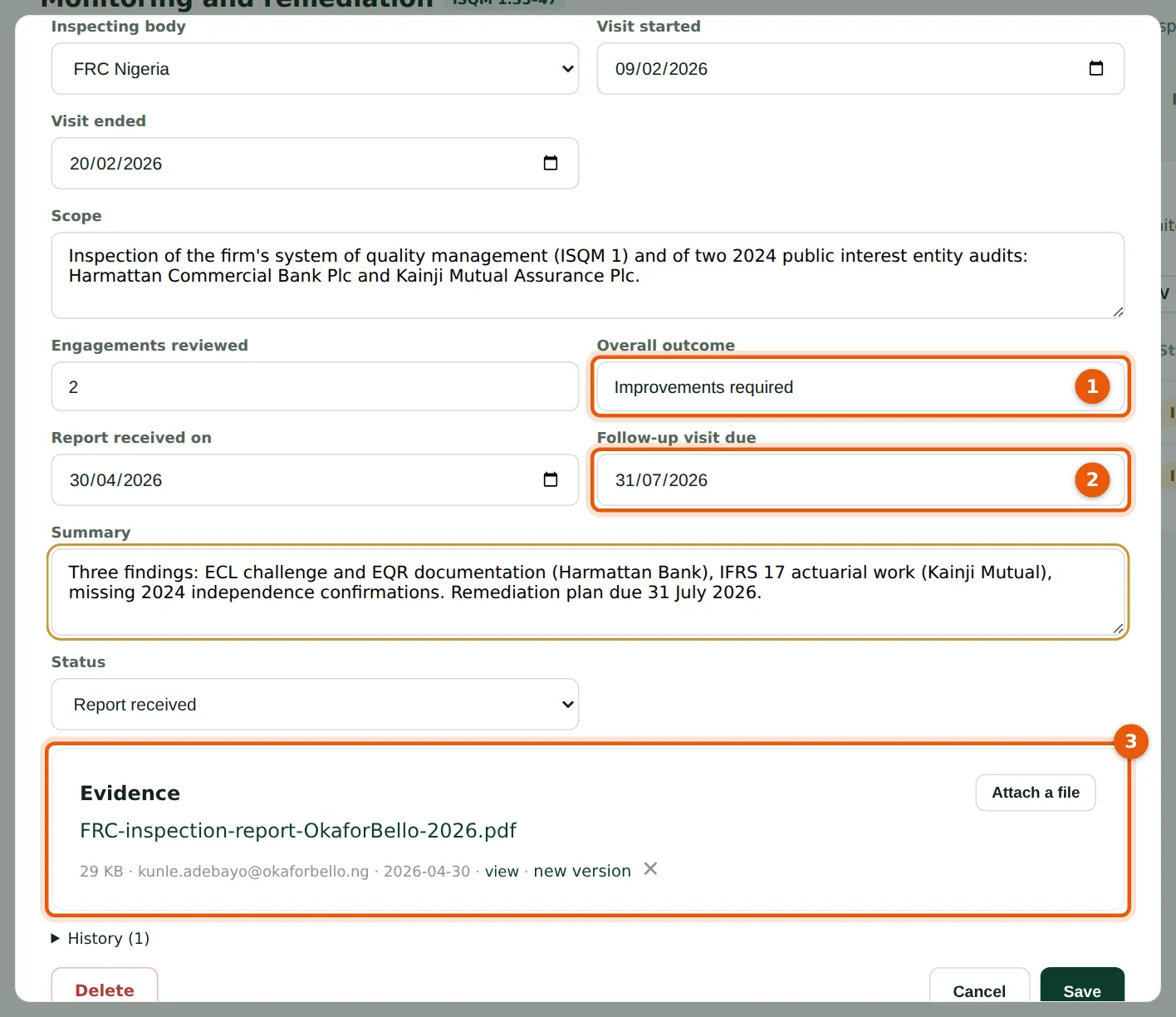
Record the overall rating (1), the report date, the date the firm must respond by (2) and attach the report (3). The follow-up date appears in the regulatory deadlines.
Who
Monitoring lead.
What to do
- Open the inspection; enter the rating (1), report date and follow-up date (2), and a summary.
- Attach the report (3); set the status Report received; choose Save.
12.3 Add each finding
Why
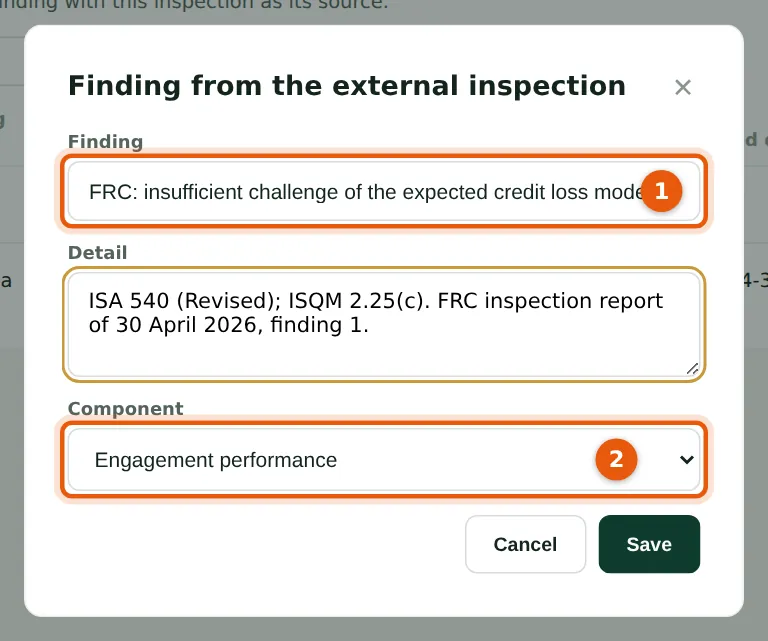
Each finding of the regulator becomes a monitoring finding with source External inspection, linked to the inspection. Give it a title (1) and the component it concerns (2).
Who
Monitoring lead.
What to do
- On the inspection's row choose Findings, then add each finding with its title (1), description and component (2).
12.4 The inspections register
Why
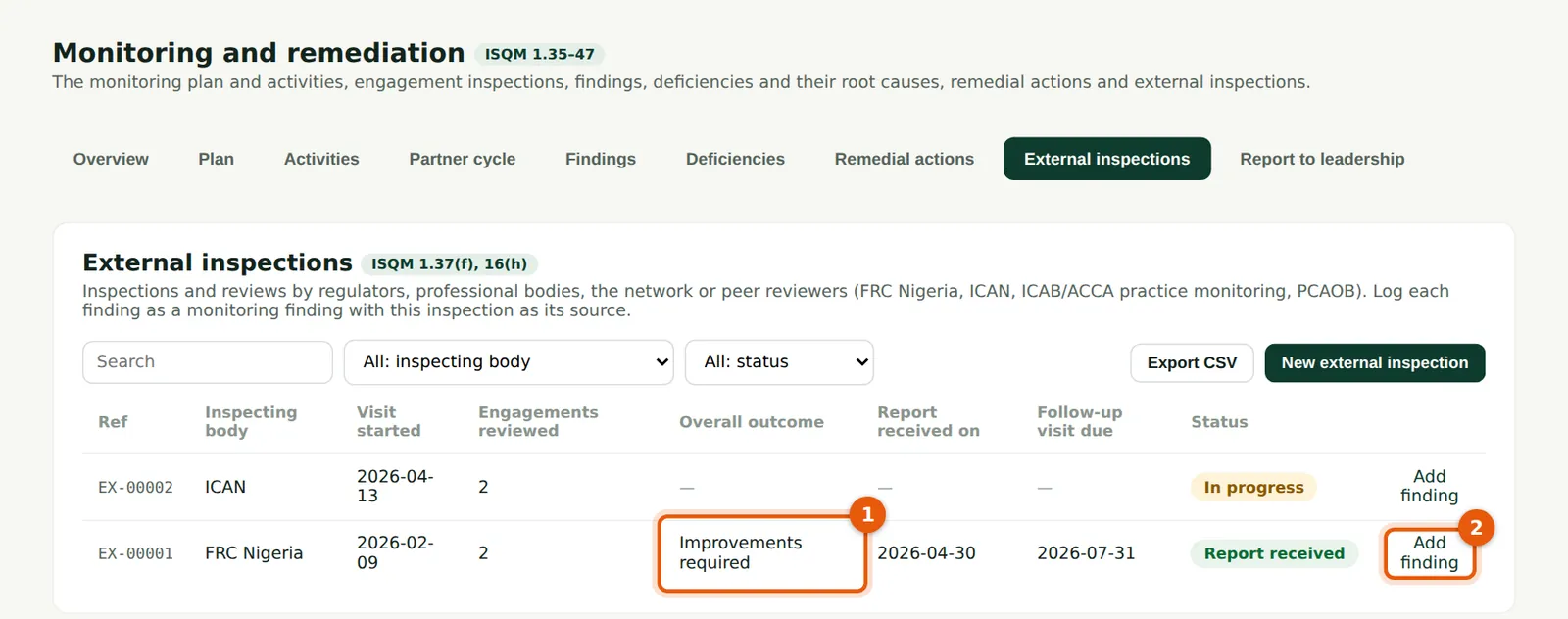
Each inspection with its rating (1) and the number of findings (2). The FRC's rating is Improvements required, with three findings.
Who
Monitoring lead; leadership; inspectors.
What to do
- Choose Findings (2) to see an inspection's findings and how each was evaluated.
12.5 Keep versions of a file
Why
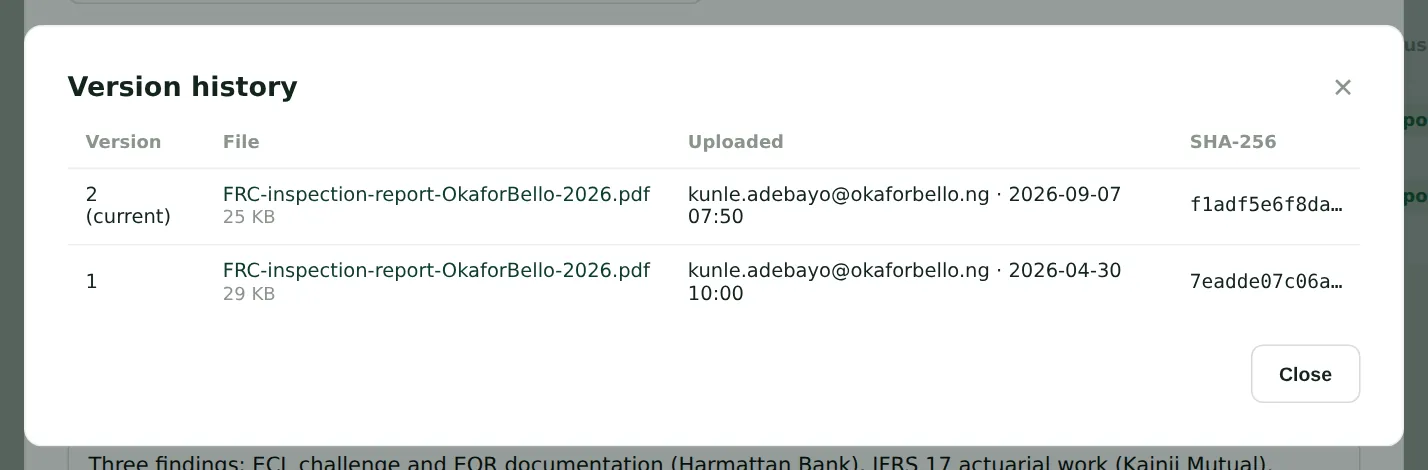
Uploading a new version of an attached file keeps the earlier one, with who uploaded each version and when. In September Kunle attaches the final report with the firm's response annexed.
Who
Anyone who can edit the record.
What to do
- Choose new version next to the file and choose the new file; choose the version link (for example v2 · history) to see or download earlier ones.