Steps in this chapter (7)
Approve the monitoring plan, schedule inspections and tests of responses, follow the engagement partner inspection cycle, and inspect engagement files with SQMTrove's checklist.
ISQM 1.35–39 require monitoring activities that give relevant, reliable and timely information about the system, including inspection of completed engagements for each engagement partner on a cyclical basis. The monitoring and remediation lead — at Okafor Bello & Co, Kunle Adebayo, Director of Quality Assurance — plans and performs them, and must be objective: nobody inspects an engagement they worked on.
On 2 February 2026 Kunle records the 2026 plan and its activities. In May he inspects three 2025 audits: Ikeja Polymers (good), Savannah Harvest (limited improvements) and Amberfield Pensions (improvements required).
11.1 Approve the monitoring plan
Why
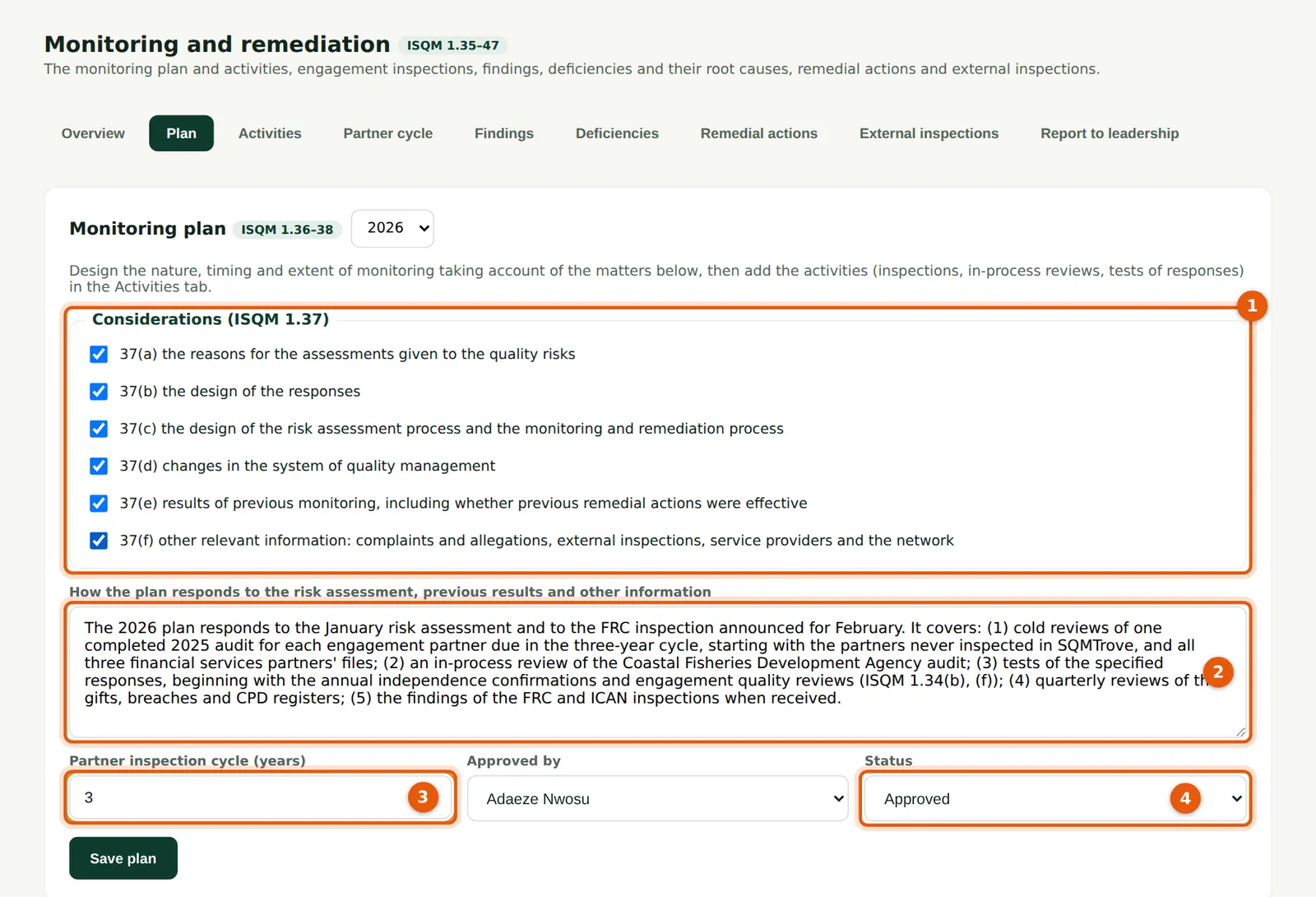
ISQM 1.37 lists what the plan must consider (1): the reasons for the risk assessment, the design of monitoring, changes in the system, previous monitoring, external inspections and other information. The rationale (2) explains how the plan responds. The partner inspection cycle (3) is set here. A plan can be approved (4) only when every matter is considered and the approver is recorded.
Who
Monitoring lead; approved by the Owner or quality lead.
What to do
- Tick each matter considered (1) and write the rationale (2).
- Set the cycle (3), choose who approved it and the status Approved (4); choose Save plan.
11.2 Add a monitoring activity
Why
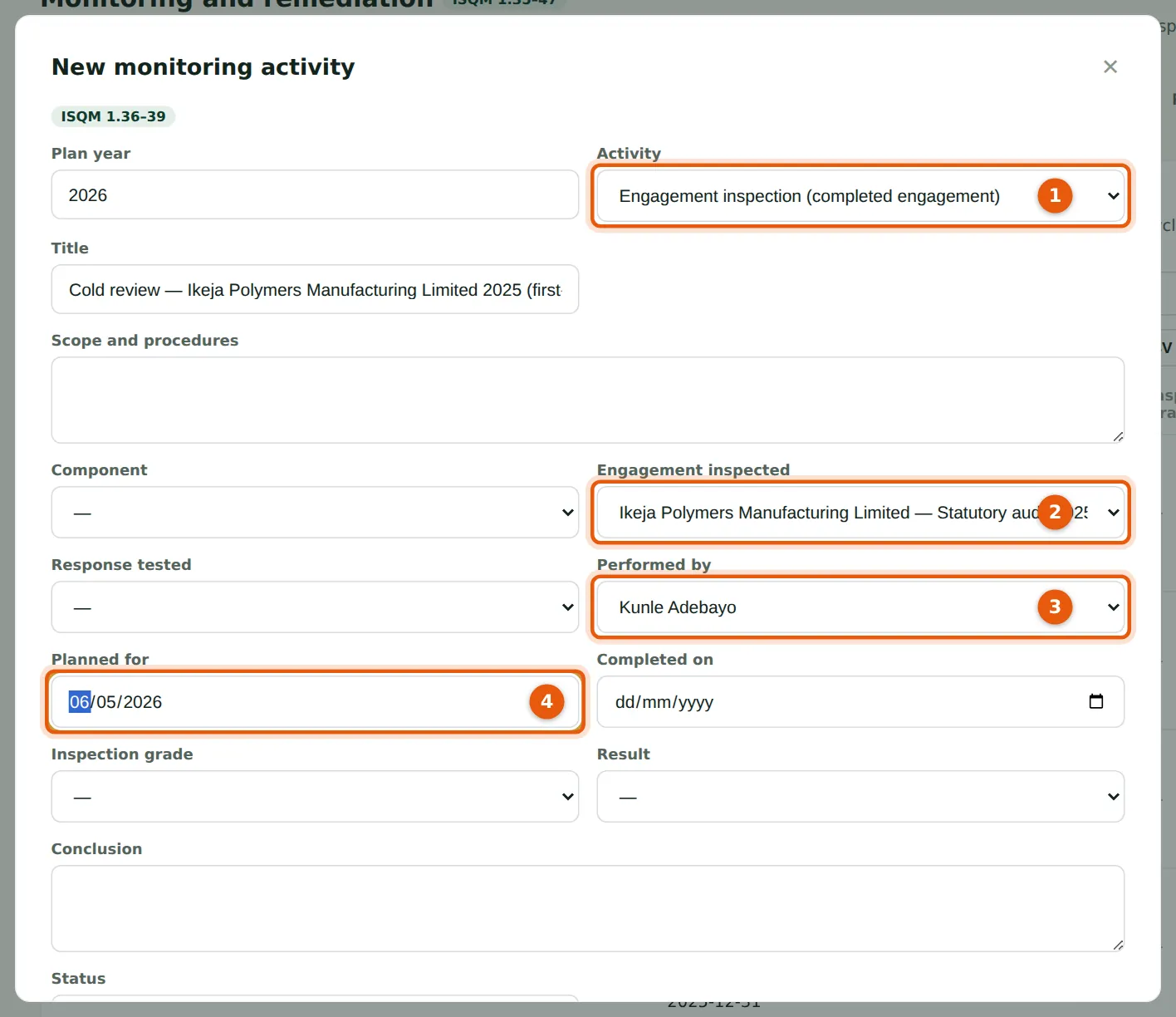
Activities include inspections of completed engagements, in-process reviews, tests of responses, walk-throughs and ongoing reviews of registers (1). An inspection names the engagement (2) and inspector (3); SQMTrove refuses an inspector who was on the engagement team. The planned date (4) puts the activity on the inspector's dashboard.
Who
Monitoring lead.
What to do
- Choose New monitoring activity; choose the type (1), engagement (2), inspector (3) and planned date (4); choose Add.
11.3 The activities of the year
Why
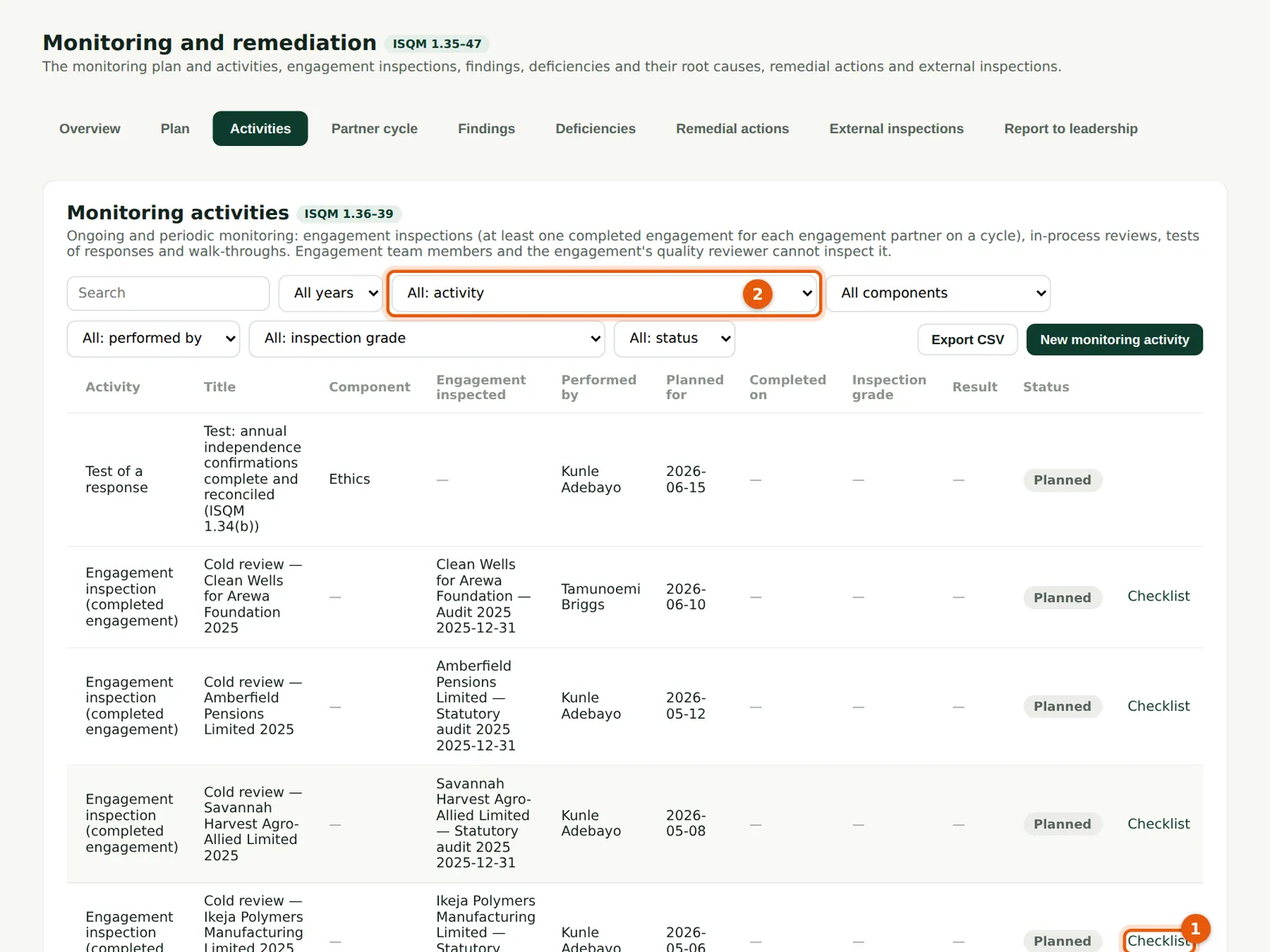
Each activity with its type (filter 2), inspector, dates, status and result. Inspections and in-process reviews have a Checklist link (1). A planned activity past its date shows as late on the dashboard and in the evaluation evidence.
Who
Monitoring lead; inspectors.
What to do
- Choose Checklist (1) to perform an inspection.
11.4 The partner inspection cycle
Why
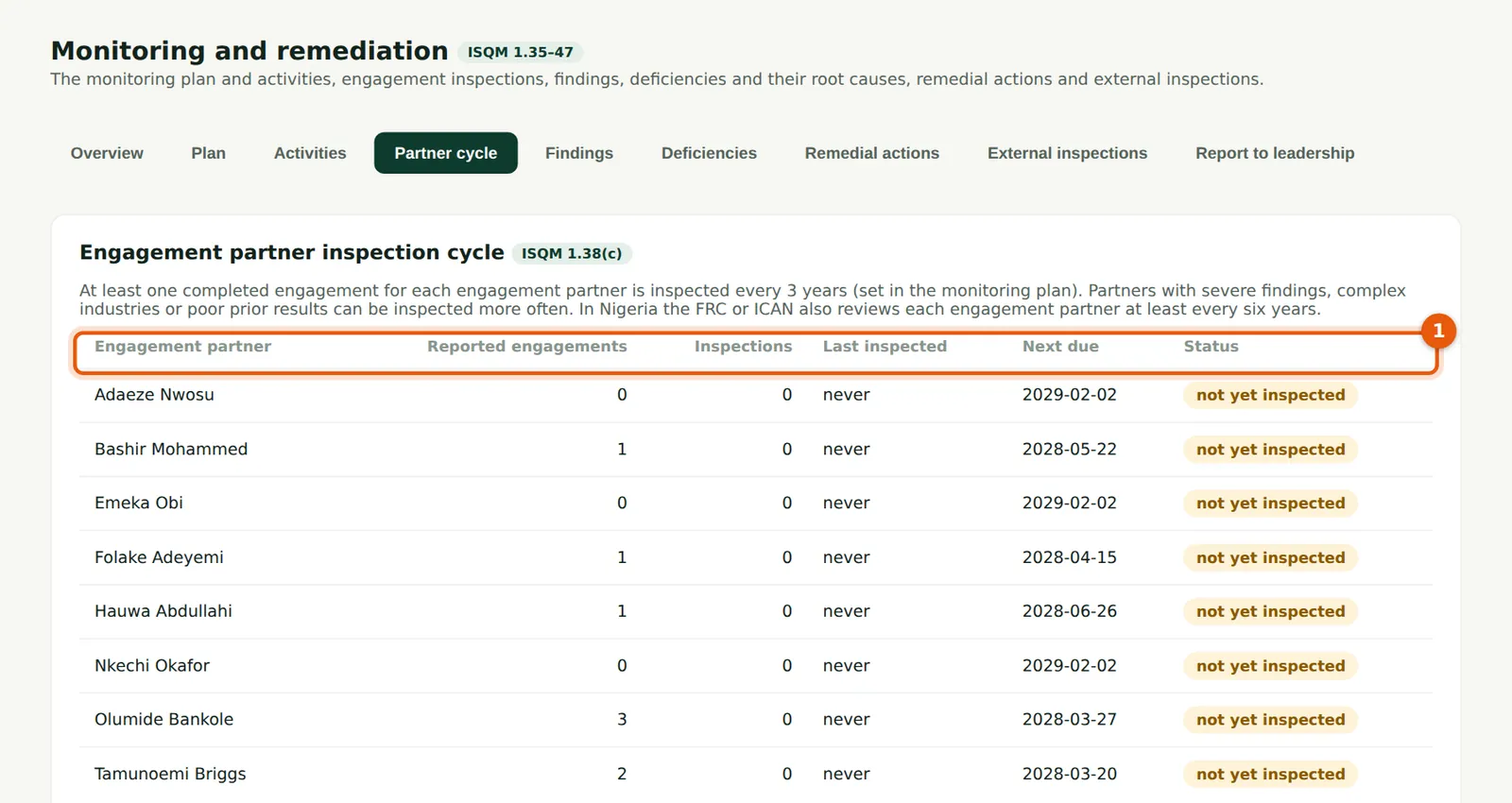
For each engagement partner (1): reported engagements, inspections, the last inspection and the next due date under the cycle. A partner never inspected shows as not yet inspected until the date passes, then overdue. In Nigeria the FRC or ICAN also reviews each engagement partner.
Who
Monitoring lead.
What to do
- Plan an inspection for every partner due within the year.
11.5 Inspect an engagement file
Why
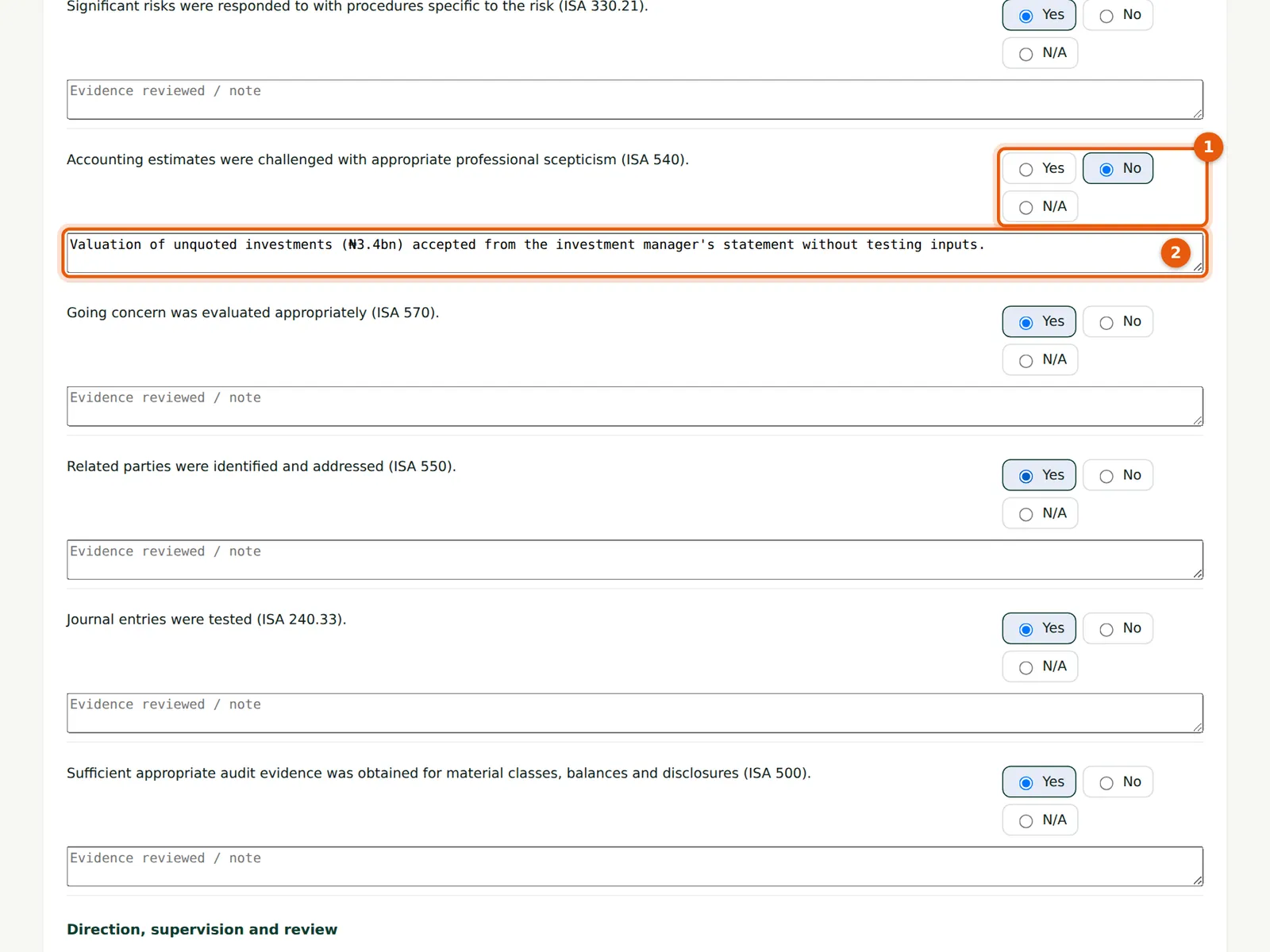
The checklist covers acceptance and ethics, planning and risk assessment, execution (including accounting estimates, going concern and journals), review, consultation and the engagement quality review, the report and file assembly, with ISA references. Answer Yes, No or N/A for each (1) with a note of the evidence (2). Each No becomes a finding when you raise findings.
Who
The inspector.
What to do
- Answer each question (1) and note the evidence (2).
- Choose Save as you go; choose Save and raise findings when done.
11.6 Grade and complete the inspection
Why
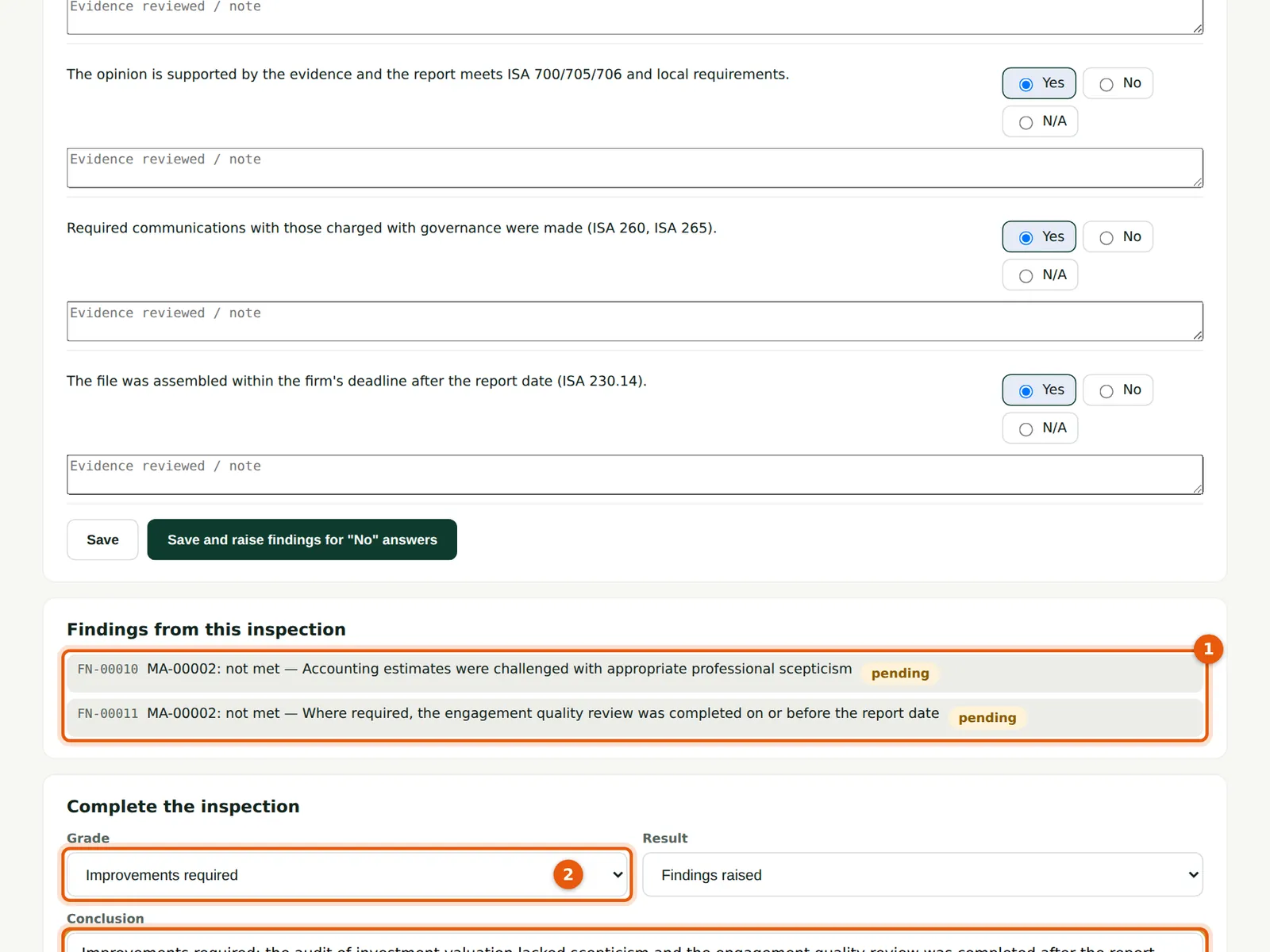
The findings raised (1) are listed with the question they come from. Grade the file (2) — good, limited improvements, improvements required or significant improvements required — and write the conclusion (3) that goes to the engagement partner. Completing (4) records the date for the partner cycle.
Who
The inspector.
What to do
- Choose the grade (2), write the conclusion (3) and choose Complete the inspection (4).
11.7 The monitoring overview
Why
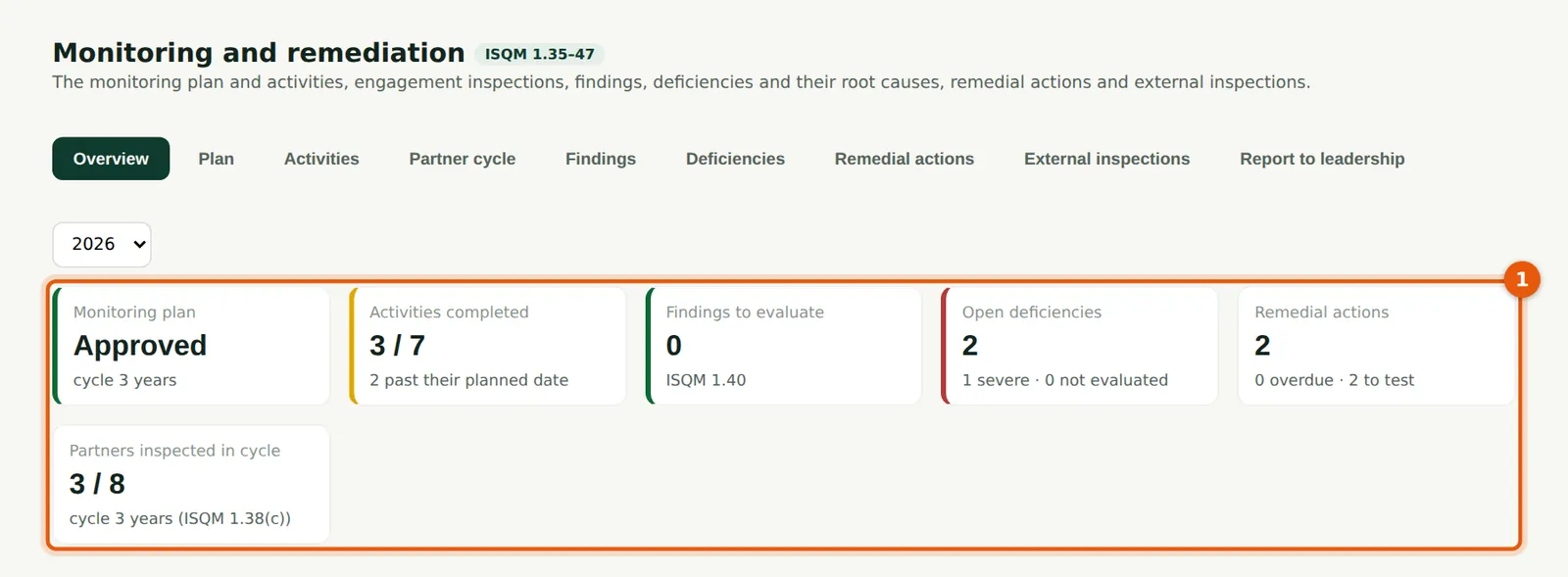
The plan, activities completed and late, findings to evaluate, open and severe deficiencies, remedial actions overdue or waiting to be tested, and partners due for inspection (1).
Who
Monitoring lead; leadership.
What to do
- Choose a tile to open the list behind it.